
Comprehensive board meeting template
Twenty-three slides for the board that asks about the next round rather than the last quarter: pipeline health, net revenue retention, the innovation pipeline, ESG, and where the capital went. Select it, brand it to your company in one click, add your figures, and export to PowerPoint, Google Slides, or Keynote.
Free to start. No credit card required.
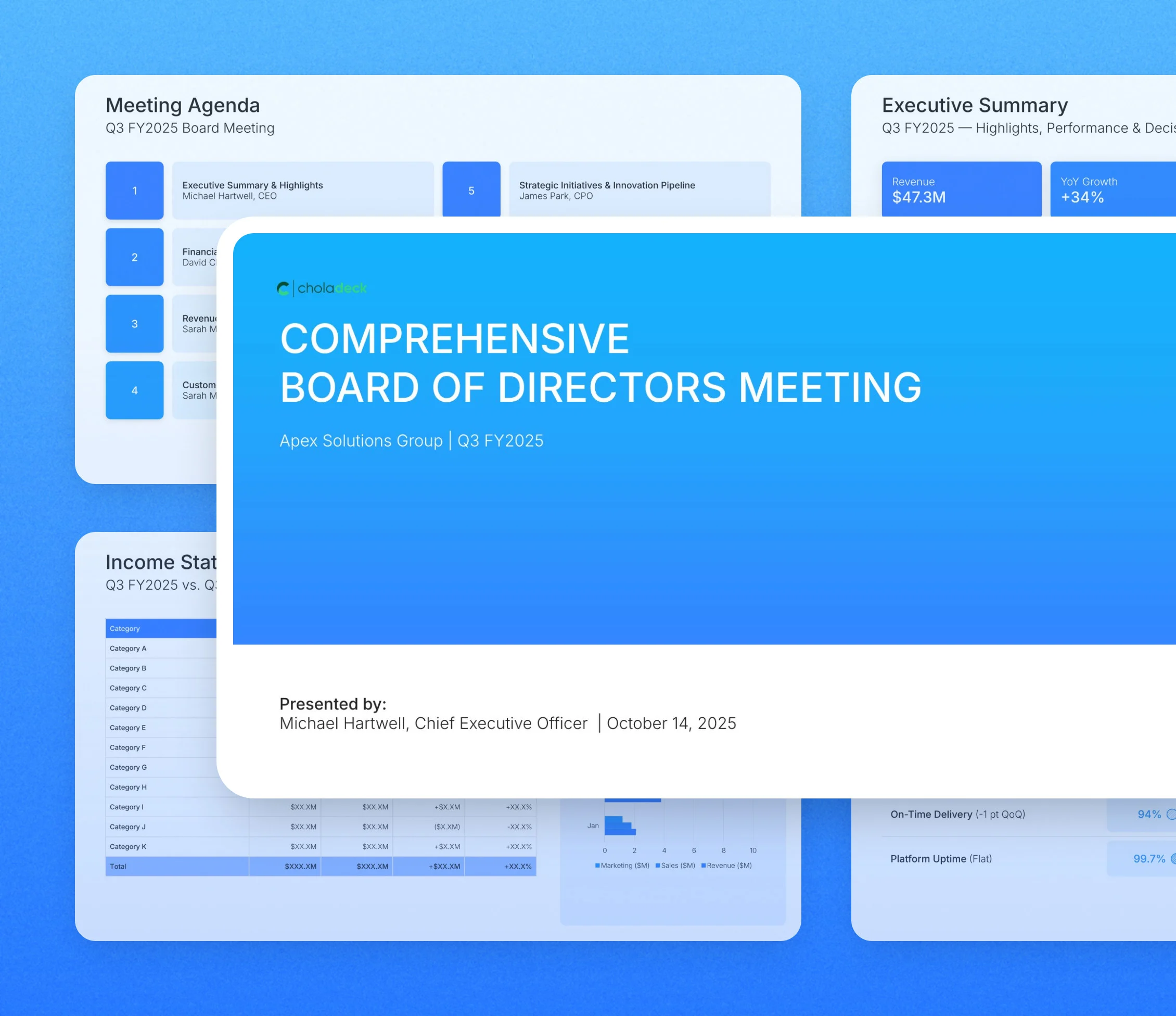
Every slide in the comprehensive board meeting template
Twenty-three slides, in the order you present them.
 Modern
 Minimal
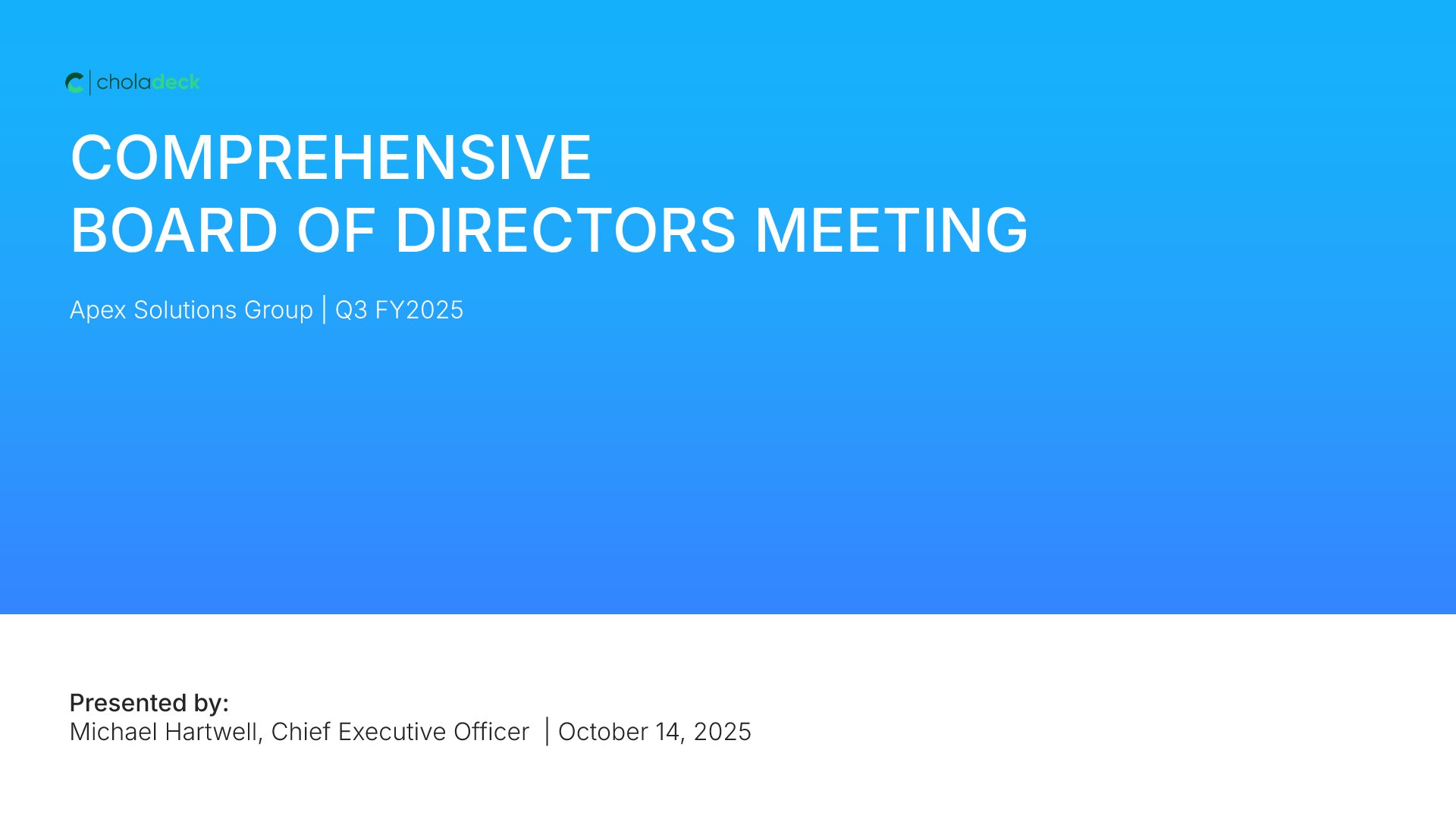 Title
Title
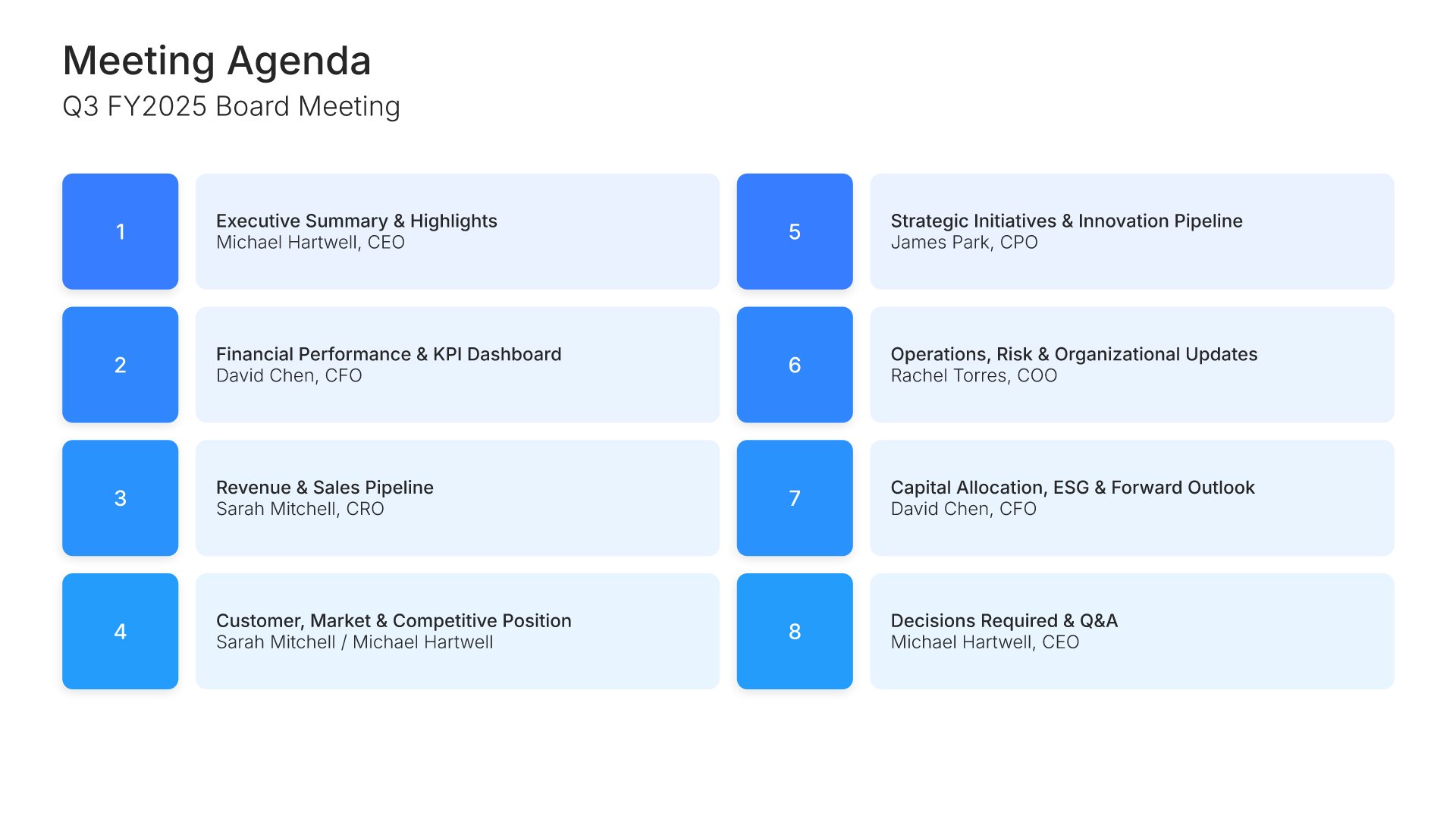 Agenda
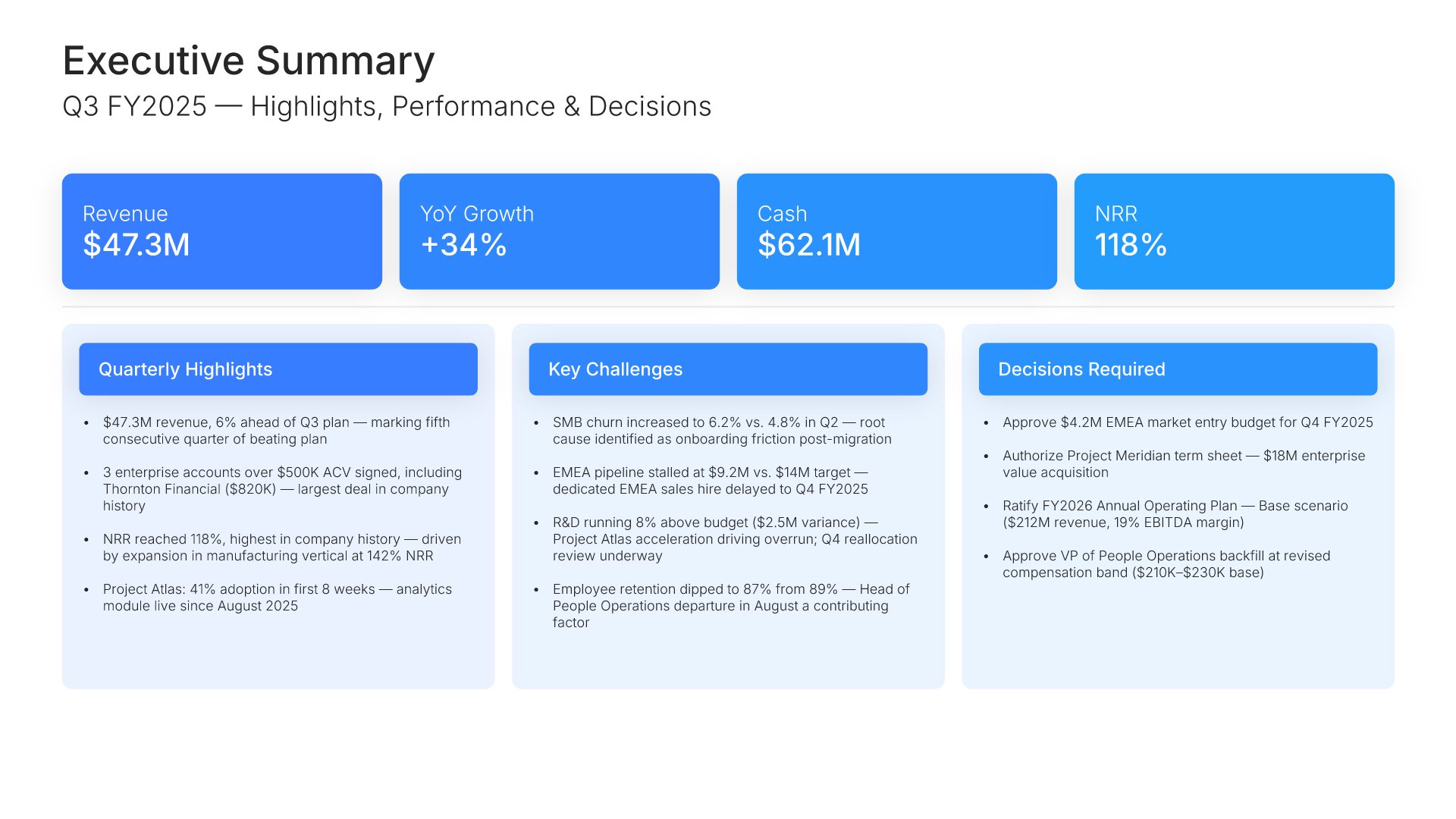 Executive Summary
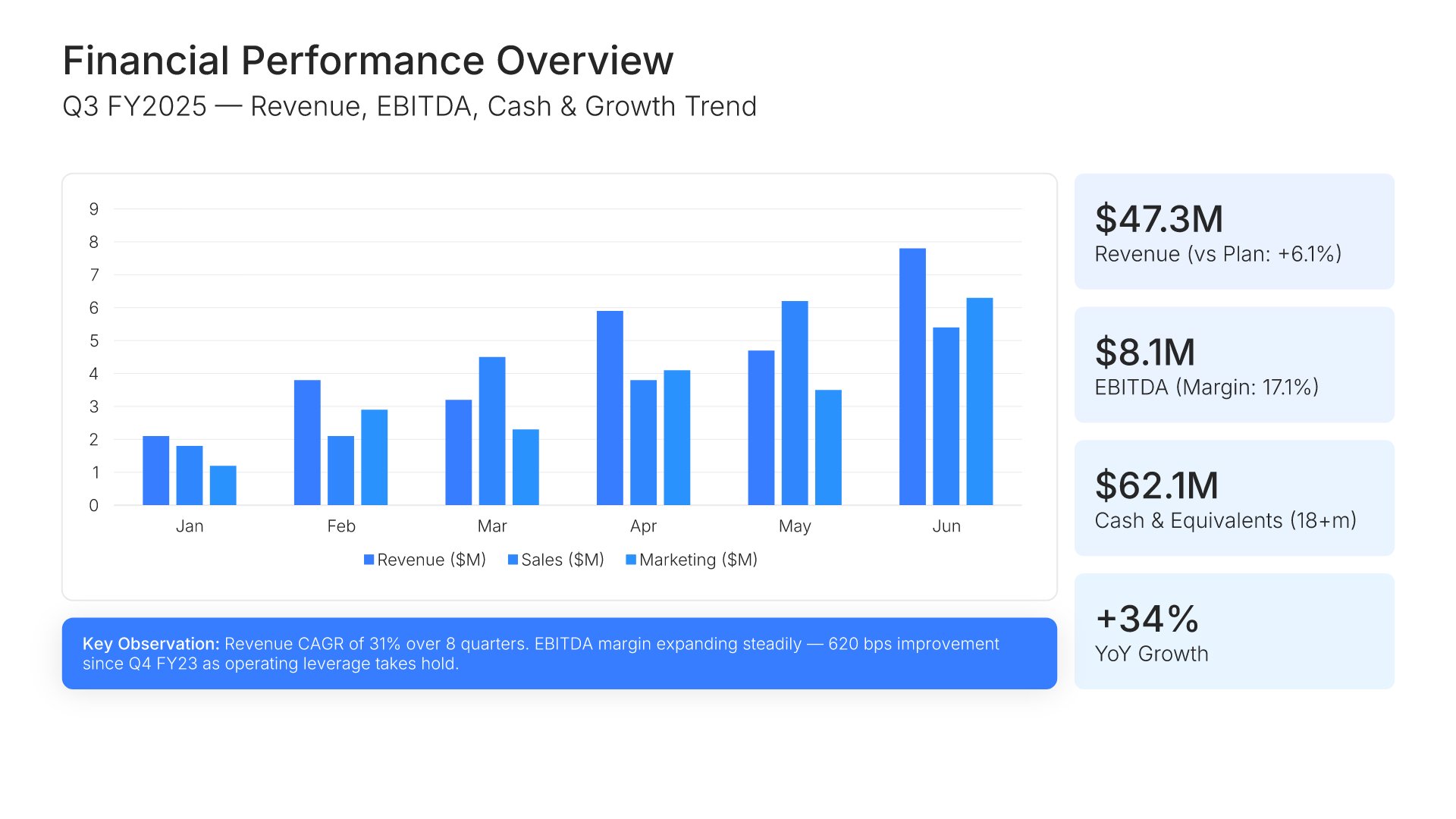 Financial Performance Overview
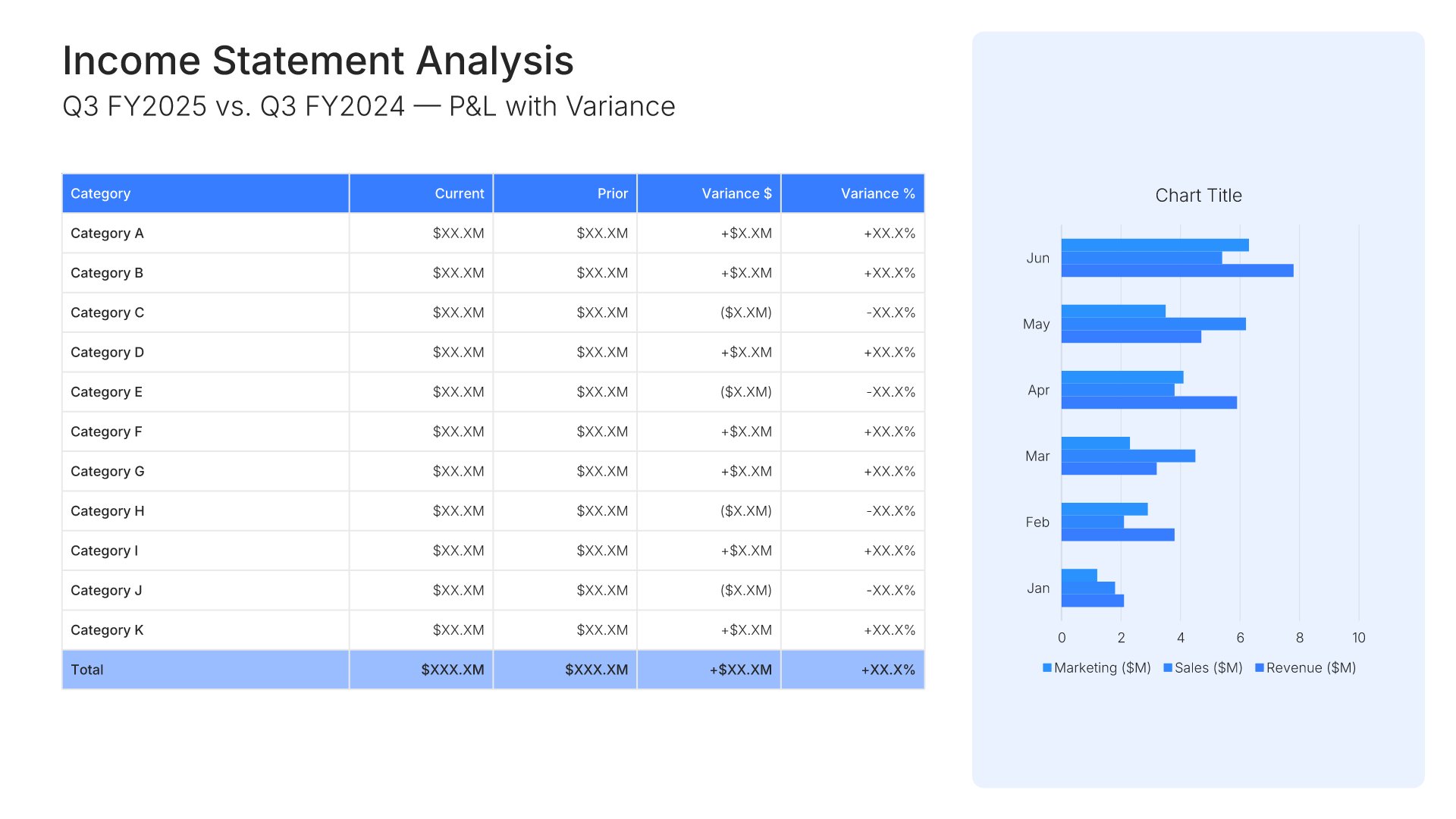 Income Statement
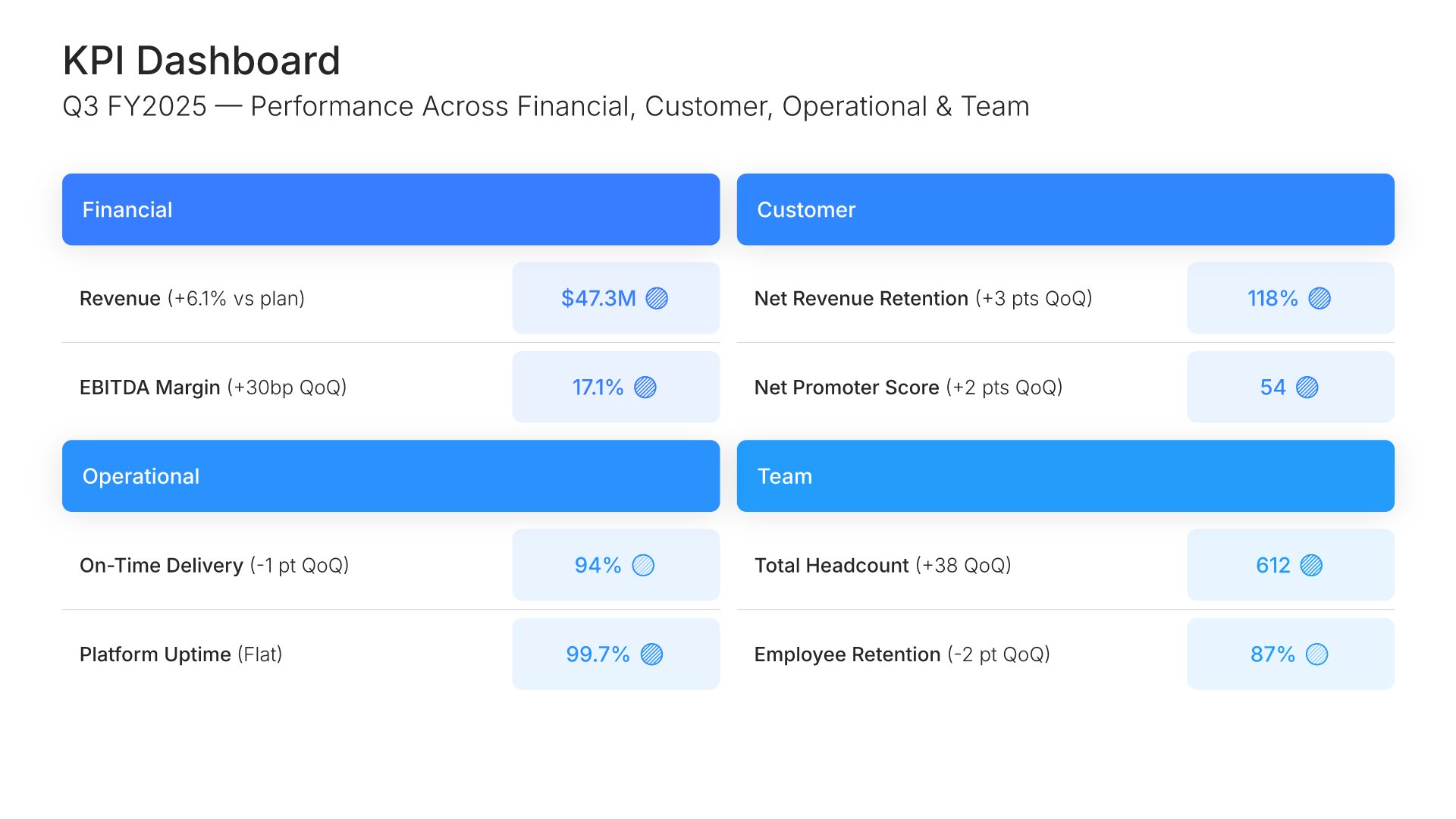 KPI Dashboard
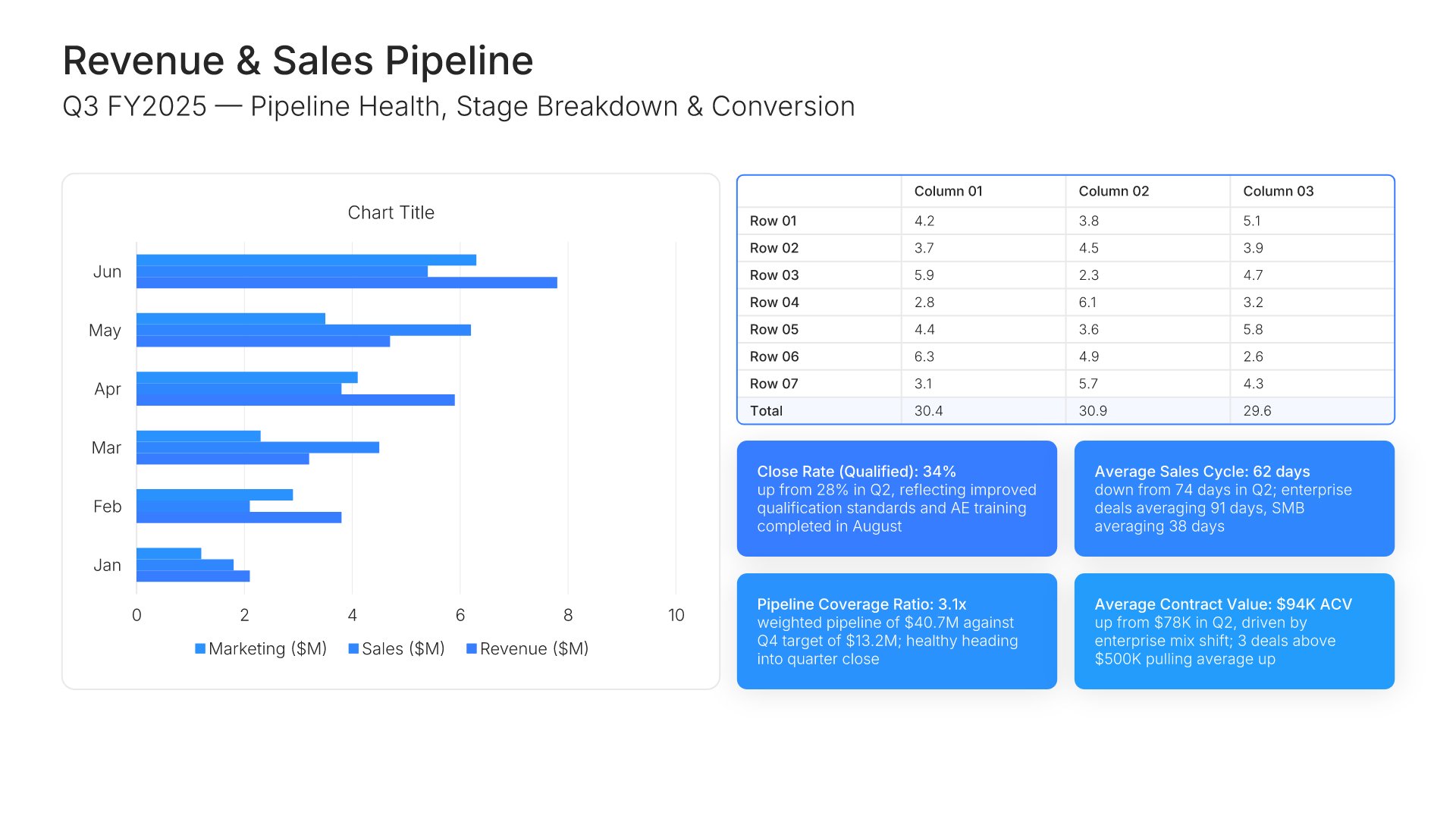 Sales & Pipeline
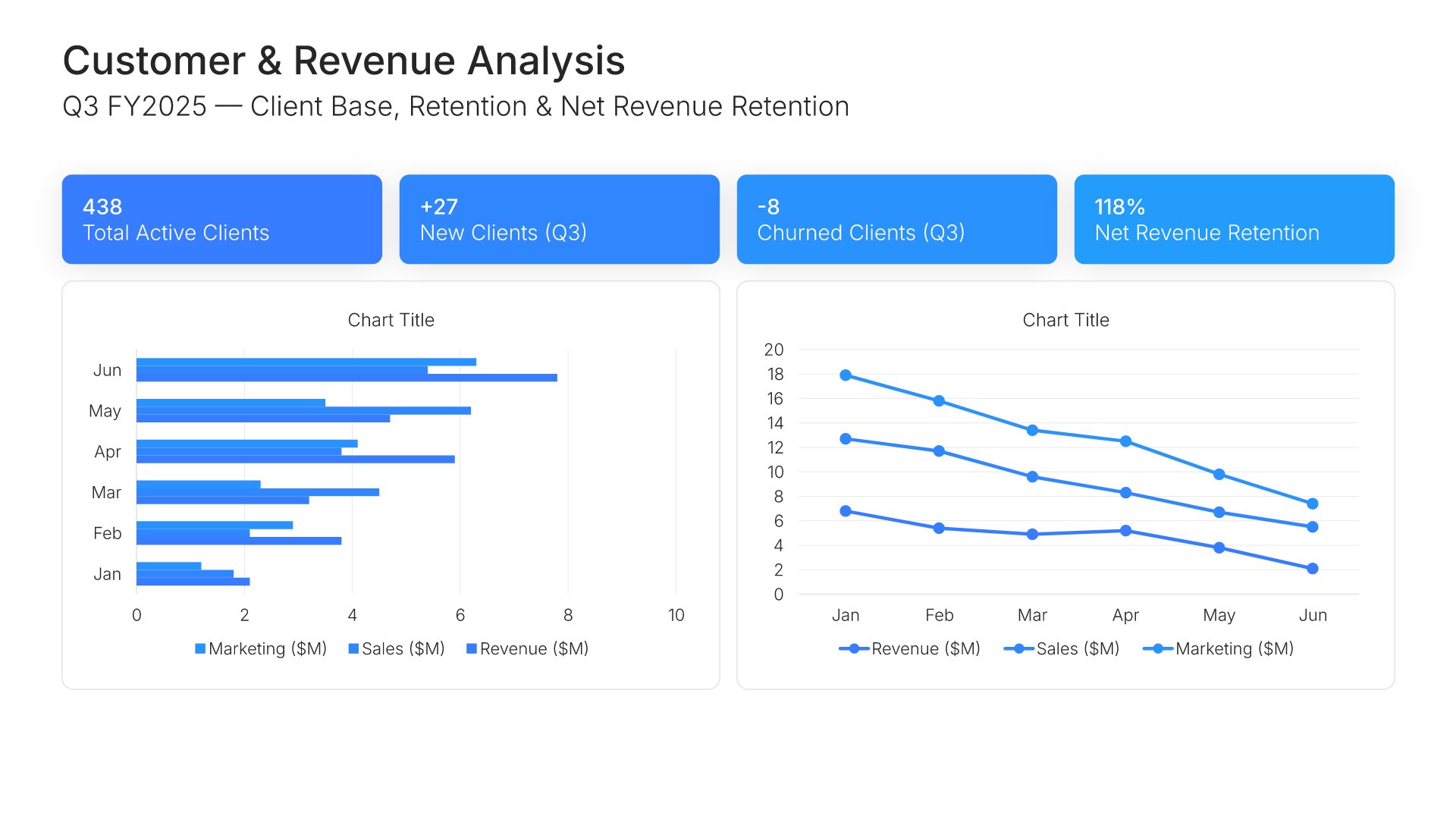 Customer & Revenue Analysis
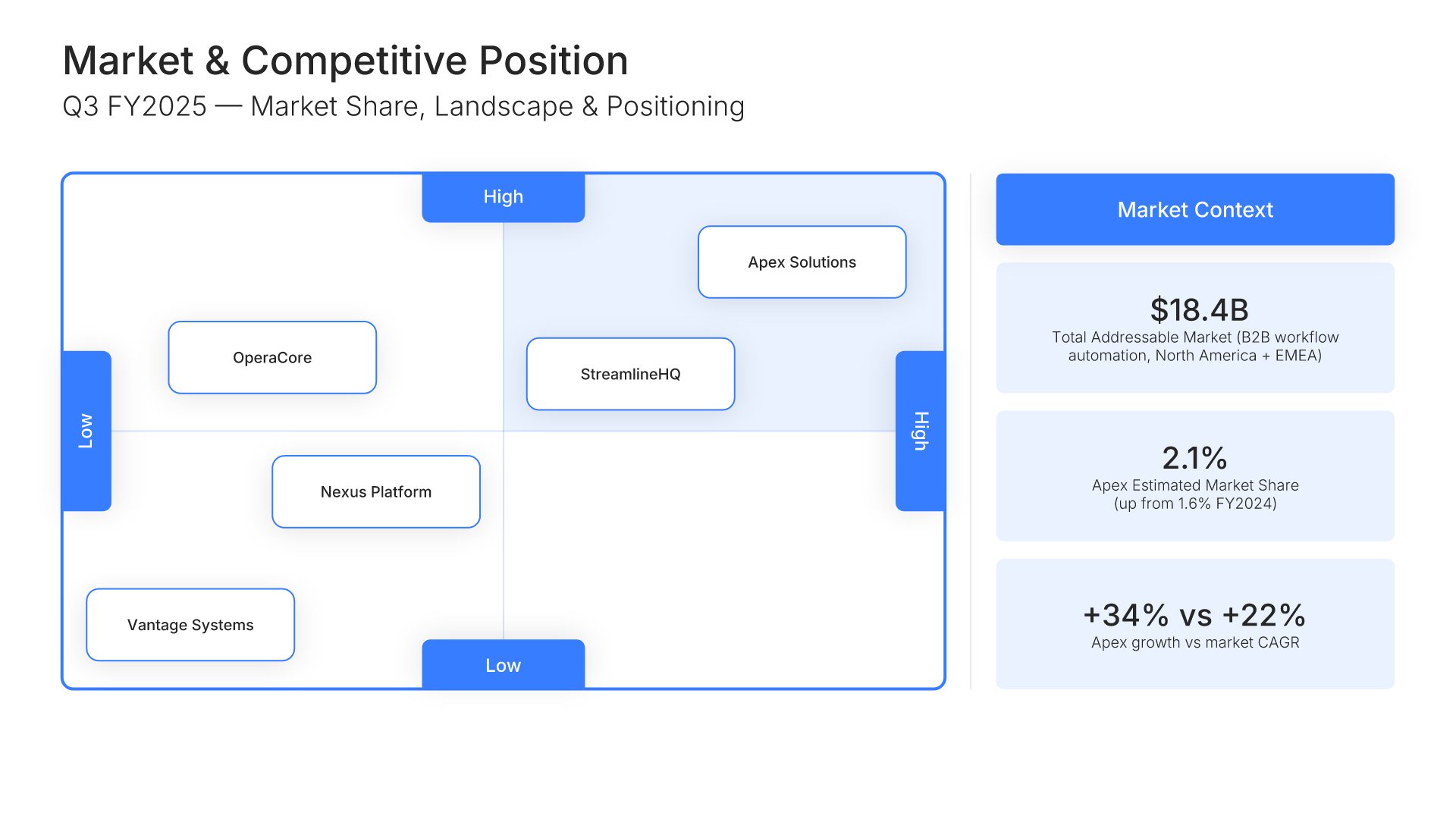 Market Context & Competitive Position
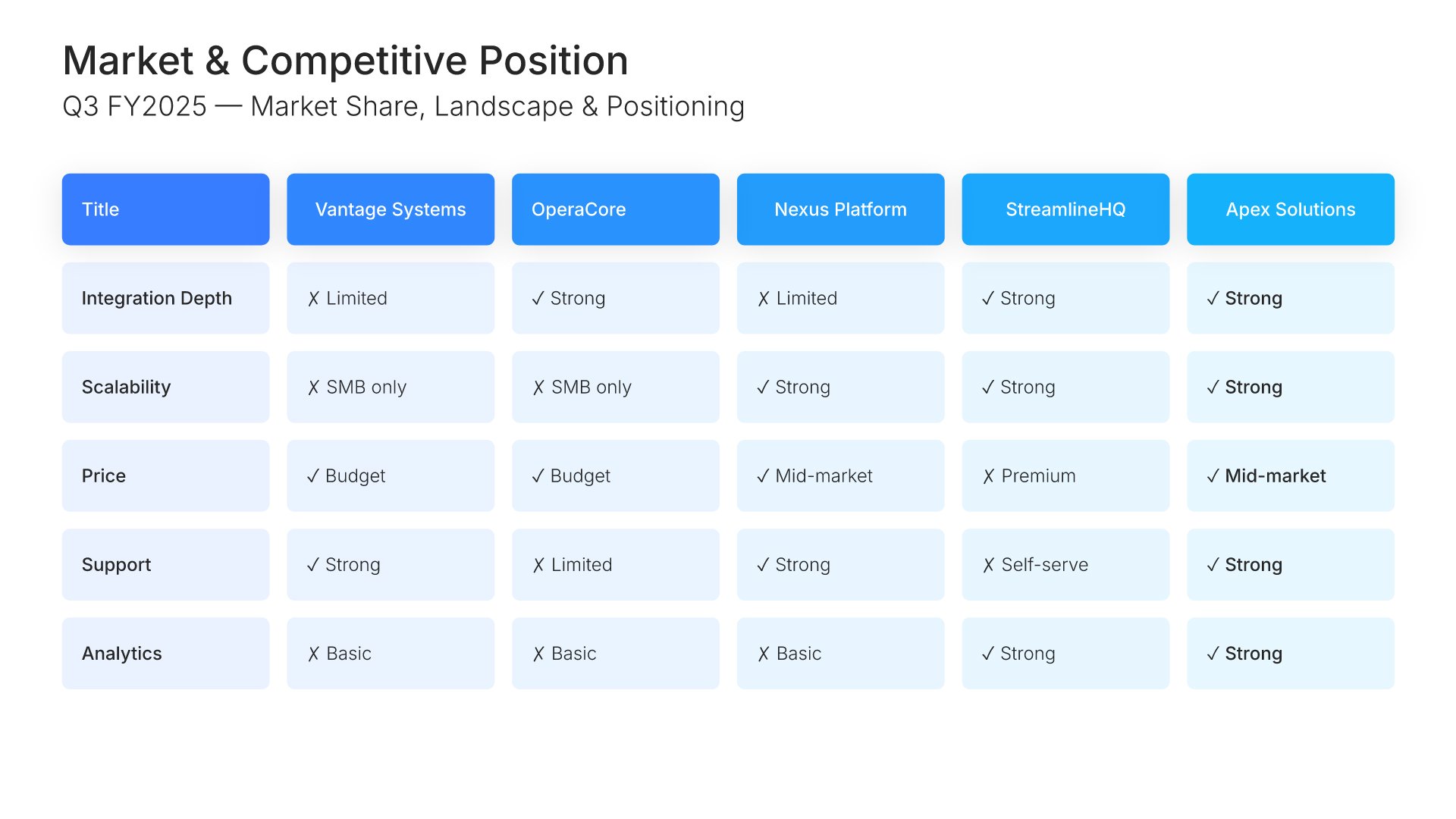 Market Context & Competitive Position
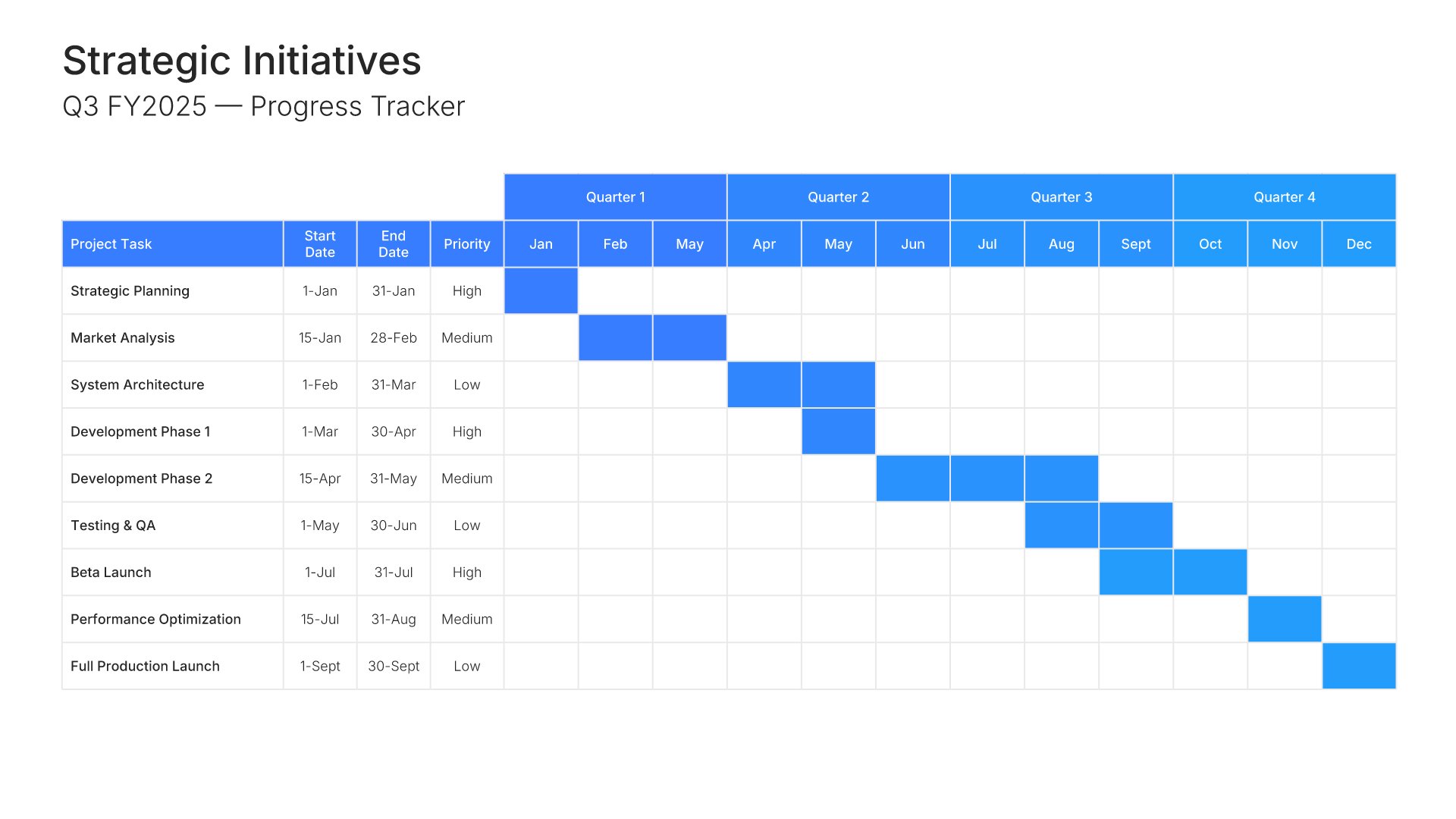 Strategic Initiatives Progress
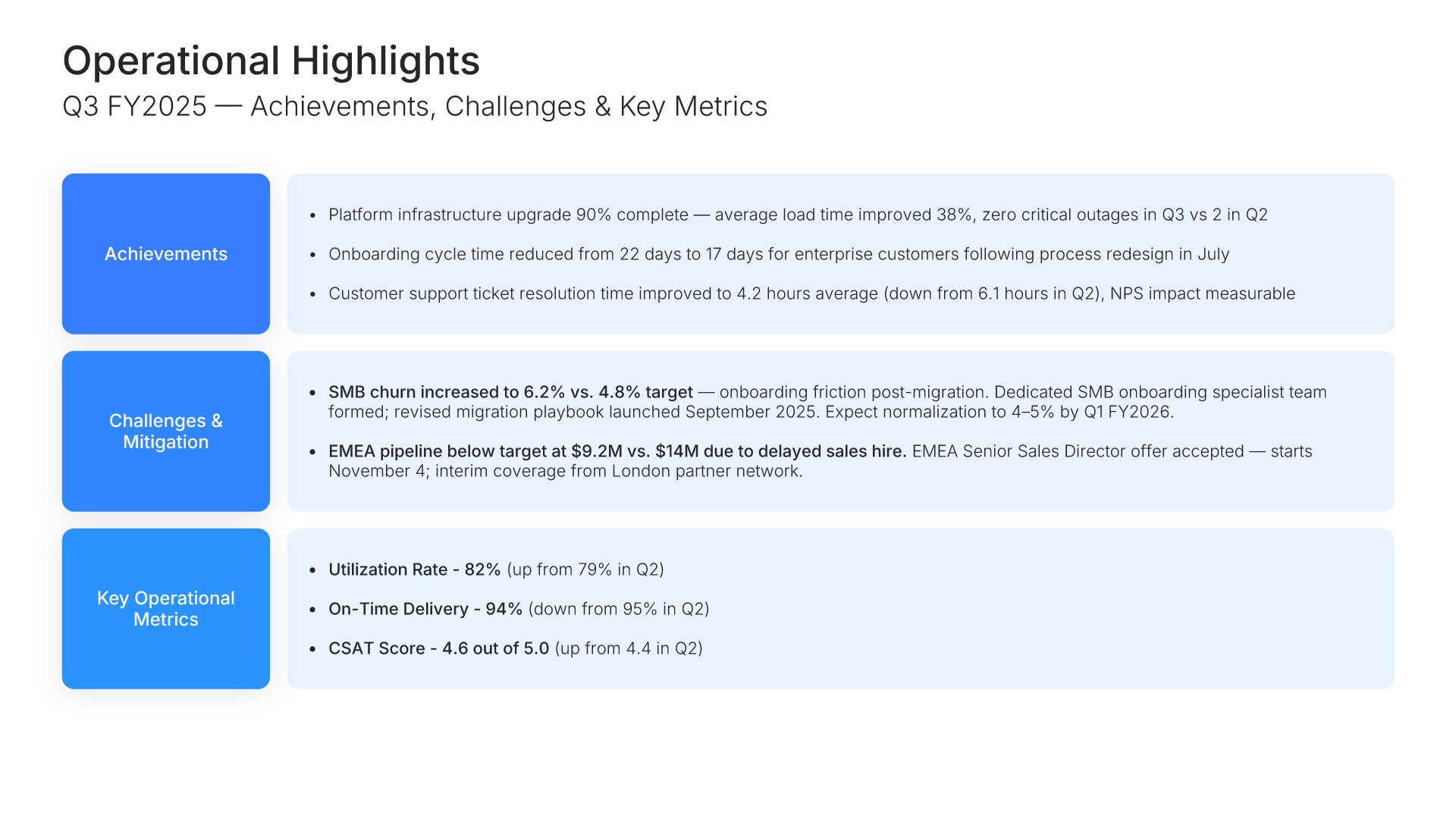 Operational Highlights
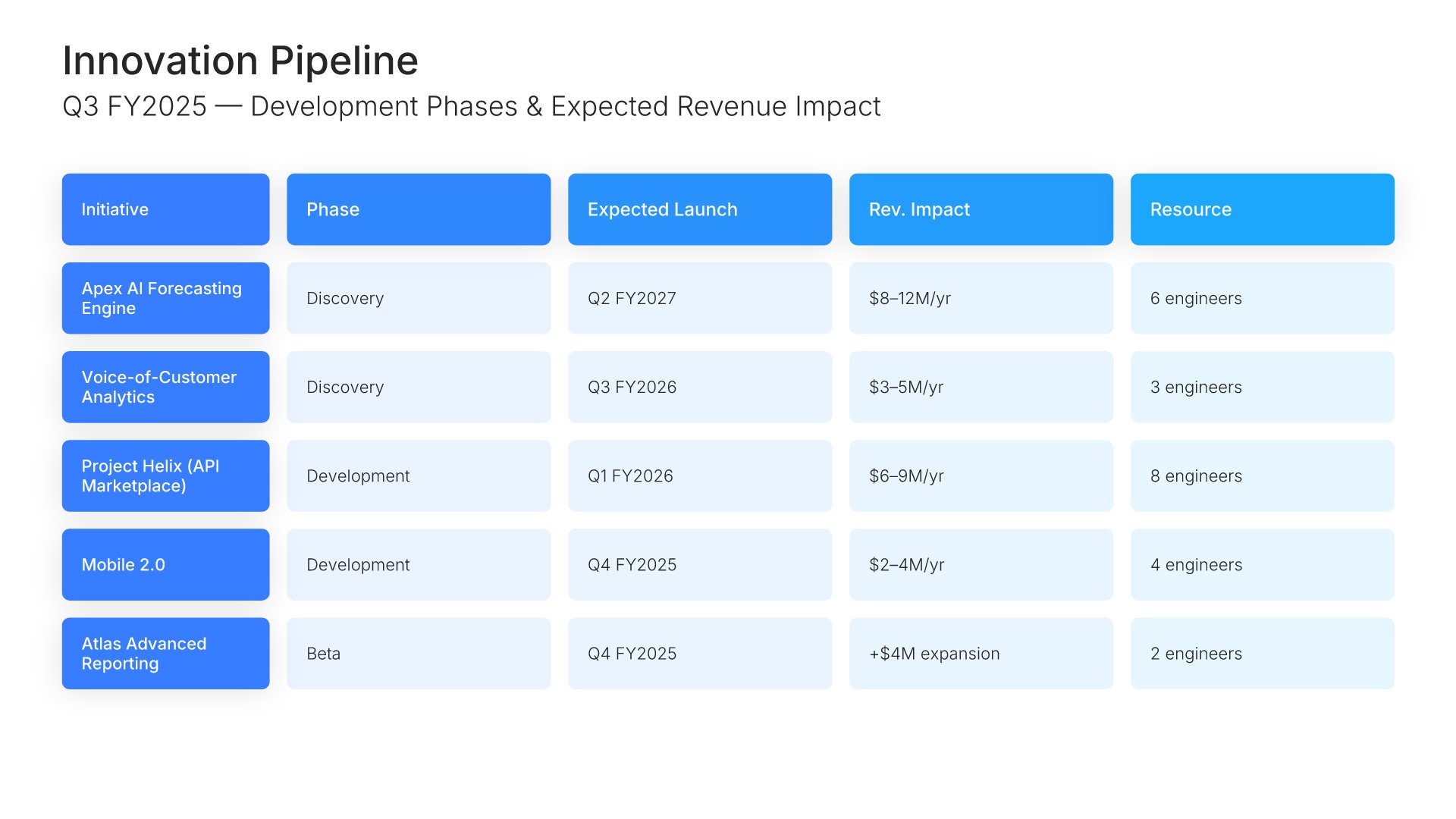 Innovation Pipeline
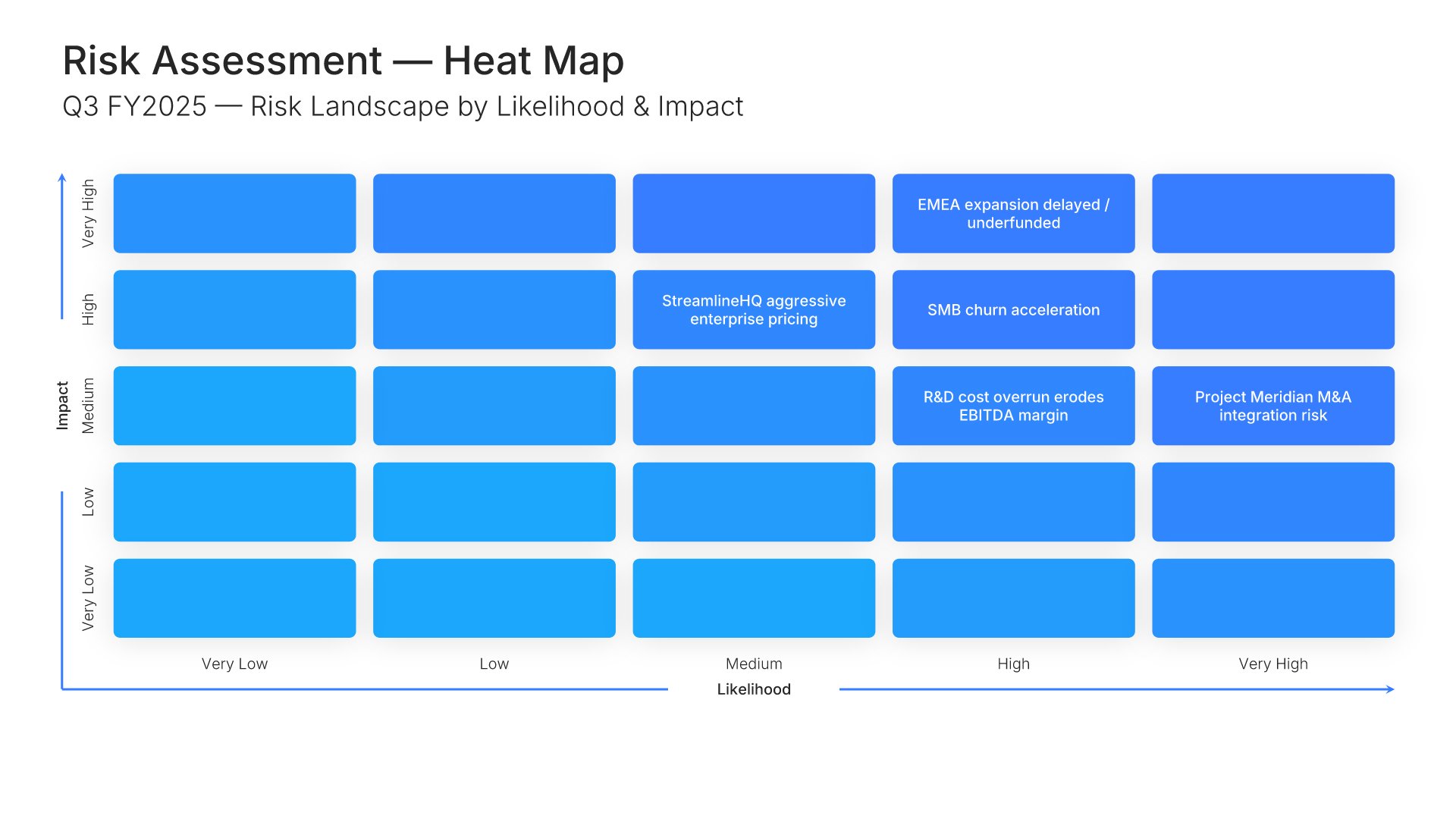 Risk Assessment
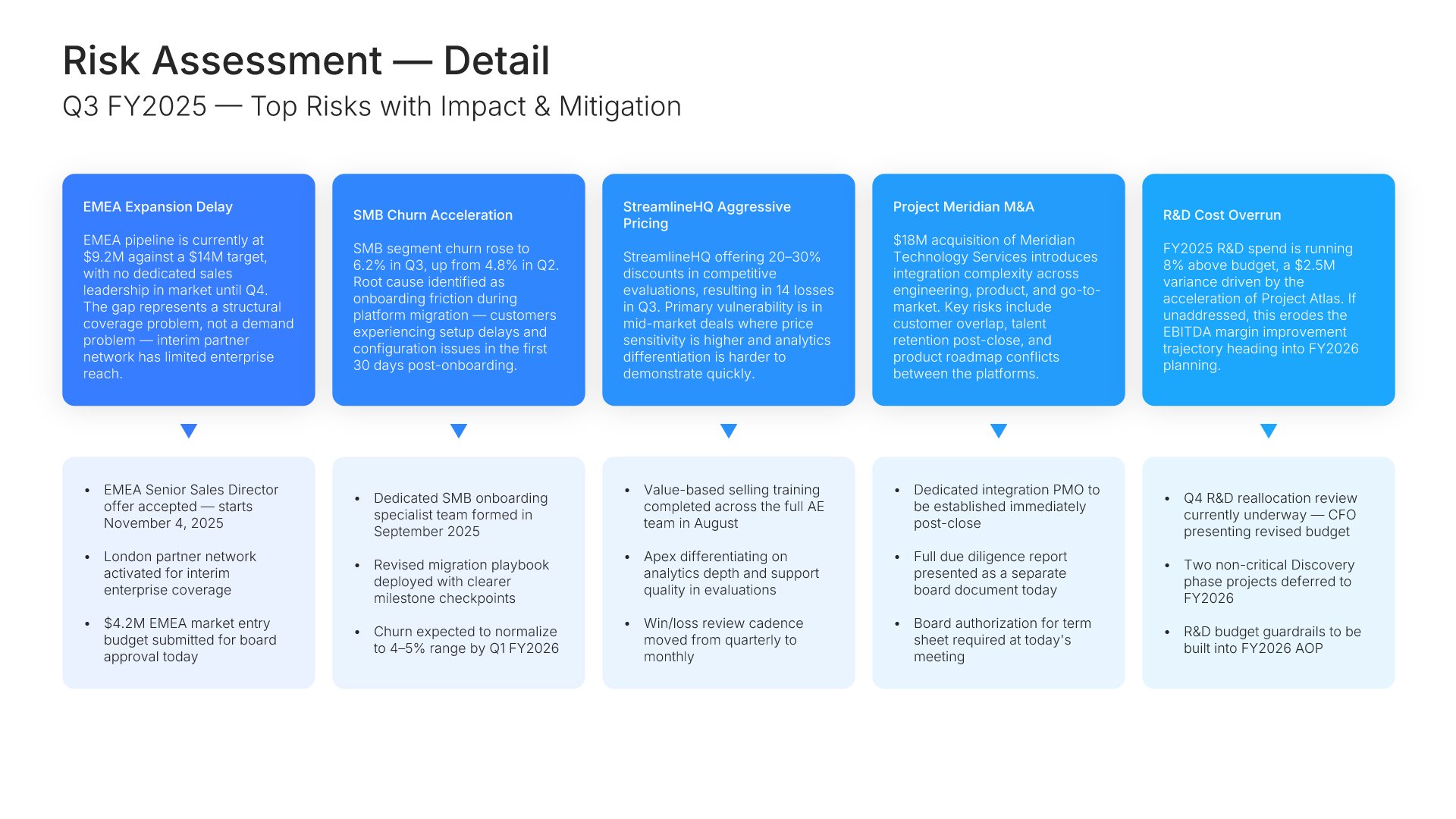 Risk Assessment
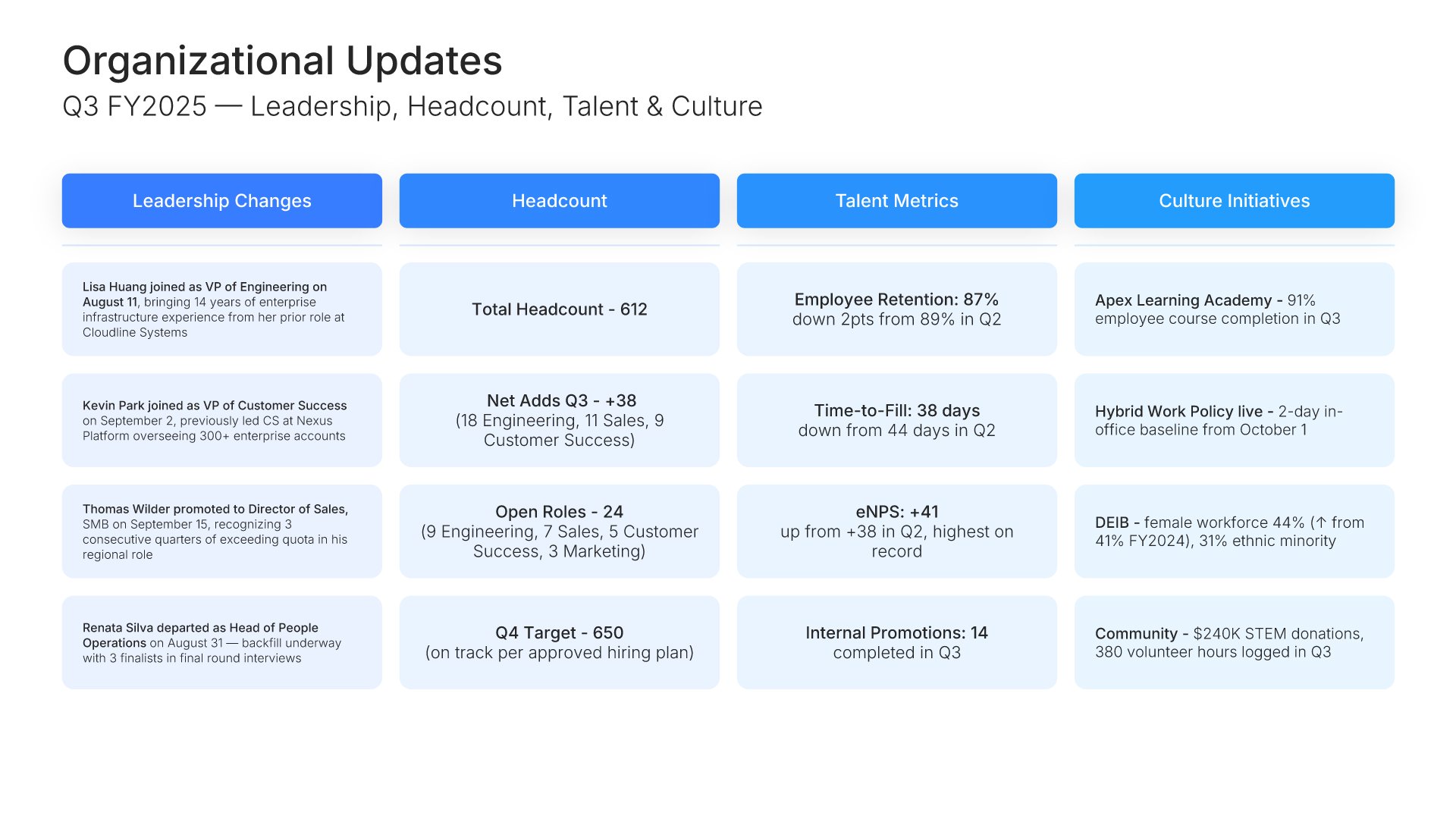 Organizational Updates
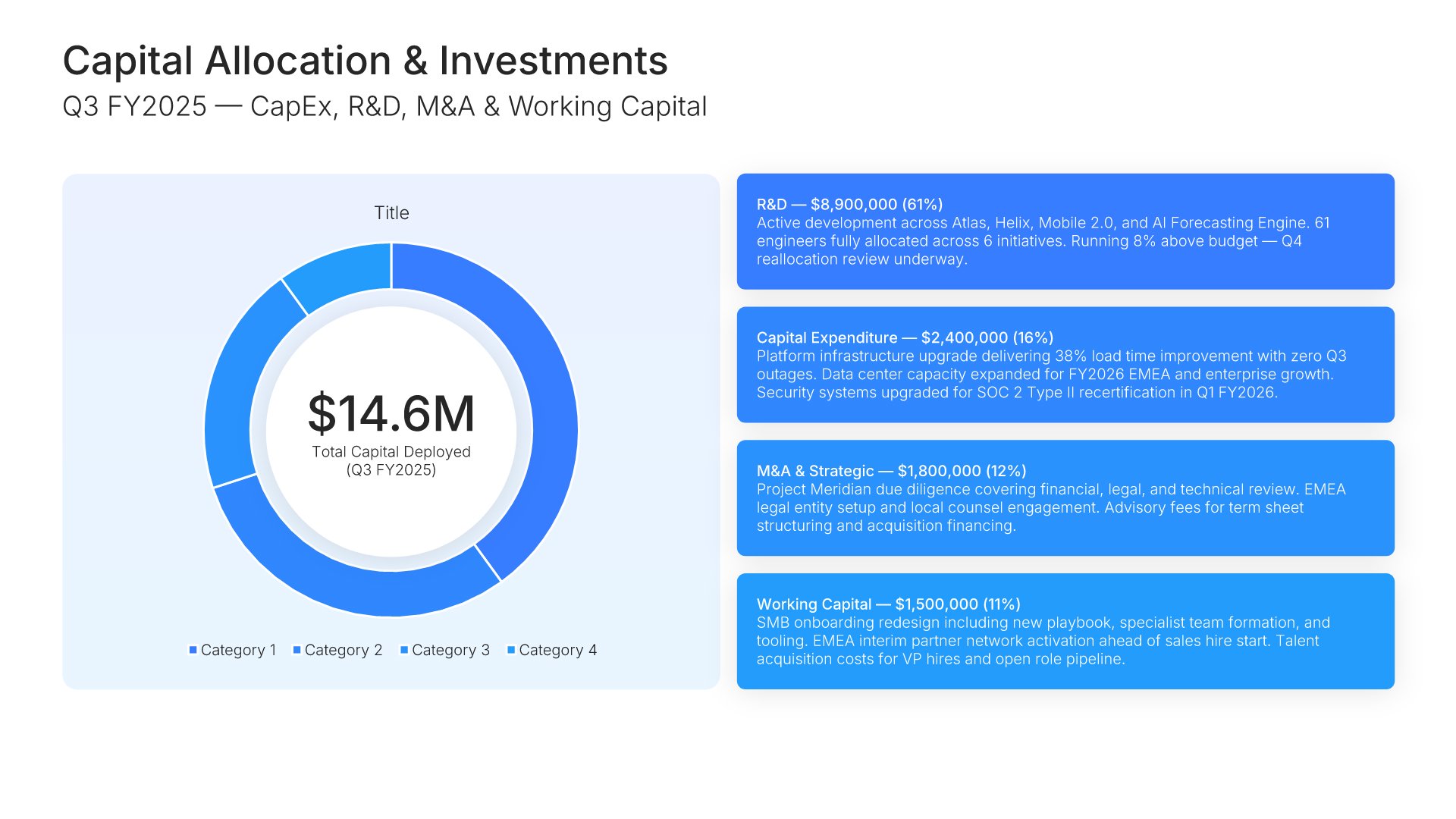 Capital Allocation & Investments
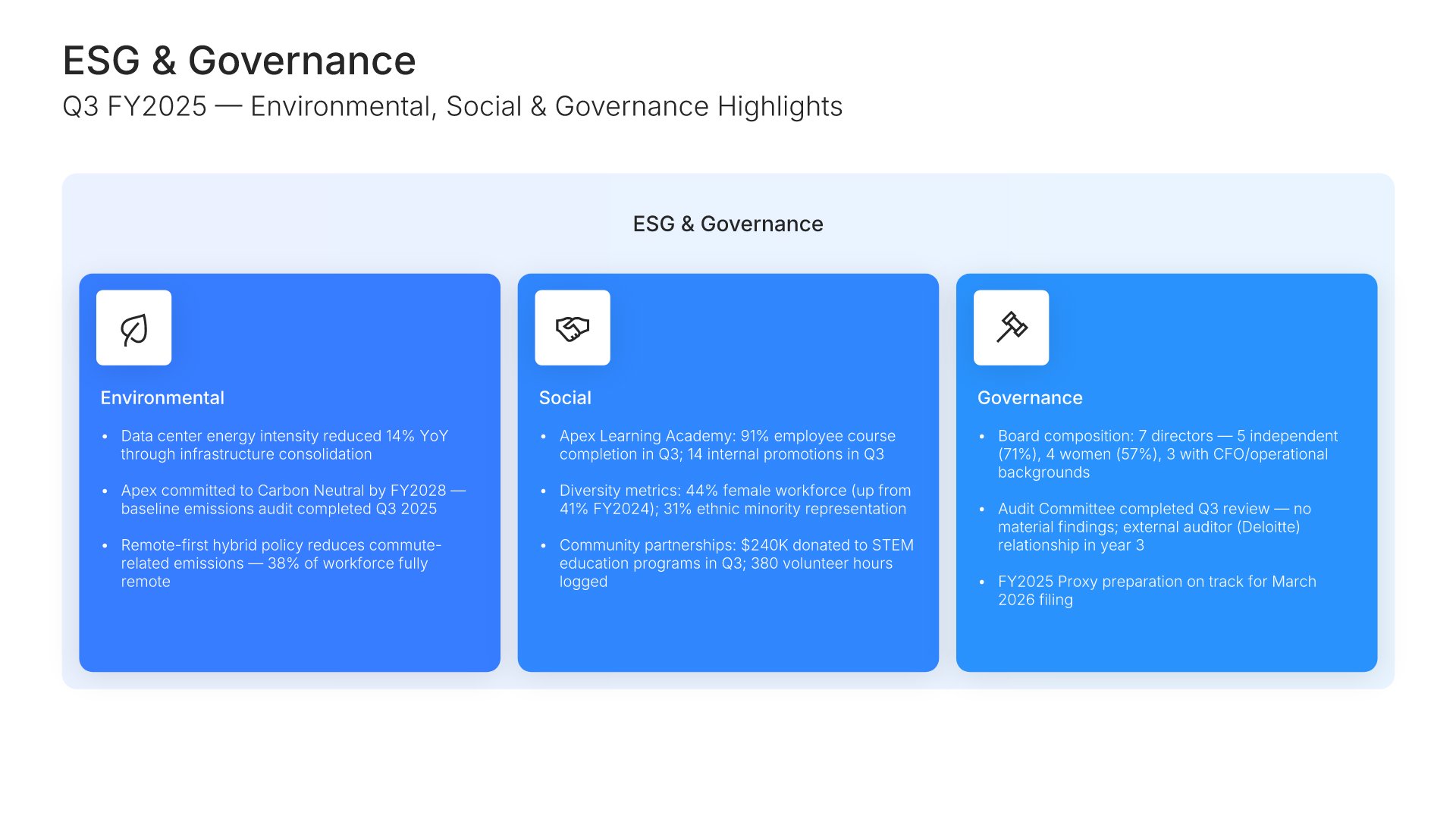 ESG & Sustainability Report
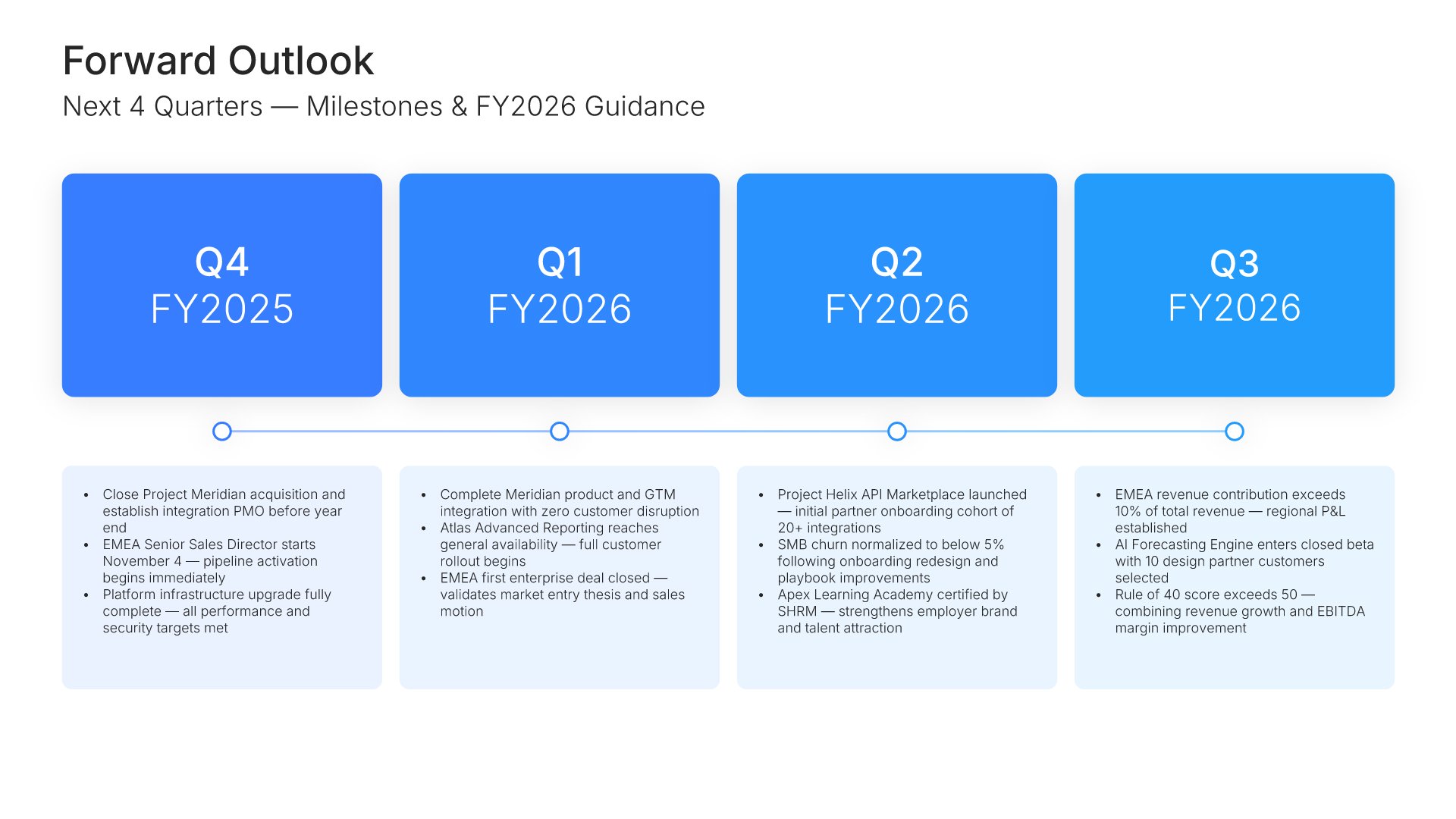 Forward Outlook
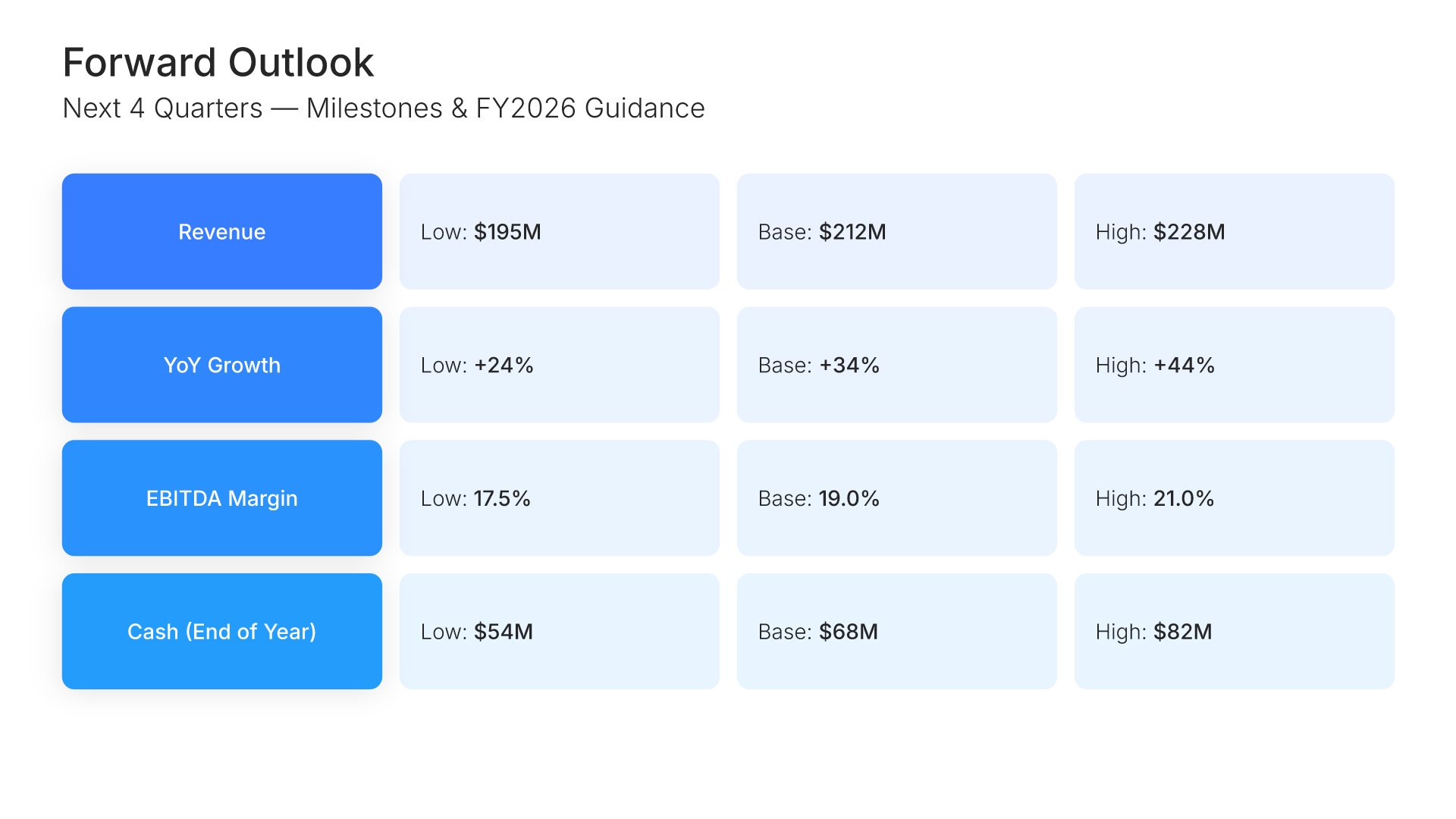 Forward Outlook
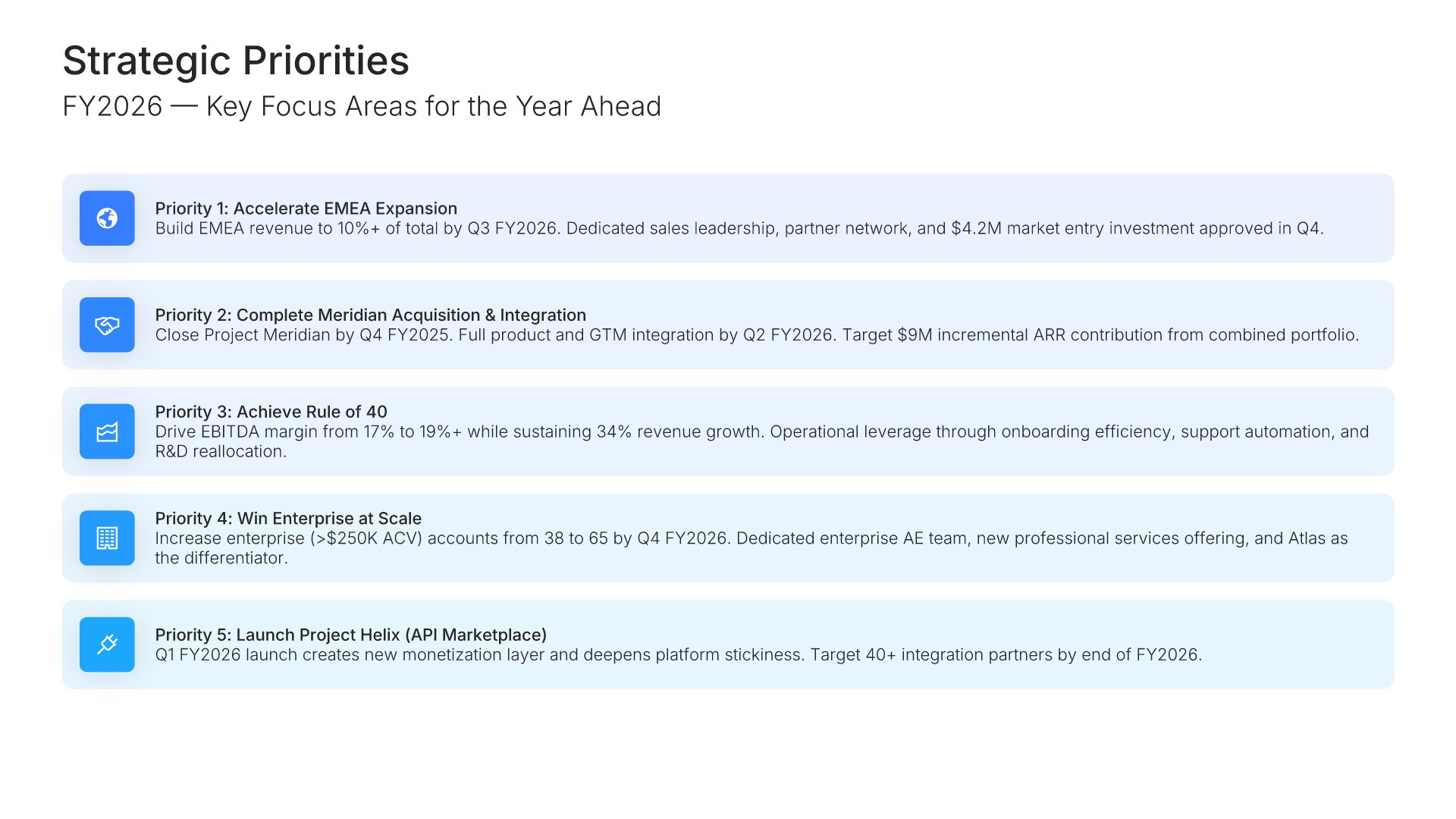 Strategic Priorities
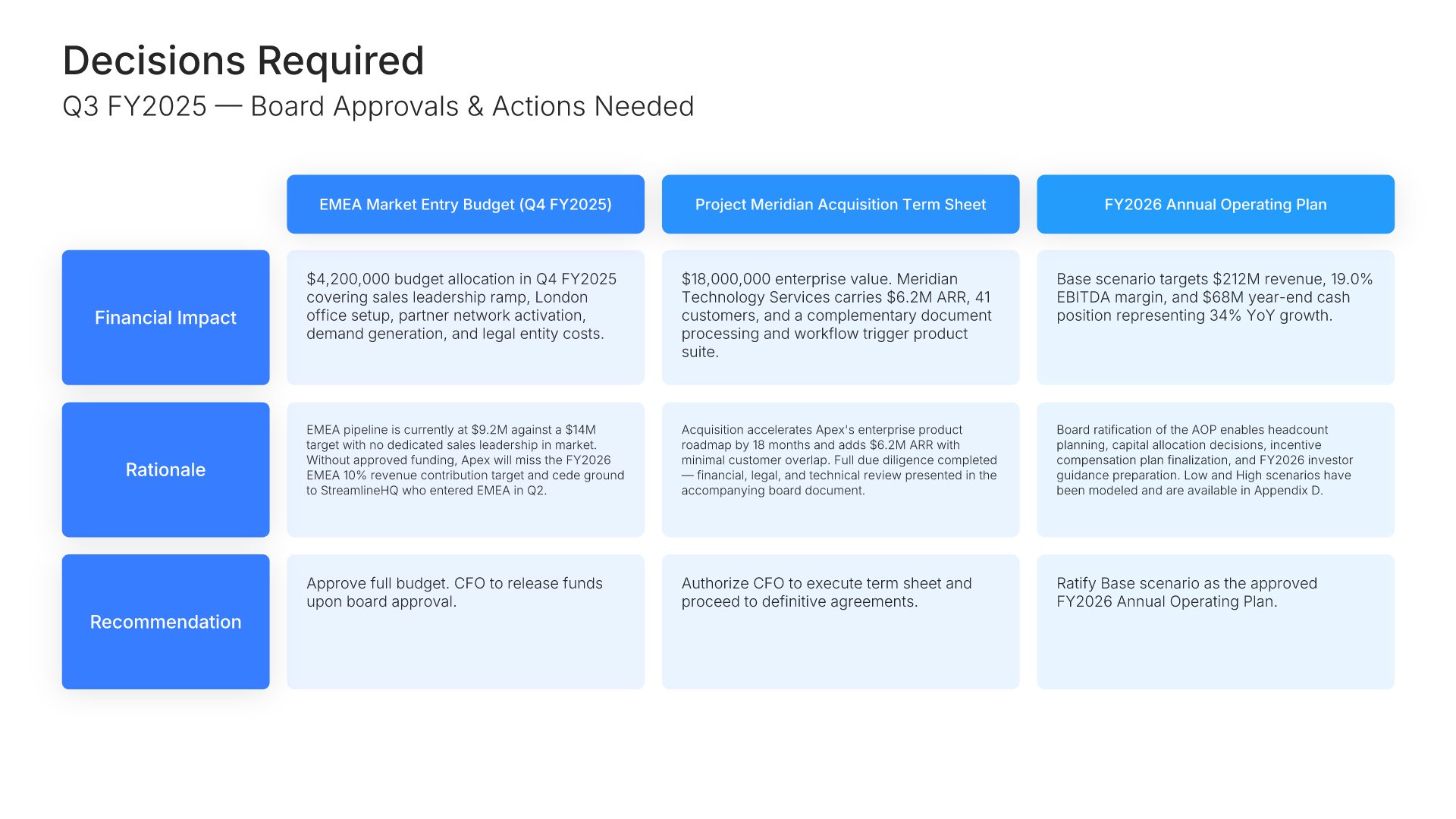 Decisions Required
 Thank You
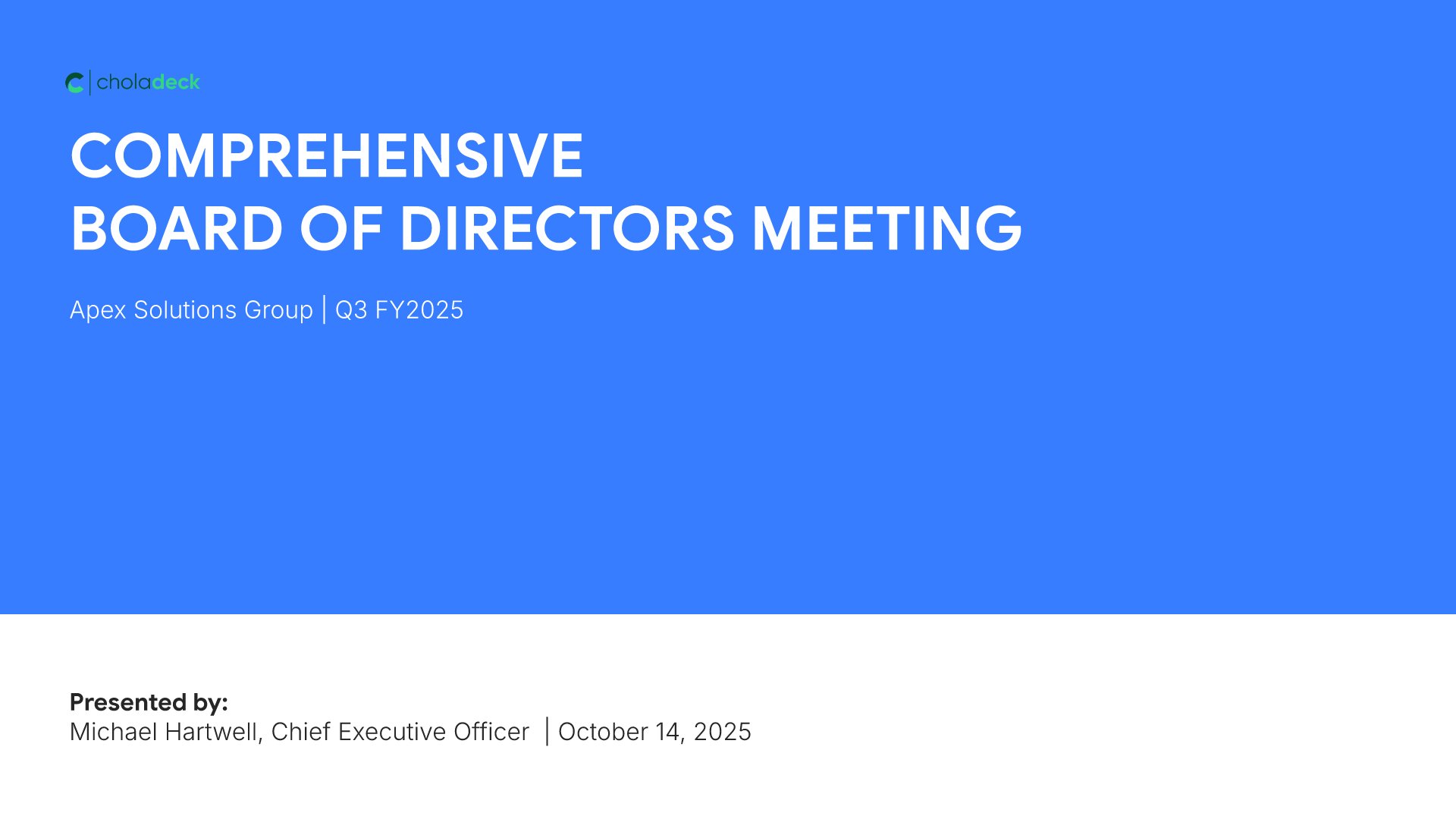 Title
Title
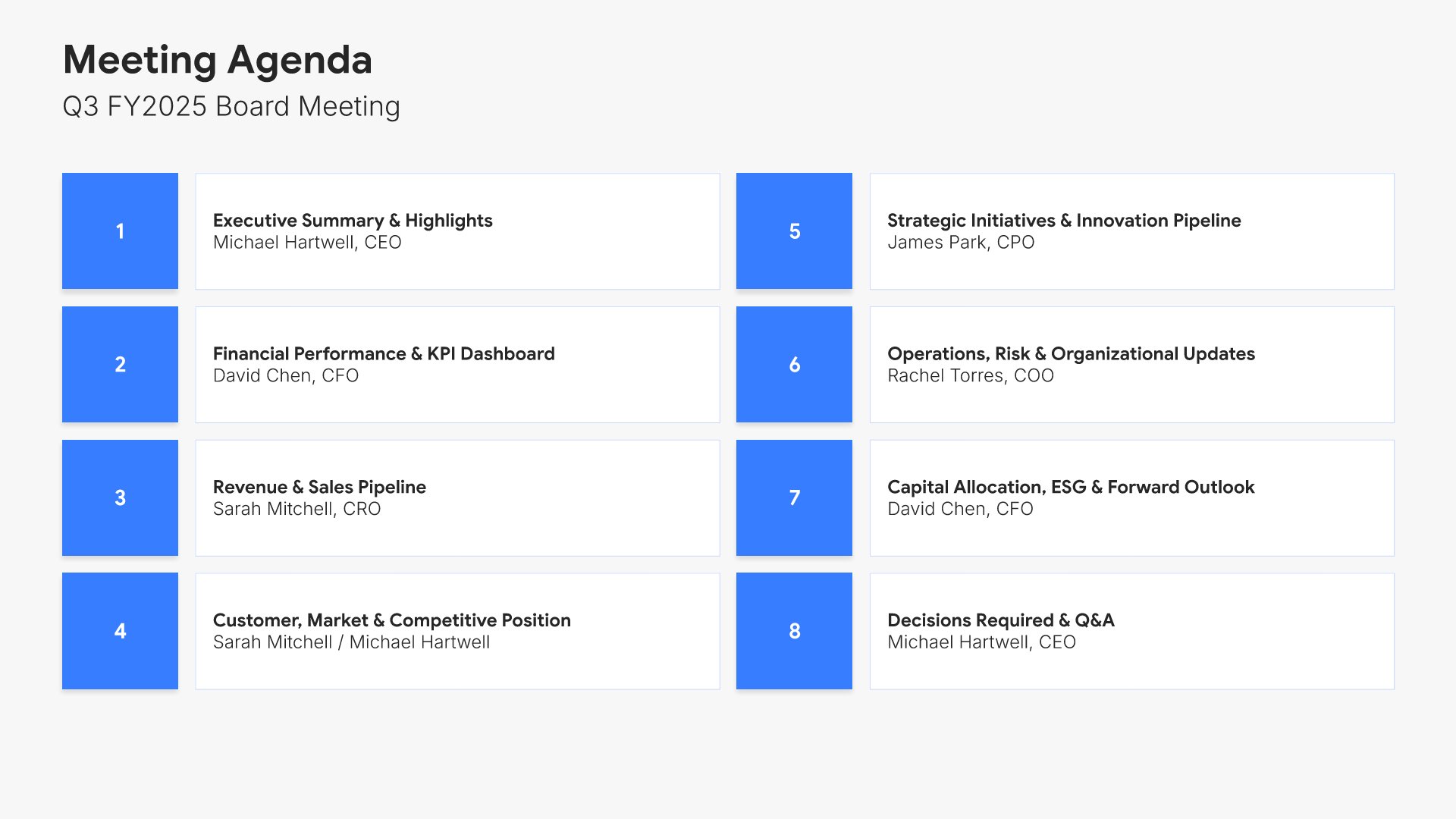 Agenda
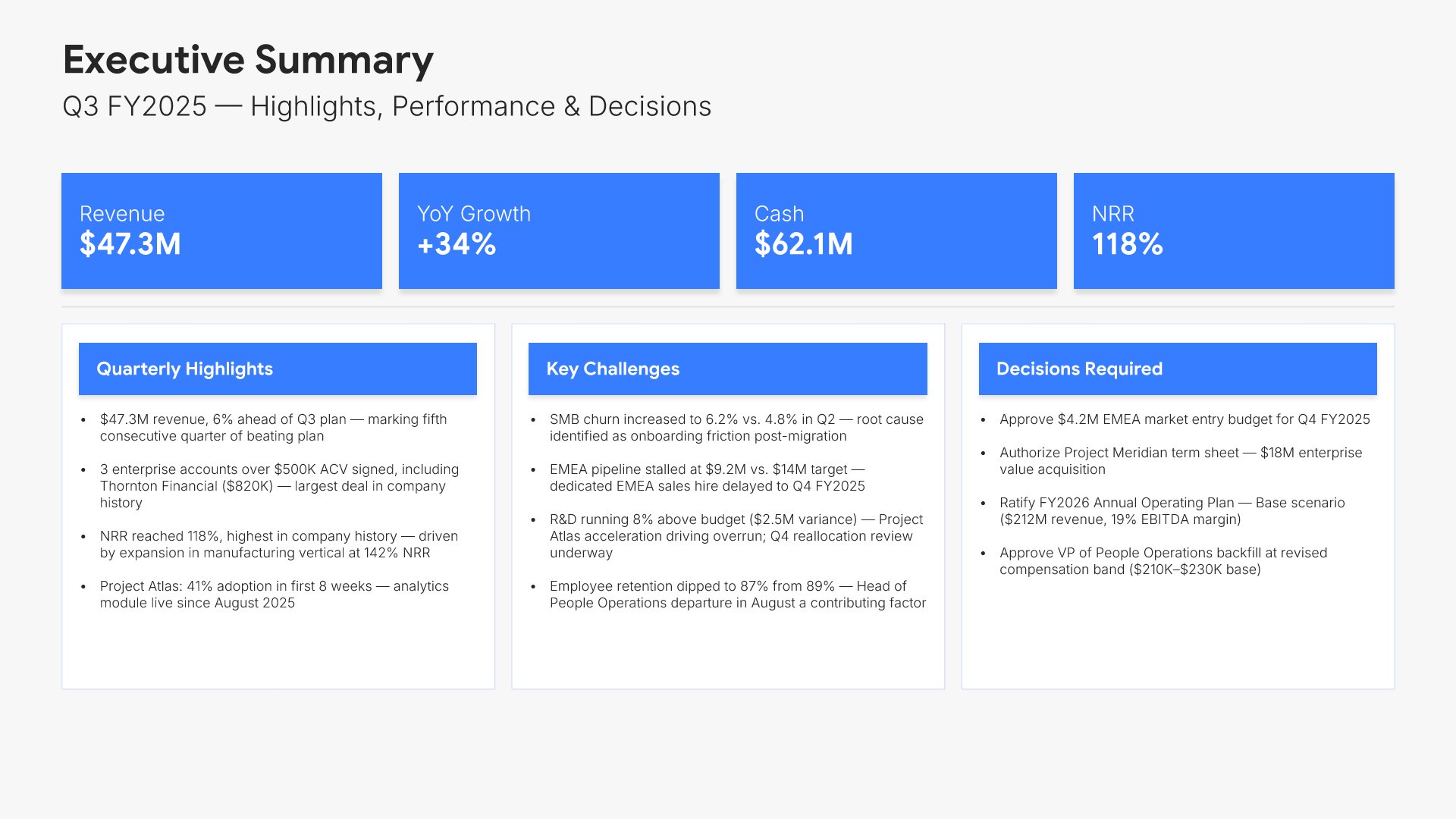 Executive Summary
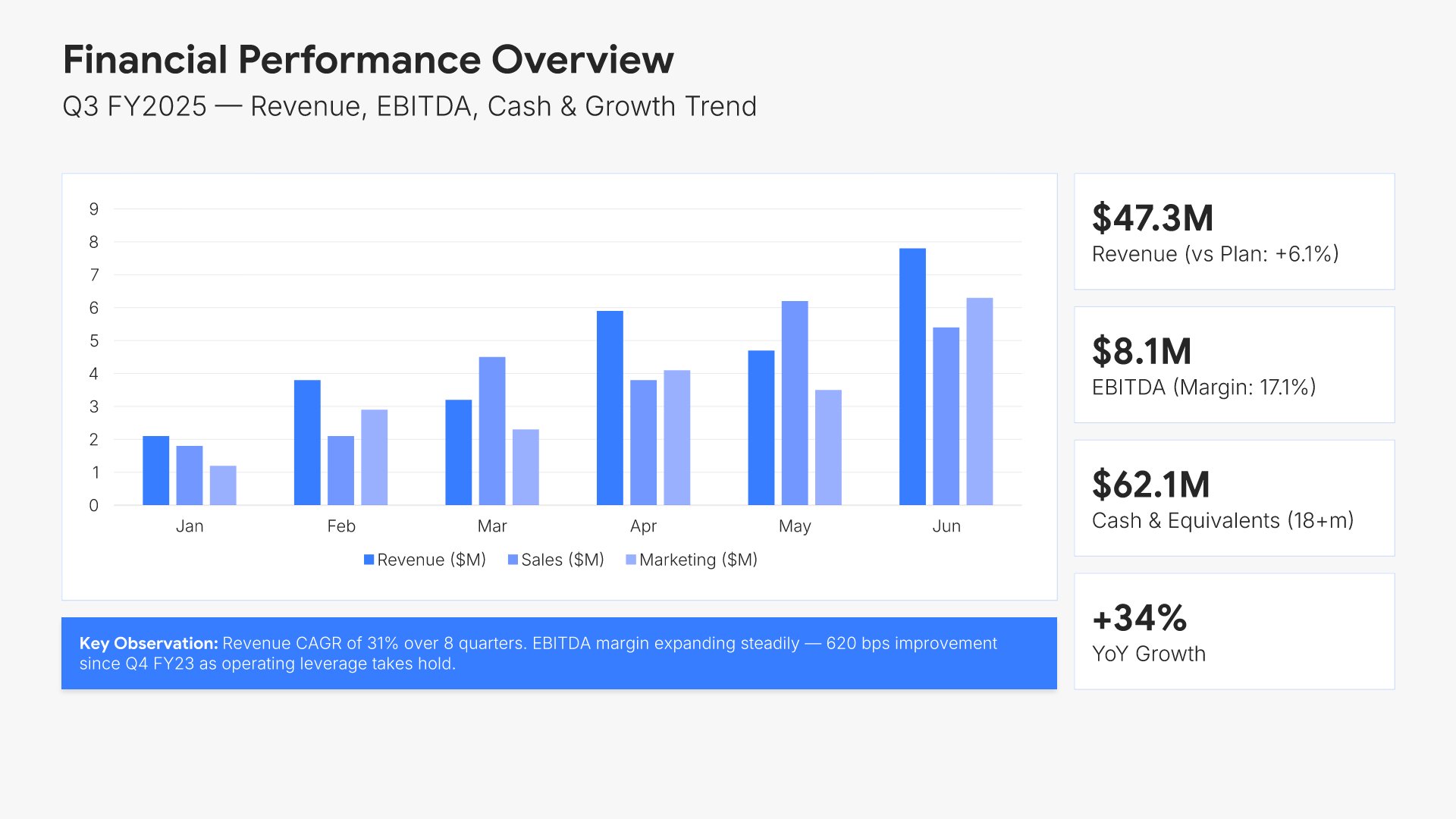 Financial Performance Overview
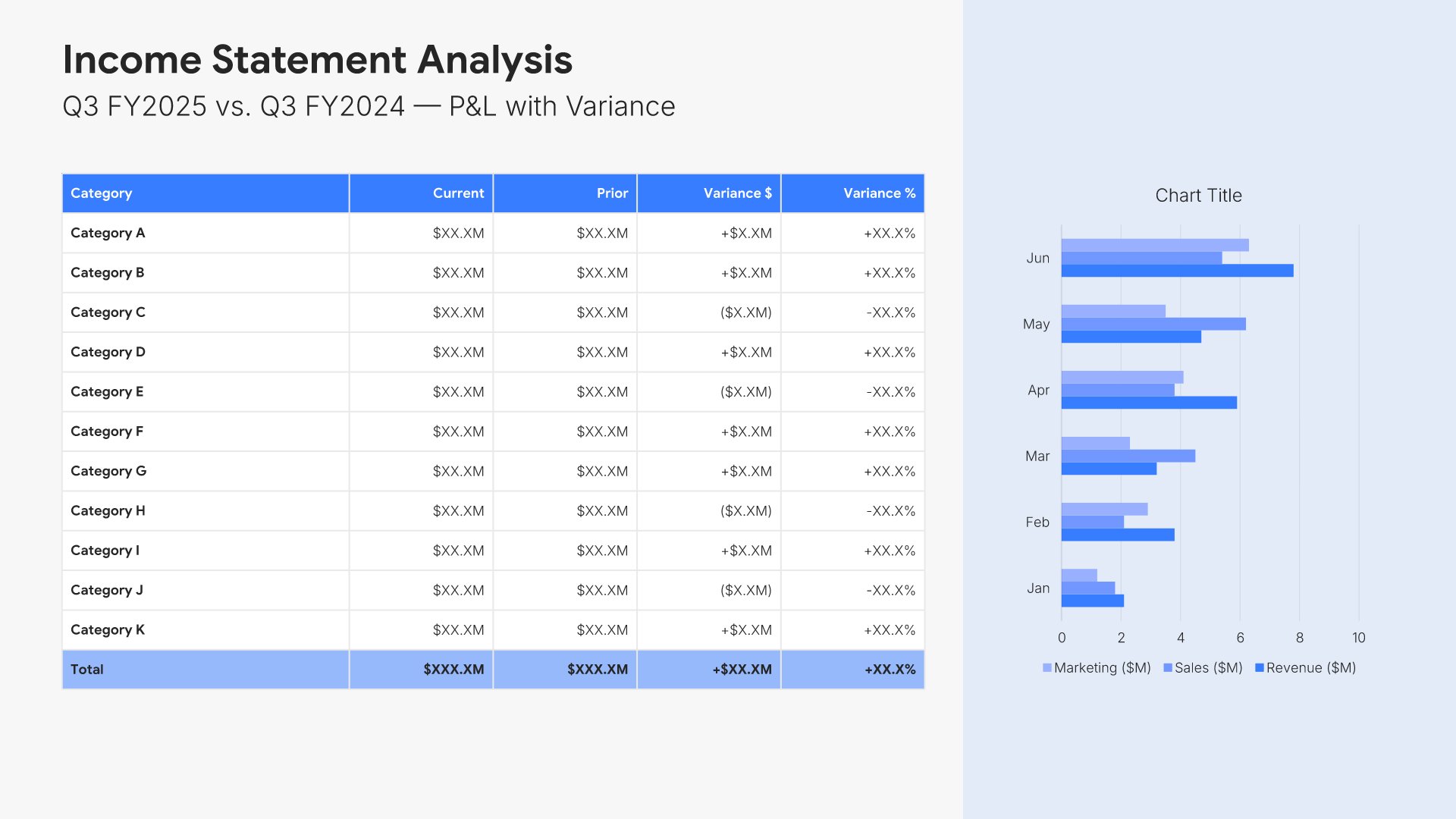 Income Statement
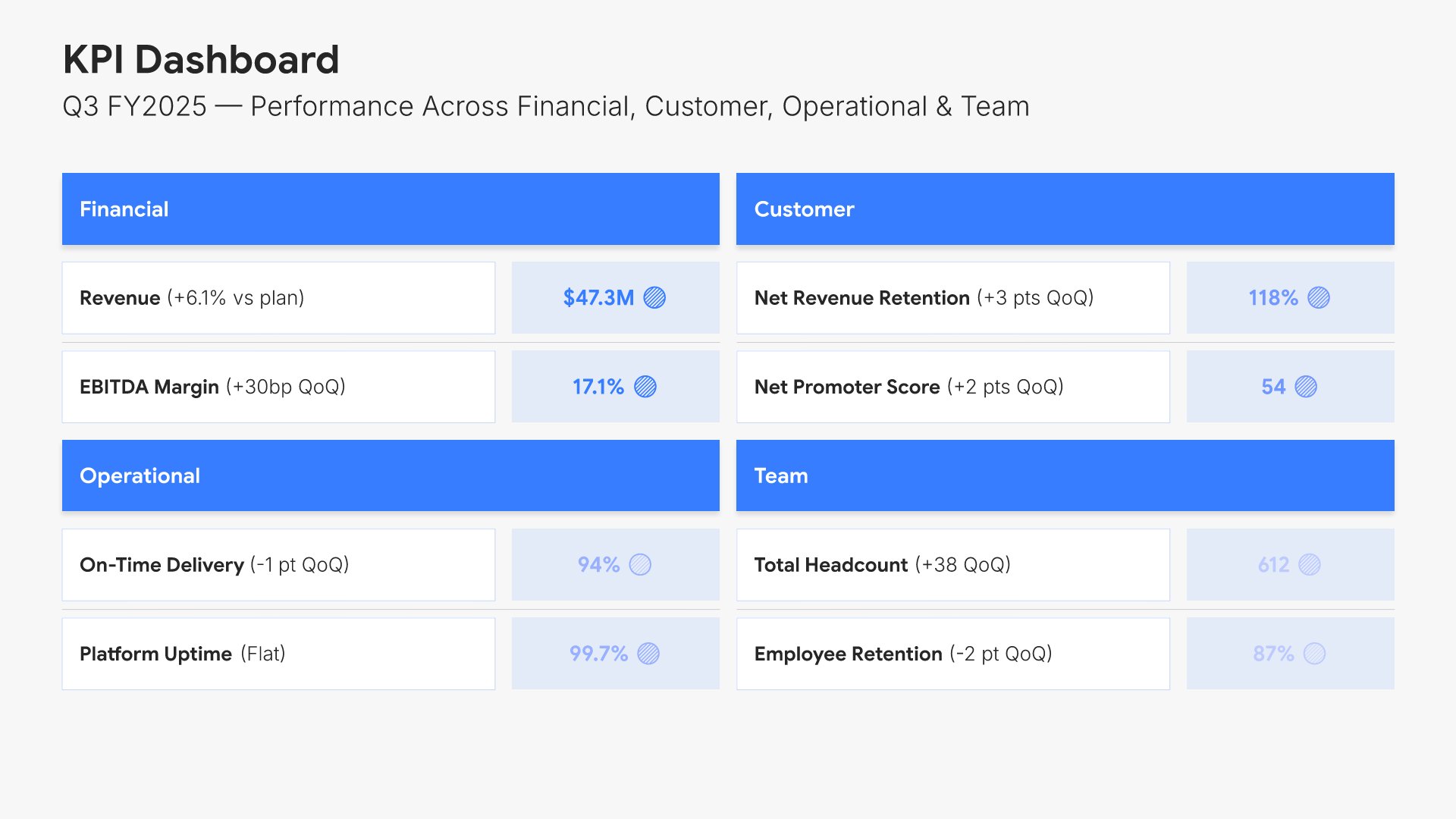 KPI Dashboard
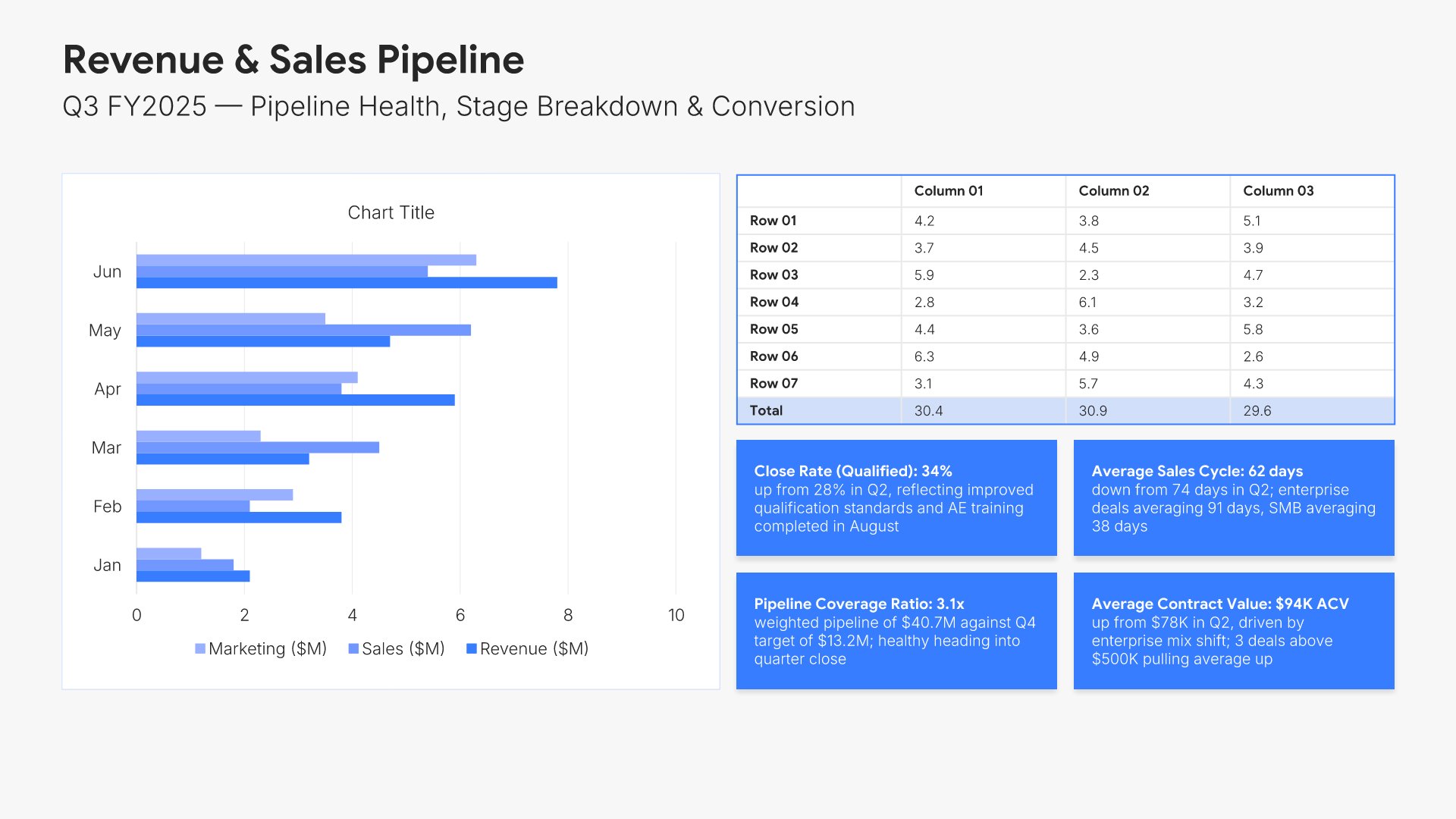 Sales & Pipeline
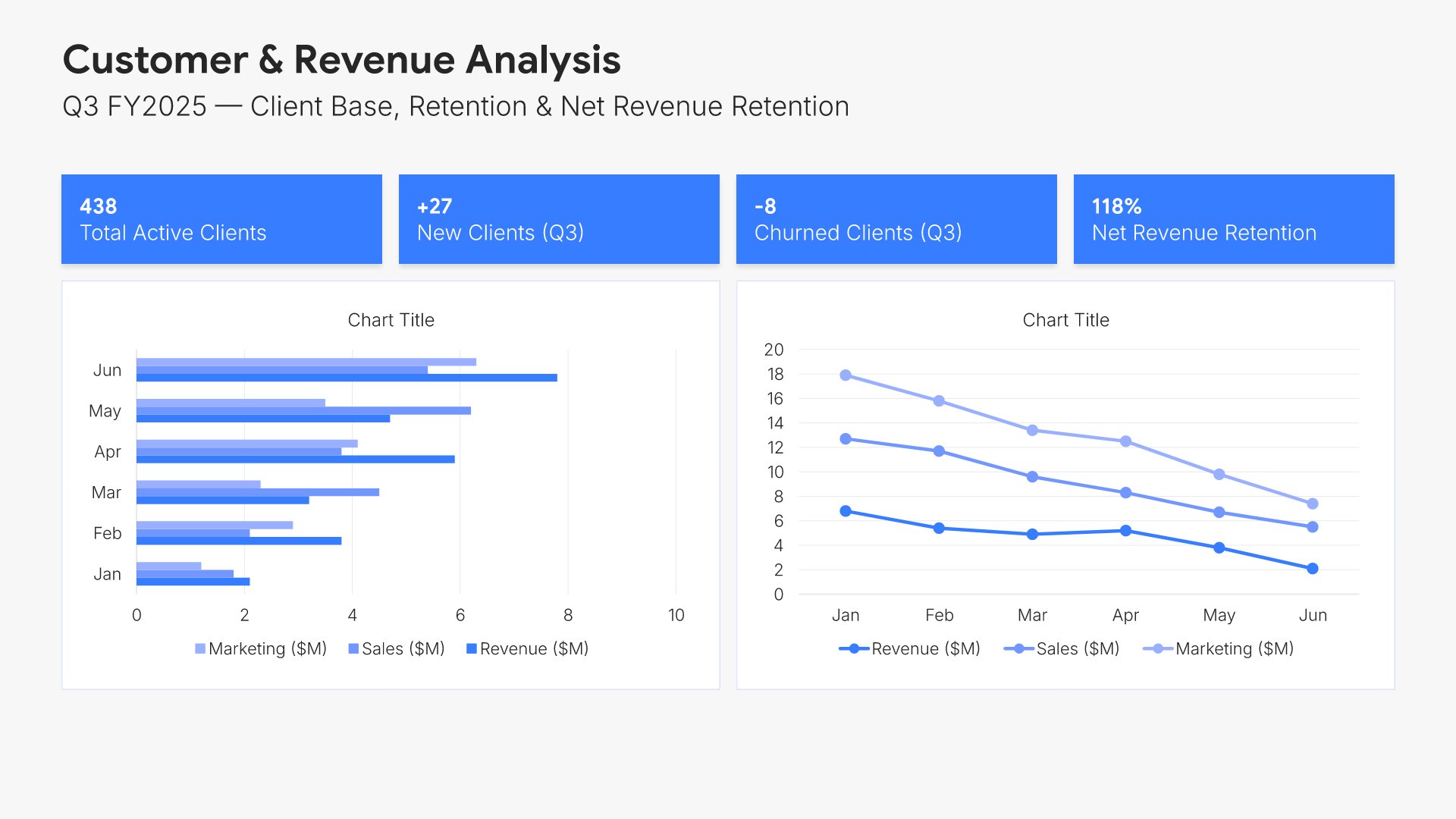 Customer & Revenue Analysis
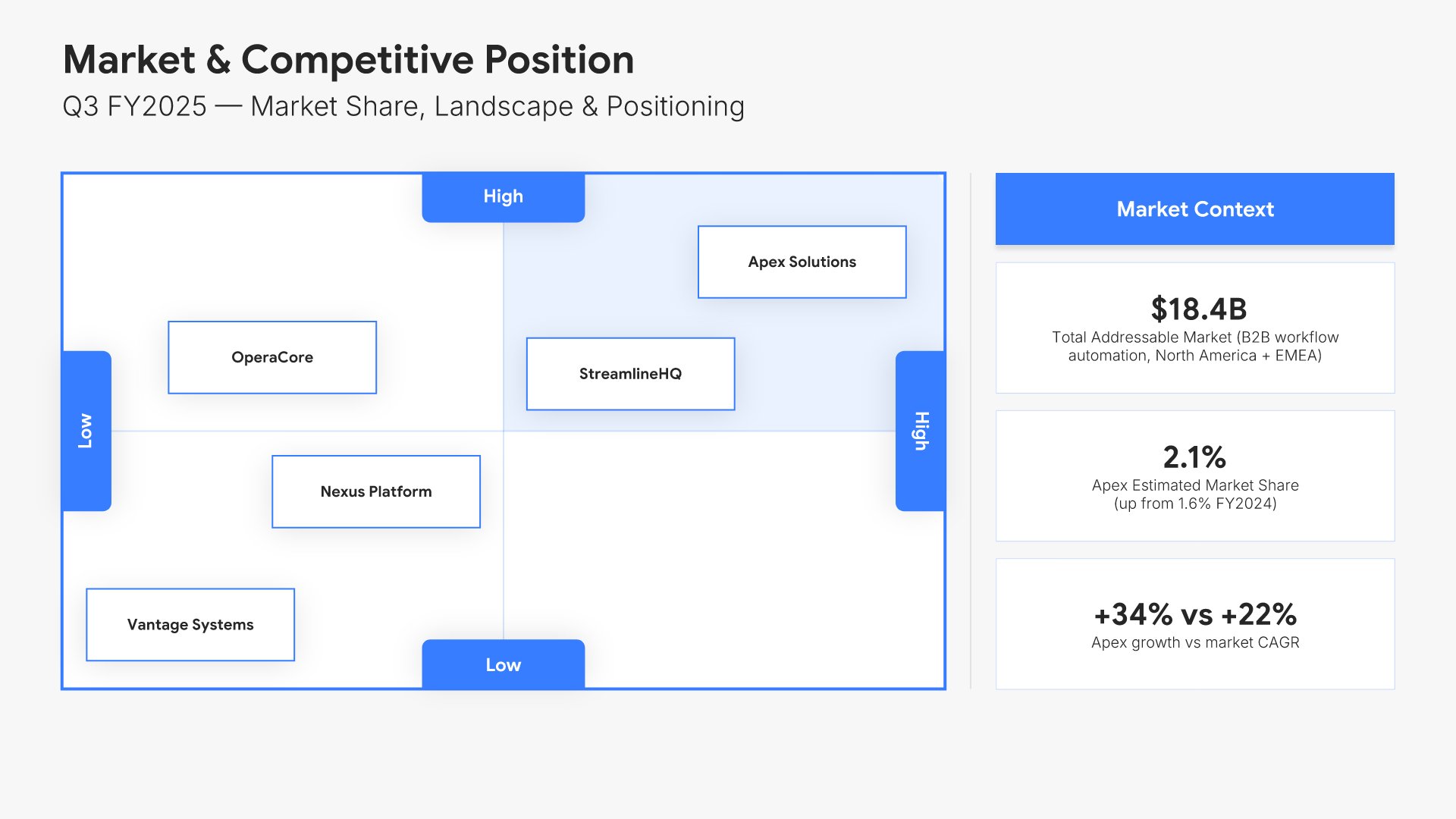 Market Context & Competitive Position
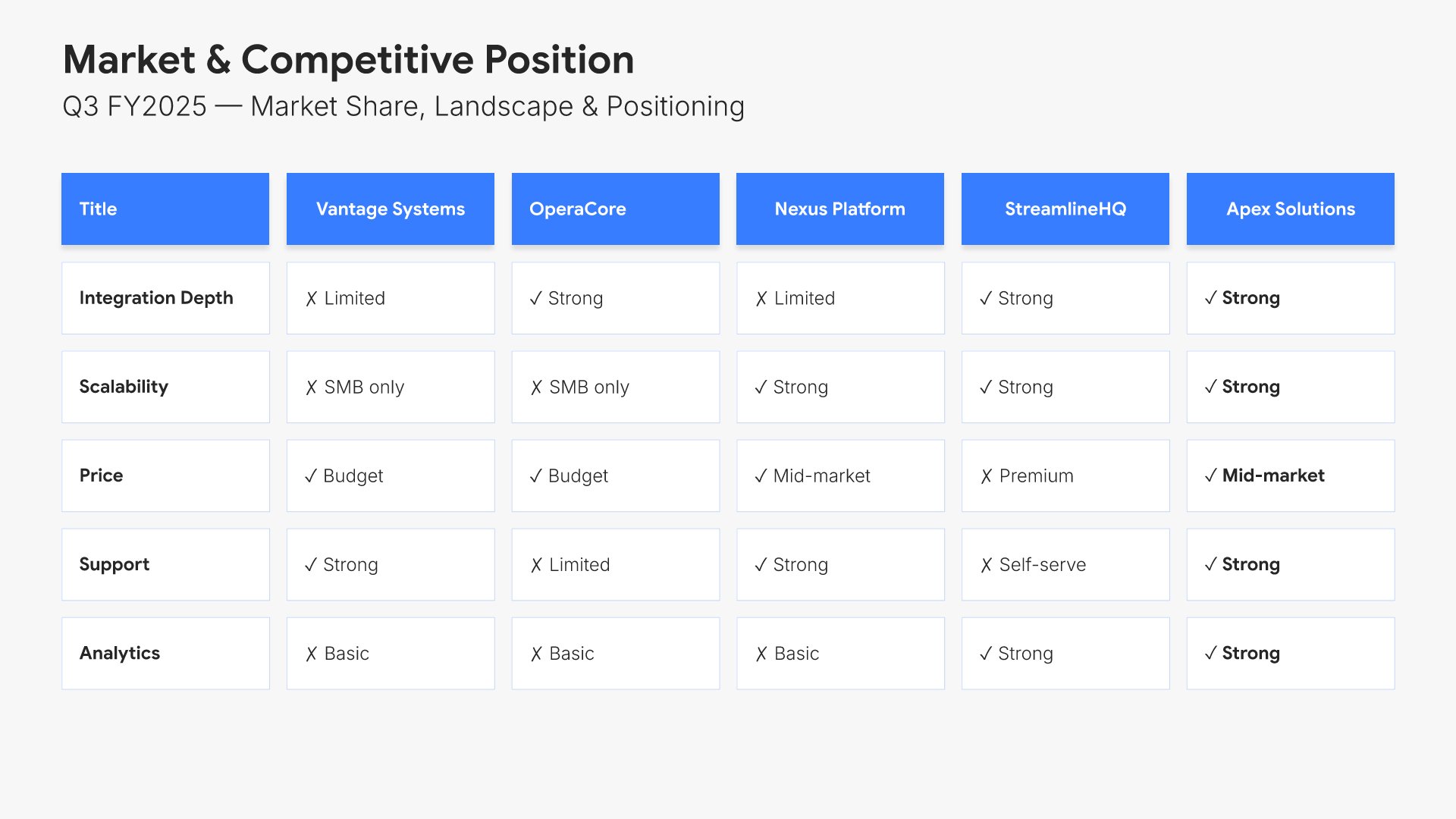 Market Context & Competitive Position
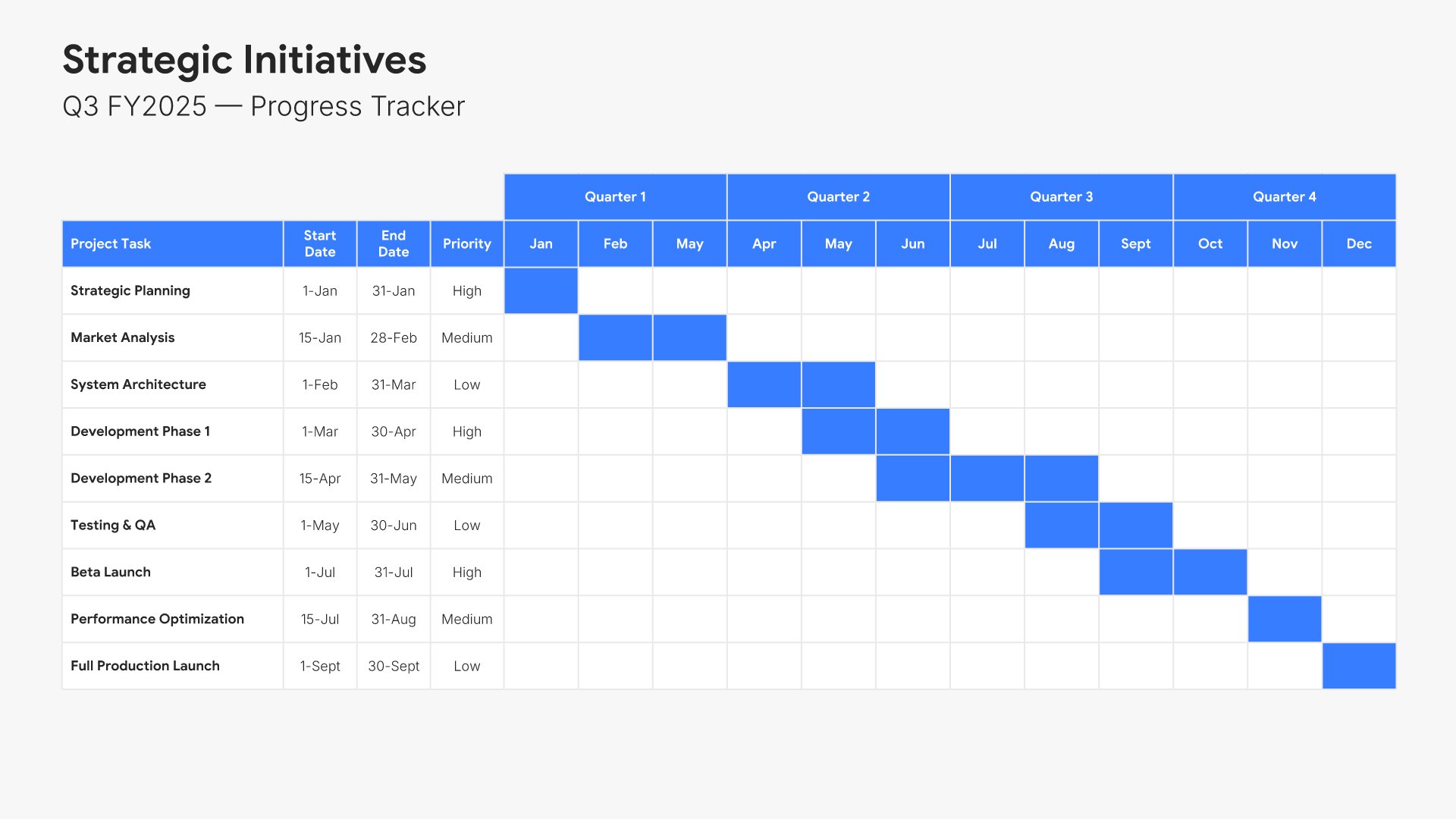 Strategic Initiatives Progress
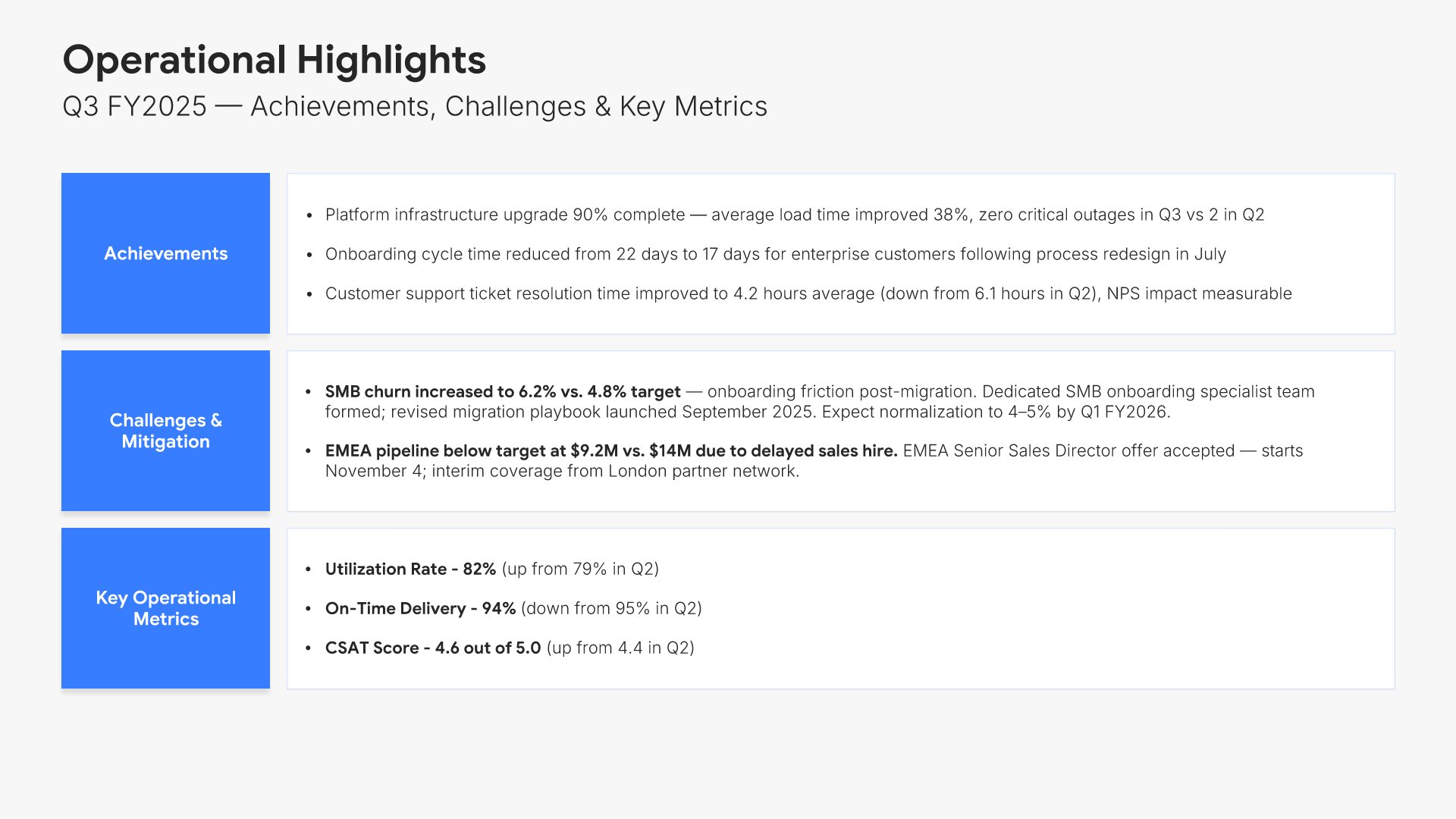 Operational Highlights
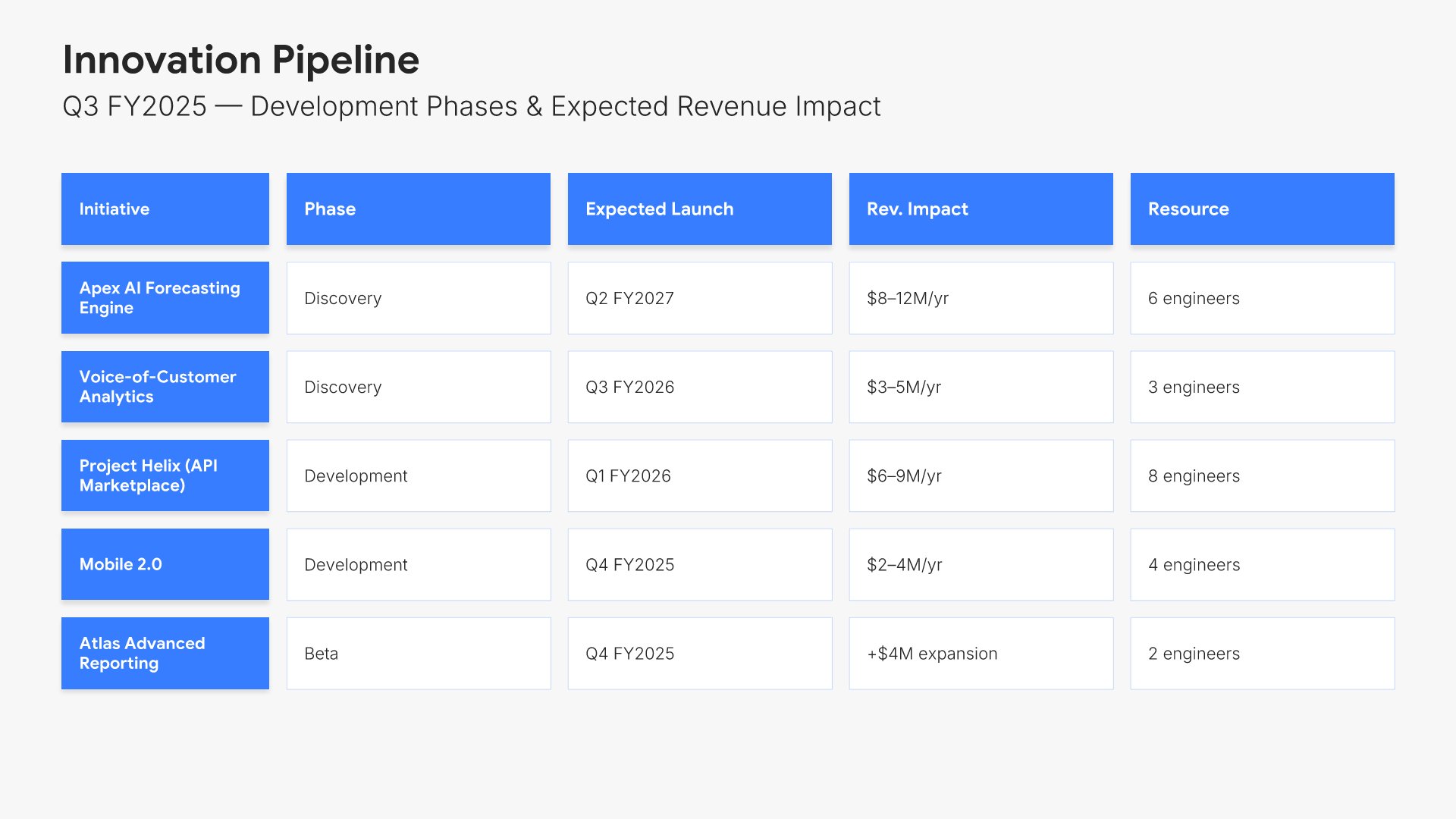 Innovation Pipeline
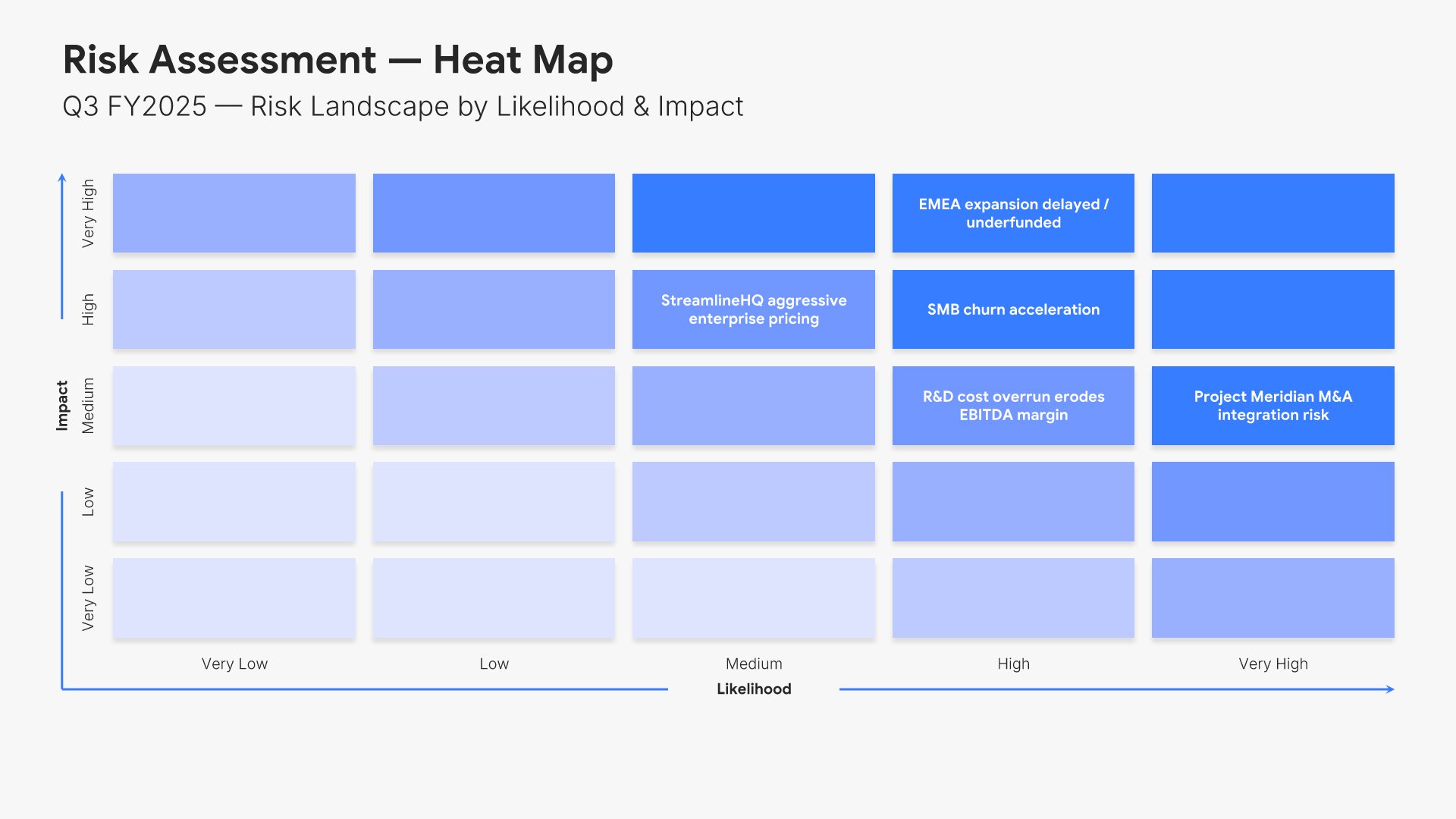 Risk Assessment
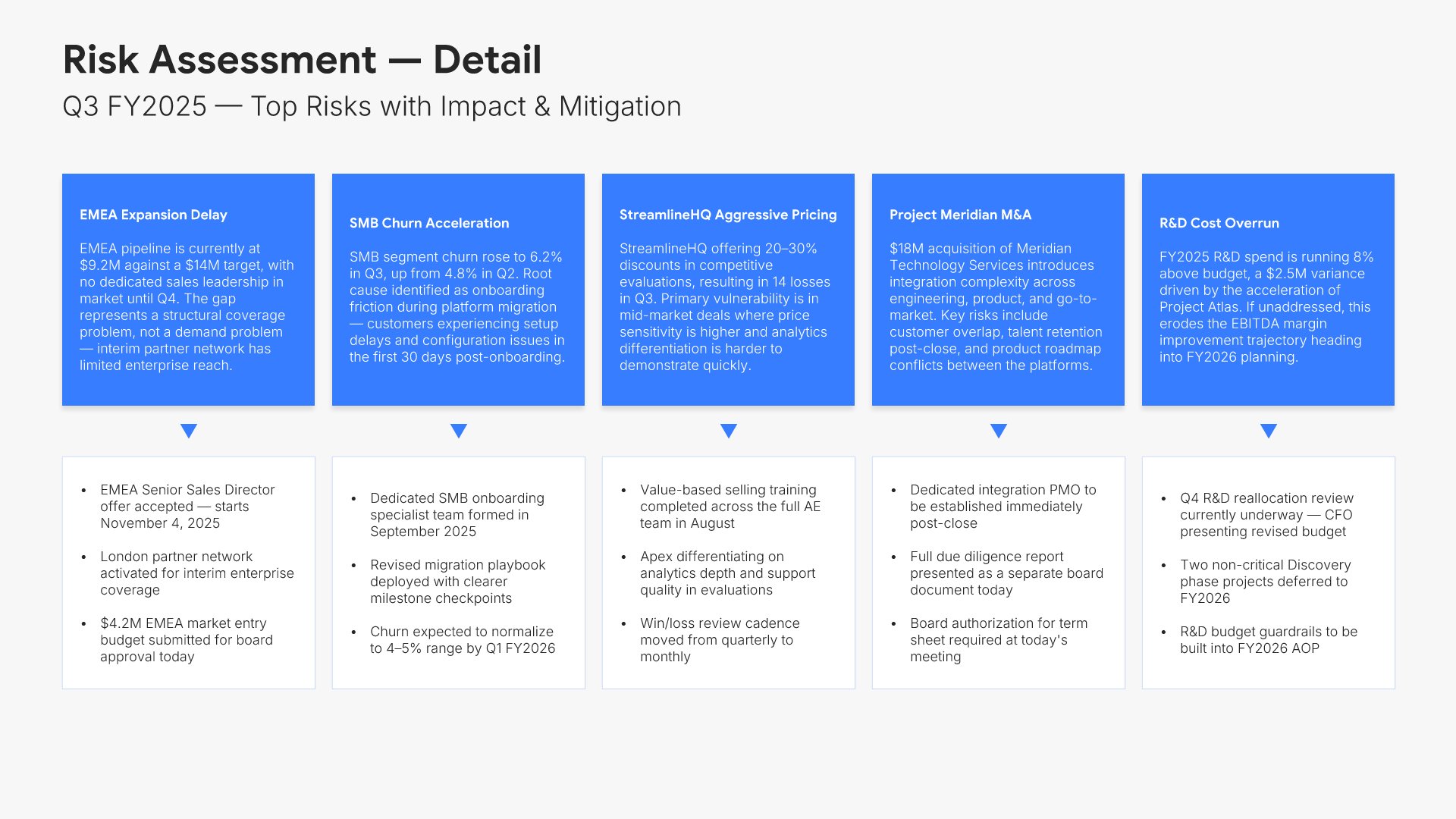 Risk Assessment
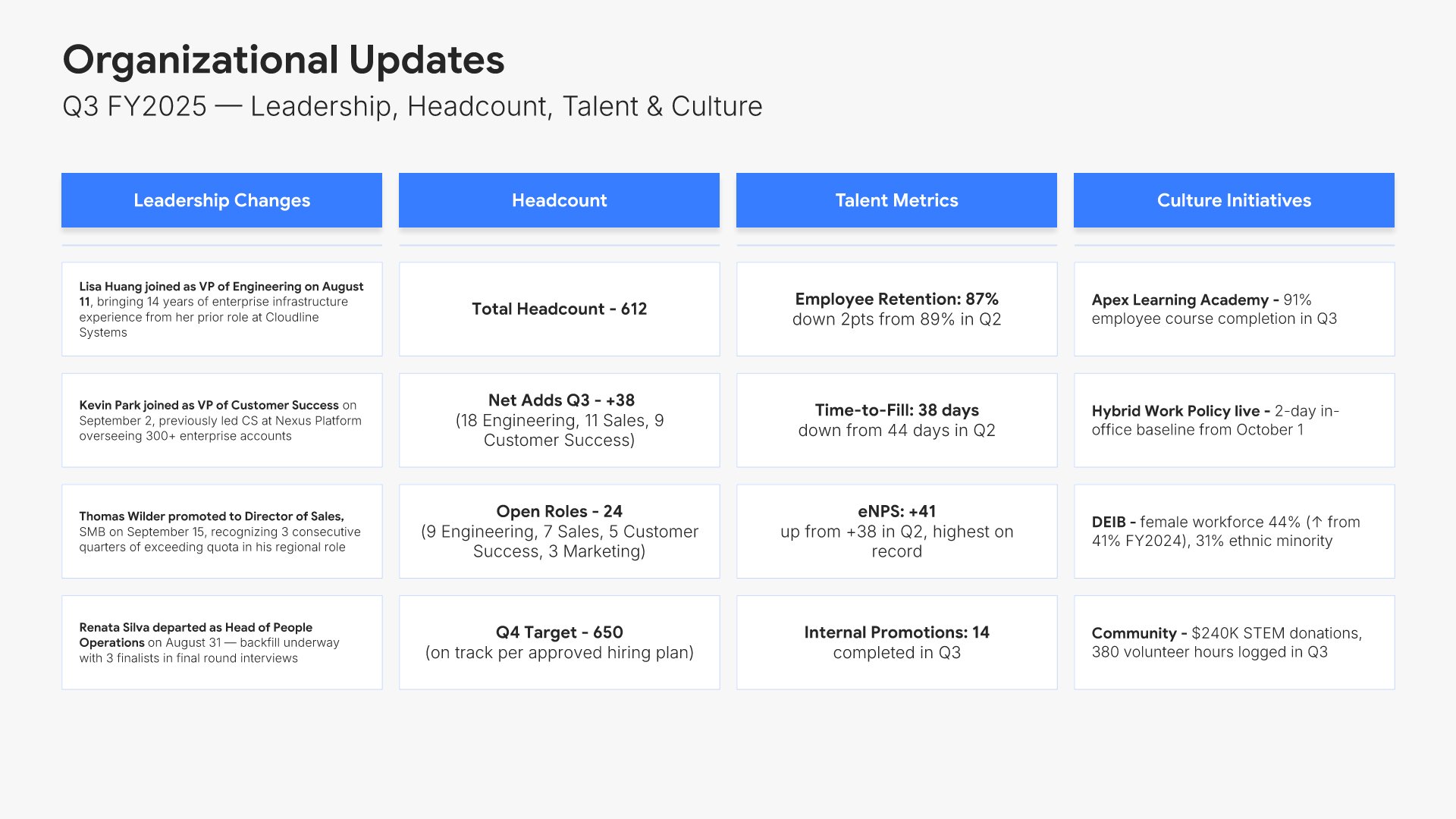 Organizational Updates
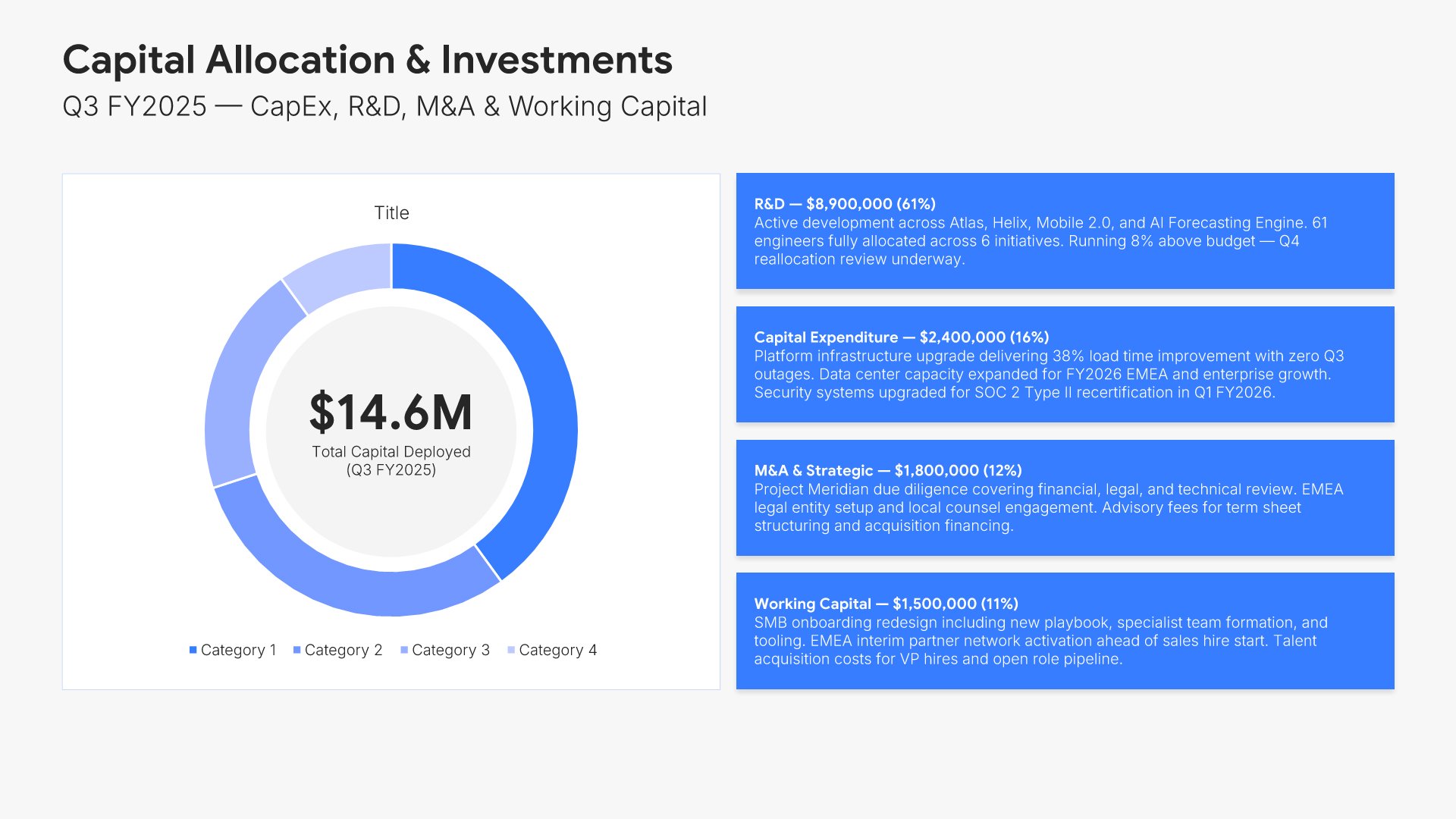 Capital Allocation & Investments
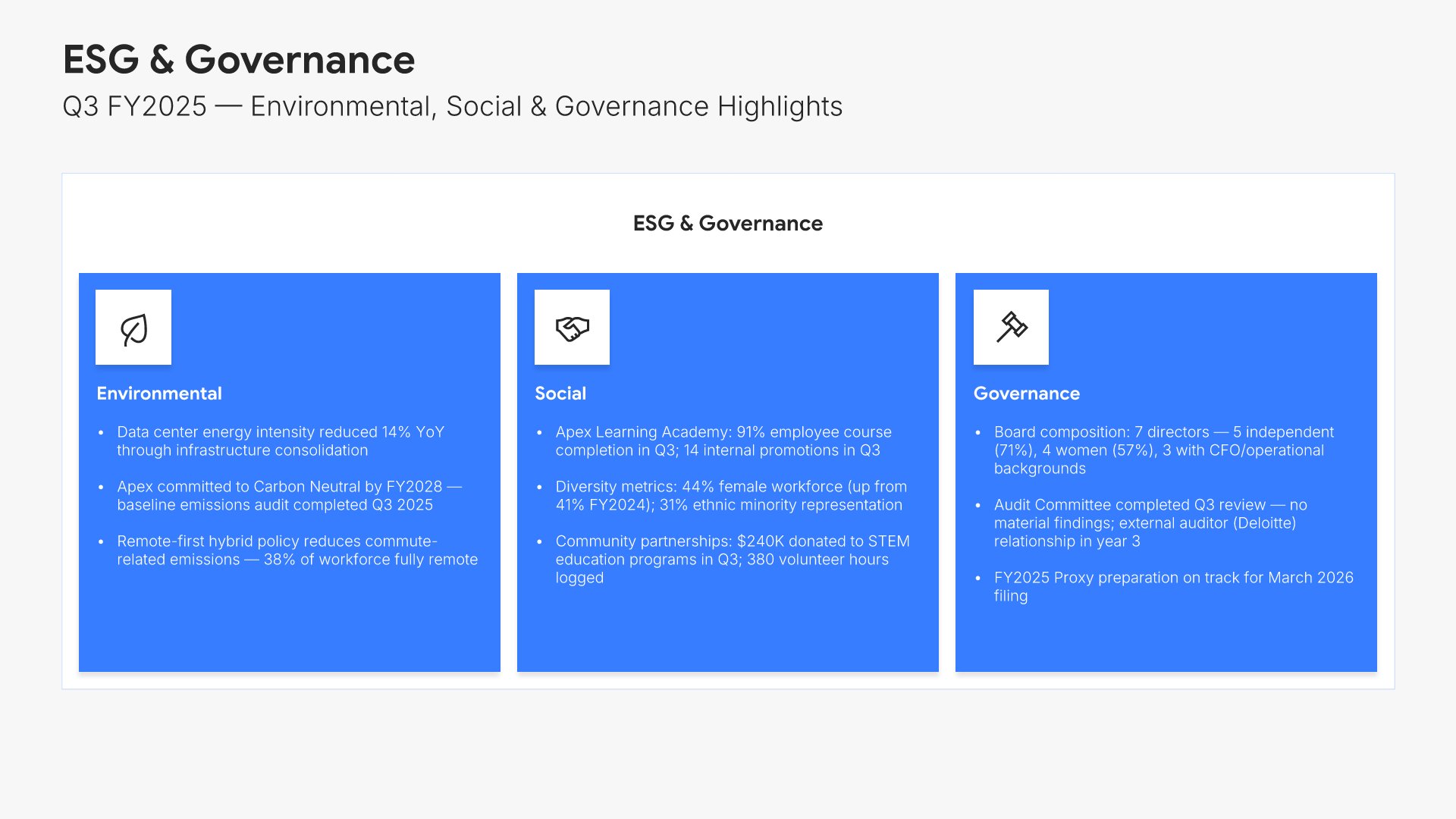 ESG & Sustainability Report
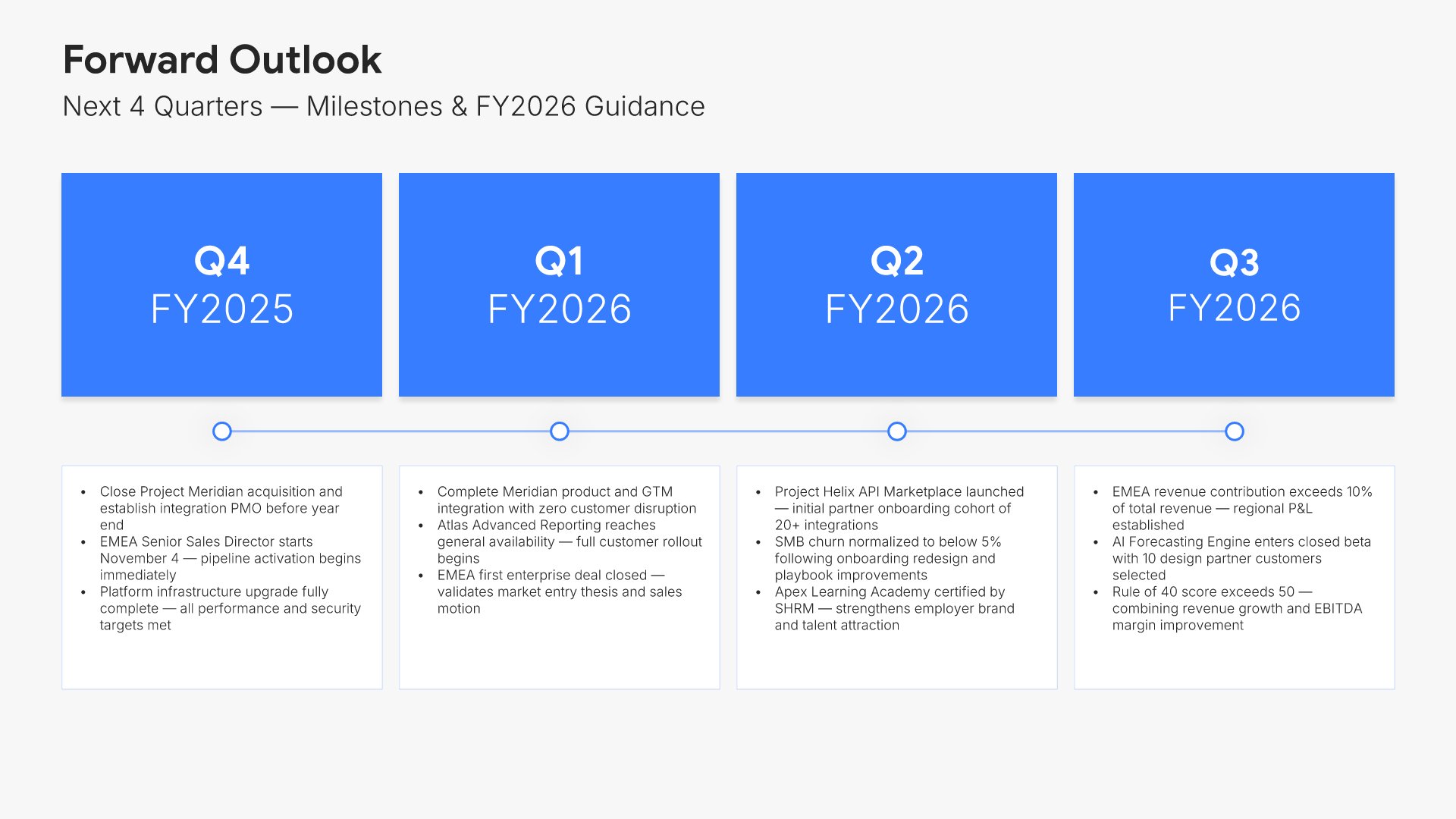 Forward Outlook
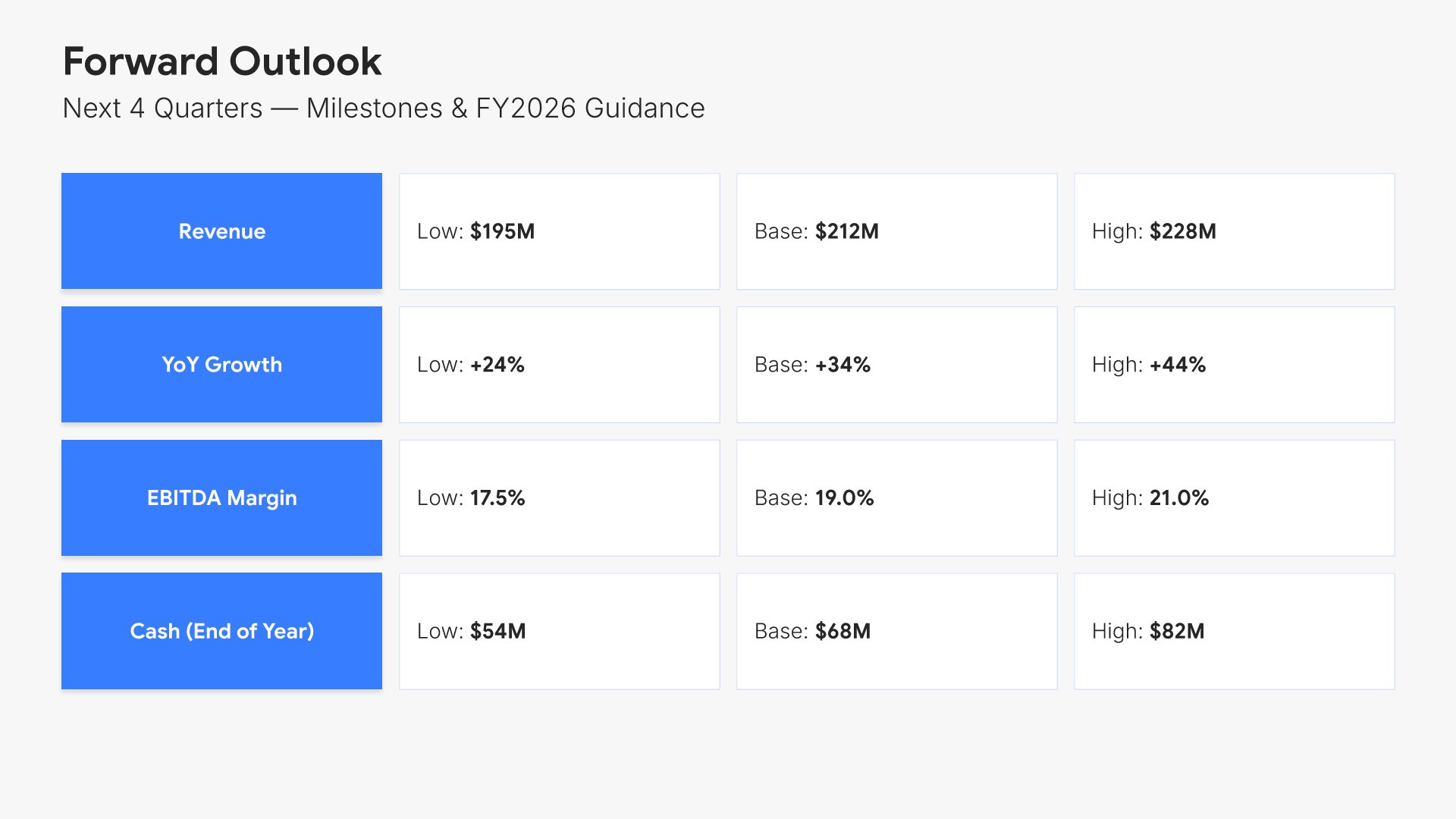 Forward Outlook
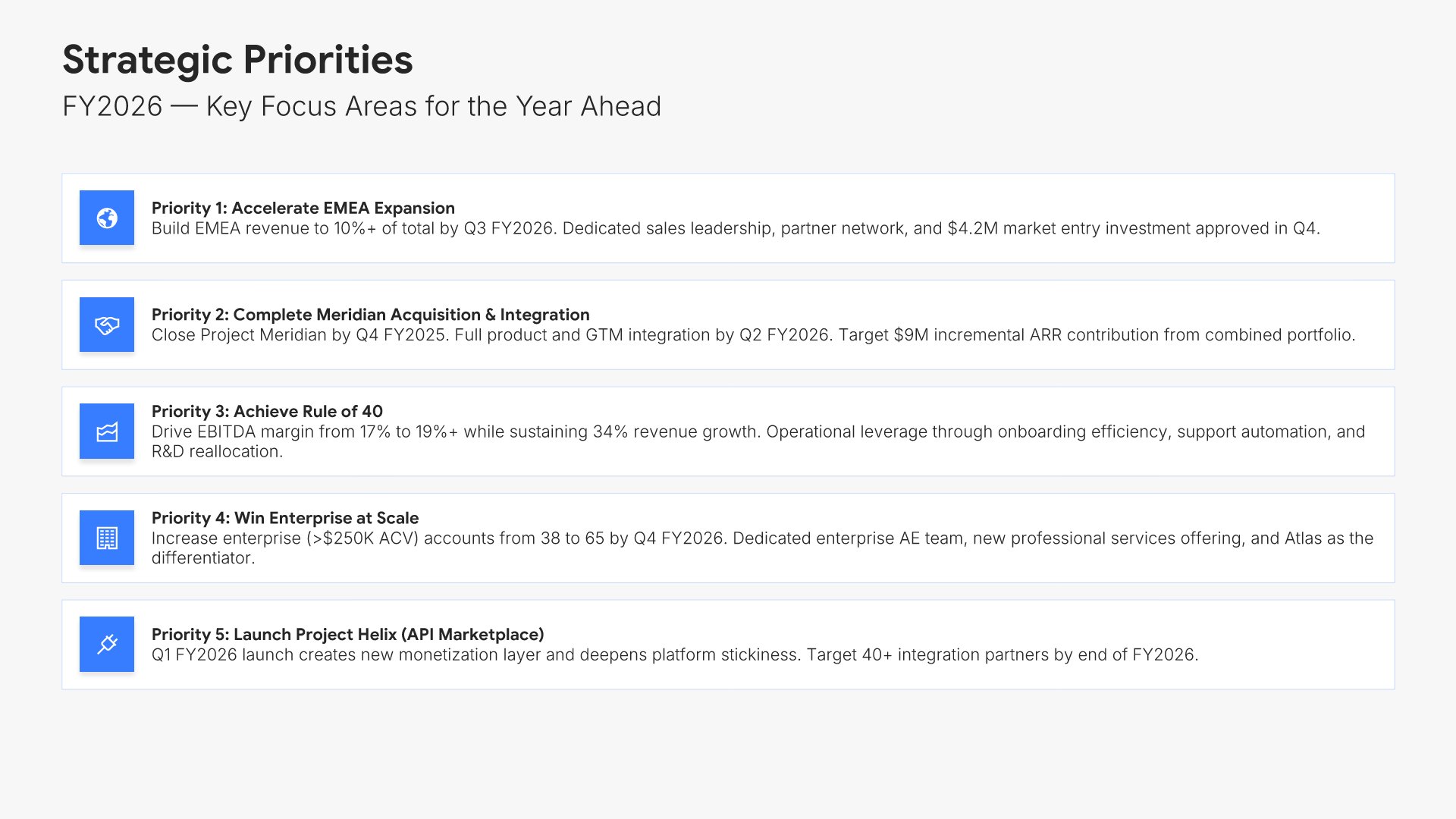 Strategic Priorities
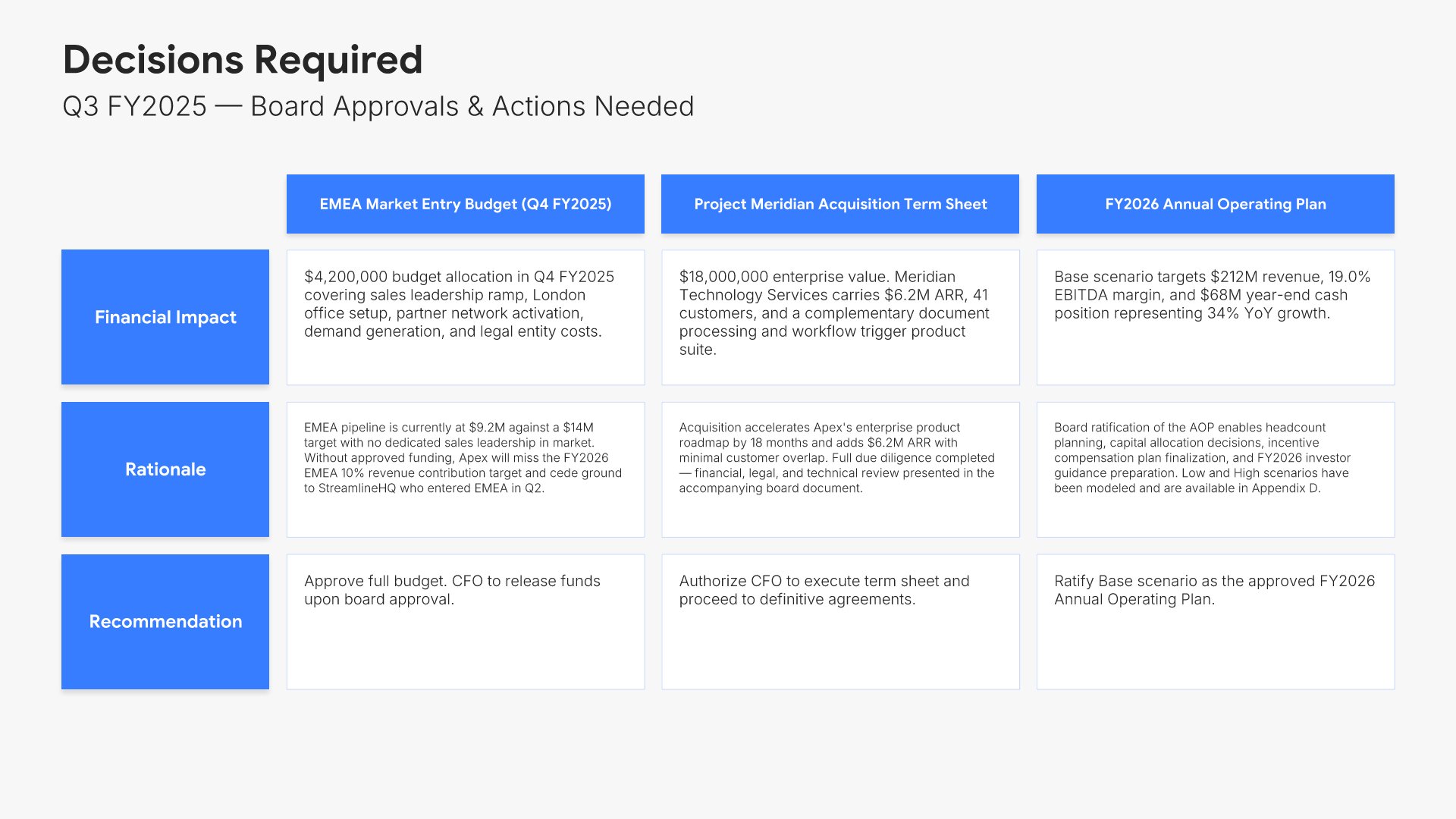 Decisions Required
 Thank You
Agenda
Built using “Agenda” slide
Executive Summary
Built using “Executive Summary” slide
Financial Performance Overview
Built using “Charts” slide
Income Statement
Built using “Charts” slide
KPI Dashboard
Built using “Simple Numbers” slide
Sales & Pipeline
Built using “KPI Dashboard” slide
Customer & Revenue Analysis
Built using “KPI Dashboard” slide
Market Context & Competitive Position
Built using “Competitive Landscape” slide
Market Context & Competitive Position
Built using “Table” slide
Strategic Initiatives Progress
Built using “Gantt Chart” slide
Operational Highlights
Built using “Simple Text” slide
Innovation Pipeline
Built using “Table” slide
Risk Assessment
Built using “Matrix (5×5)” slide
Risk Assessment
Built using “Comparison” slide
Organizational Updates
Built using “Kanban” slide
Capital Allocation & Investments
Built using “Investment” slide
ESG & Sustainability Report
Built using “Grouping” slide
Forward Outlook
Built using “Process – Horizontal” slide
Forward Outlook
Built using “Table” slide
Strategic Priorities
Built using “Simple Text (with Icons)” slide
Decisions Required
Built using “Table” slide
Thank You
Built using “Title” slideAbout the comprehensive board meeting template
How Choladeck works
From blank page to finished presentation in four steps.
STEP 01
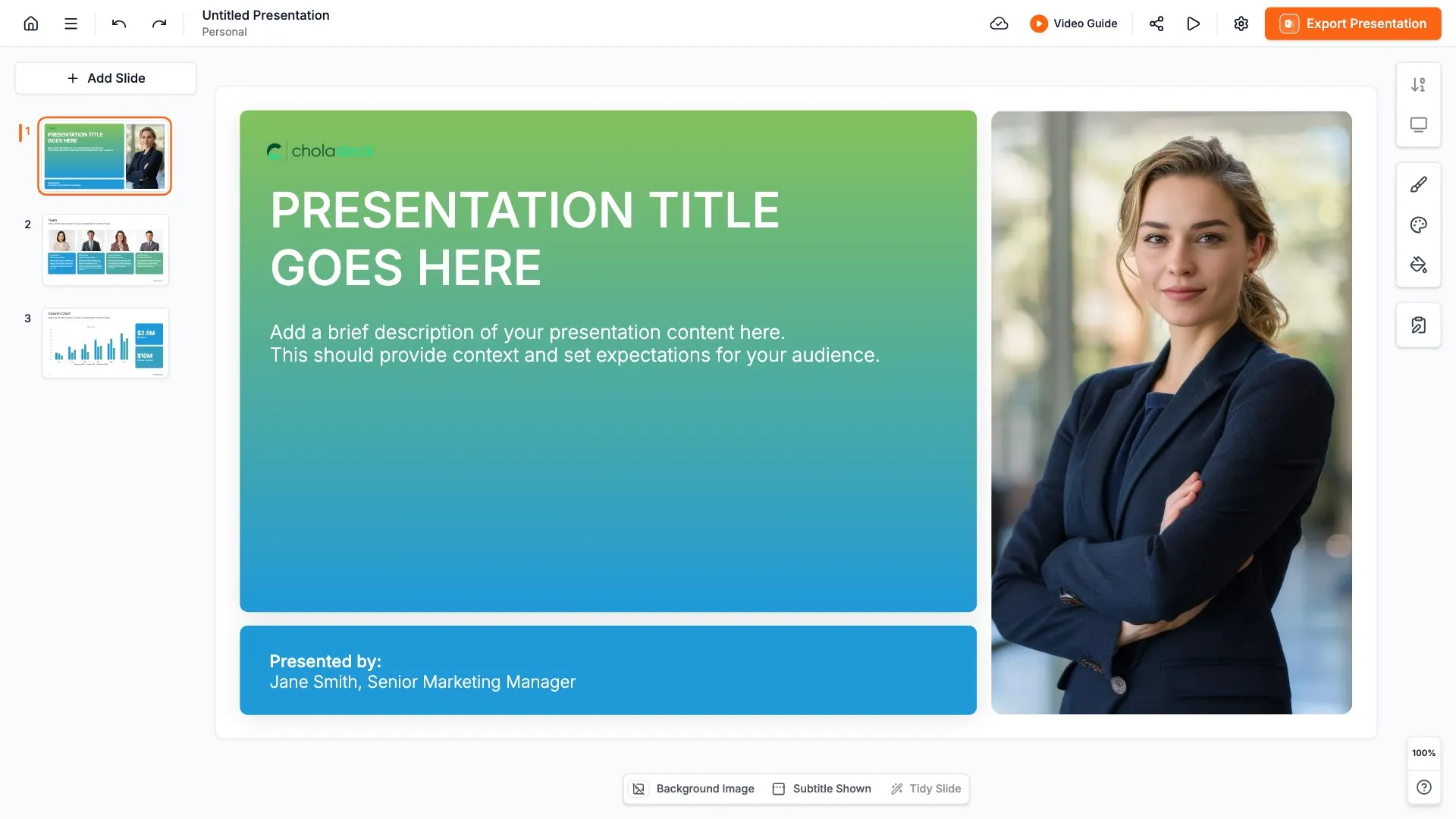
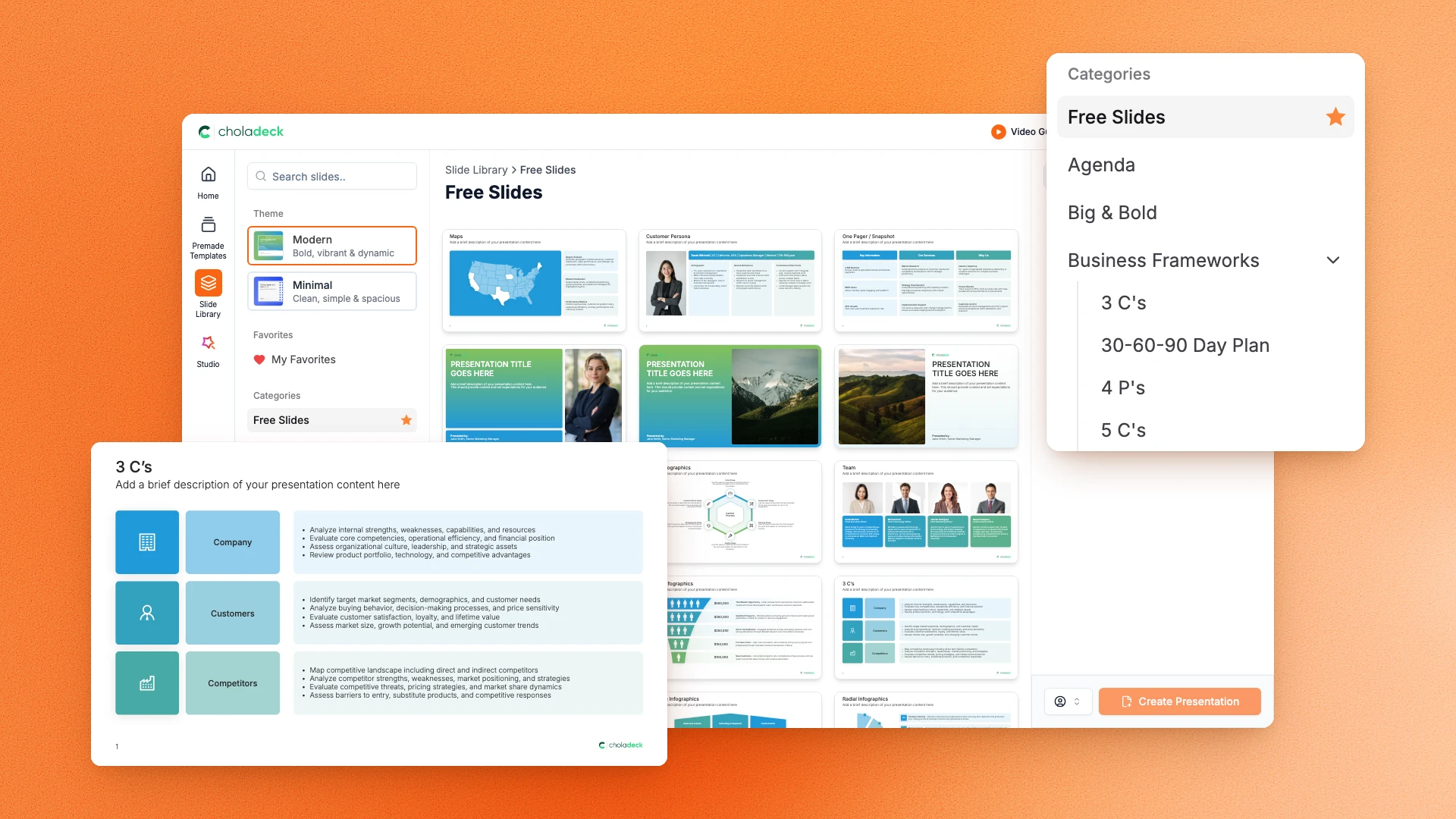
Browse 9,000+ slides across 134+ categories, or open one of the 74 premade presentations.
STEP 02
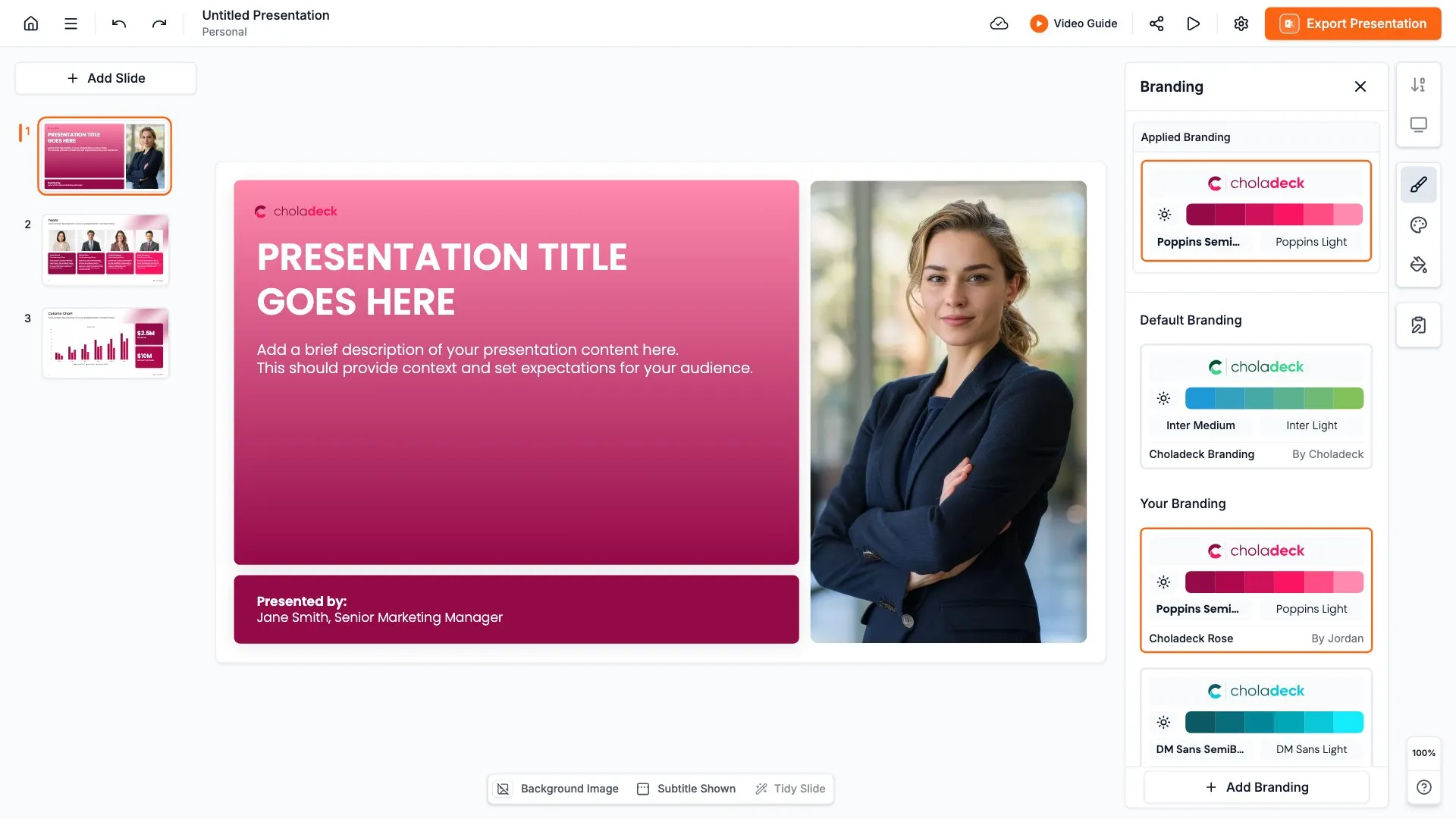
Add your logo, colors, and fonts in one click. The whole presentation instantly matches your company.
STEP 03
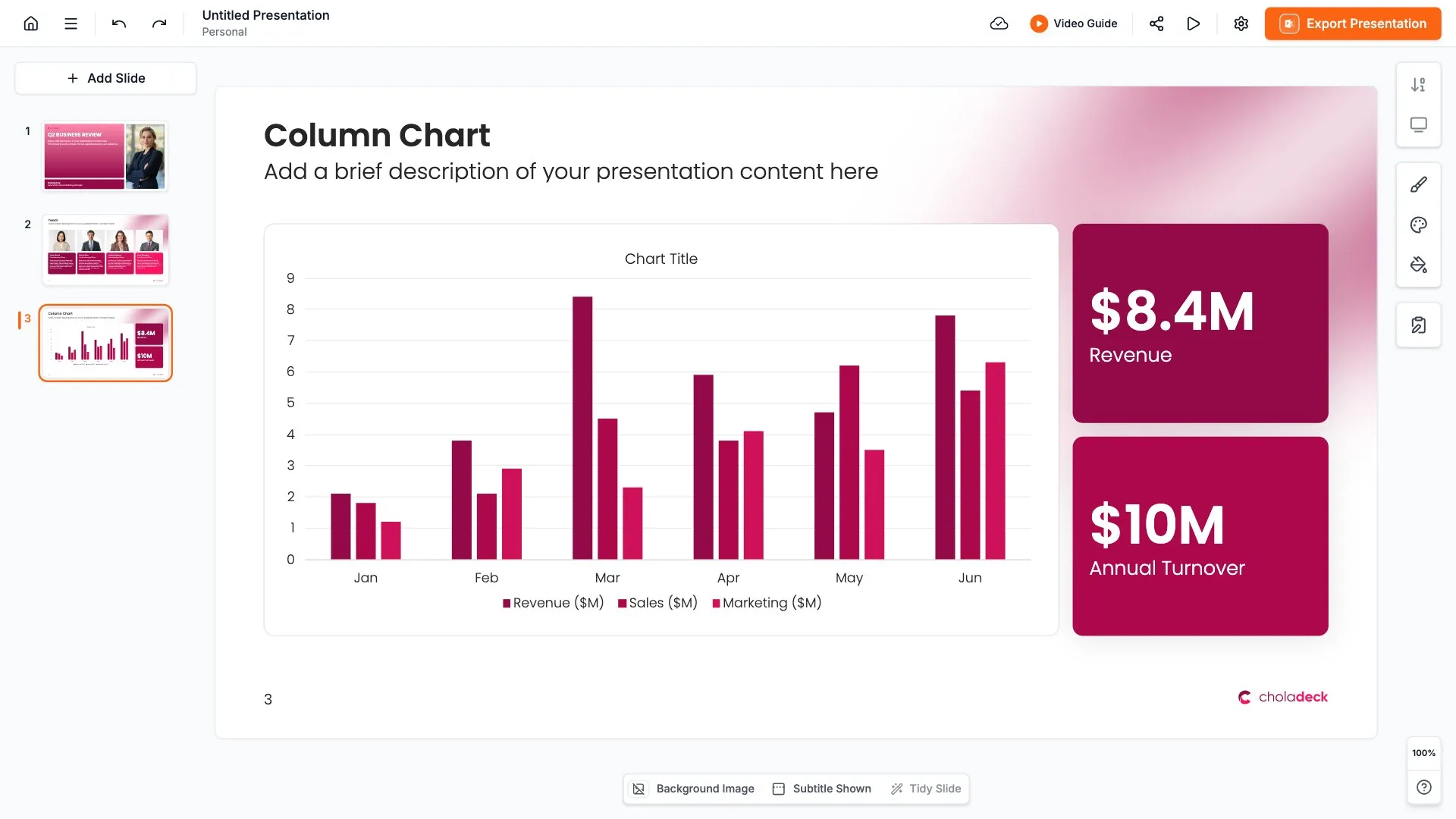
Add your text, numbers, charts, and tables. Everything on the slide is editable.
STEP 04
Send it to PowerPoint, Google Slides, or Keynote, and present.
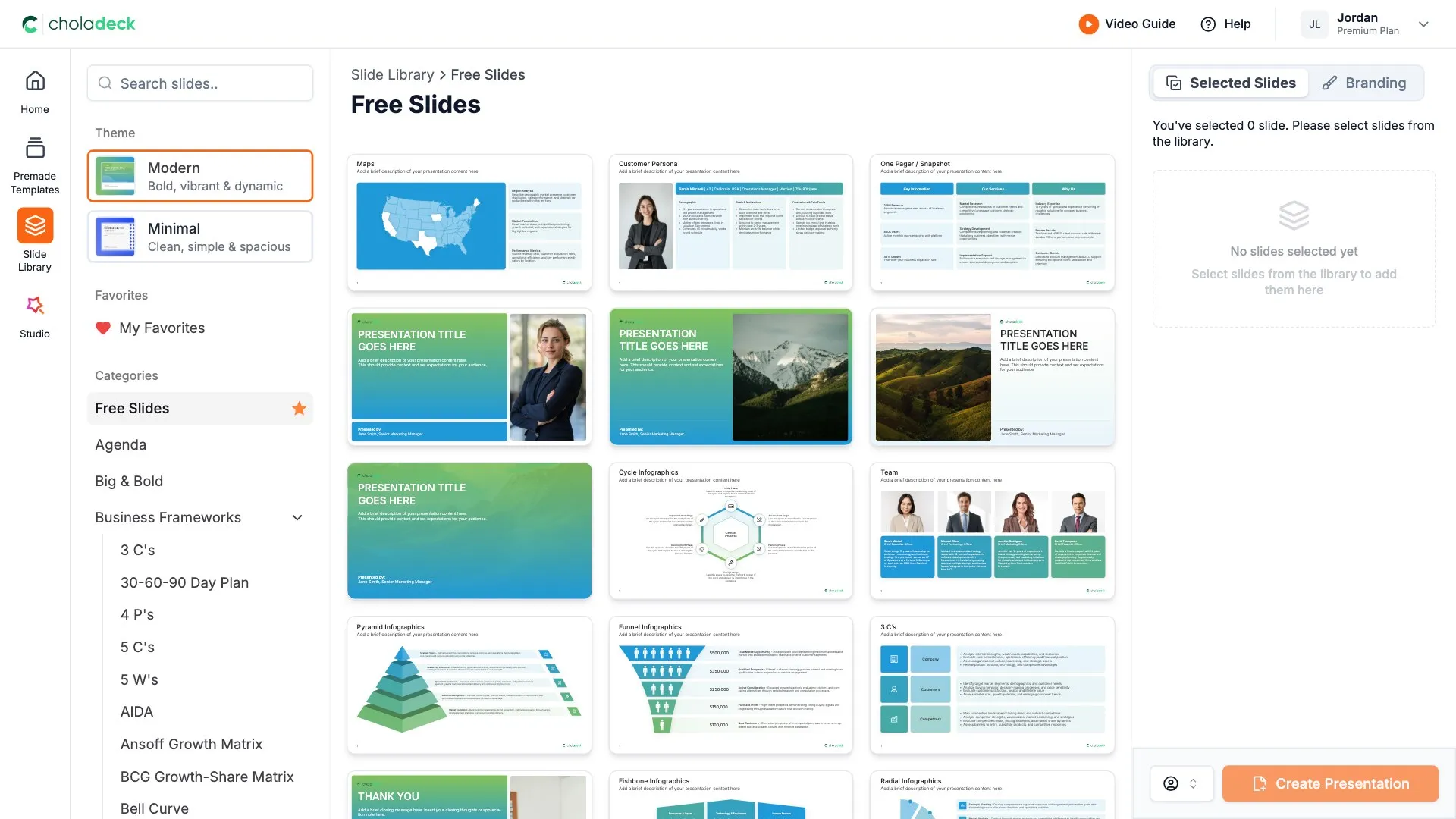
Build your own
Nothing here fits? Build your own board meeting presentation
This template is assembled from the same 9,000+ slides. Pick the slides you need, drop them into one file, and brand the whole thing in one click.
Start your board meeting presentation
from one that's already done
Pick it, brand it, add your content, and export.
Free to start. No credit card required.