
Pricing

Reduce Image Size Online: Fast & Secure Image Compression

Compress and optimize images with our advanced online tool effortlessly. Reduce image file size quickly and securely without losing quality.

Reducing image file size is crucial for optimizing website performance, saving storage space, and improving load times. However, compressing images often comes with the risk of quality loss, leading to pixelated or blurry visuals. Our innovative online tool solves this challenge. It helps you compress image size without losing quality, all within your web browser – no software installation required.

Introducing Our Free Image Compression Tool

Our online tool is a powerful, free solution that lets you easily optimize image for web online. It works right in your web browser, processing files locally on your device. This means you can reduce size of image without losing quality quickly and securely, saving you time and ensuring your files remain private.

Key Features:

  • 100% Free: No hidden costs or premium versions
  • Local processing: No need to upload files to external servers
  • High-quality compression: Reduce image size without losing quality
  • Secure: Your files never leave your device
  • Efficient: Compress image file size by up to 90%
  • No file size limits: Optimize even your largest presentations
  • Batch processing: Optimize multiple images at once
  • Multi-device access: Use on any device with a web browser

Key Takeaway: Our free online image compressor offers local processing on any device, ensuring fast, secure, and efficient image optimization without quality loss.

Why Choose Our Image Compression Tool?

When it comes to optimizing images, our tool stands out from the crowd:

Feature Our Free Image Compressor Typical Online Compressors
Cost Always free Often have paid premium features
Processing Location Your device External servers
Speed Instant compression Depends on upload/download speeds
Security Files stay on your device Files uploaded to servers
Efficiency Compress multiple images at once Often one at a time
Quality Control Maintain high quality Variable quality results
File Size Reduction Up to 90% Varies

Benefits of Our Online Image Compression Tool:

  1. Significant Size Reduction: Easily reduce image file size by up to 90%
  2. Maintained Quality: Optimize image quality while reducing file size
  3. Faster Uploads: Quickly share compressed images on social media or websites
  4. Improved Website Performance: Optimized images lead to faster loading times
  5. Bandwidth Savings: Smaller images consume less data, benefiting both you and your audience

Key Takeaway: Our free, browser-based tool offers a faster, more secure, and more efficient way to optimize image without losing quality online compared to traditional methods.
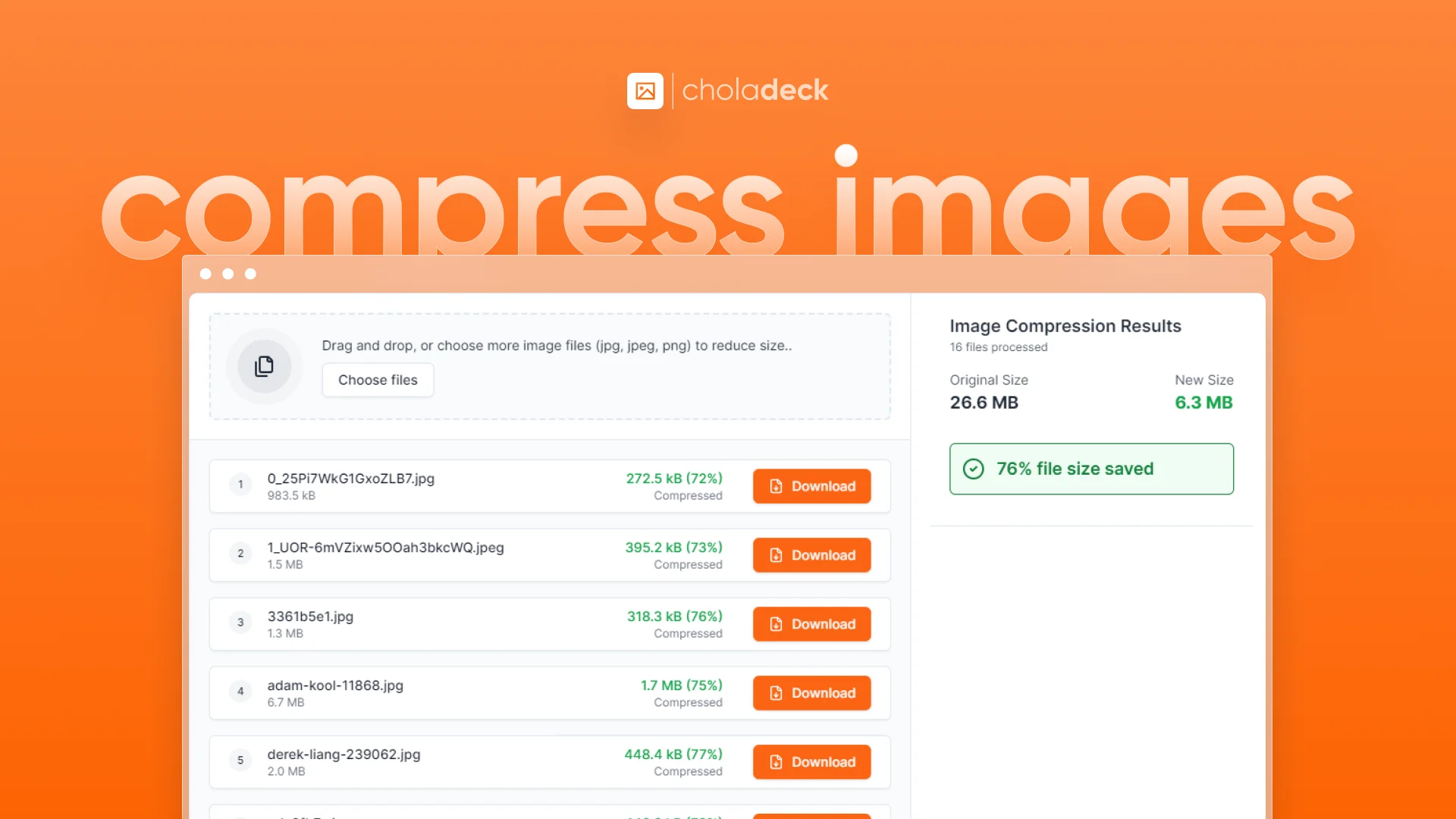
How to Reduce Image Size Using Our Tool?

Compress Images Free Tool

Follow these simple steps to compress image size online:

  1. Select Compression Level: Choose “Small Size”, “Balanced”, or “High Quality” based on your needs
  2. Upload Images: Drag and drop or choose the image files you want to optimize
  3. Process Files: Our tool immediately begins compressing your images
  4. Download: Once complete, download your optimized image files

Pro Tip: For web images, try the "Balanced" option first. It often provides the best compromise between file size reduction and image quality.

Frequently Asked Questions

Is this image compression tool really free?

+

Yes, our optimize image online free tool is completely free to use, with no hidden costs or premium versions.

Will compressing images affect their quality?

+

Our tool is designed to reduce image size without losing quality. You can choose different compression levels based on your needs.

Can I compress multiple images at once?

+

Absolutely! Our free tool allows you to process multiple images simultaneously, saving you time and effort.

What image formats does your tool support?

+

Our tool supports common formats like JPEG,JPG, and PNG. You can optimize image for web regardless of the format.

Do I need to install any software to use this tool?

+

No, our optimize image tool is entirely web-based. There's no software to download or install.

Is it safe to use your image compressor?

+

Completely safe. Since our tool runs in your browser, your images are never uploaded to any external servers, ensuring total privacy and security.

Try our free online image compression tool today and experience effortless file size reduction without quality loss. Whether you need to optimize image for web online or reduce file sizes for easier sharing, our tool makes it simple and fast – all from the convenience of your web browser.