Pricing

Business strategy template, built as a presentation

Nineteen slides that take a leadership team from where the business stands to what it's betting on: the current position, the competition, the vision, three strategic pillars with the initiatives behind each, what it costs, when it happens, and what could go wrong. Select it, brand it to your company in one click, add your content, and export to PowerPoint, Google Slides, or Keynote.

Free to start. No credit card required.
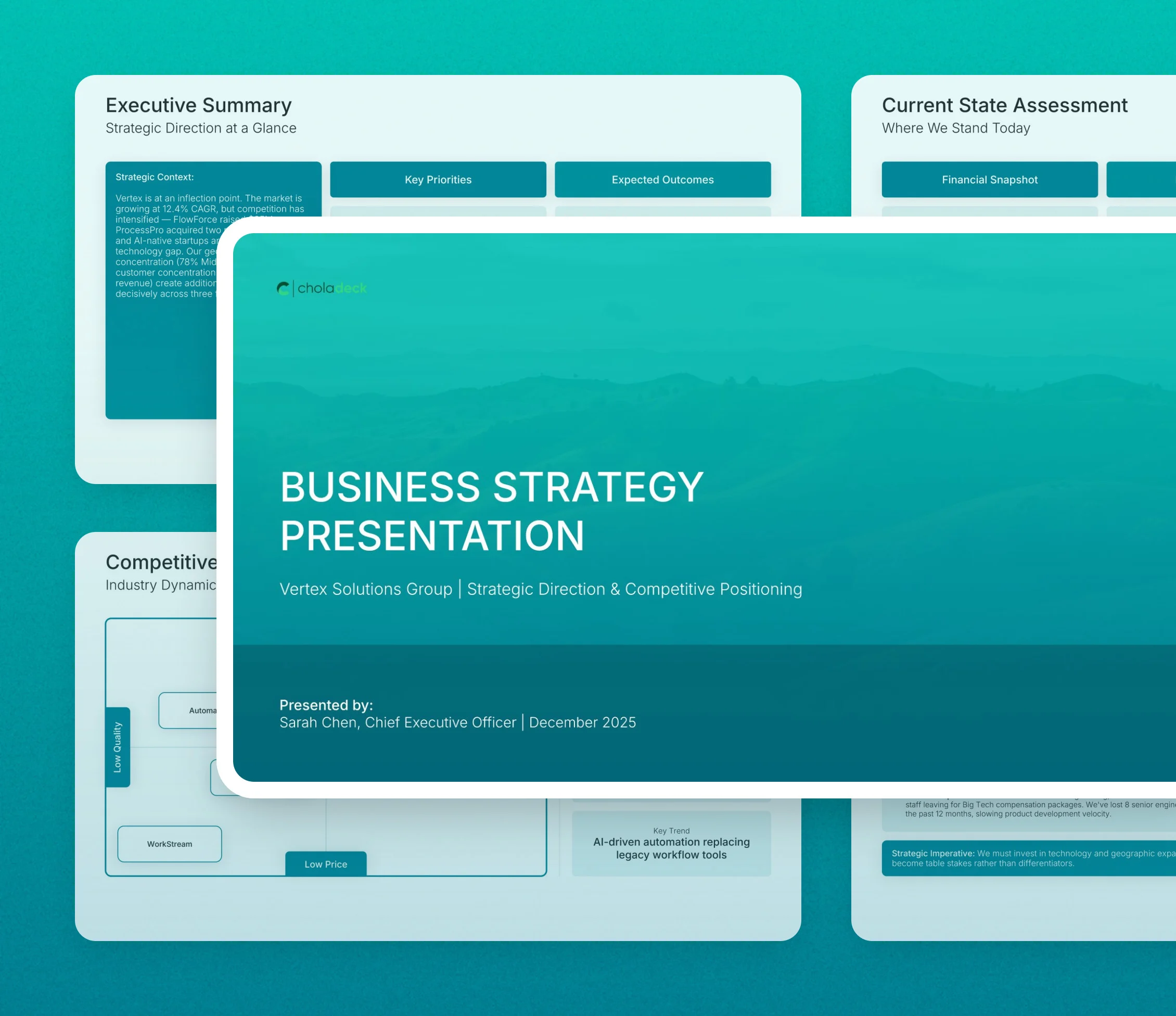
Business strategy template: the title slide in front of other slides from the 19-slide deck

Every slide in the business strategy template

Nineteen slides, in the order you present them.

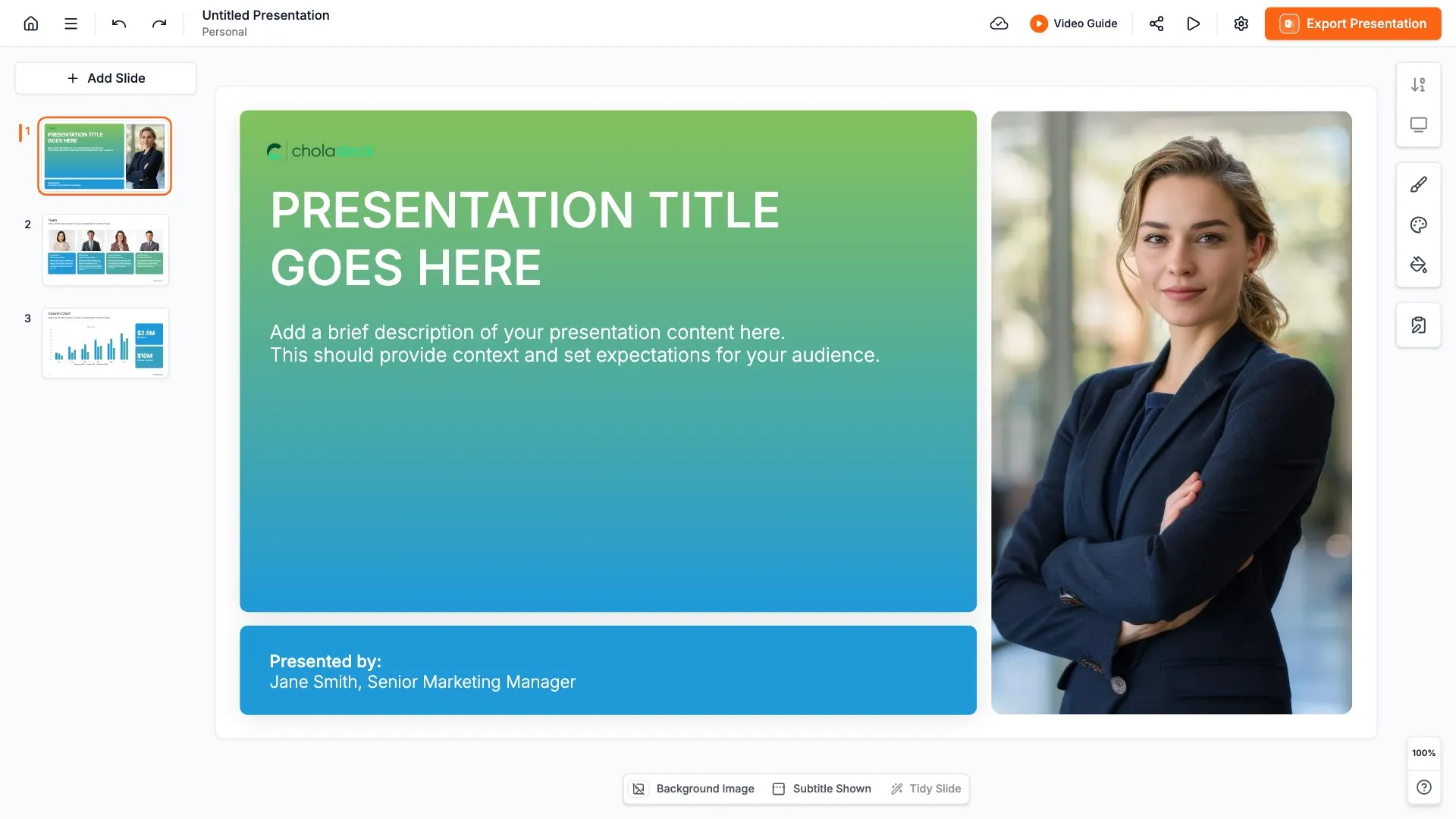
Title slide, business strategy template, company, direction, and presenter

Slide 01

Title

The company, the strategic direction, and who's presenting.

Built using “Title” slide
Executive summary slide, business strategy template, context, three priorities, and expected outcomes

Slide 02

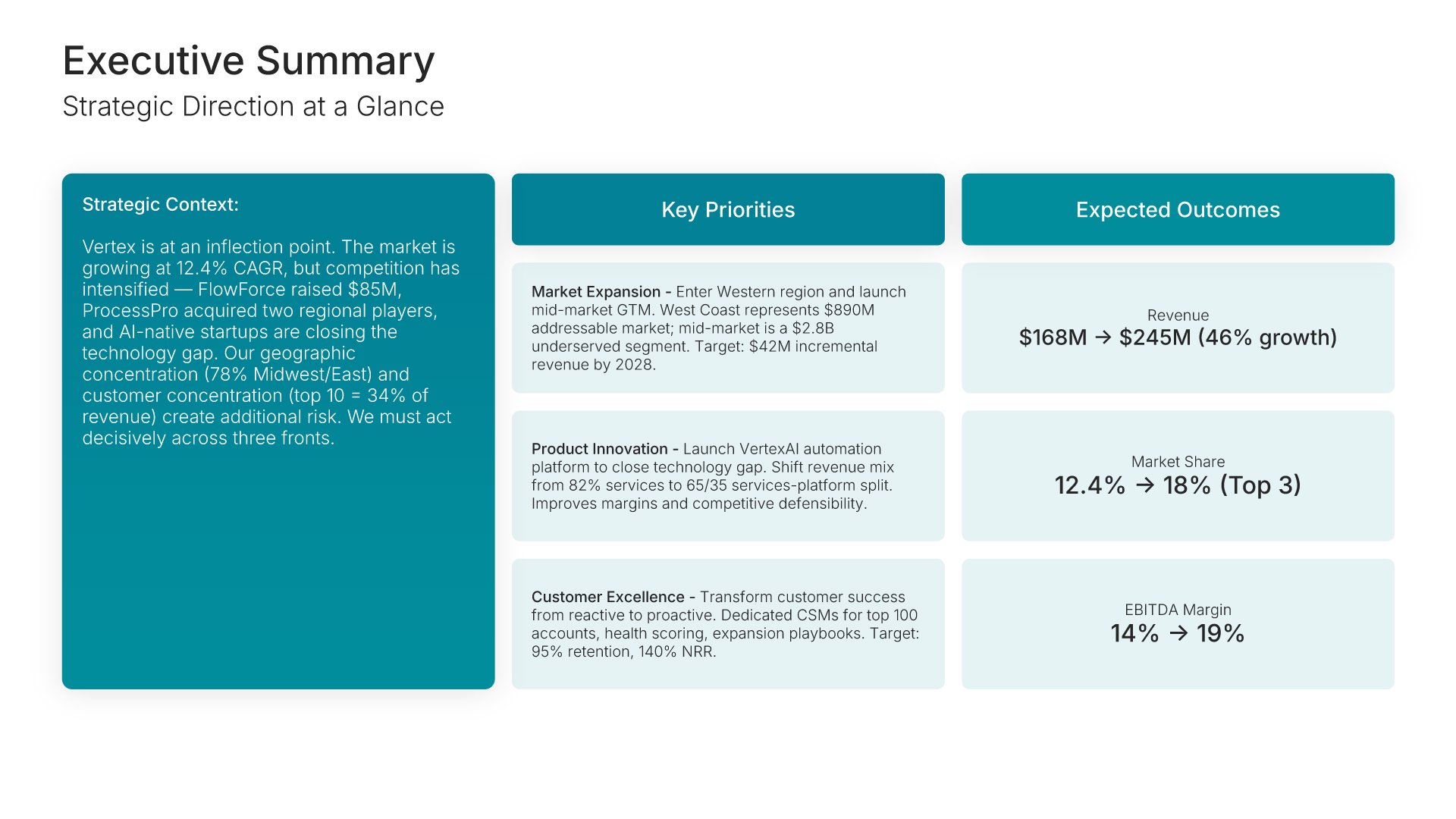
Executive Summary

The strategic context beside three key priorities, each with its expected outcome.

Built using “One Pager / Snapshot” slide
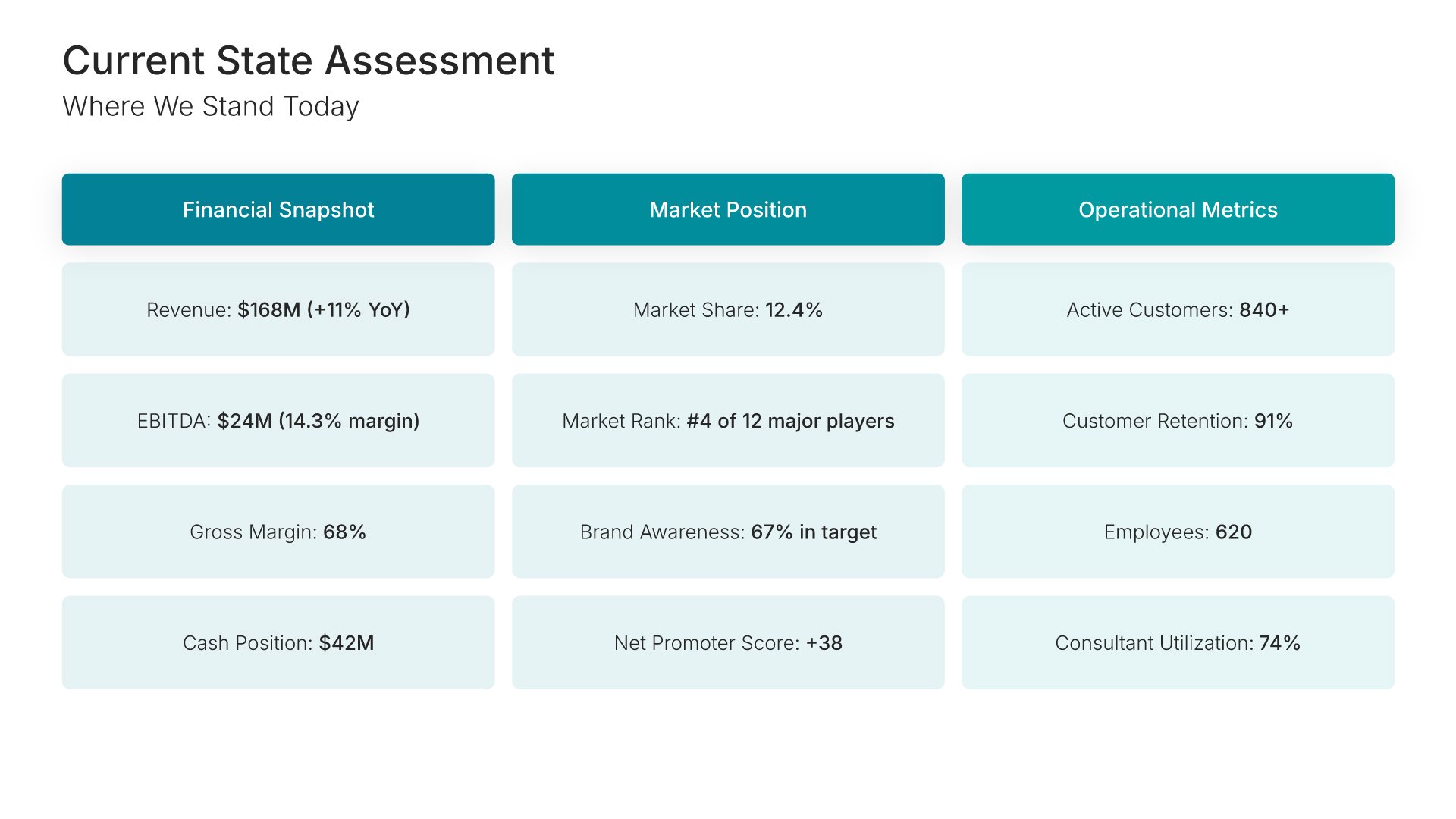
Current state analysis slide, business strategy template, financial, market, and operational baseline

Slide 03

Current State Analysis

Where you stand today in three columns: financial snapshot, market position, and operational metrics.

Built using “One Pager / Snapshot” slide
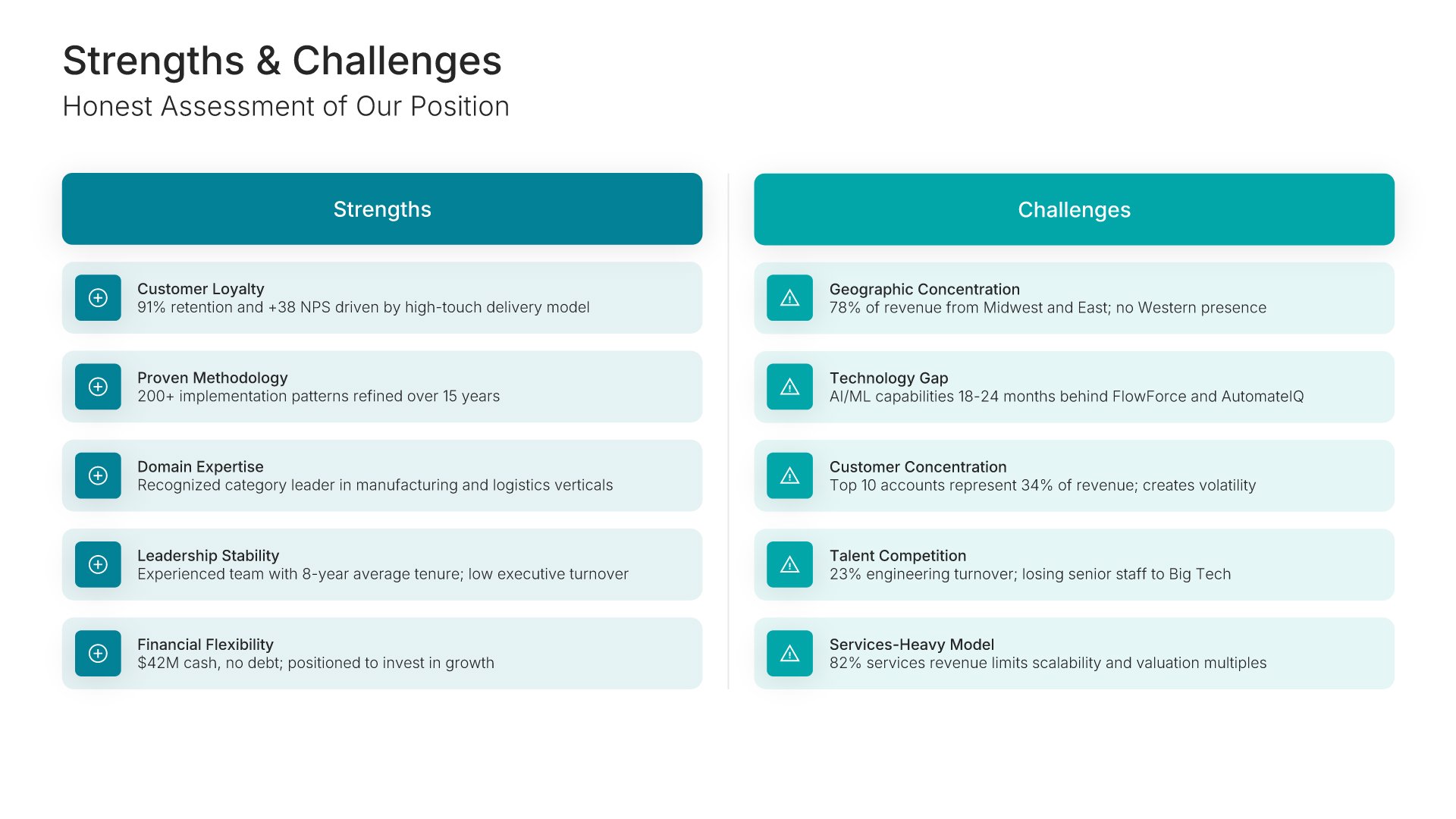
Current state analysis slide, business strategy template, five strengths beside five challenges

Slide 04

Current State Analysis

An honest assessment of your position, with five strengths beside five challenges.

Built using “Comparison” slide
Competitive landscape slide, business strategy template, competitors on a positioning map

Slide 05

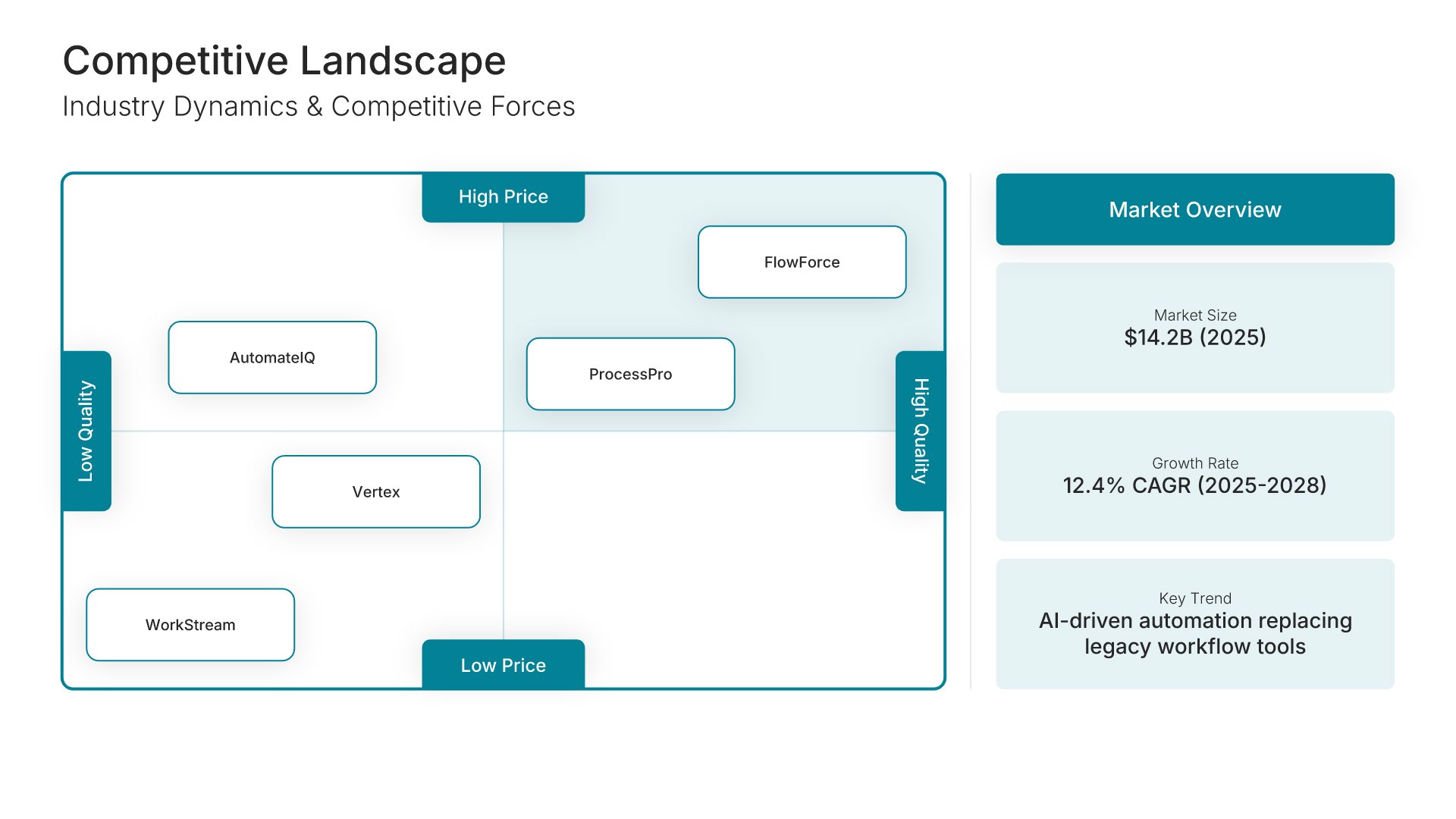
Competitive Landscape

Competitors plotted on a positioning map, with market size, growth rate, and the key trend beside it.

Built using “Competitive Landscape” slide
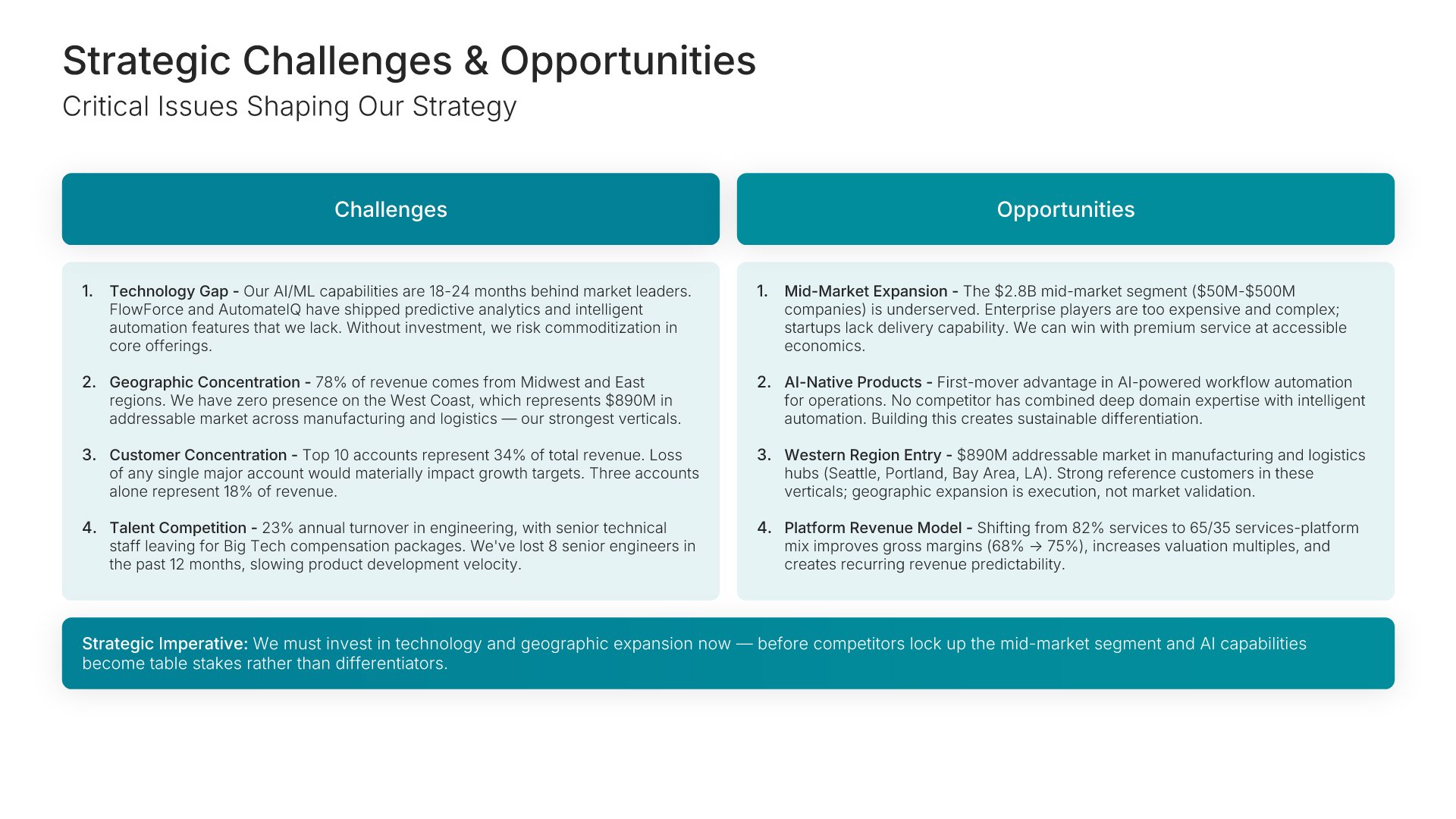
Strategic challenges and opportunities slide, business strategy template, four challenges beside four opportunities

Slide 06

Strategic Challenges & Opportunities

Four challenges beside four opportunities, with the strategic imperative drawn underneath.

Built using “Executive Summary” slide
Vision and strategic intent slide, business strategy template, vision, three-year ambition, and guiding principles

Slide 07

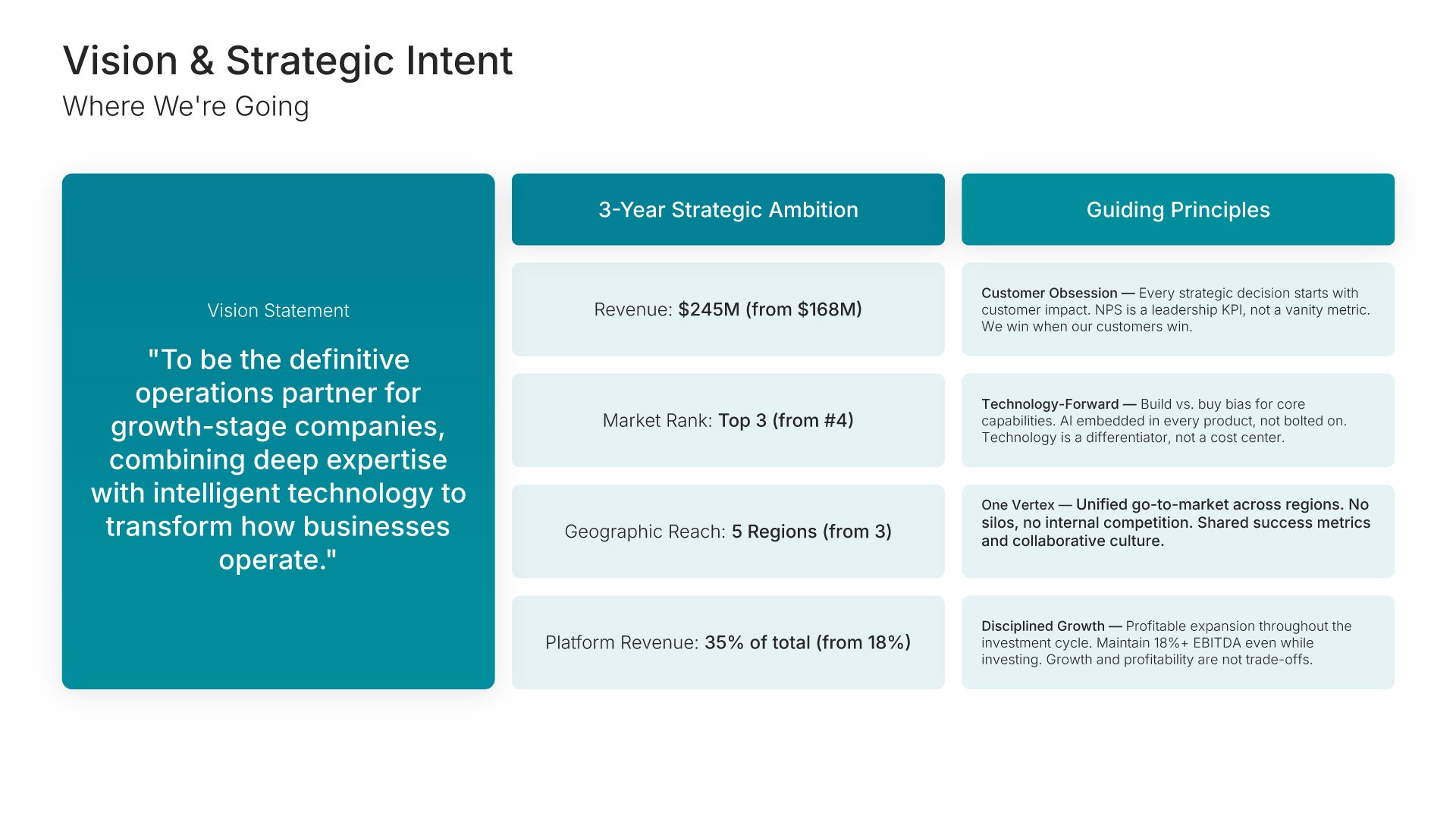
Vision & Strategic Intent

The vision statement, the three-year ambition in headline numbers, and the guiding principles.

Built using “One Pager / Snapshot” slide
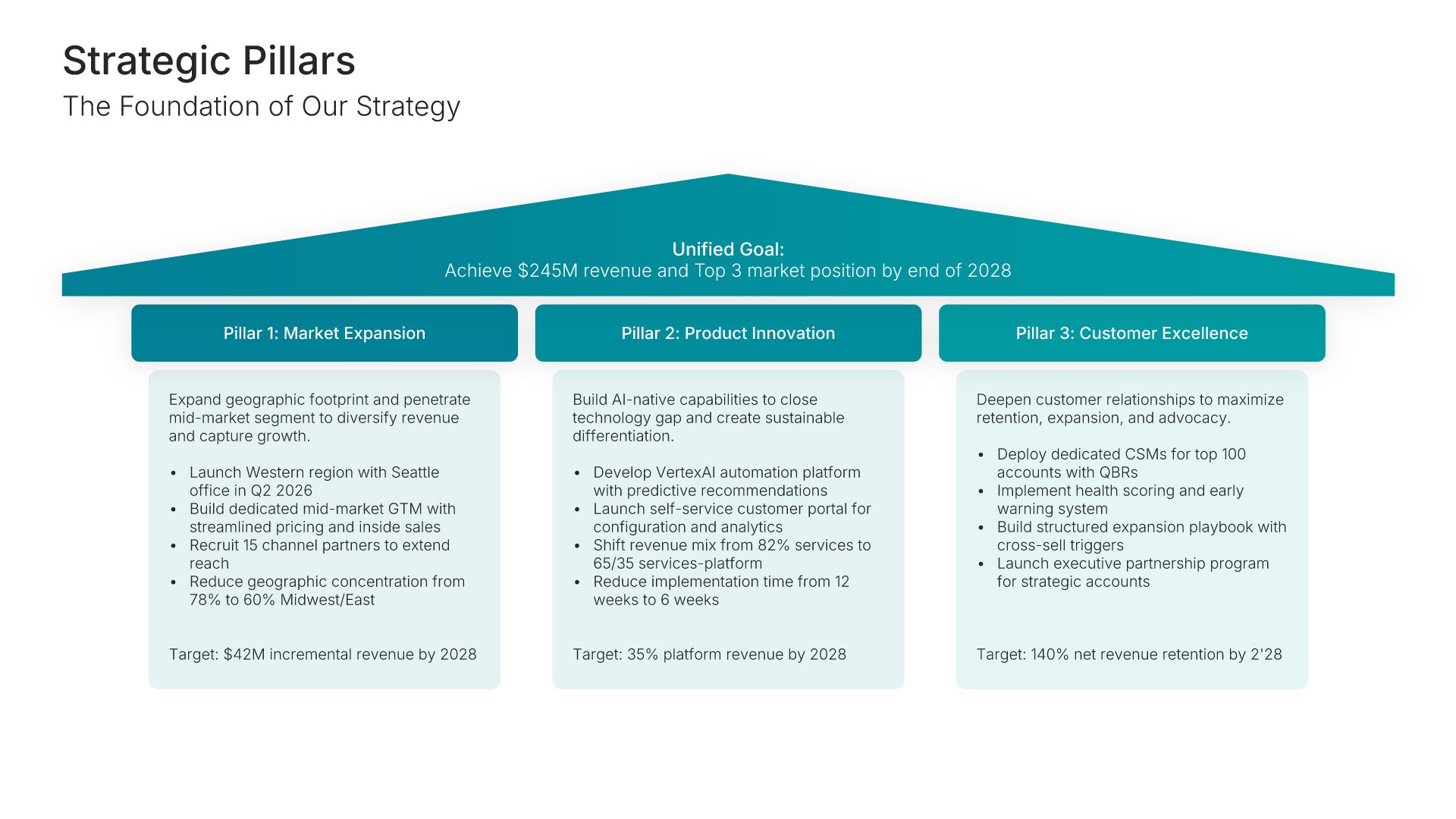
Strategic pillars slide, business strategy template, three pillars under one strategic goal

Slide 08

Strategic Pillars

Three pillars under one strategic goal, each with its focus and its target.

Built using “Strategic Pillars Infographics” slide
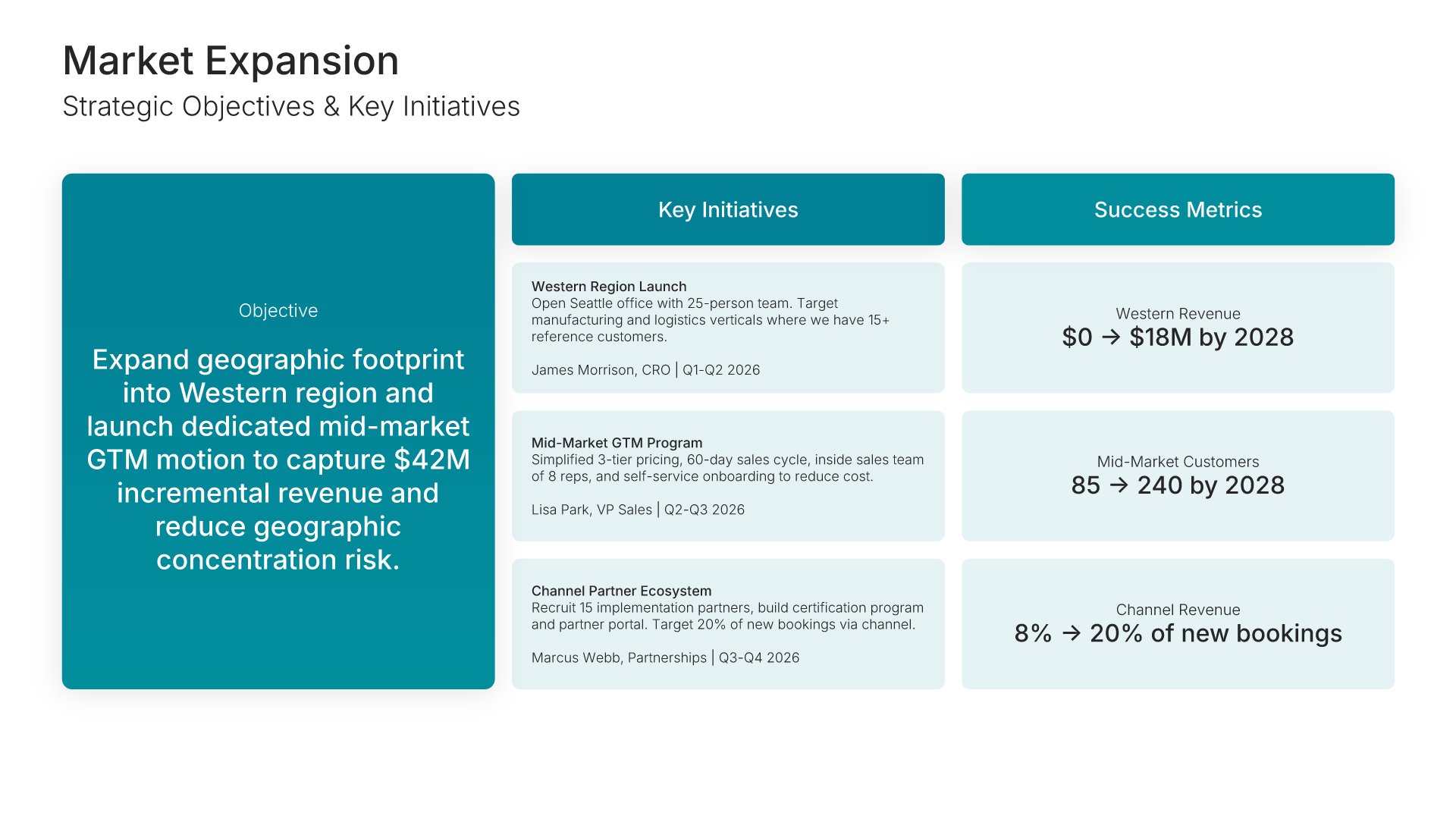
Strategic pillar deep dive slide, business strategy template, market expansion objective, initiatives, and metrics

Slide 09

Strategic Pillar Deep Dive

Market Expansion: the objective, three key initiatives, and success metrics from today to target.

Built using “One Pager / Snapshot” slide
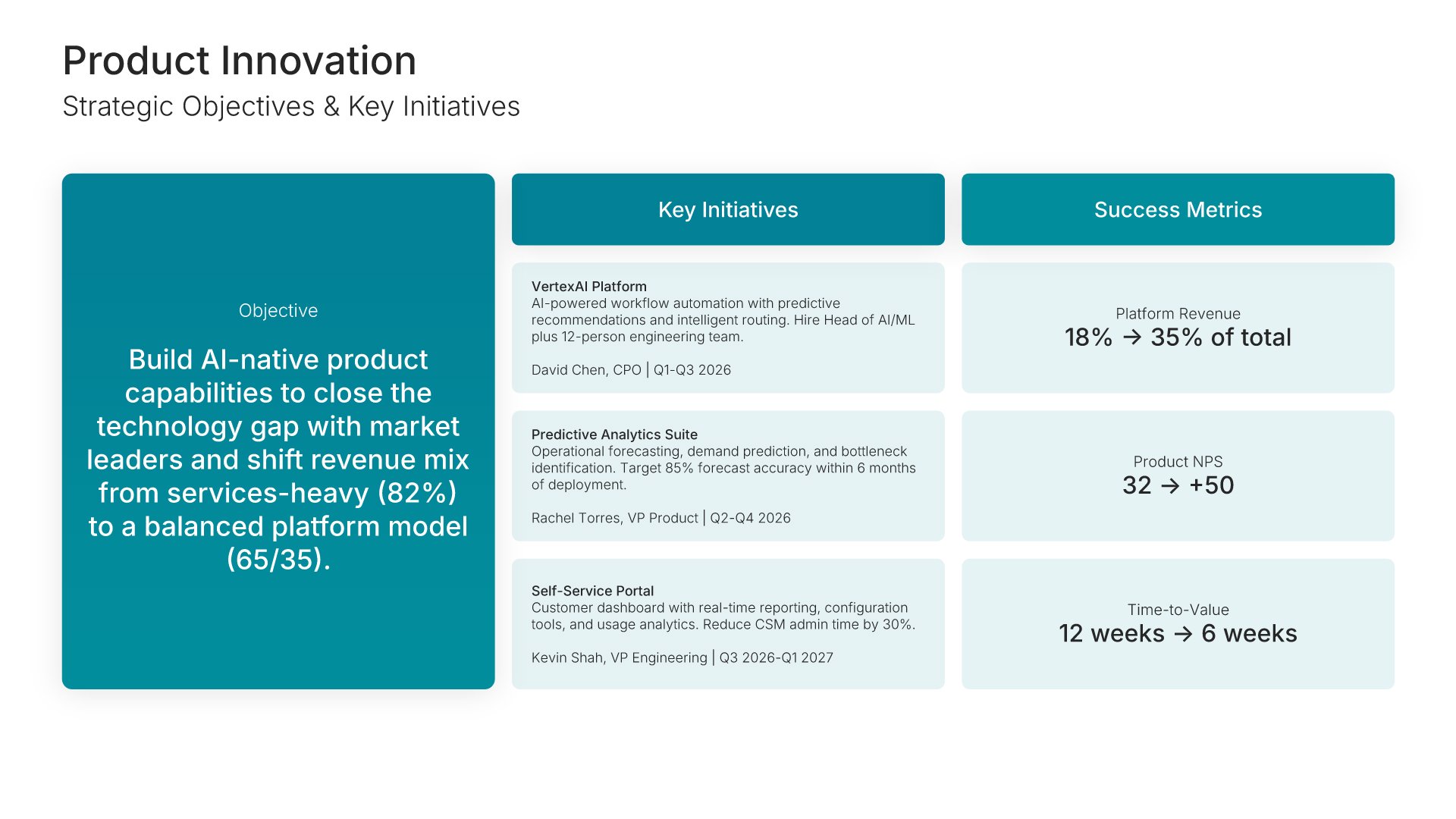
Strategic pillar deep dive slide, business strategy template, product innovation objective, initiatives, and metrics

Slide 10

Strategic Pillar Deep Dive

Product Innovation: the objective, three key initiatives, and success metrics from today to target.

Built using “One Pager / Snapshot” slide
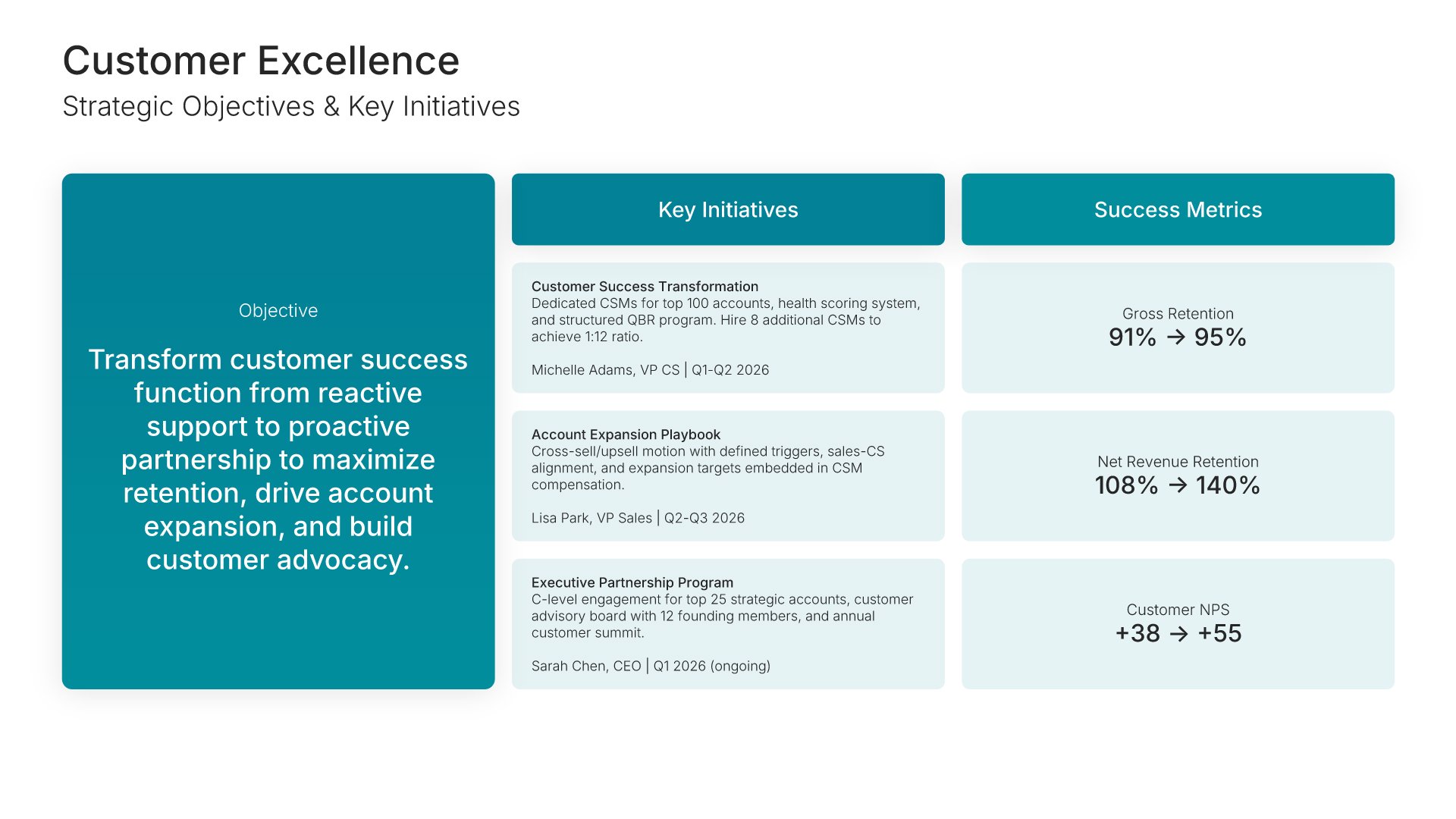
Strategic pillar deep dive slide, business strategy template, customer excellence objective, initiatives, and metrics

Slide 11

Strategic Pillar Deep Dive

Customer Excellence: the objective, three key initiatives, and success metrics from today to target.

Built using “One Pager / Snapshot” slide
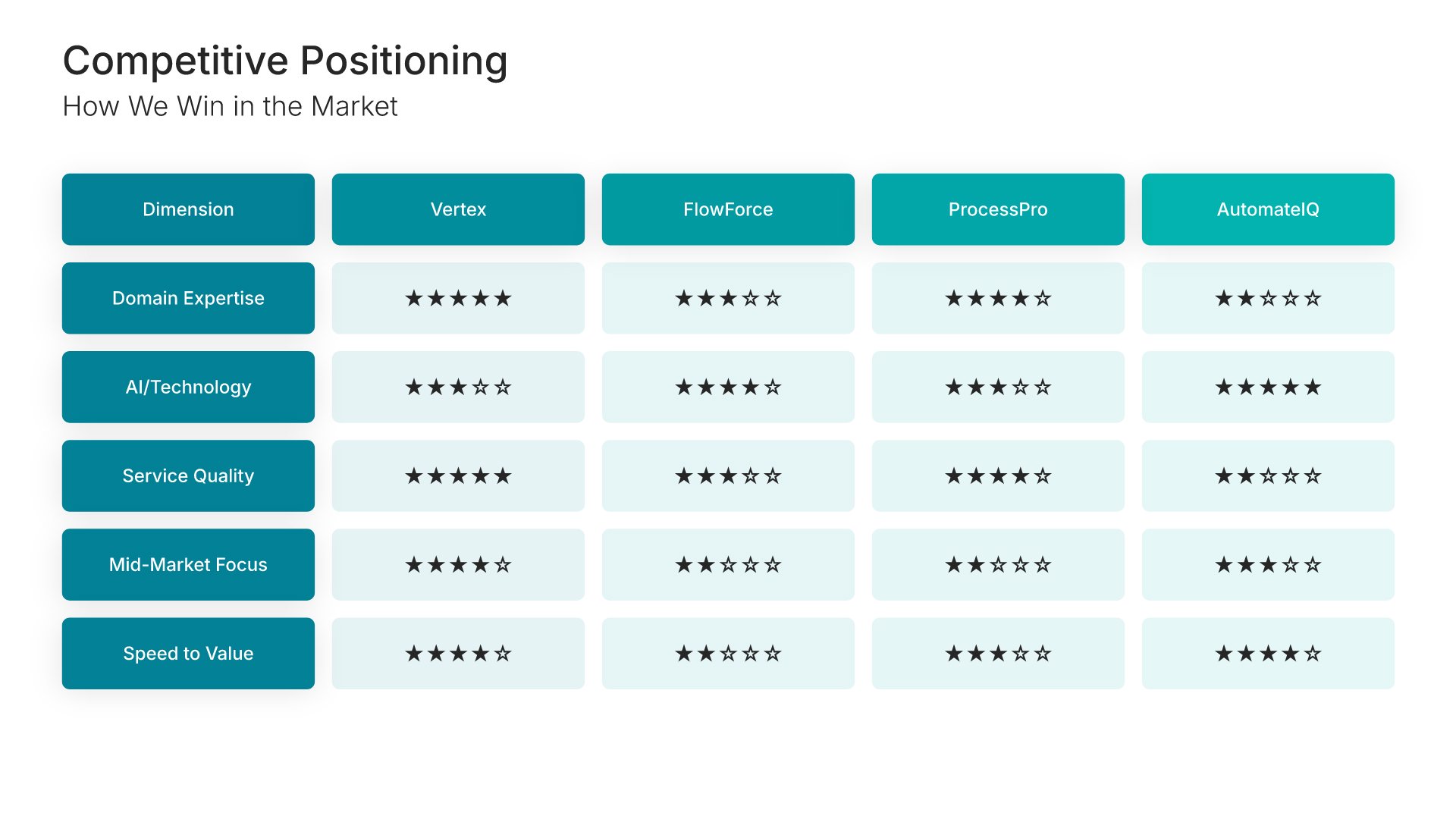
Competitive positioning slide, business strategy template, your company rated against three competitors

Slide 12

Competitive Positioning

How you win in the market: your company against three competitors, rated on five dimensions.

Built using “Table” slide
Resource requirements slide, business strategy template, total investment split across five areas

Slide 13

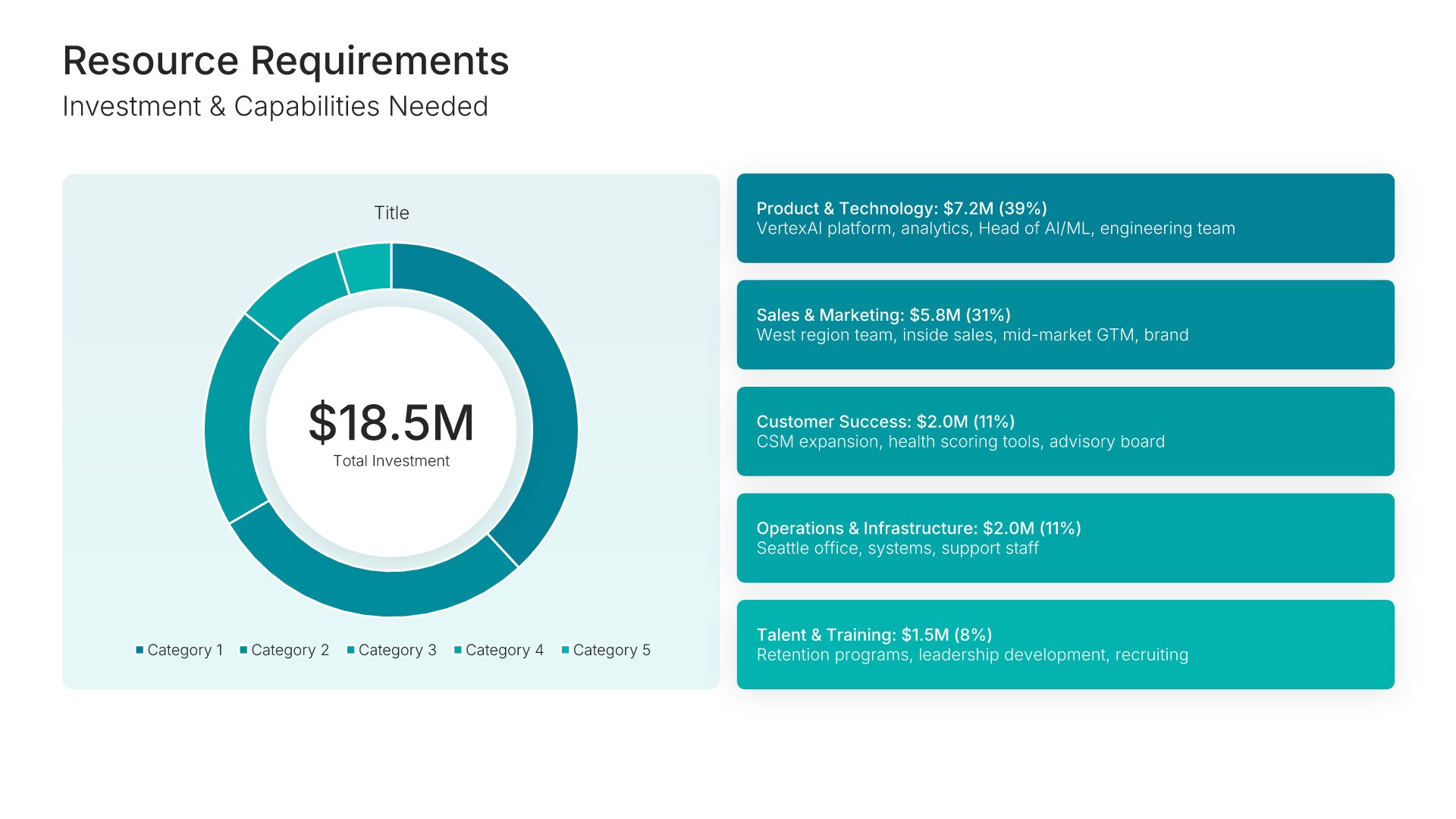
Resource Requirements

Total investment on a donut, split across five areas from product and technology to talent and training.

Built using “Investment” slide
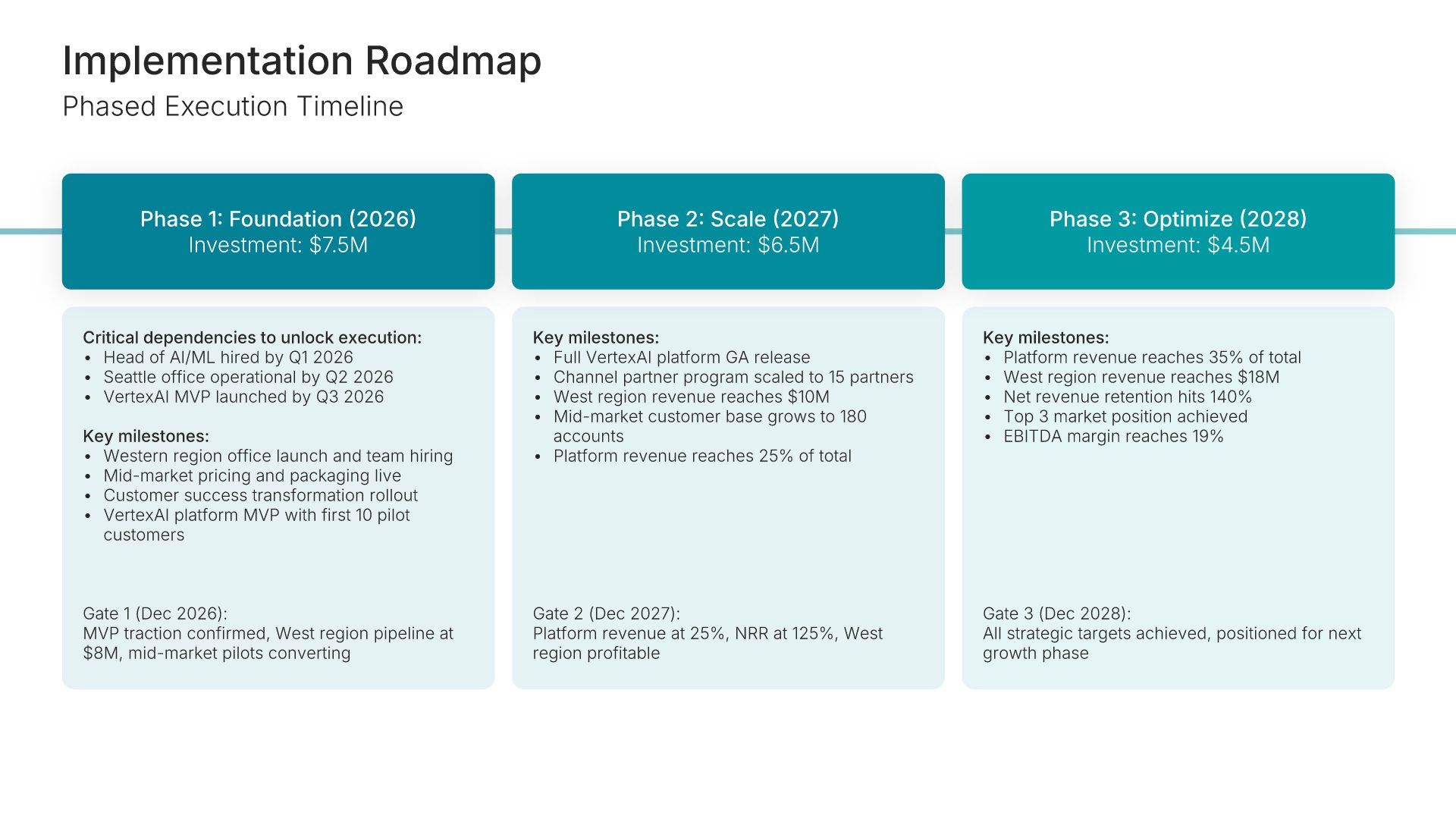
Implementation timeline slide, business strategy template, roadmap in three phases with gates

Slide 14

Implementation Timeline

The roadmap in three phases, each with its investment, key milestones, and a gate to clear.

Built using “Timeline” slide
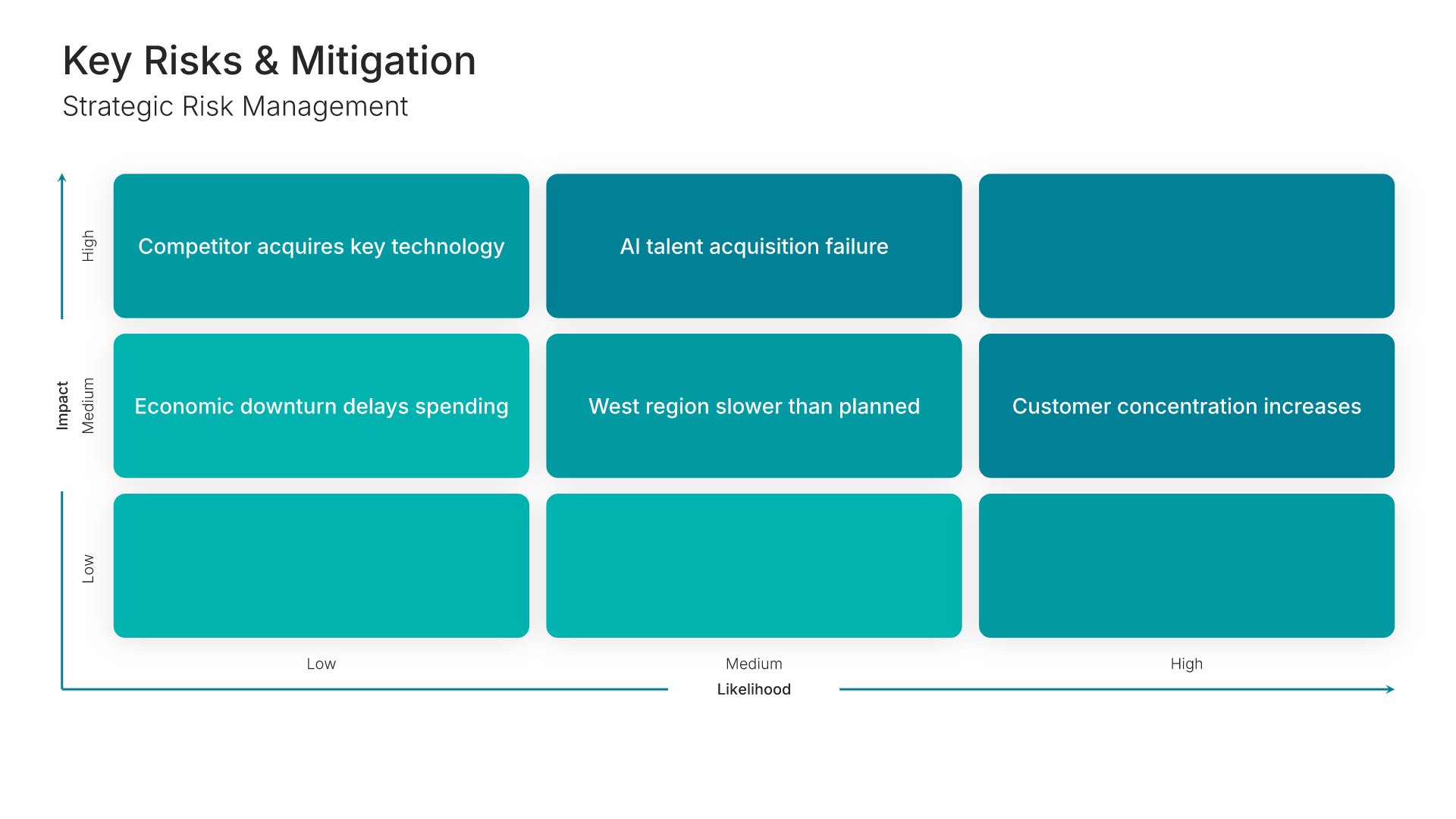
Risk assessment slide, business strategy template, key risks plotted by likelihood and impact

Slide 15

Risk Assessment

The key risks plotted on a matrix by likelihood and impact.

Built using “Matrix (3×3)” slide
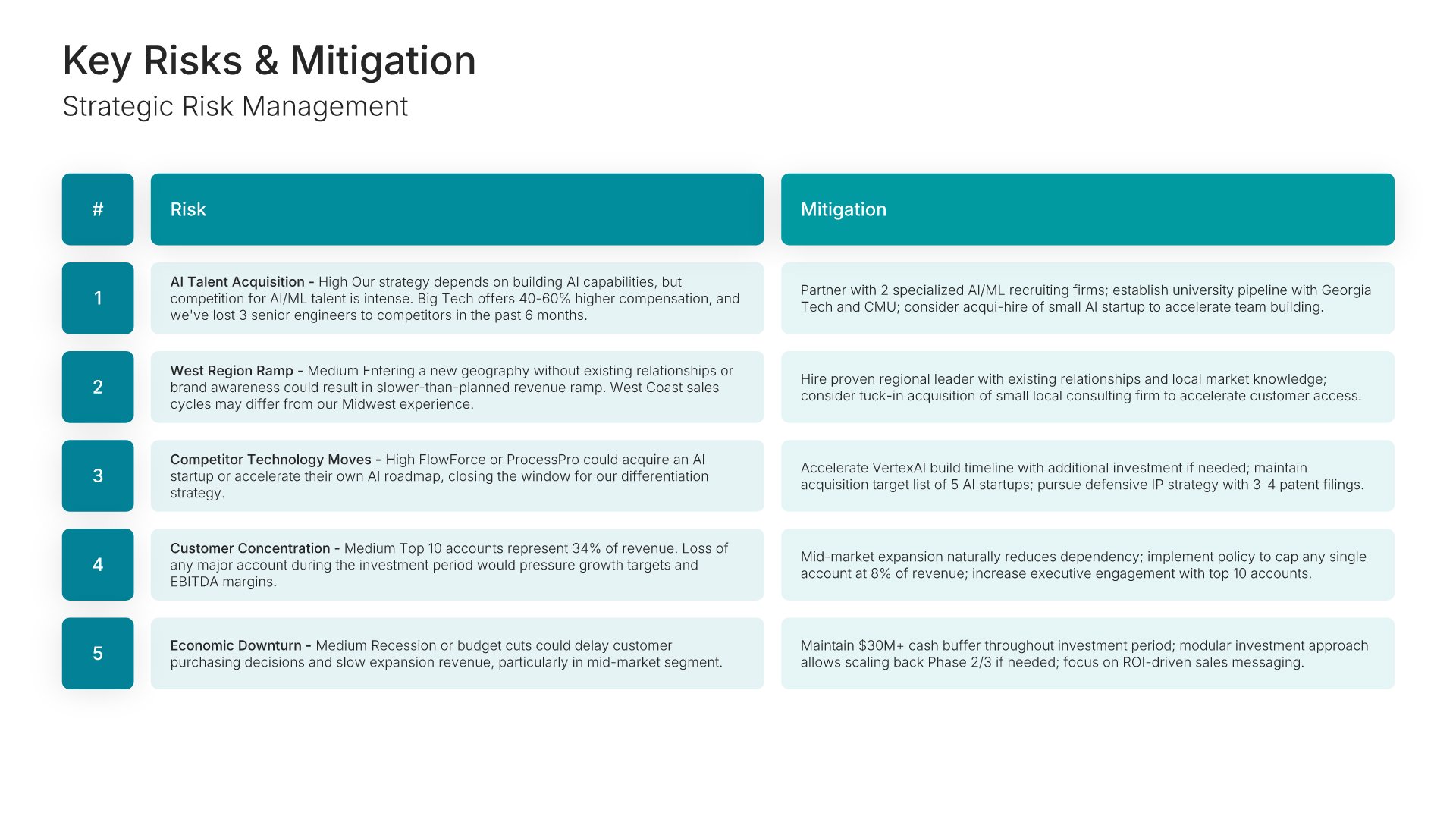
Risk assessment slide, business strategy template, risks tabled with mitigations

Slide 16

Risk Assessment

The same risks tabled and numbered, with the mitigation against each.

Built using “Table” slide
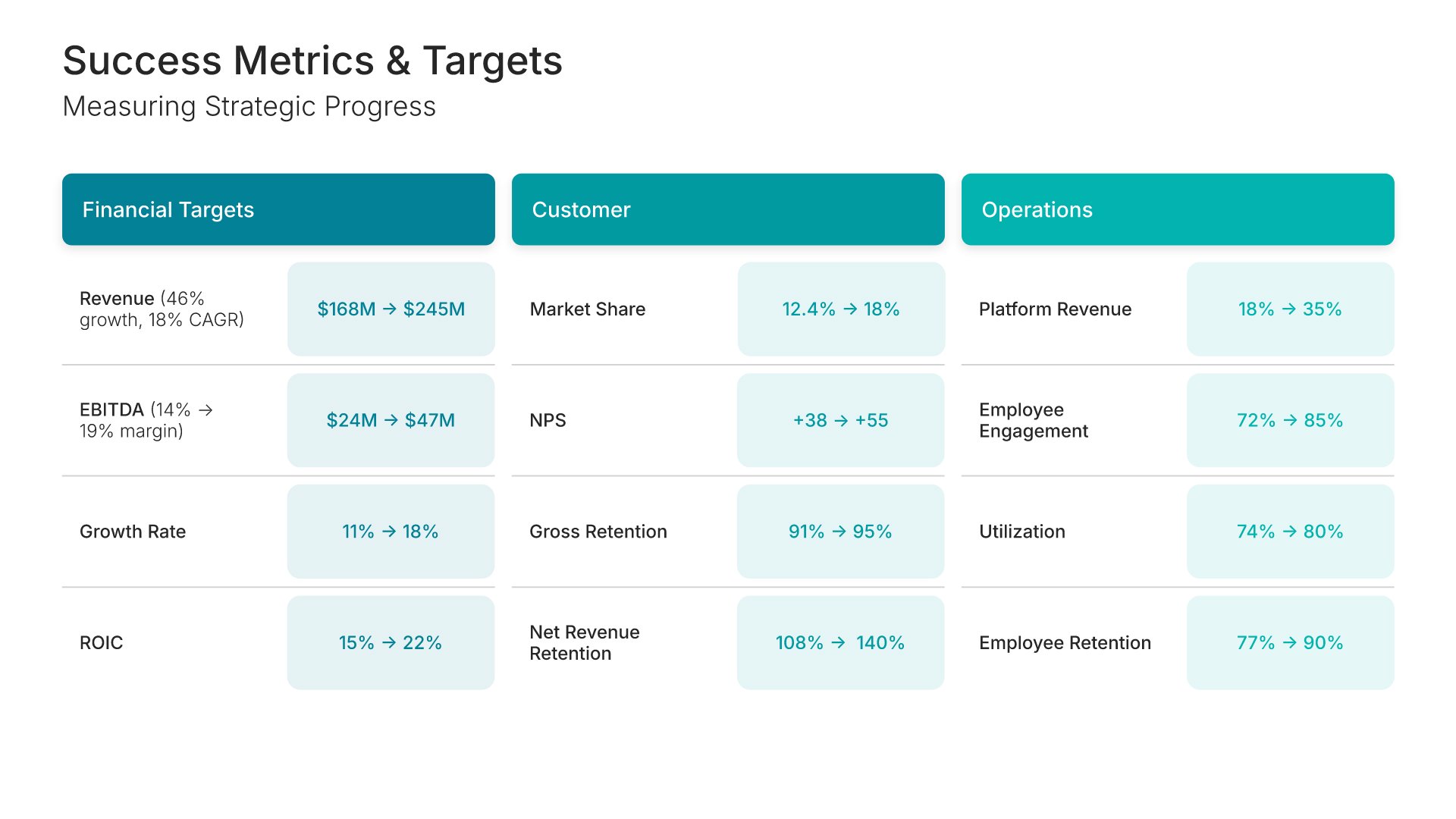
Key performance indicators slide, business strategy template, financial, customer, and operational targets

Slide 17

Key Performance Indicators

Financial, customer, and operational targets, each shown from today's figure to the goal.

Built using “Simple Numbers” slide
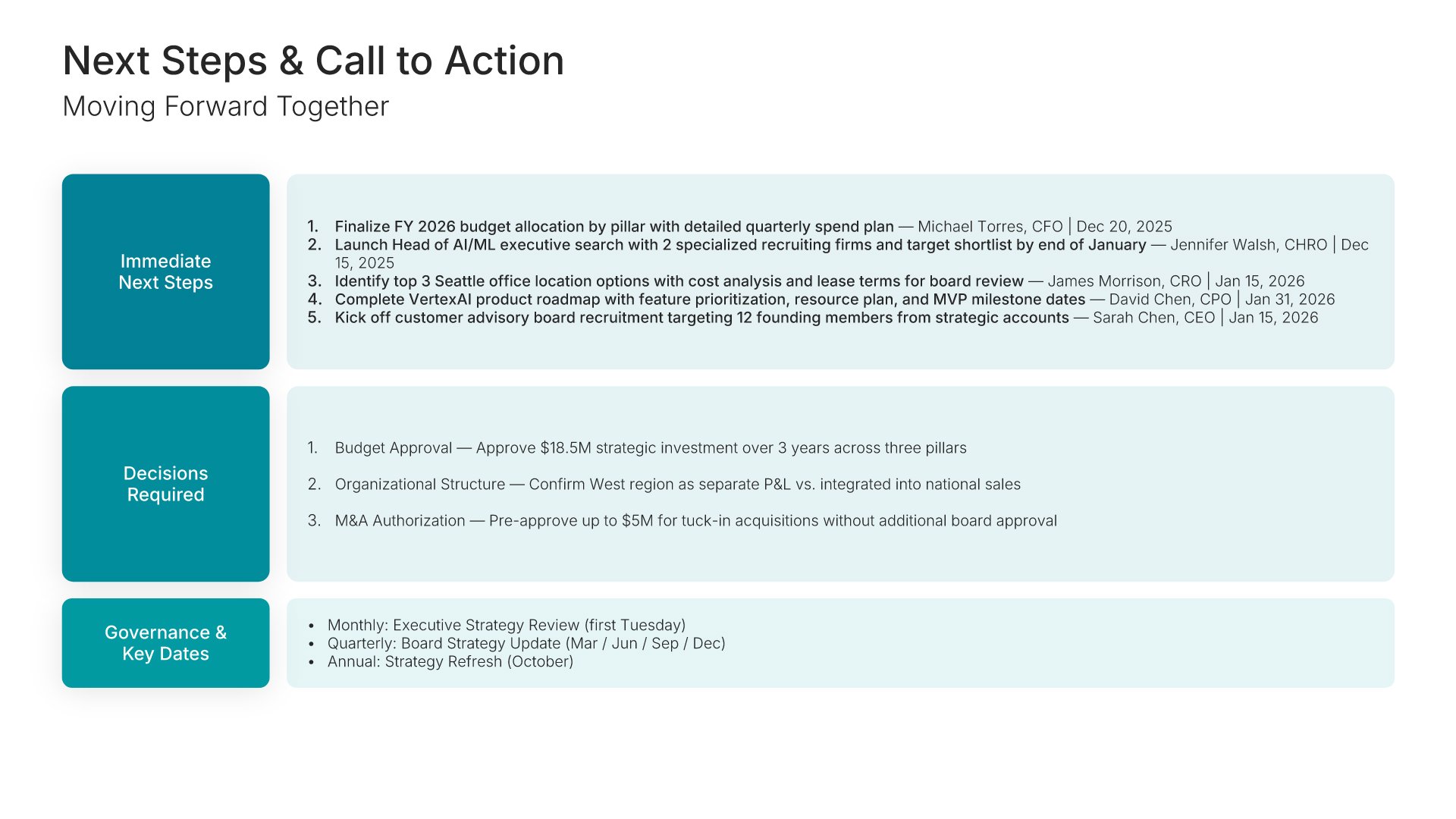
Next steps slide, business strategy template, actions, decisions required, and key dates

Slide 18

Next Steps

Immediate actions with owners and dates, the decisions required, and the governance calendar.

Built using “Executive Summary” slide
Thank you slide, business strategy template, contact details and questions

Slide 19

Thank You

Contact details and time for questions.

Built using “Thank You” slide

About the business strategy template

The structure, the slides, your brand, and a file you can edit anywhere.

Built to connect the strategy to the work that delivers it

Most strategy presentations stop at the pillars. The room agrees with the direction, then nobody can say what changes next quarter. This template runs on the Classic Porter/McKinsey Model. It starts with an honest read of where you stand and who you compete with, then sets the vision and three strategic pillars. Each pillar gets its own slide with an objective, key initiatives, and success metrics. Resources, the roadmap, risk, and KPIs close the argument.

Built from 9,000+ slides across 134+ categories

Every slide here comes from the same library. Competitive landscapes, strategic pillar infographics, investment breakdowns, timelines, and risk matrices are already in it, so adding a fourth pillar or a third competitor view takes a minute. Everything sits on the same grid, so the layout still holds.

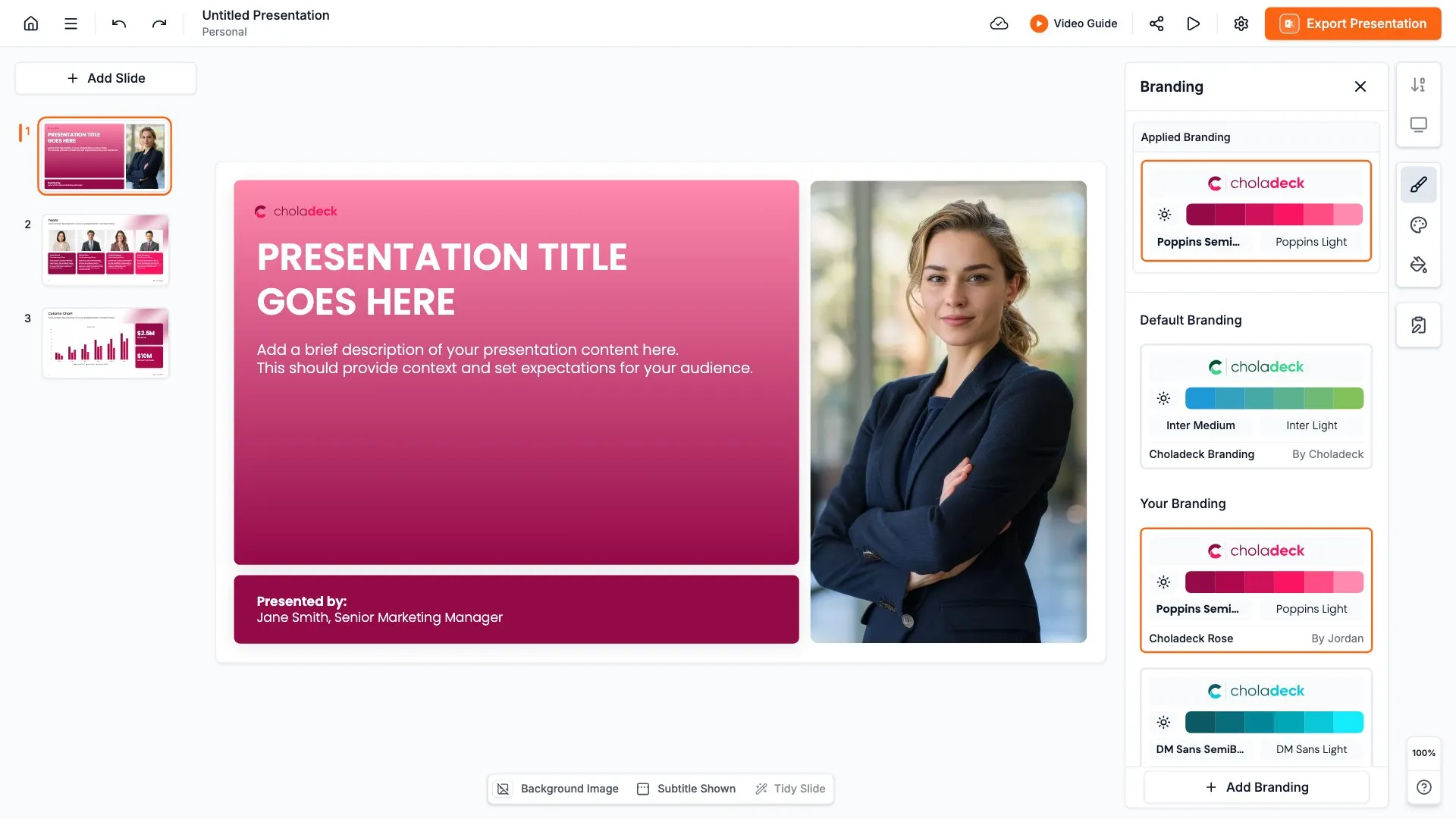
Brand the whole presentation in one click

Add your logo, colors, fonts, and background once. It applies to the whole presentation and the entire slide library at the same time. The strategy the board approves, the version the leadership team cascades, and the quarterly progress reviews all look like they came from one company.

Export to PowerPoint, Google Slides, or Keynote

You get a real file, not a locked link. Export it and keep editing in the tool you already use. Every chart and table stays editable, so the strategy can move from the leadership offsite to the board meeting without a rebuild.

How Choladeck works

From blank page to finished presentation in four steps.

STEP 01

Browse 9,000+ slides across 134+ categories, or open one of the 74 premade presentations.

STEP 02

Add your logo, colors, and fonts in one click. The whole presentation instantly matches your company.

STEP 03

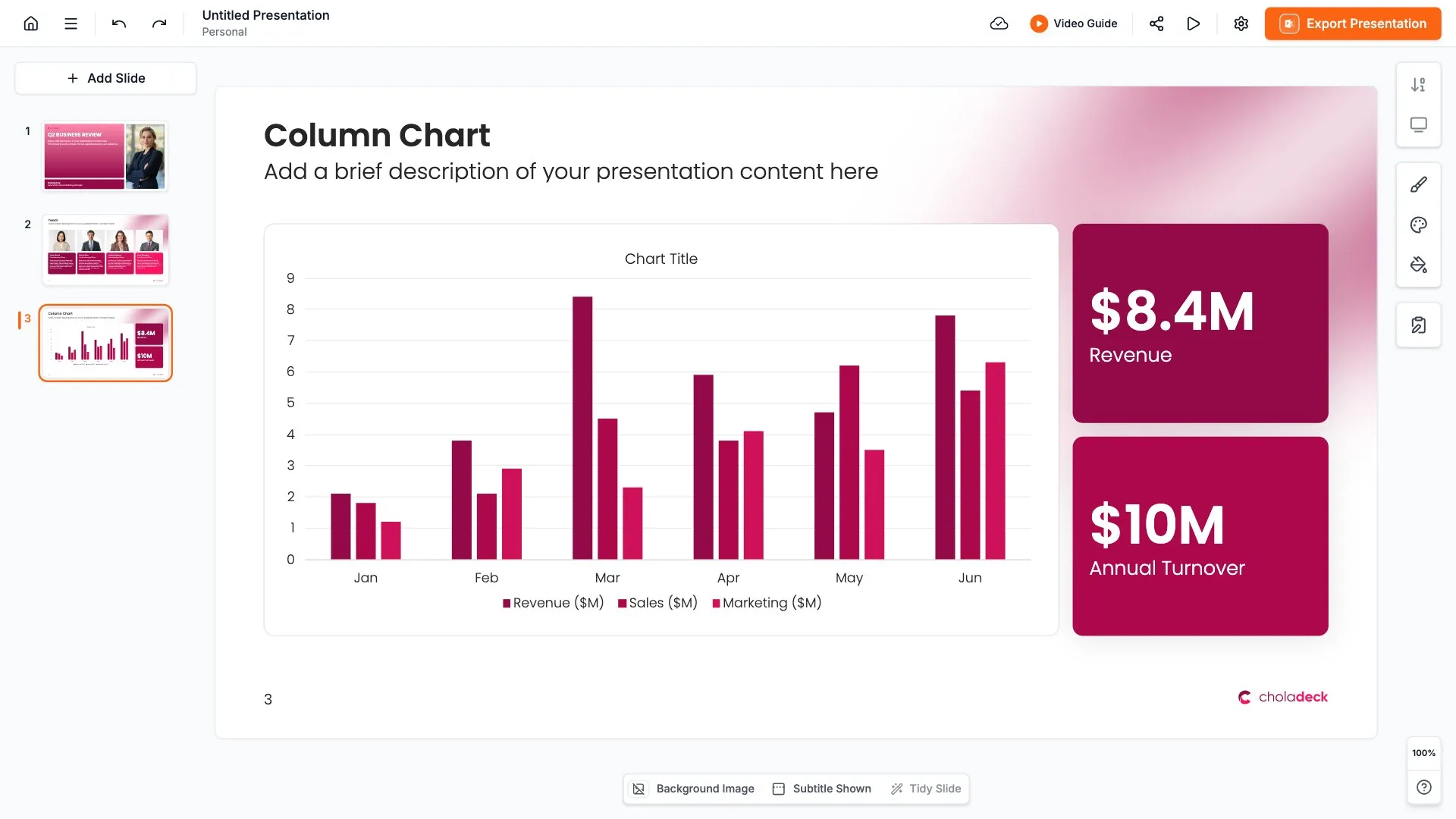
Add your text, numbers, charts, and tables. Everything on the slide is editable.

STEP 04

Send it to PowerPoint, Google Slides, or Keynote, and present.
Build your own

Nothing here fits? Build your own business strategy presentation

This template is assembled from the same 9,000+ slides. Pick the slides you need, drop them into one file, and brand the whole thing in one click.
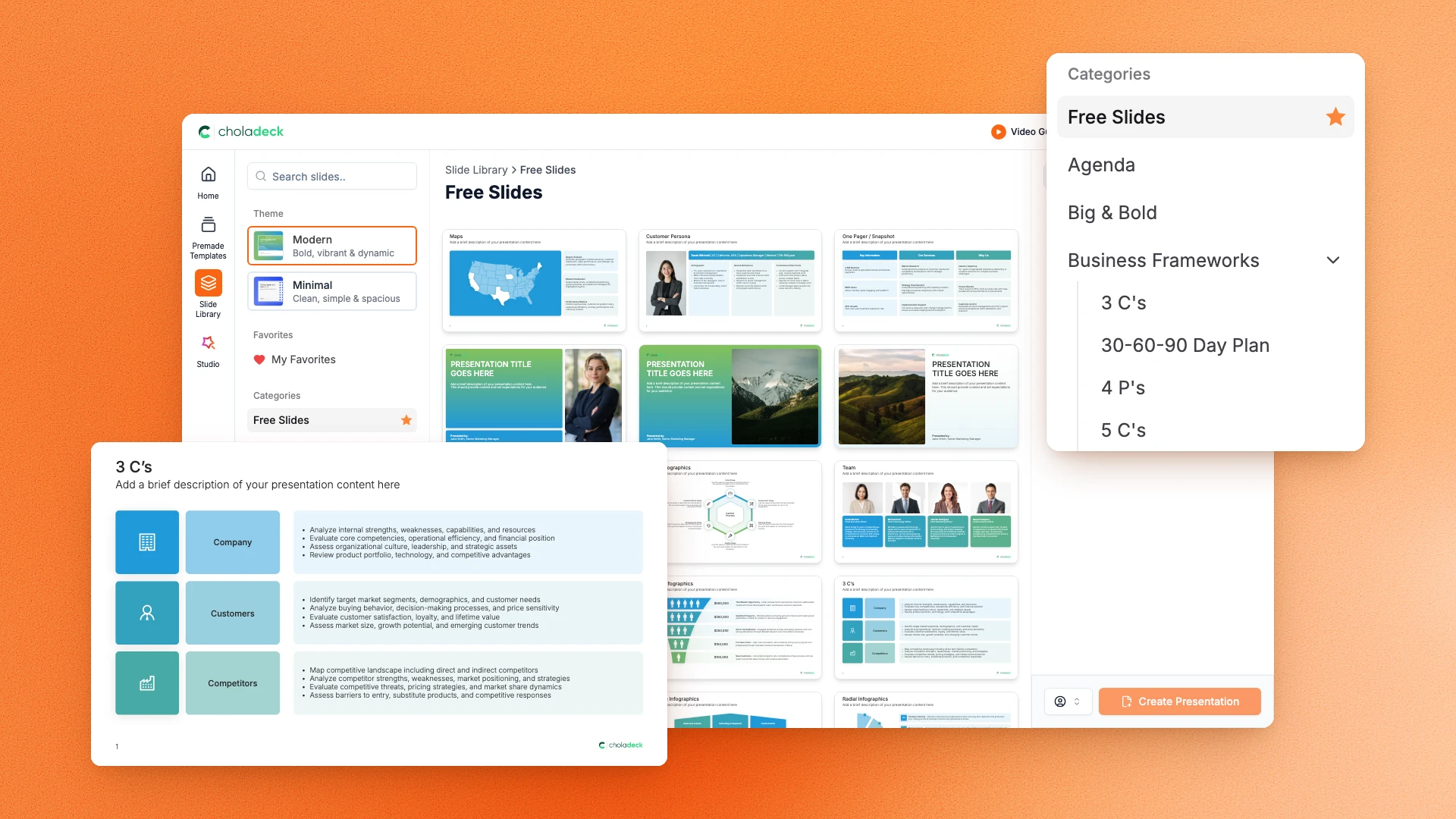
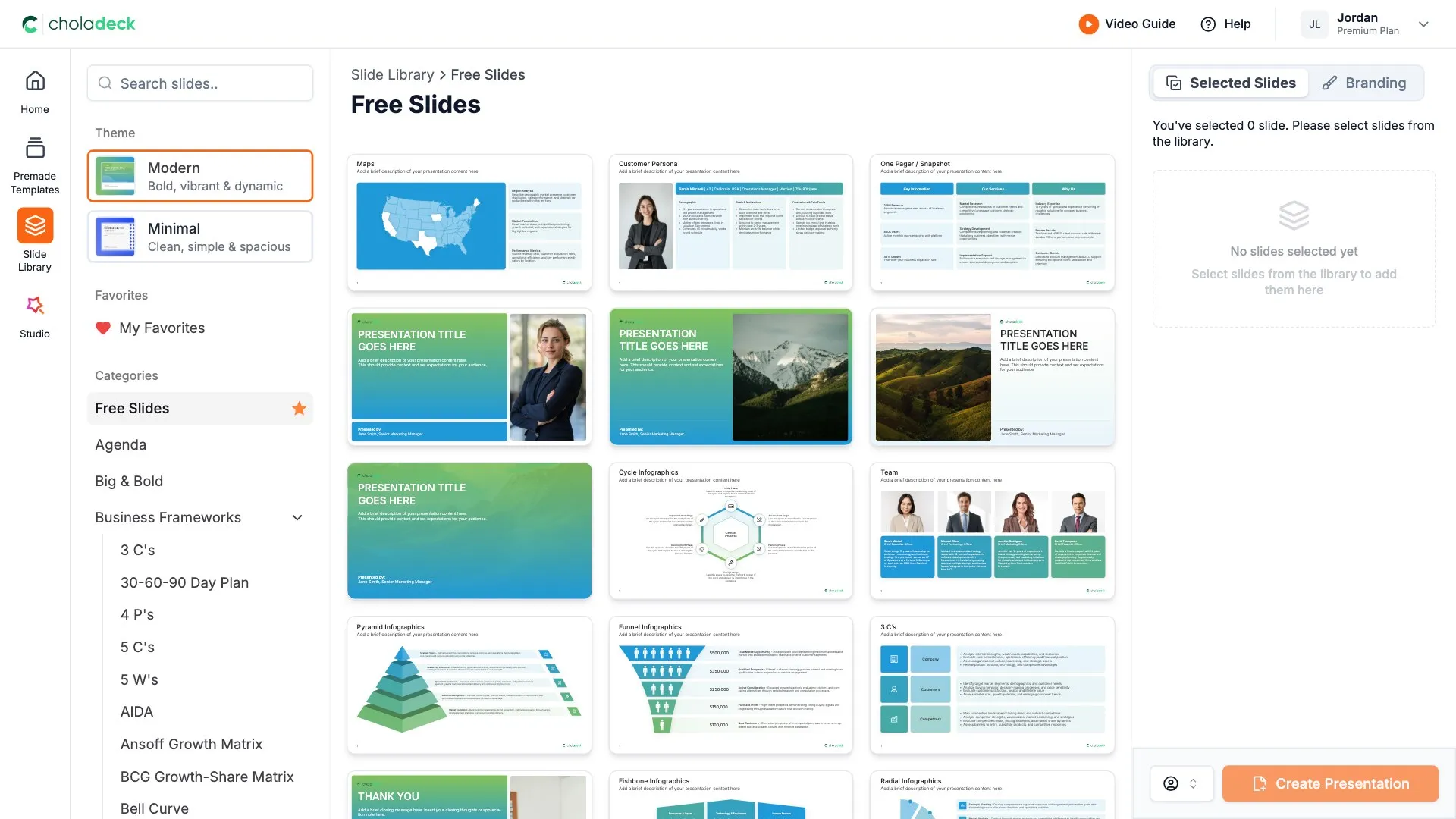
Choladeck slide library on Free Slides, with its category list and the 3 C’s slide shown larger

Questions about the business strategy template

What's inside the template, and how far you can change it.

Using the template

Is the template fully editable?

+

Yes. Text, tables, charts, icons, and colors on every slide are yours to change. Nothing is locked and nothing is a flat image.

How do I brand it to my company?

+

Add your logo, colors, fonts, and background once. It applies to the whole presentation and the entire slide library at the same time.

Can I add slides from the slide library?

+

Yes. Add any slide from the library into this one, or swap out one that doesn't fit. Everything works together.

What's included

Does it break the pillars down into initiatives?

+

Yes. Three deep-dive slides, one per pillar. Each carries the objective, three key initiatives, and success metrics that show today's figure against the target.

How is this different from a strategic plan?

+

A business strategy presentation sets direction: where you compete, how you win, and the pillars that get you there. A strategic plan turns that into a multi-year program with goals, budgets, and governance for a board to approve. If you need the full plan, start from one of the strategic plan templates.

Is placeholder content included?

+

Yes. Every slide comes with realistic text, sample figures, and filled-in charts, so you can see how the business strategy presentation reads before you put your own numbers in.

Start your business strategy presentation
from one that's already done

Pick it, brand it, add your content, and export.

Free to start. No credit card required.