Pricing

Board of directors presentation template

Eighteen slides for the quarterly or annual meeting, built around what independent directors actually check: the statements in full, the metrics against target, the risks with mitigations, and the decisions you need signed. Select it, brand it to your organization in one click, add your figures, and export to PowerPoint, Google Slides, or Keynote.

Free to start. No credit card required.
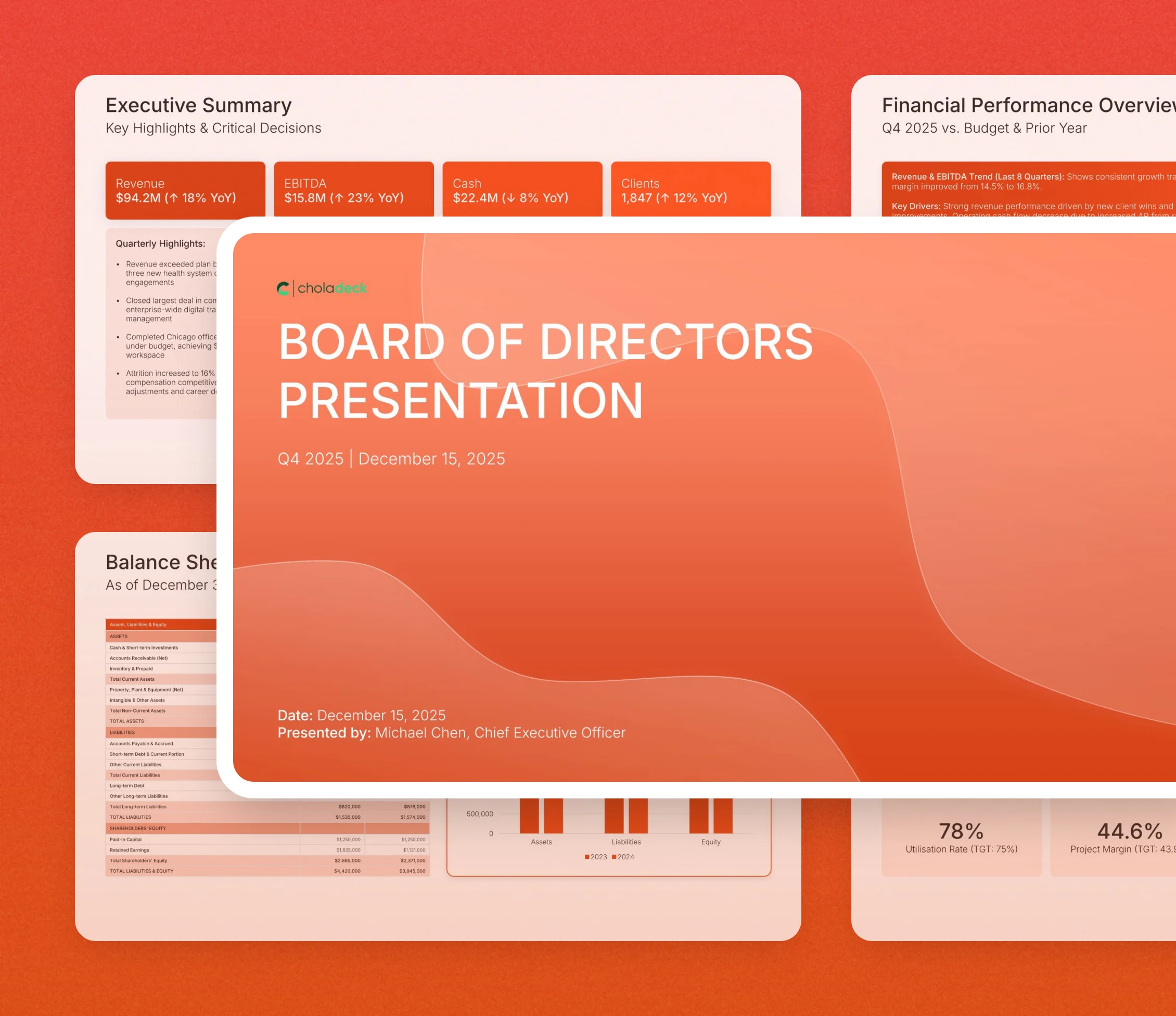
Board of directors presentation template: the title slide in front of other slides from the 18-slide deck

Every slide in the board of directors presentation template

Eighteen slides, in the order you present them.

Title slide, board of directors presentation template, quarter, date, and presenter

Slide 01

Title

The quarter, the date, and the executive presenting.

Built using “Title” slide
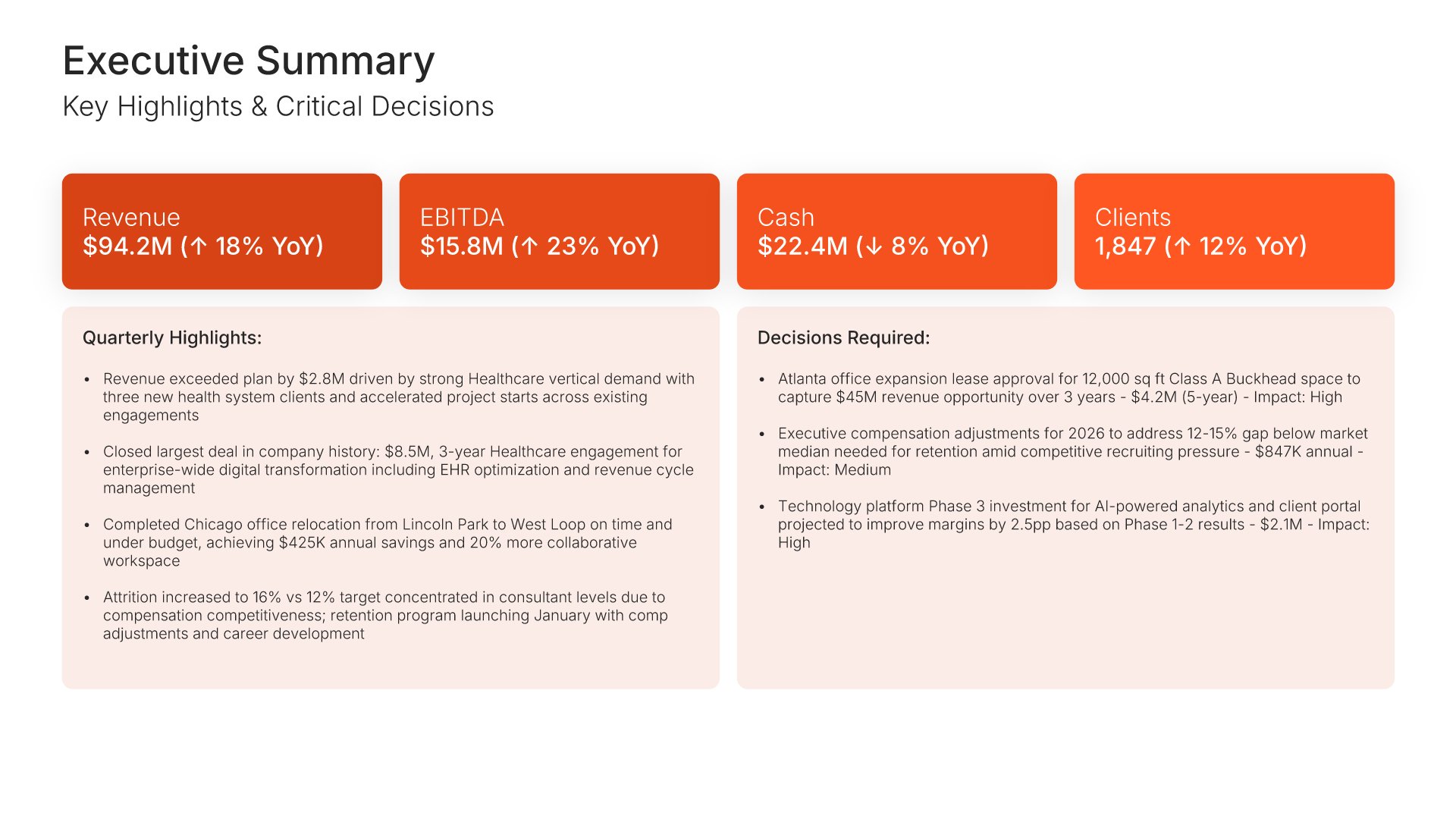
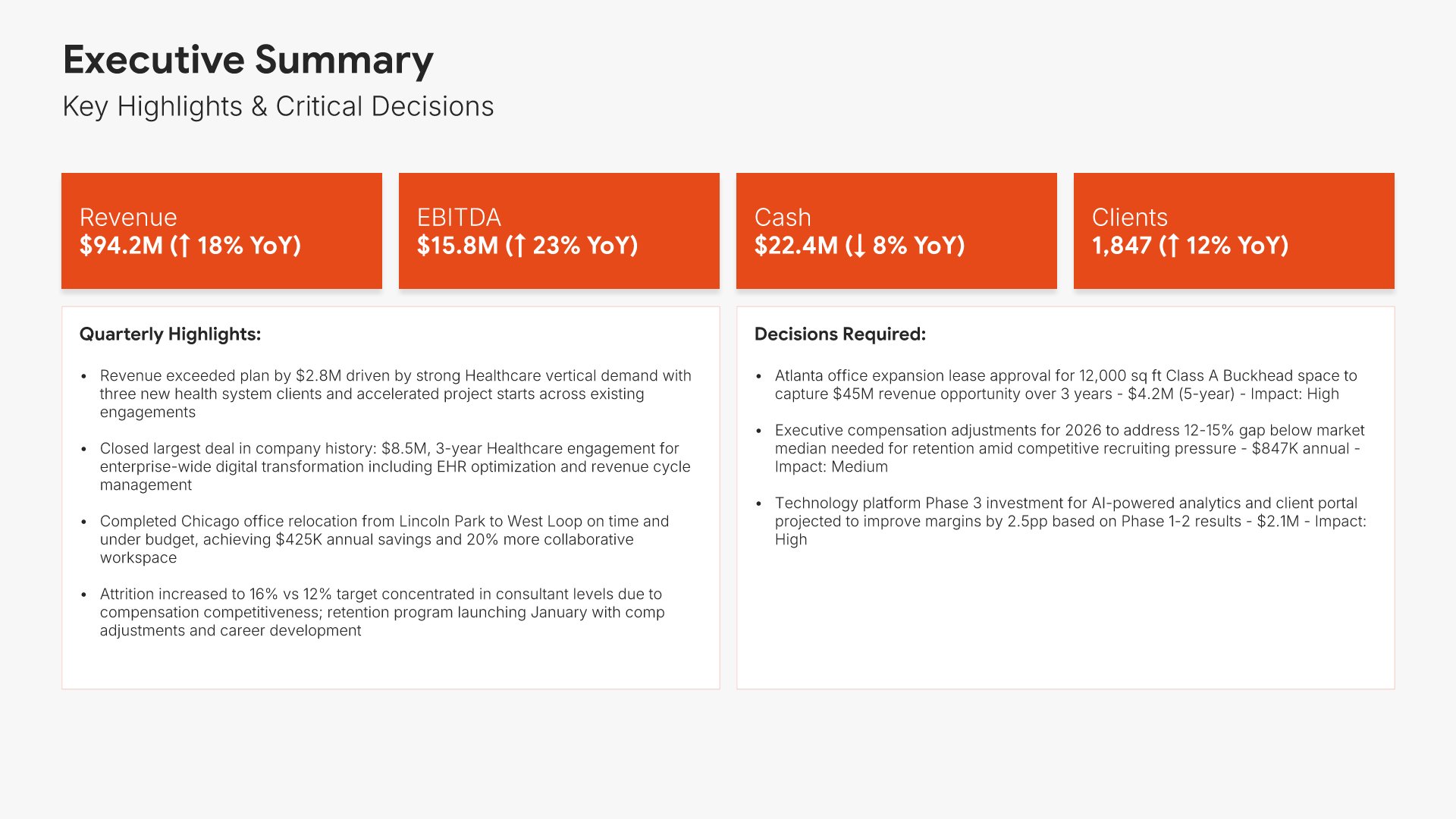
Executive summary slide, board of directors presentation template, headline figures and decisions needed

Slide 02

Executive Summary

Four headline figures with year-over-year movement, then the highlights beside the decisions needed.

Built using “Executive Summary” slide
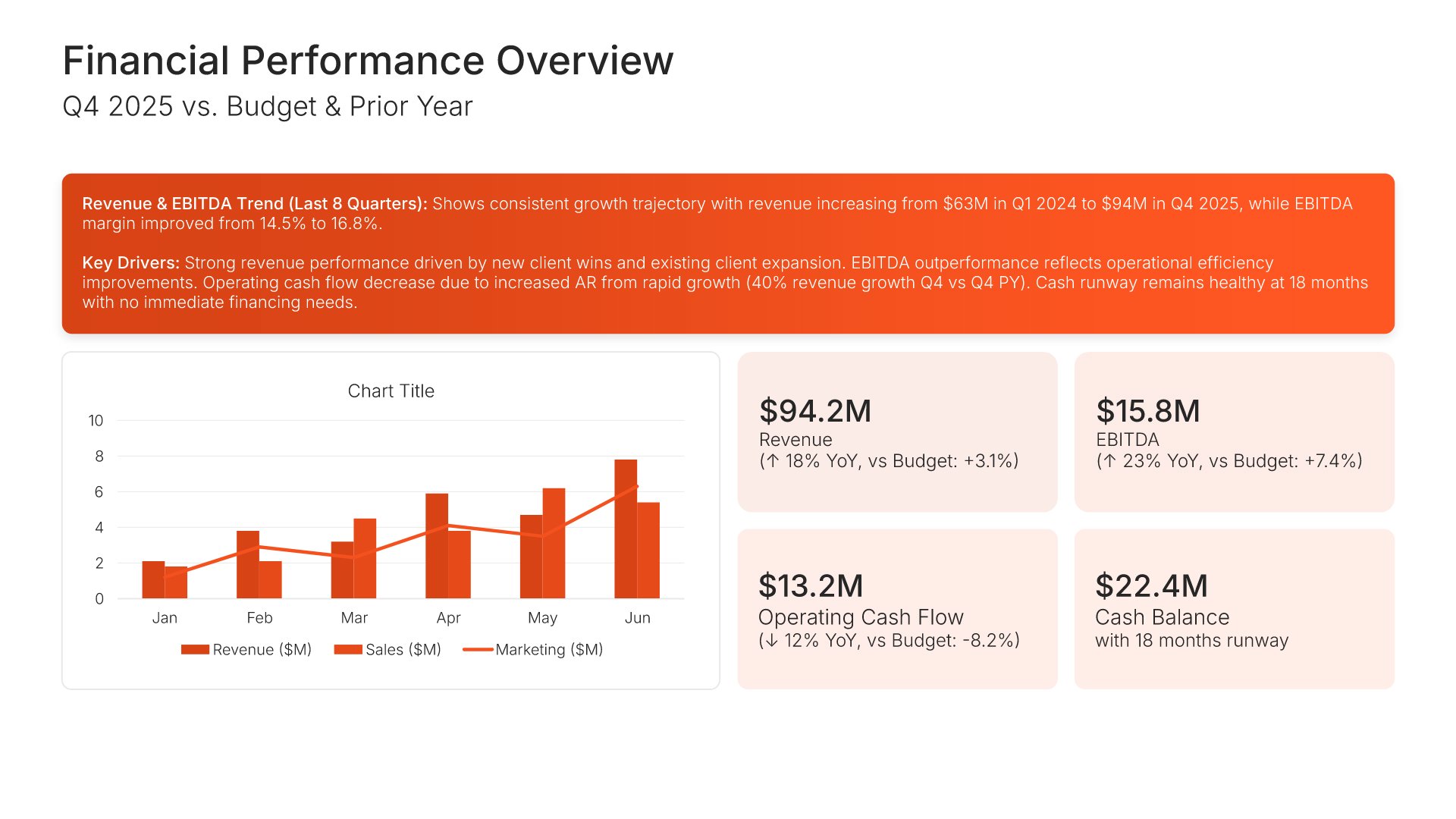
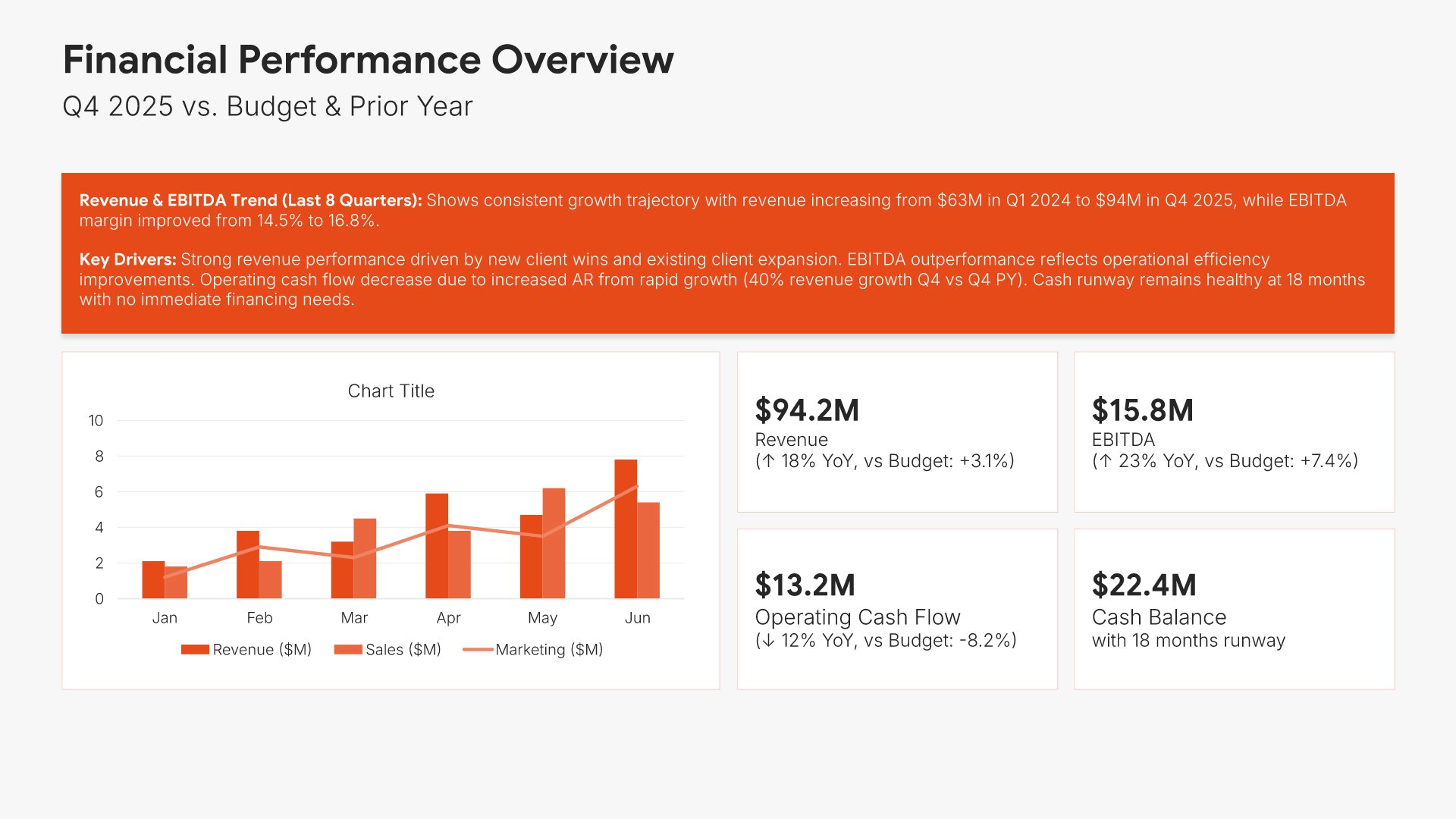
Financial performance overview slide, board of directors presentation template, results against budget and prior year

Slide 03

Financial Performance Overview

Revenue, EBITDA, operating cash flow, and cash balance against budget and prior year, charted.

Built using “KPI Dashboard” slide
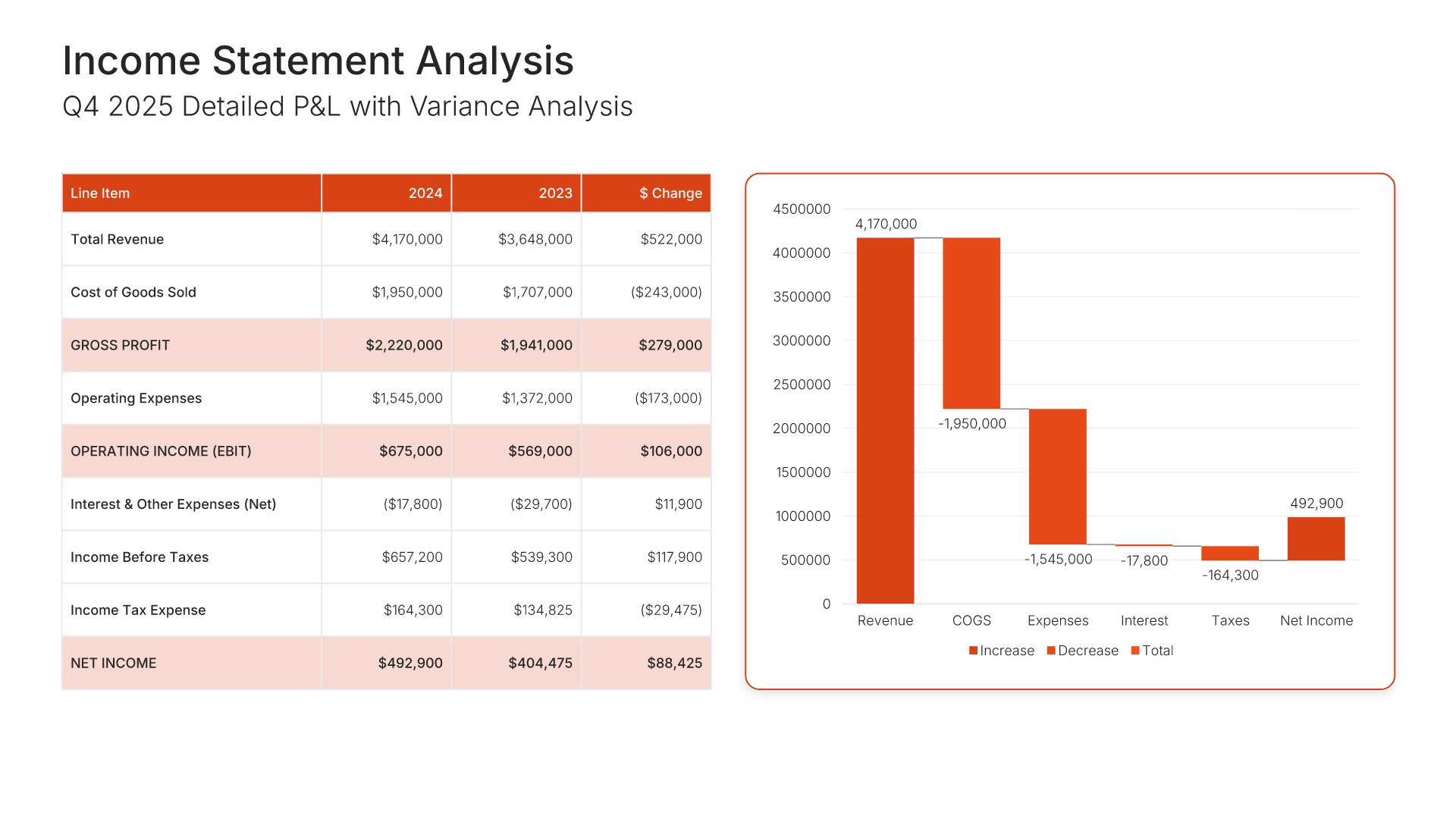
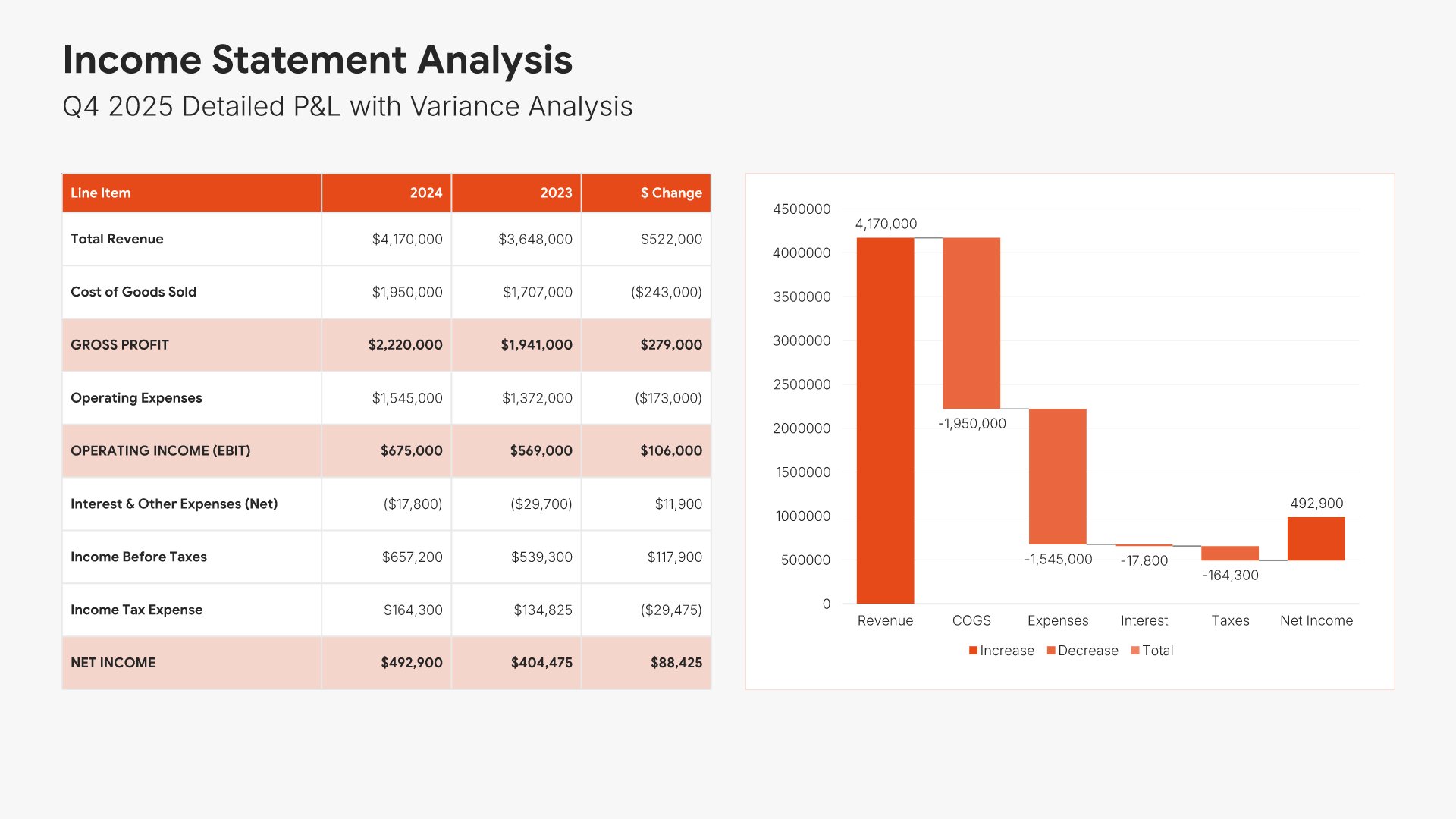
Income statement slide, board of directors presentation template, profit and loss with variance to plan

Slide 04

Income Statement

The detailed profit and loss, line by line, with variance against plan.

Built using “Financial Table” slide
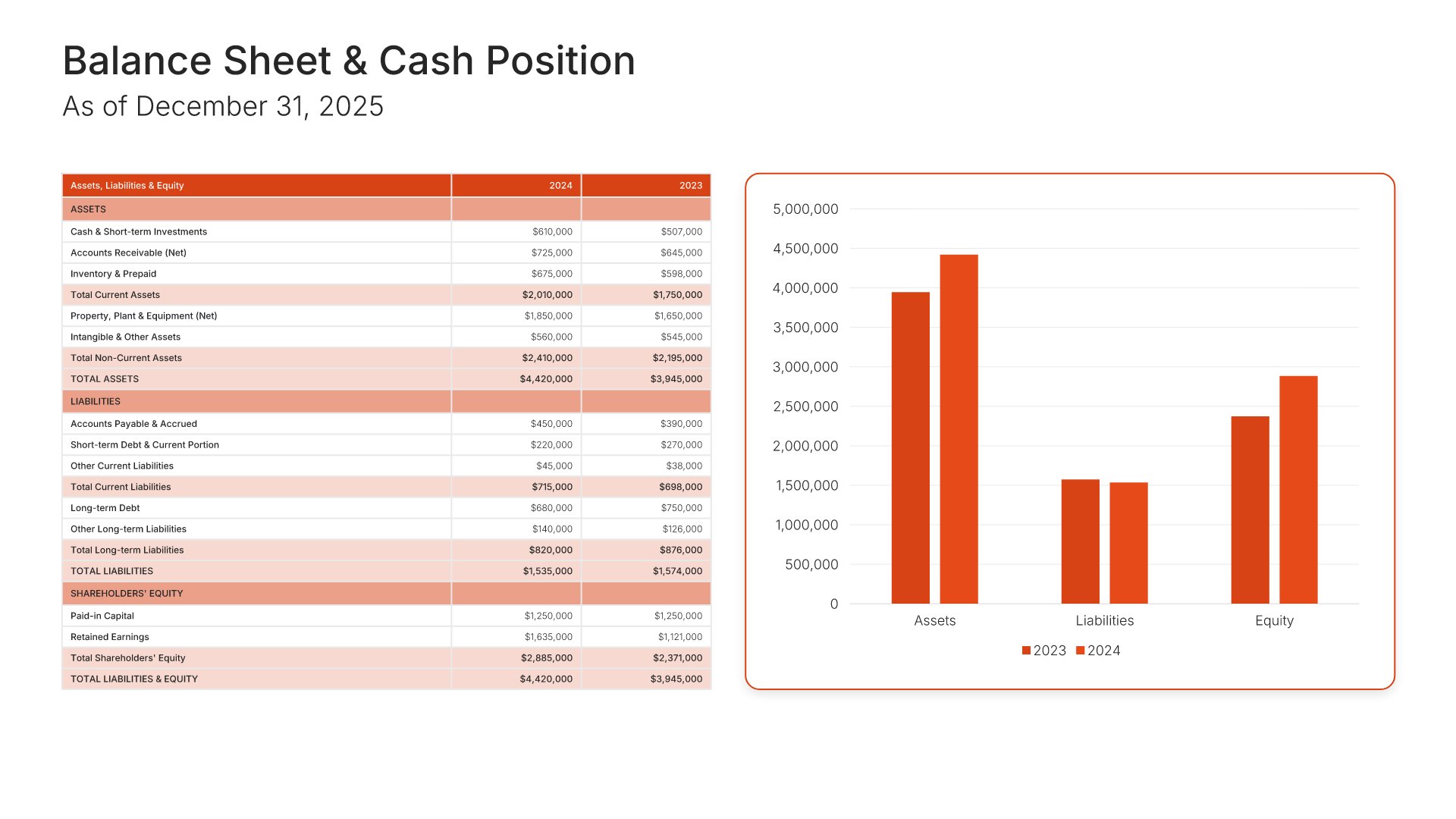
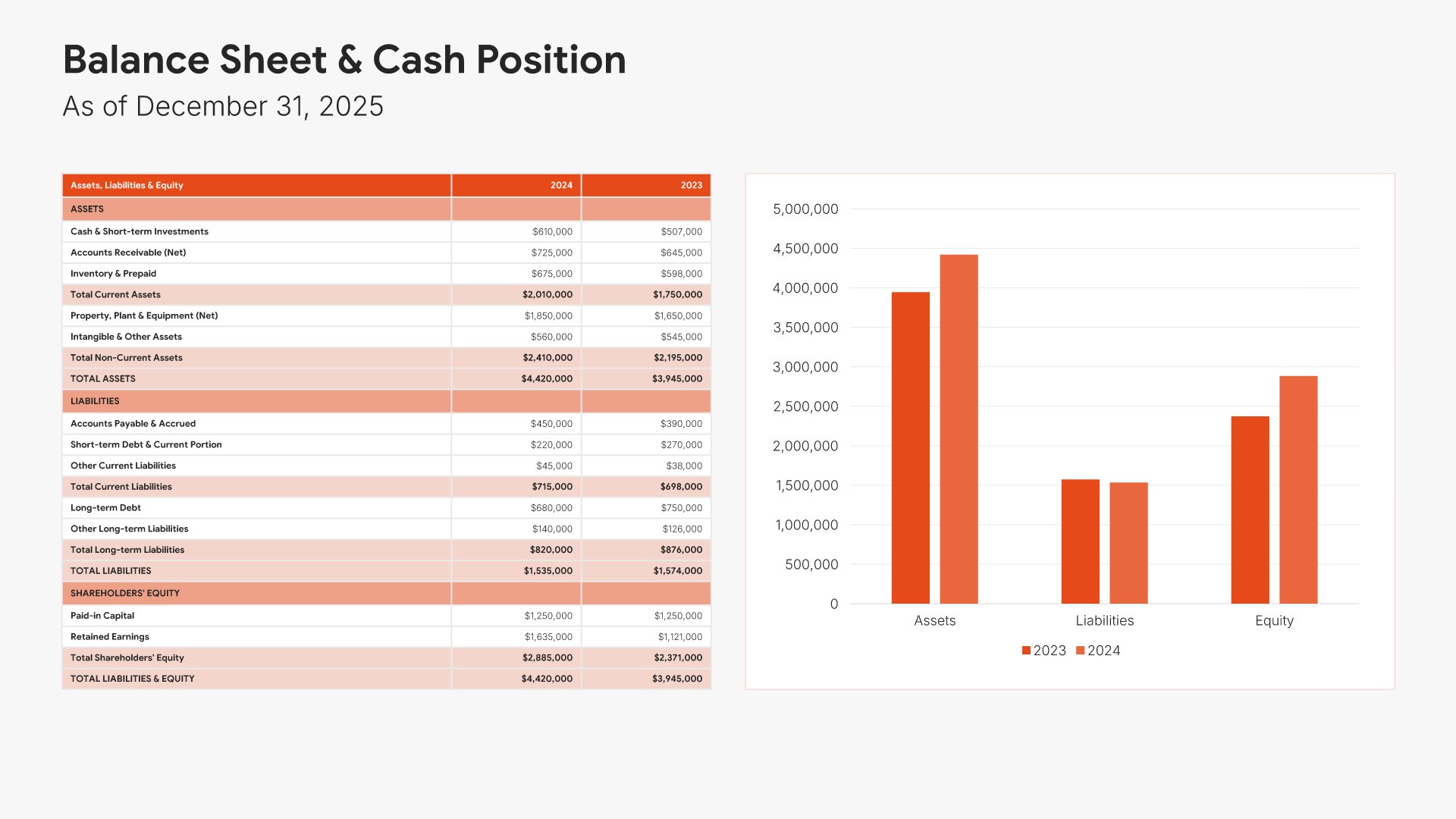
Balance sheet and cash position slide, board of directors presentation template, assets, liabilities, and equity

Slide 05

Balance Sheet & Cash Position

Assets, liabilities, and equity as of year end, tabled and charted.

Built using “Financial Table” slide
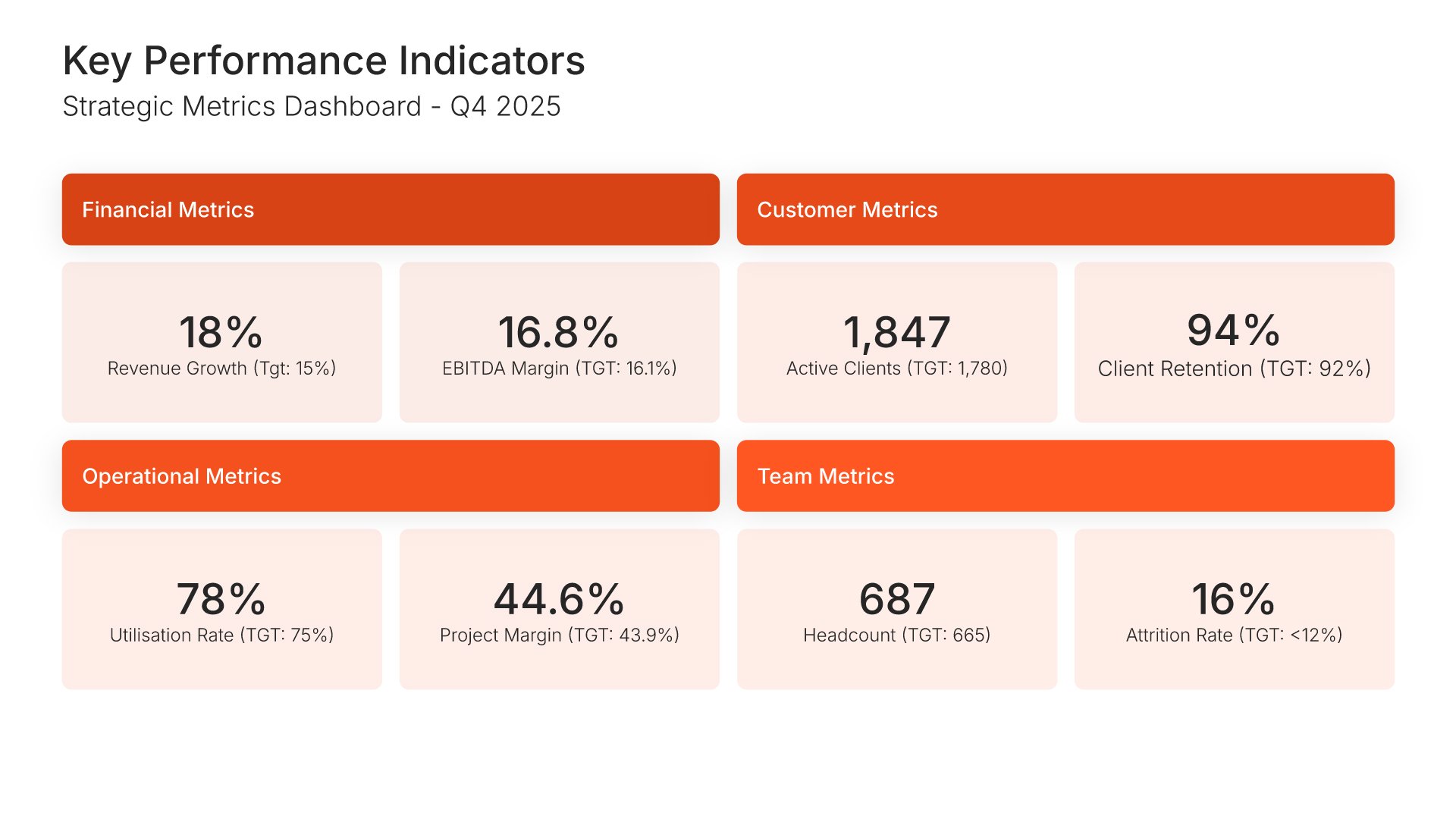
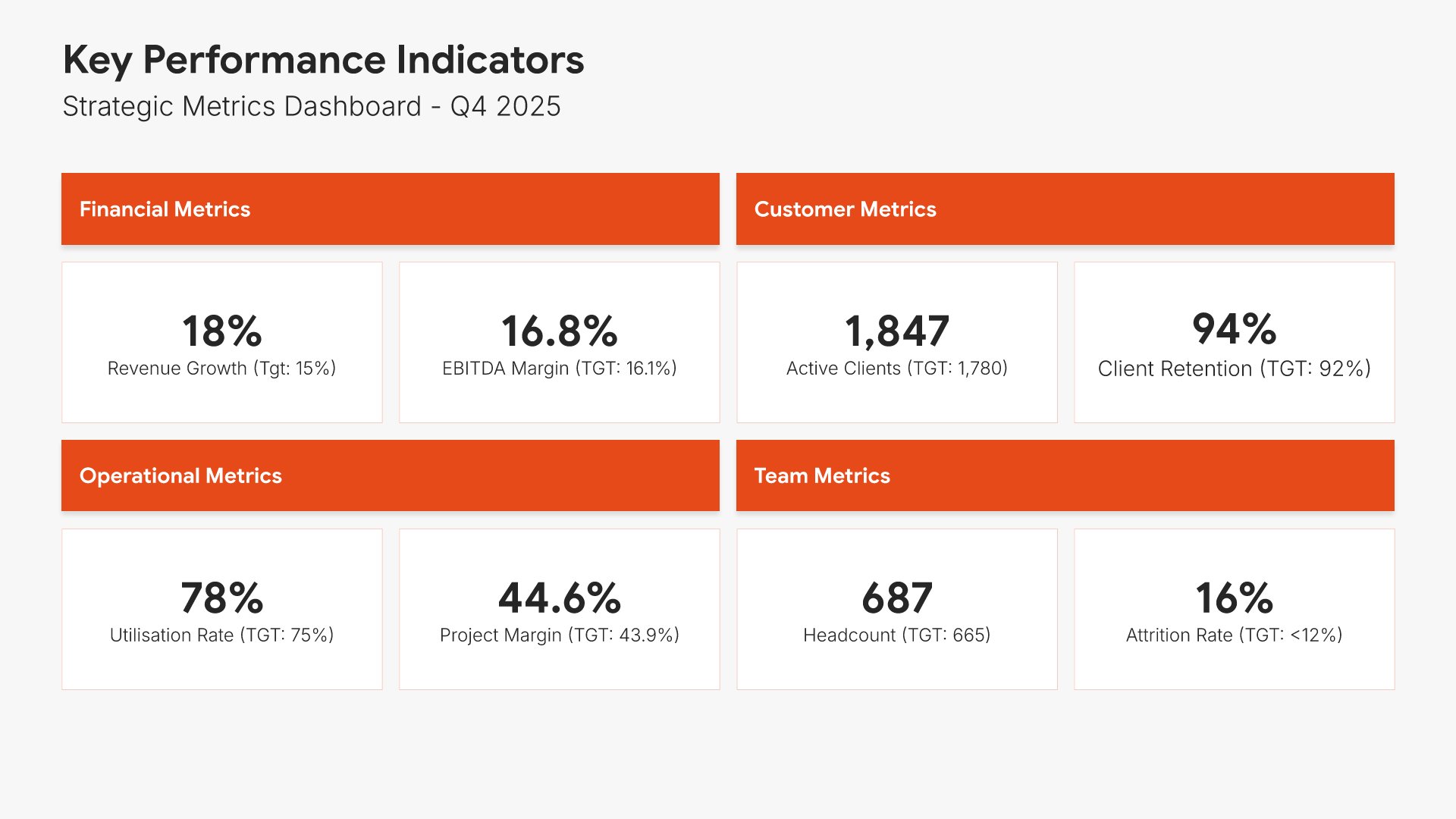
Key performance indicators slide, board of directors presentation template, eight metrics against target

Slide 06

Key Performance Indicators

Eight metrics grouped into financial, customer, operational, and team, each against target.

Built using “Simple Numbers” slide
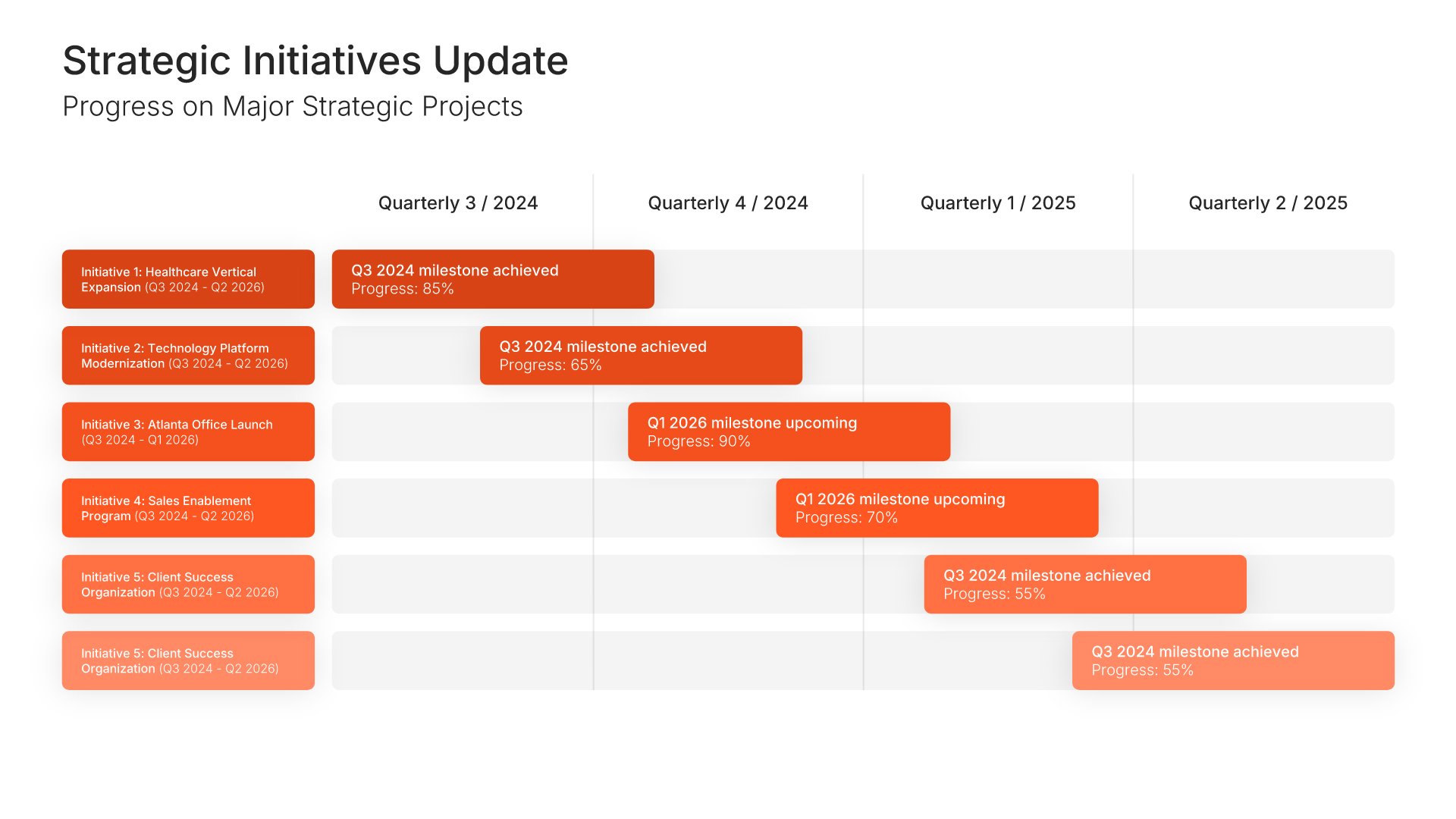
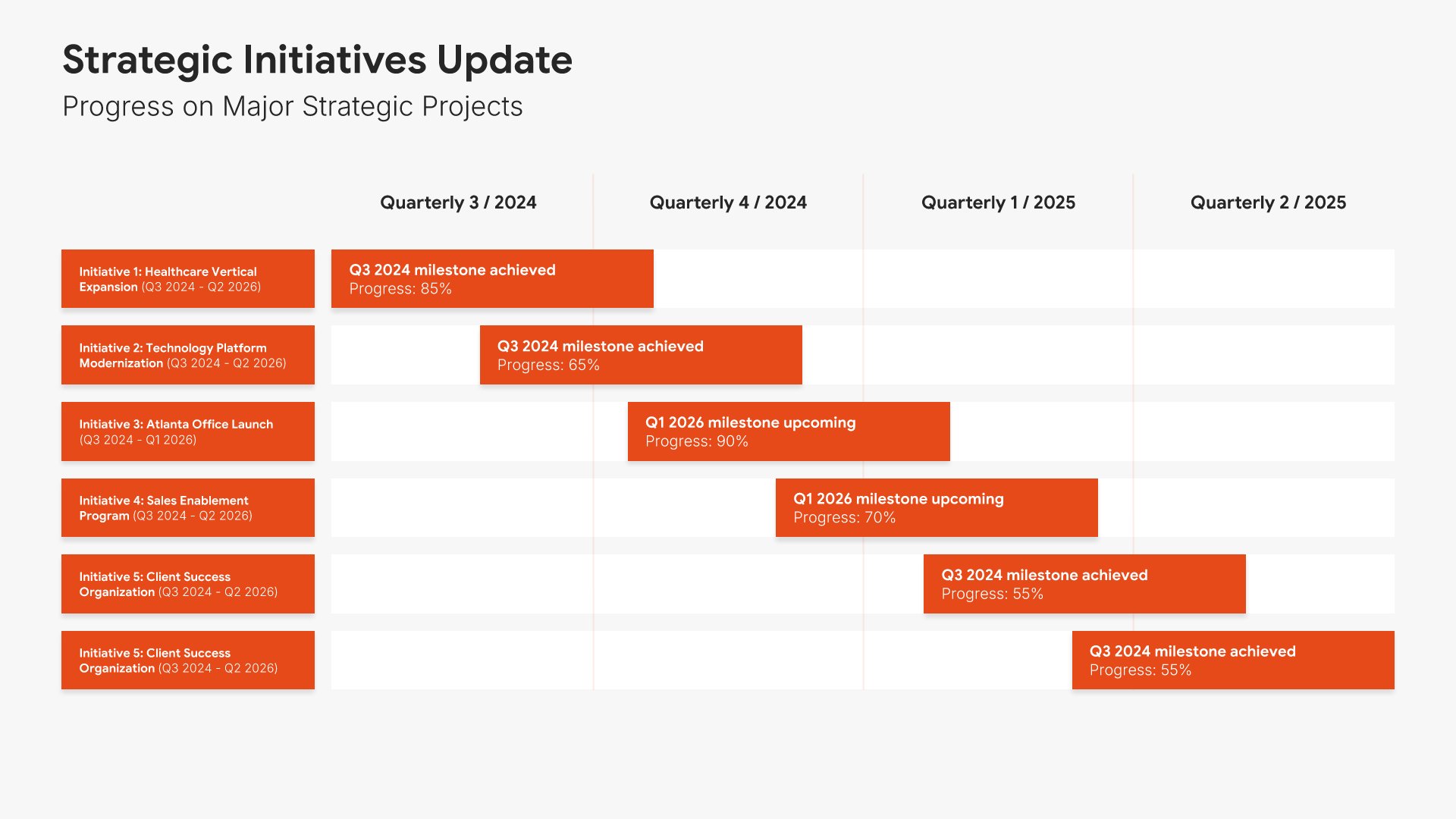
Strategic initiatives progress slide, board of directors presentation template, projects on a quarterly Gantt

Slide 07

Strategic Initiatives Progress

Each major project on a Gantt, quarter by quarter, with current status.

Built using “Gantt Chart” slide
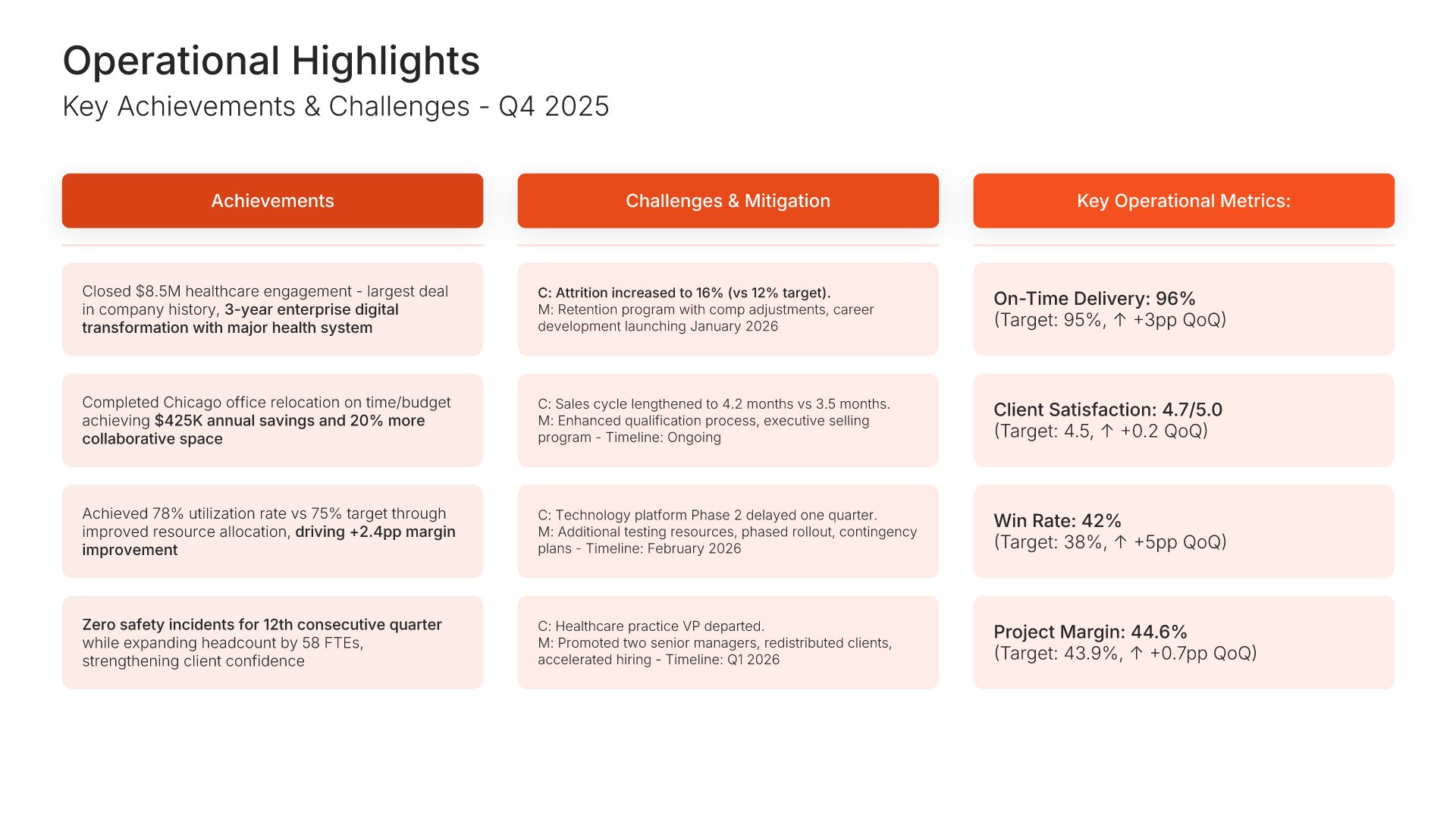
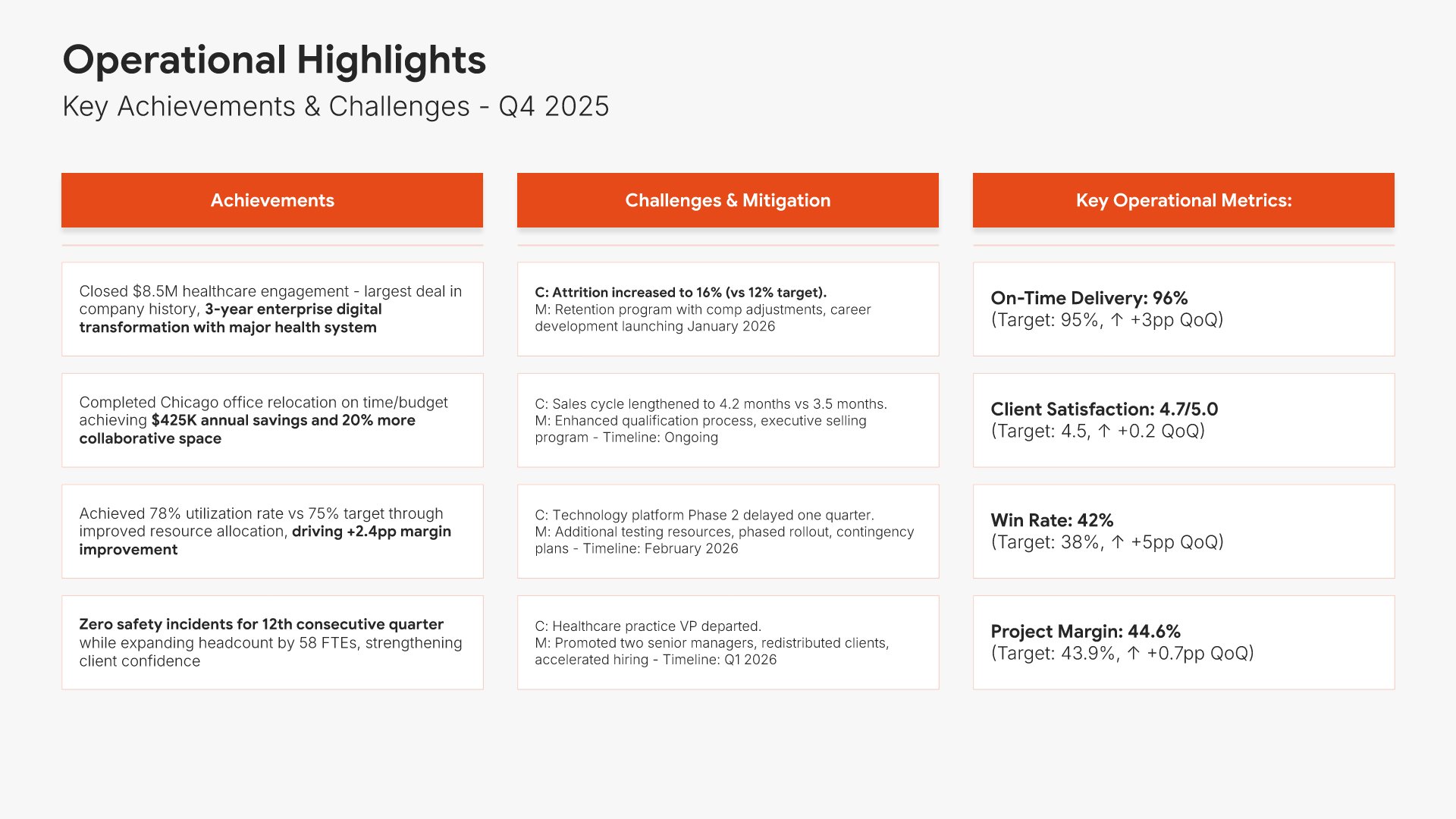
Operational highlights slide, board of directors presentation template, achievements, challenges, and metrics

Slide 08

Operational Highlights

Achievements in one column, challenges and mitigation in the next, operating metrics in the third.

Built using “Kanban” slide
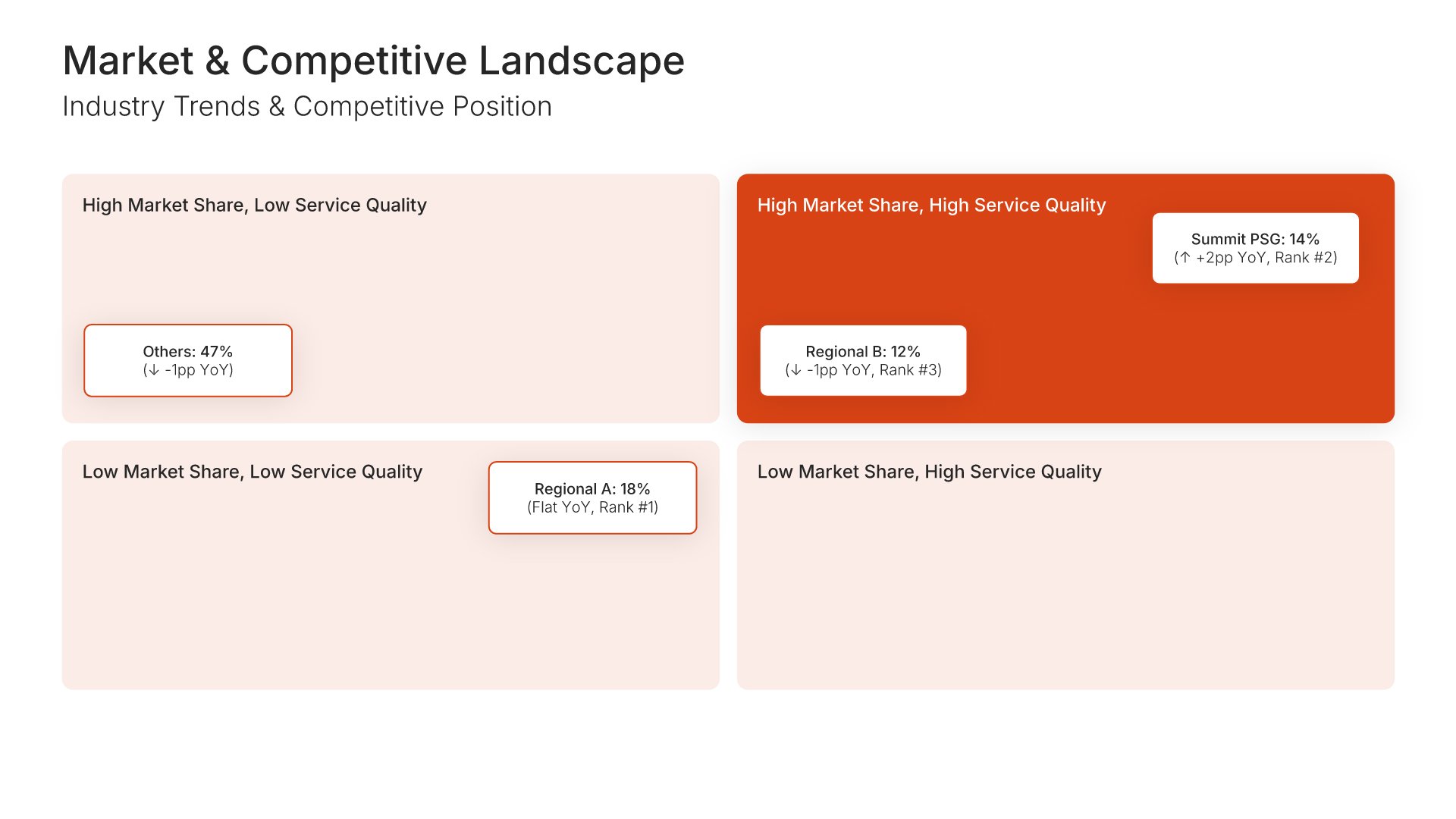
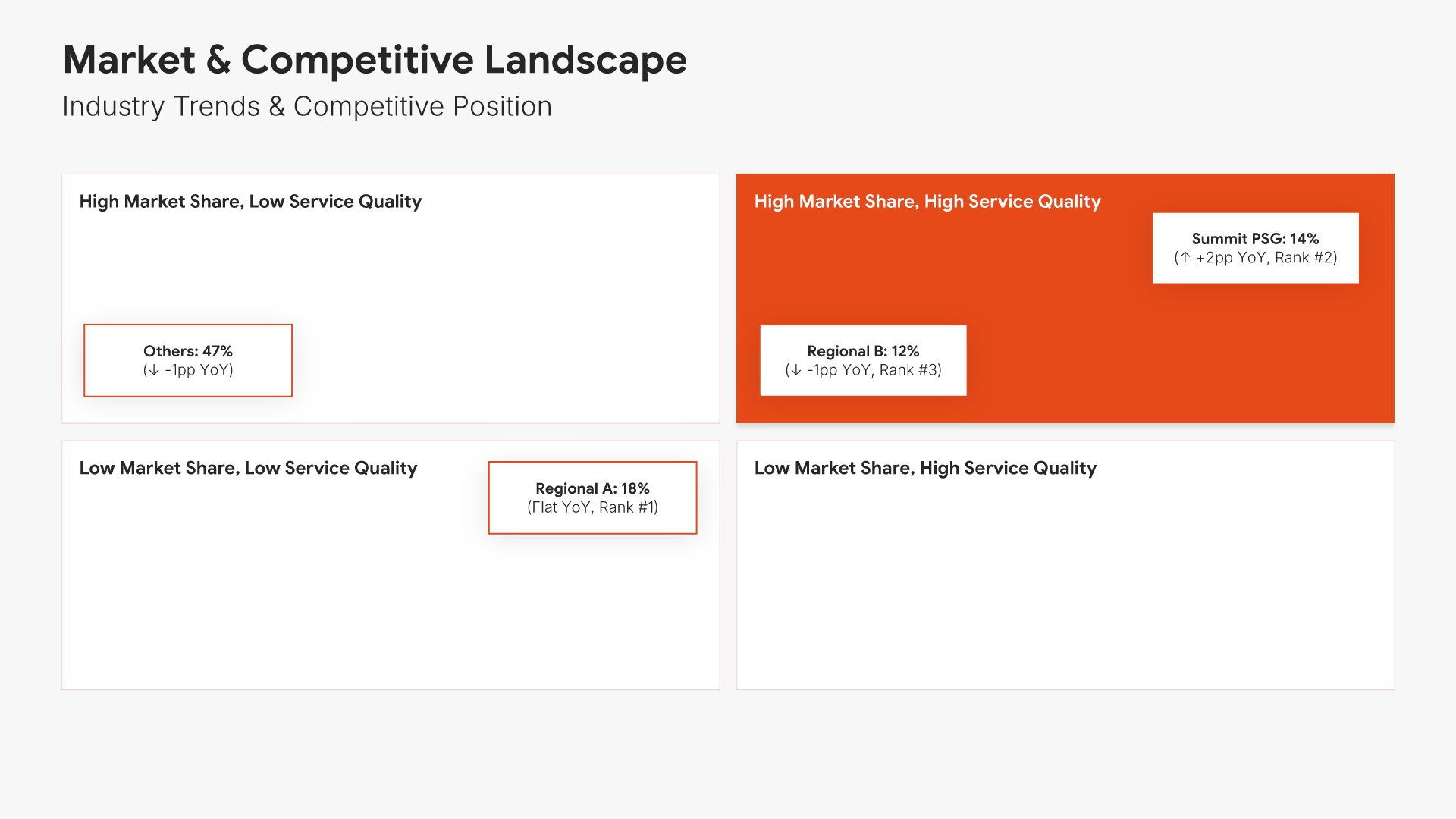
Competitive landscape slide, board of directors presentation template, quality against retention matrix

Slide 09

Competitive Landscape

A quality-against-retention matrix placing you among named competitors.

Built using “Competitive Landscape” slide
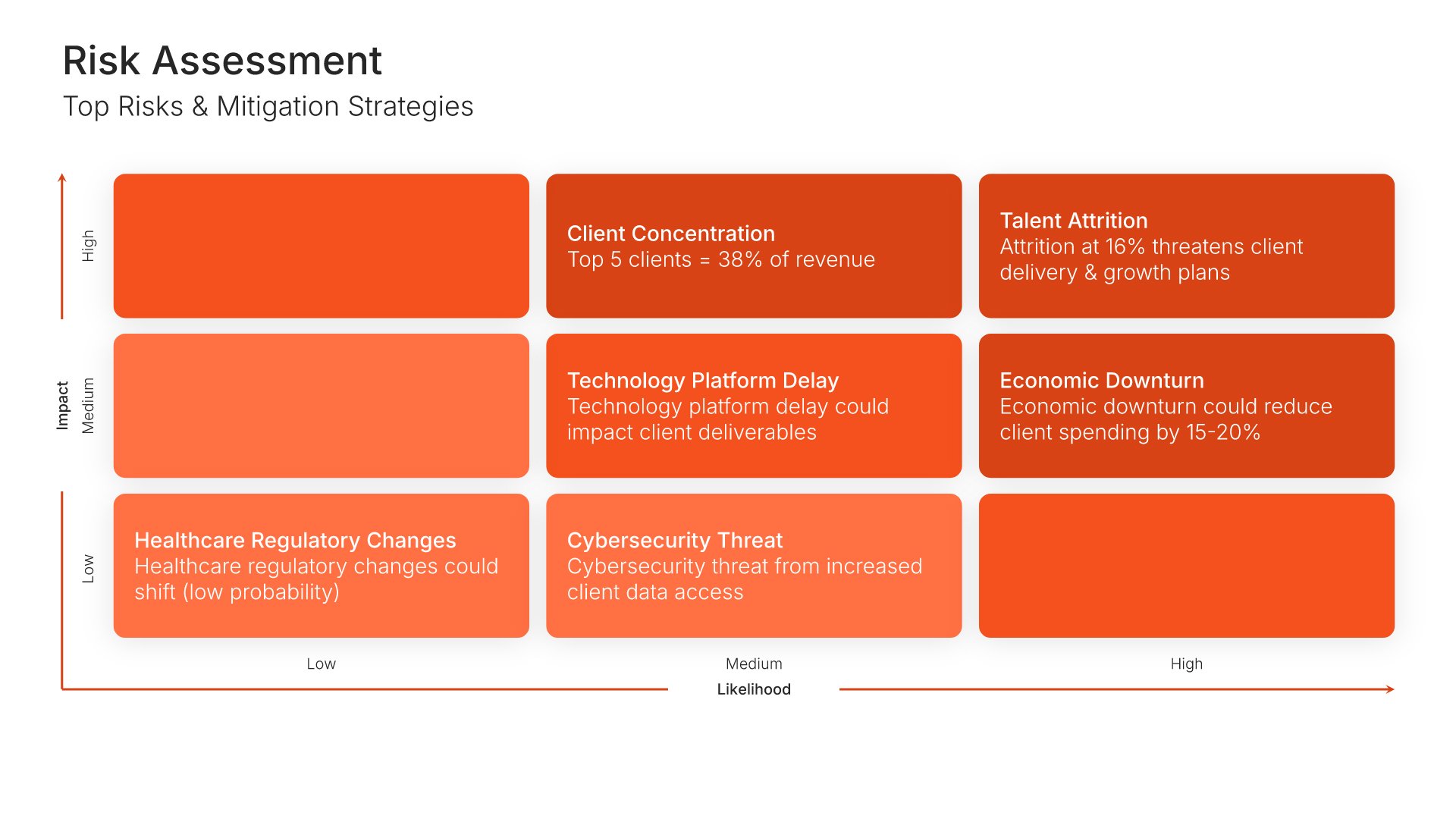
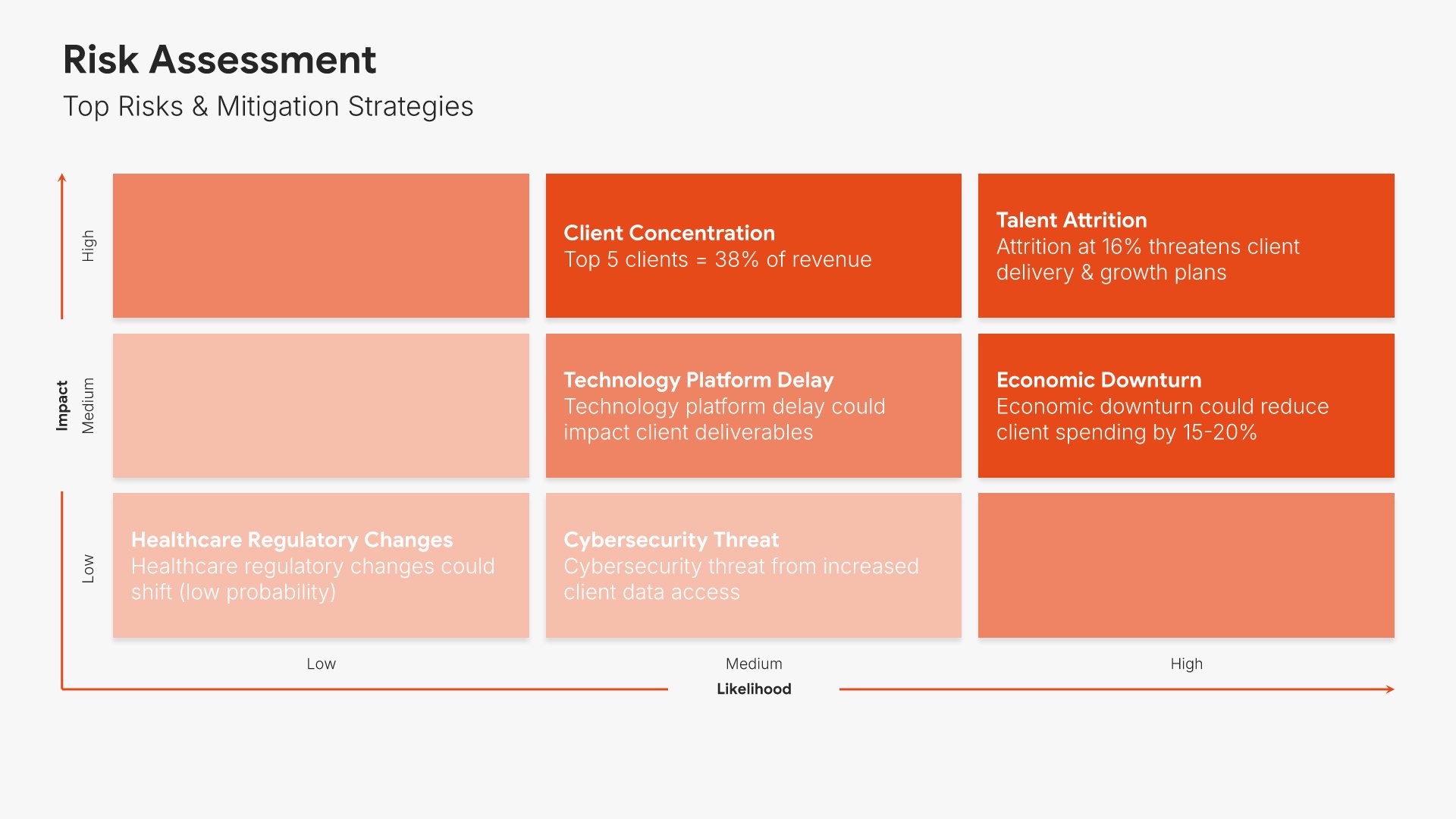
Risk assessment slide, board of directors presentation template, top risks with their impact

Slide 10

Risk Assessment

The top risks with their impact.

Built using “Matrix (3×3)” slide
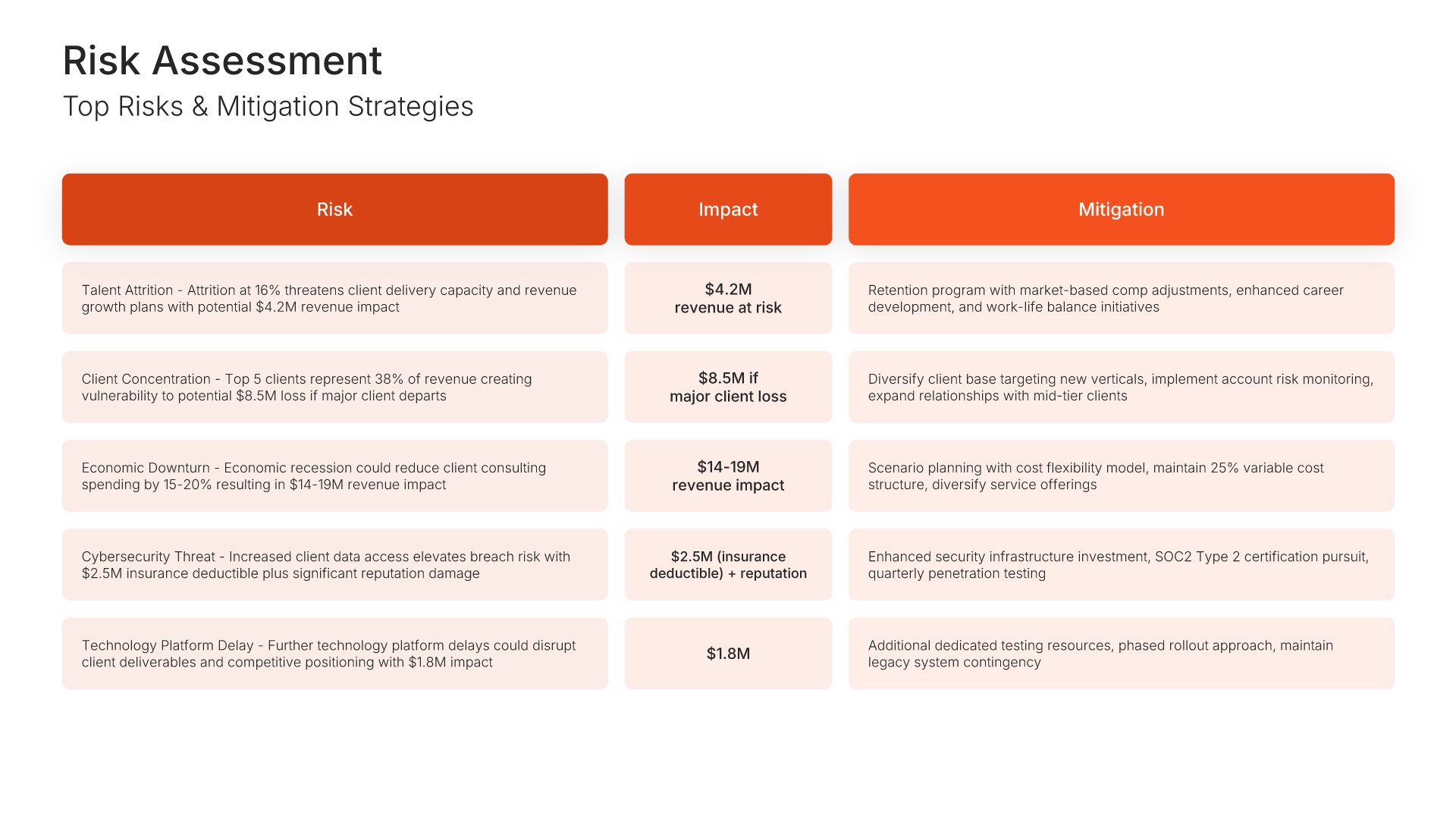
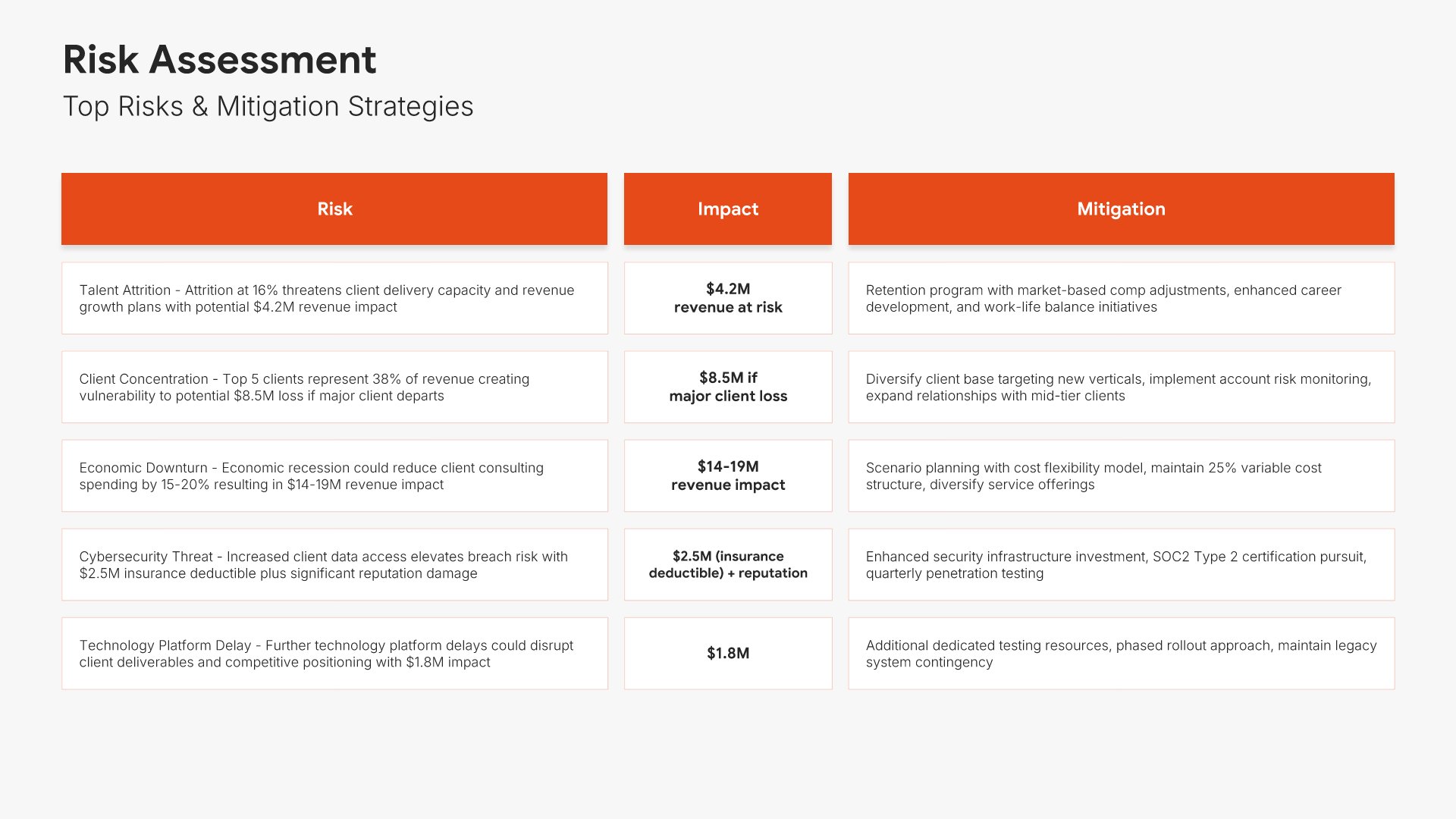
Risk assessment slide, board of directors presentation template, risks tabled with mitigation

Slide 11

Risk Assessment

The same risks tabled, with mitigation against each.

Built using “Table” slide
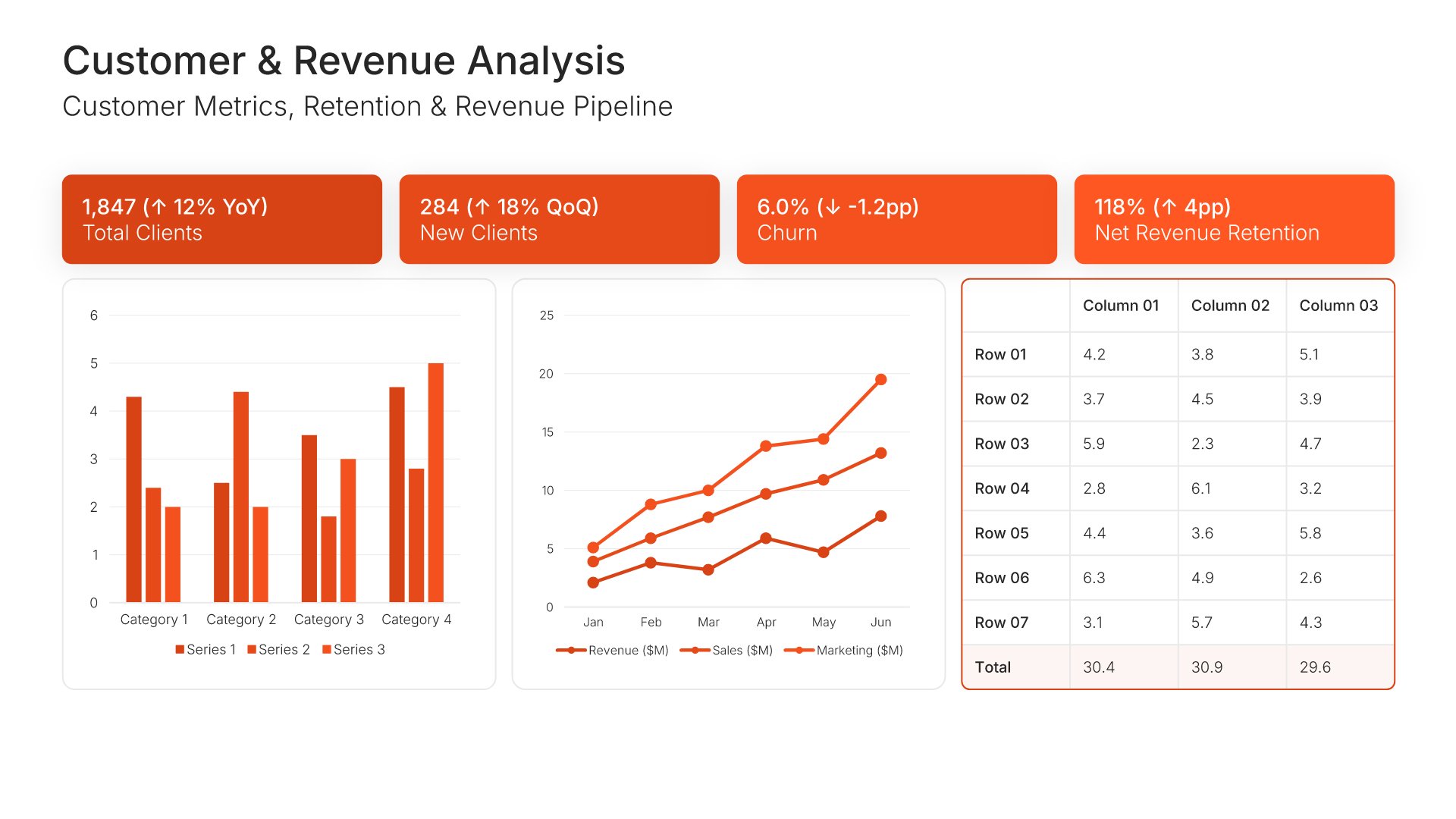
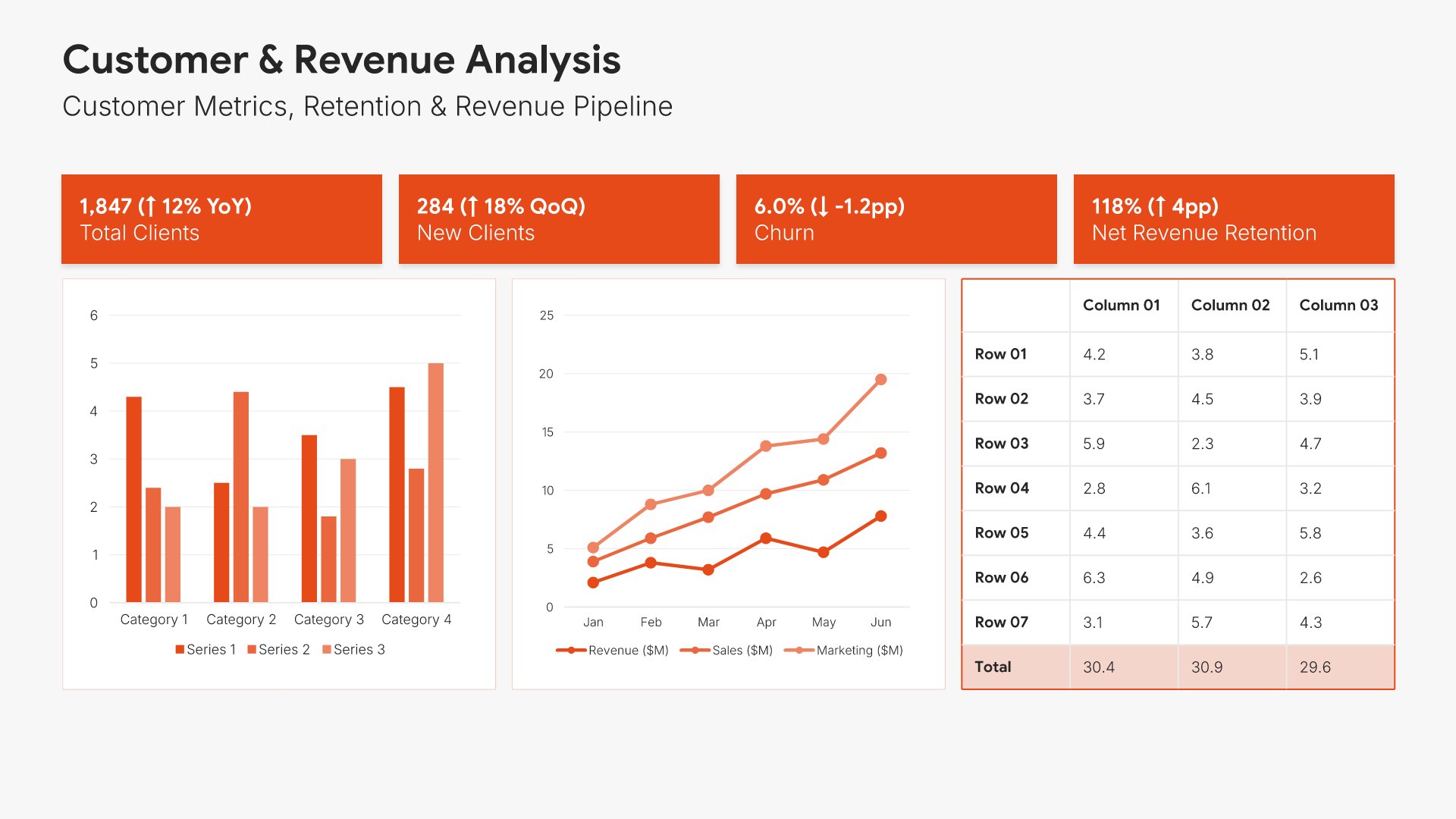
Customer and revenue analysis slide, board of directors presentation template, retention and pipeline trends

Slide 12

Customer & Revenue Analysis

Retention and pipeline metrics with a multi-period trend chart and the figures tabled.

Built using “KPI Dashboard” slide
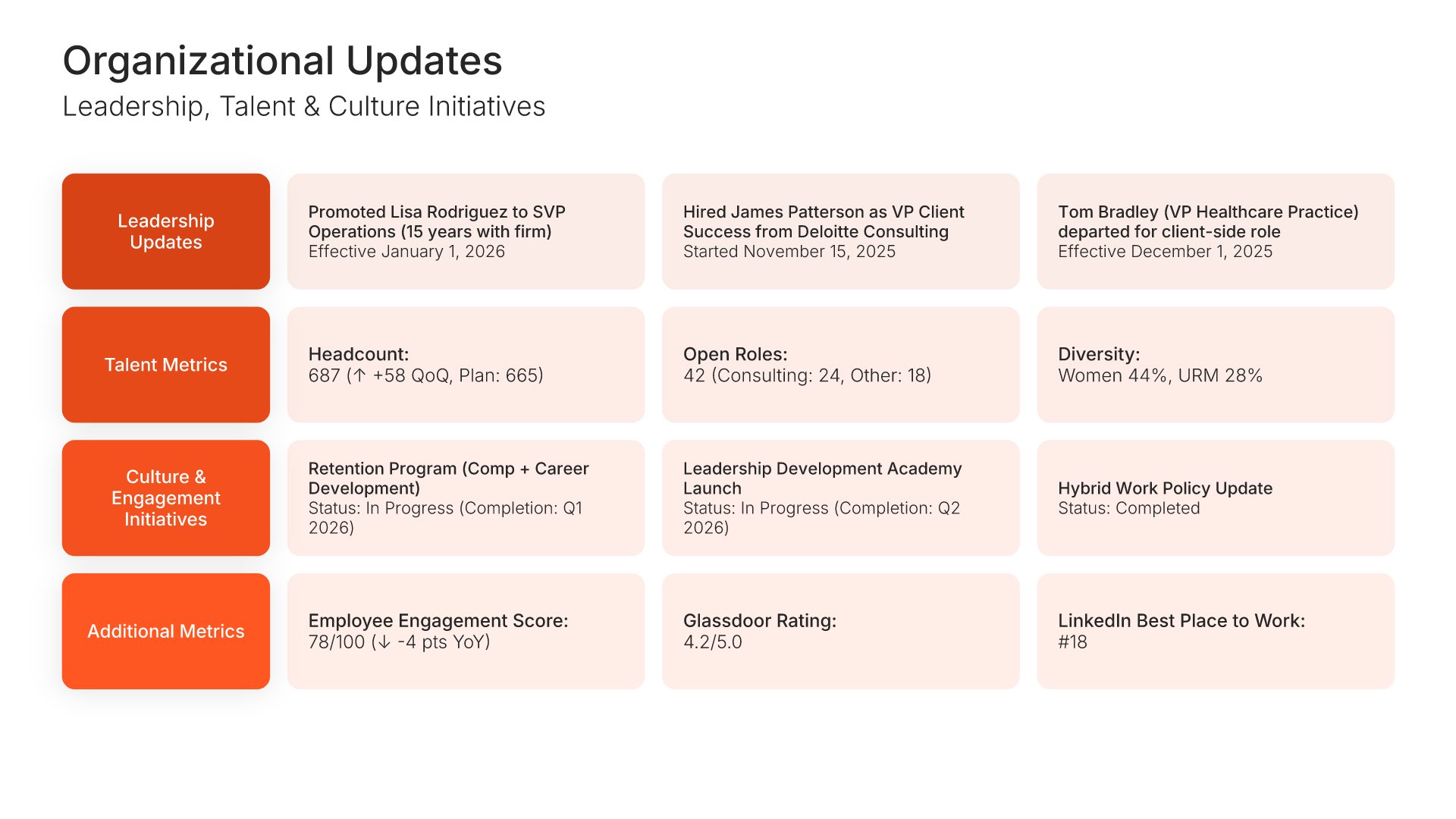
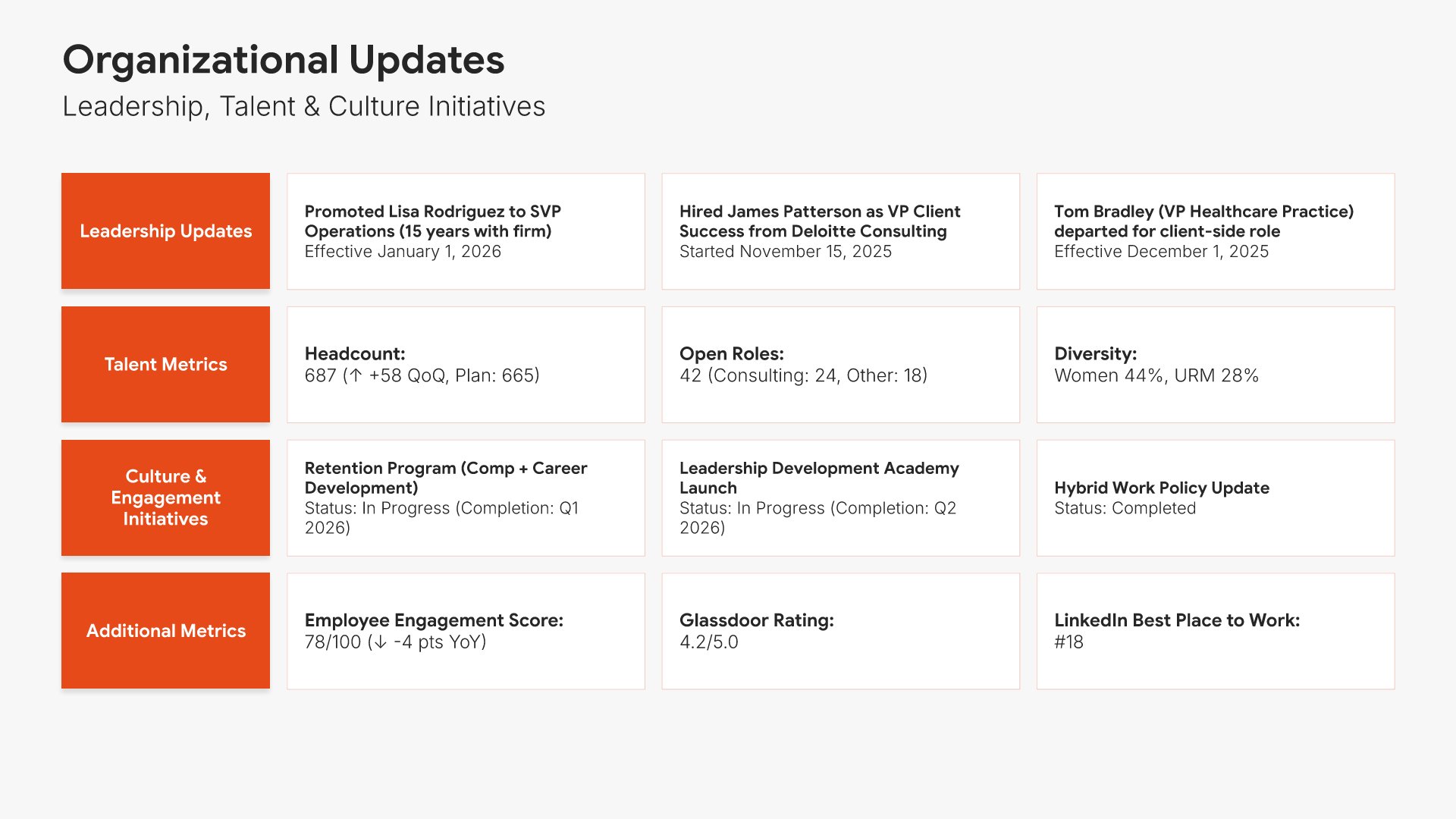
Organizational updates slide, board of directors presentation template, leadership, headcount, and engagement

Slide 13

Organizational Updates

Leadership changes, headcount, talent retention, and engagement score.

Built using “Simple Text” slide
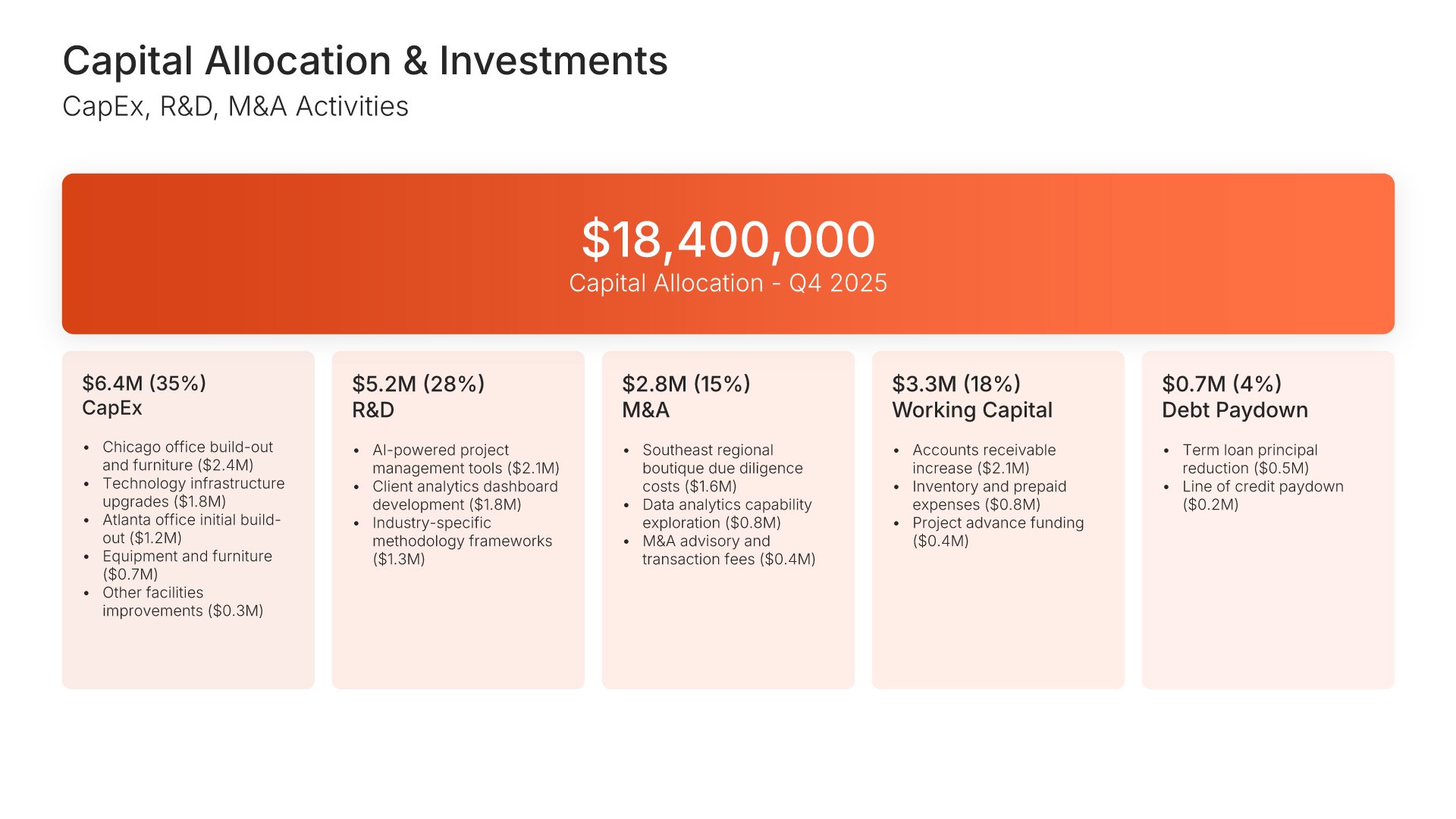
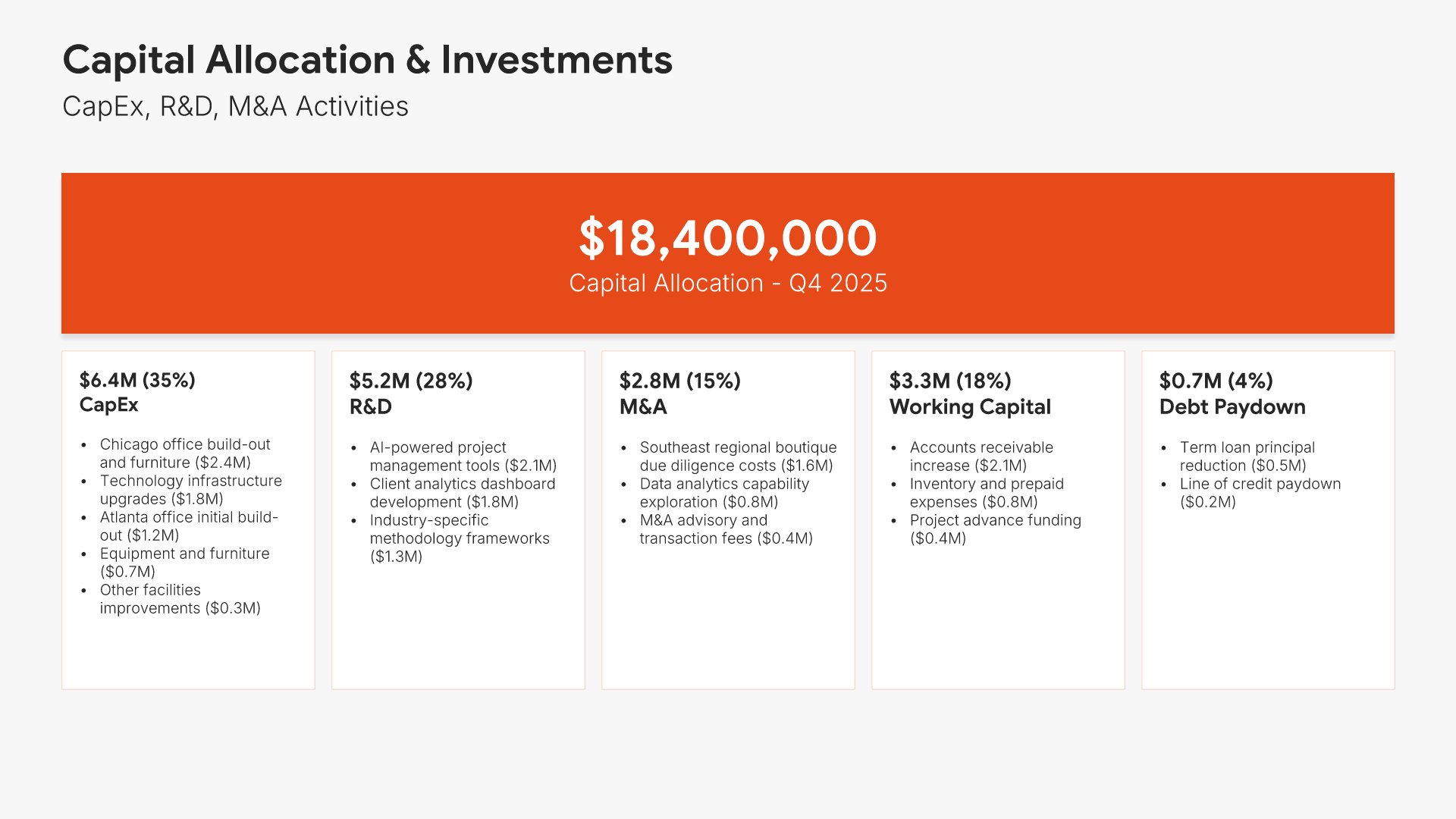
Capital allocation and investments slide, board of directors presentation template, capital deployed by category

Slide 14

Capital Allocation & Investments

Total capital deployed, split across capex, R&D, M&A, and working capital.

Built using “Investment” slide
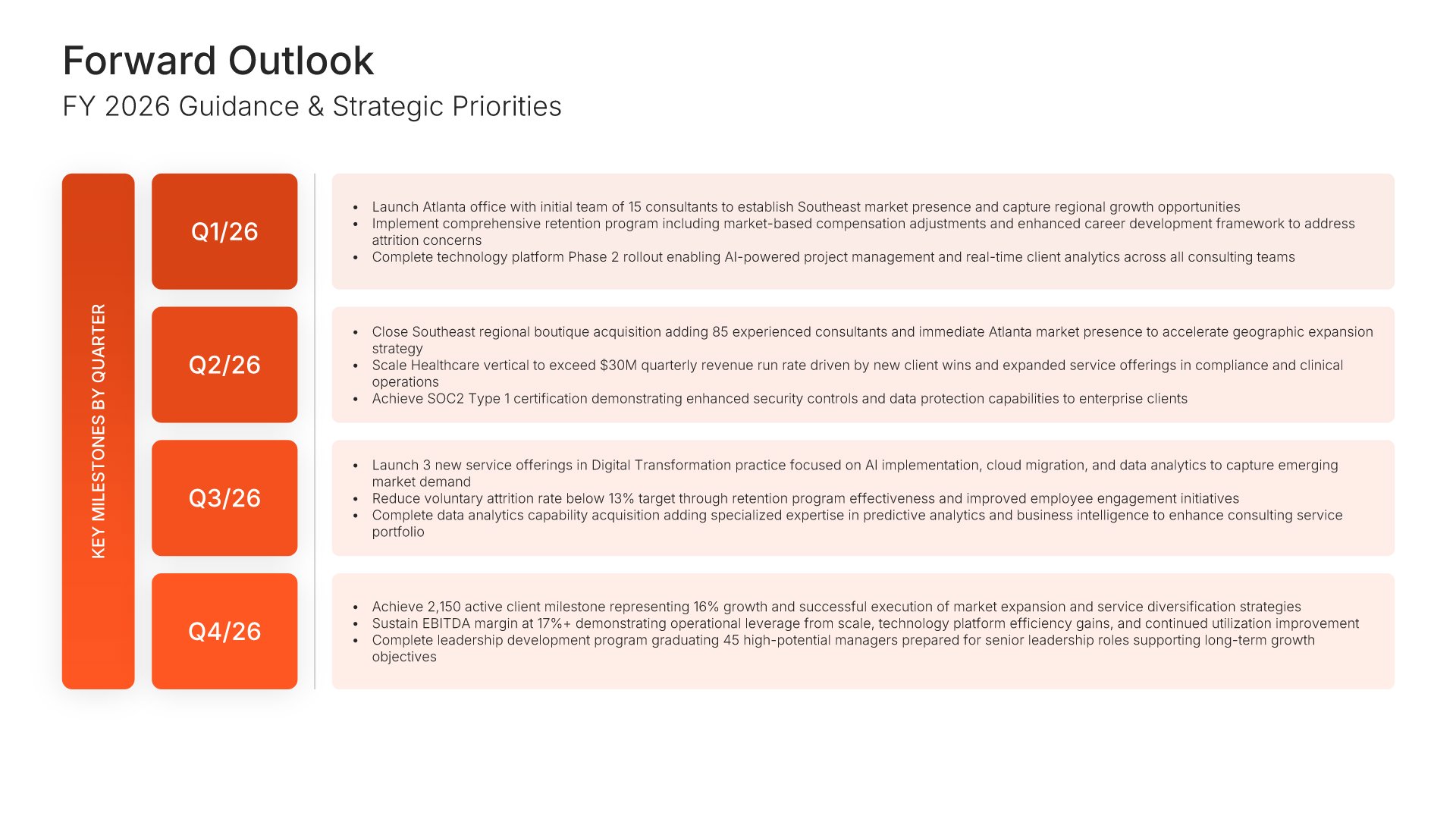
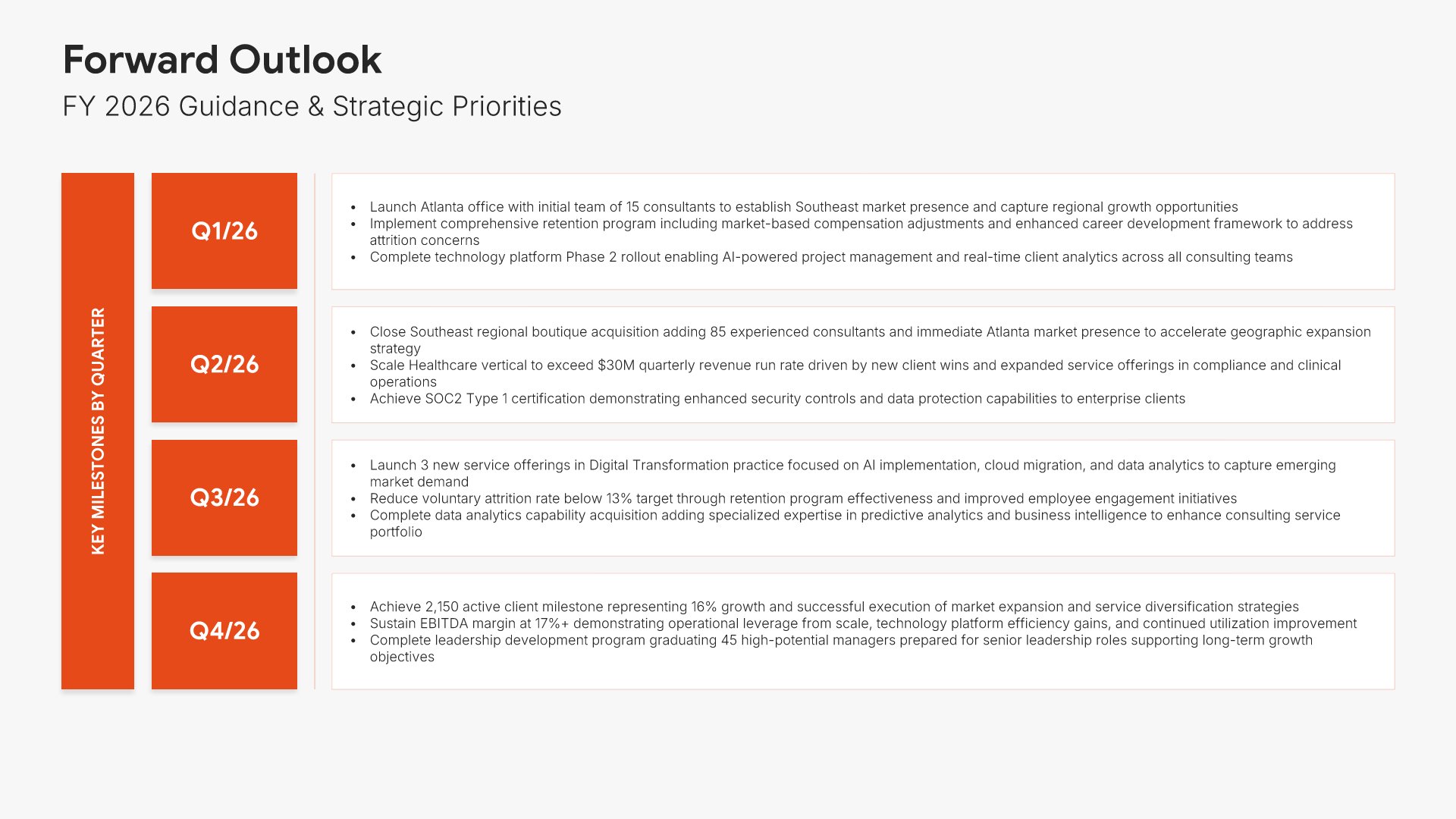
Outlook and guidance slide, board of directors presentation template, next year's guidance by quarter

Slide 15

Outlook & Guidance

Next year's guidance by quarter, with the strategic priorities behind it.

Built using “Simple Text (with Numbers)” slide
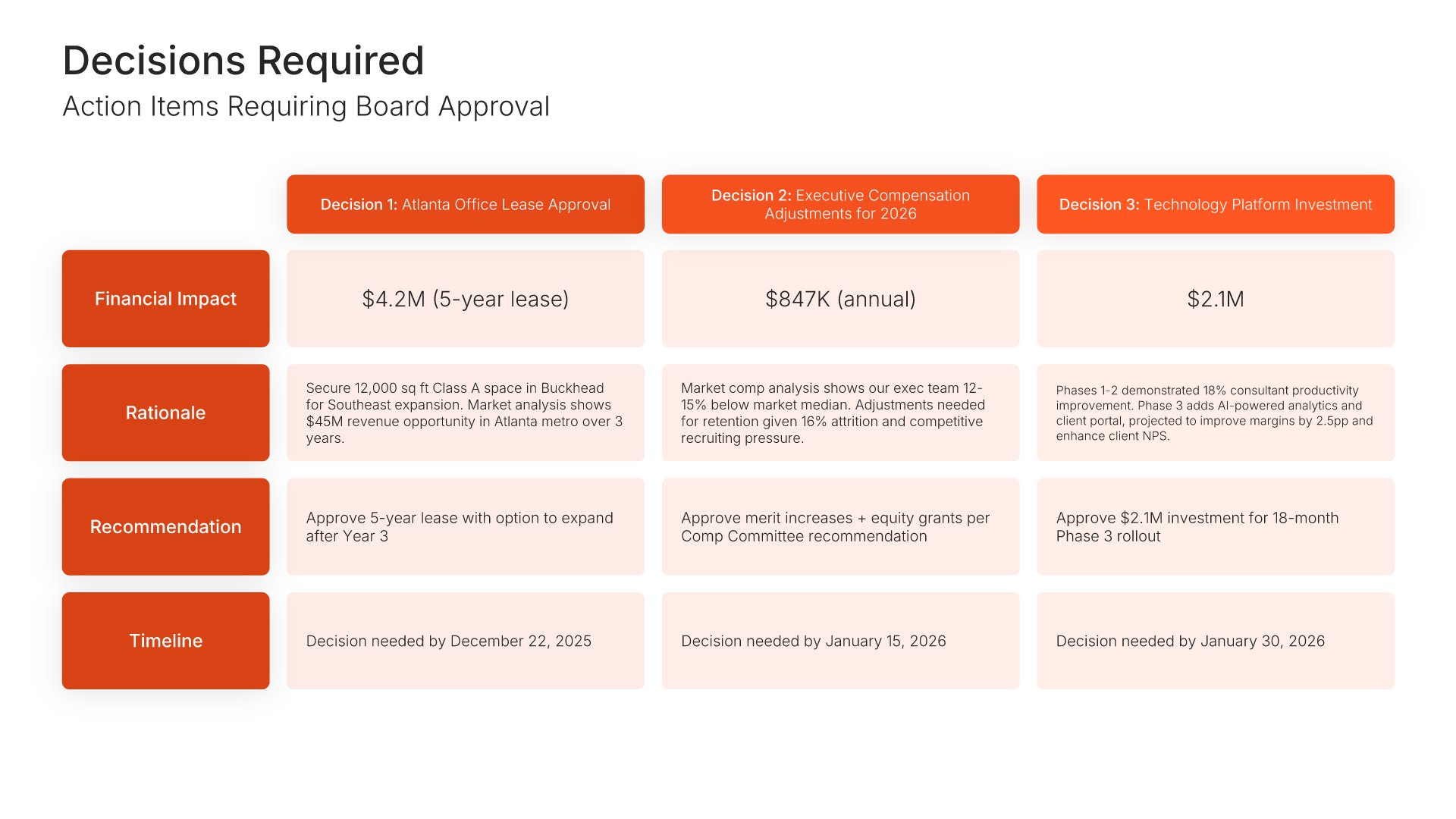
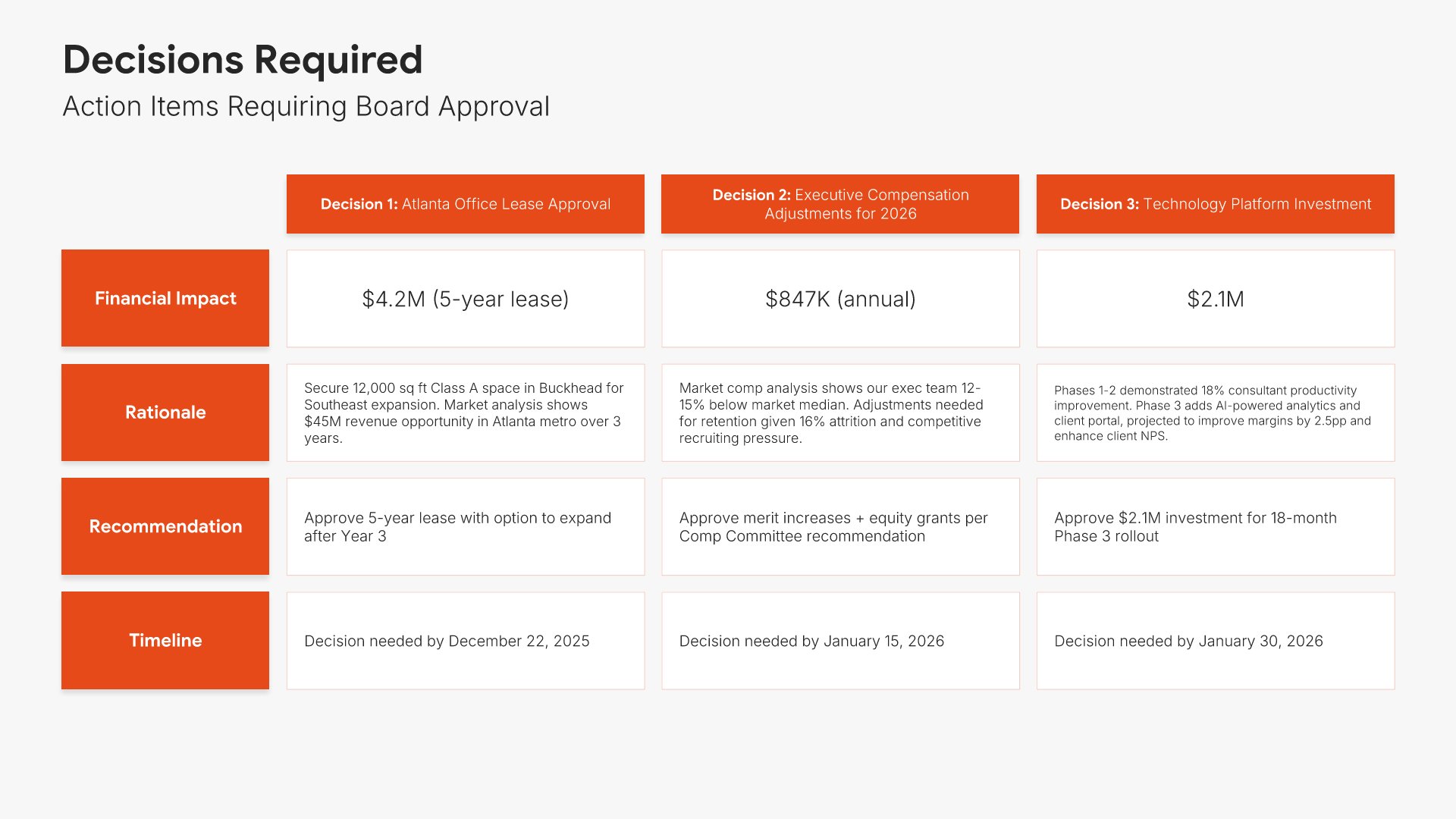
Decisions required slide, board of directors presentation template, board approvals with recommendations

Slide 16

Decisions Required

Each item needing board approval, with the recommendation and the date against it.

Built using “Table” slide
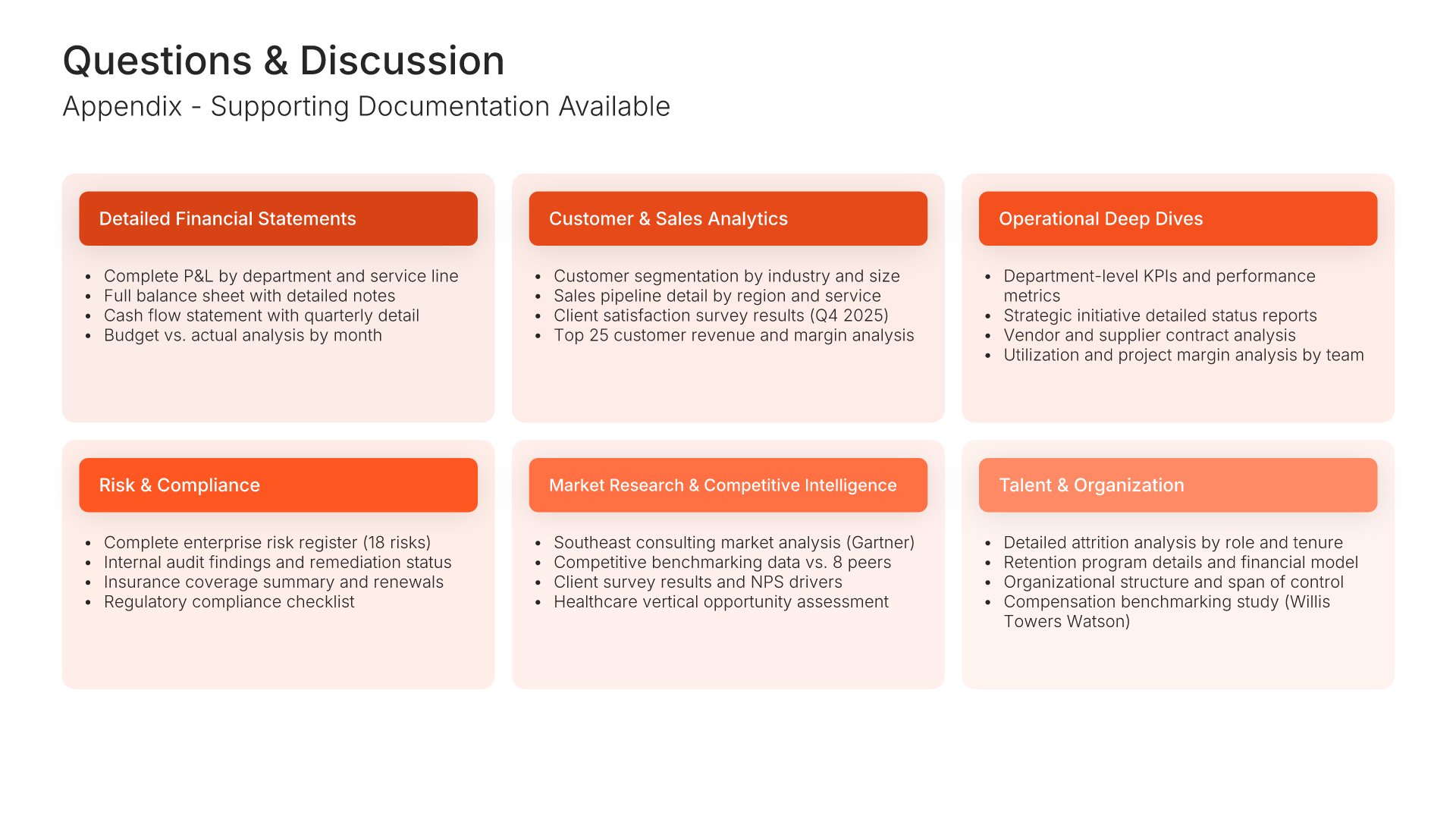
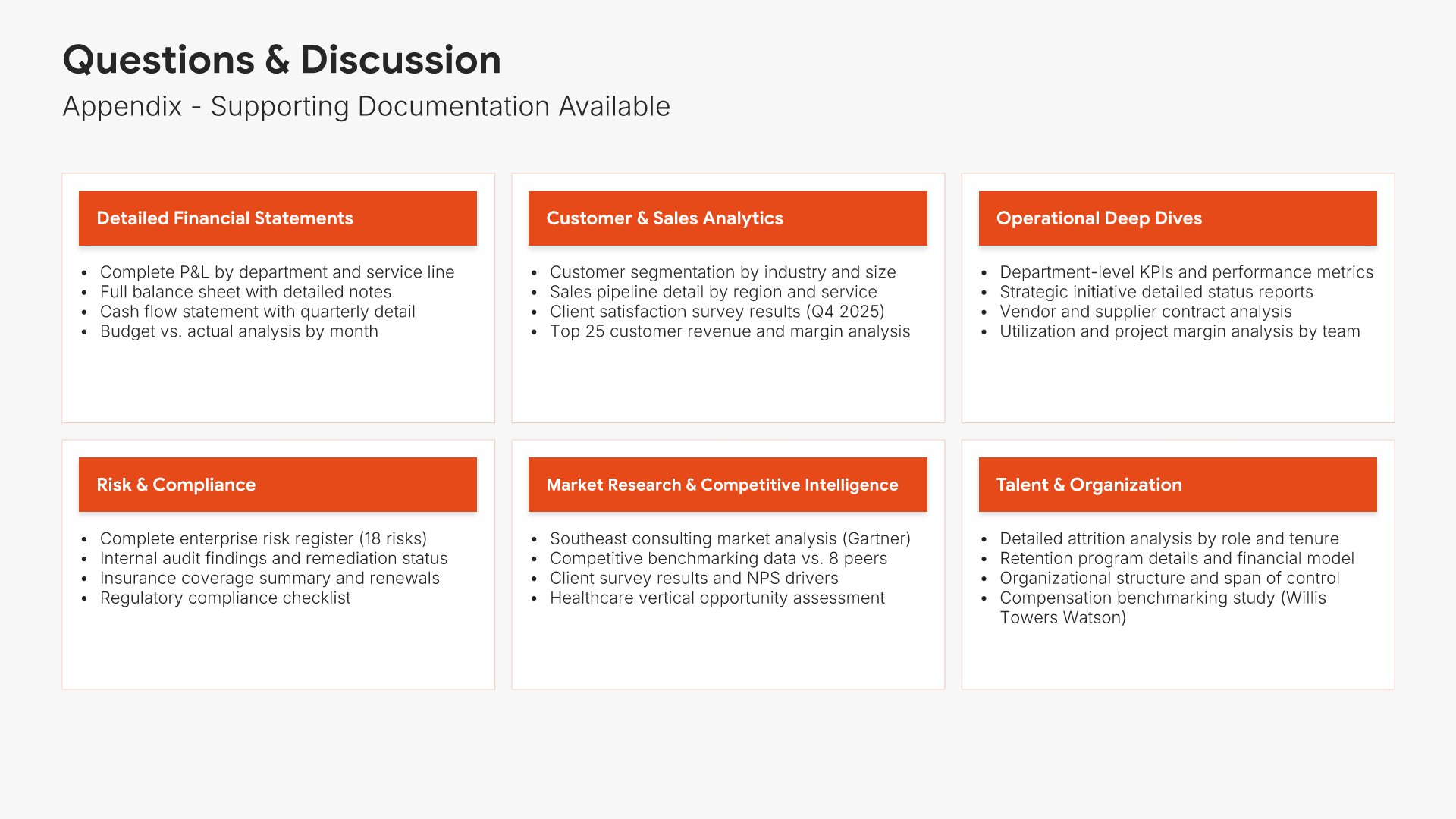
Questions and discussion slide, board of directors presentation template, appendix contents

Slide 17

Questions & Discussion

The appendix contents, so directors know what supporting detail exists.

Built using “Simple Text” slide
Thank you slide, board of directors presentation template, contacts and full documentation

Slide 18

Thank You

The close, with contact details and where to find the full documentation.

Built using “Thank You” slide

About the board of directors presentation template

The structure, the slides, your brand, and a file you can edit anywhere.

Built for directors who read the pack before the meeting

Independent directors read the pack before the meeting, not during it. They arrive having already found the number that doesn’t sit right, and the meeting is spent on that. So the presentation has to carry the full statements rather than a summary of them, put each metric against a target, and build to a slide that says plainly what you need signed. This one does all three.

Built from 9,000+ slides across 134+ categories

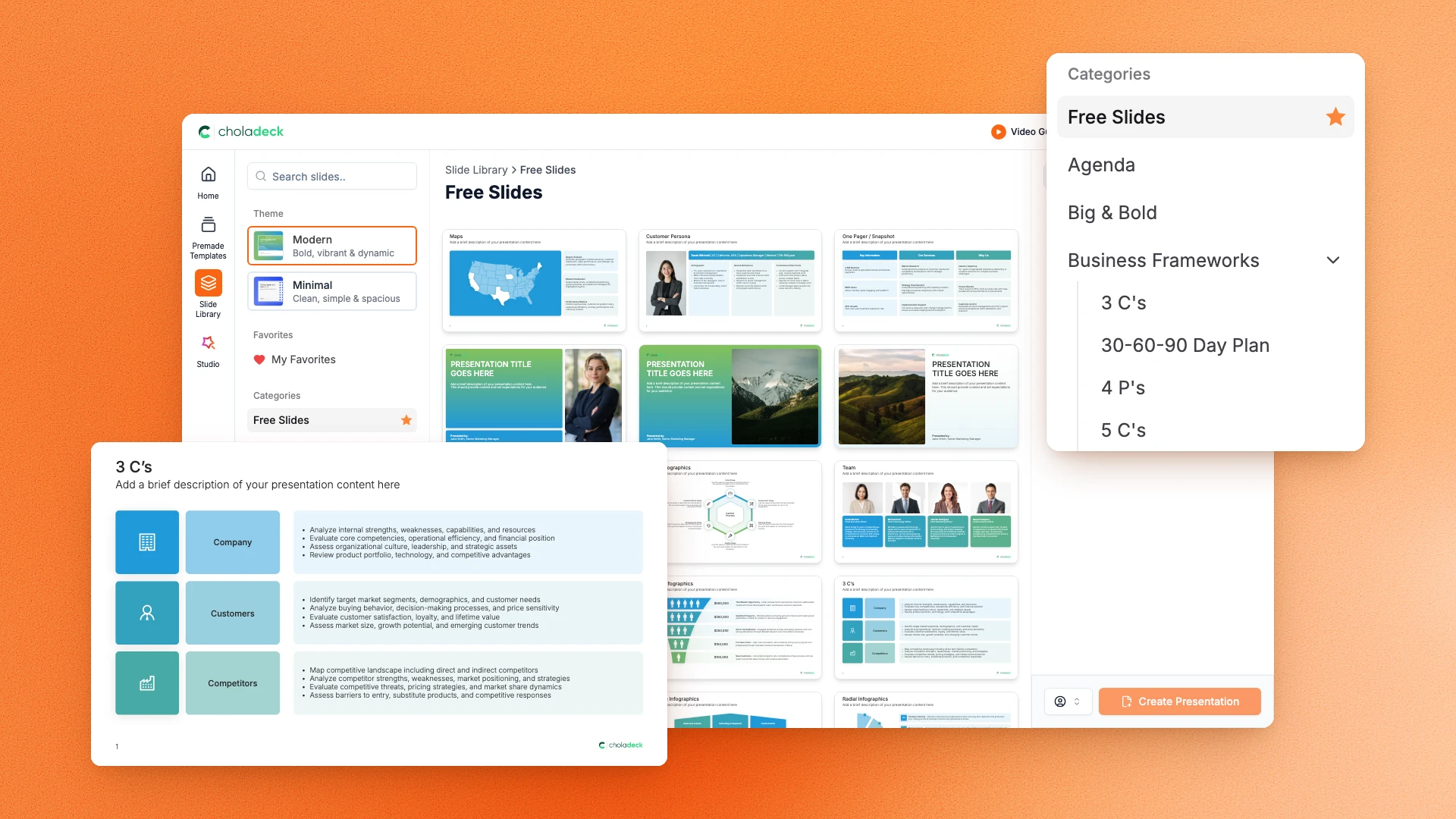
Every slide here comes from the same library. Financial tables, KPI dashboards, Gantt charts, risk matrices, and investment breakdowns are already in it, so adding a second business segment or another quarter of trends takes a minute. Everything sits on the same grid, so the layout still holds.

Brand the whole presentation in one click

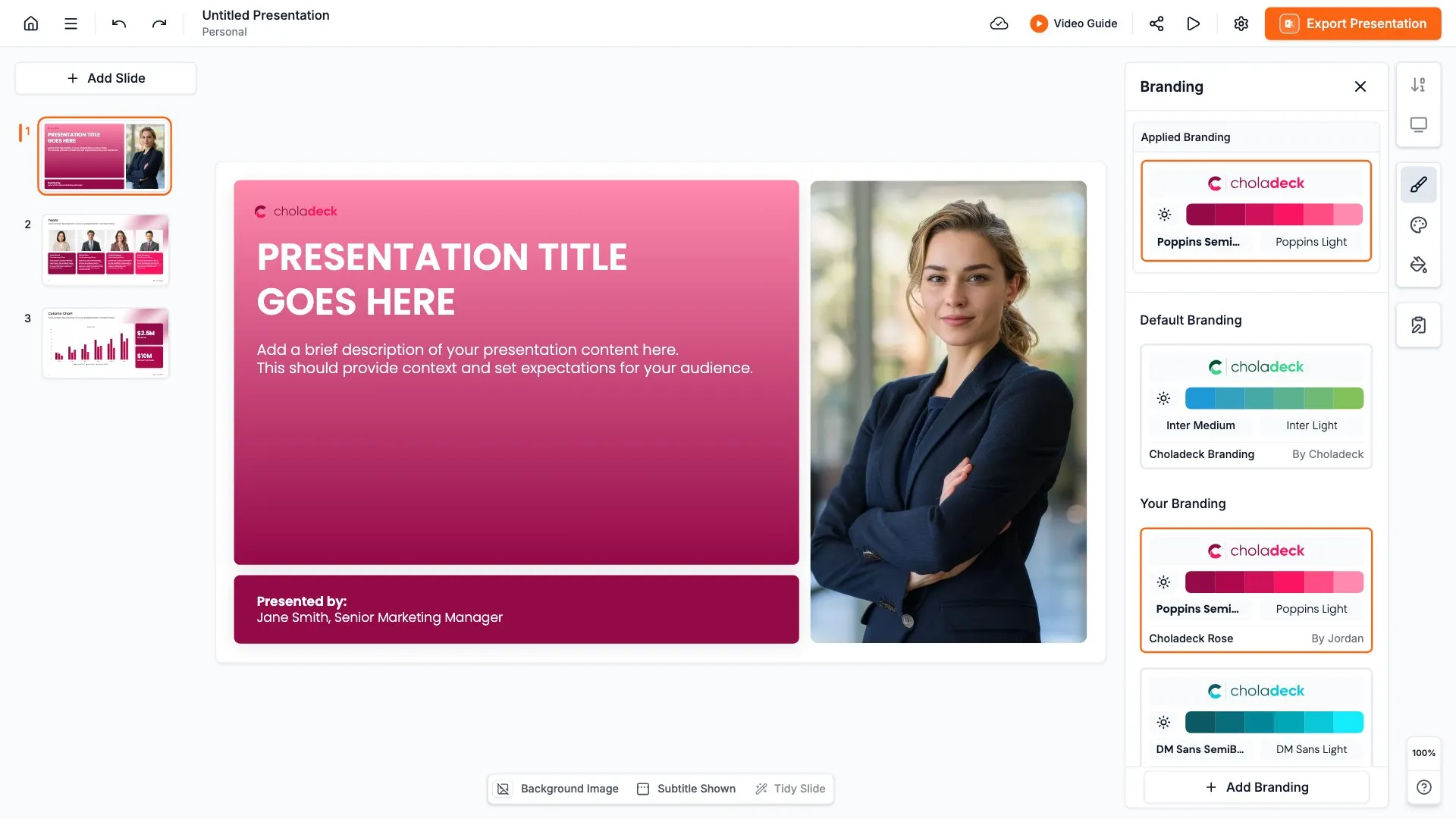
Add your logo, colors, fonts, and background once. It applies to the whole presentation and the entire slide library at the same time. Each quarter’s pack looks like the last one, which is what a board wants.

Export to PowerPoint, Google Slides, or Keynote

You get a real file, not a locked link. Export it and keep editing in the tool you already use. Every table and chart stays editable, so next quarter you update the numbers rather than rebuild the pack.

How Choladeck works

From blank page to finished presentation in four steps.

STEP 01

Browse 9,000+ slides across 134+ categories, or open one of the 74 premade presentations.

STEP 02

Add your logo, colors, and fonts in one click. The whole presentation instantly matches your company.

STEP 03

Add your text, numbers, charts, and tables. Everything on the slide is editable.

STEP 04

Send it to PowerPoint, Google Slides, or Keynote, and present.
Build your own

Nothing here fits? Build your own board pack

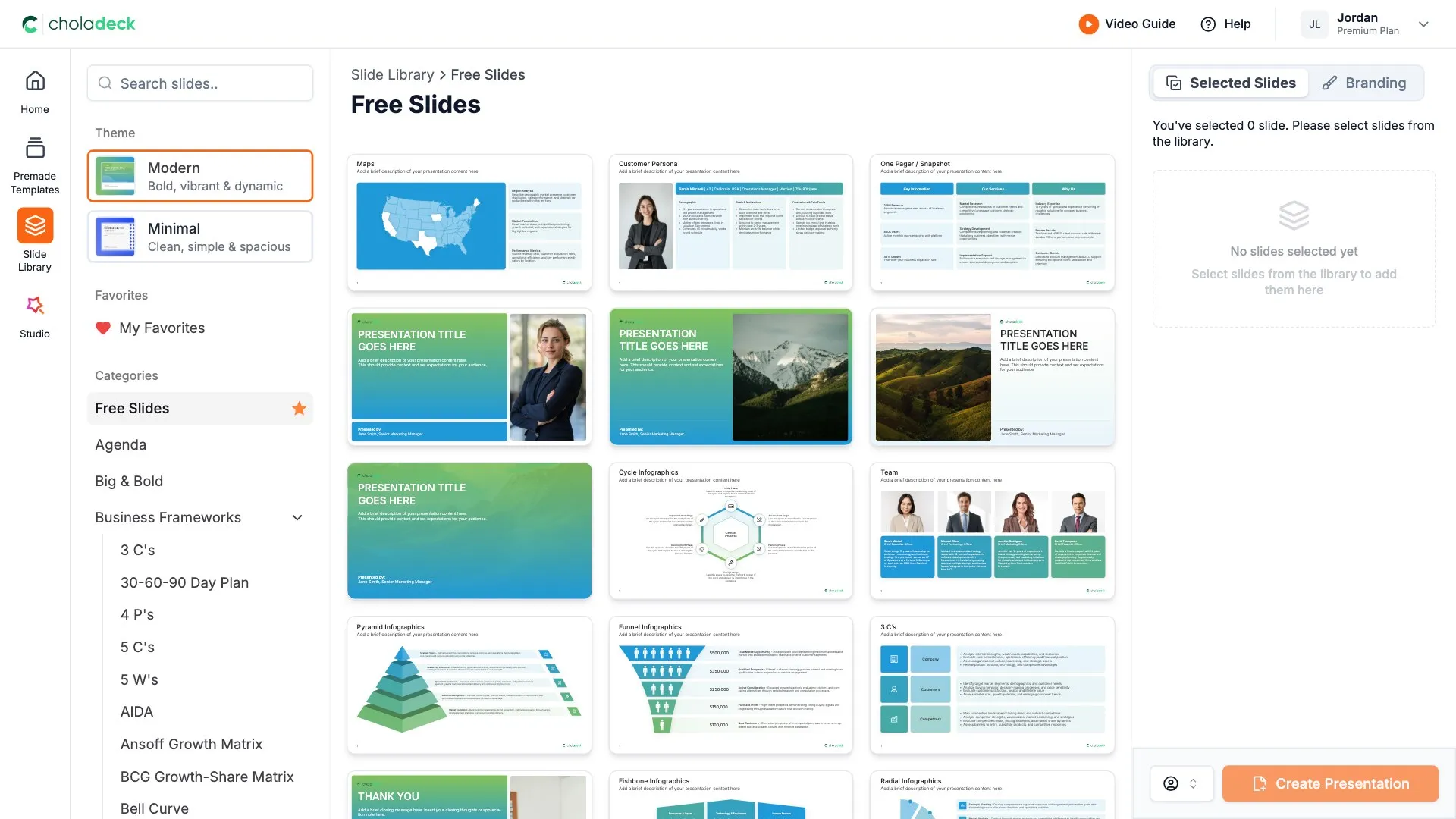
This template is assembled from the same 9,000+ slides. Pick the slides you need, drop them into one file, and brand the whole thing in one click.
Choladeck slide library on Free Slides, with its category list and the 3 C’s slide shown larger

Questions about the board of directors presentation template

What's inside the template, and how far you can change it.

Using the template

Is the template fully editable?

+

Yes. Text, tables, charts, icons, and colors on every slide are yours to change. Nothing is locked and nothing is a flat image.

How do I brand it to my organization?

+

Add your logo, colors, fonts, and background once. It applies to the whole presentation and the entire slide library at the same time.

Can I add slides from the slide library?

+

Yes. Add any slide from the library into this one, or swap out one that doesn't fit. Everything works together.

What's included

Are full financial statements included?

+

Yes. A detailed income statement with variance against plan, and a balance sheet with the cash position, each on its own slide with the figures as live tables. It's the only one of the three board templates with both.

Does it cover what the board has to approve?

+

Yes. A decisions required slide lists each item needing approval with the recommendation and the date beside it, then a questions and discussion slide lists what supporting detail exists in the appendix.

Is placeholder content included?

+

Yes. Every slide comes with realistic text, sample figures, and filled-in charts, so you can see how the board pack reads before you put your own numbers in.

Start your board pack
from one that's already done

Pick it, brand it, add your content, and export.

Free to start. No credit card required.