Pricing

Case study presentation template

Twelve slides that take a client from the problem they had to the numbers you moved: the challenge, what you did, what changed, and the proof. Select it, brand it to your company in one click, add your results, and export to PowerPoint, Google Slides, or Keynote.

Free to start. No credit card required.
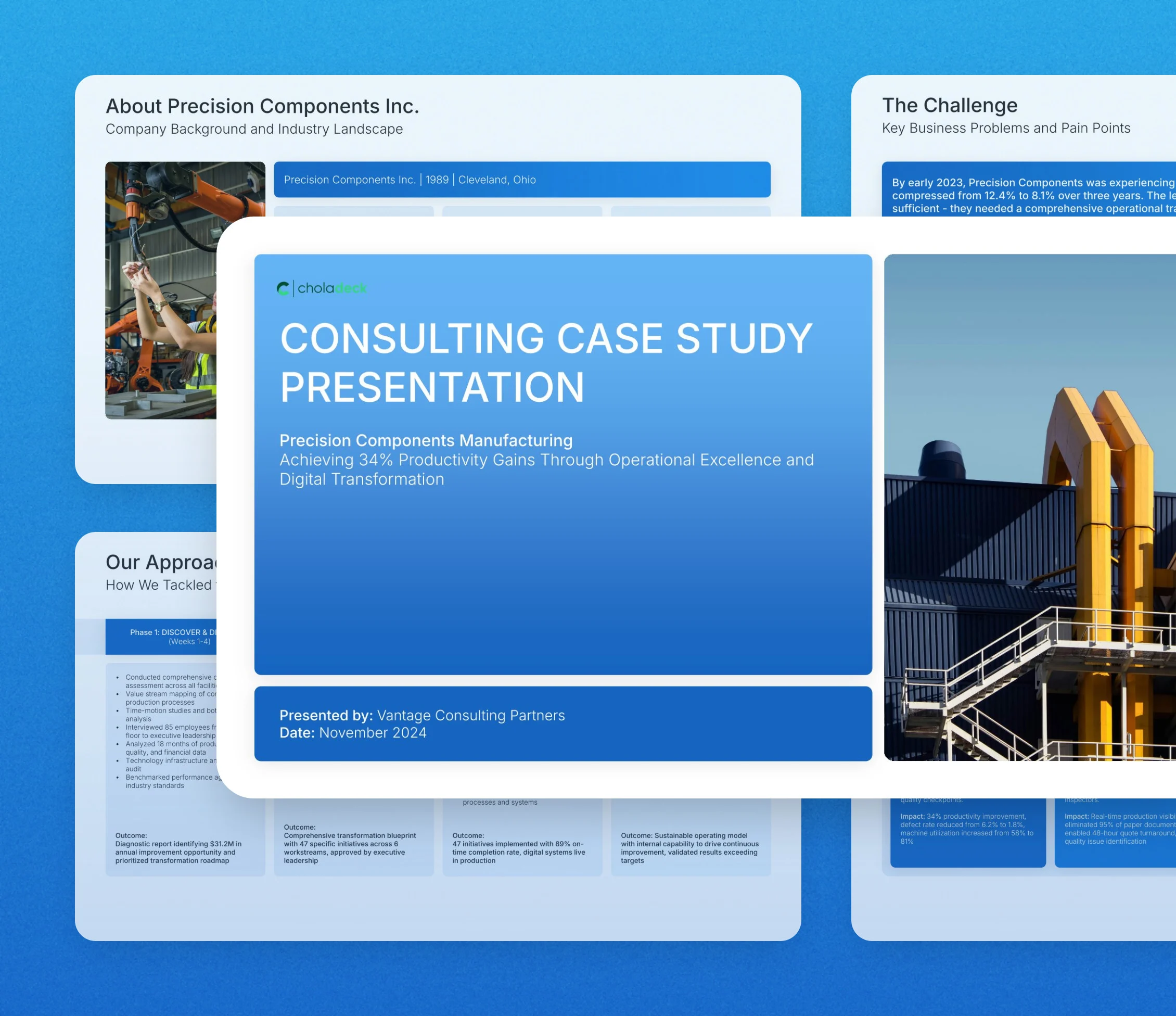
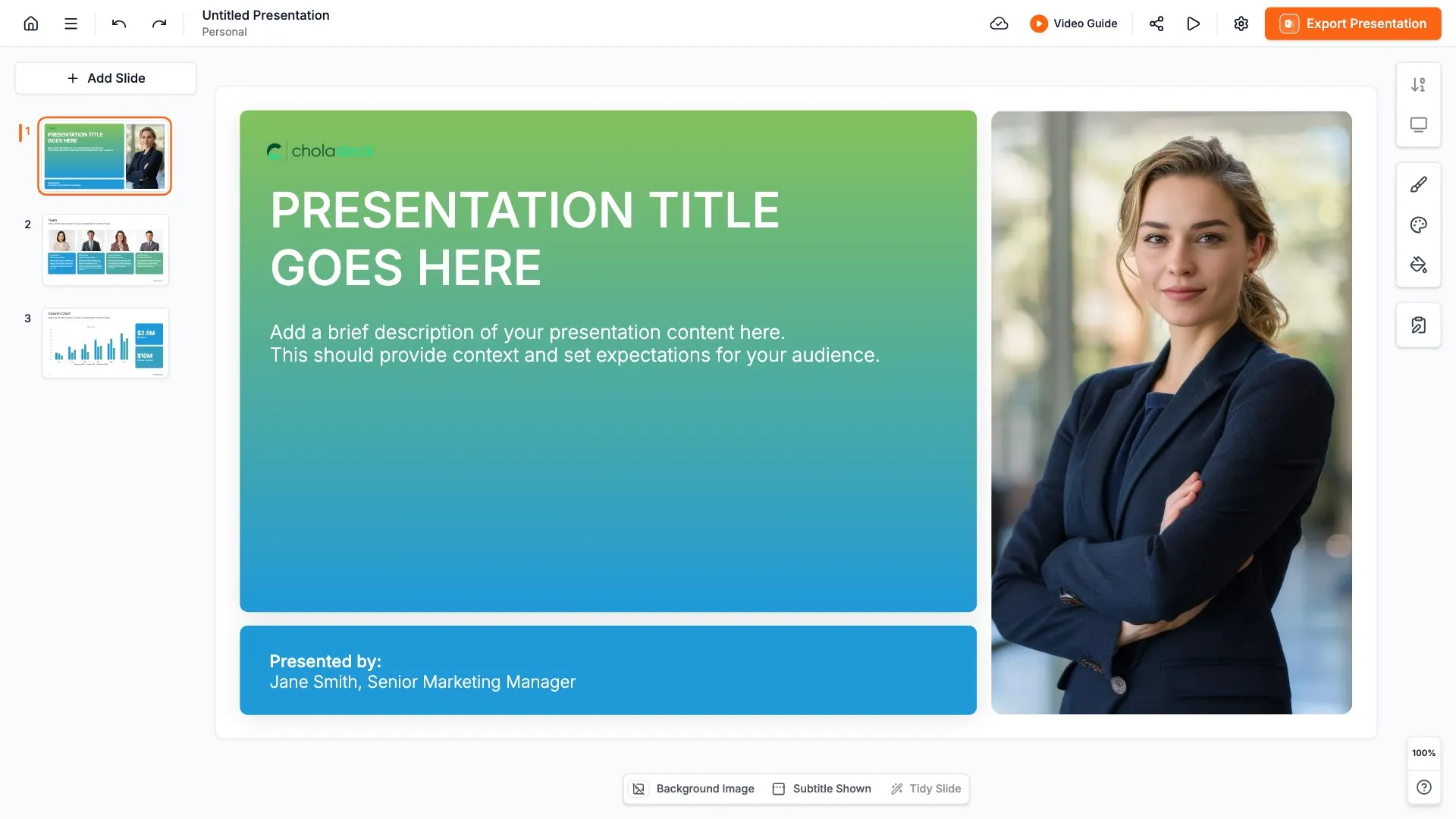
Case study presentation template: the title slide in front of other slides from the 12-slide deck

Every slide in the case study presentation template

Twelve slides, in the order you present them.

Title slide, case study presentation template, client and the headline result

Slide 01

Title

The client, the headline result, and who's presenting.

Built using “Title” slide
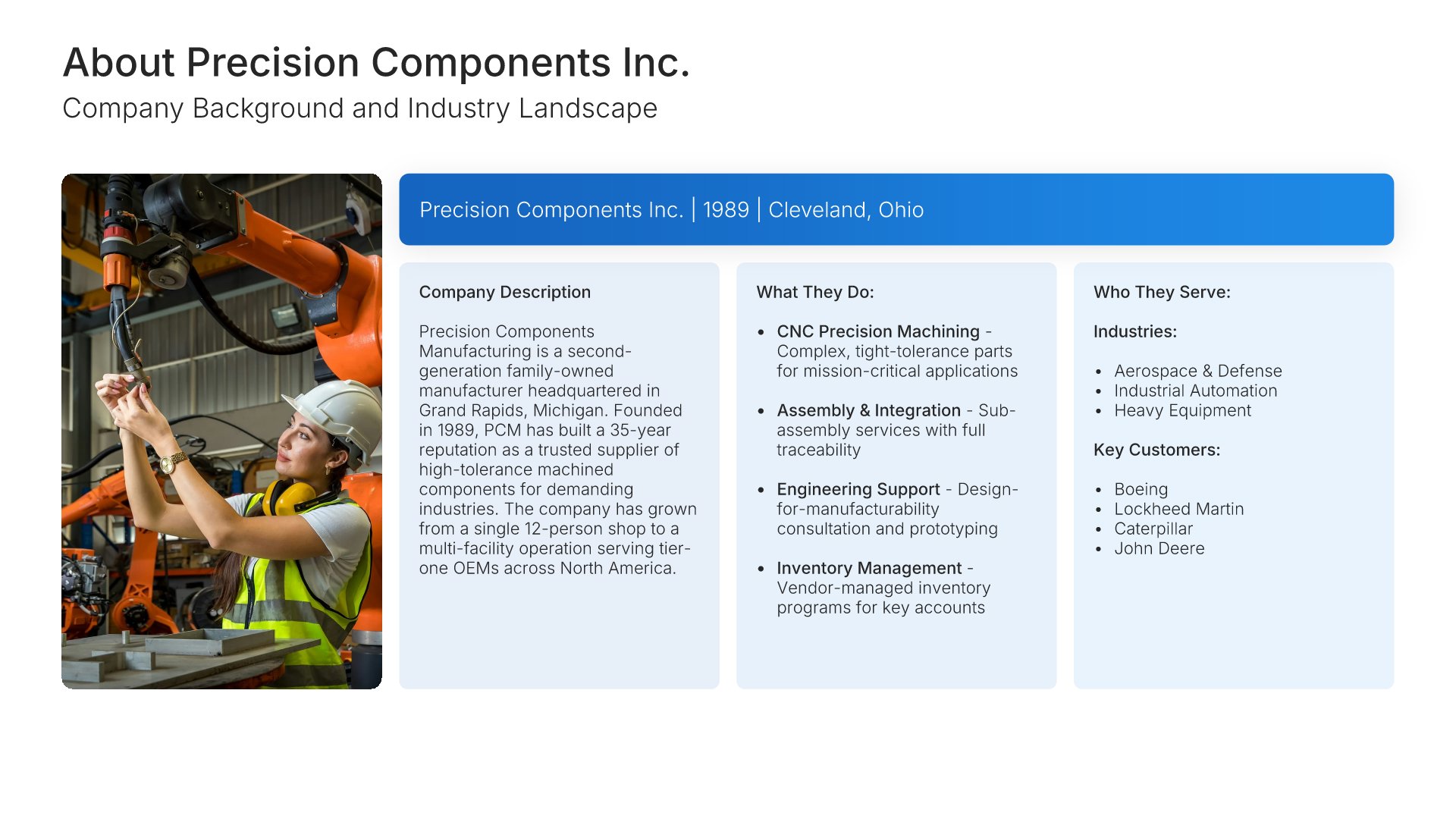
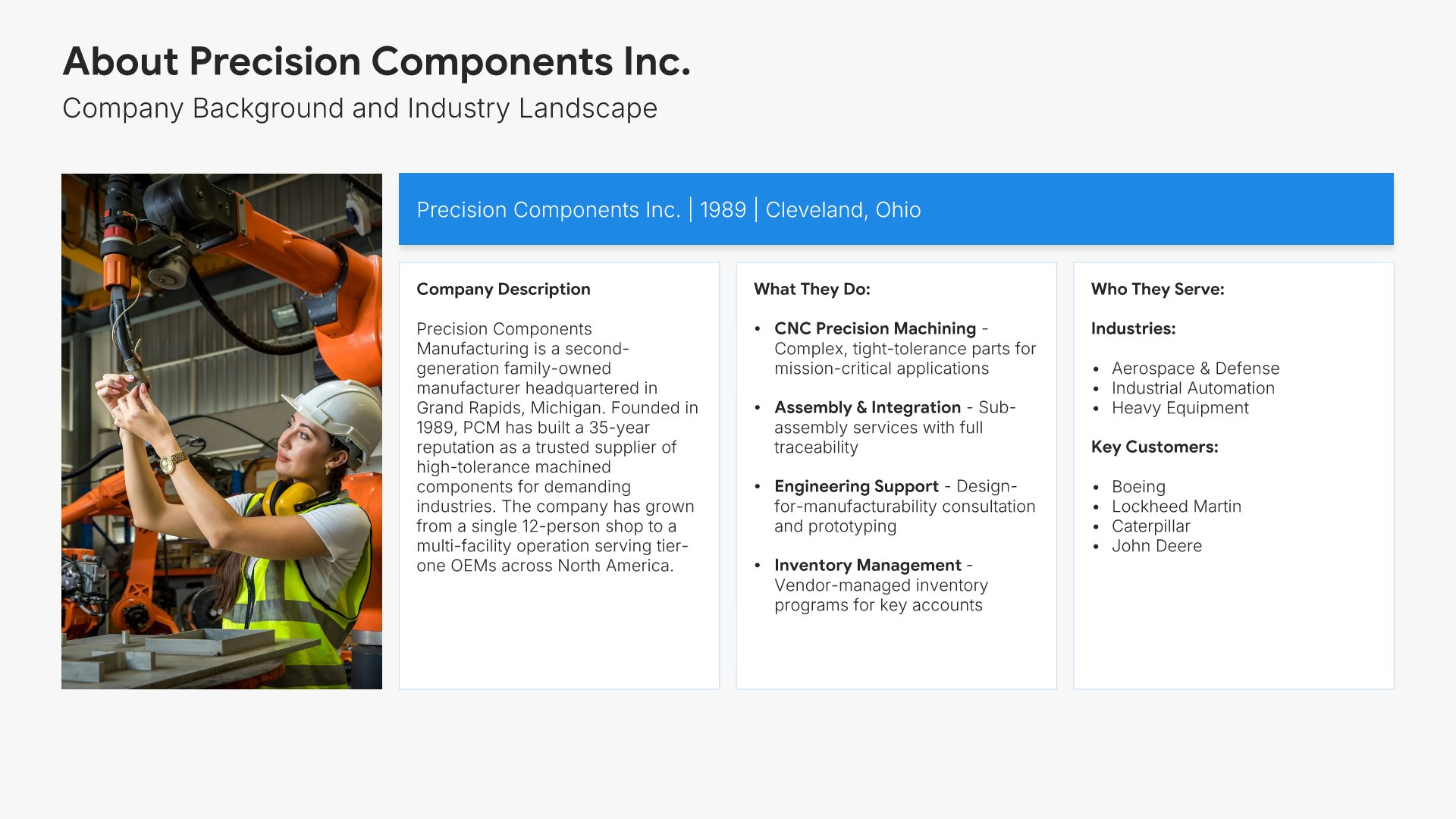
Client overview slide, case study presentation template, who the client is and who they serve

Slide 02

Client Overview

Who they are, what they do, and the customers they serve.

Built using “Customer Persona” slide
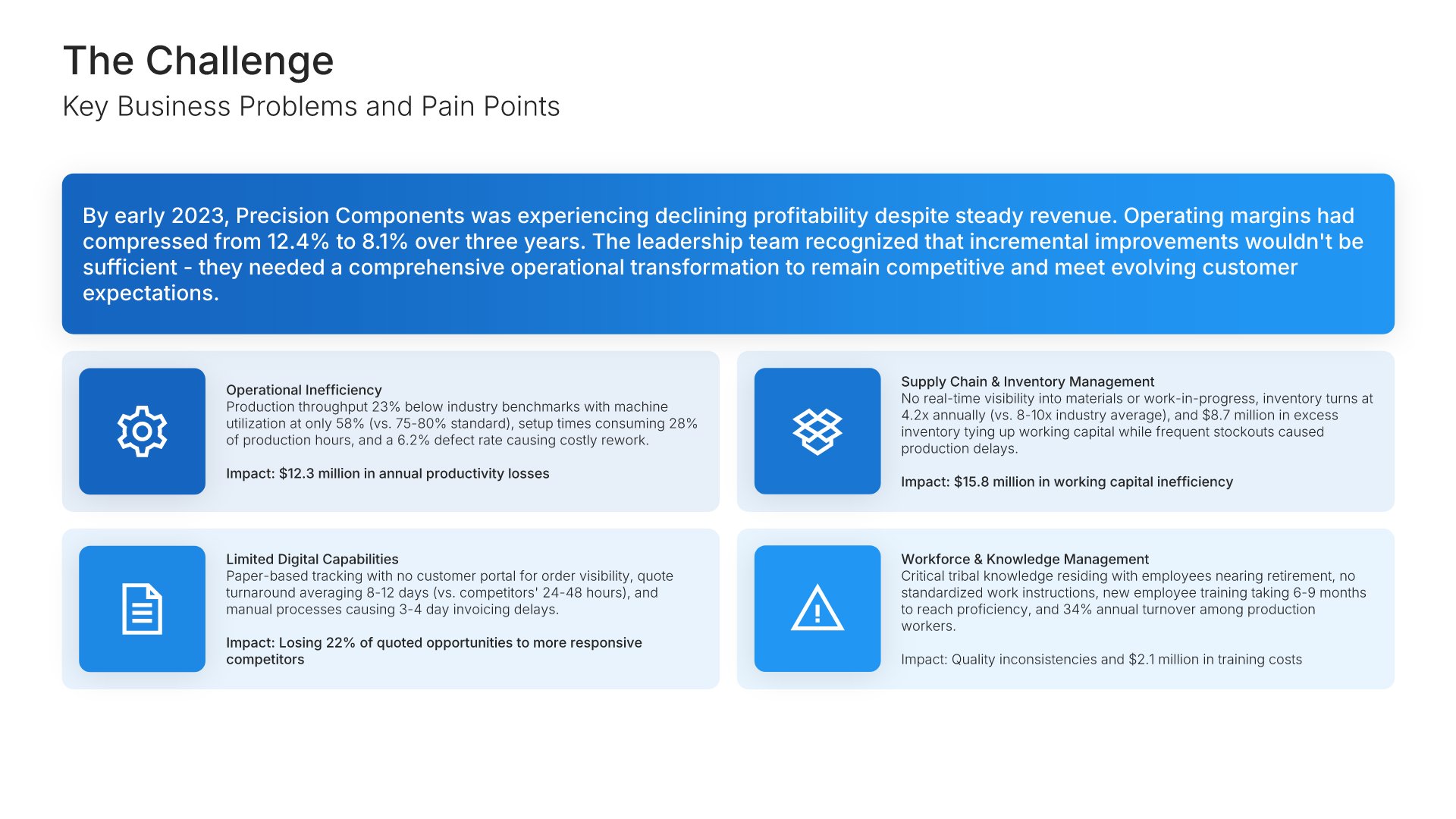
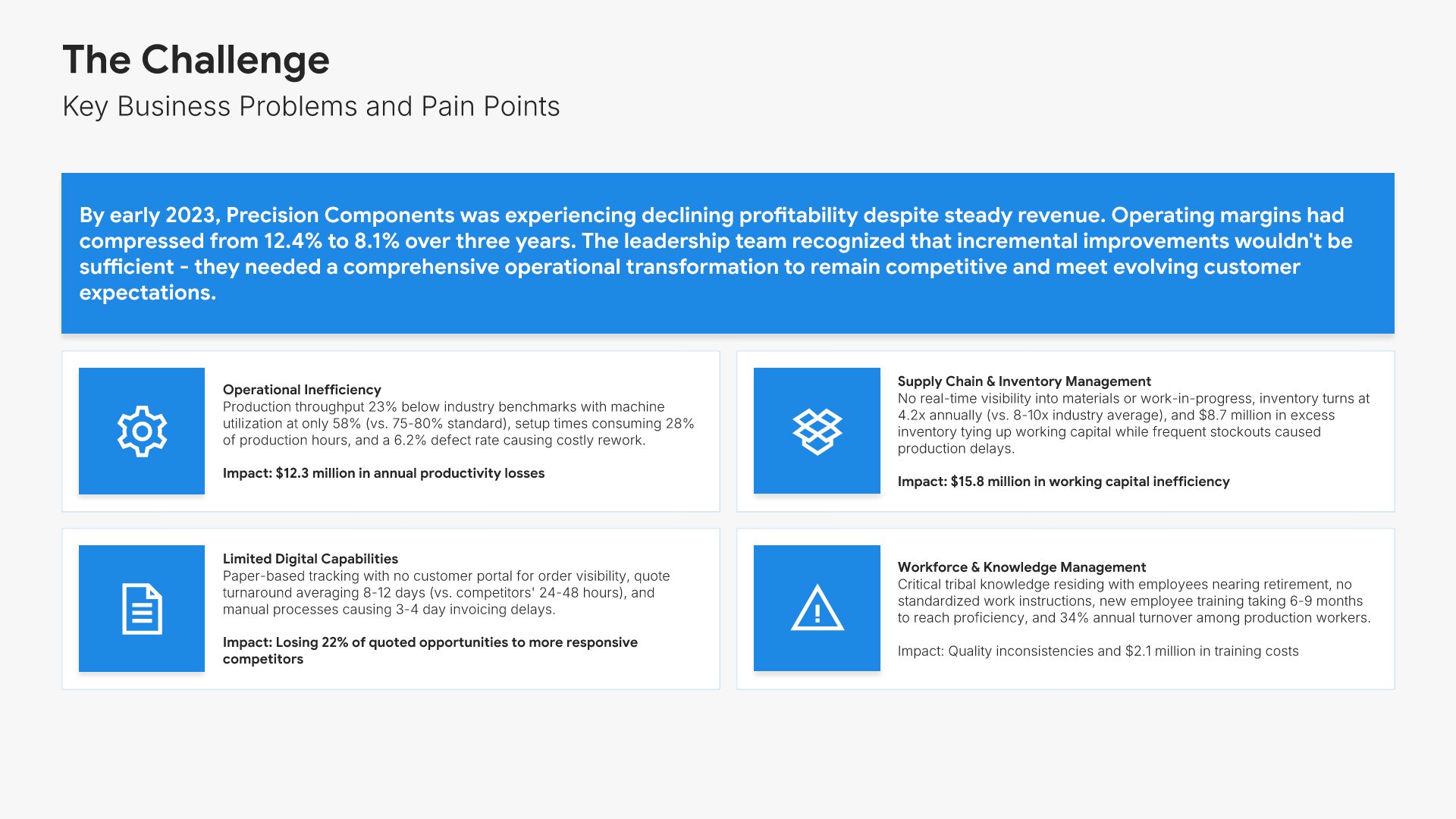
Challenge slide, case study presentation template, problems and what each one cost

Slide 03

Challenge

The problems they came to you with, each with what it was costing.

Built using “Simple Text (with Icons)” slide
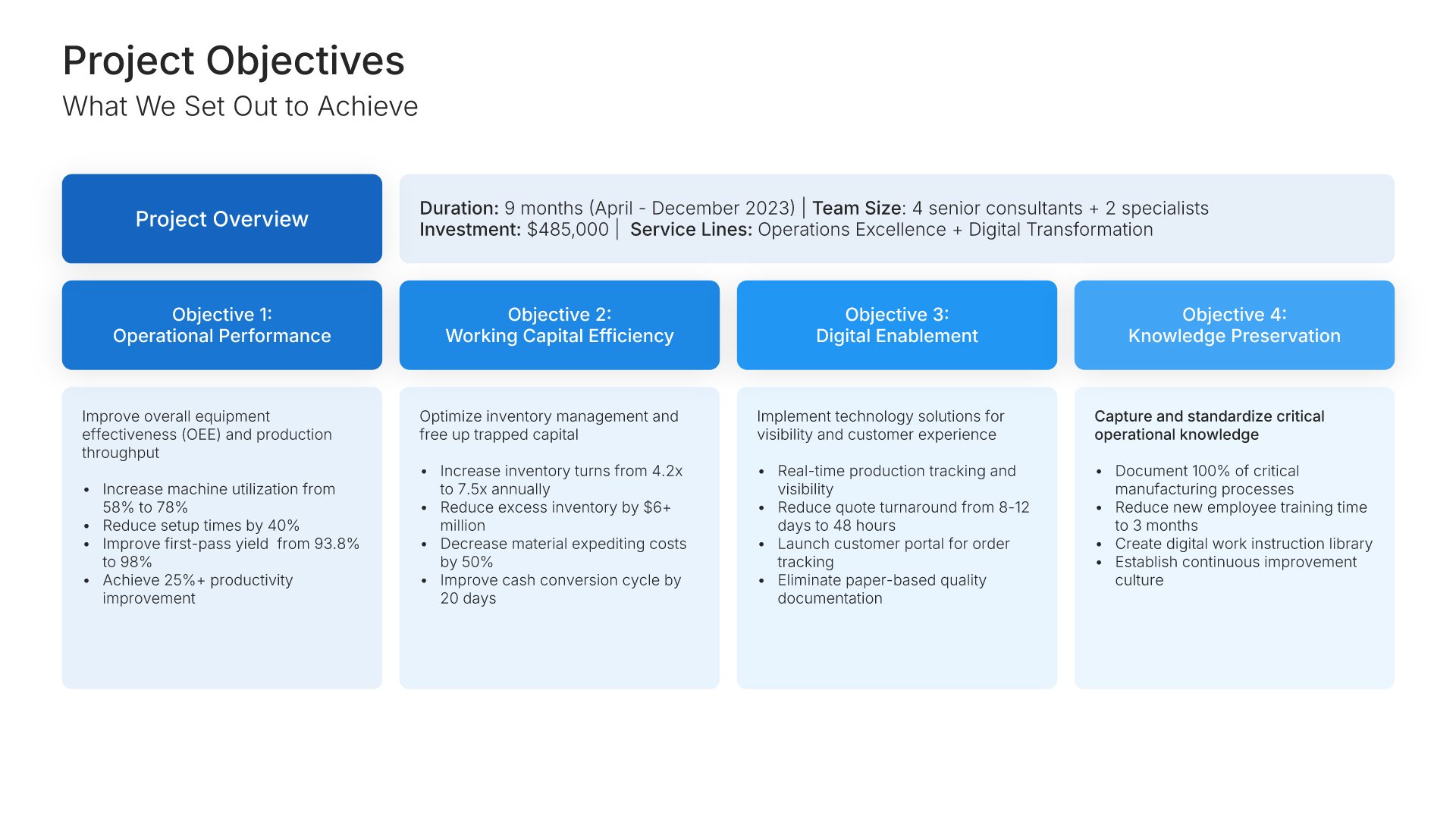
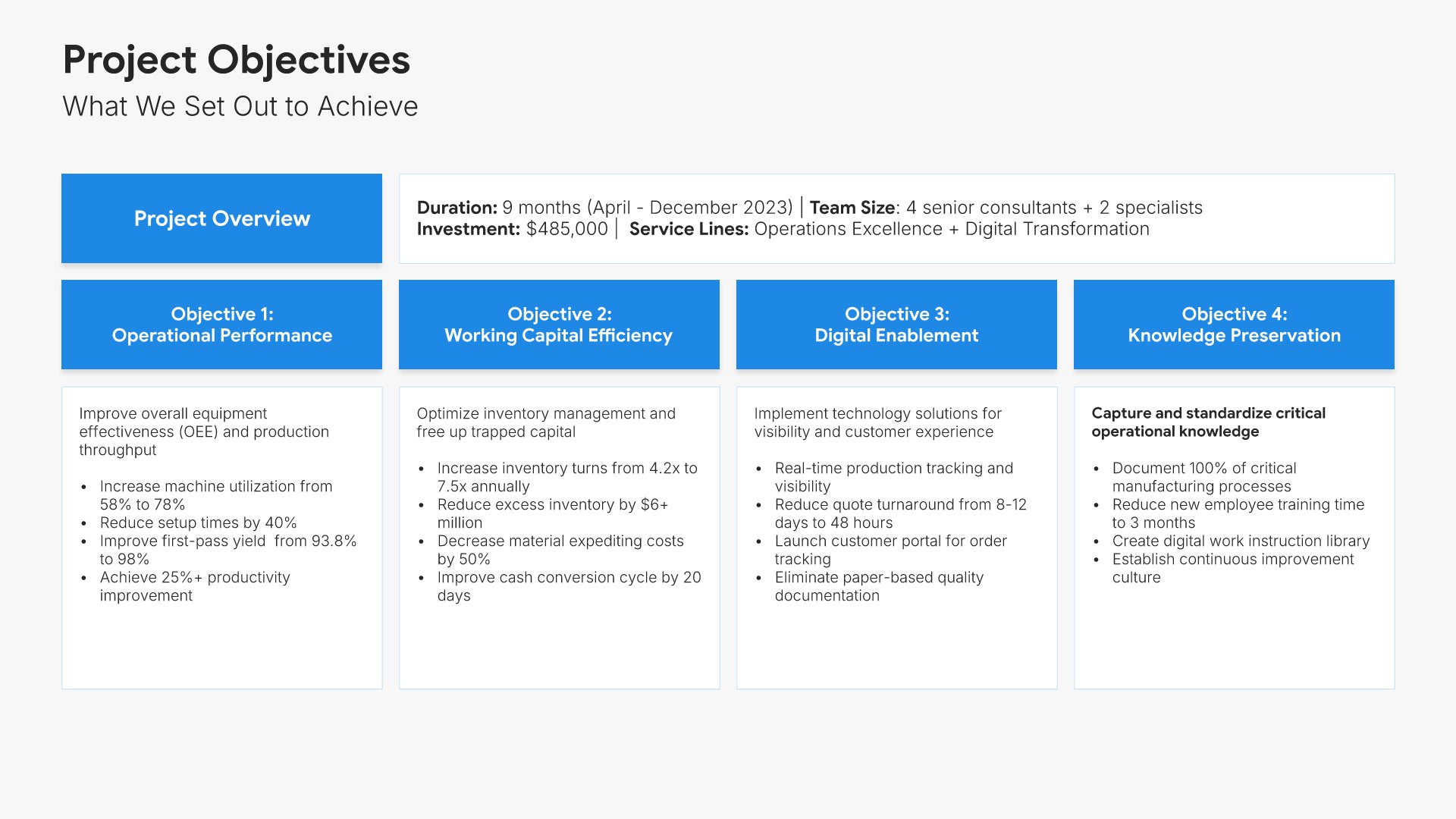
Project objectives slide, case study presentation template, scope, duration, team, and investment

Slide 04

Project Objectives

Scope, duration, team, and investment, then what you set out to change.

Built using “Executive Summary” slide
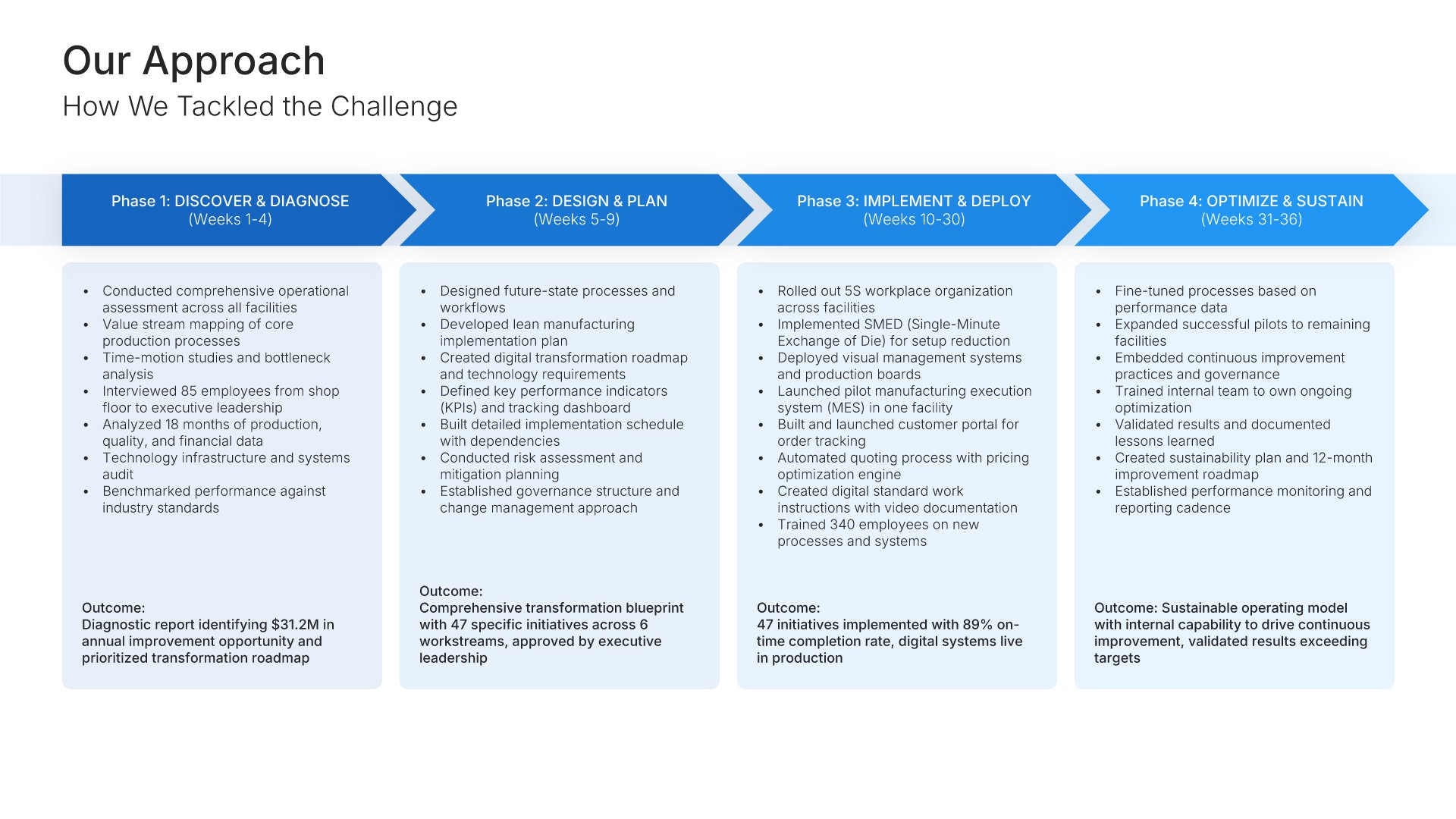
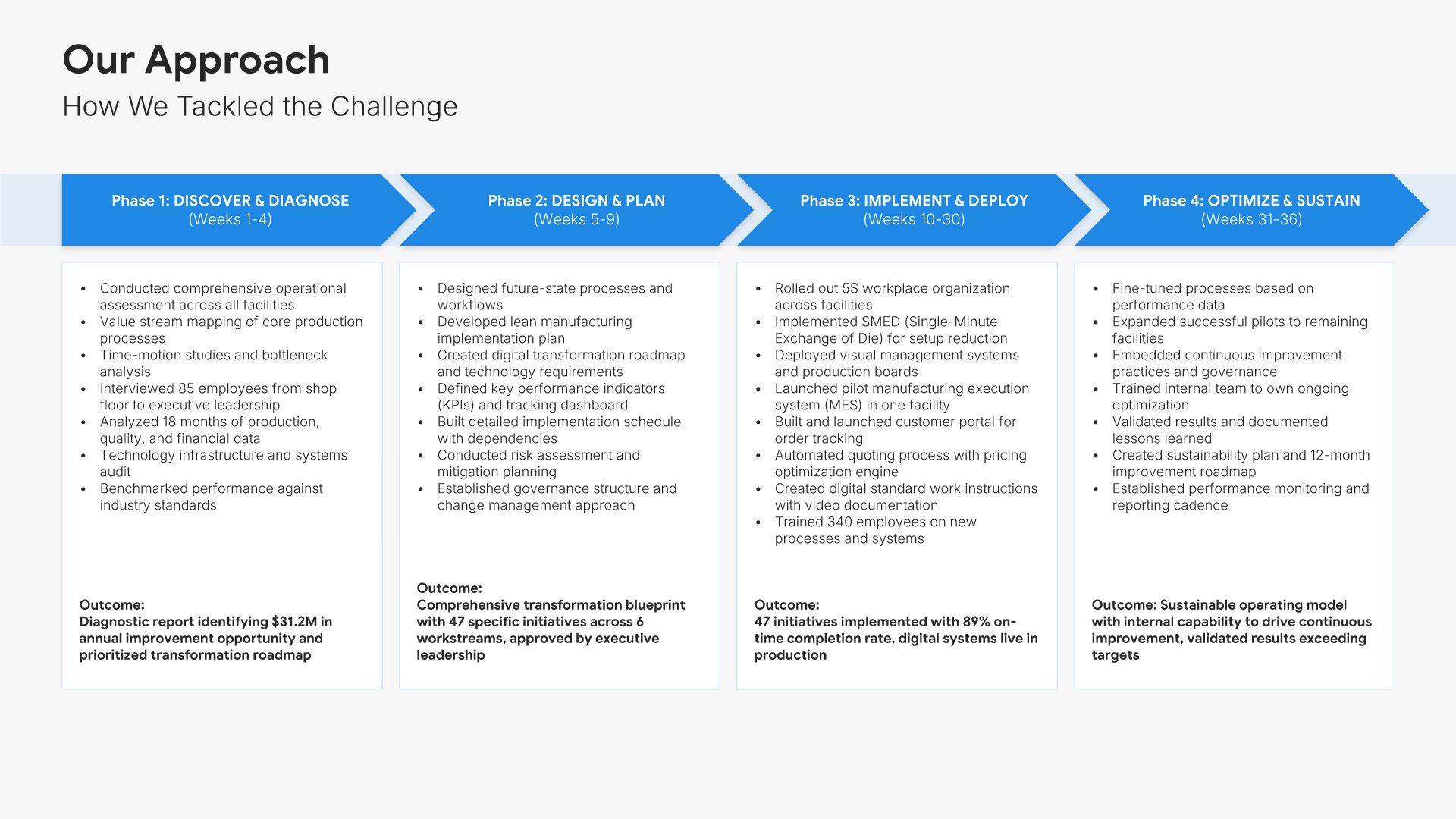
Approach and methodology slide, case study presentation template, phases with the outcome of each

Slide 05

Approach & Methodology

How you tackled it, in phases, with the outcome of each.

Built using “Process – Horizontal” slide
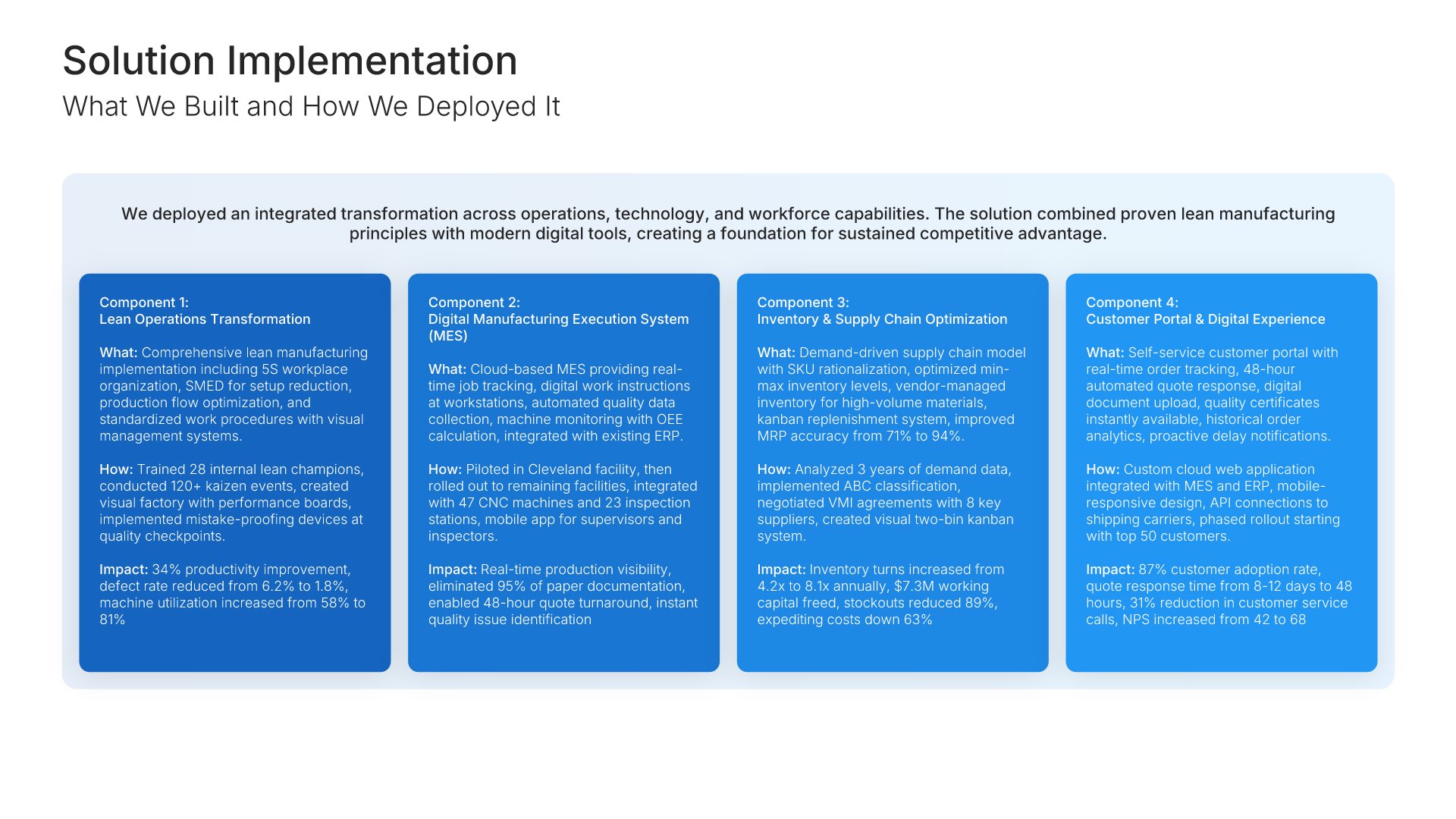
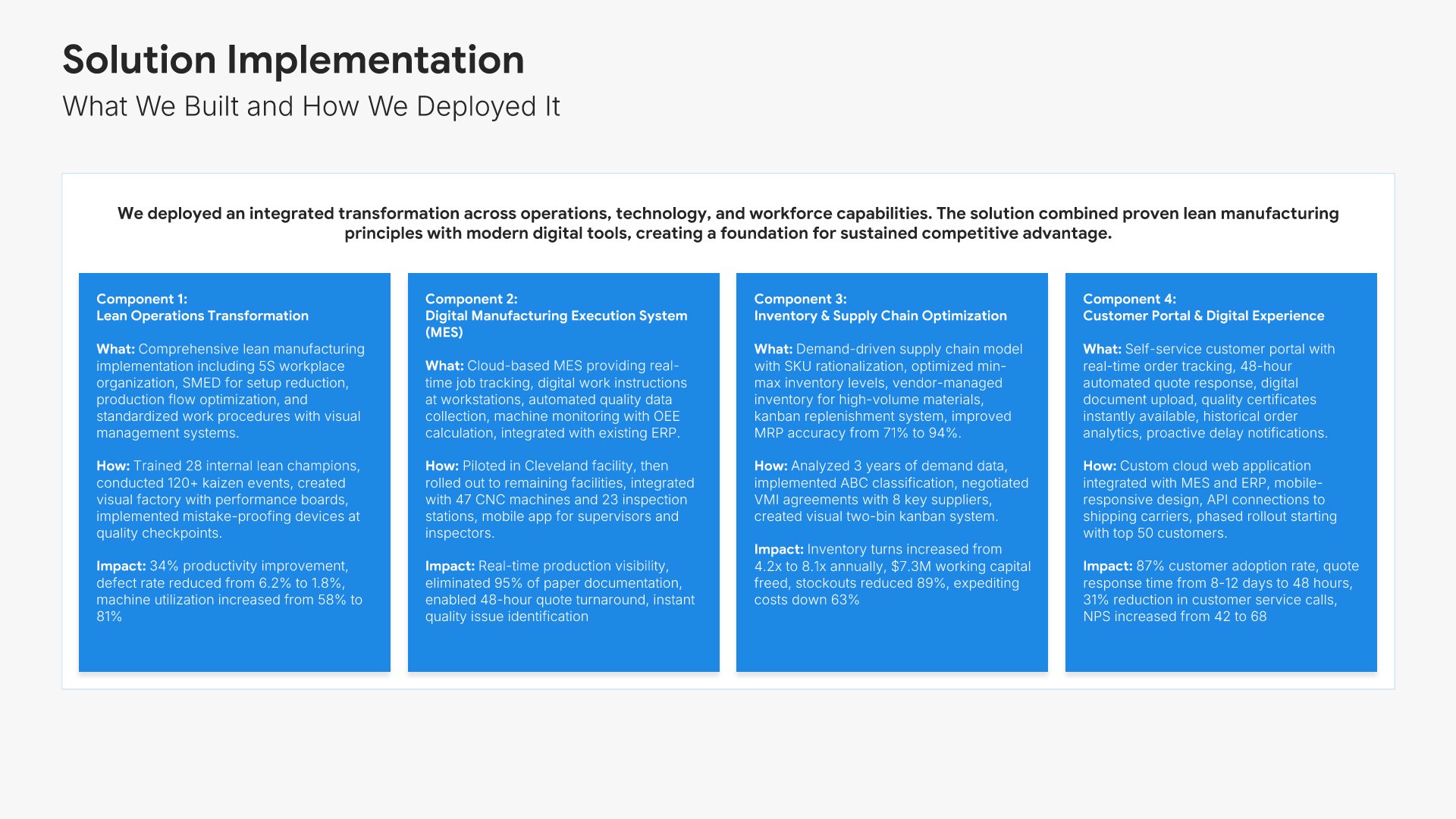
Solution implementation slide, case study presentation template, what was built and its impact

Slide 06

Solution Implementation

What you built, how you deployed it, and the impact of each component.

Built using “Grouping” slide
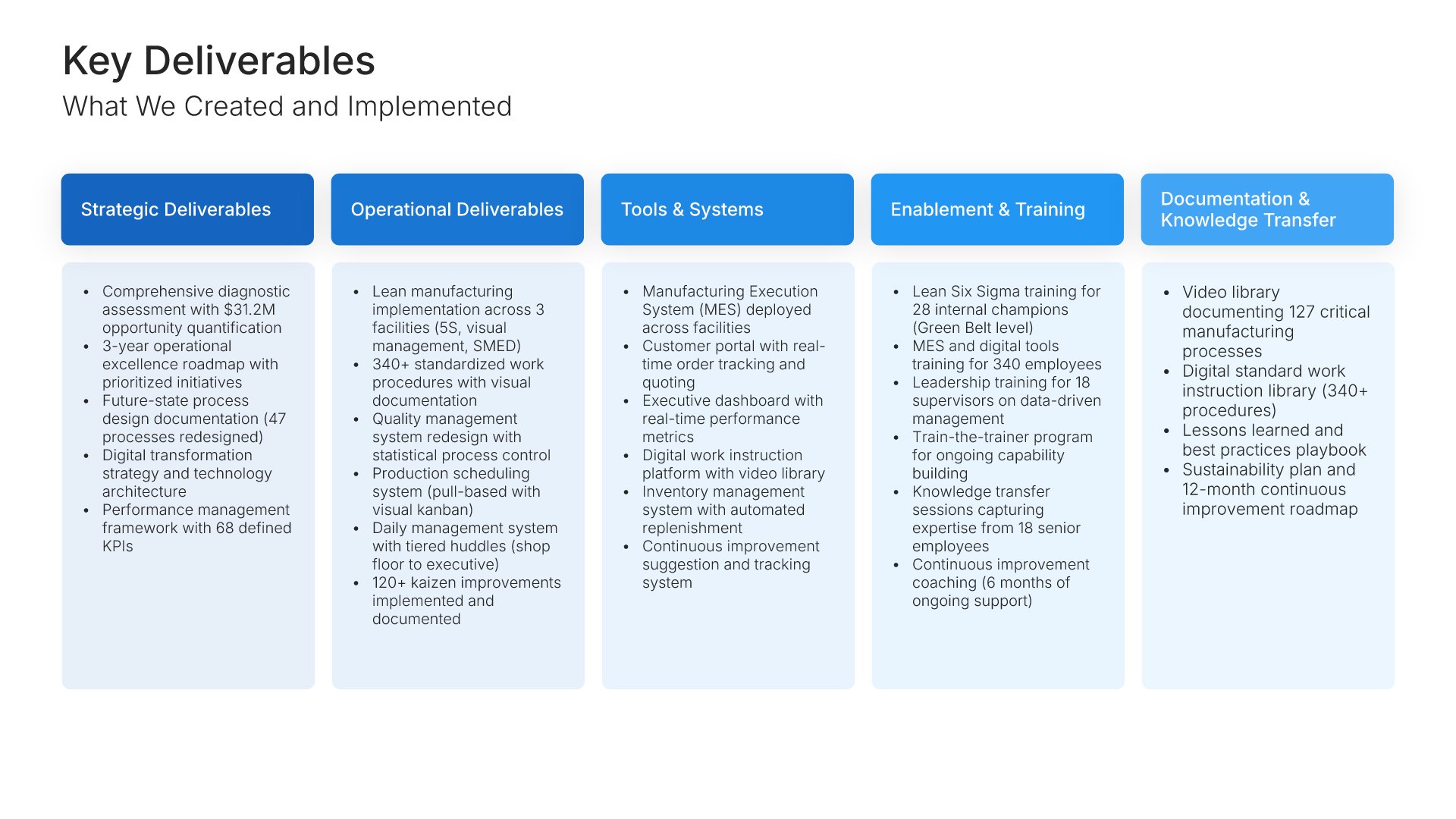
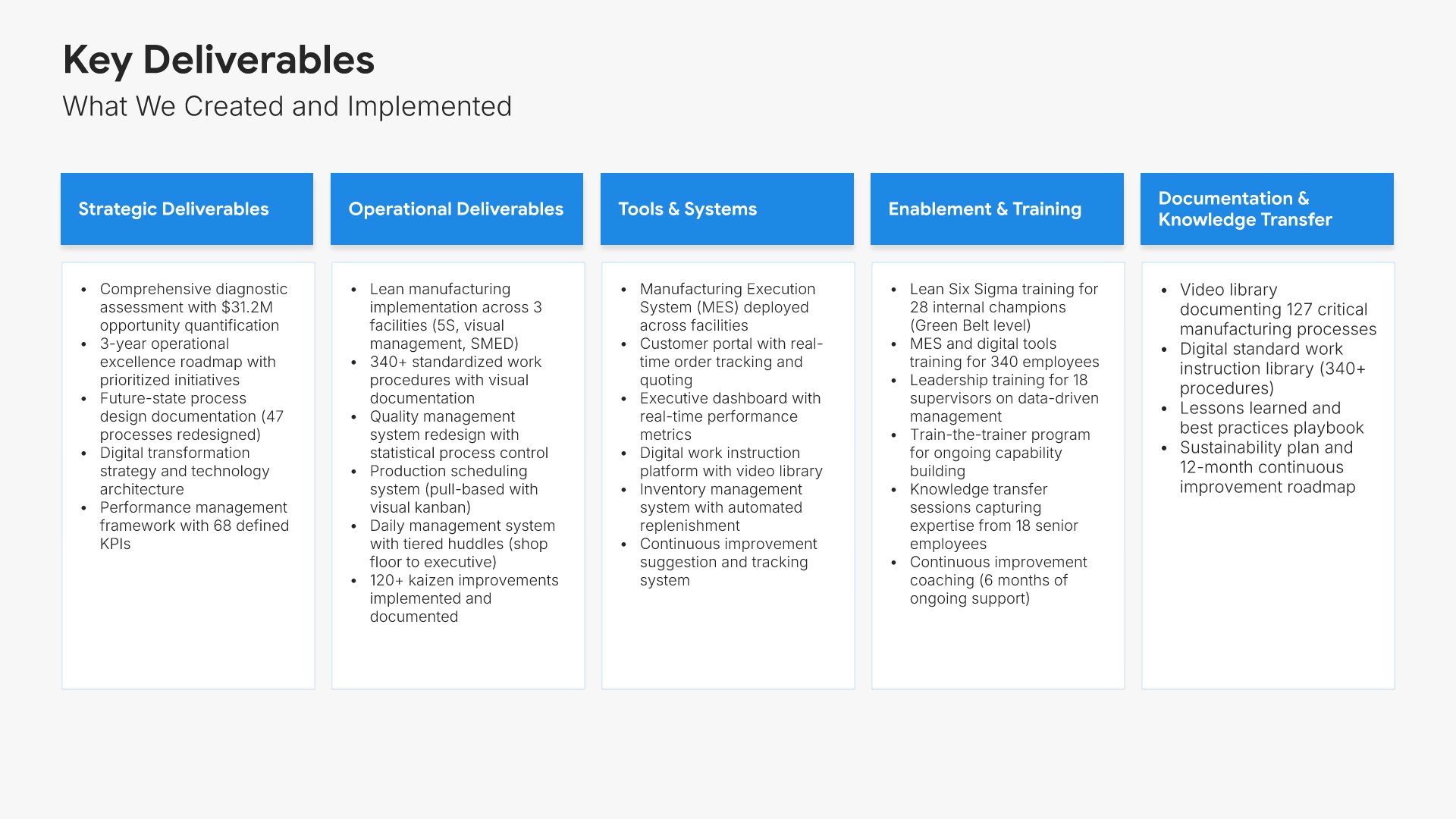
Key deliverables slide, case study presentation template, what was handed over, by type

Slide 07

Key Deliverables

What was handed over, grouped by type.

Built using “Simple Text” slide
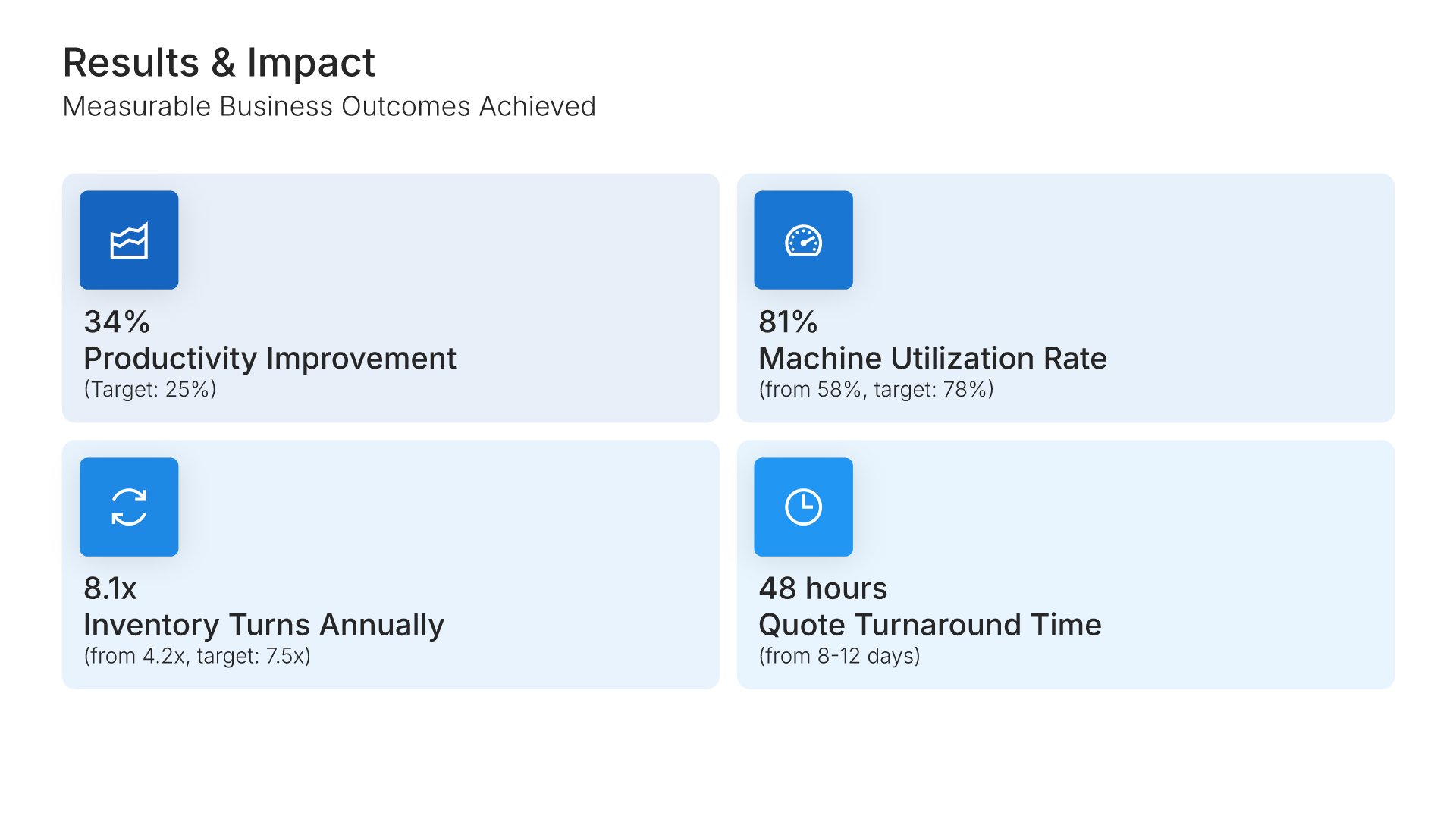
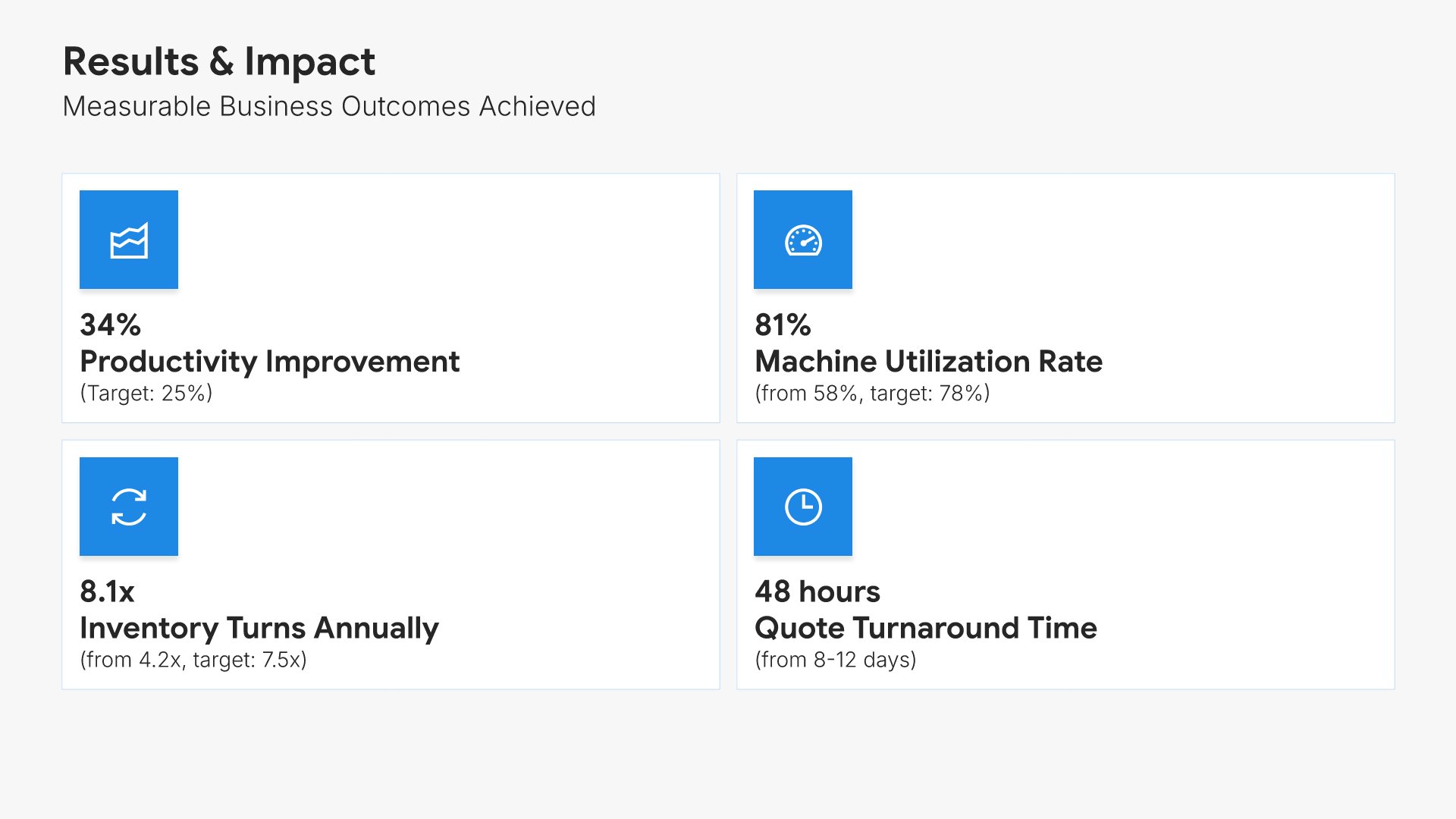
Results and impact slide, case study presentation template, four headline numbers against target

Slide 08

Results & Impact

Four headline numbers, each against its starting point and its target.

Built using “Simple Numbers” slide
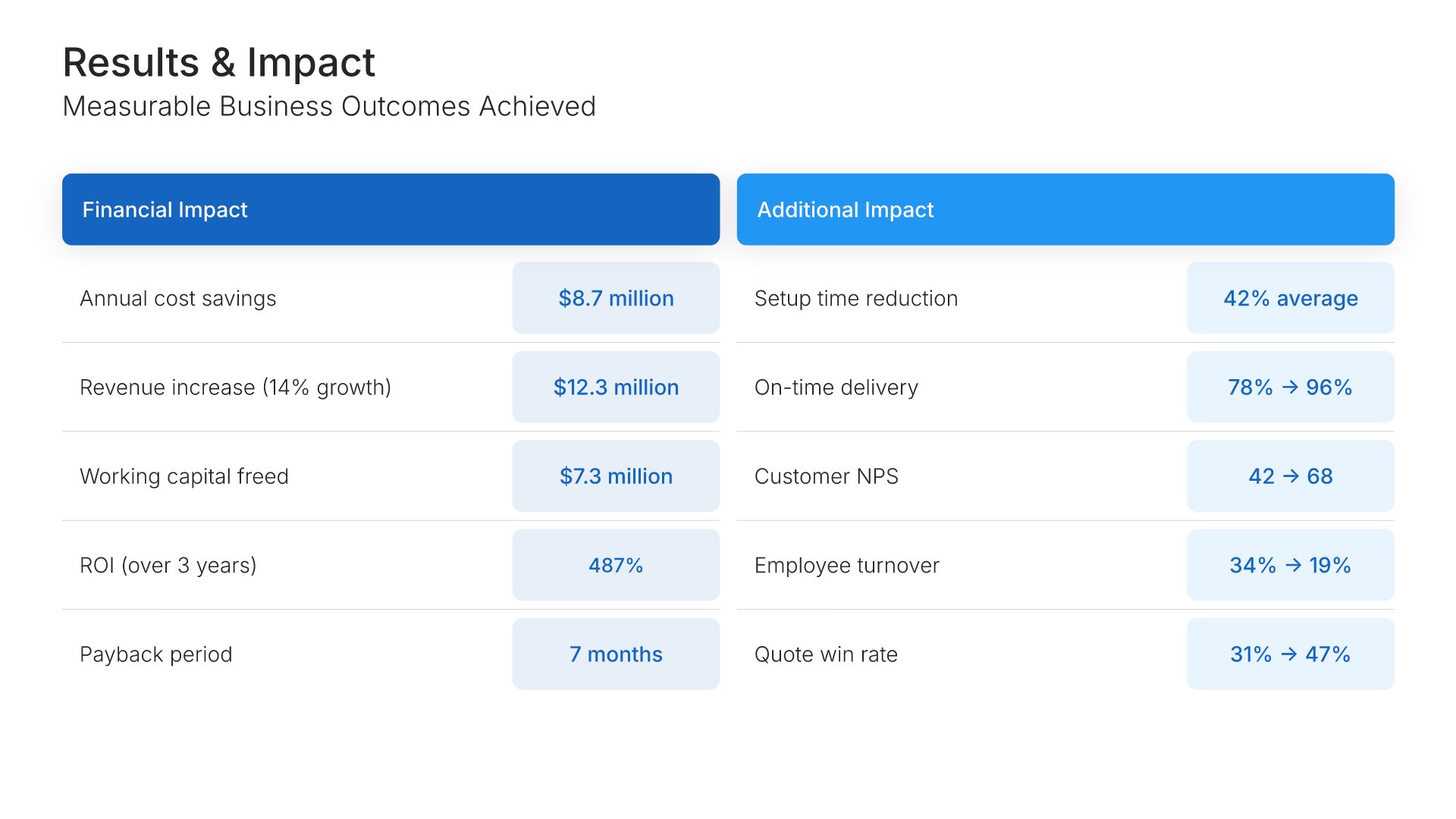
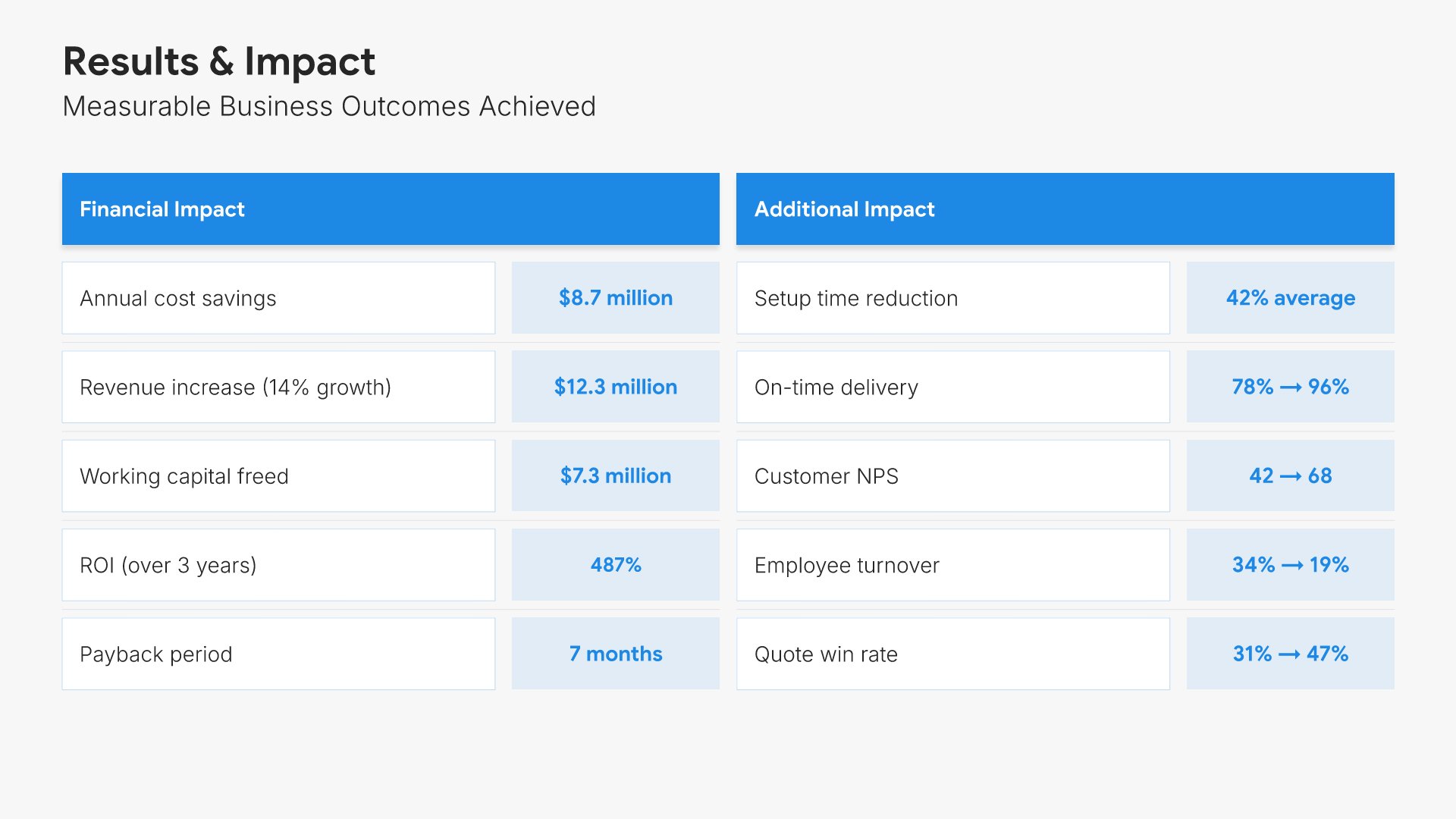
Results and impact slide, case study presentation template, financial and operational impact, before and after

Slide 09

Results & Impact

The full picture: financial impact beside operational impact, before and after.

Built using “Simple Numbers” slide
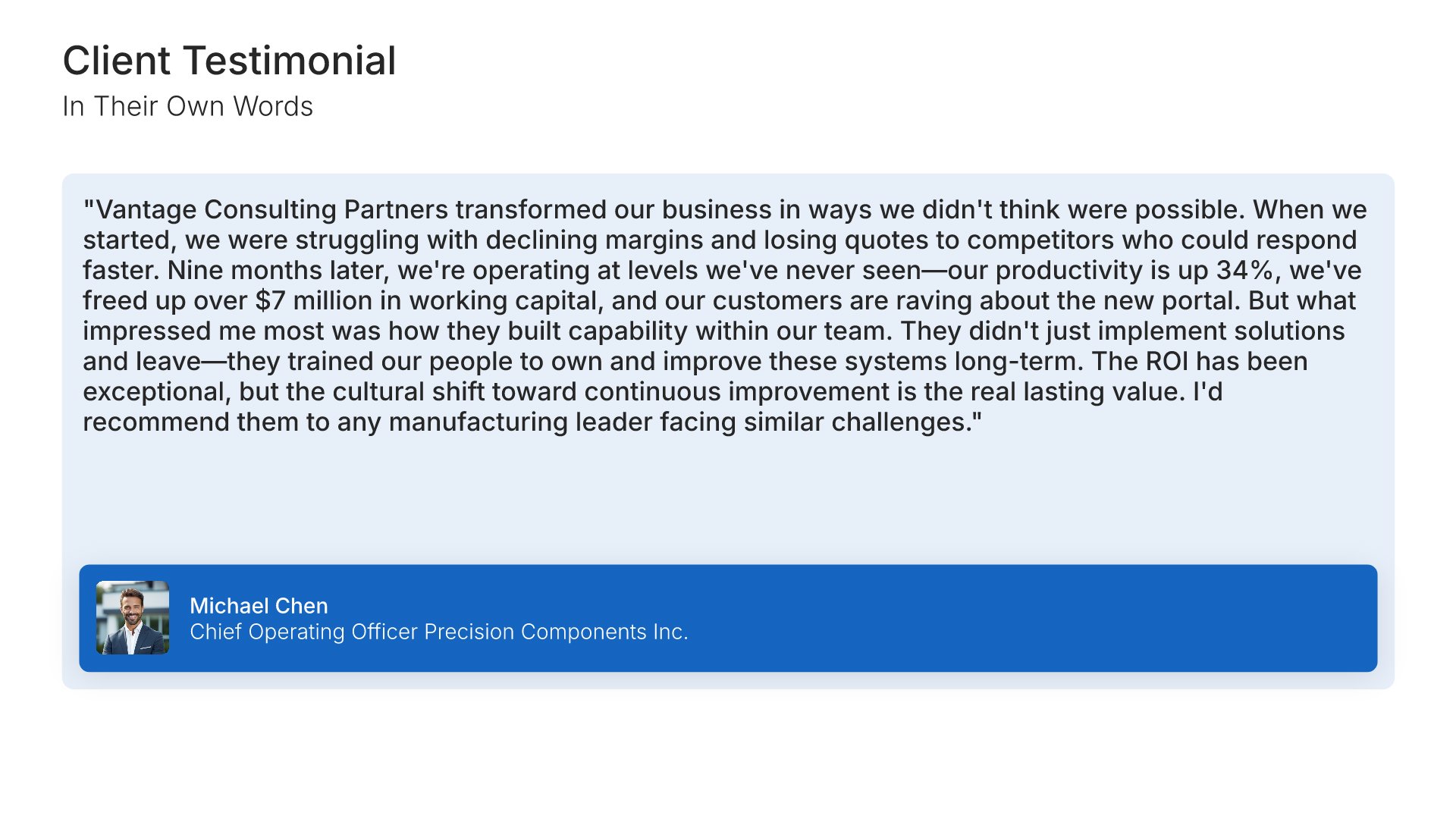
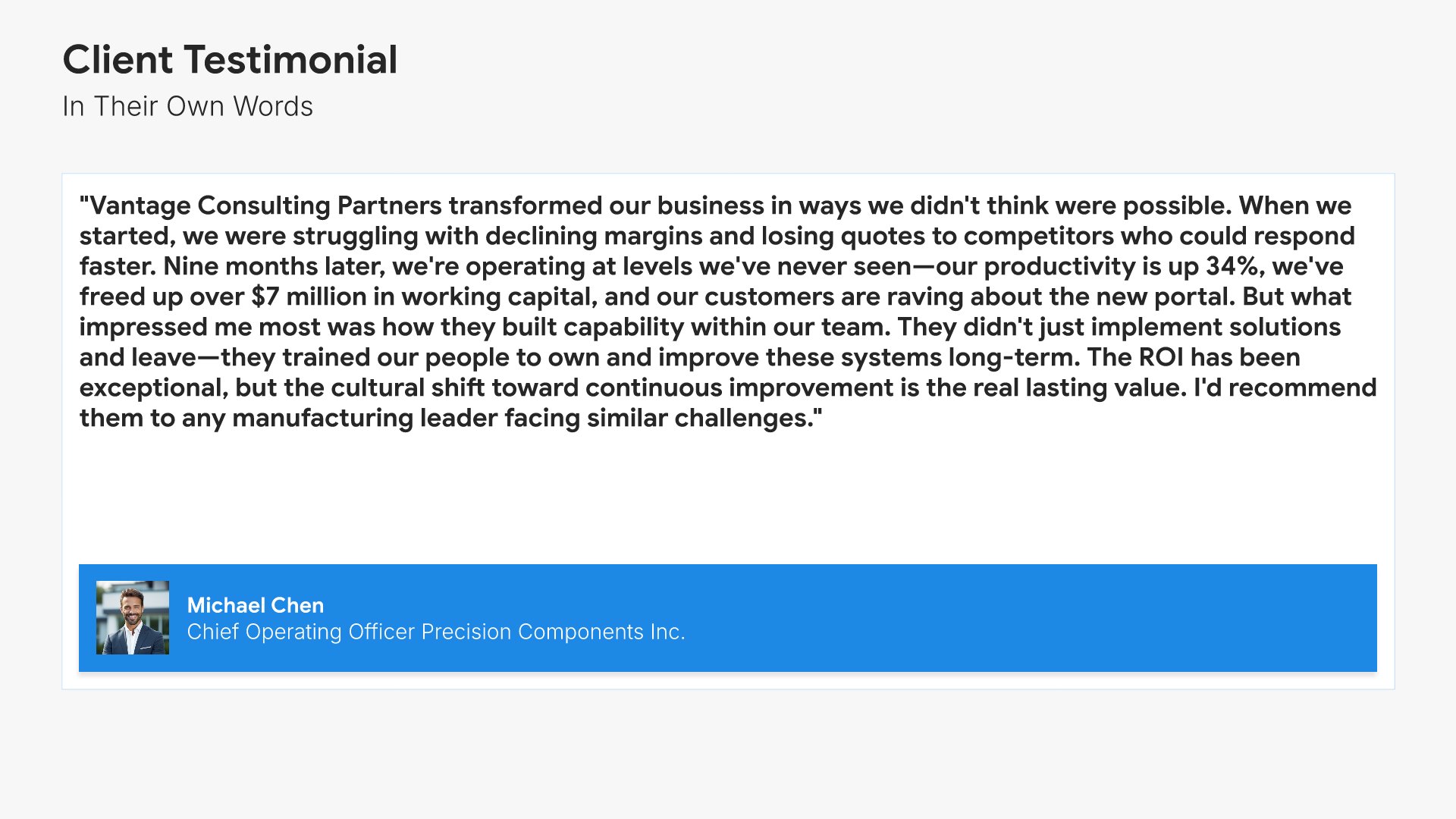
Testimonials slide, case study presentation template, the client in their own words

Slide 10

Testimonials

The client in their own words, with name, title, and photo.

Built using “Testimonials” slide
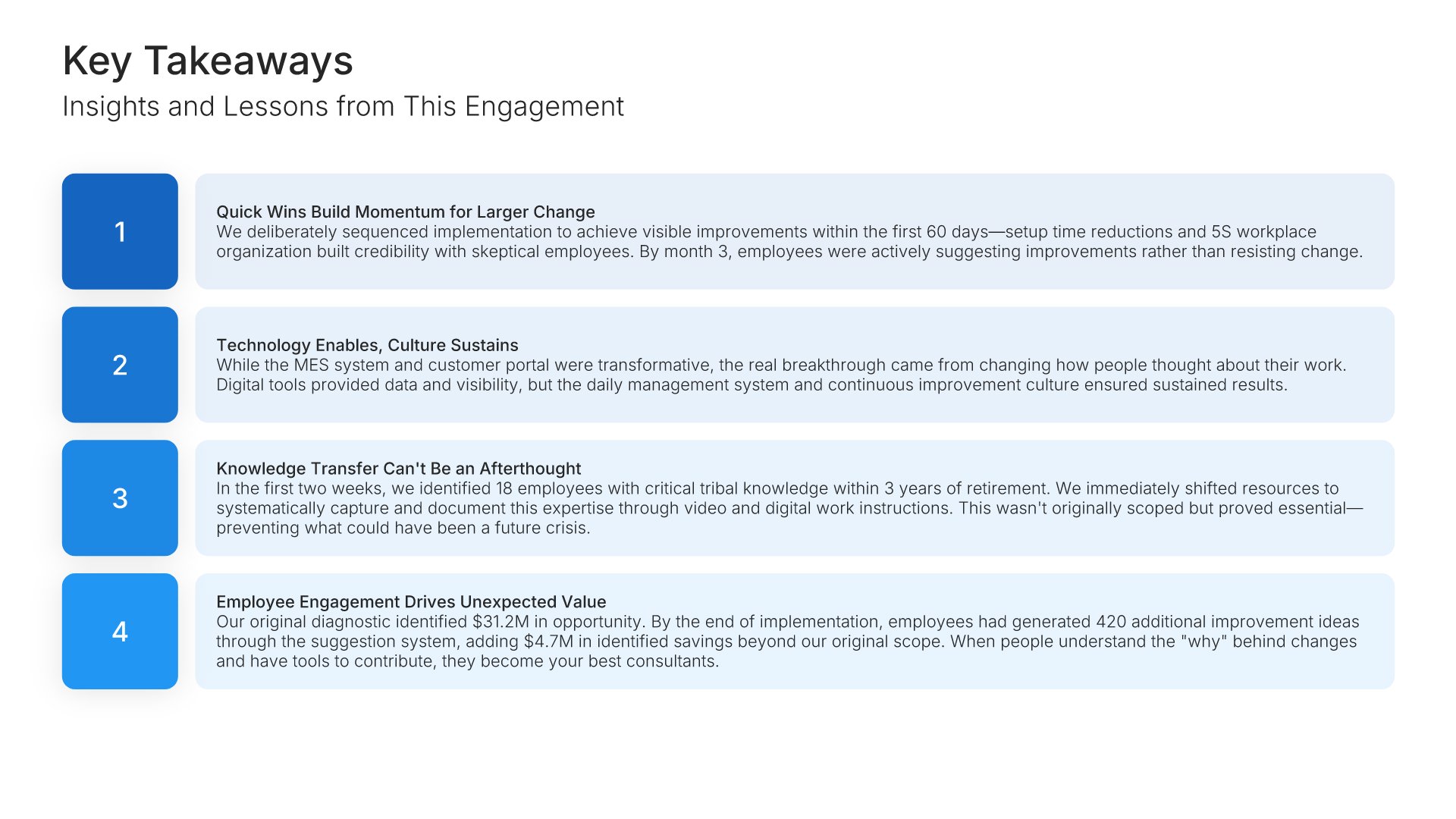
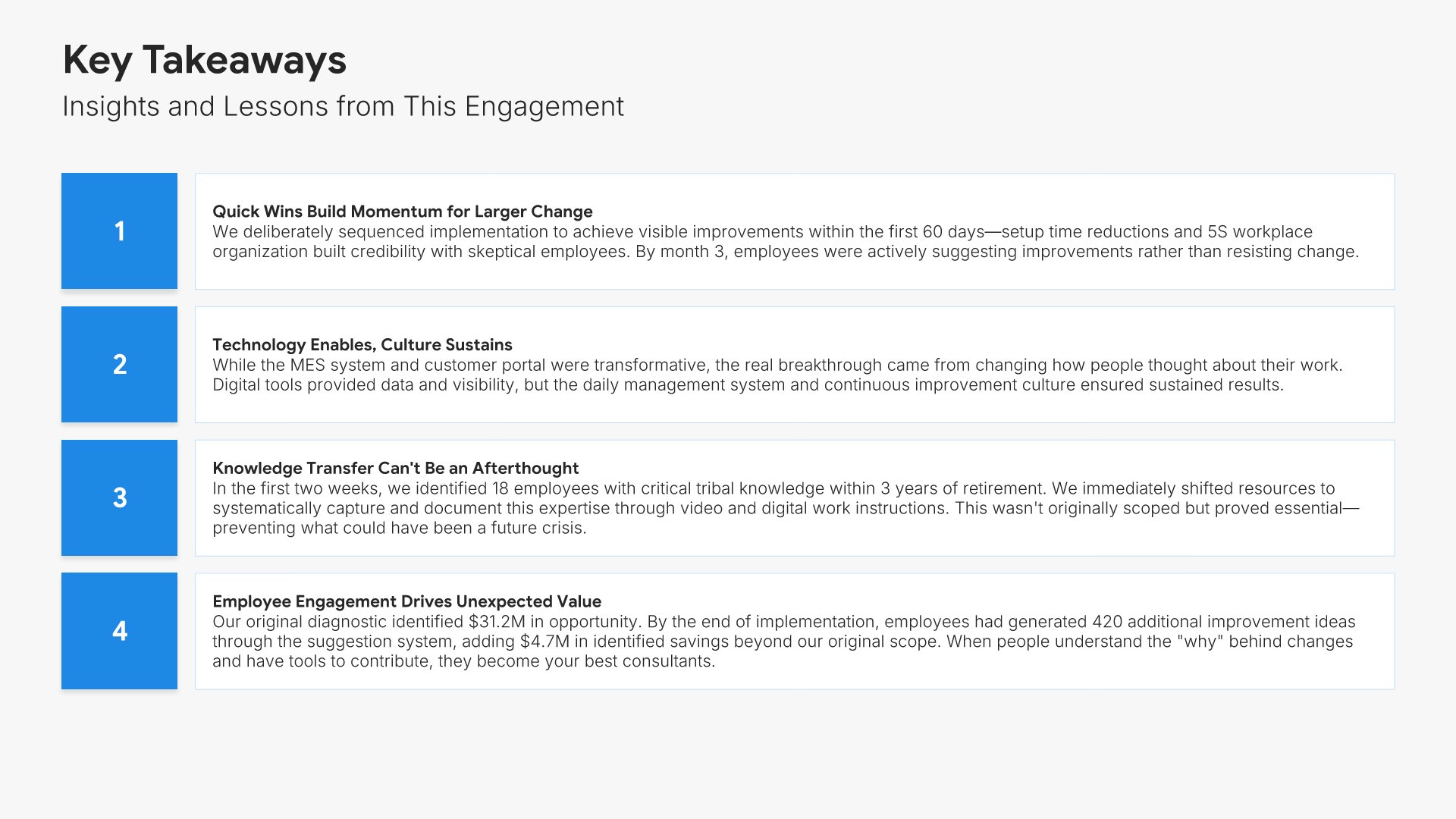
Key takeaways slide, case study presentation template, four numbered lessons

Slide 11

Key Takeaways

What the engagement proved, in four numbered lessons.

Built using “Simple Text (with Numbers)” slide
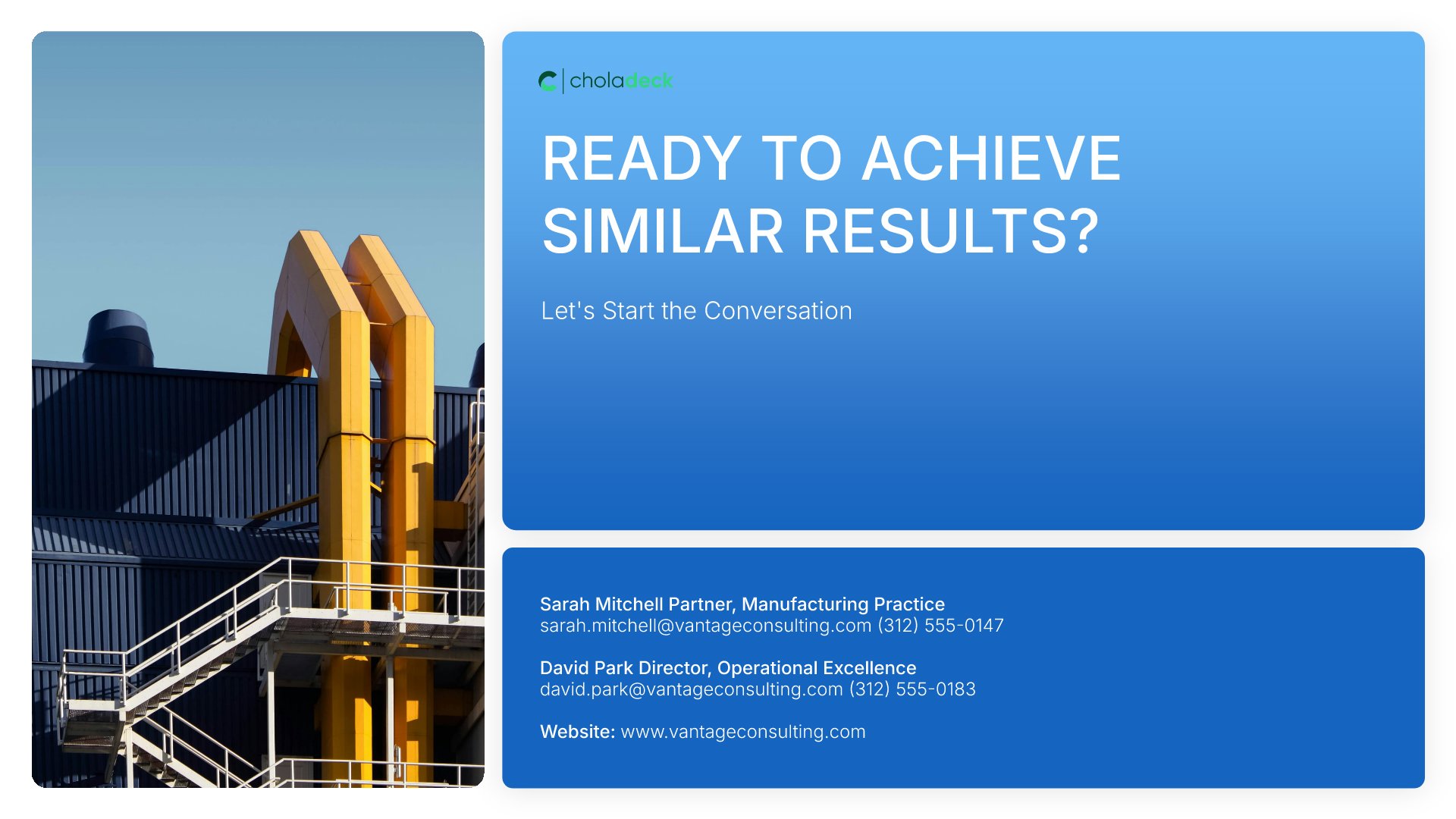
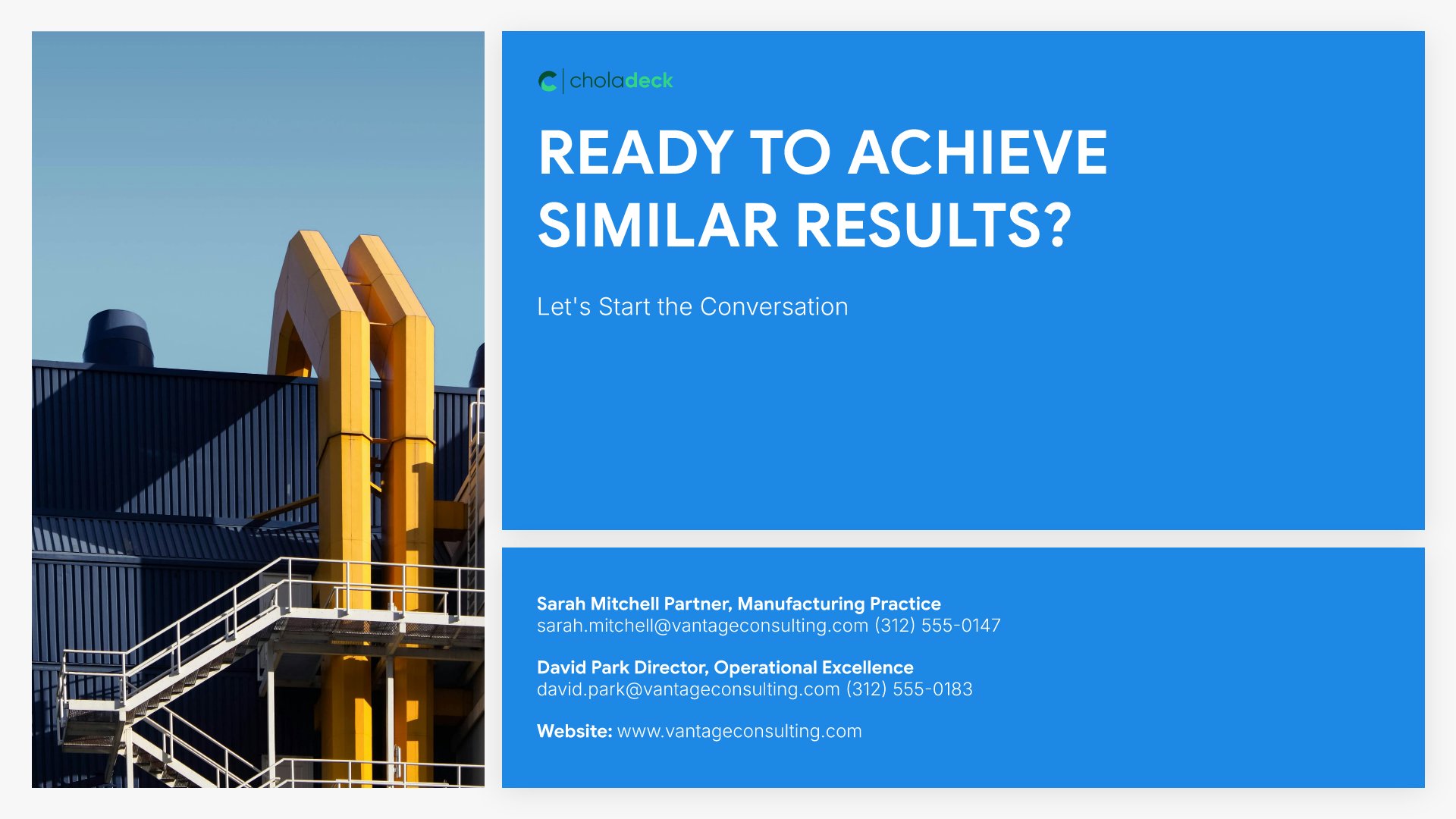
Thank you slide, case study presentation template, contacts for the project team

Slide 12

Thank You

The invitation to talk, with contacts for the people who ran it.

Built using “Thank You” slide

About the case study presentation template

The structure, the slides, your brand, and a file you can edit anywhere.

Built to put the numbers on the slide, not in a follow-up

A case study only works if the numbers are in it. Anyone can describe a project. What wins the next one is showing where the client started, what you changed, and what it was worth, with the figures on the slide rather than in a follow-up email. This template is built around that: four headline metrics against their targets, then financial and operational impact side by side.

Built from 9,000+ slides across 134+ categories

Every slide here comes from the same library. Financial tables, process flows, metric dashboards, and testimonial layouts are already in it, so adding a second client story or a fuller deliverables breakdown takes a minute. Everything sits on the same grid, so the layout still holds.

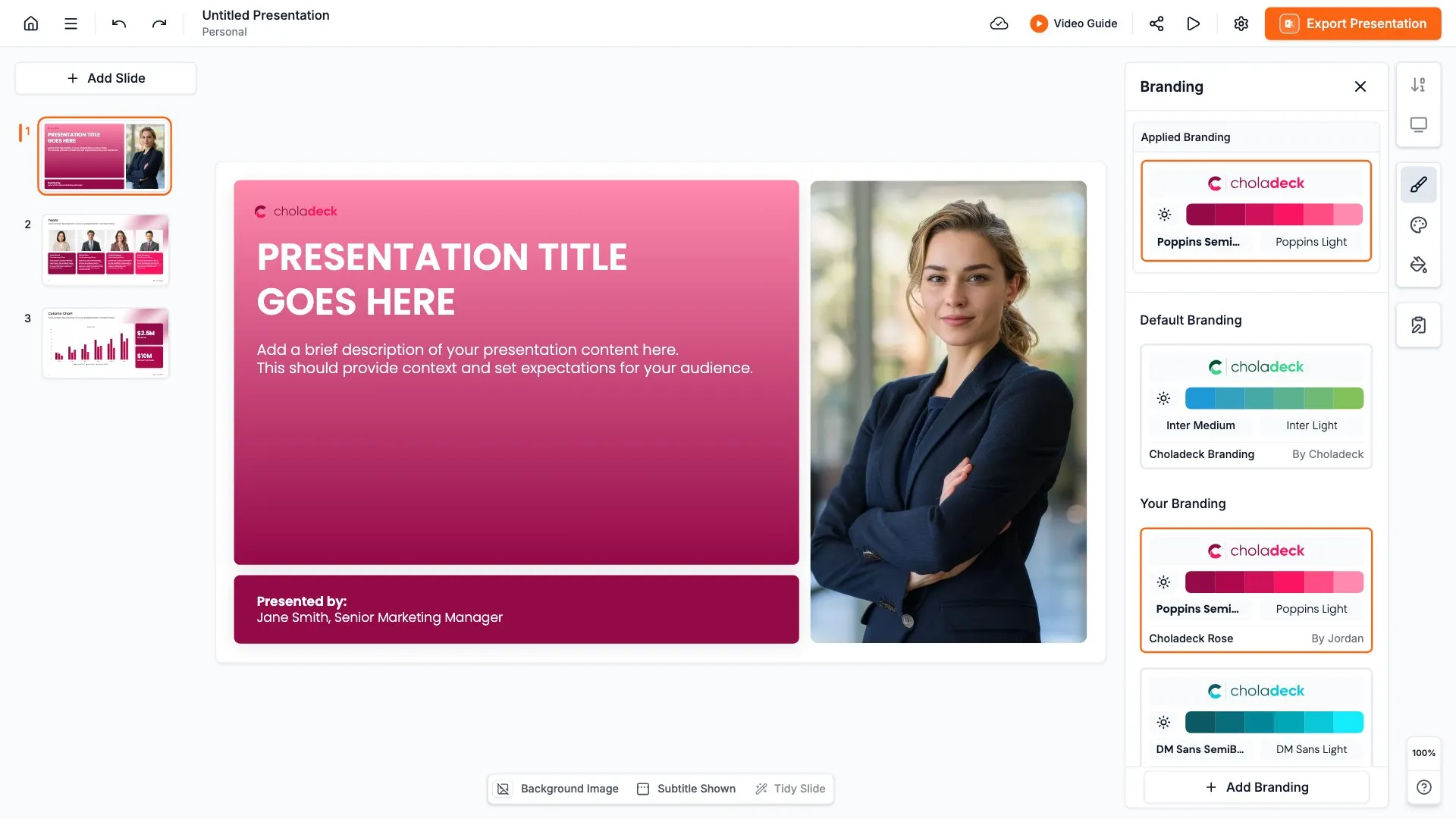
Brand the whole presentation in one click

Add your logo, colors, fonts, and background once. It applies to the whole presentation and the entire slide library at the same time. The case study, the proposal it supports, and the pitch that follows all look like they came from one company.

Export to PowerPoint, Google Slides, or Keynote

You get a real file, not a locked link. Export it and keep editing in the tool you already use, and drop individual slides into a proposal or a pitch without rebuilding them.

How Choladeck works

From blank page to finished presentation in four steps.

STEP 01

Browse 9,000+ slides across 134+ categories, or open one of the 74 premade presentations.

STEP 02

Add your logo, colors, and fonts in one click. The whole presentation instantly matches your company.

STEP 03

Add your text, numbers, charts, and tables. Everything on the slide is editable.

STEP 04

Send it to PowerPoint, Google Slides, or Keynote, and present.
Build your own

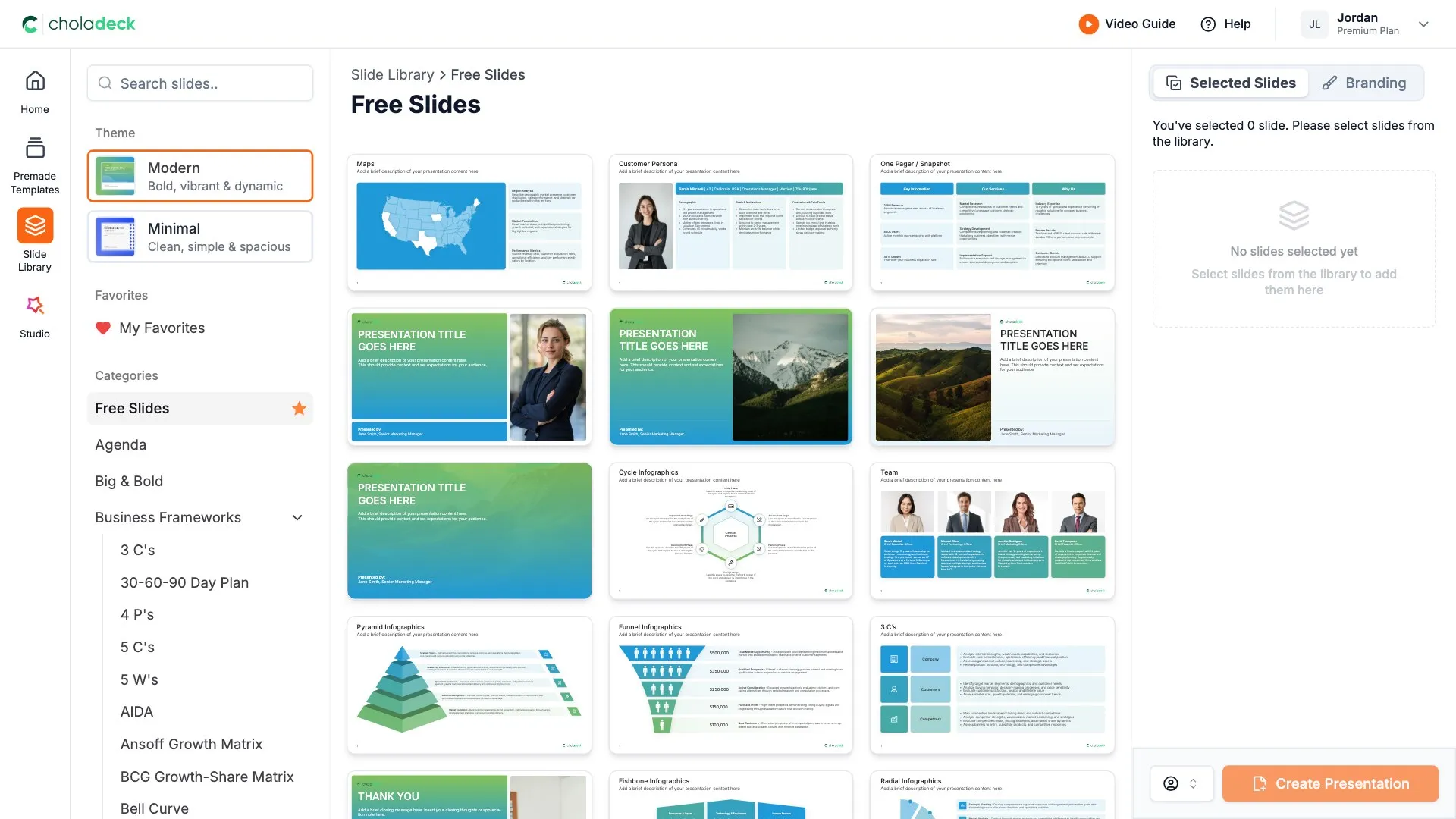
Nothing here fits? Build your own case study

This template is assembled from the same 9,000+ slides. Pick the slides you need, drop them into one file, and brand the whole thing in one click.
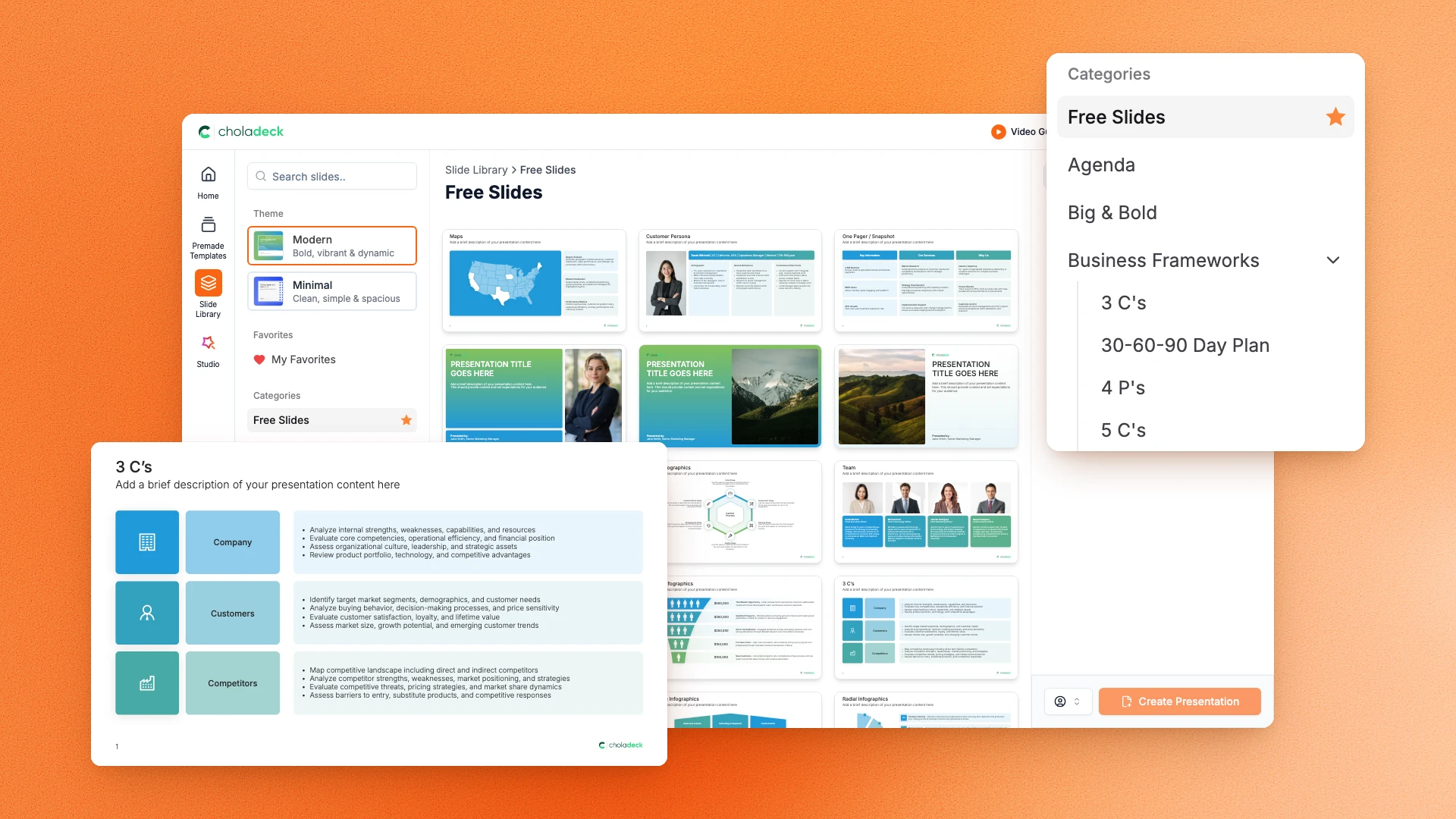
Choladeck slide library on Free Slides, with its category list and the 3 C’s slide shown larger

Questions about the case study presentation template

What's inside the template, and how far you can change it.

Using the template

Is the template fully editable?

+

Yes. Text, tables, charts, icons, and colors on every slide are yours to change. Nothing is locked and nothing is a flat image.

How do I brand it to my company?

+

Add your logo, colors, fonts, and background once. It applies to the whole presentation and the entire slide library at the same time.

Can I add slides from the slide library?

+

Yes. Add any slide from the library into this one, or swap out one that doesn't fit. Everything works together.

What's included

How are results presented?

+

Two slides. Four headline metrics, each against its starting point and target, then financial impact beside operational impact, before and after.

Can I use it for more than one client?

+

Yes. Duplicate the presentation for each story, or pull the results and testimonial slides into a proposal to show several at once.

Is placeholder content included?

+

Yes. Every slide comes with realistic text, sample figures, and filled-in charts, so you can see how the case study reads before you put your own numbers in.

Start your case study
from one that's already done

Pick it, brand it, add your content, and export.

Free to start. No credit card required.