Pricing

Consulting report template, built as a presentation

Eighteen slides for the meeting where you hand back what you found: the recap, the method, three findings with the evidence under each, the options you weighed, and the one you recommend. Select it, brand it to your firm in one click, add your analysis, and export to PowerPoint, Google Slides, or Keynote.

Free to start. No credit card required.
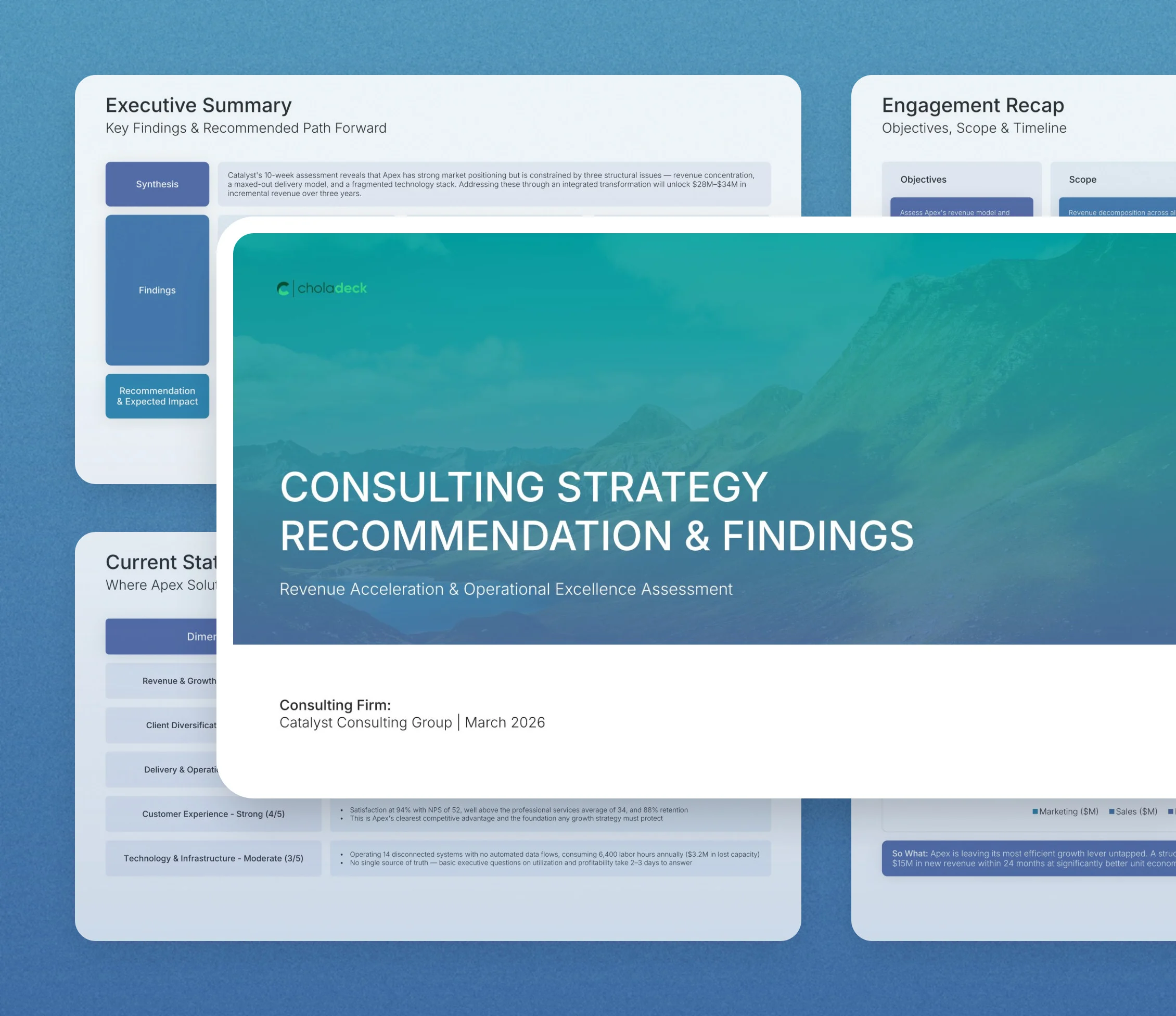
Consulting report template: the title slide in front of other slides from the 18-slide deck

Every slide in the consulting report template

Eighteen slides, in the order you present them.

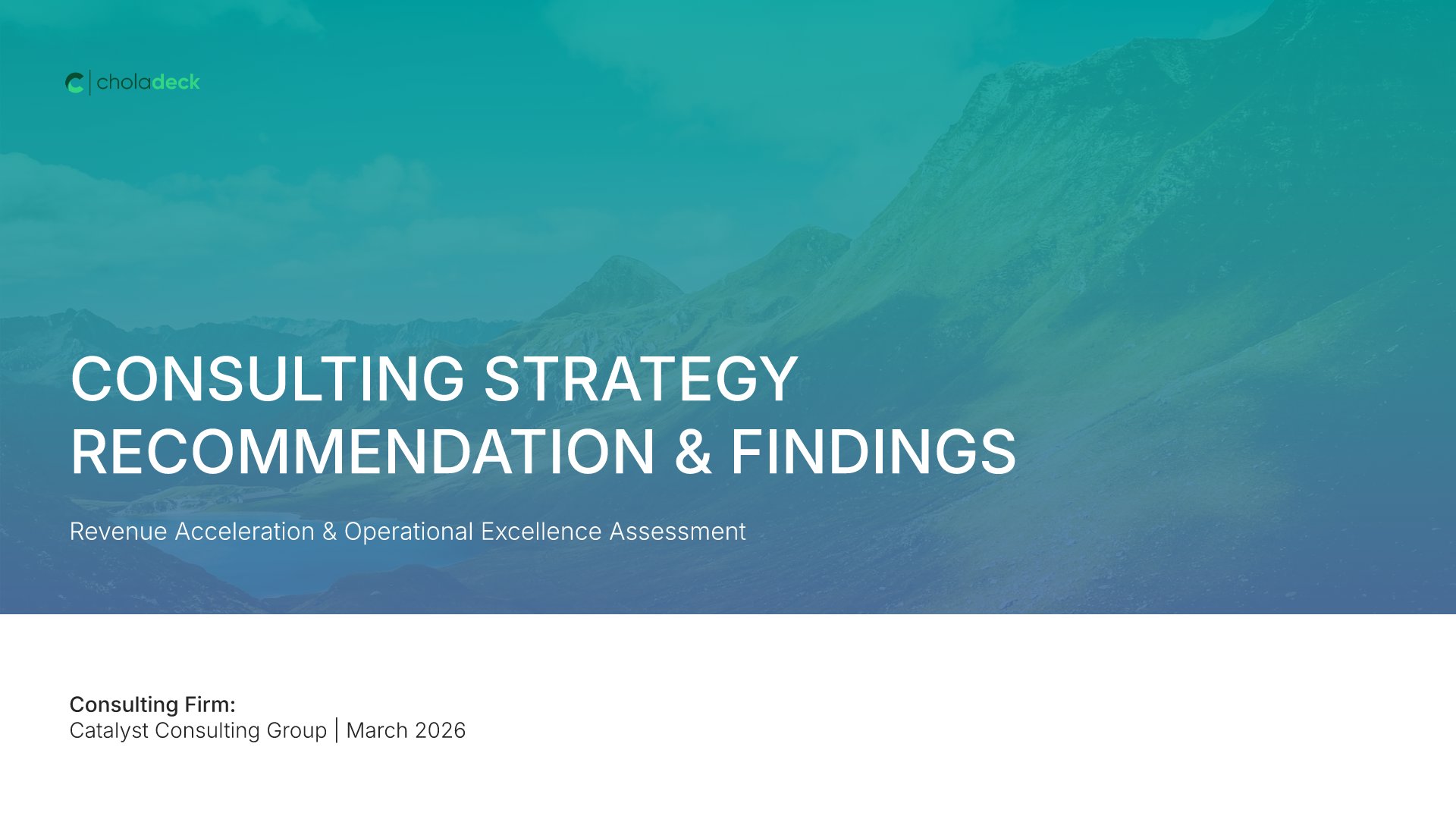
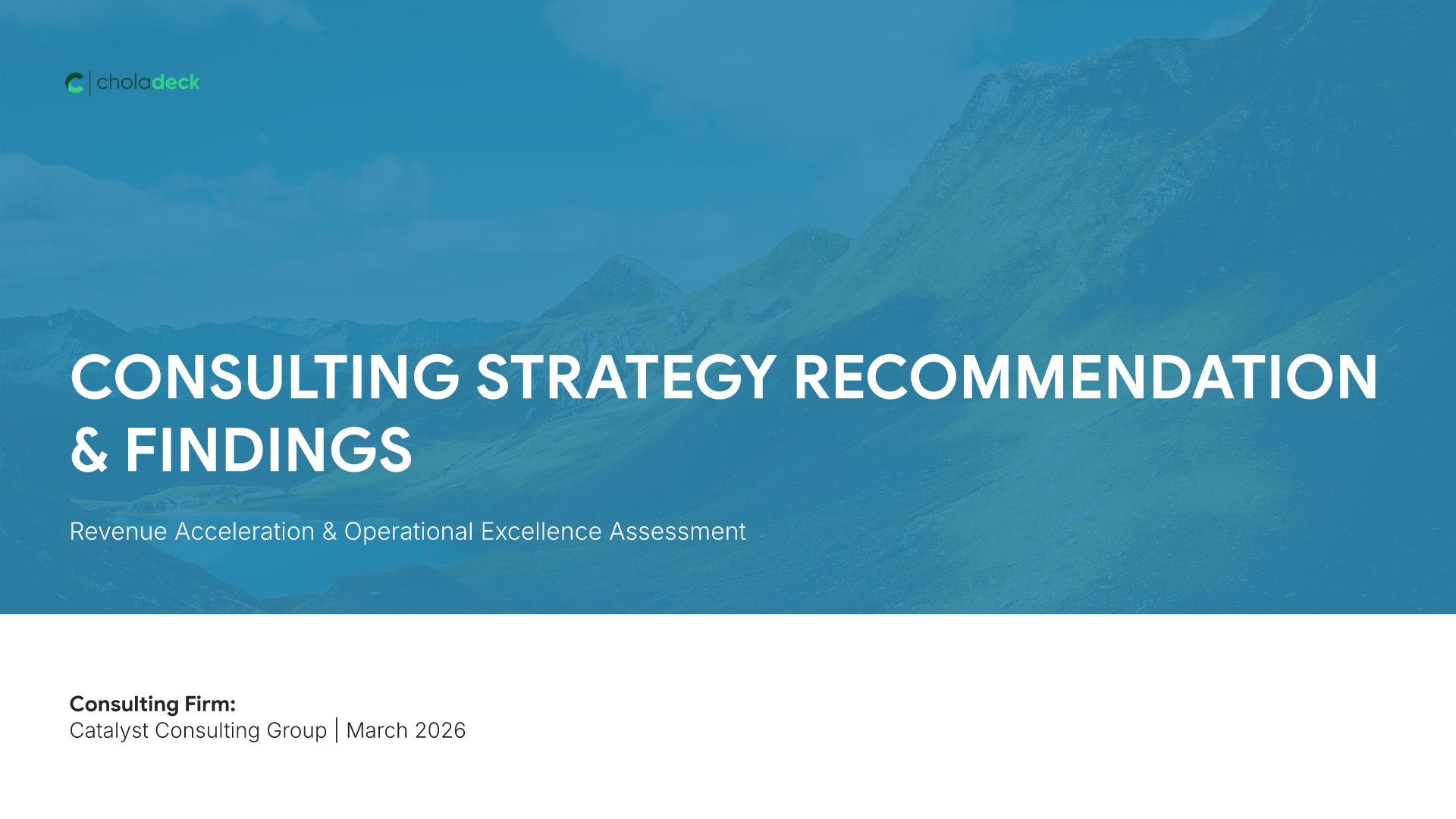
Title slide, consulting report template, engagement, firm, and delivery month

Slide 01

Title

The engagement, the firm, and the month it was delivered.

Built using “Thank You” slide
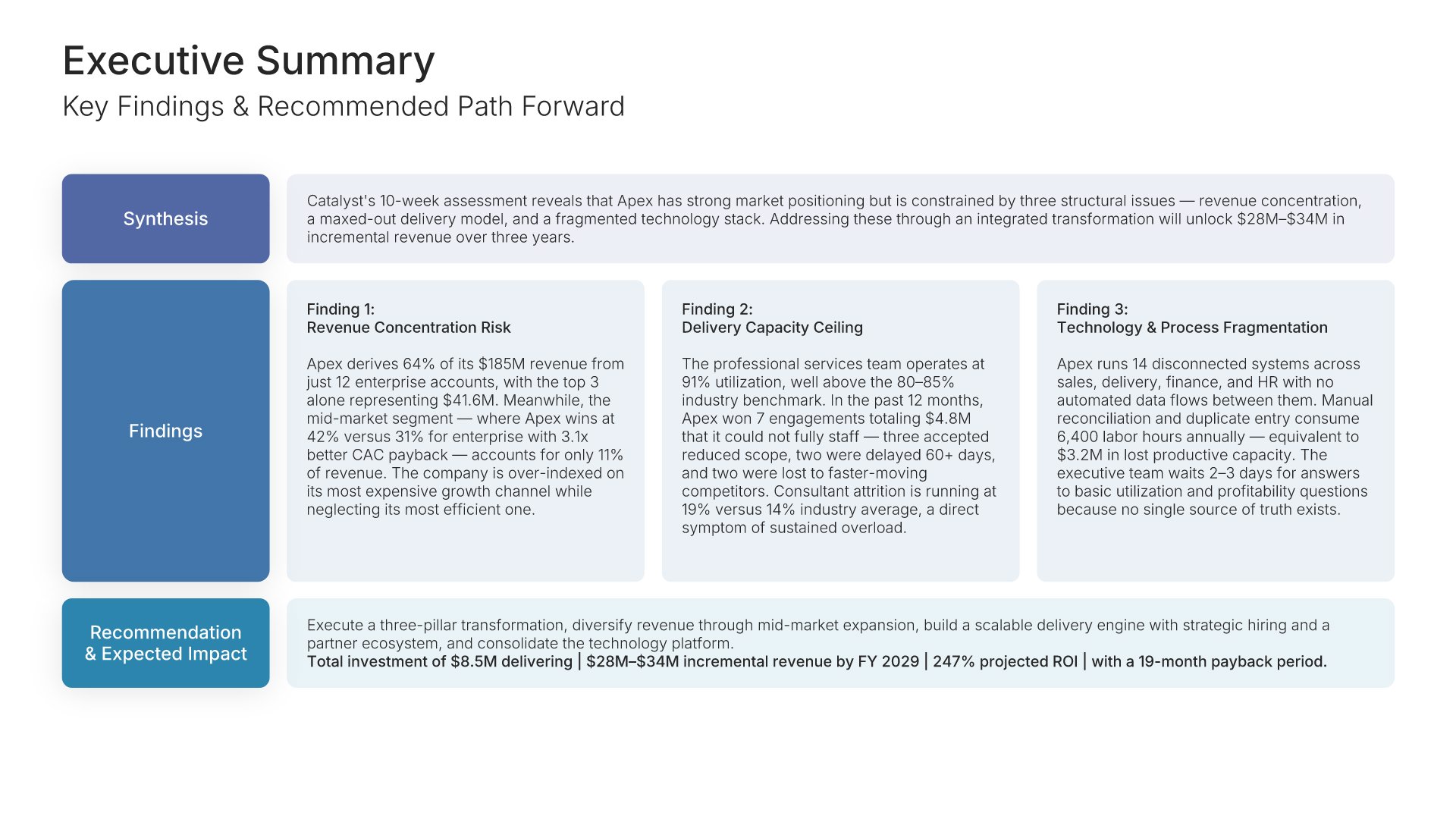
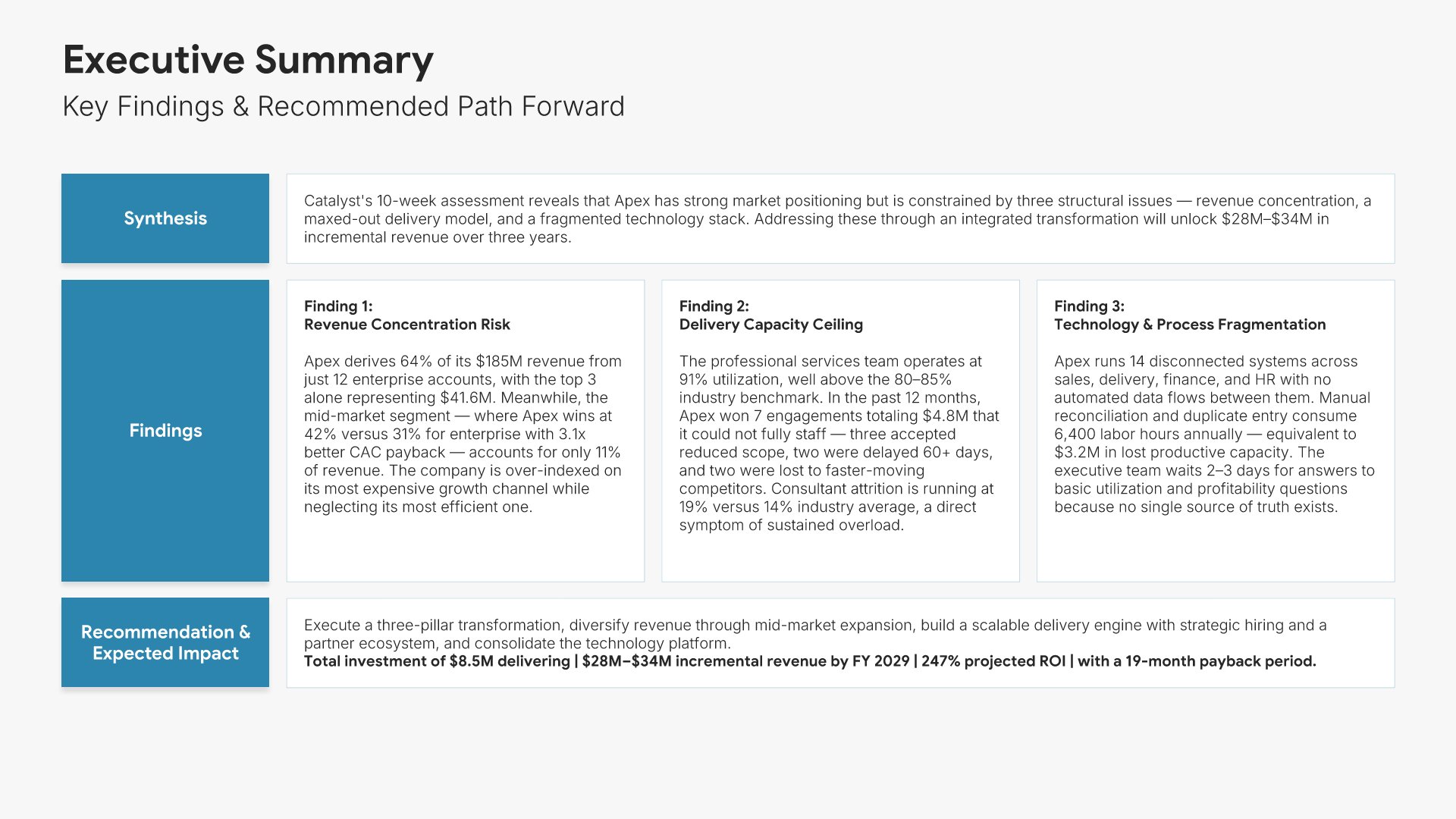
Executive summary slide, consulting report template, mandate, findings, and recommended path

Slide 02

Executive Summary

The mandate, the findings, and the recommended path with its expected impact, on one screen.

Built using “Executive Summary” slide
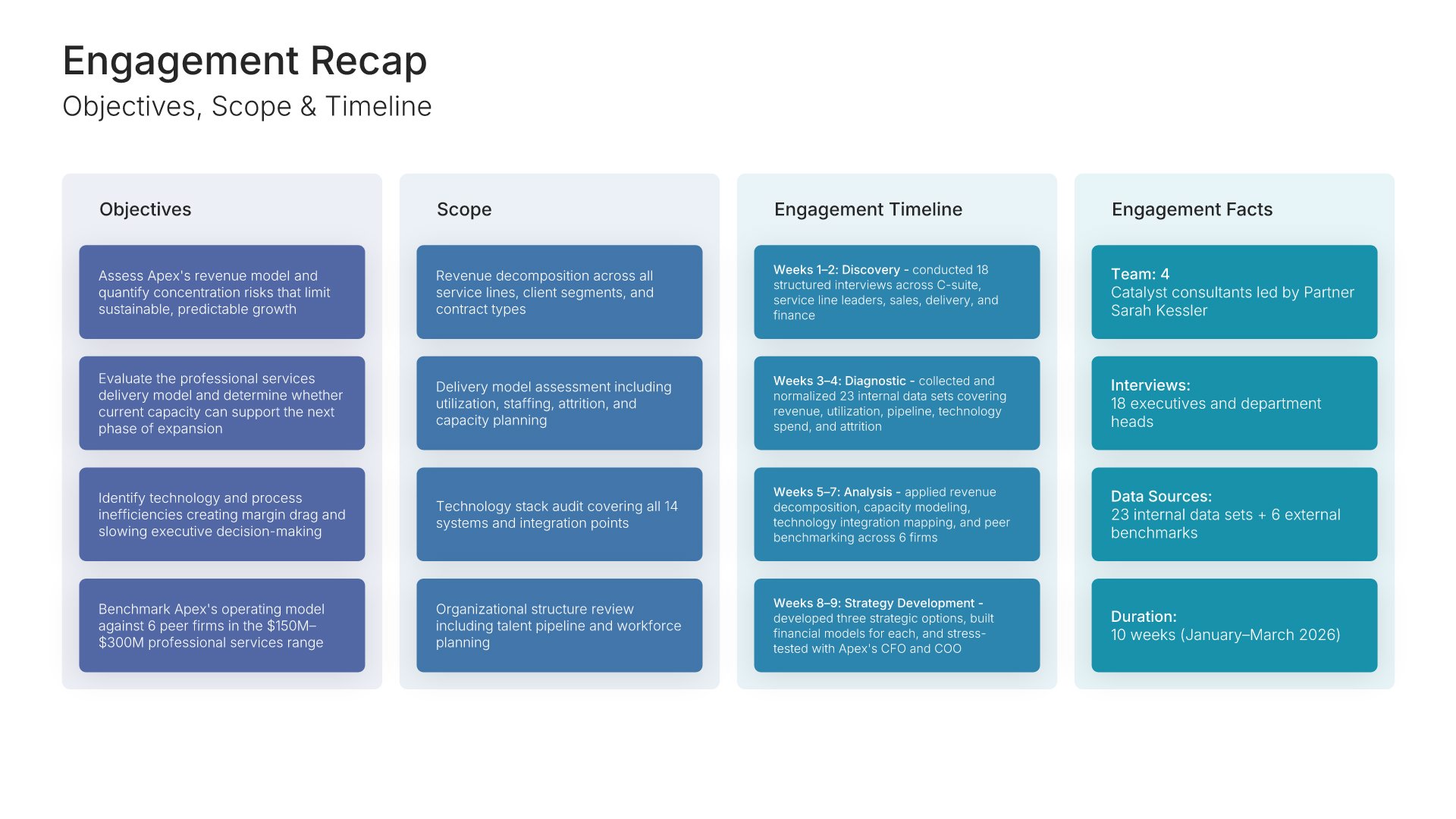
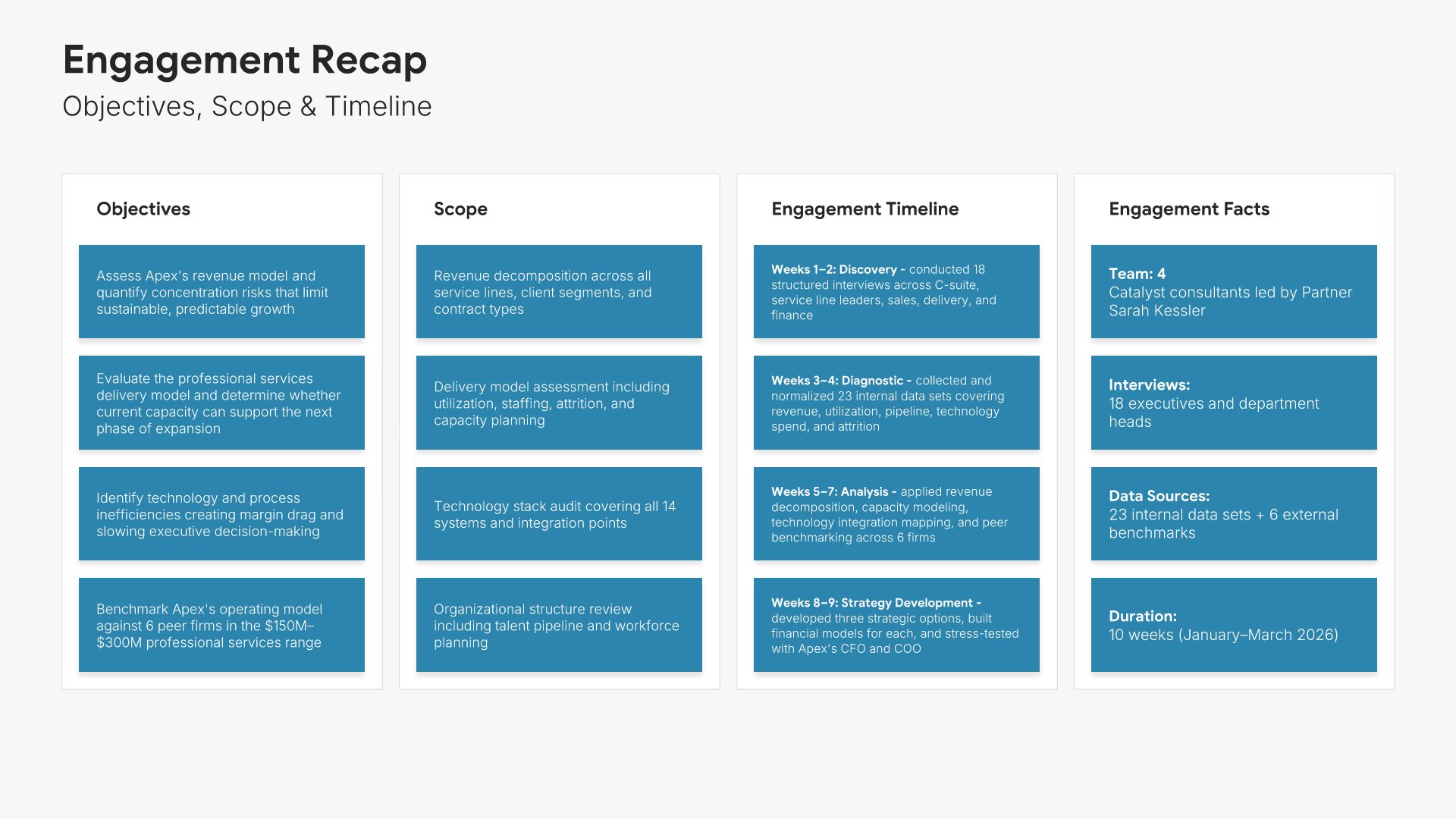
Engagement recap slide, consulting report template, objectives, scope, timeline, and team

Slide 03

Engagement Recap

Objectives, scope, timeline, and the team, so the room starts from the brief.

Built using “Kanban” slide
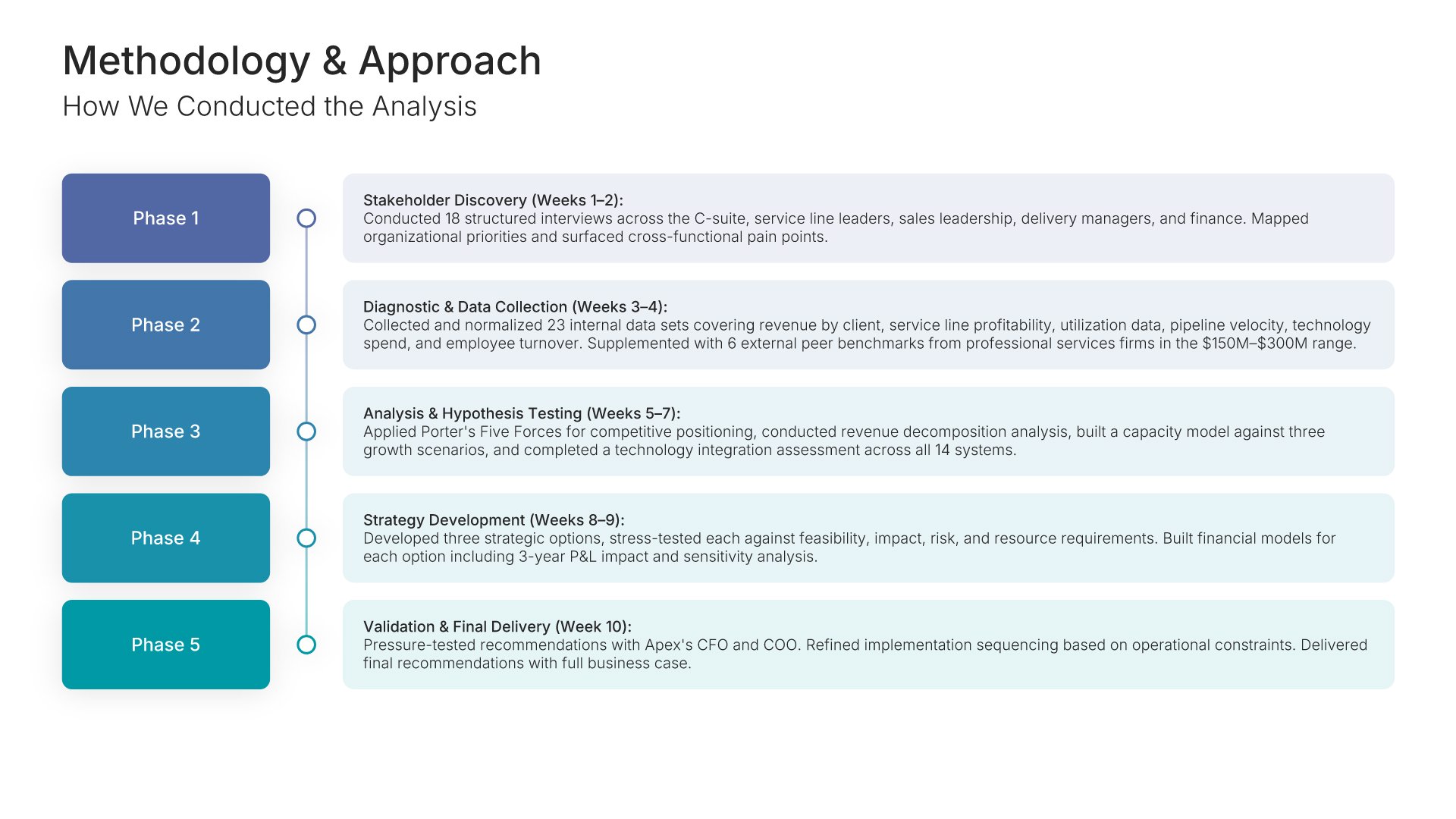
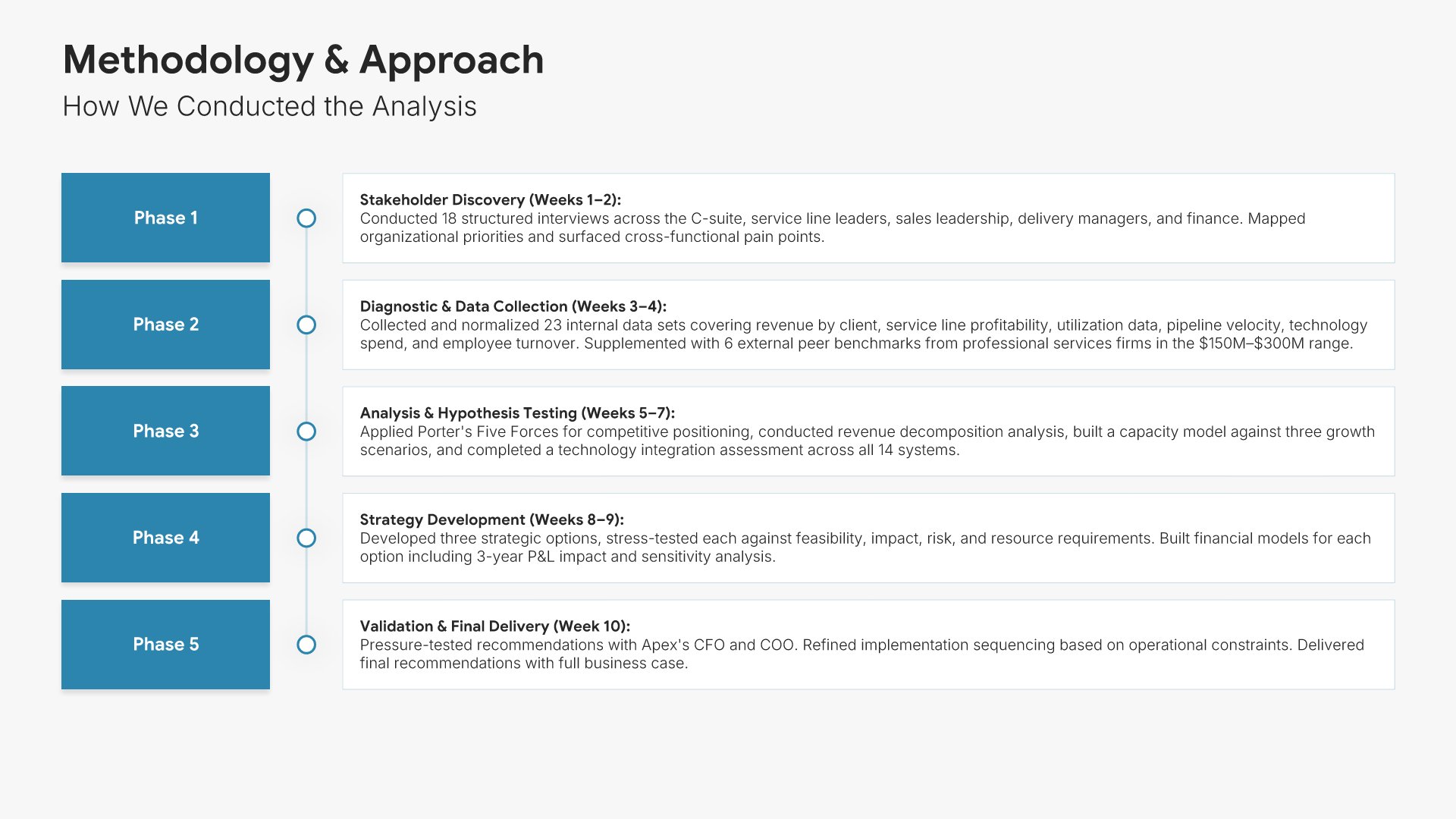
Methodology and approach slide, consulting report template, analysis phase by phase

Slide 04

Methodology & Approach

How the analysis was done, phase by phase, with what each phase produced.

Built using “Process – Vertical” slide
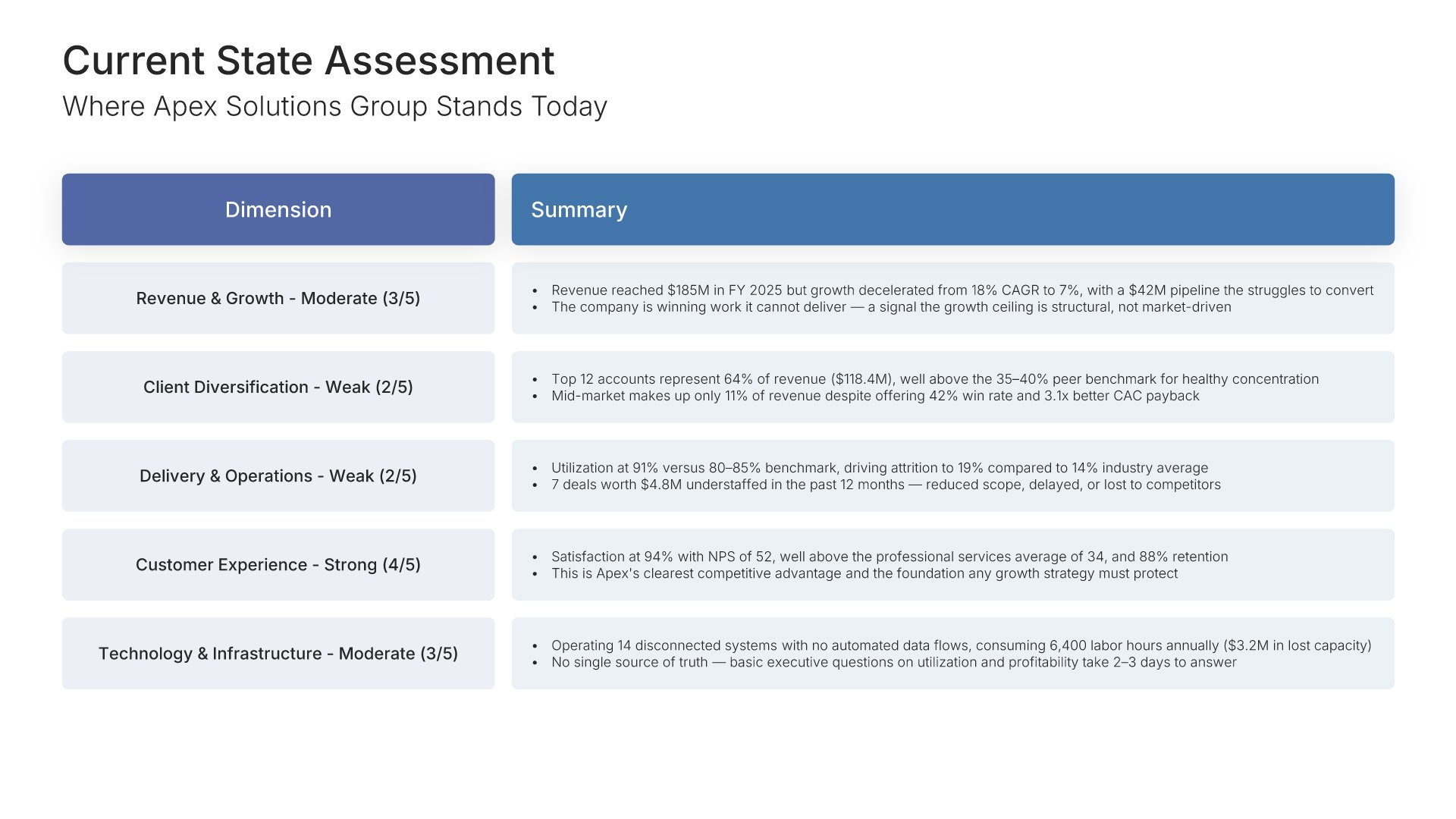
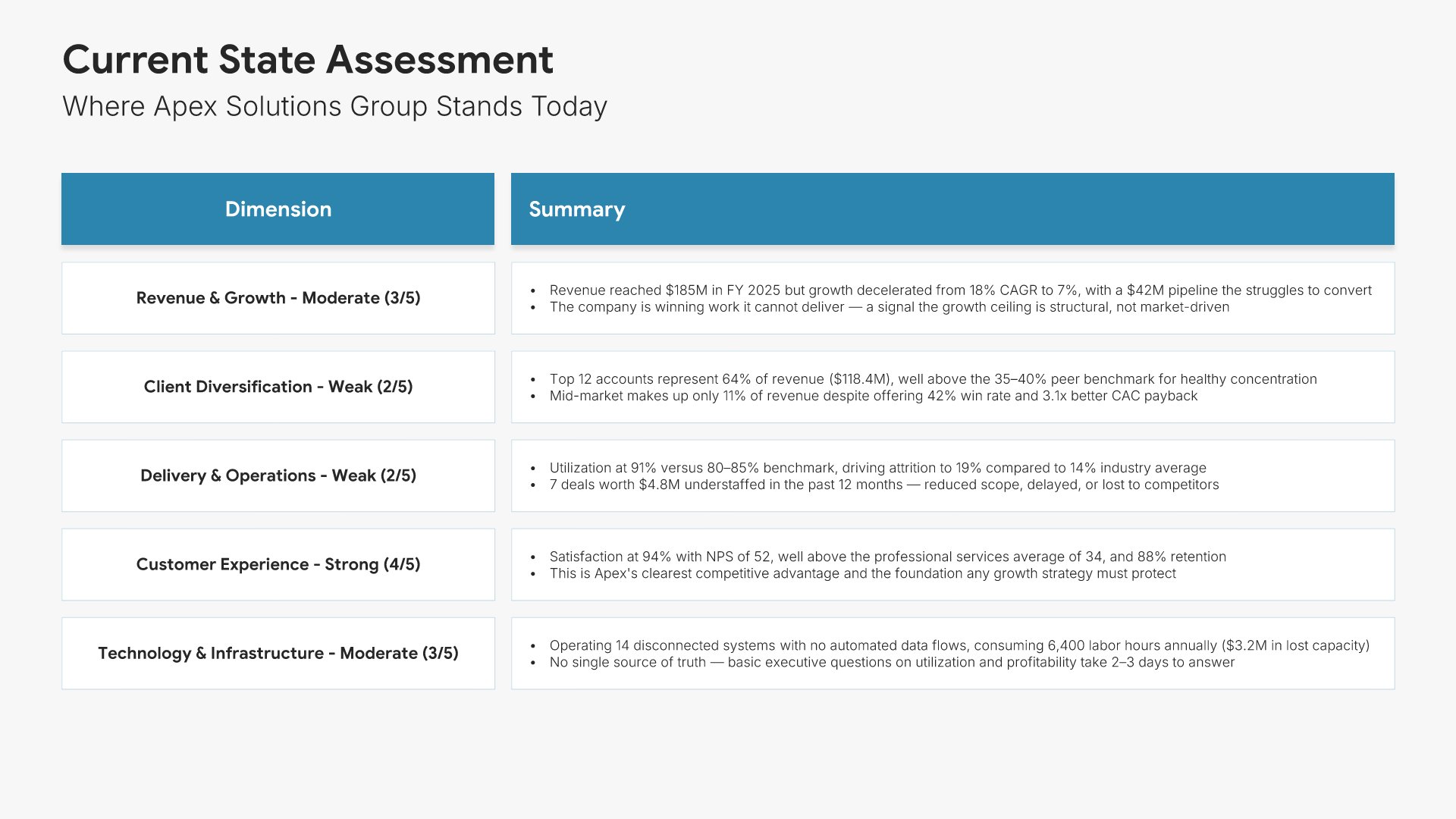
Current state analysis slide, consulting report template, client position by dimension

Slide 05

Current State Analysis

Where the client stands today, dimension by dimension, with a summary against each.

Built using “One Pager / Snapshot” slide
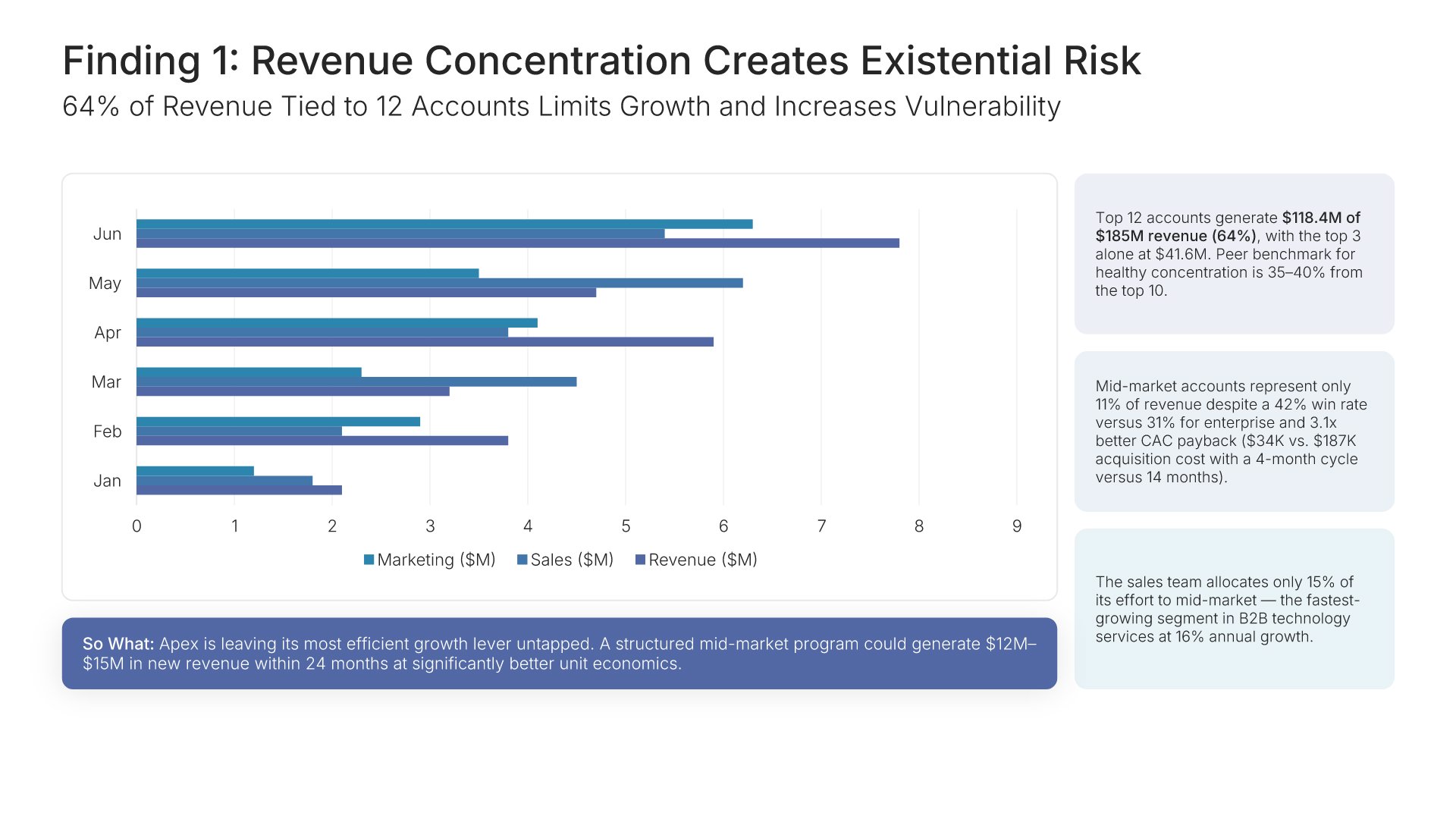
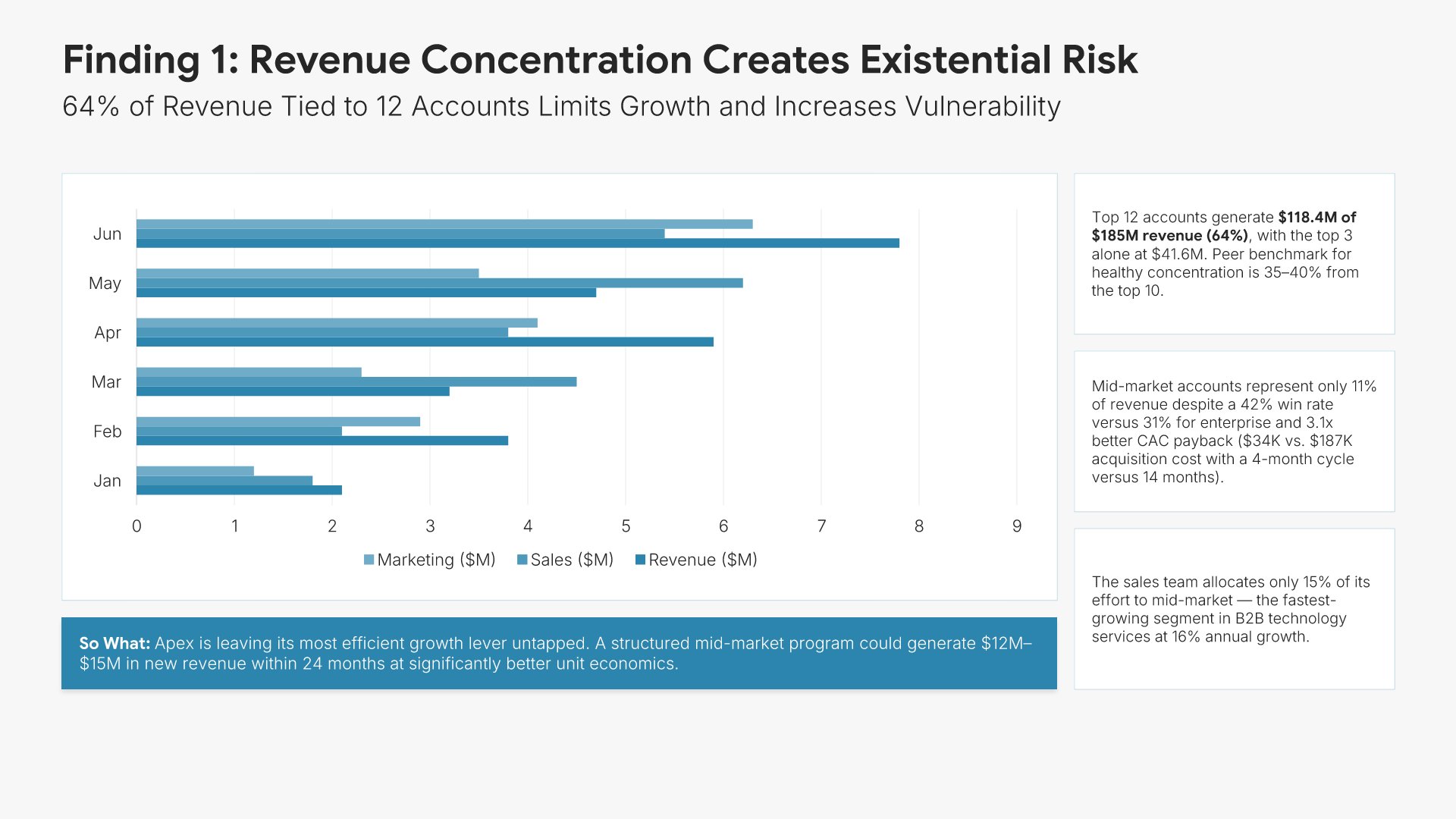
Key finding slide, consulting report template, first insight with its supporting chart

Slide 06

Key Finding

The first insight, stated as a conclusion in the title, with the chart that proves it and the implication underneath.

Built using “Charts” slide
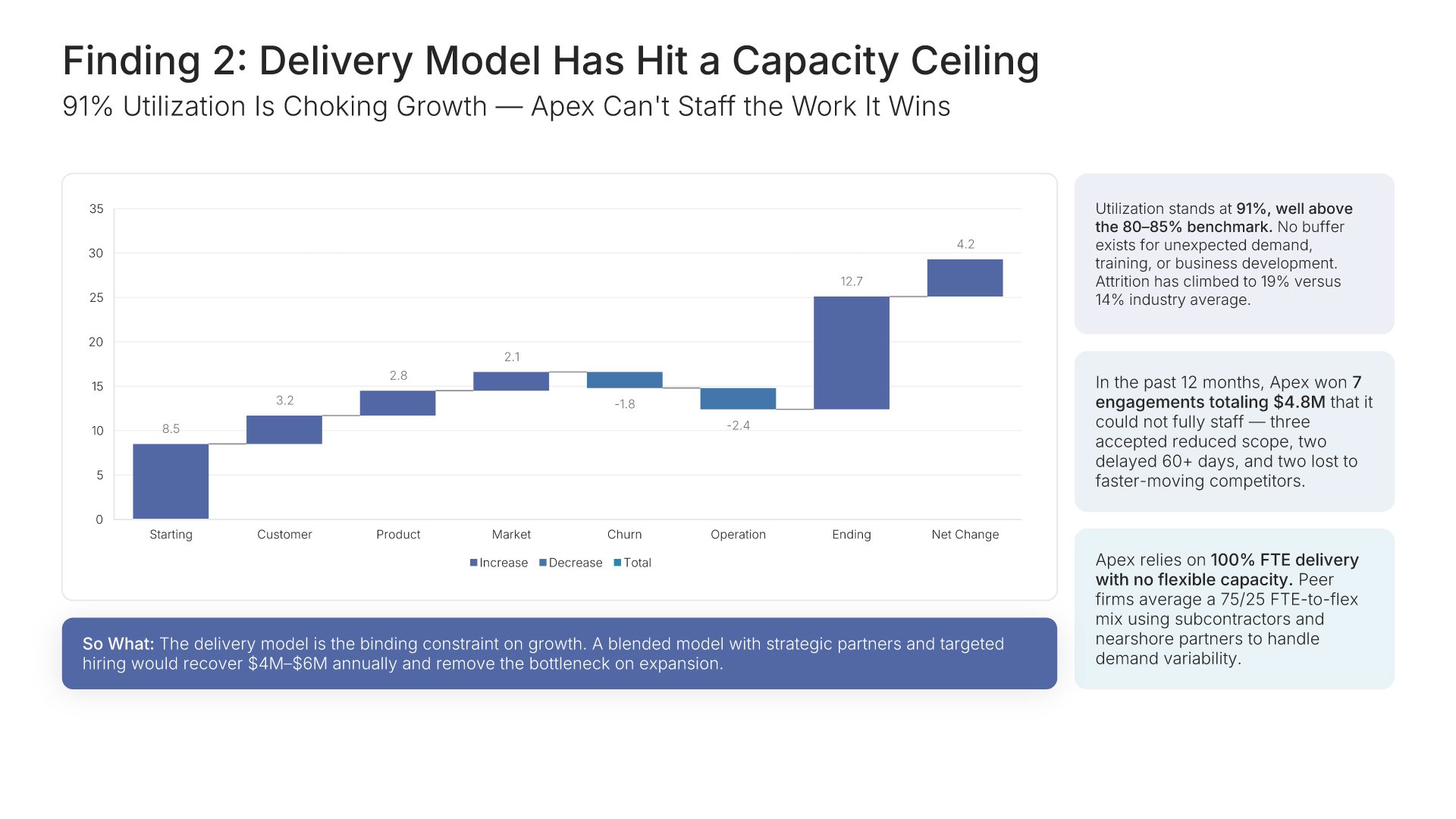
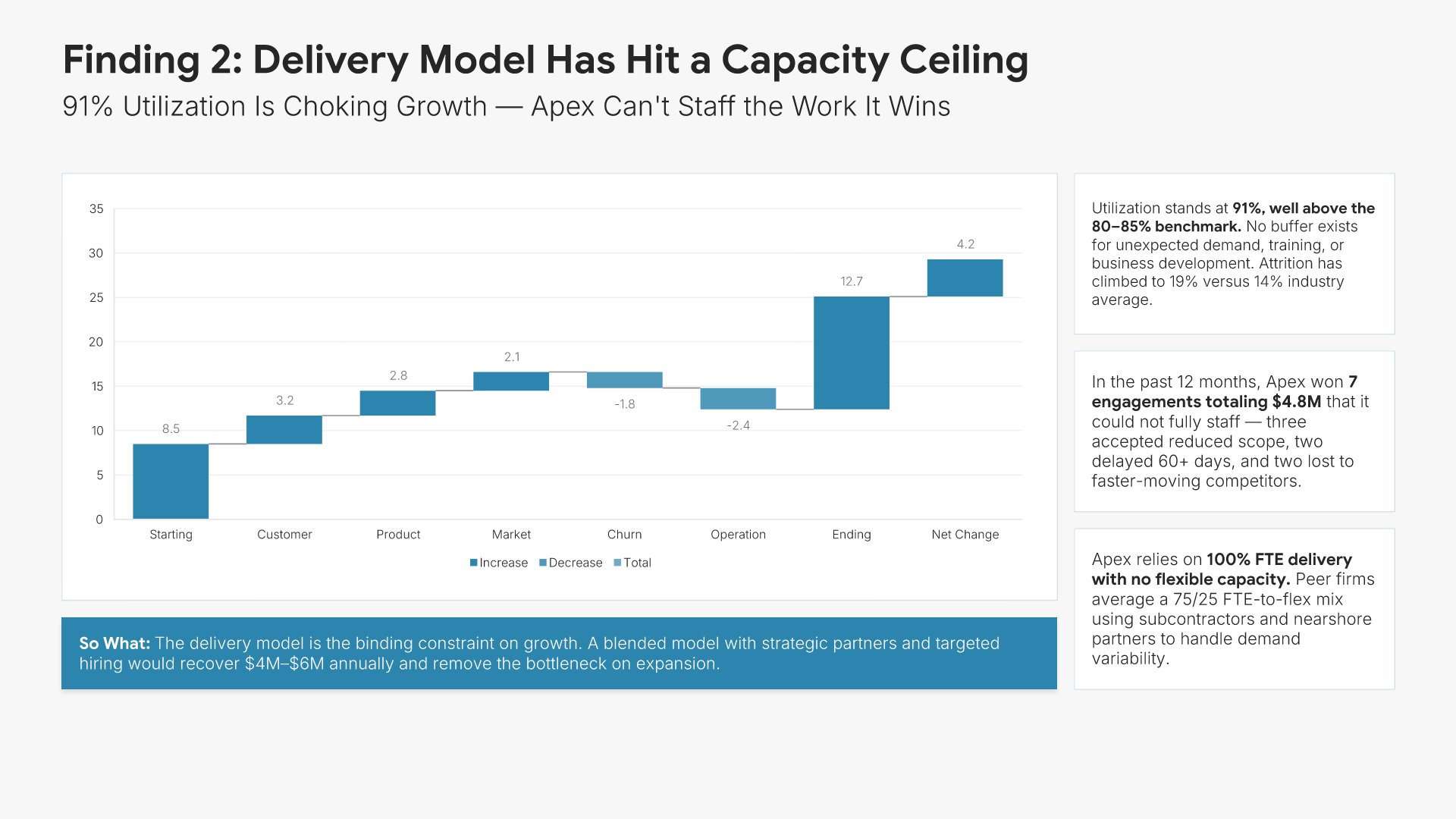
Key finding slide, consulting report template, second insight as a conclusion title

Slide 07

Key Finding

The second insight, same format.

Built using “Charts” slide
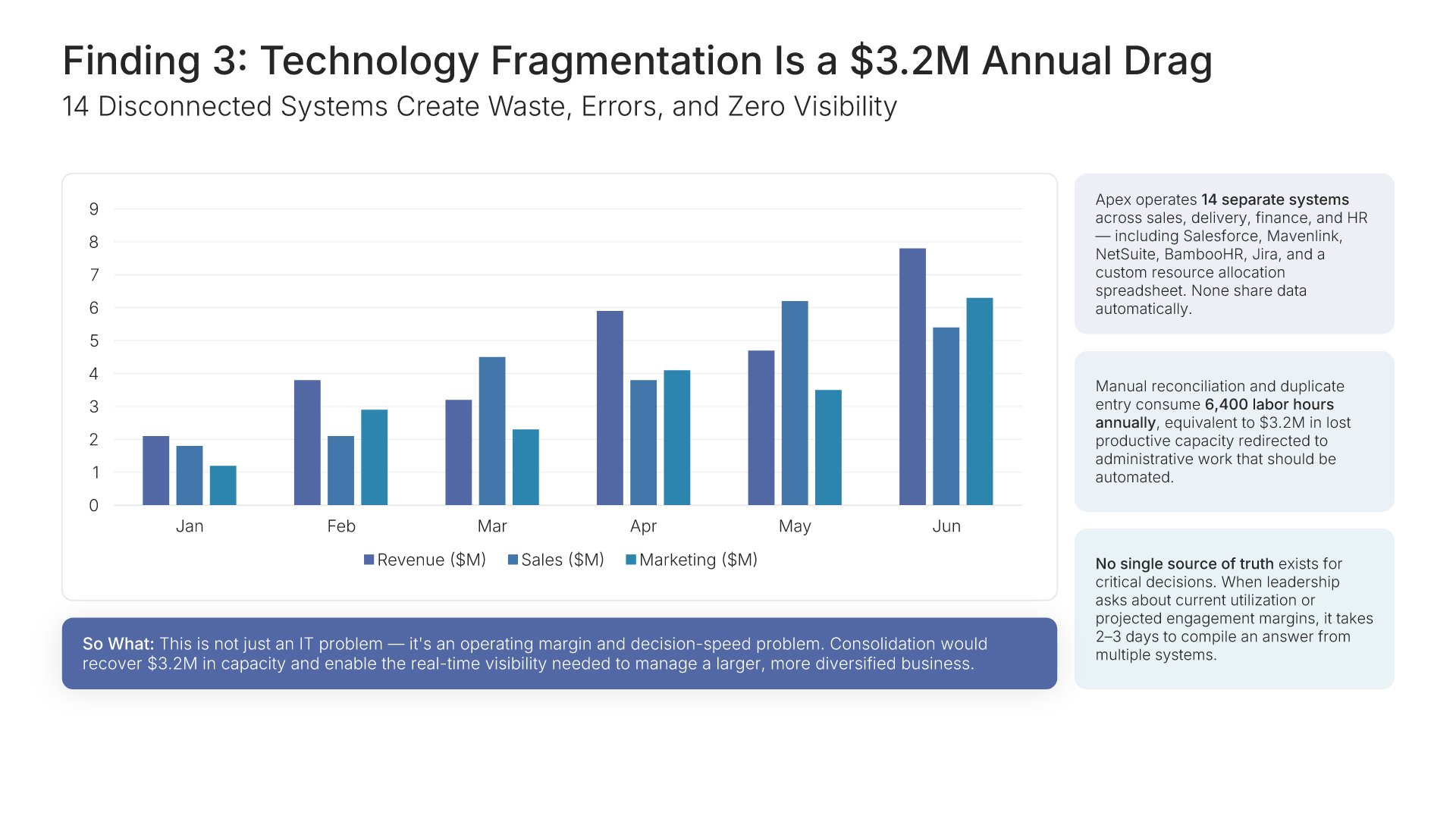
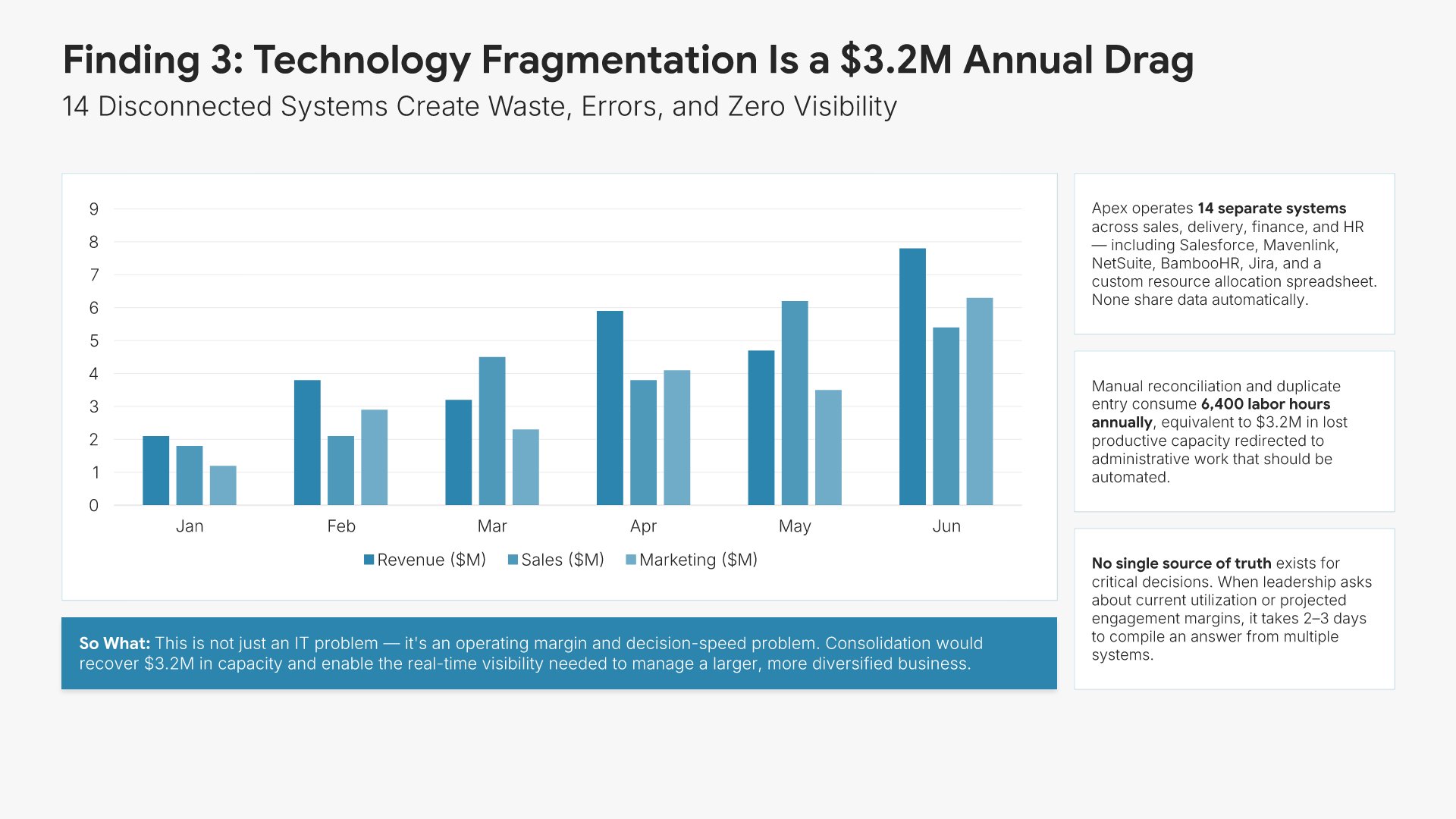
Key finding slide, consulting report template, third insight as a conclusion title

Slide 08

Key Finding

The third insight, same format.

Built using “Charts” slide
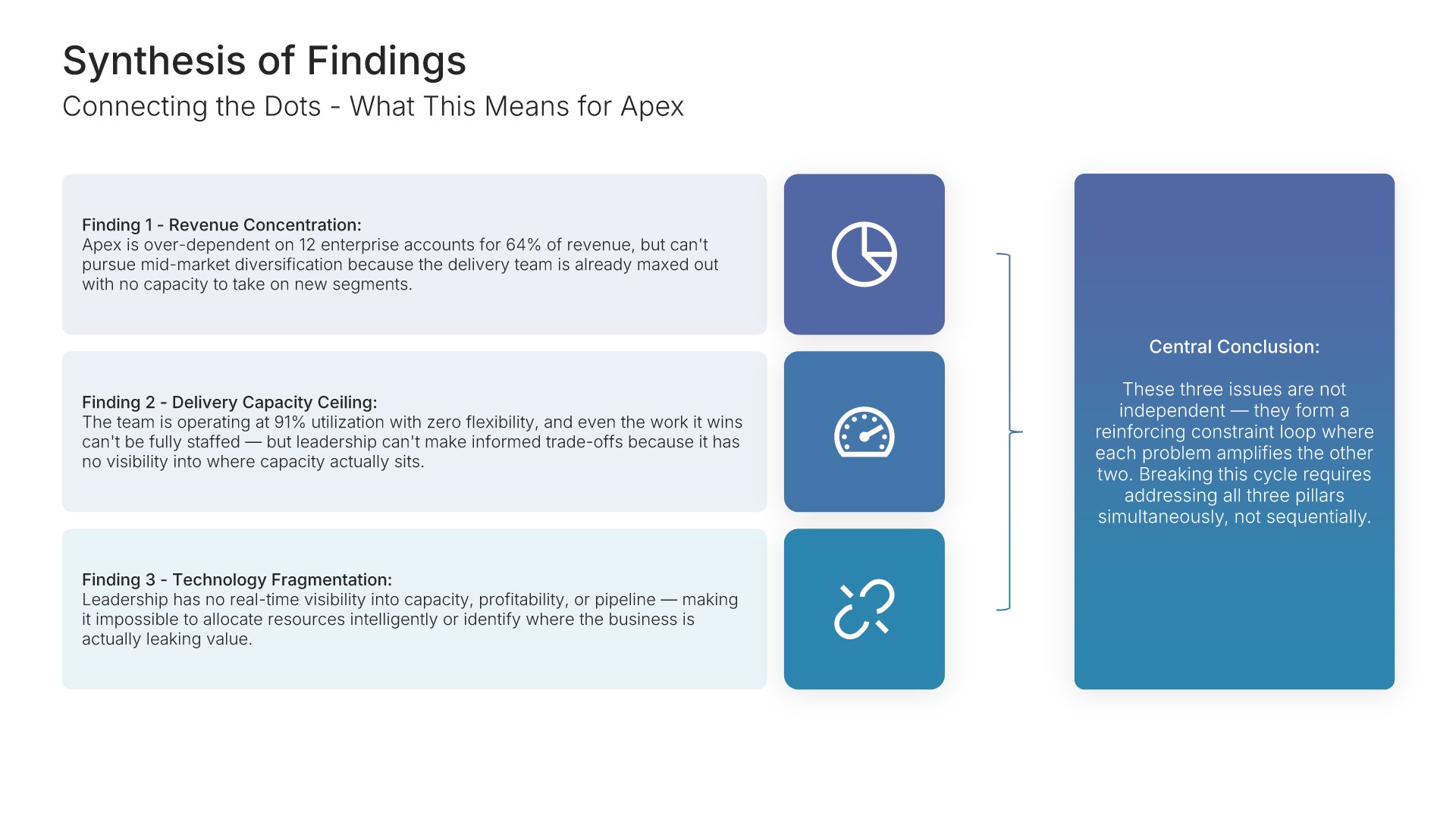
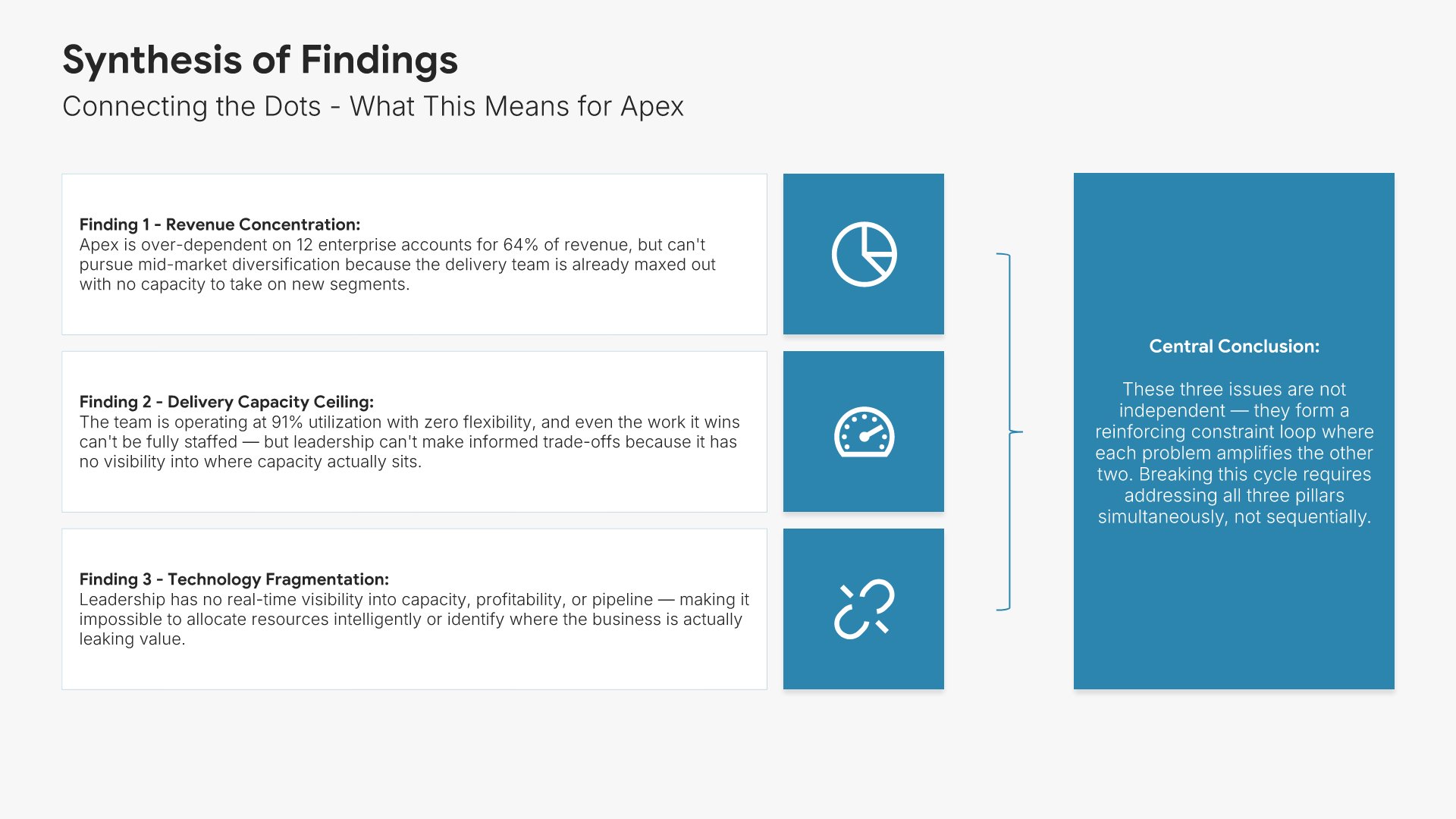
Synthesis of findings slide, consulting report template, three findings, one conclusion

Slide 09

Synthesis of Findings

The three findings connected, with the single conclusion they add up to.

Built using “Many-to-One” slide
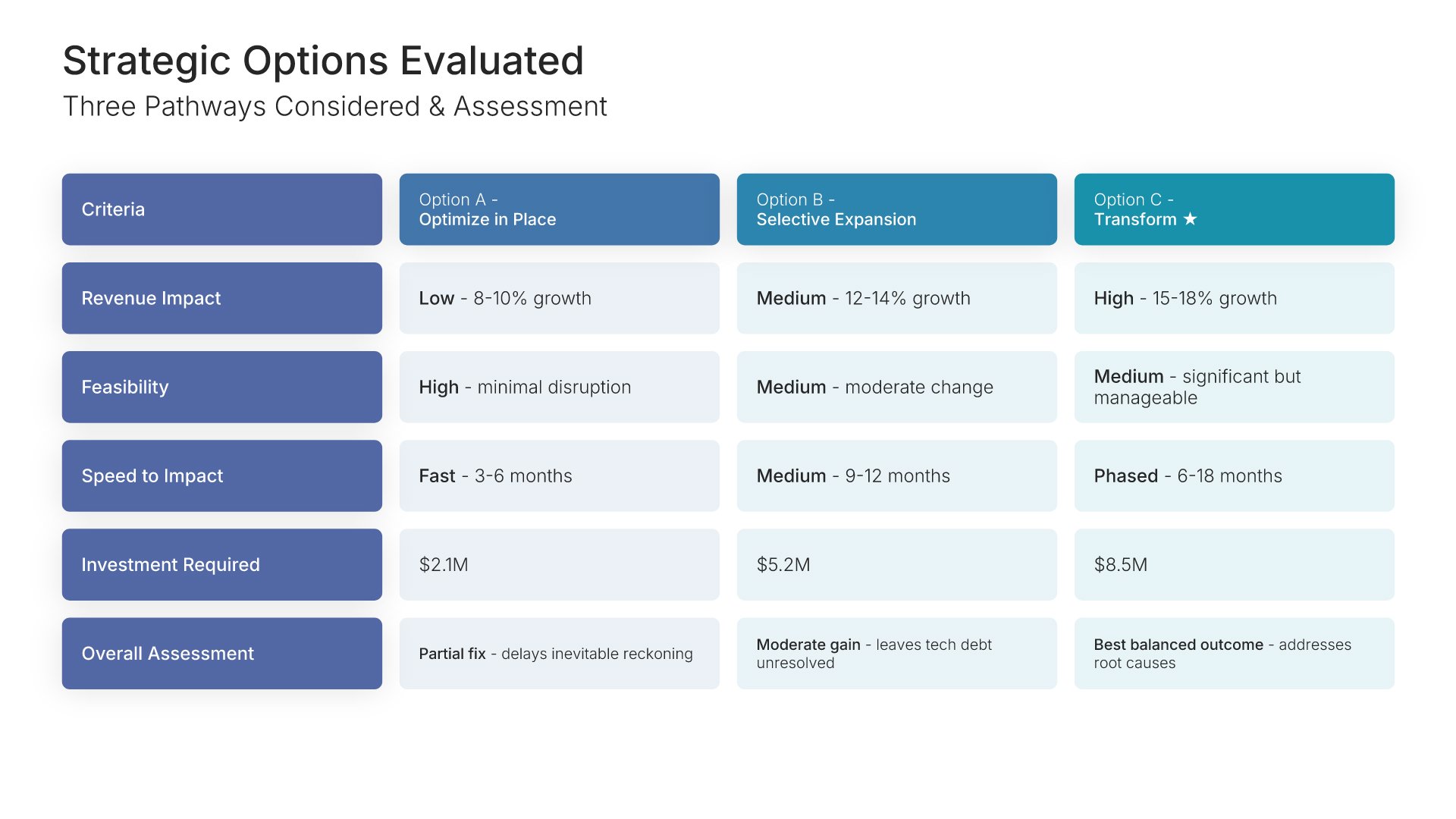
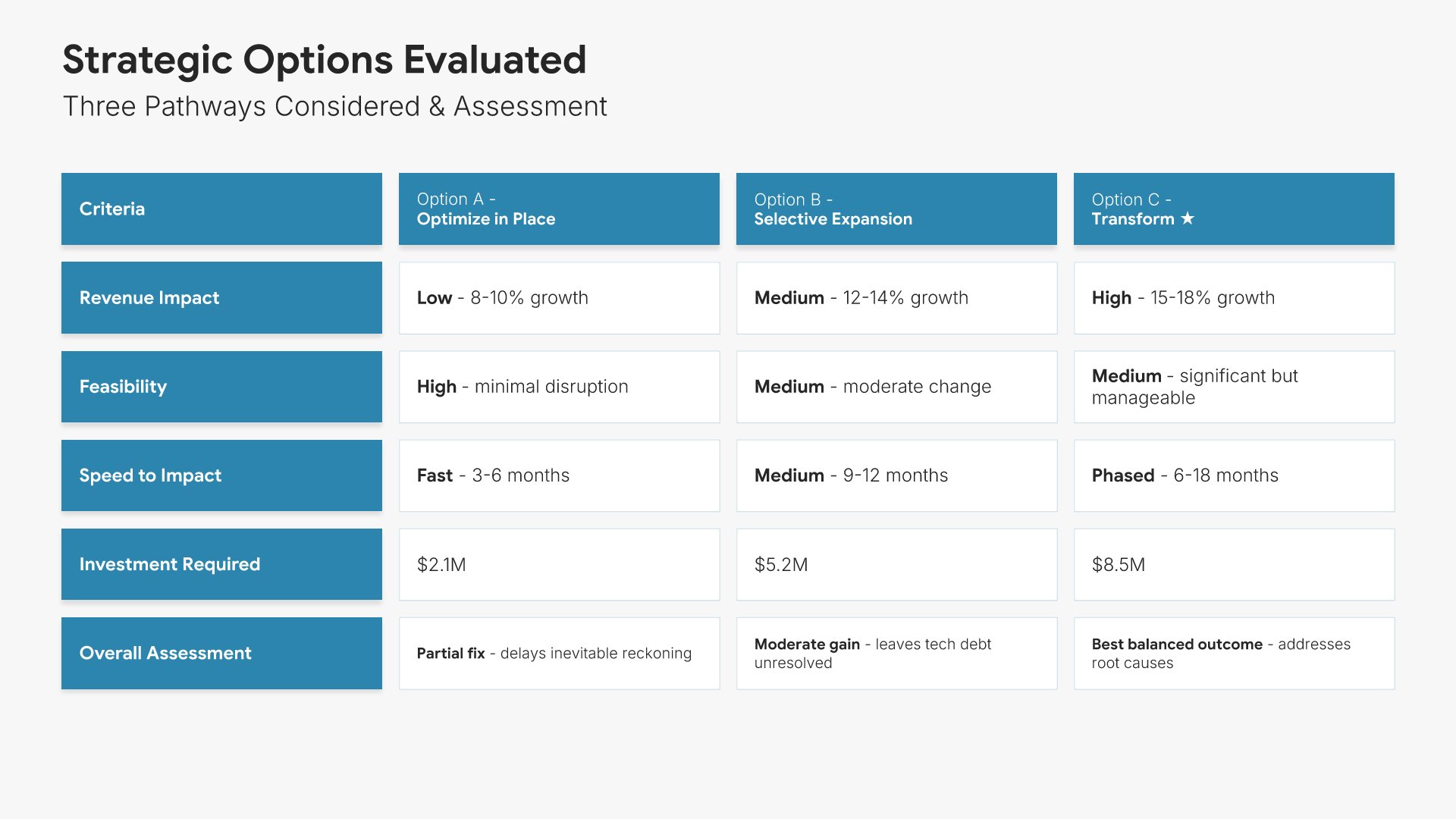
Strategic options slide, consulting report template, three pathways scored on impact, feasibility, speed, and investment

Slide 10

Strategic Options Evaluated

Three pathways side by side, scored on revenue impact, feasibility, speed, and investment.

Built using “Table” slide
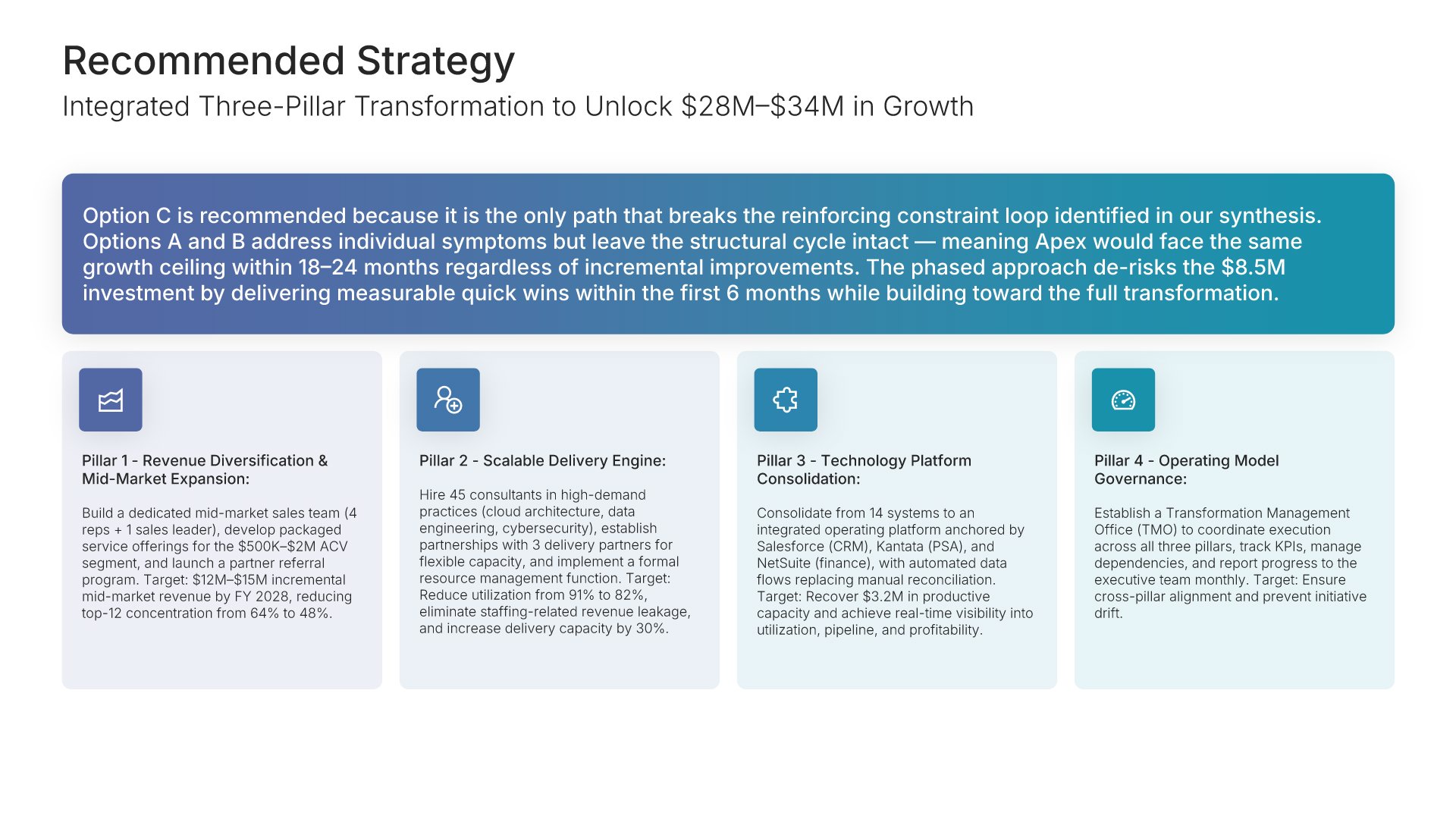
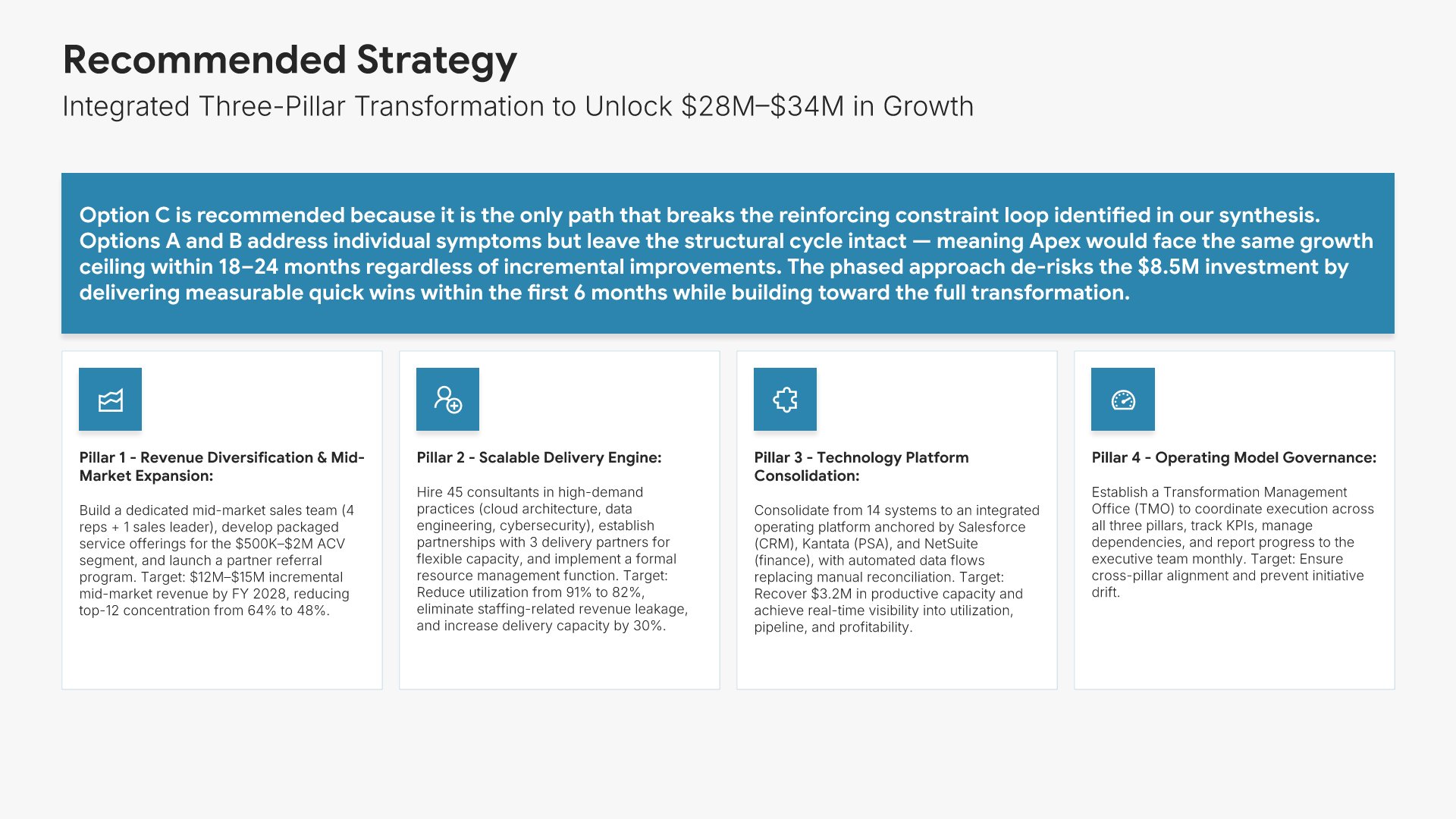
Recommended strategy slide, consulting report template, recommendation broken into pillars

Slide 11

Recommended Strategy

The recommendation broken into pillars, with what each one delivers.

Built using “Simple Text (with Icons)” slide
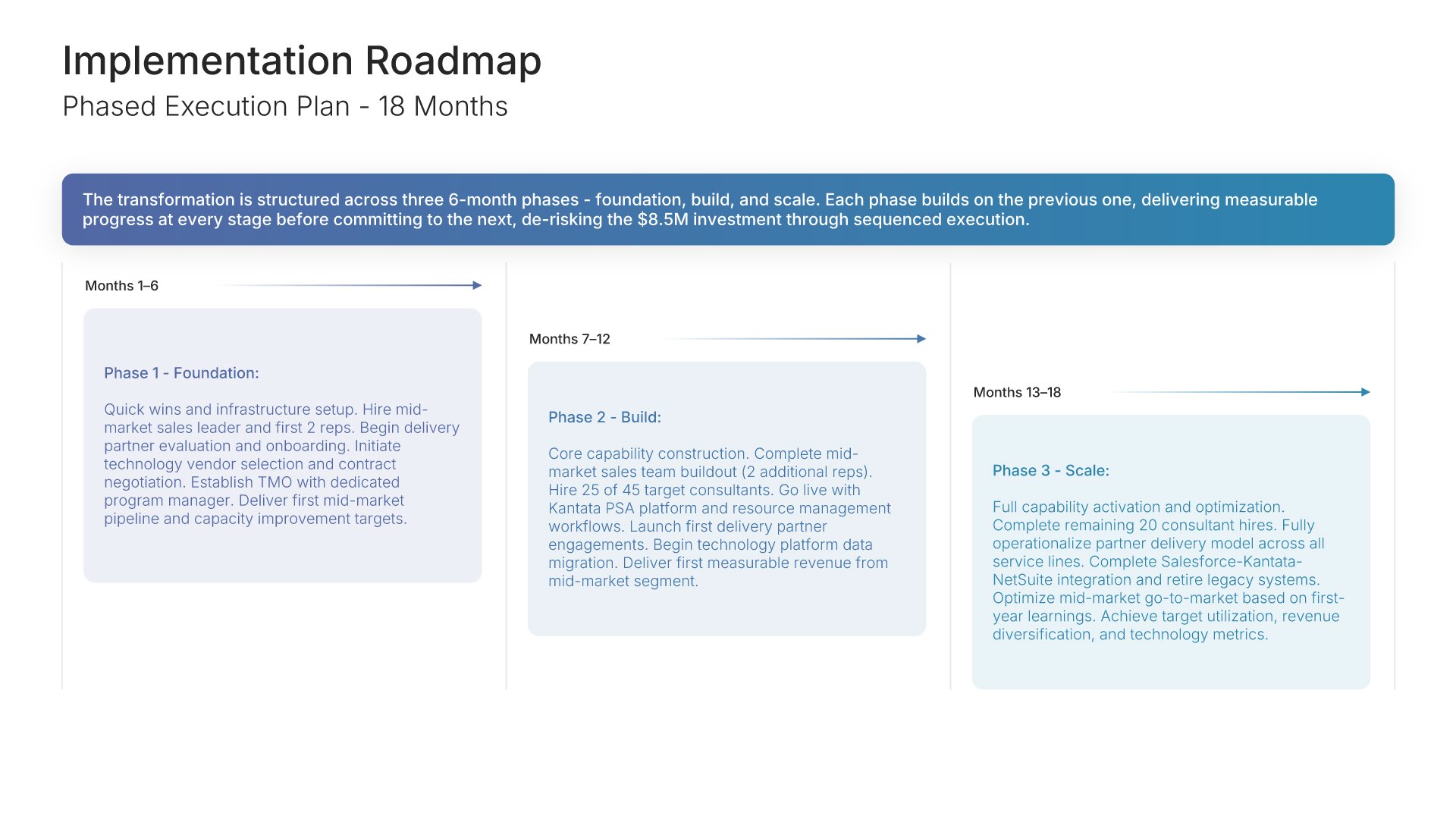
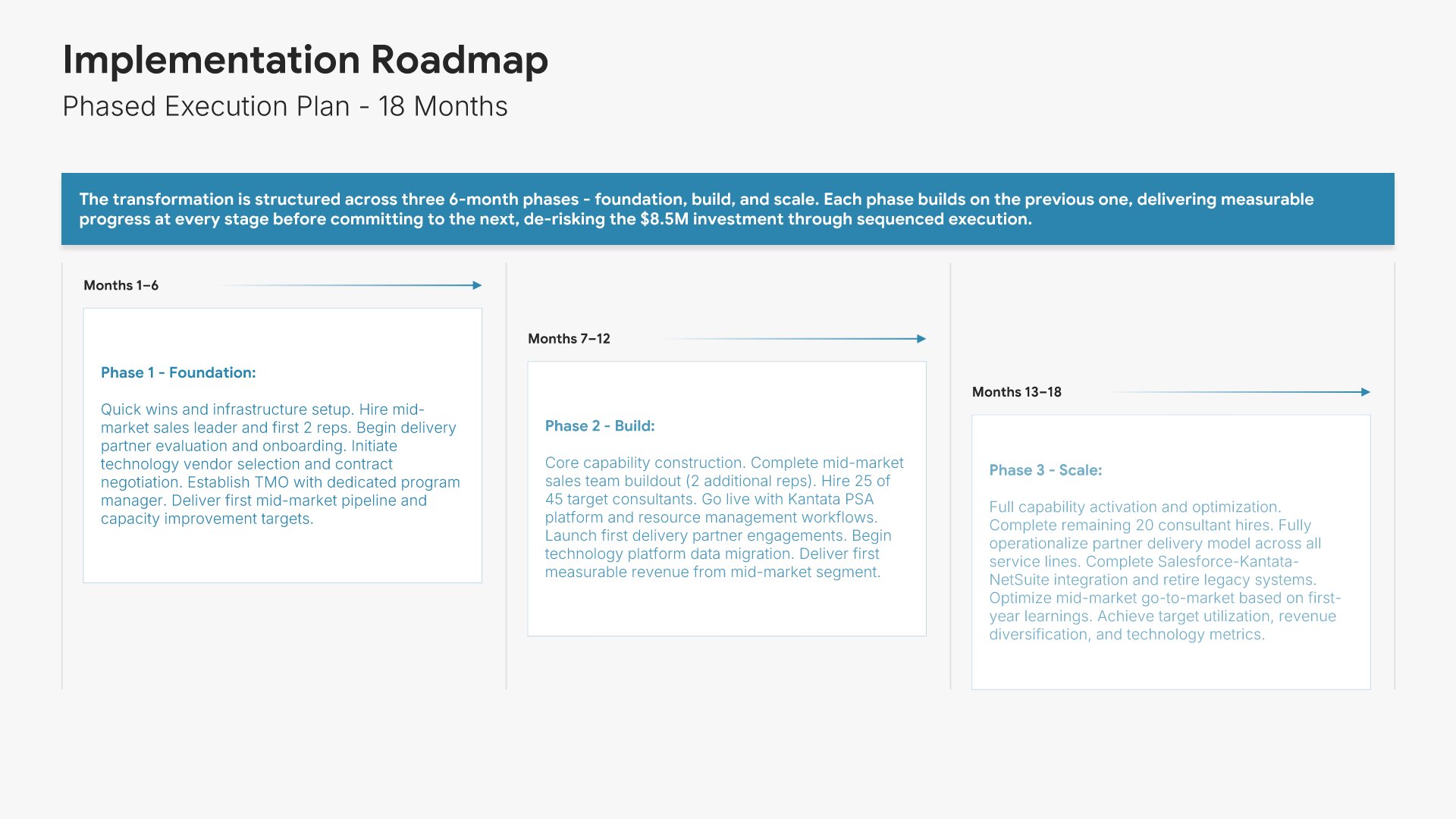
Implementation timeline slide, consulting report template, phased execution plan on a Gantt

Slide 12

Implementation Timeline

The phased execution plan on a Gantt, foundation through to scale.

Built using “Gantt Chart” slide
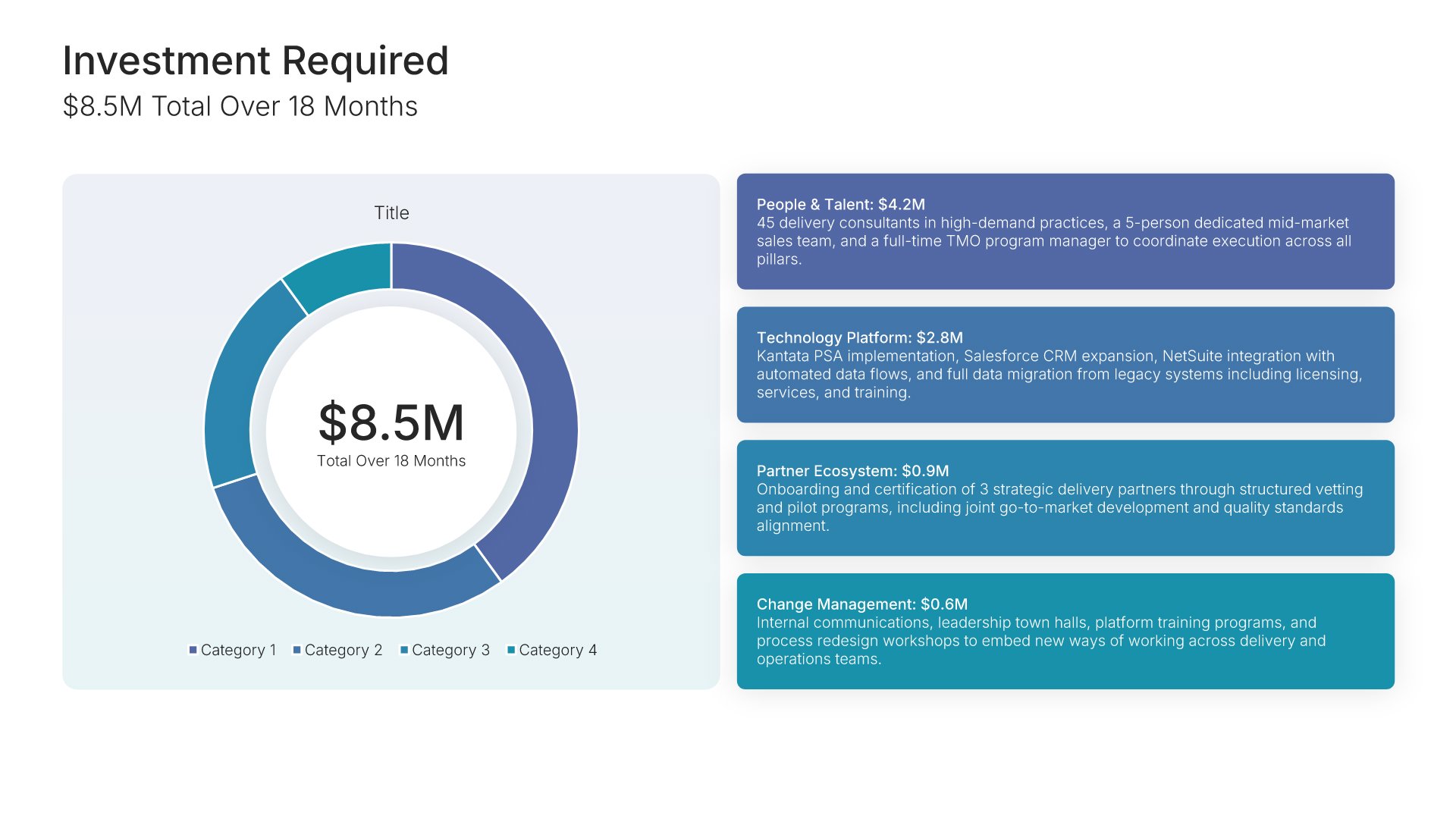
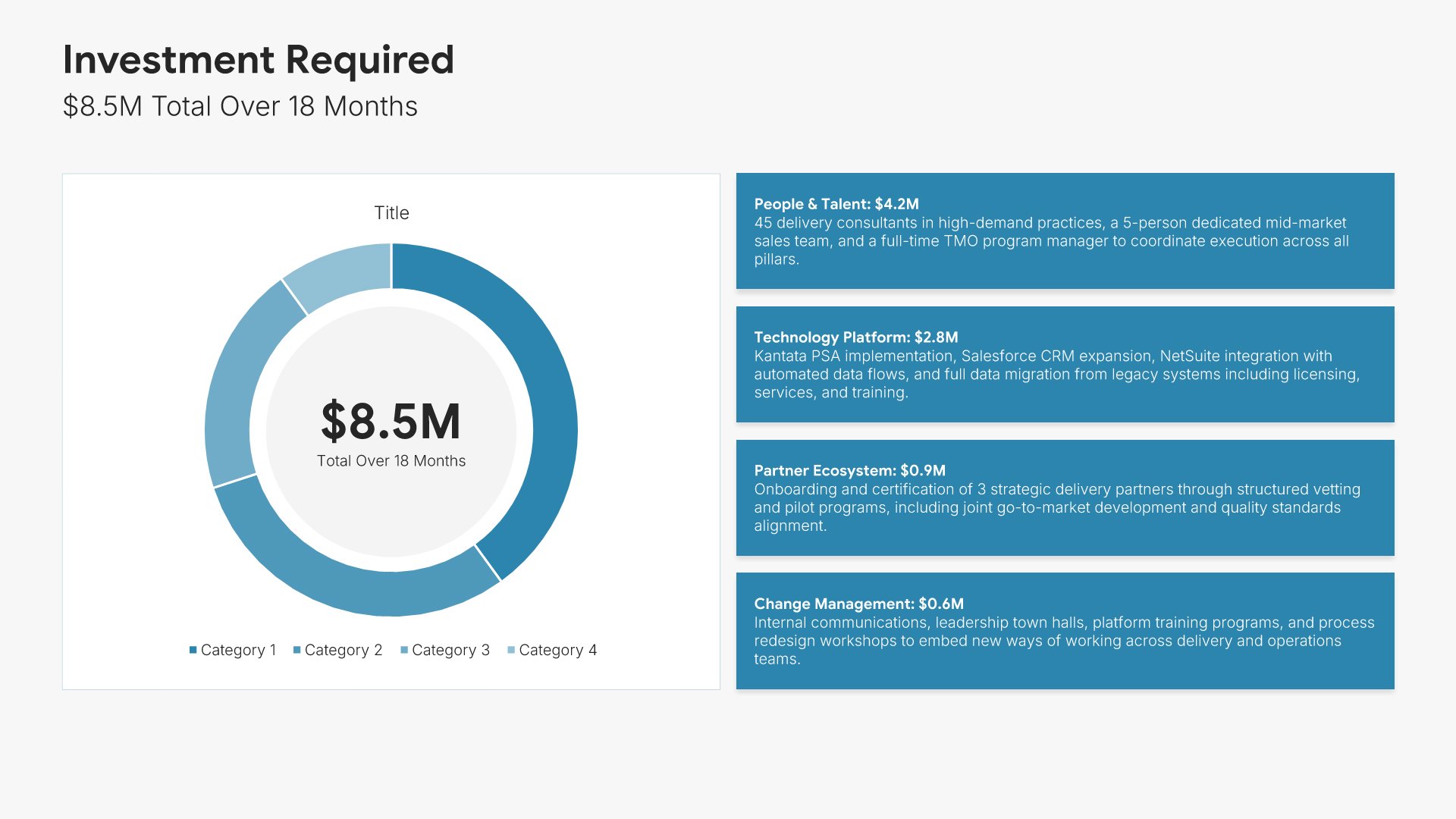
Investment slide, consulting report template, program cost split by category

Slide 13

Investment

Total cost over the program, split by category on a donut.

Built using “Investment” slide
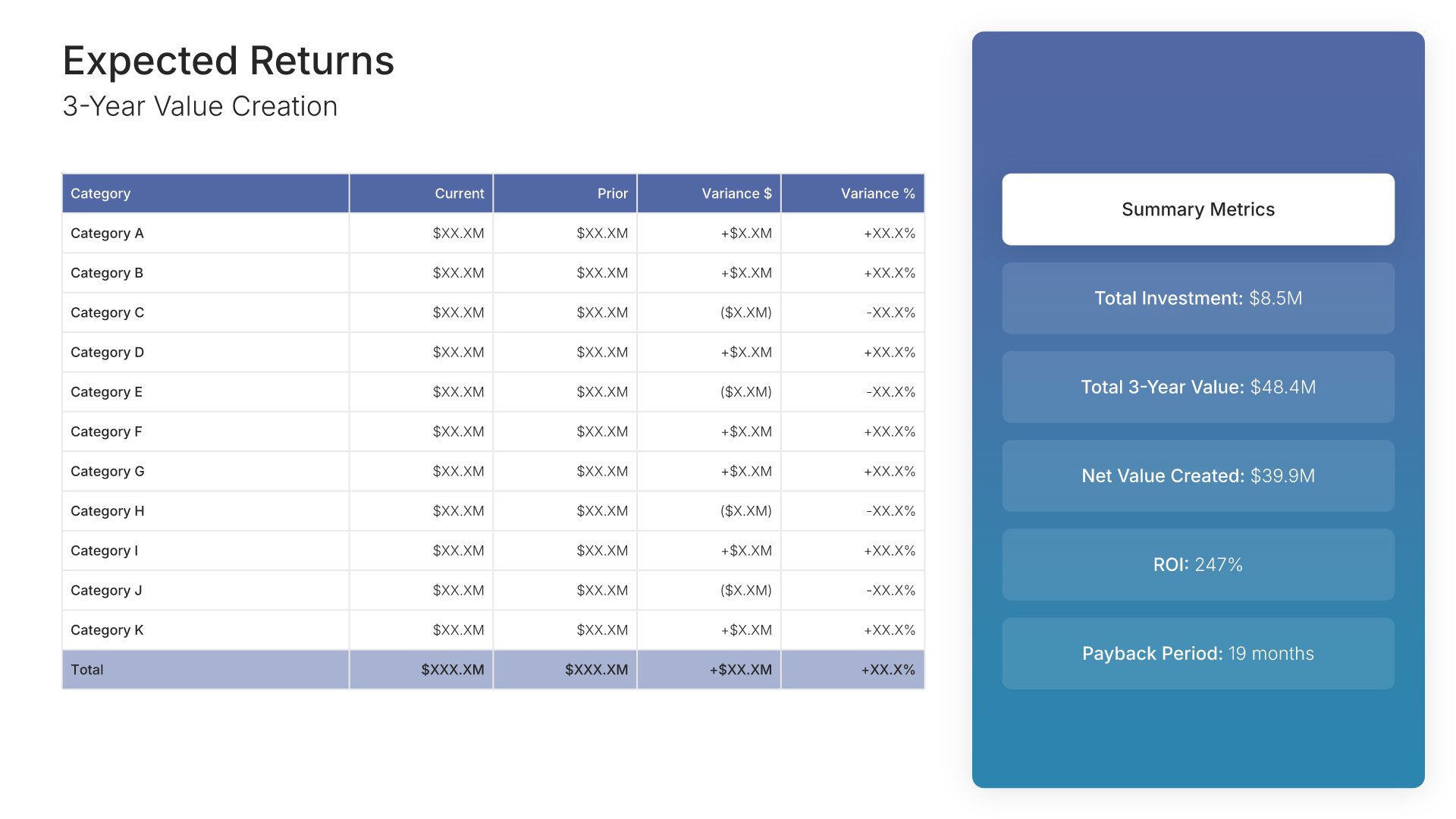
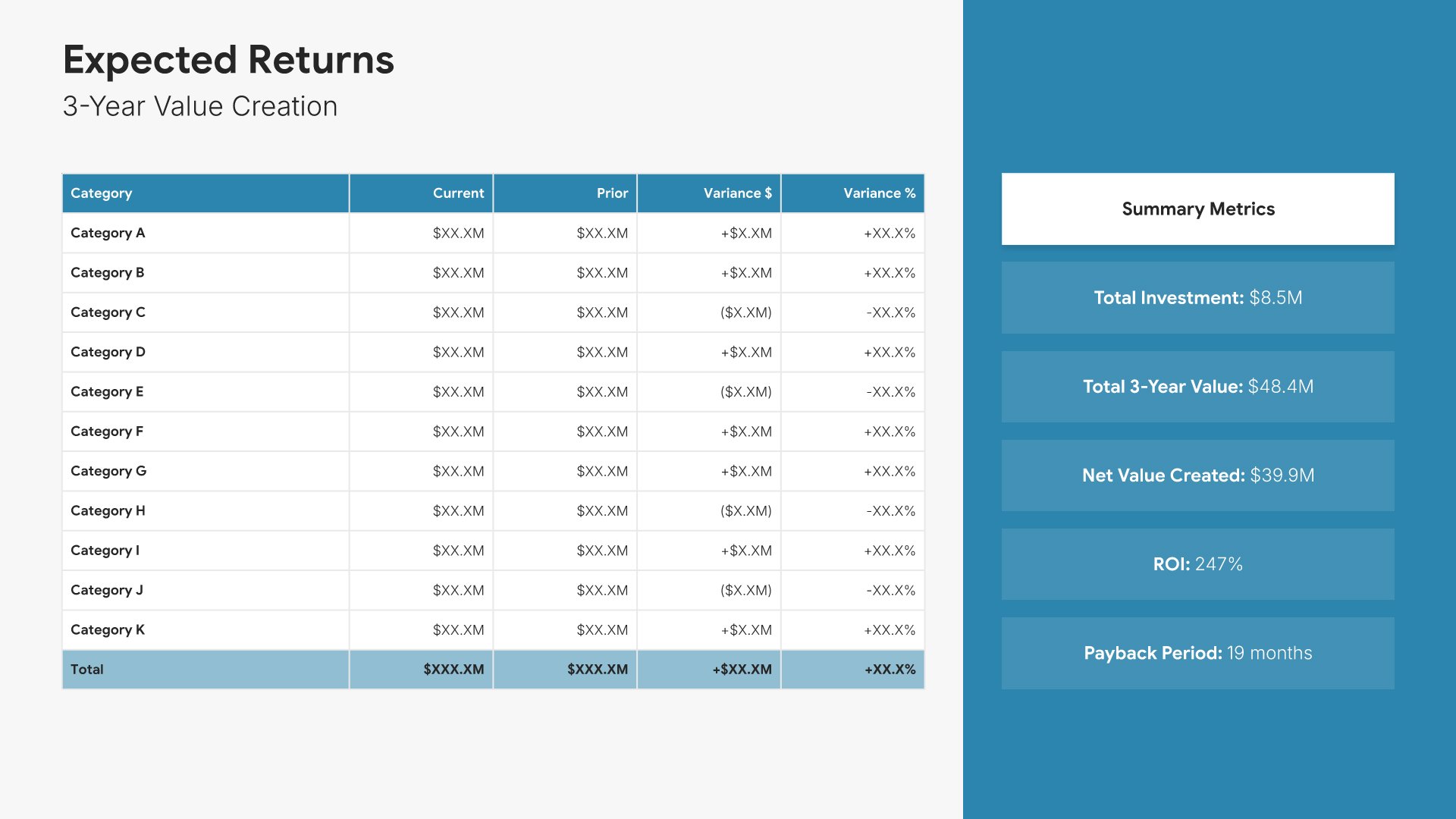
Cost-benefit analysis slide, consulting report template, three-year value, ROI, and payback

Slide 14

Cost-Benefit Analysis

Three-year value creation tabled, with total investment, net value, ROI, and payback summarized beside it.

Built using “Financial Table” slide
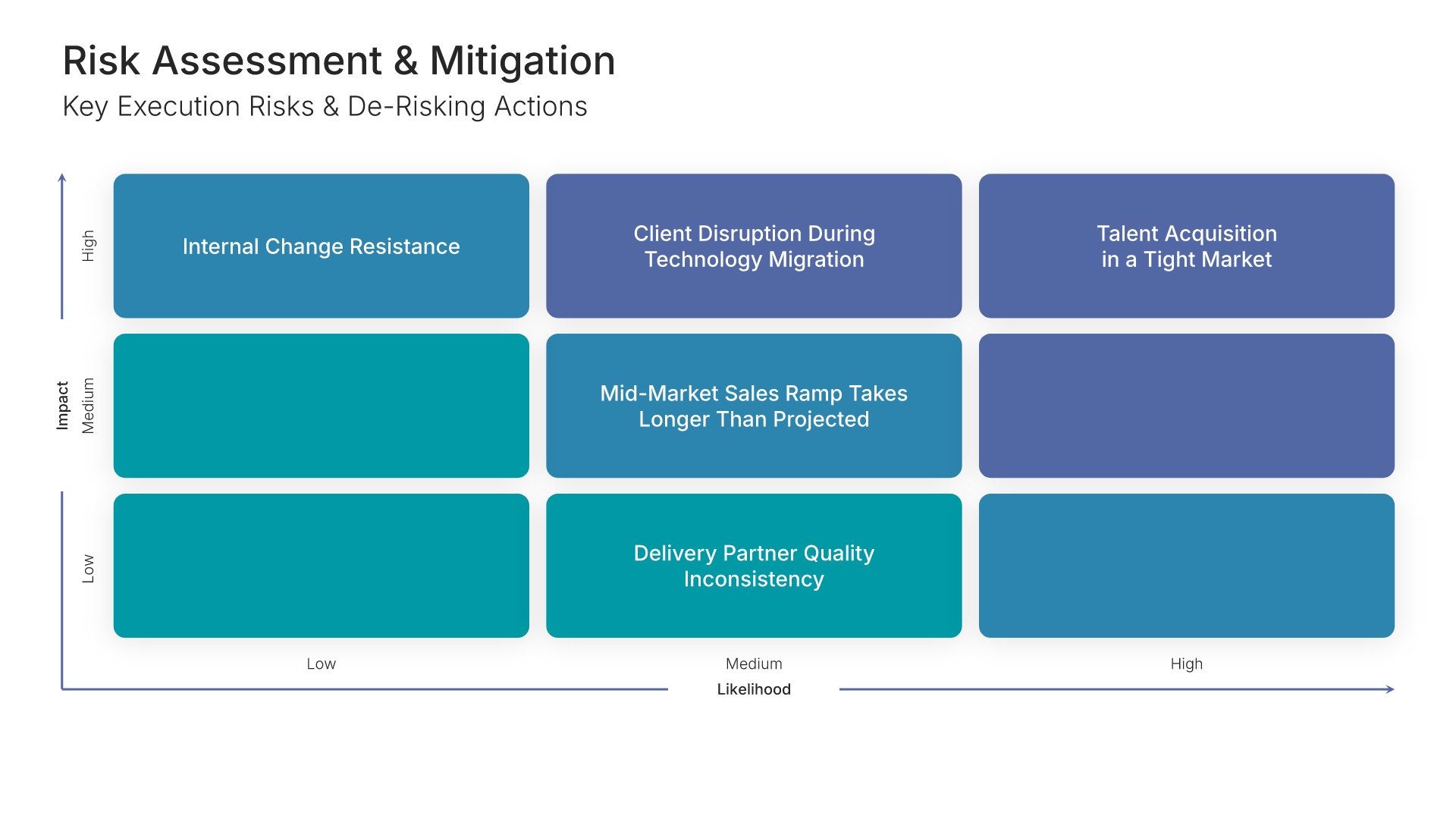
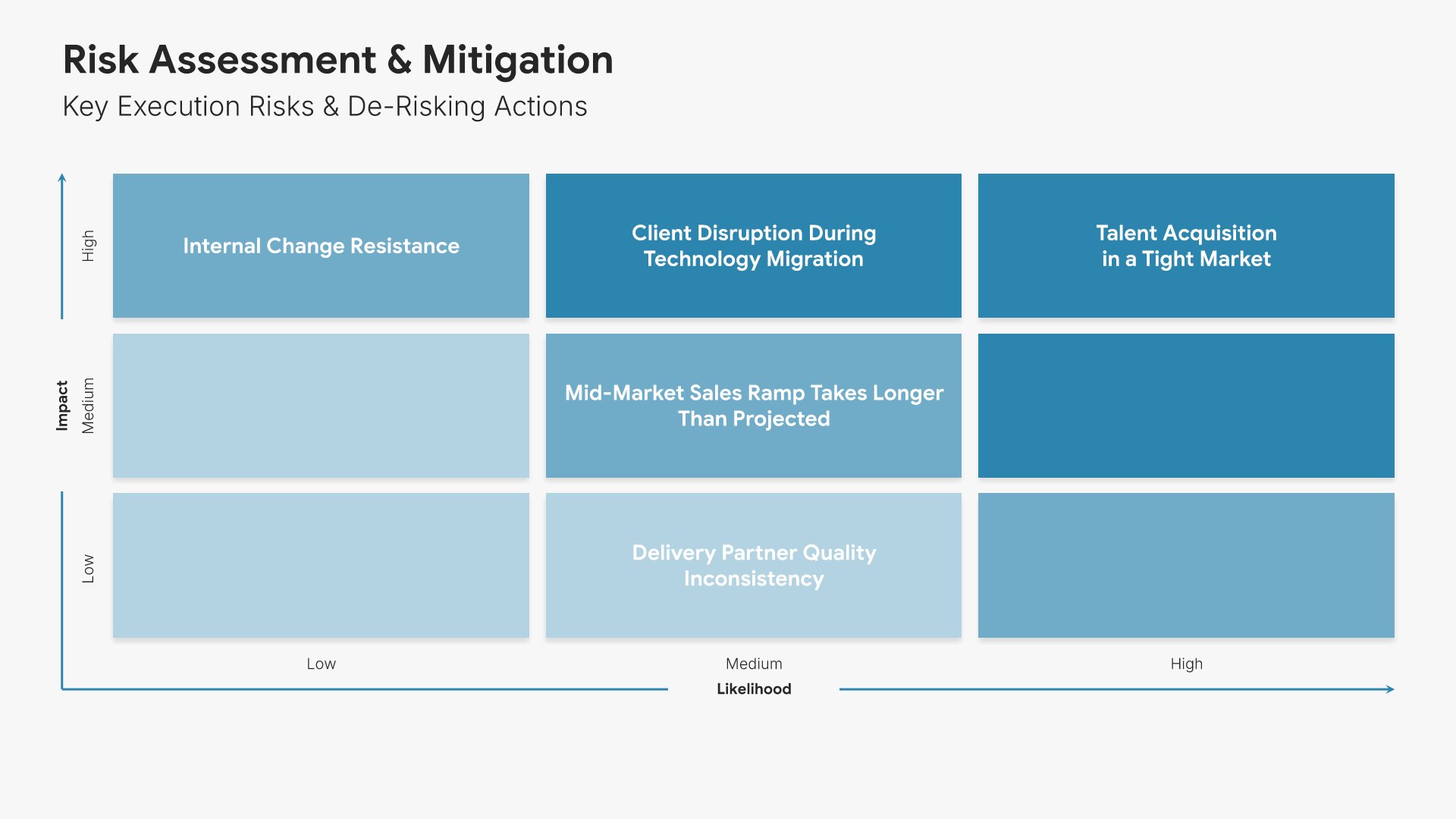
Risk assessment slide, consulting report template, execution risks by likelihood and impact

Slide 15

Risk Assessment

Execution risks plotted by likelihood and impact.

Built using “Matrix (3×3)” slide
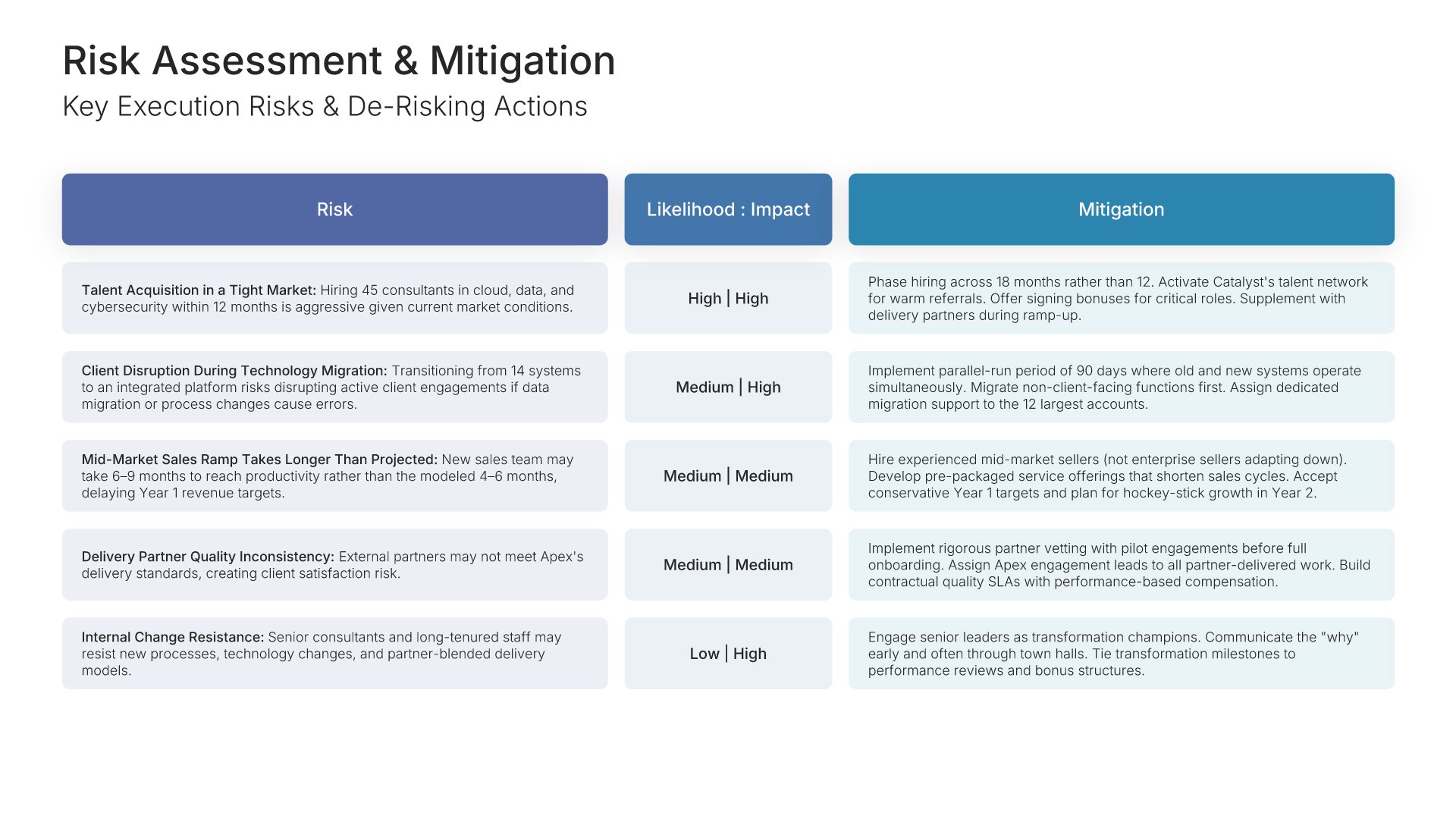
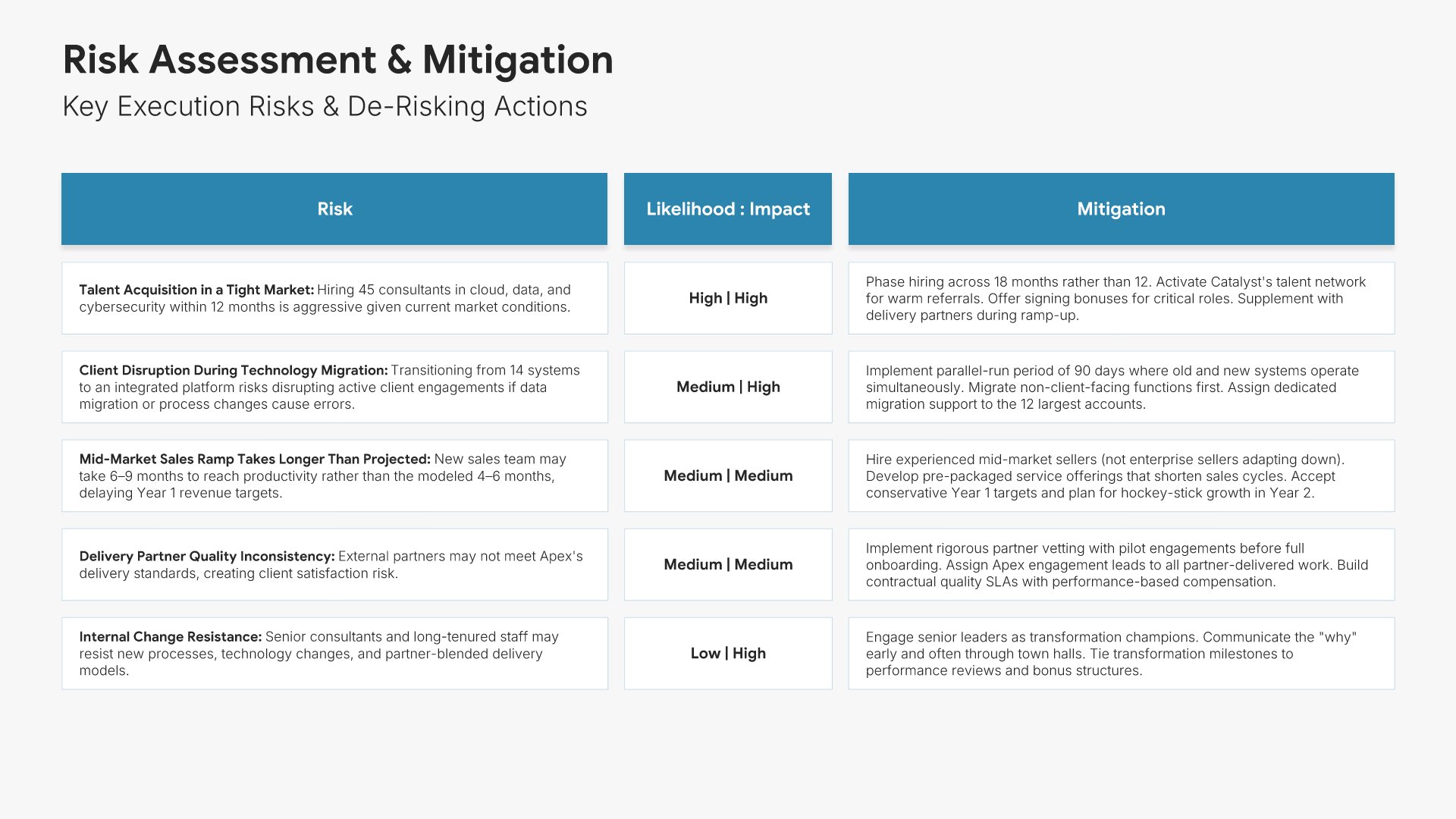
Risk assessment slide, consulting report template, risks tabled with de-risking actions

Slide 16

Risk Assessment

The same risks tabled, with de-risking actions against each.

Built using “Table” slide
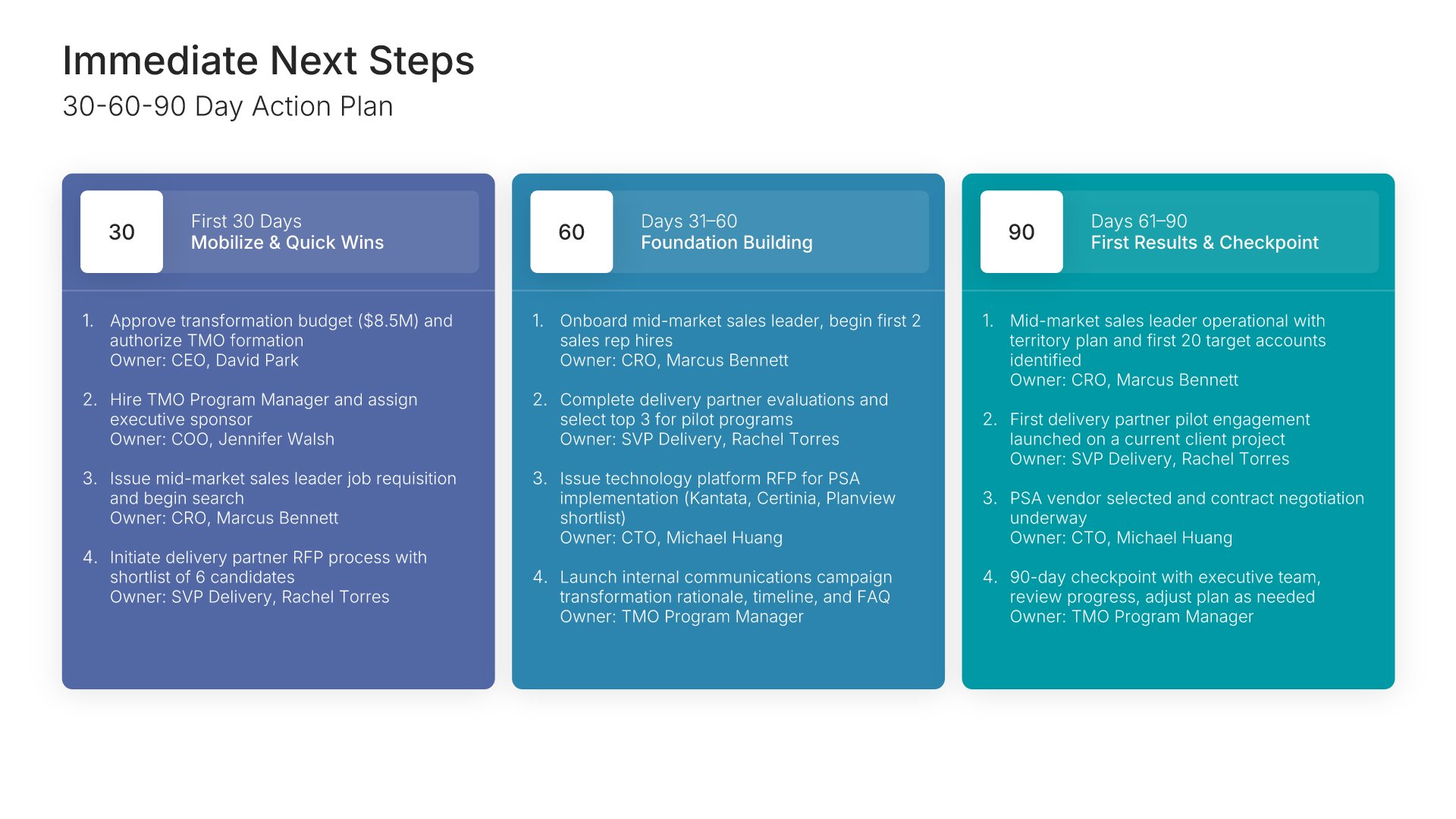
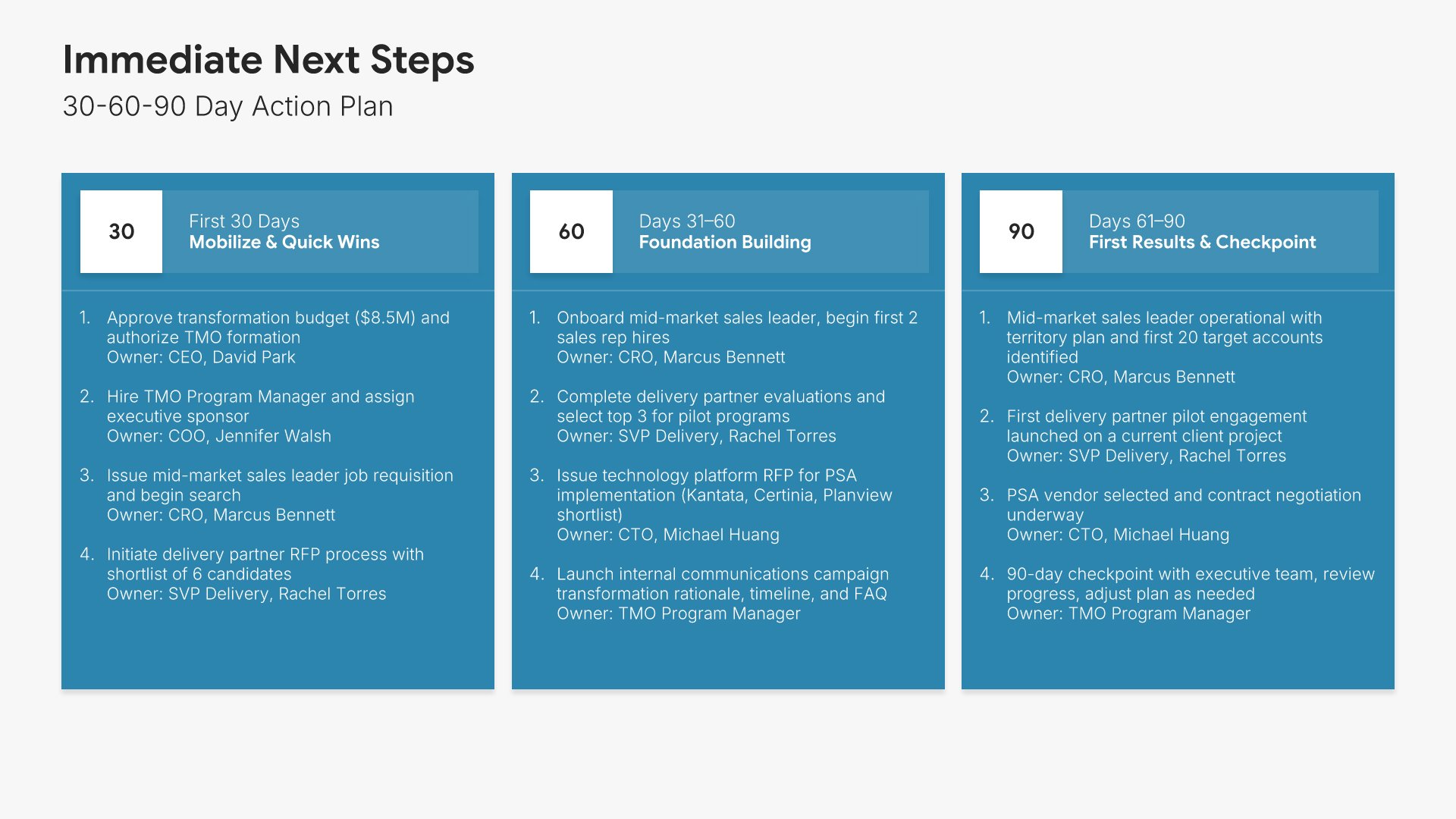
Next steps slide, consulting report template, 30-60-90 day action plan with owners

Slide 17

Next Steps

The 30-60-90 day action plan, with owners against each action.

Built using “30-60-90 Day Plan” slide
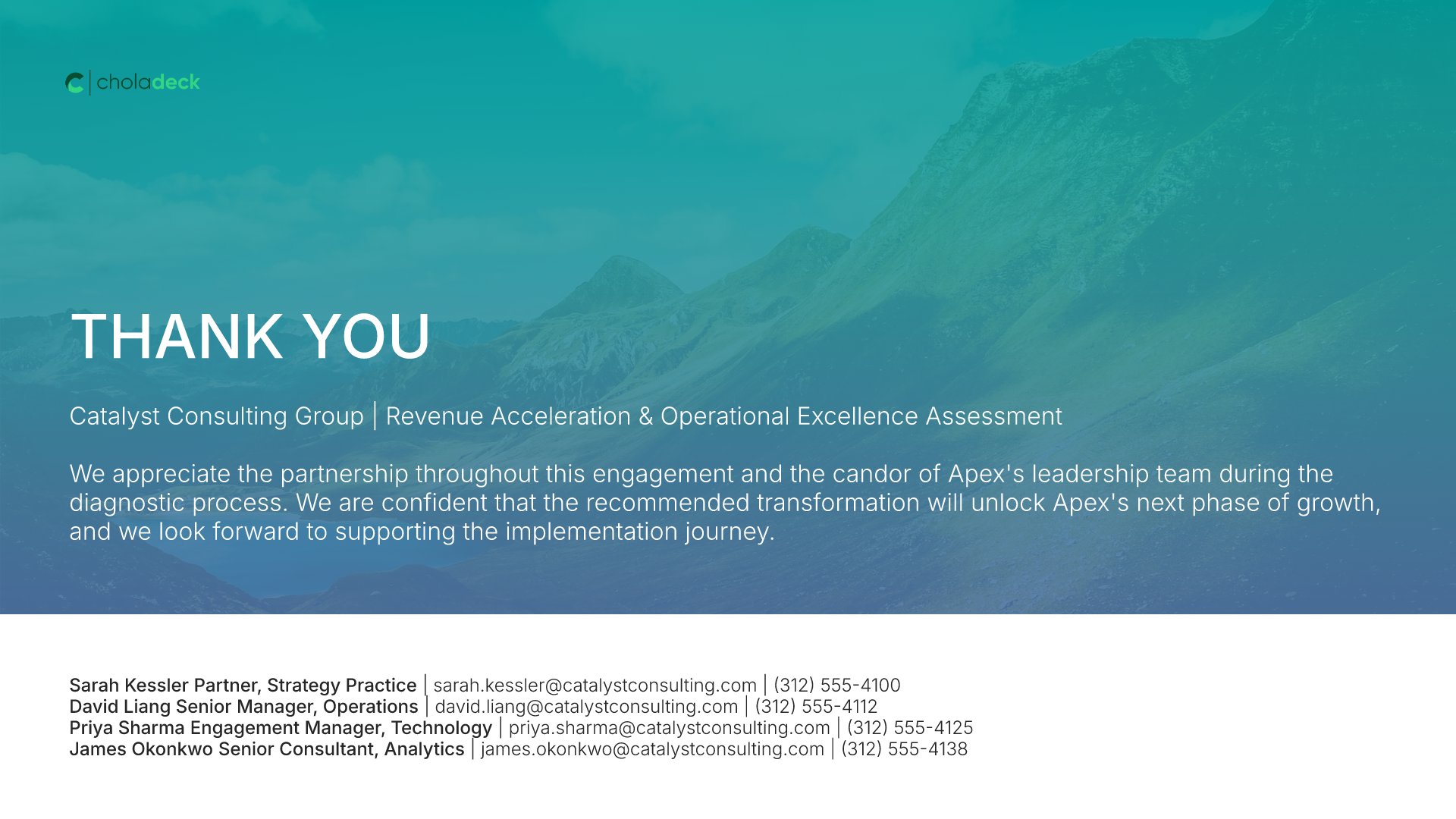
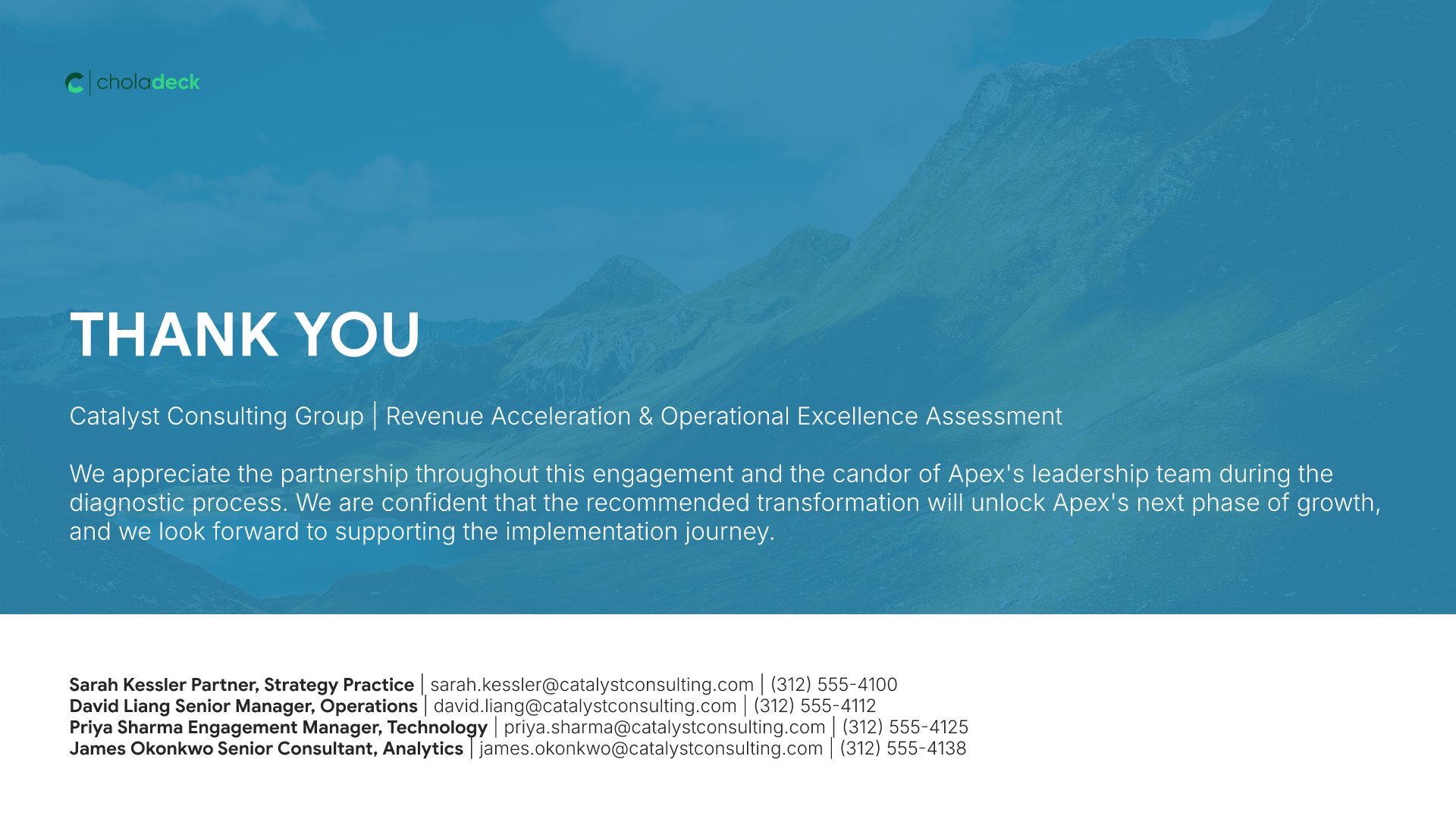
Thank you slide, consulting report template, engagement team contacts

Slide 18

Thank You

The close, with contacts for the engagement team.

Built using “Thank You” slide

About the consulting report template

The structure, the slides, your brand, and a file you can edit anywhere.

Built for a client who will test your answer

The hardest part of a consulting report is not the analysis. It is that the client has already paid, already has a view, and will spend the meeting testing whether yours is better. So the answer goes on slide two, each finding gets its own slide with the evidence directly under it, and the options you rejected are shown with their scores rather than left out. The order follows the McKinsey Pyramid Principle: the answer first, then the evidence that holds it up.

Built from 9,000+ slides across 134+ categories

Every slide here comes from the same library. Charts, synthesis layouts, option comparison tables, Gantt charts, and risk matrices are already in it, so adding a fourth finding or a second scenario takes a minute. Everything sits on the same grid, so the layout still holds.

Brand the whole presentation in one click

Add your logo, colors, fonts, and background once. It applies to the whole presentation and the entire slide library at the same time. The proposal that won the work, the steering committee updates, and this final report all look like they came from one firm.

Export to PowerPoint, Google Slides, or Keynote

You get a real file, not a locked link. Export it and keep editing in the tool you already use. Every chart and table stays editable, so the numbers can change between the draft review and the final readout without a rebuild.

How Choladeck works

From blank page to finished presentation in four steps.

STEP 01

Browse 9,000+ slides across 134+ categories, or open one of the 74 premade presentations.

STEP 02

Add your logo, colors, and fonts in one click. The whole presentation instantly matches your company.

STEP 03

Add your text, numbers, charts, and tables. Everything on the slide is editable.

STEP 04

Send it to PowerPoint, Google Slides, or Keynote, and present.
Build your own

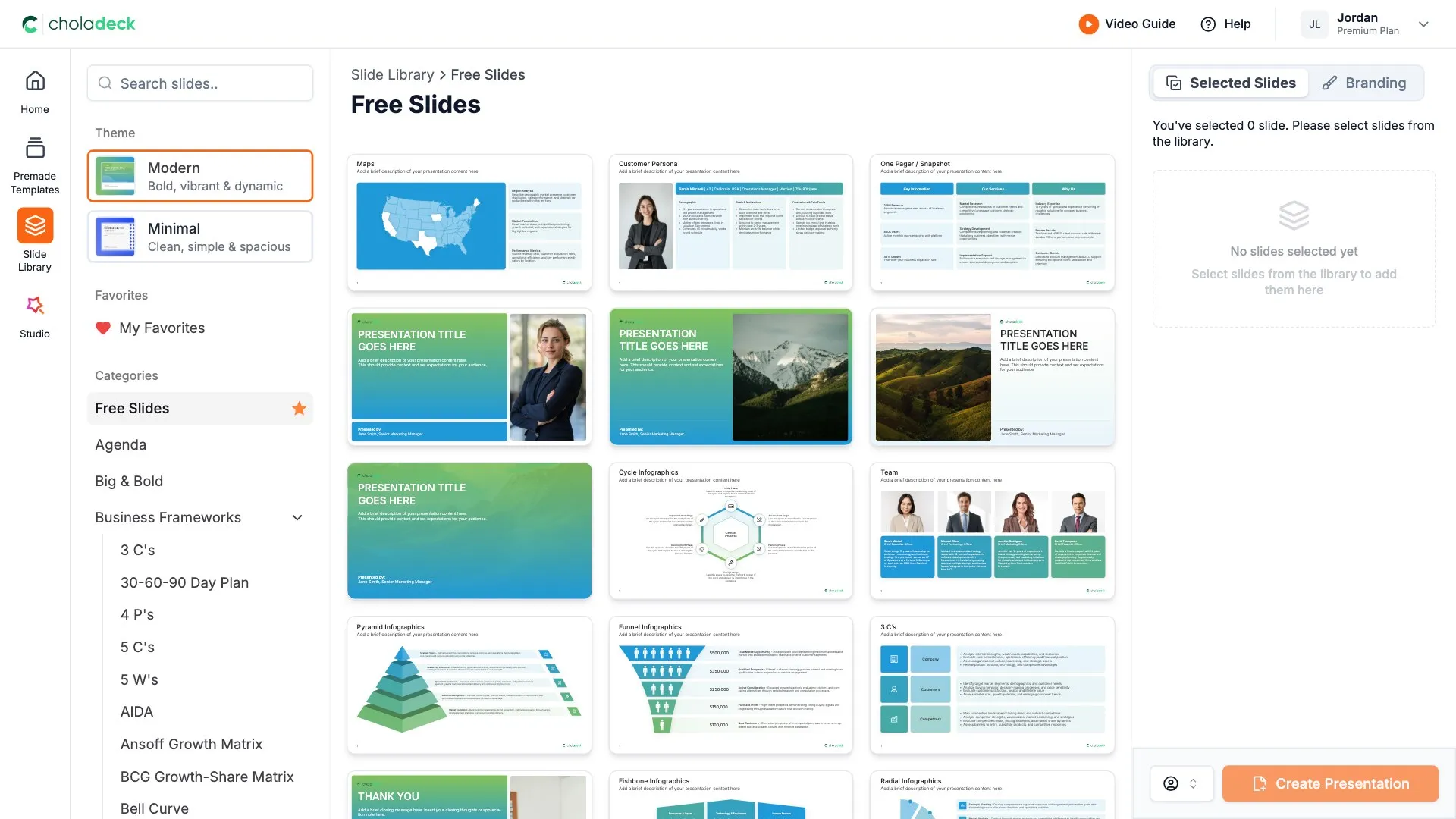
Nothing here fits? Build your own consulting report

This template is assembled from the same 9,000+ slides. Pick the slides you need, drop them into one file, and brand the whole thing in one click.
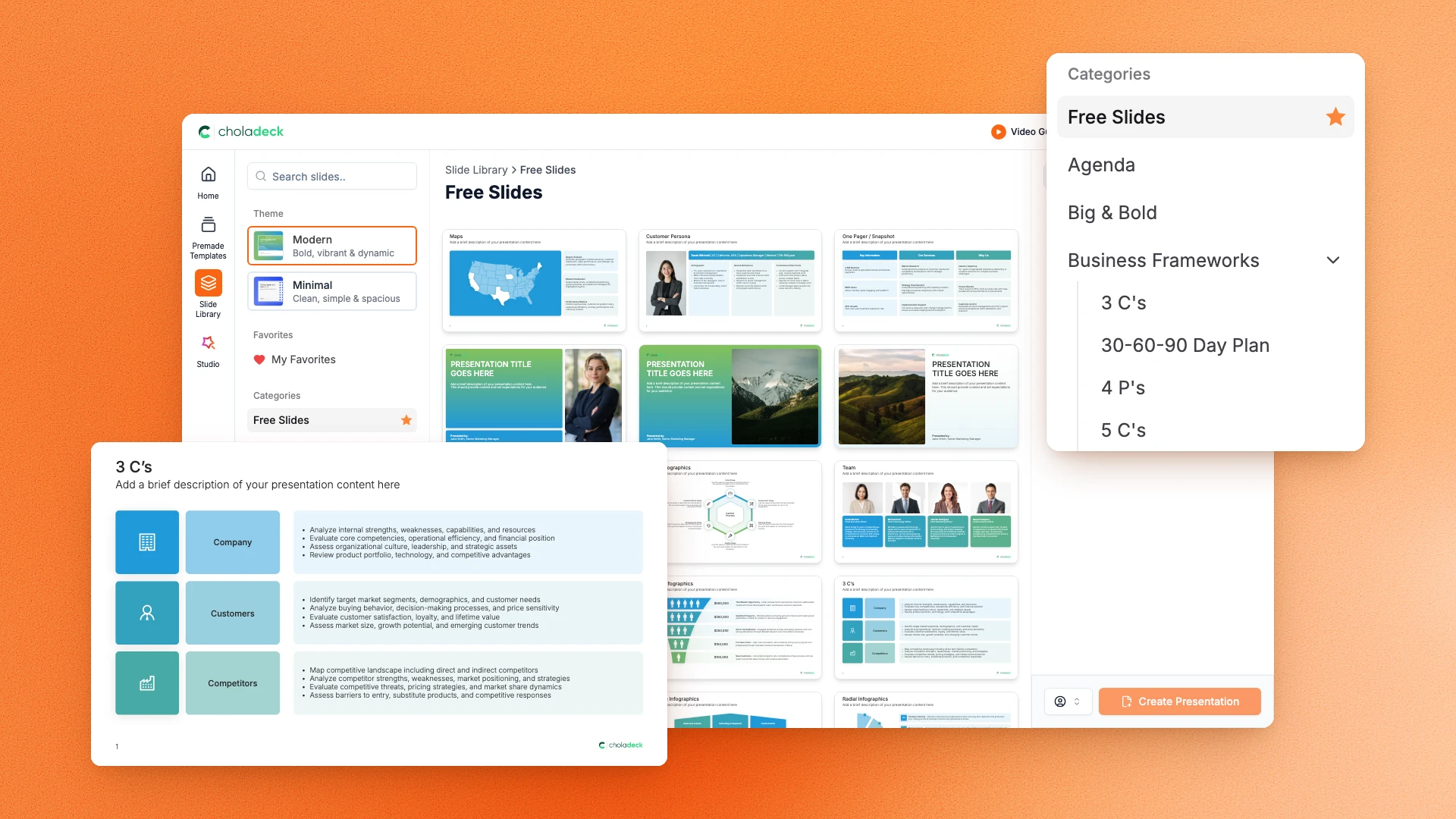
Choladeck slide library on Free Slides, with its category list and the 3 C’s slide shown larger

Questions about the consulting report template

What's inside the template, and how far you can change it.

Using the template

Is the template fully editable?

+

Yes. Text, tables, charts, icons, and colors on every slide are yours to change. Nothing is locked and nothing is a flat image.

How do I brand it to my firm?

+

Add your logo, colors, fonts, and background once. It applies to the whole presentation and the entire slide library at the same time.

Can I add slides from the slide library?

+

Yes. Add any slide from the library into this one, or swap out one that doesn't fit. Everything works together.

What's included

How many findings can I present?

+

Three, each on its own slide with a conclusion title, the chart behind it, and the implication underneath. Duplicate the slide if the engagement produced more.

Does it show the options you rejected?

+

Yes. A strategic options slide scores three pathways on revenue impact, feasibility, speed, and investment, so the recommendation reads as a choice rather than the only thing you looked at.

Is placeholder content included?

+

Yes. Every slide comes with realistic text, sample figures, and filled-in charts, so you can see how the consulting report reads before you put your own numbers in.

Start your consulting report
from one that's already done

Pick it, brand it, add your content, and export.

Free to start. No credit card required.