Pricing

Executive project proposal presentation

Twelve slides for the committee that approves the money, covering the cost of doing nothing, what you propose instead, how it fits the strategy, what it returns, and the decision you're asking for. Select it, brand it to your organization in one click, add your figures, and export to PowerPoint, Google Slides, or Keynote.

Free to start. No credit card required.
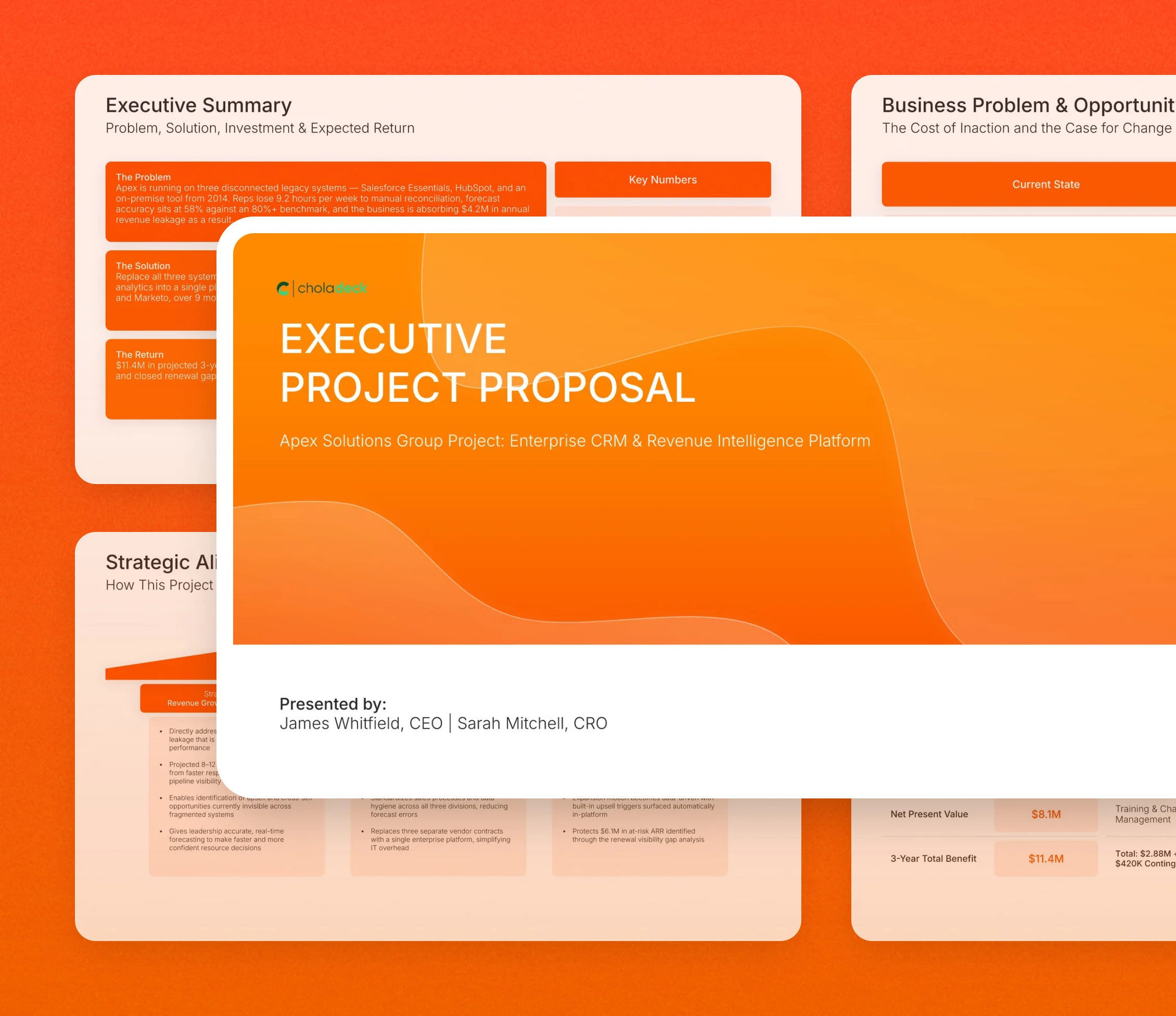
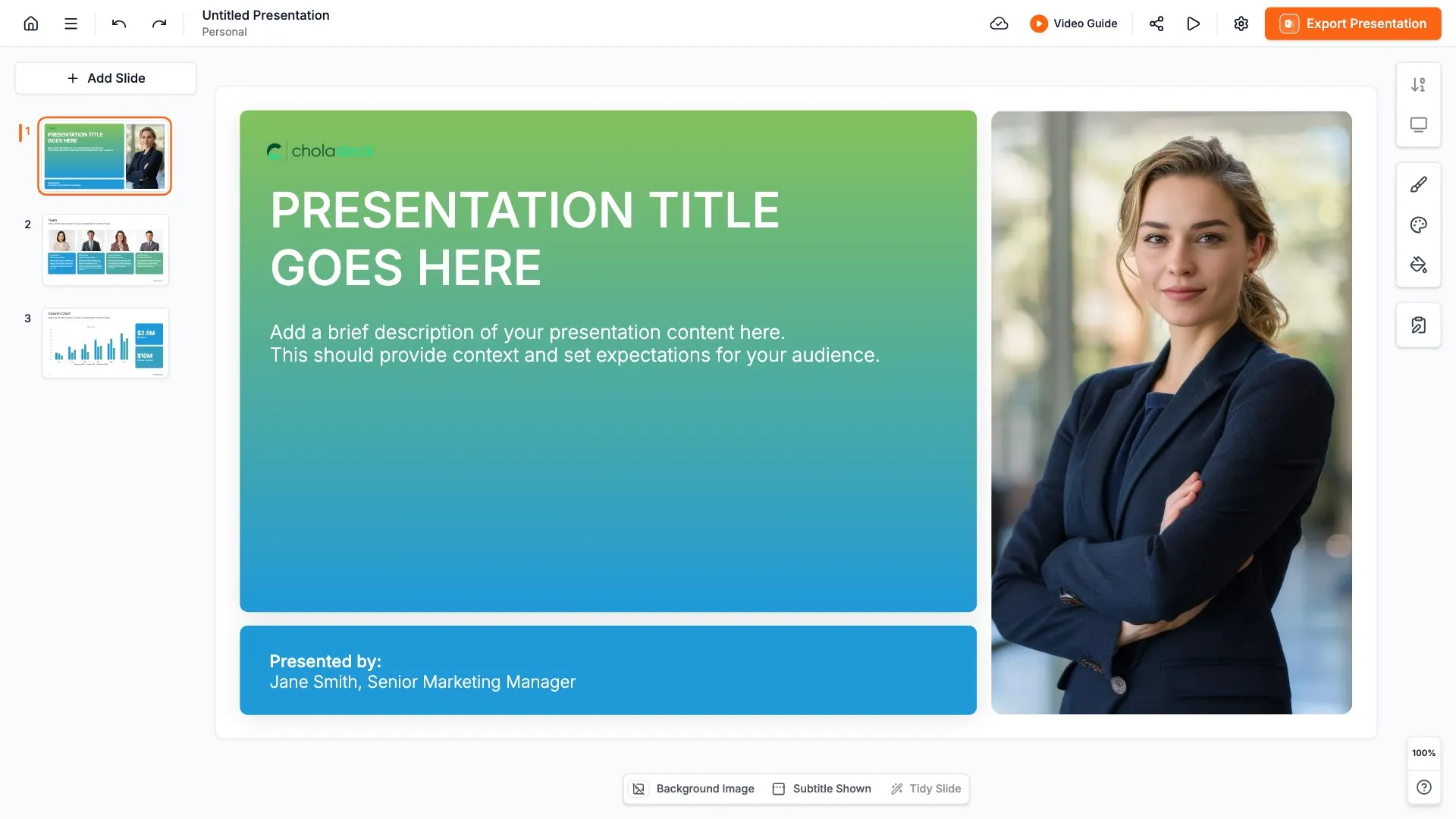
Executive project proposal presentation: the title slide in front of other slides from the 12-slide deck

Every slide in the executive project proposal presentation

Twelve slides, in the order you present them.

Title slide, executive project proposal presentation, project, sponsors, and presenting executives

Slide 01

Title

The project, the sponsors, and the executives presenting it.

Built using “Title” slide
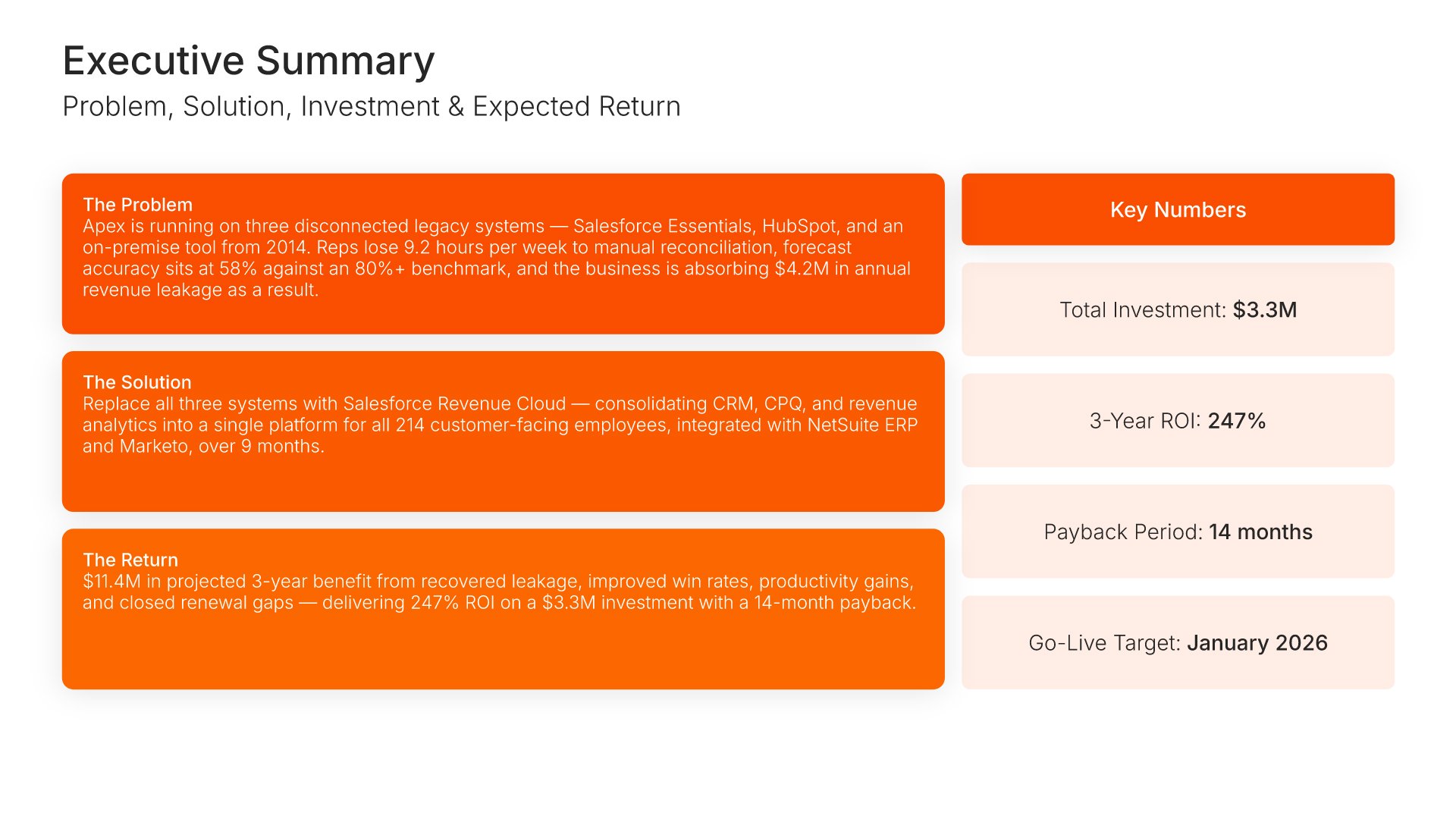
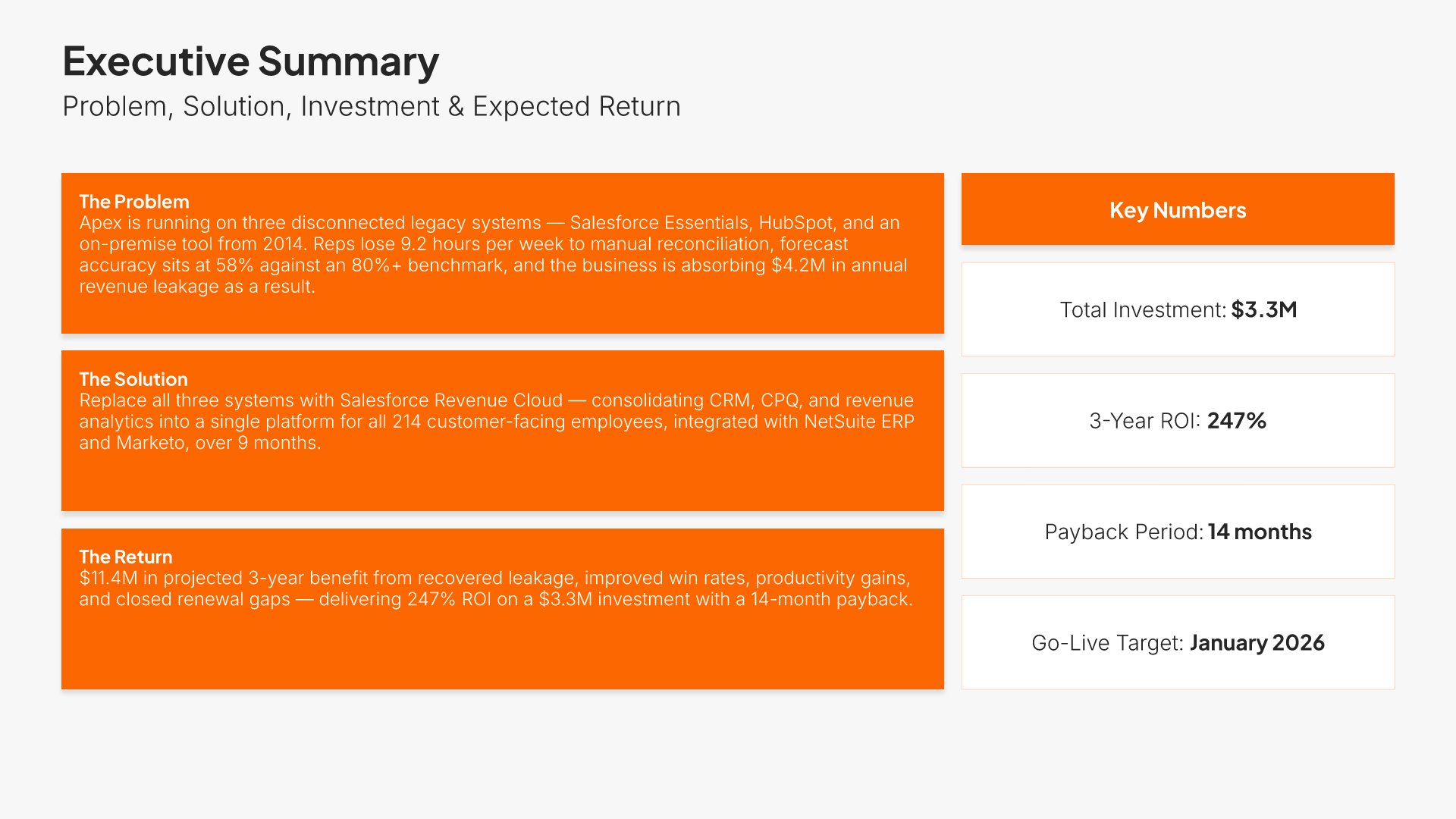
Executive summary slide, executive project proposal presentation, investment, ROI, payback, and go-live

Slide 02

Executive Summary

Problem, solution, and expected return on one screen, with total investment, ROI, payback, and go-live beside them.

Built using “One Pager / Snapshot” slide
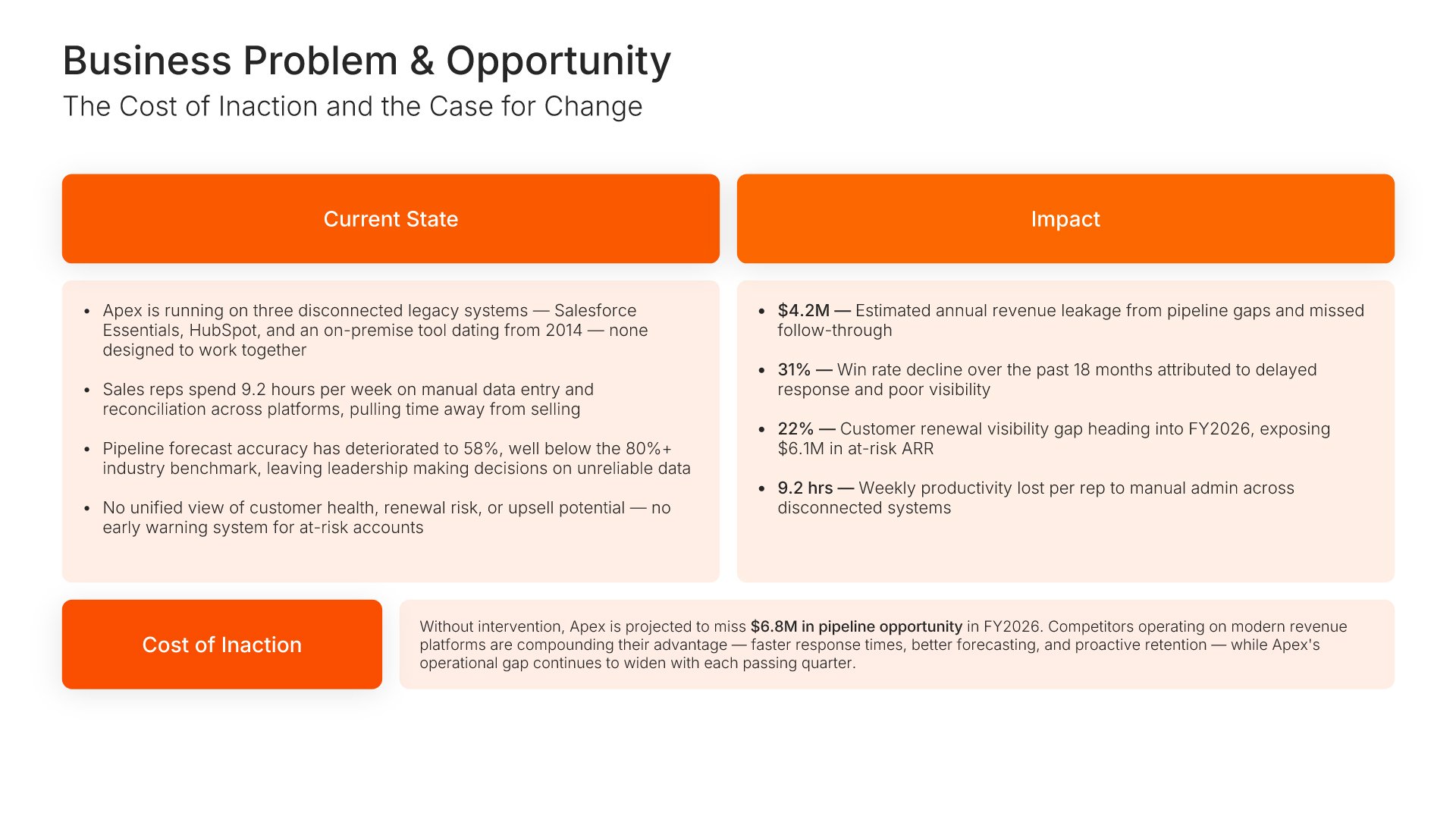
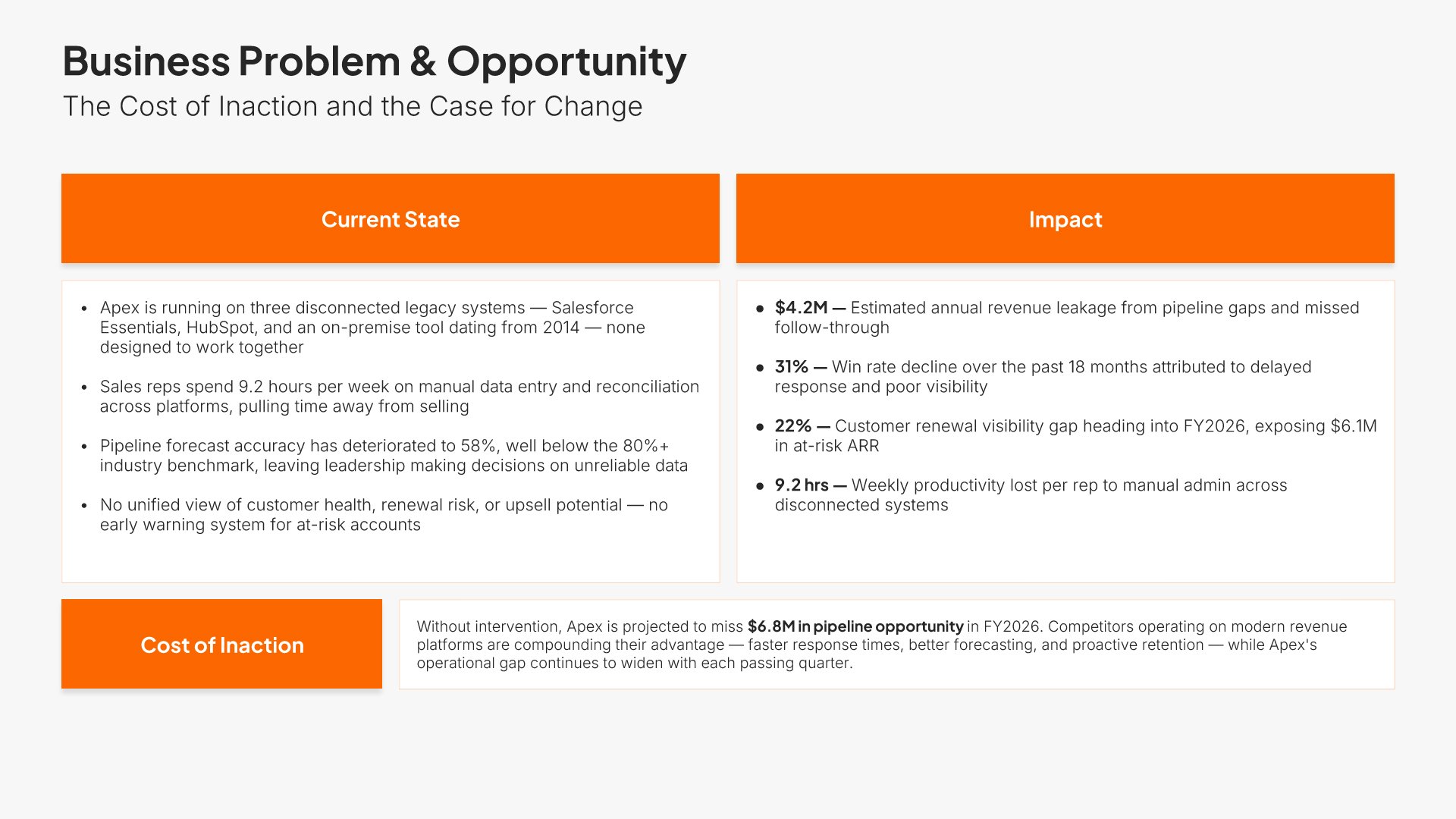
Problem slide, executive project proposal presentation, the cost of doing nothing, quantified

Slide 03

Problem

Current state, its impact, and the cost of doing nothing, quantified.

Built using “Executive Summary” slide
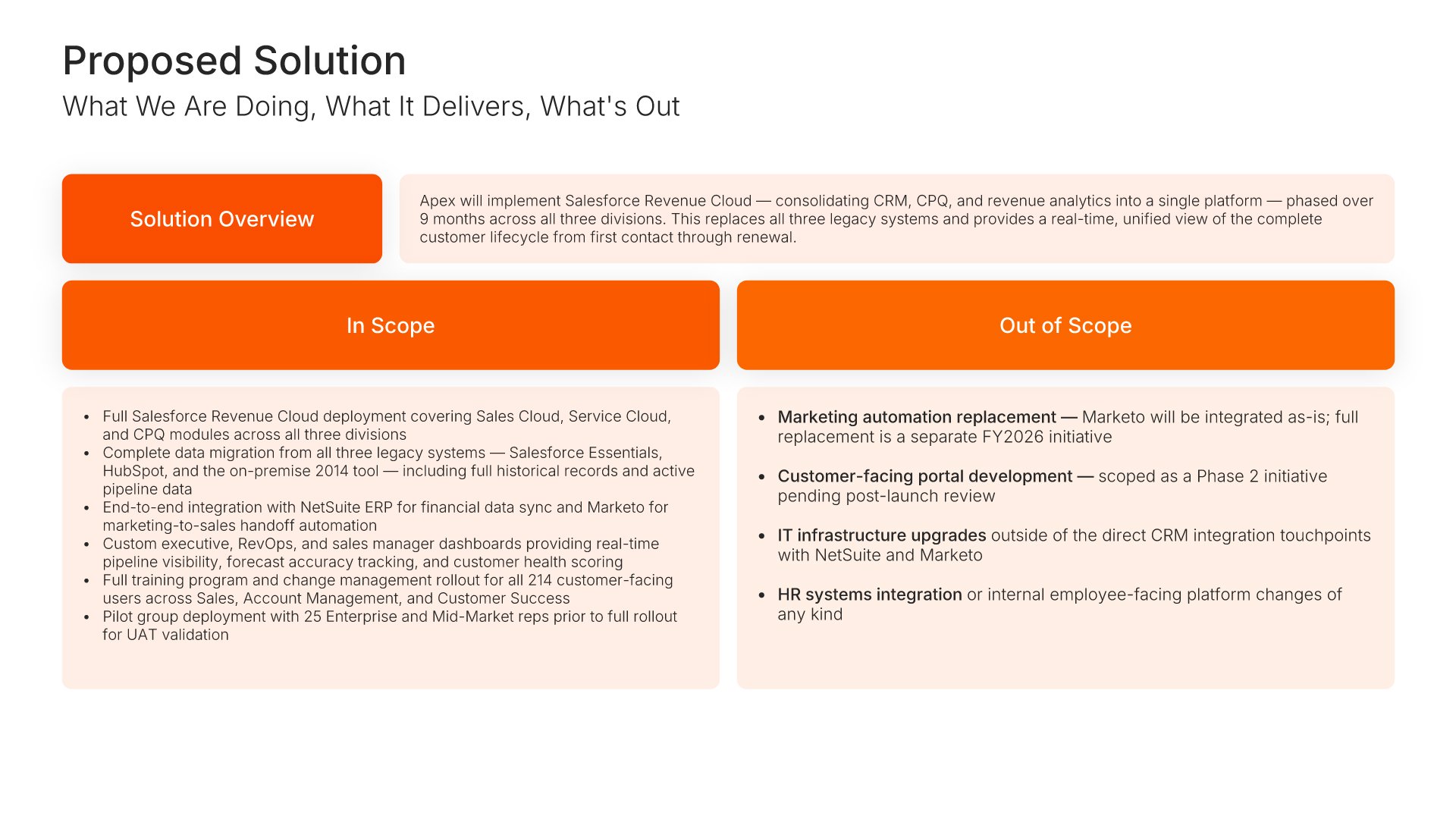
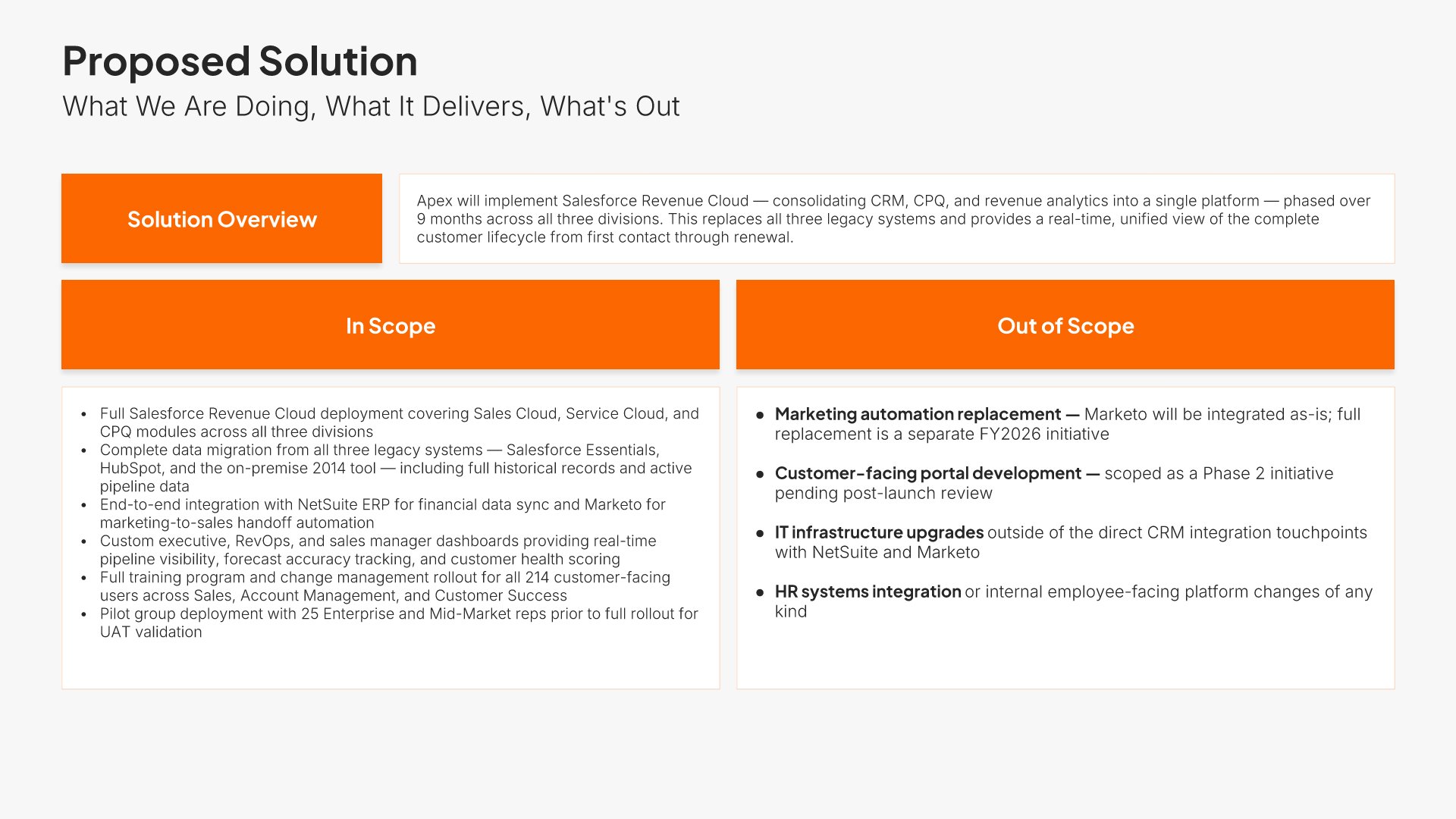
Solution slide, executive project proposal presentation, what it delivers and what it fixes

Slide 04

Solution

What you're doing, what it delivers, and which problem each part fixes.

Built using “Executive Summary” slide
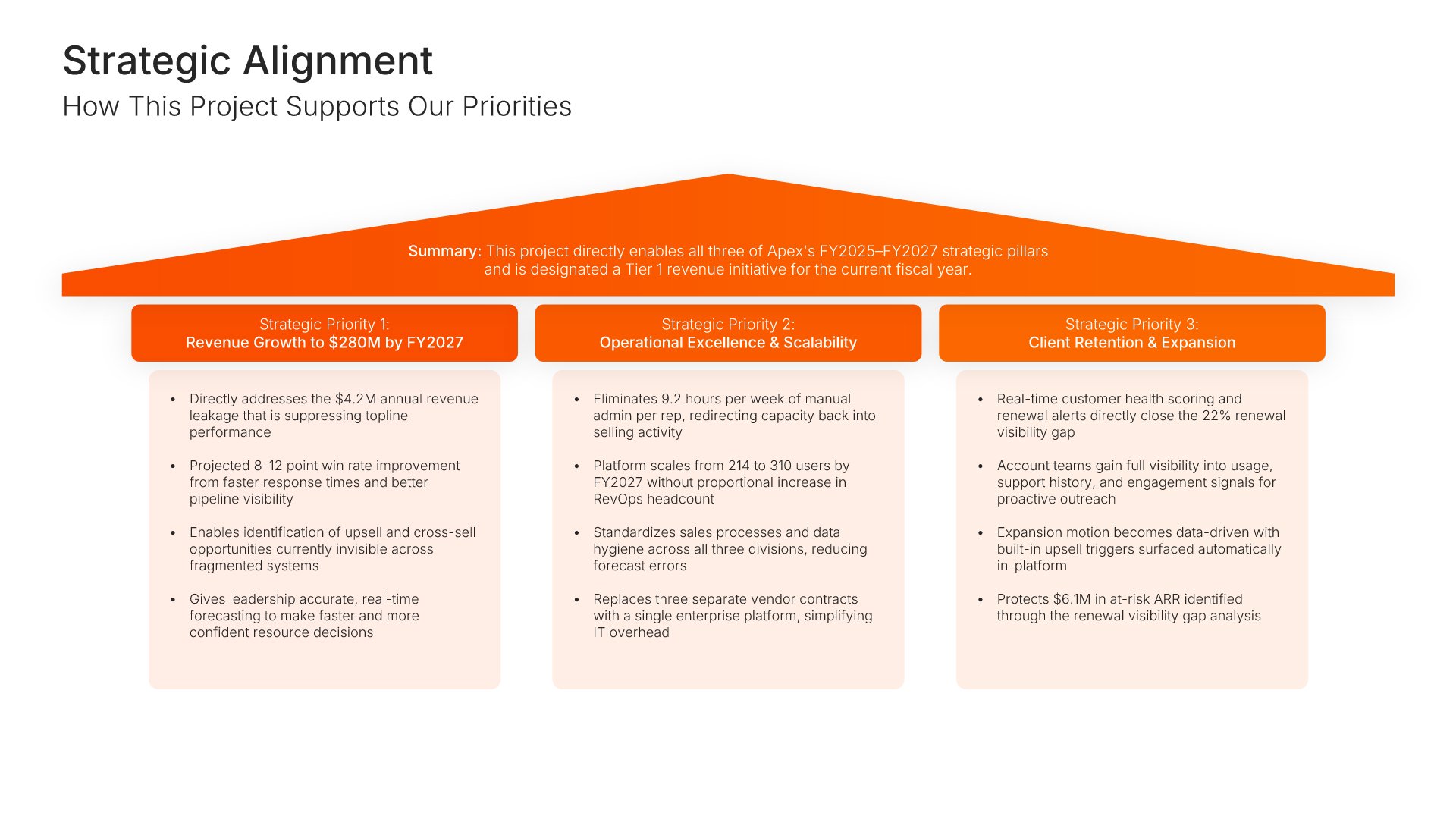
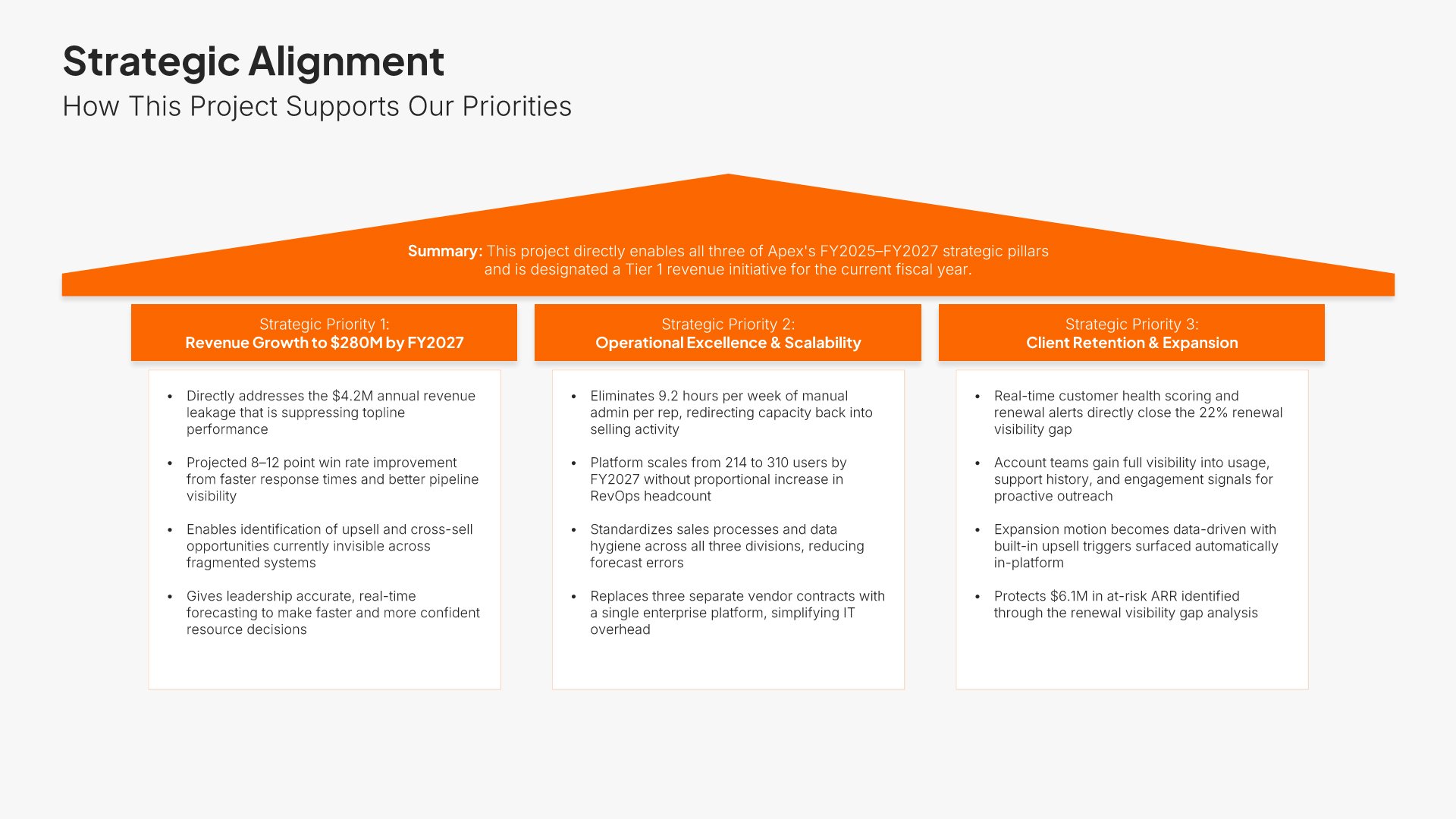
Strategic alignment slide, executive project proposal presentation, priorities against contribution

Slide 05

Strategic Alignment

Each corporate priority against what this project contributes to it.

Built using “Strategic Pillars Infographics” slide
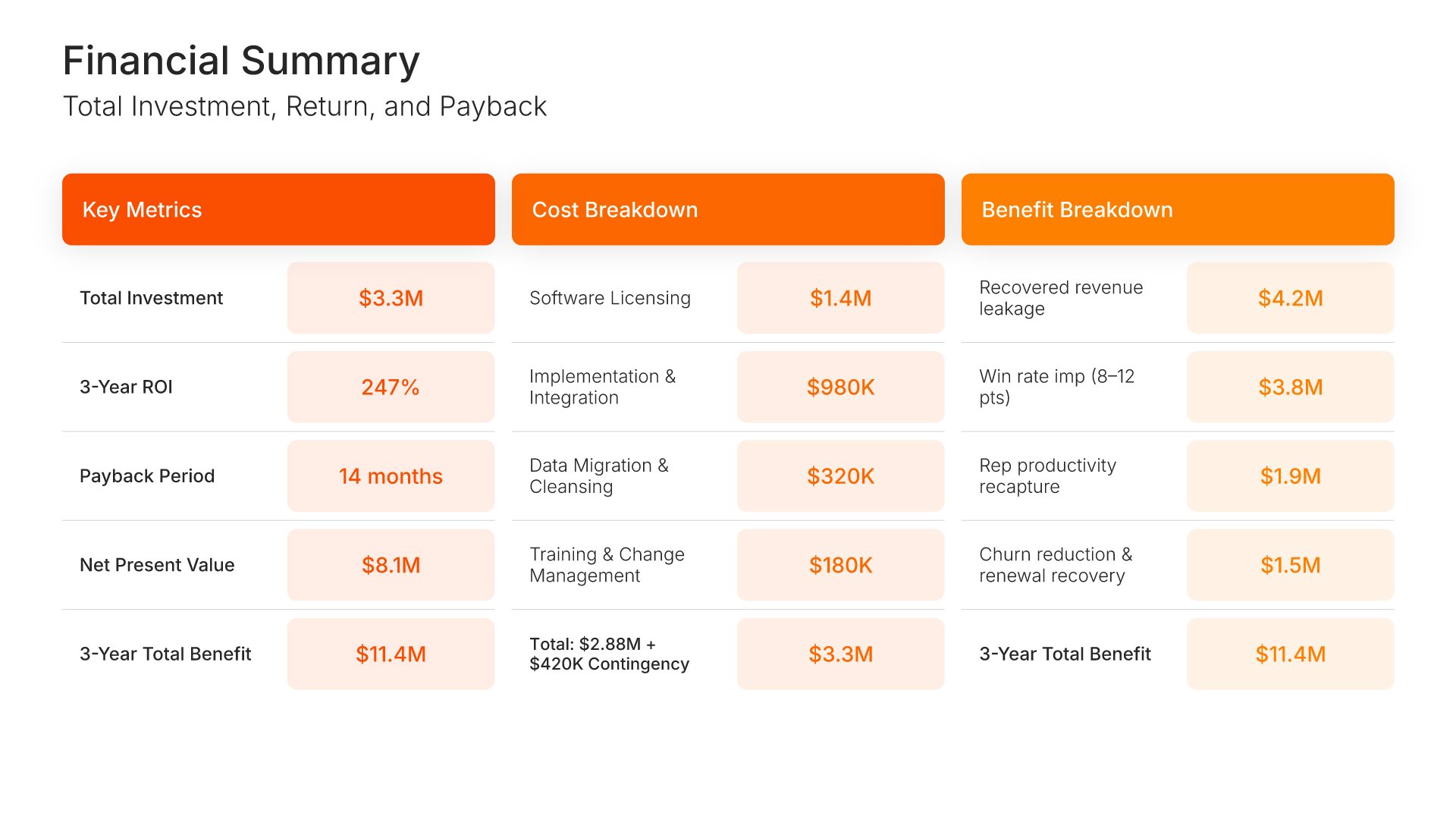
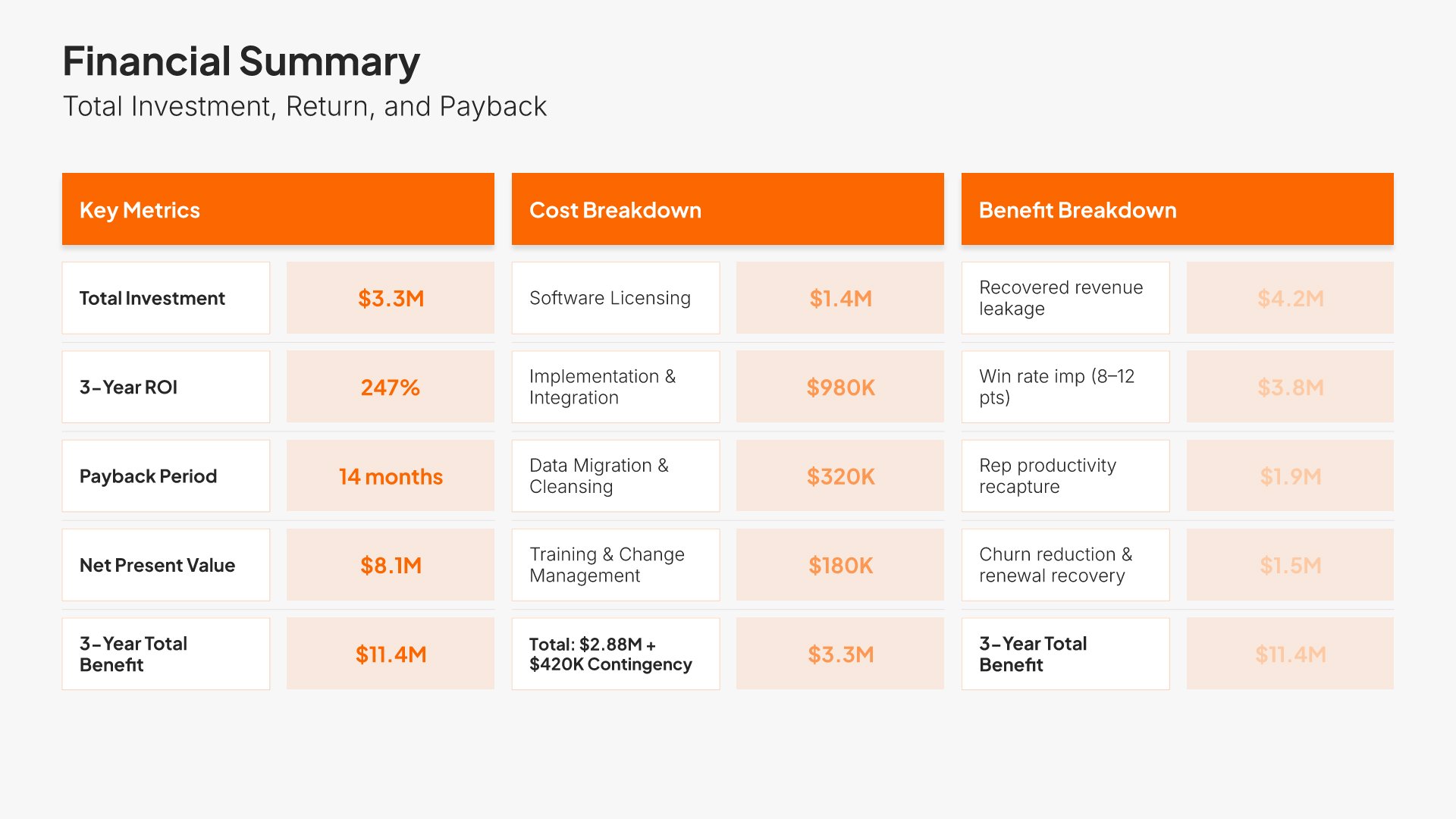
Financial summary slide, executive project proposal presentation, ROI, payback, and net present value

Slide 06

Financial Summary

Cost and benefit broken out by year, with ROI, payback, net present value, and five-year total.

Built using “Simple Numbers” slide
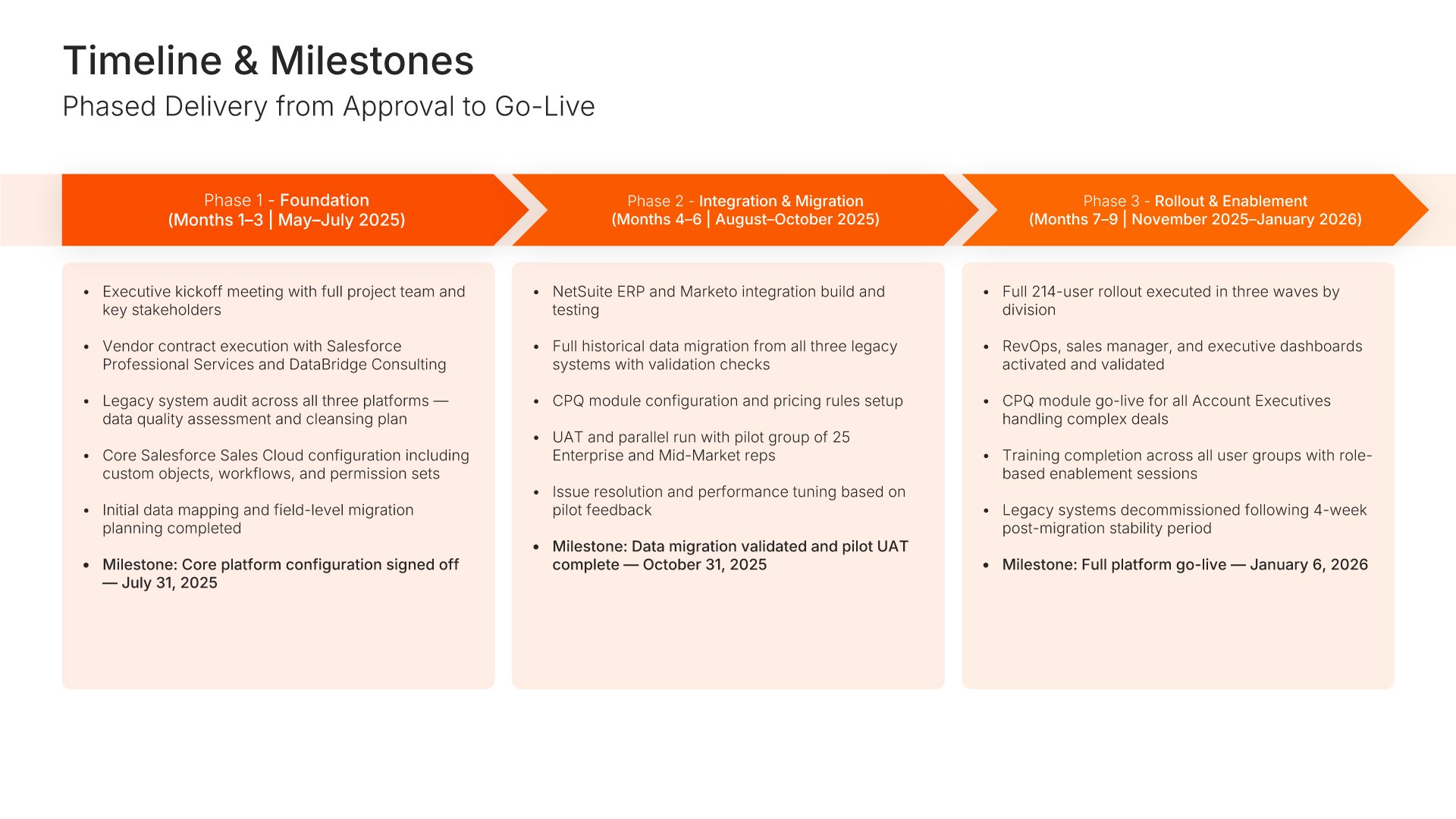
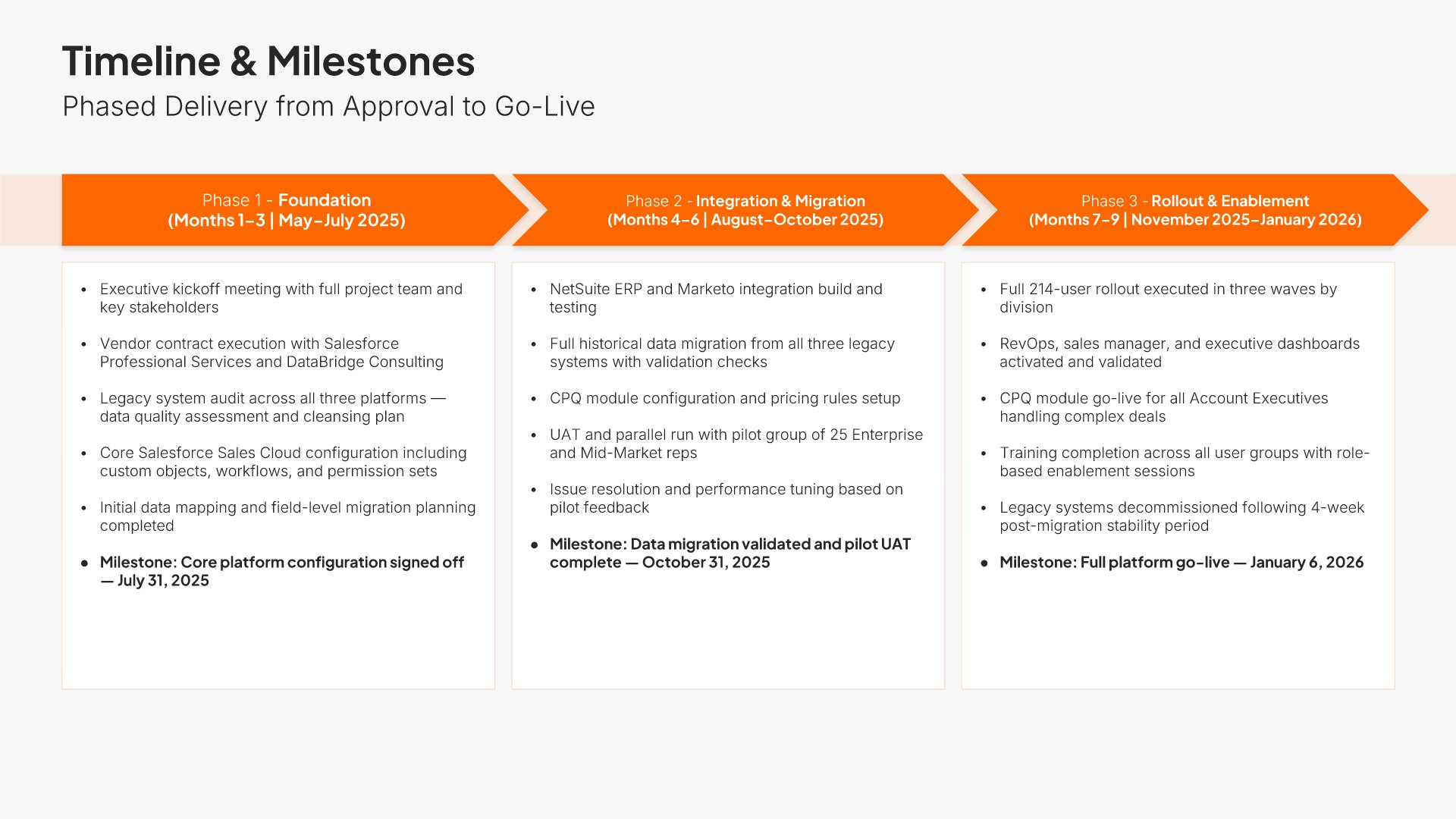
Implementation timeline slide, executive project proposal presentation, phased delivery from approval to go-live

Slide 07

Implementation Timeline

Phased delivery from approval to go-live, with what completes in each phase.

Built using “Process – Horizontal” slide
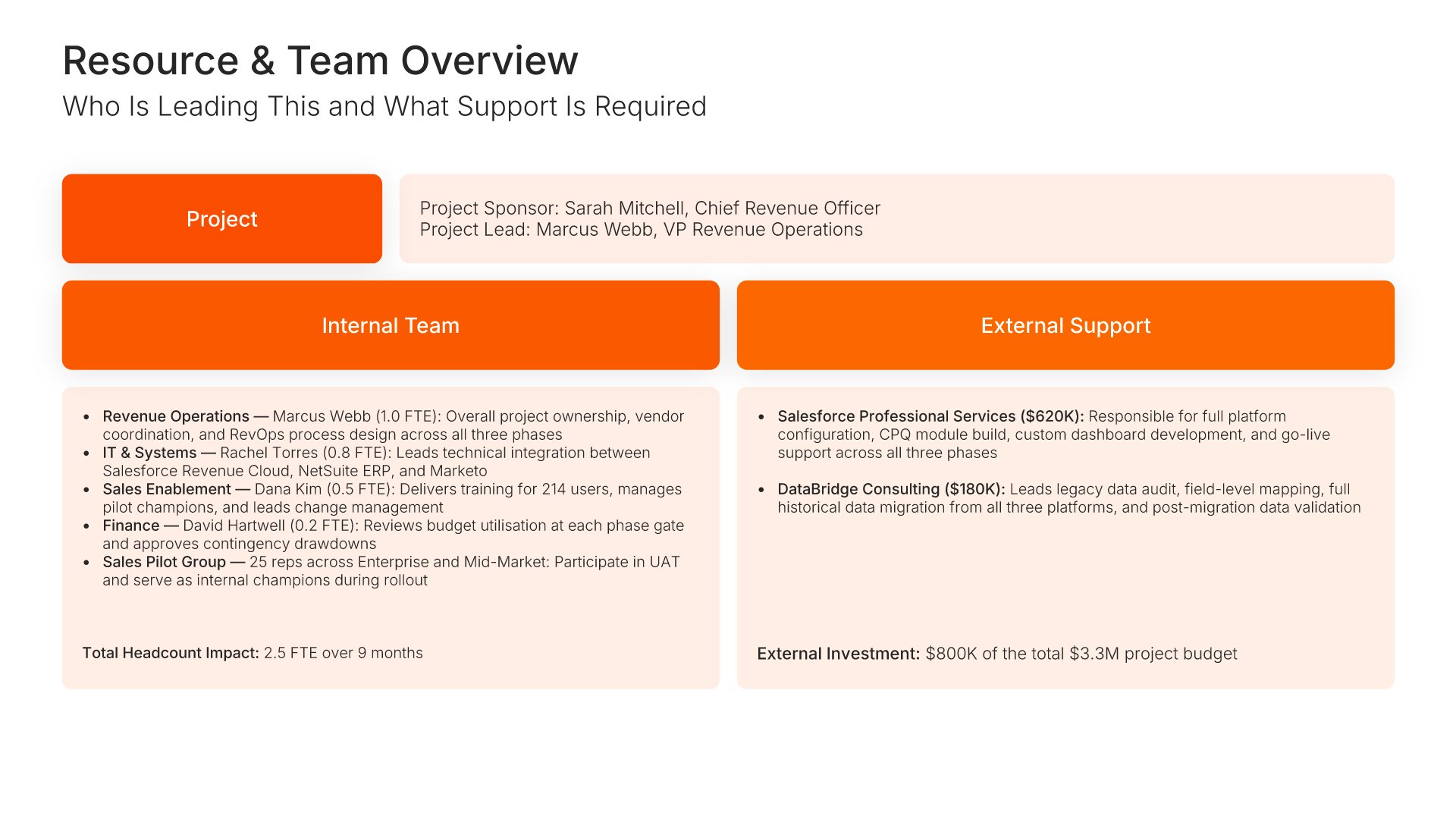
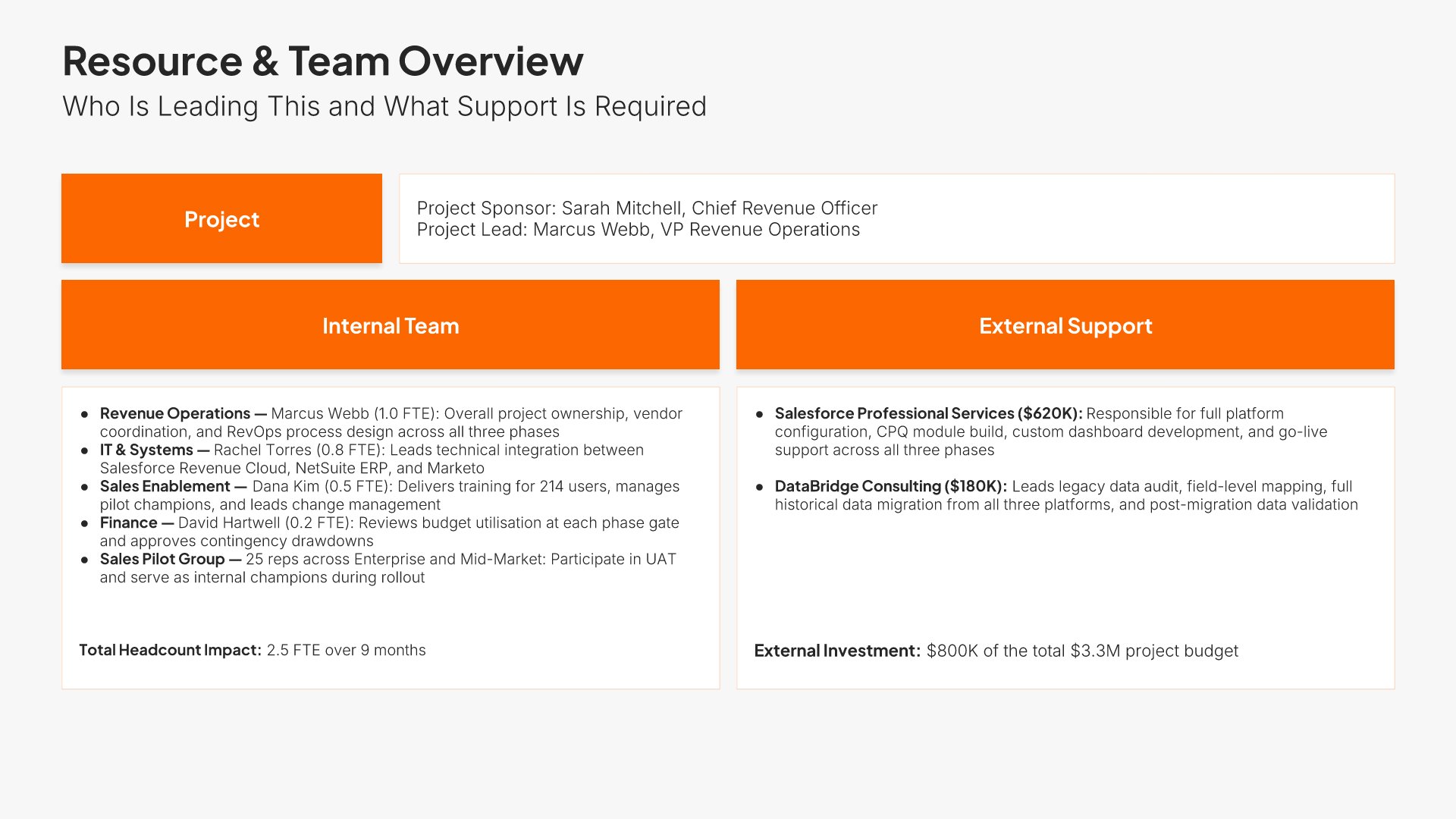
Resource and team overview slide, executive project proposal presentation, leads and total resource required

Slide 08

Resource & Team Overview

Who leads it across project, business, and technical, with the total resource required.

Built using “Executive Summary” slide
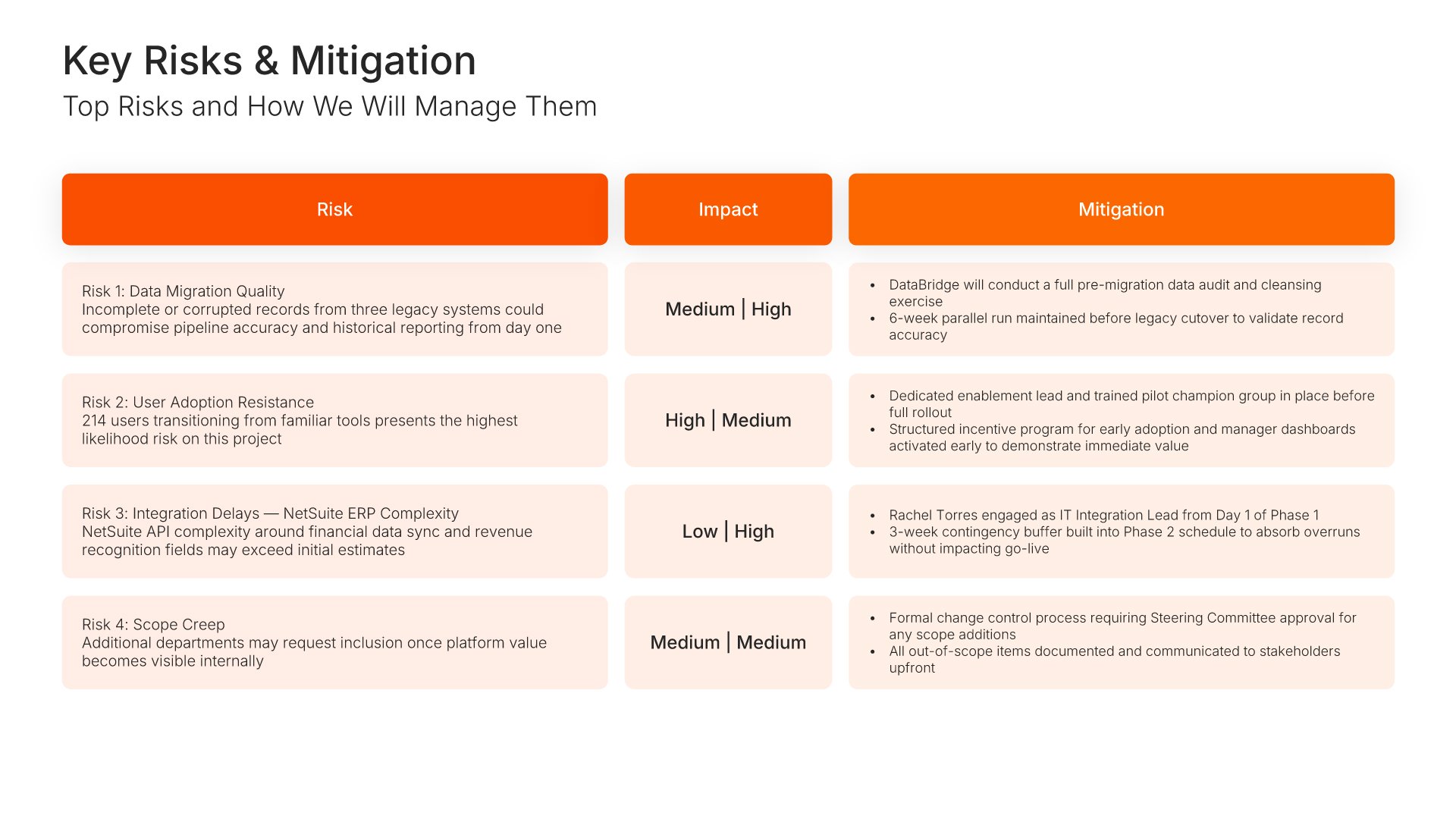
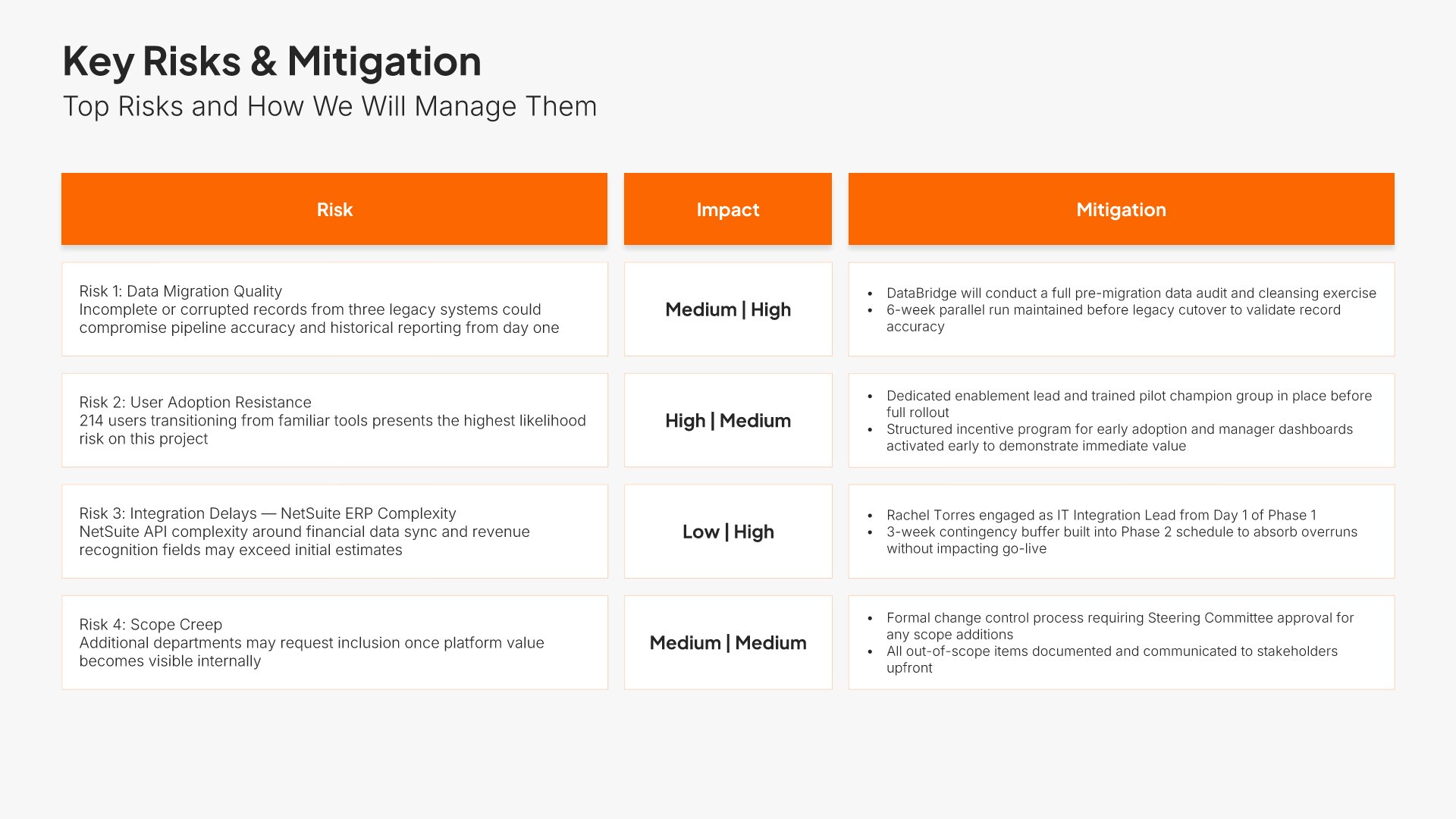
Risk assessment slide, executive project proposal presentation, each risk with rating and response

Slide 09

Risk Assessment

Each risk with its rating and how it will be managed.

Built using “Table” slide
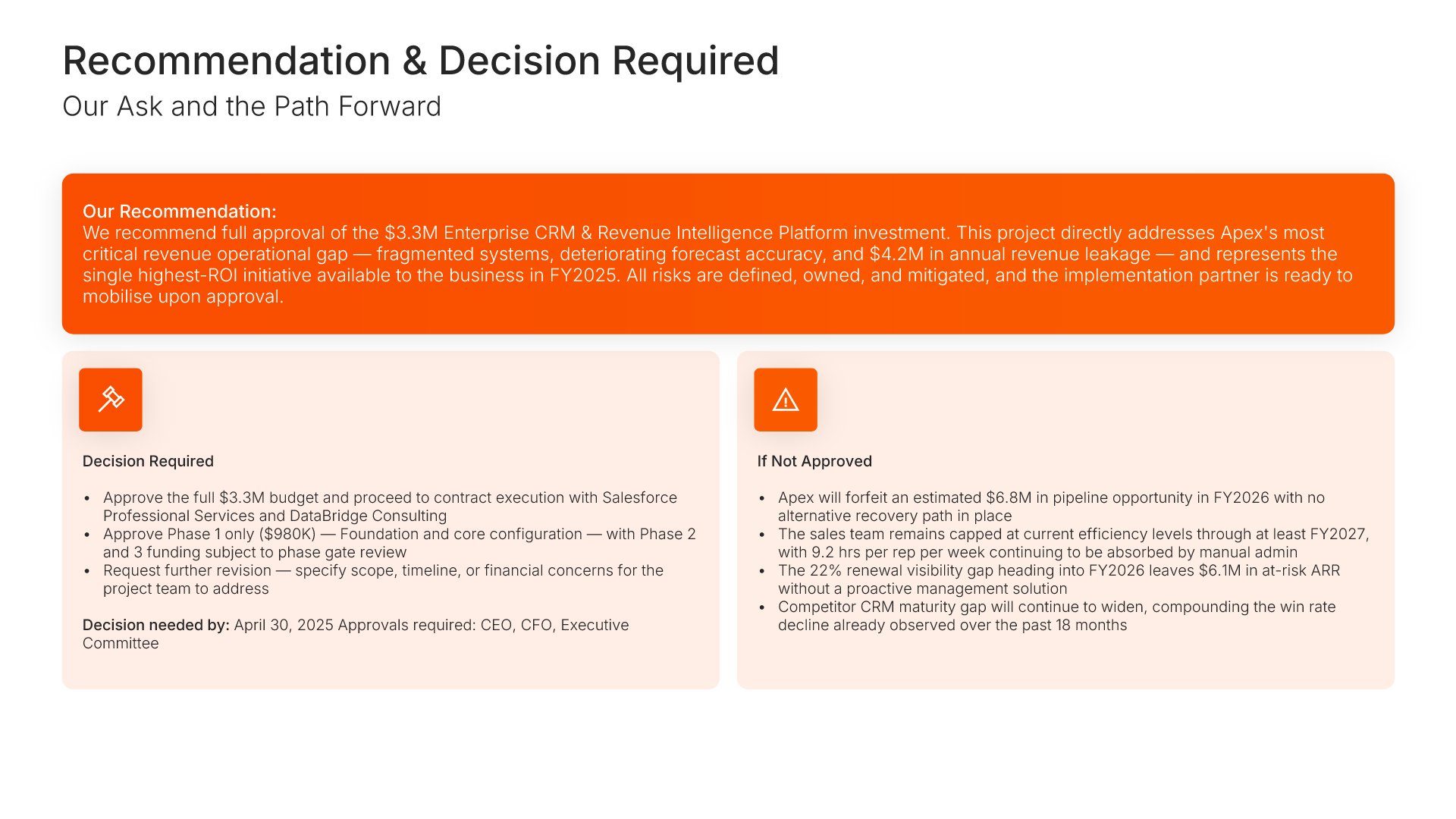
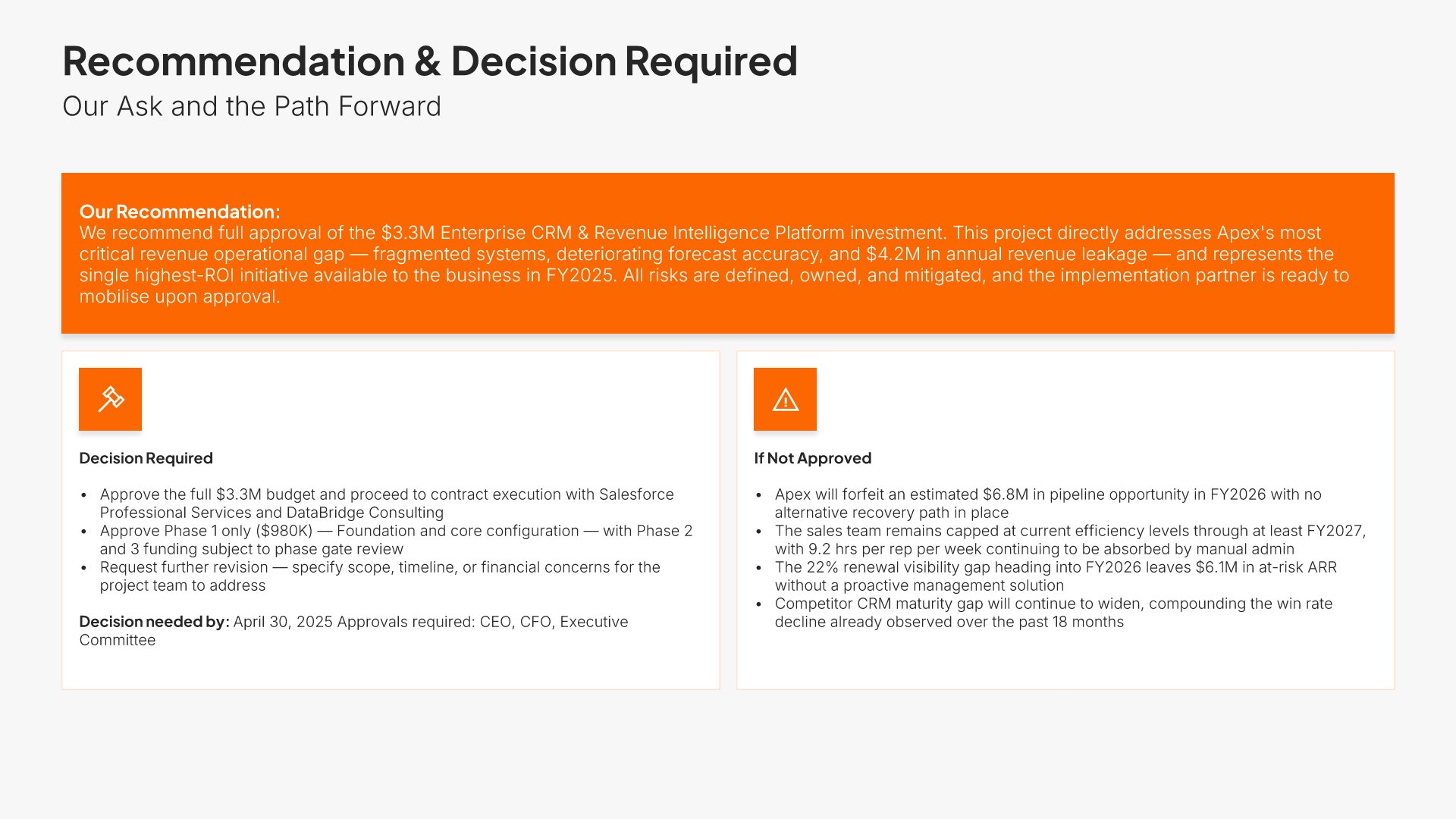
Decisions required slide, executive project proposal presentation, the ask and the approval needed

Slide 10

Decisions Required

The ask stated plainly, with the approval needed to move.

Built using “Simple Text (with Icons)” slide
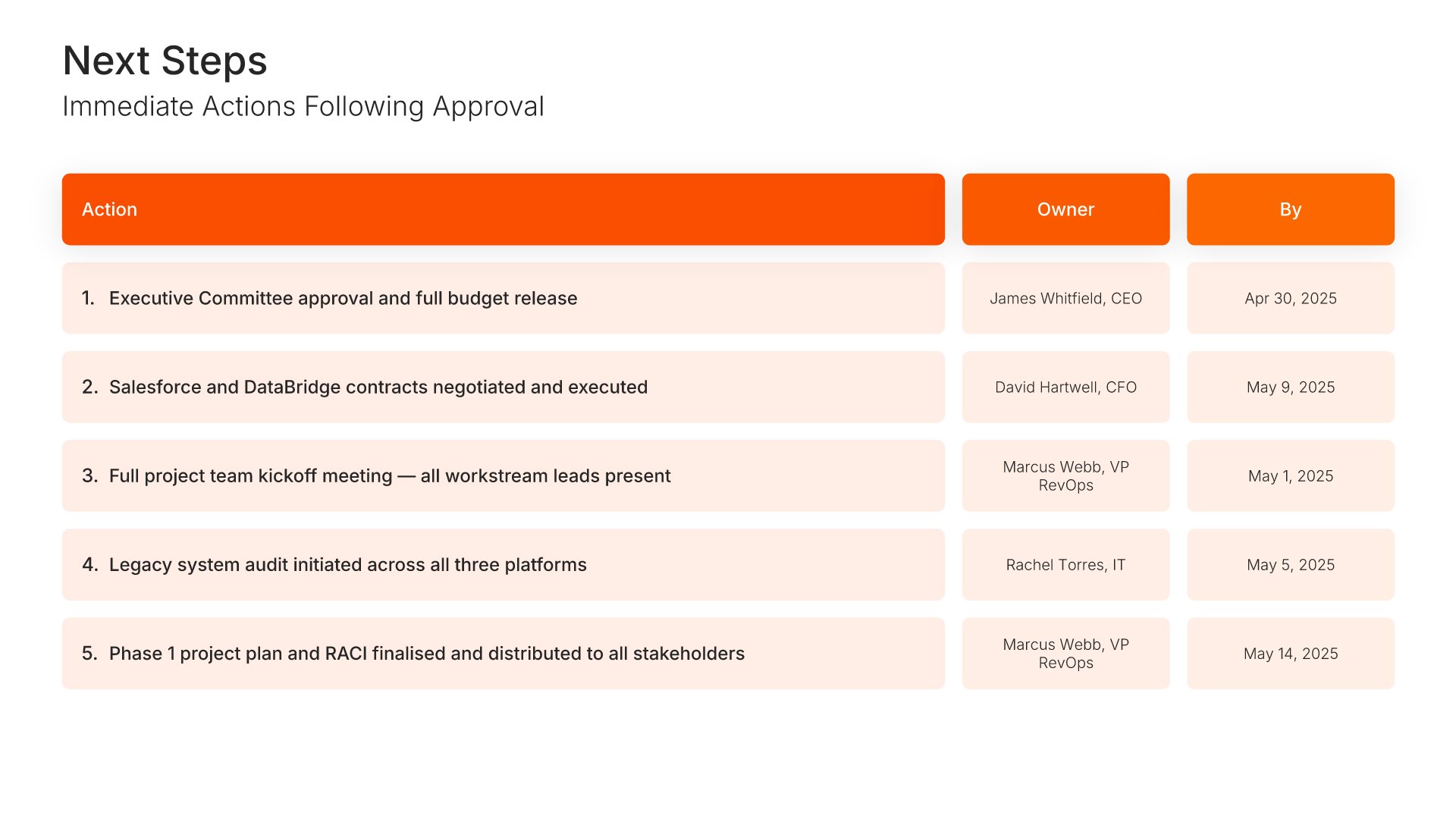
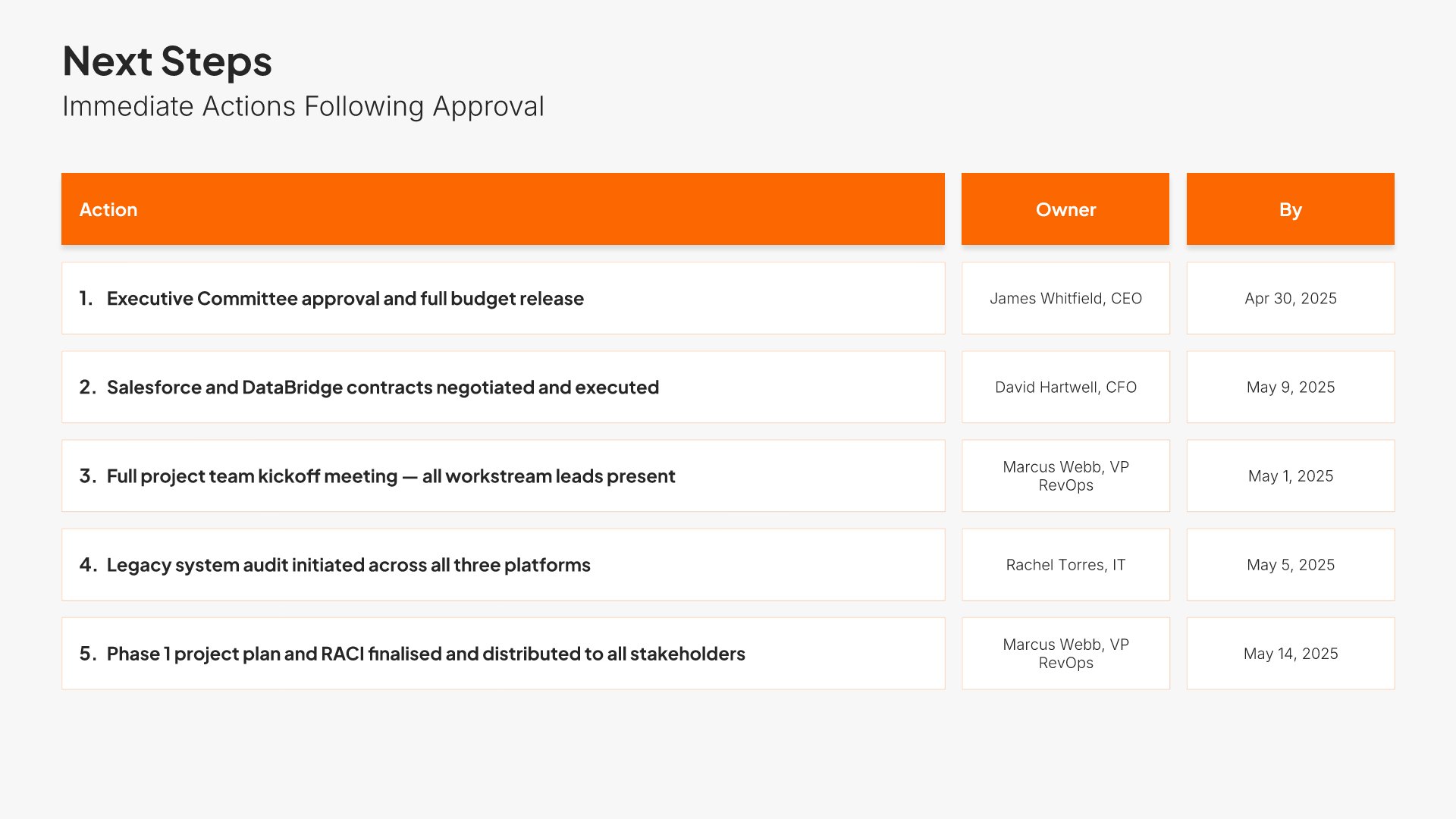
Next steps slide, executive project proposal presentation, actions after approval with owners and dates

Slide 11

Next Steps

Immediate actions after approval, each with an owner and a date.

Built using “Table” slide
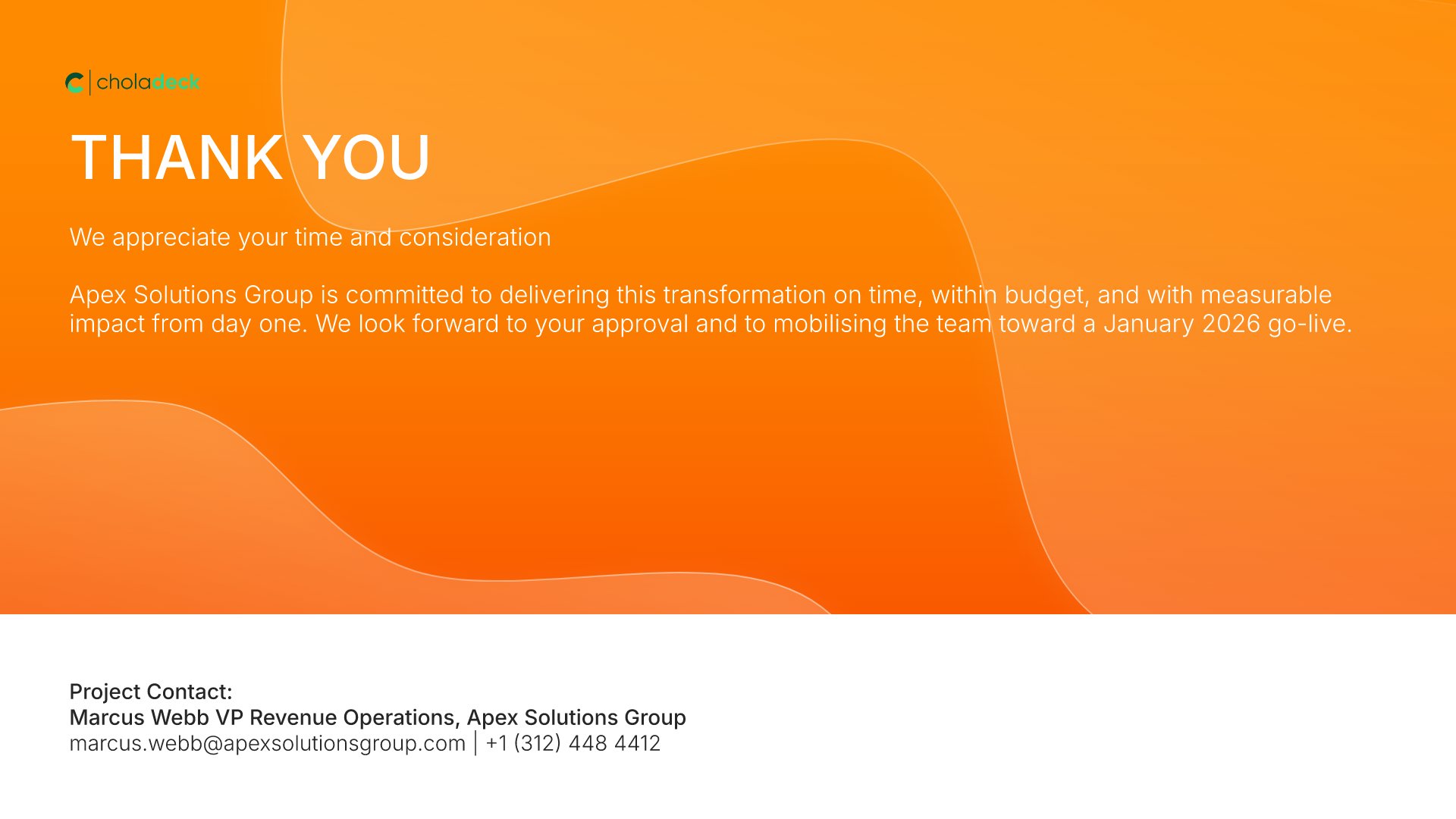
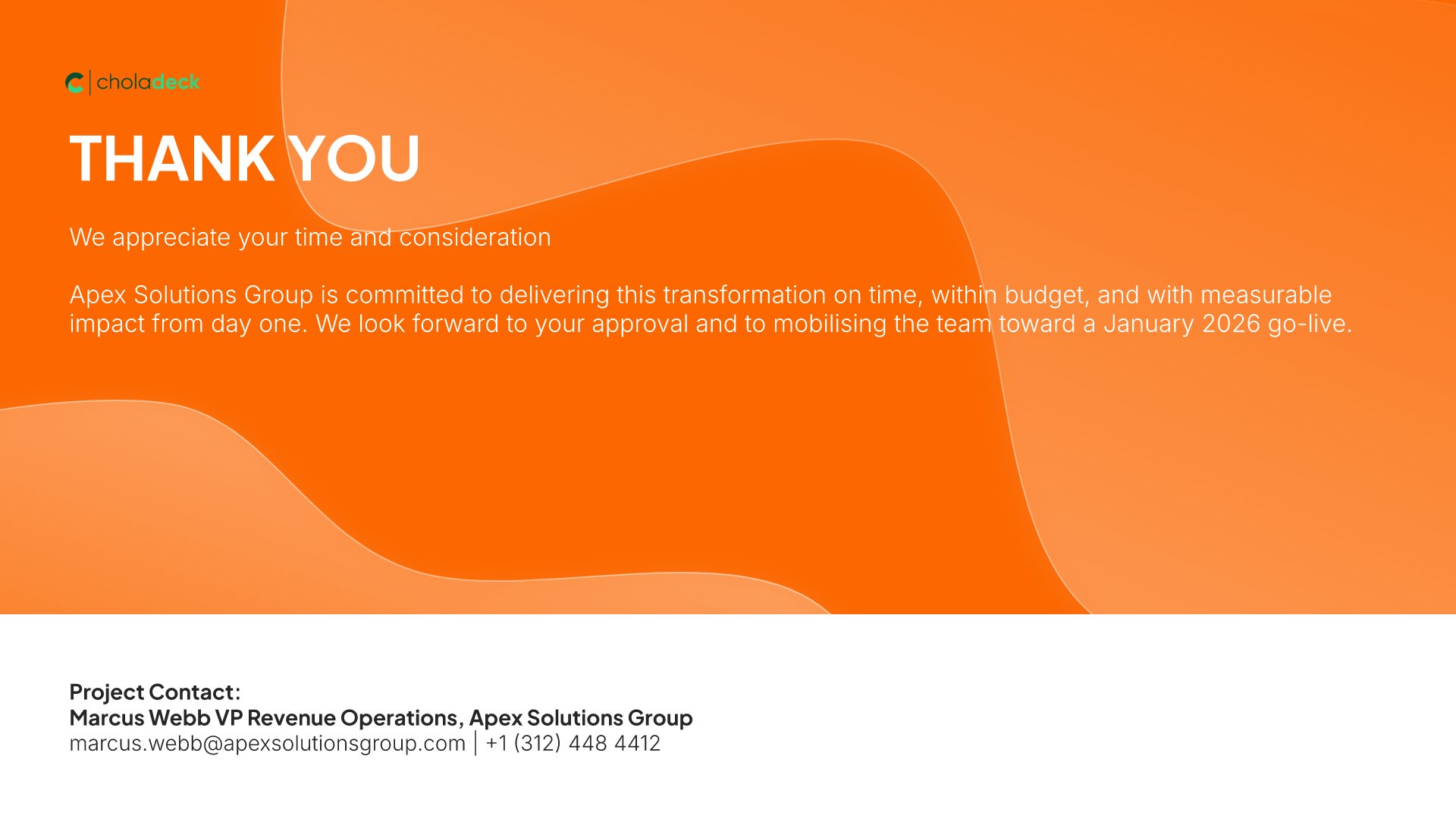
Thank you slide, executive project proposal presentation, project contact for follow-up

Slide 12

Thank You

The close, with the project contact for follow-up.

Built using “Title” slide

About the executive project proposal presentation

The structure, the slides, your brand, and a file you can edit anywhere.

Built for a committee that decides in the last two minutes

An executive committee gives a project fifteen minutes and decides in the last two. They aren’t reading the methodology. They want to know what it costs, what it returns, when it pays back, how it maps to what the company already said it cares about, and what specifically you need them to approve. Twelve slides, all five answers.

Built from 9,000+ slides across 134+ categories

Every slide here comes from the same library. One-pager layouts, strategic pillar infographics, number panels, process flows, and risk tables are already in it, so adding a scope option or a second funding scenario takes a minute. Everything sits on the same grid, so the layout still holds.

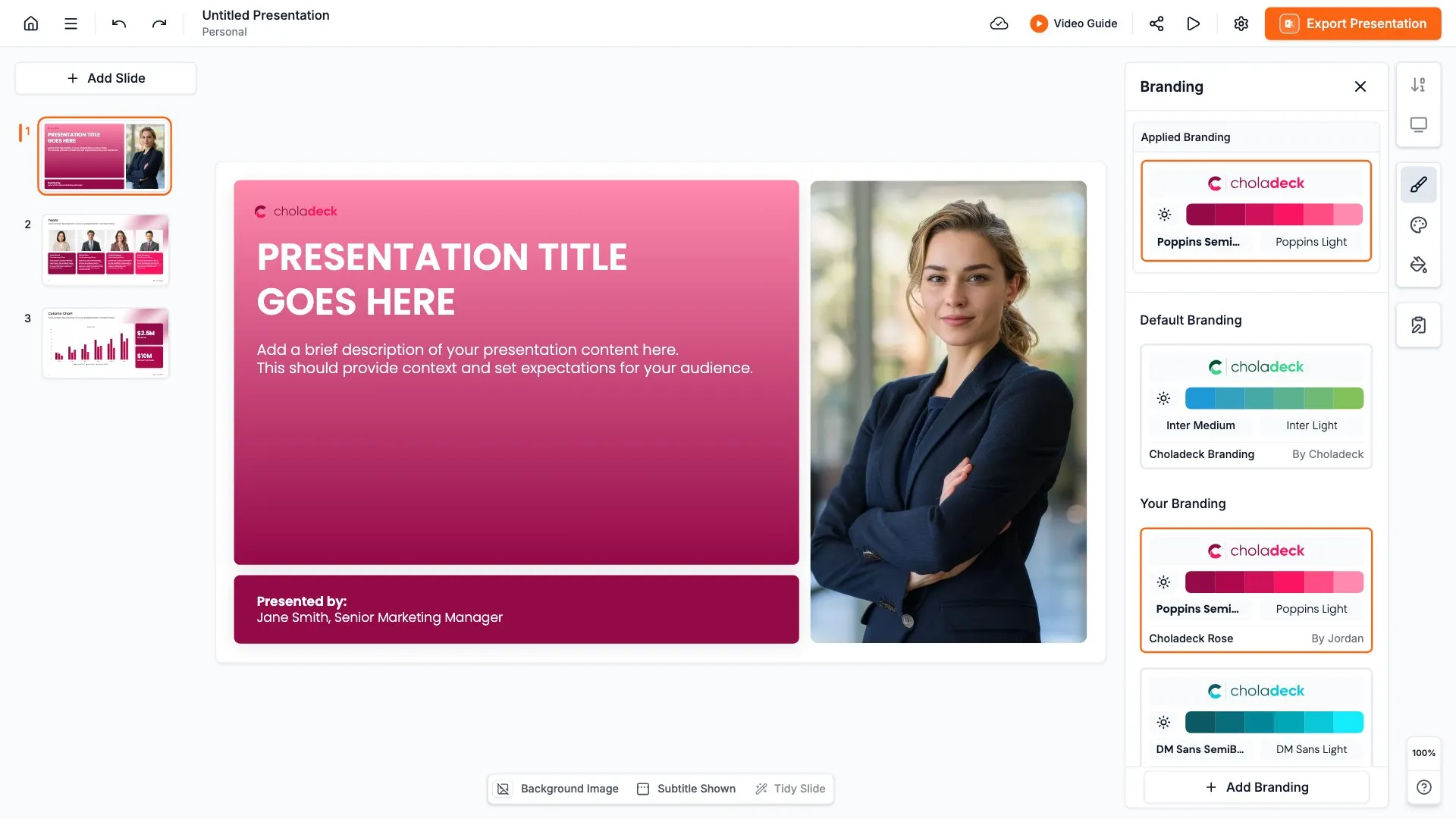
Brand the whole presentation in one click

Add your logo, colors, fonts, and background once. It applies to the whole presentation and the entire slide library at the same time. Everything that reaches the executive committee looks like it came from one organization.

Export to PowerPoint, Google Slides, or Keynote

You get a real file, not a locked link. Export it and keep editing in the tool you already use. Every table and chart stays editable, so the numbers can move through review without a rebuild.

How Choladeck works

From blank page to finished presentation in four steps.

STEP 01

Browse 9,000+ slides across 134+ categories, or open one of the 74 premade presentations.

STEP 02

Add your logo, colors, and fonts in one click. The whole presentation instantly matches your company.

STEP 03

Add your text, numbers, charts, and tables. Everything on the slide is editable.

STEP 04

Send it to PowerPoint, Google Slides, or Keynote, and present.
Build your own

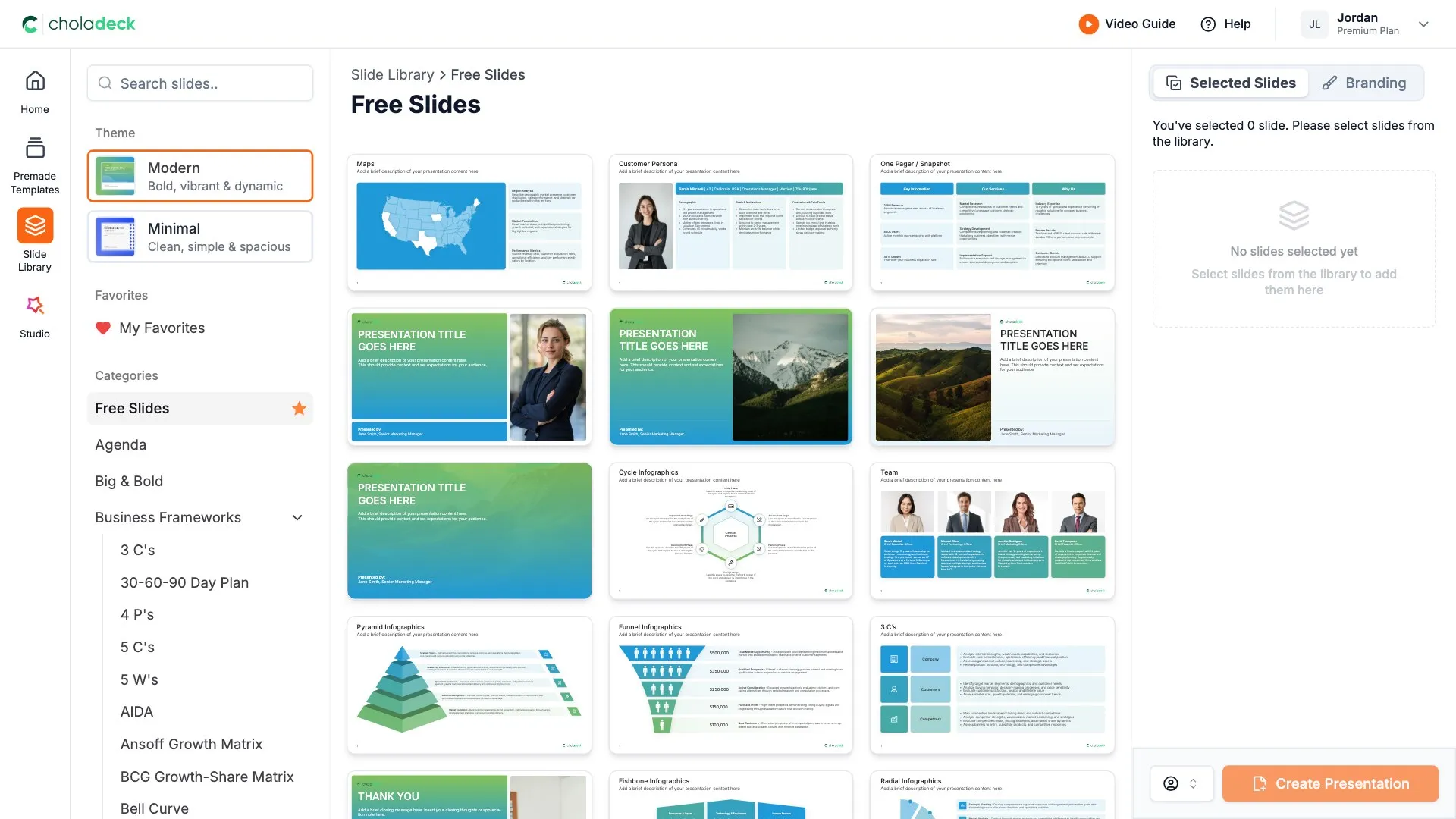
Nothing here fits? Build your own executive project proposal

This template is assembled from the same 9,000+ slides. Pick the slides you need, drop them into one file, and brand the whole thing in one click.
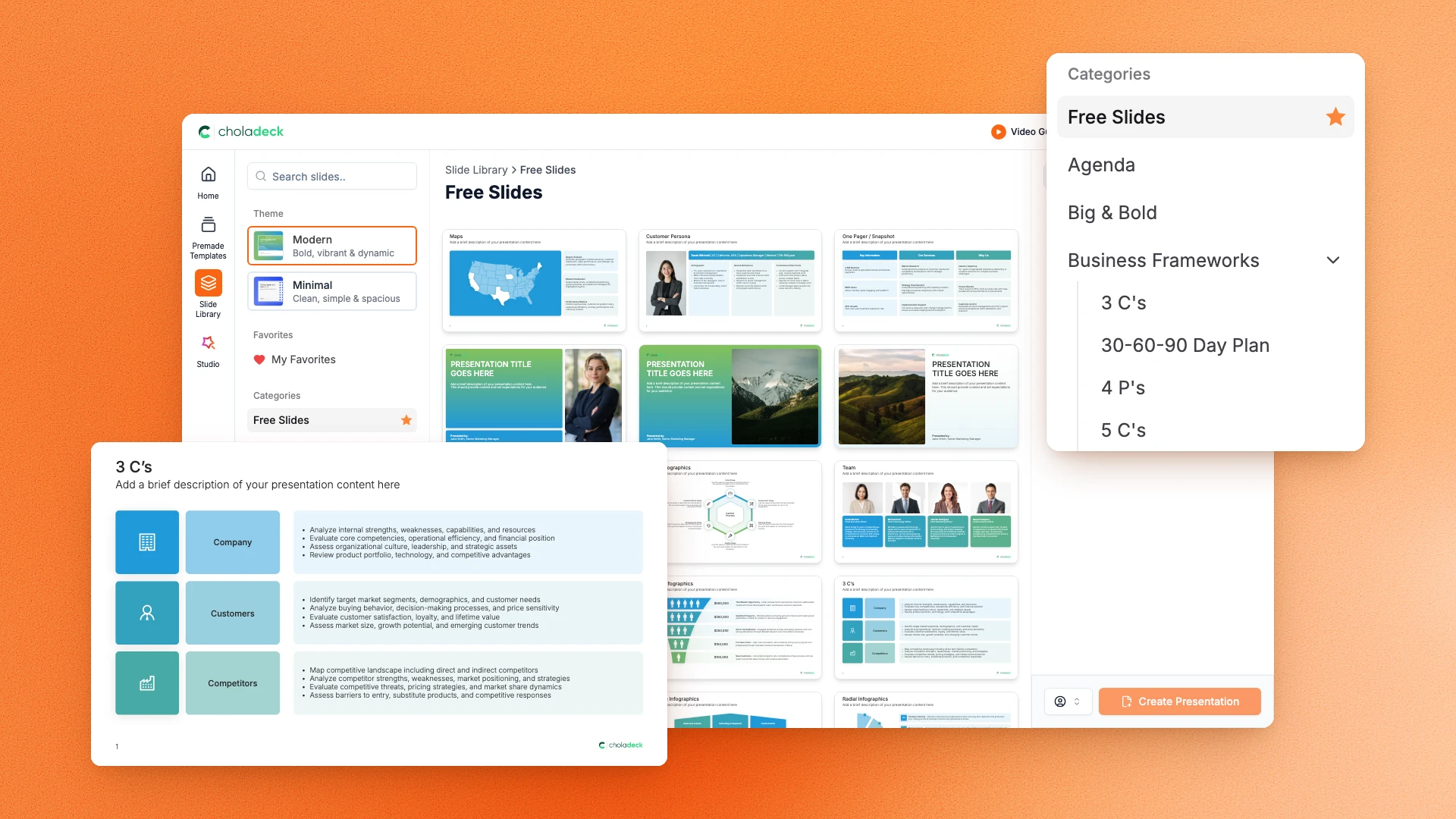
Choladeck slide library on Free Slides, with its category list and the 3 C’s slide shown larger

Questions about the executive project proposal presentation

What's inside the template, and how far you can change it.

Using the template

Is the template fully editable?

+

Yes. Text, tables, charts, icons, and colors on every slide are yours to change. Nothing is locked and nothing is a flat image.

How do I brand it to my organization?

+

Add your logo, colors, fonts, and background once. It applies to the whole presentation and the entire slide library at the same time.

Can I add slides from the slide library?

+

Yes. Add any slide from the library into this one, or swap out one that doesn't fit. Everything works together.

What's included

Is the financial case covered?

+

Yes. Cost and benefit broken out by year, with ROI, payback period, net present value, and a five-year total, all on one slide.

How is this different from the project proposal presentation?

+

Shorter and decision-led. The project proposal presentation carries scope, methodology, resource detail, and governance across nineteen slides. This one condenses delivery and resourcing to a slide each, leaves scope and governance out, and puts the ask on its own slide. If the committee wants the detail, add those slides from the slide library.

Is placeholder content included?

+

Yes. Every slide comes with realistic text, sample figures, and filled-in charts, so you can see how the executive project proposal reads before you put your own numbers in.

Start your executive project proposal
from one that's already done

Pick it, brand it, add your content, and export.

Free to start. No credit card required.