Pricing

All hands meeting template

Fifteen slides for the quarterly meeting where the whole company is in one room: the CEO's read on where things stand, the numbers behind it, what each department shipped, who did the work, what went wrong, and what the next quarter asks for. Select it, brand it to your company in one click, add your quarter, and export to PowerPoint, Google Slides, or Keynote.

Free to start. No credit card required.
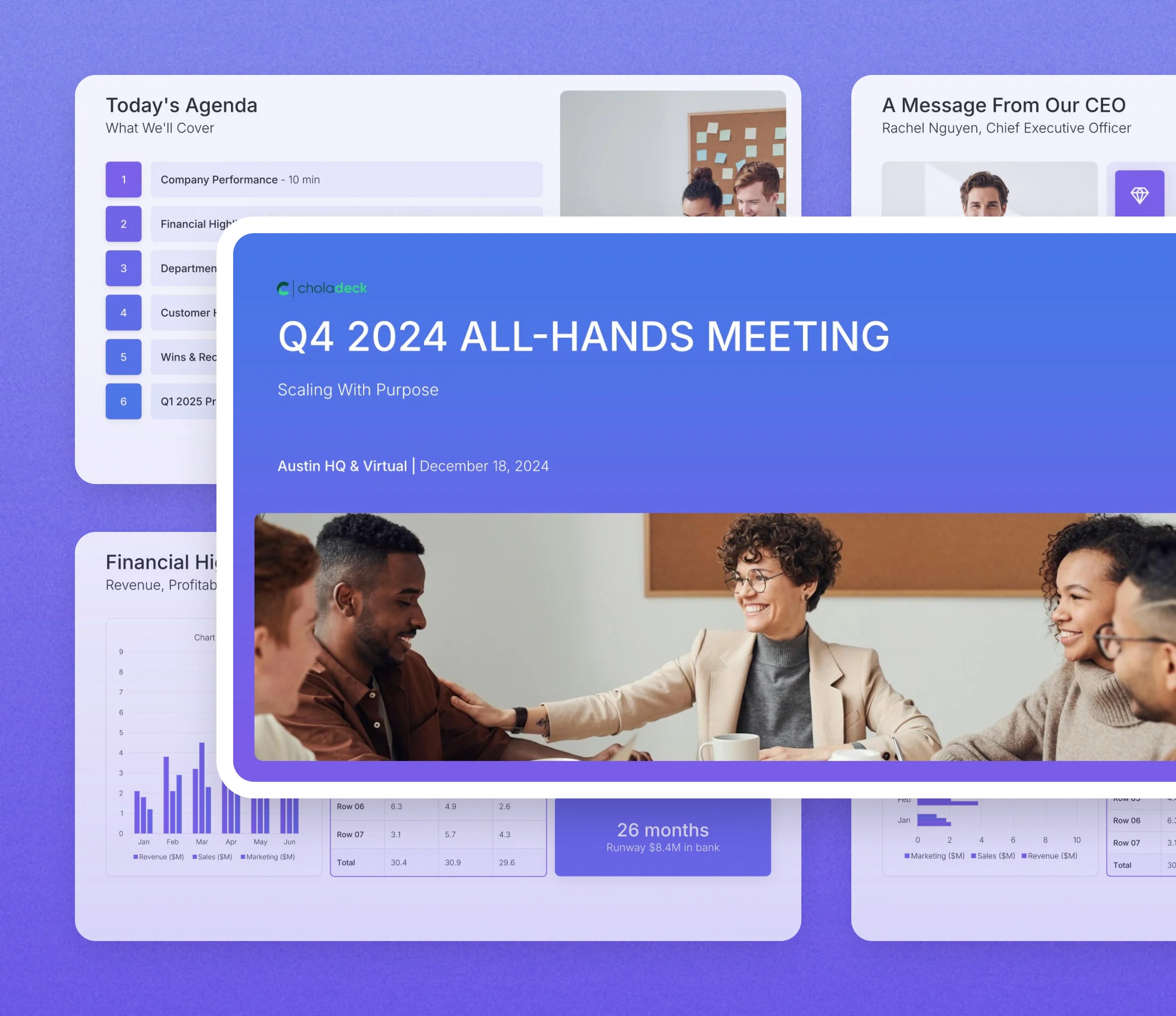
All hands meeting template: the title slide in front of other slides from the 15-slide deck

Every slide in the all hands meeting template

Fifteen slides, in the order you present them.

Title slide, all hands meeting template, quarter, company, and meeting details

Slide 01

Title

The quarter, the company, and where and when the meeting is held.

Built using “Title” slide
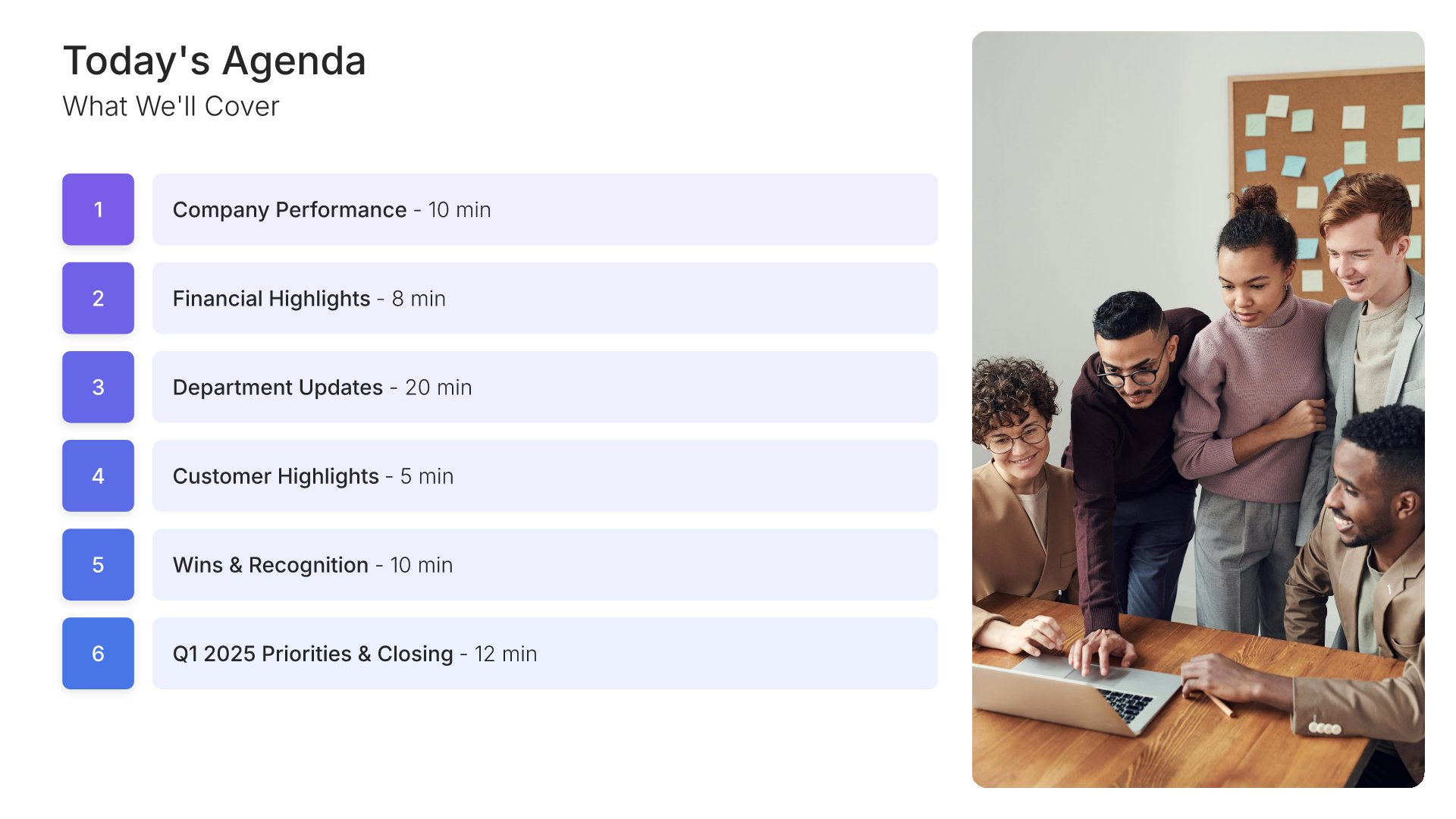
Agenda slide, all hands meeting template, items with a time budget on each

Slide 02

Agenda

What the meeting covers, with a time budget against each item.

Built using “Agenda” slide
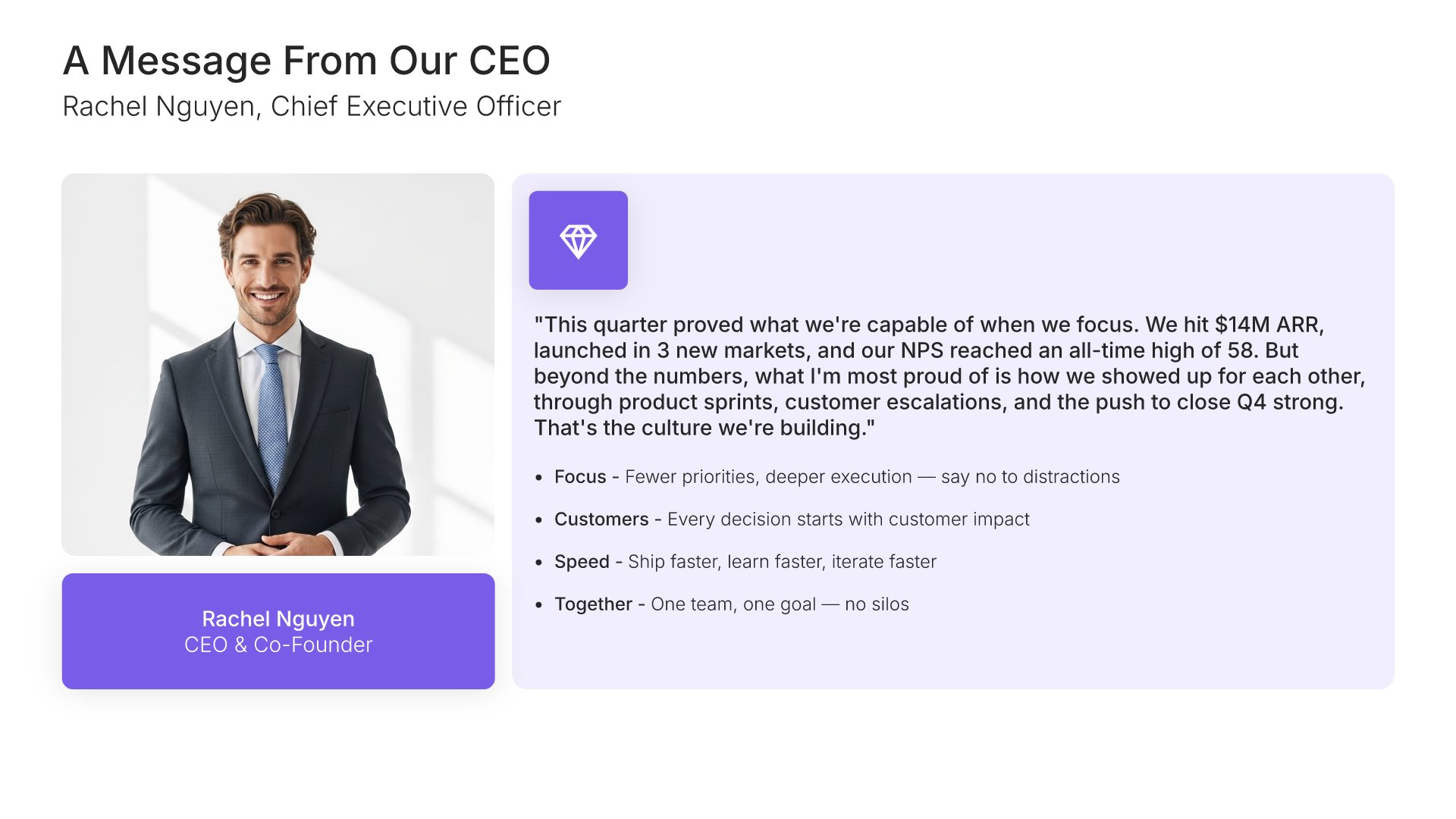
Message from leadership slide, all hands meeting template, the CEO's read on the quarter

Slide 03

Message from Leadership

The CEO's read on the quarter, with a photograph and the tone set before any number.

Built using “Profile” slide
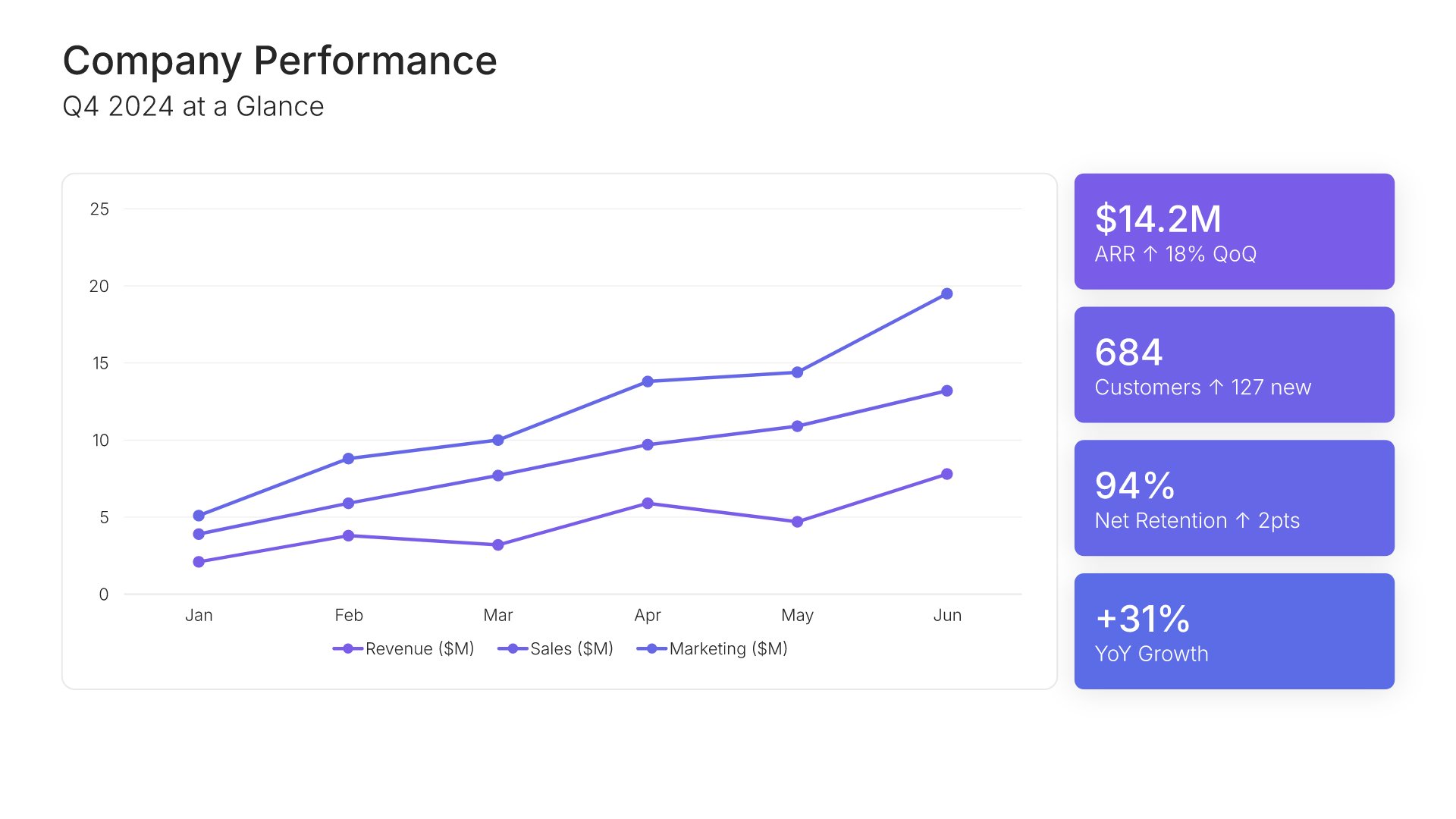
Financial performance overview slide, all hands meeting template, revenue, customers, retention, and growth

Slide 04

Financial Performance Overview

The quarter at a glance, charted, with revenue, customers, retention, and growth.

Built using “Charts” slide
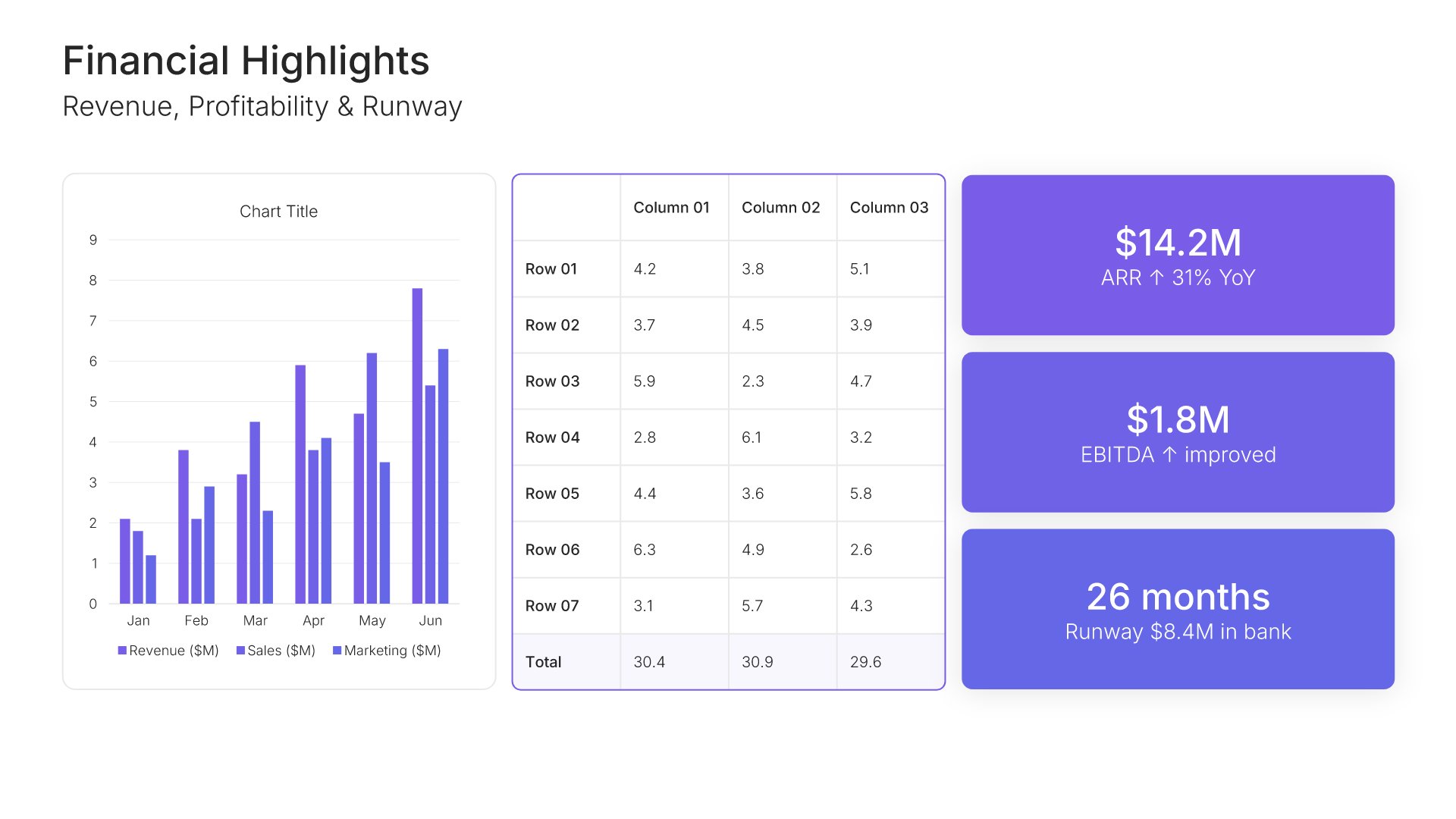
Financial highlights slide, all hands meeting template, revenue, profitability, and runway

Slide 05

Financial Highlights

Revenue, profitability, and runway, with the headline figures called out.

Built using “KPI Dashboard” slide
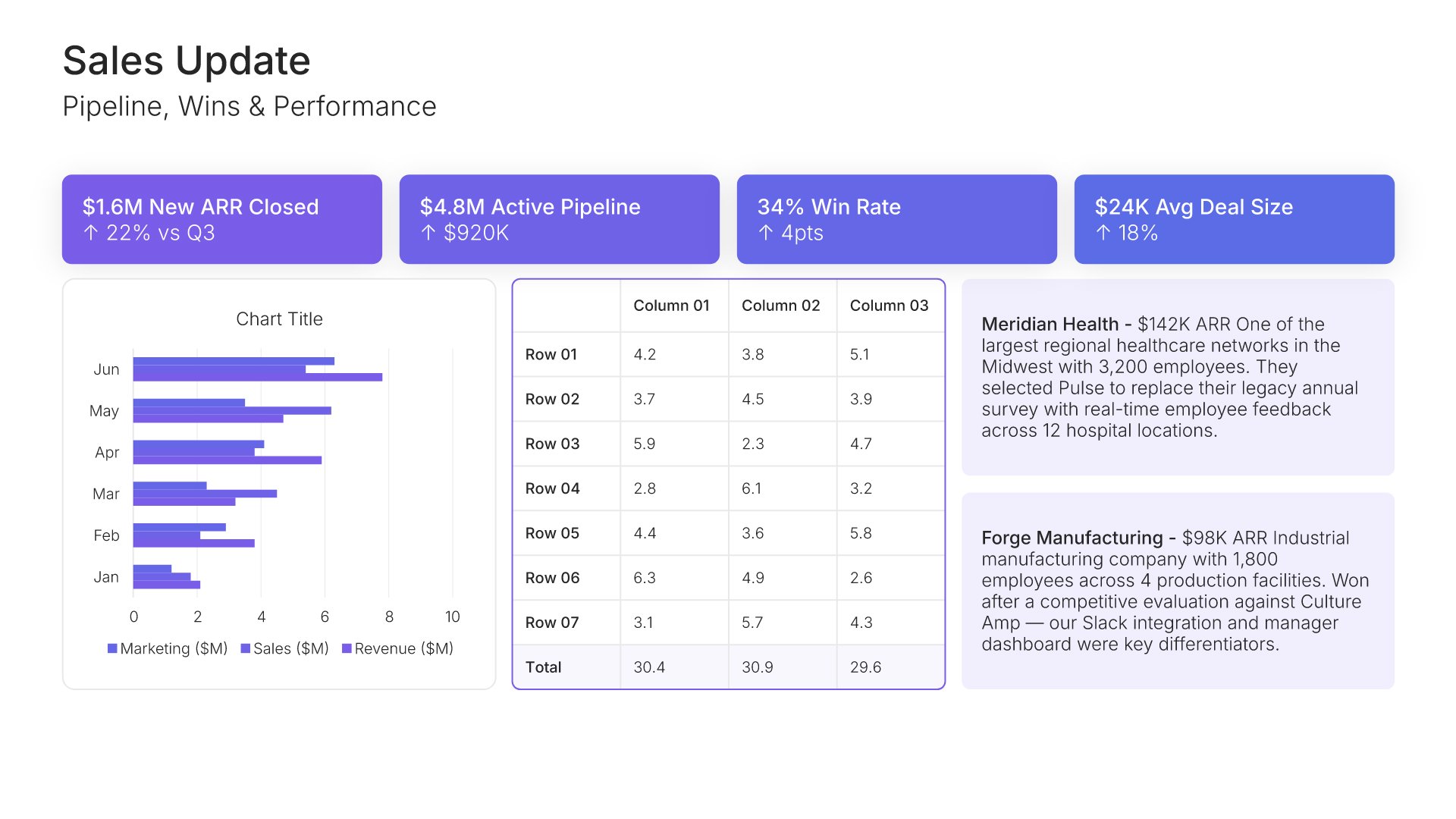
Department update slide, all hands meeting template, sales pipeline, wins, and target

Slide 06

Department Update

Sales: pipeline, wins, and performance against target.

Built using “KPI Dashboard” slide
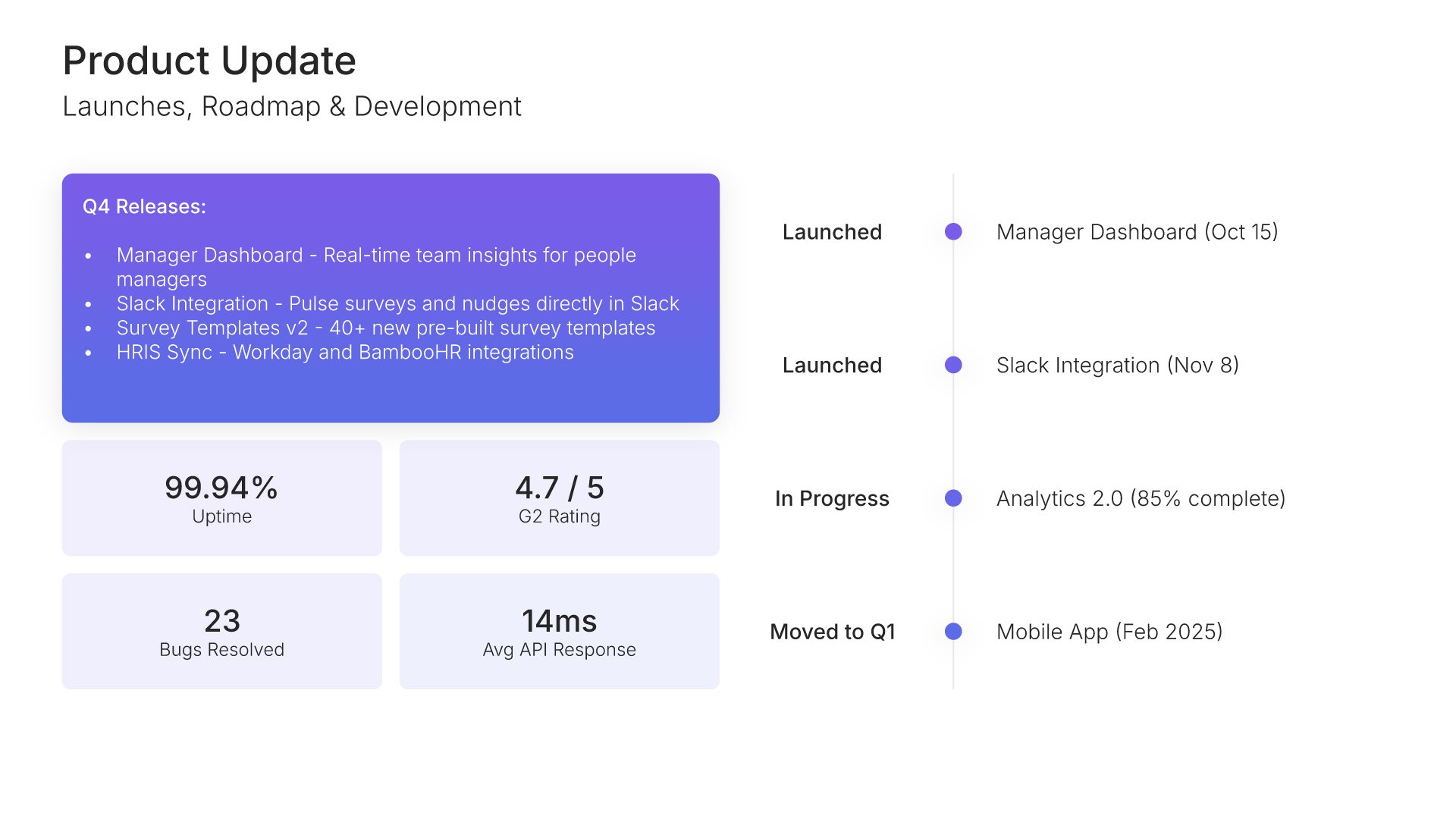
Department update slide, all hands meeting template, product launches, roadmap, and releases

Slide 07

Department Update

Product: launches, roadmap, and what shipped this quarter.

Built using “Timeline” slide
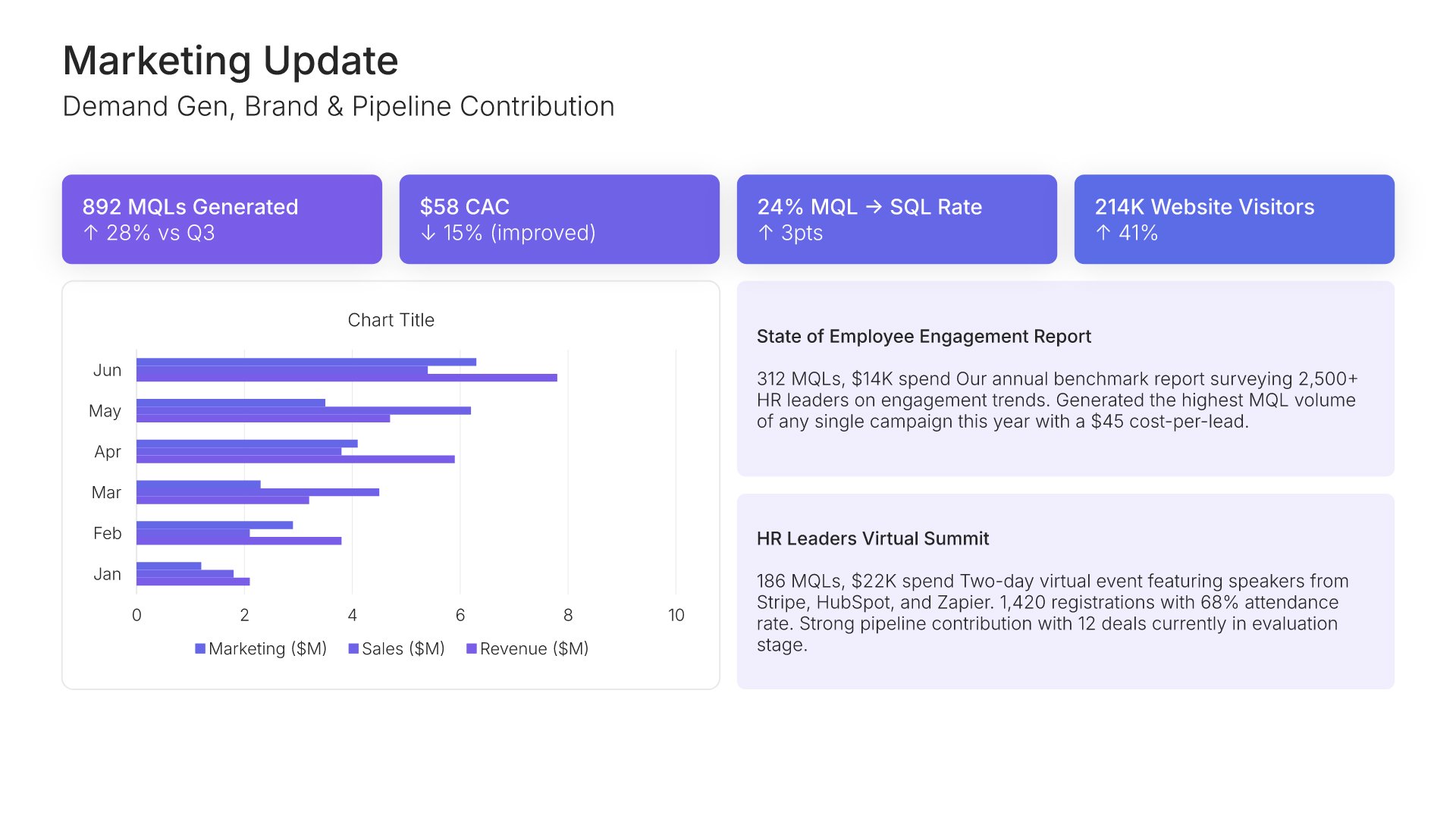
Department update slide, all hands meeting template, marketing demand, brand, and pipeline

Slide 08

Department Update

Marketing: demand generation, brand, and pipeline contribution.

Built using “KPI Dashboard” slide
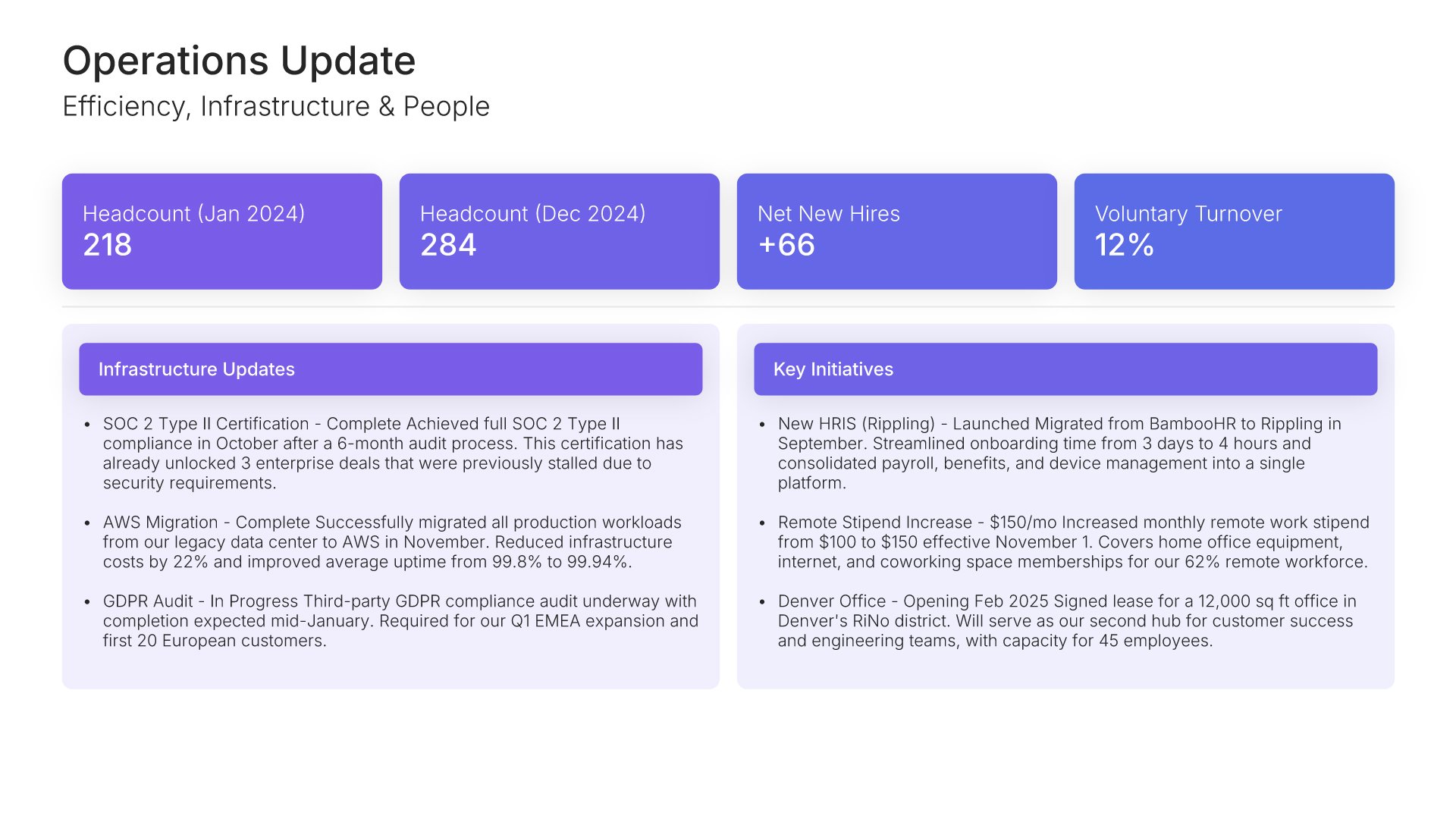
Department update slide, all hands meeting template, operations efficiency, infrastructure, and people

Slide 09

Department Update

Operations: efficiency, infrastructure, and people.

Built using “Executive Summary” slide
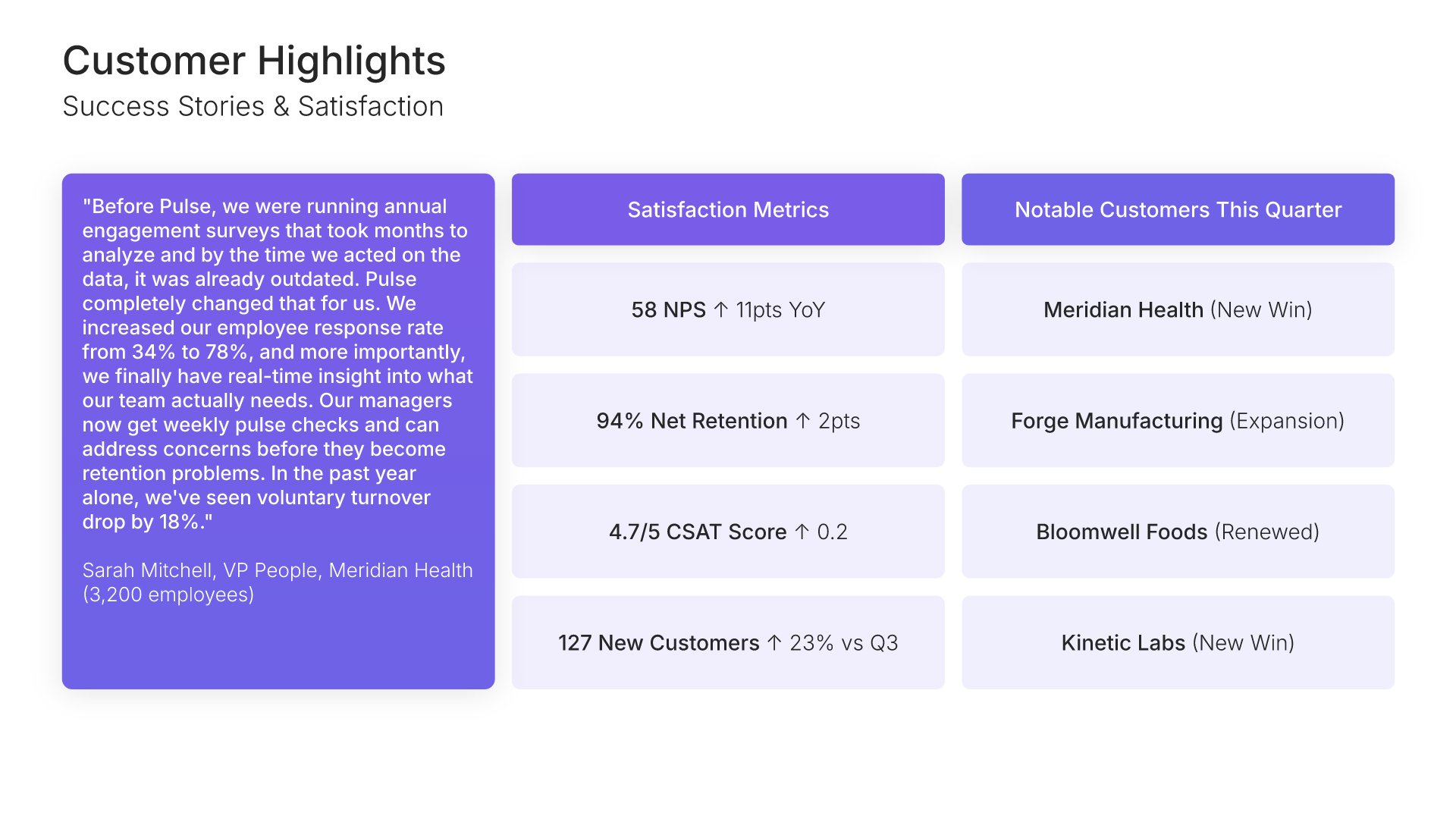
Customer highlights slide, all hands meeting template, new logos and the quarter's notable wins

Slide 10

Customer Highlights

New logos, success stories, and satisfaction, with the quarter's notable wins.

Built using “One Pager / Snapshot” slide
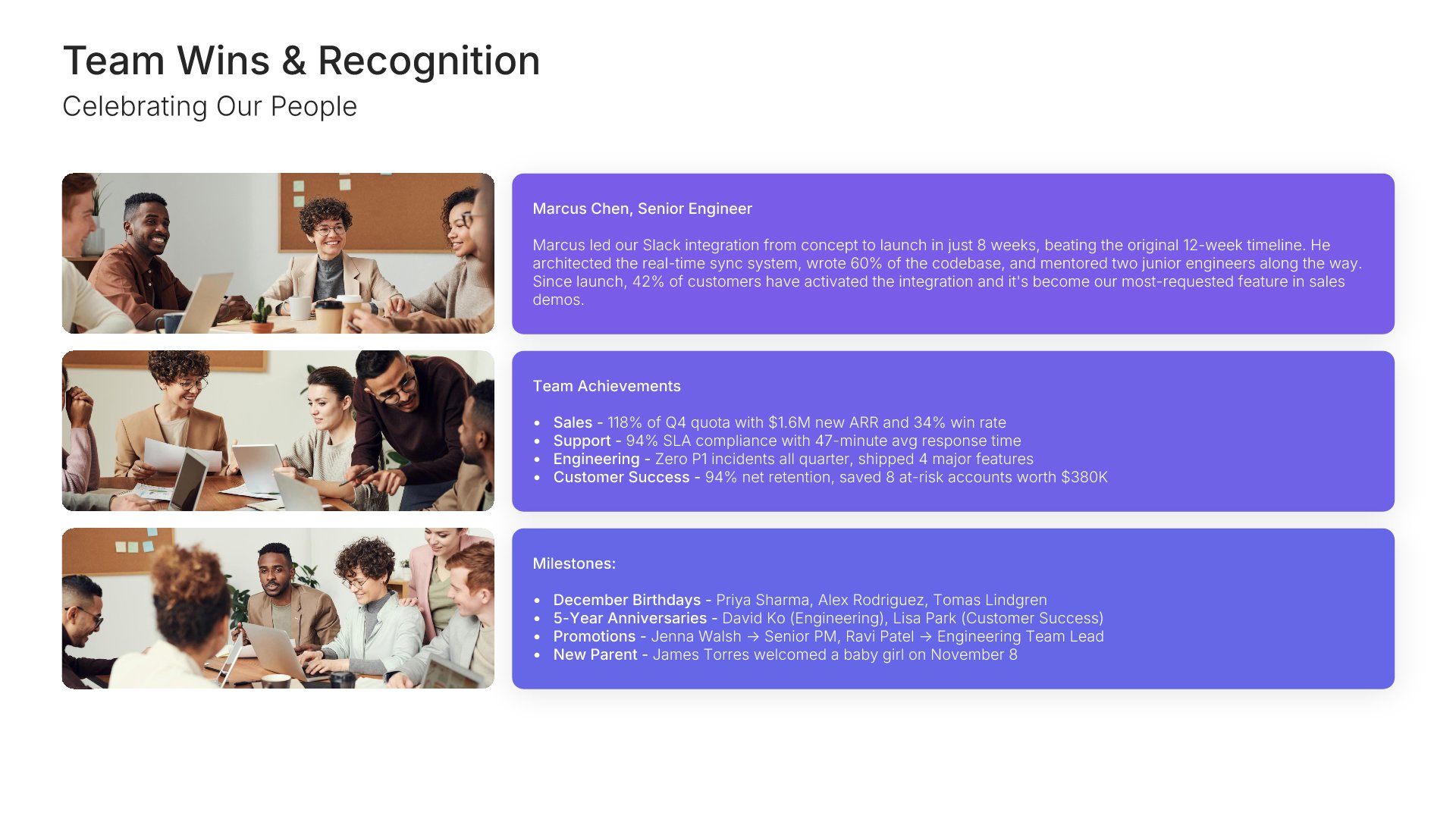
Wins and successes slide, all hands meeting template, team photographs with what each delivered

Slide 11

Wins & Successes

The people behind the results, photographed, with what each team delivered.

Built using “Image Gallery” slide
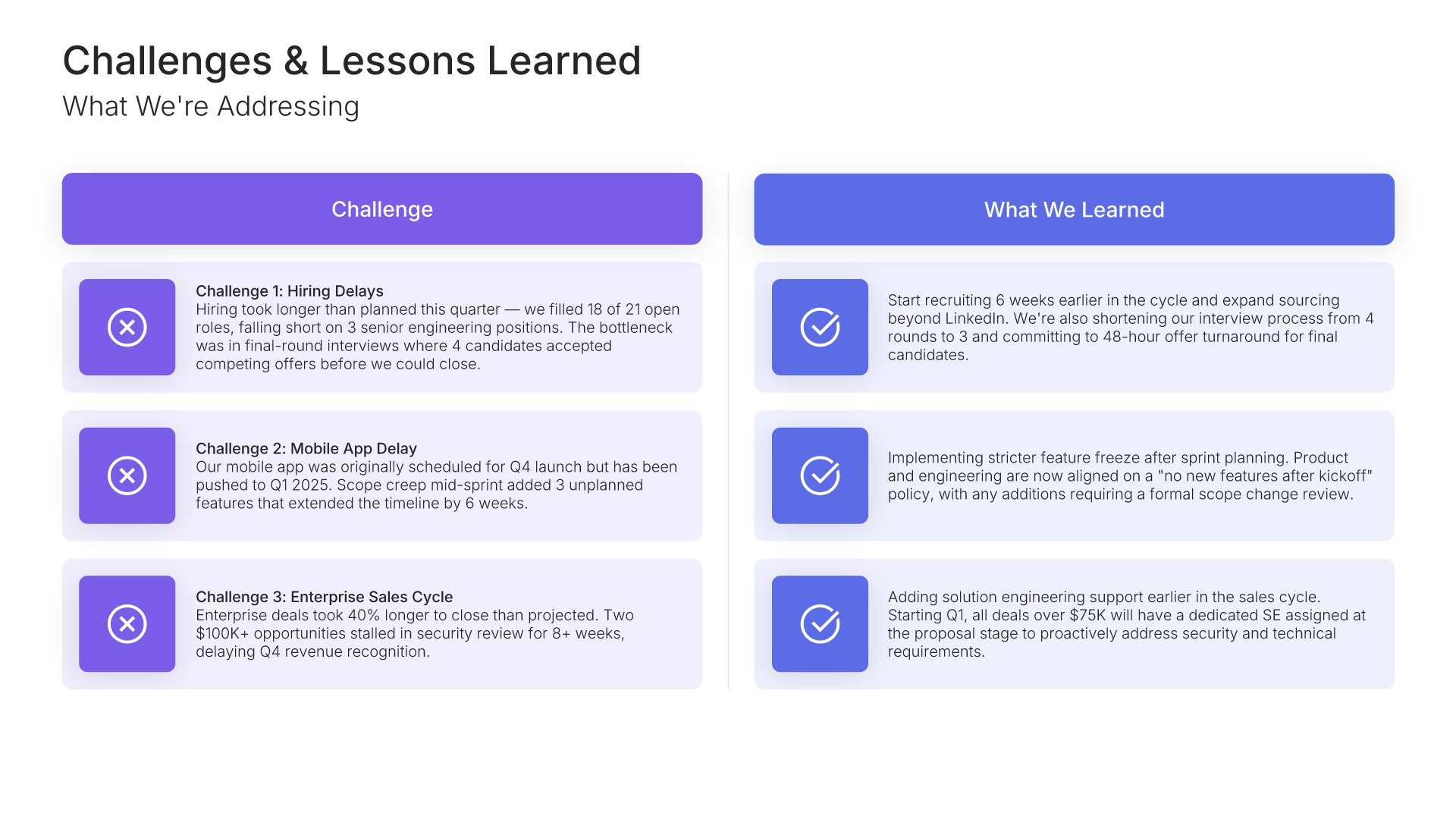
Challenges and issues slide, all hands meeting template, what went wrong beside the response

Slide 12

Challenges & Issues

What went wrong, stated plainly, beside what's being done about it.

Built using “Comparison” slide
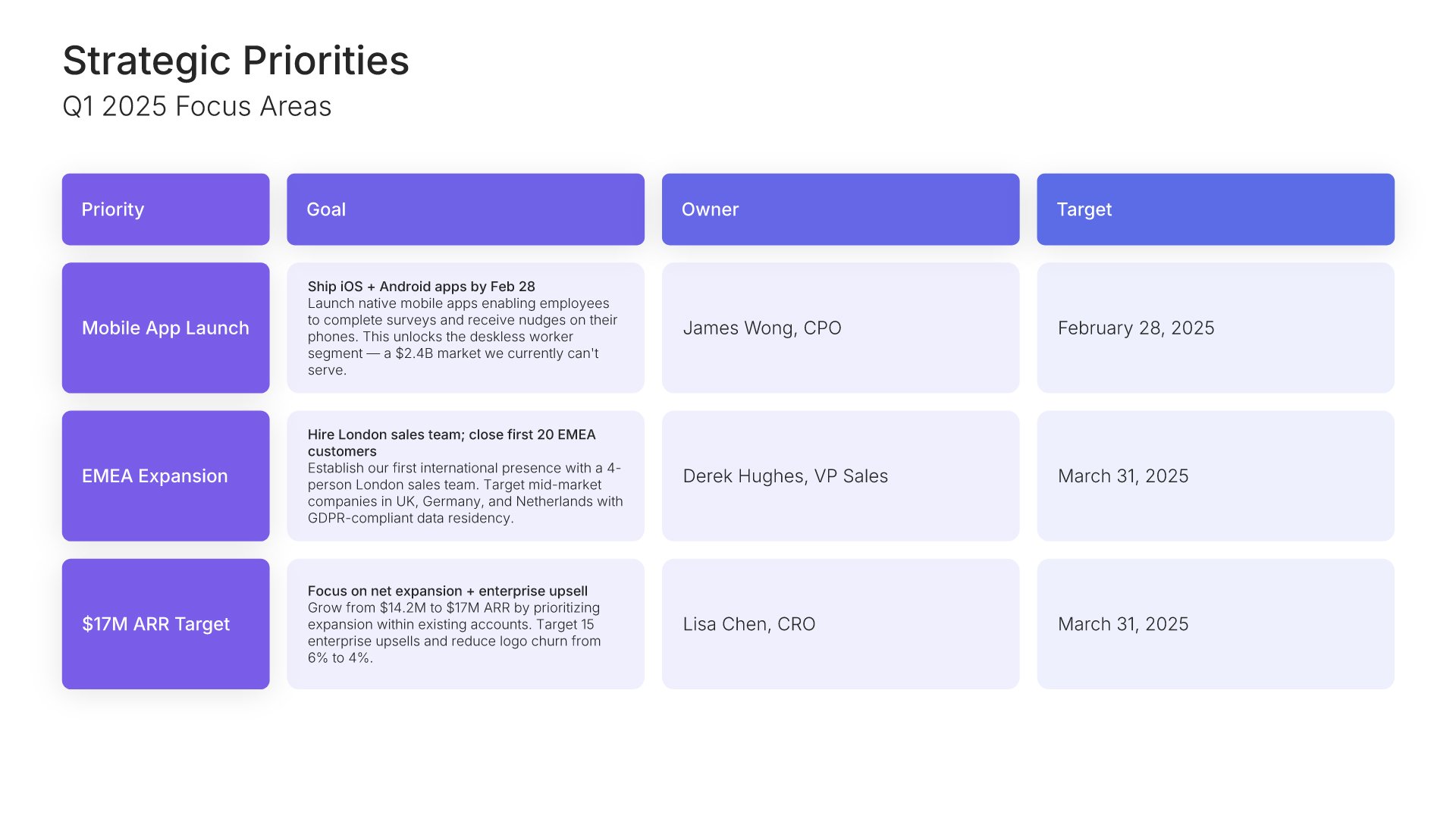
Strategic priorities slide, all hands meeting template, focus areas with owners and dates

Slide 13

Strategic Priorities

Next quarter's focus areas, each with an owner and a target date.

Built using “Table” slide
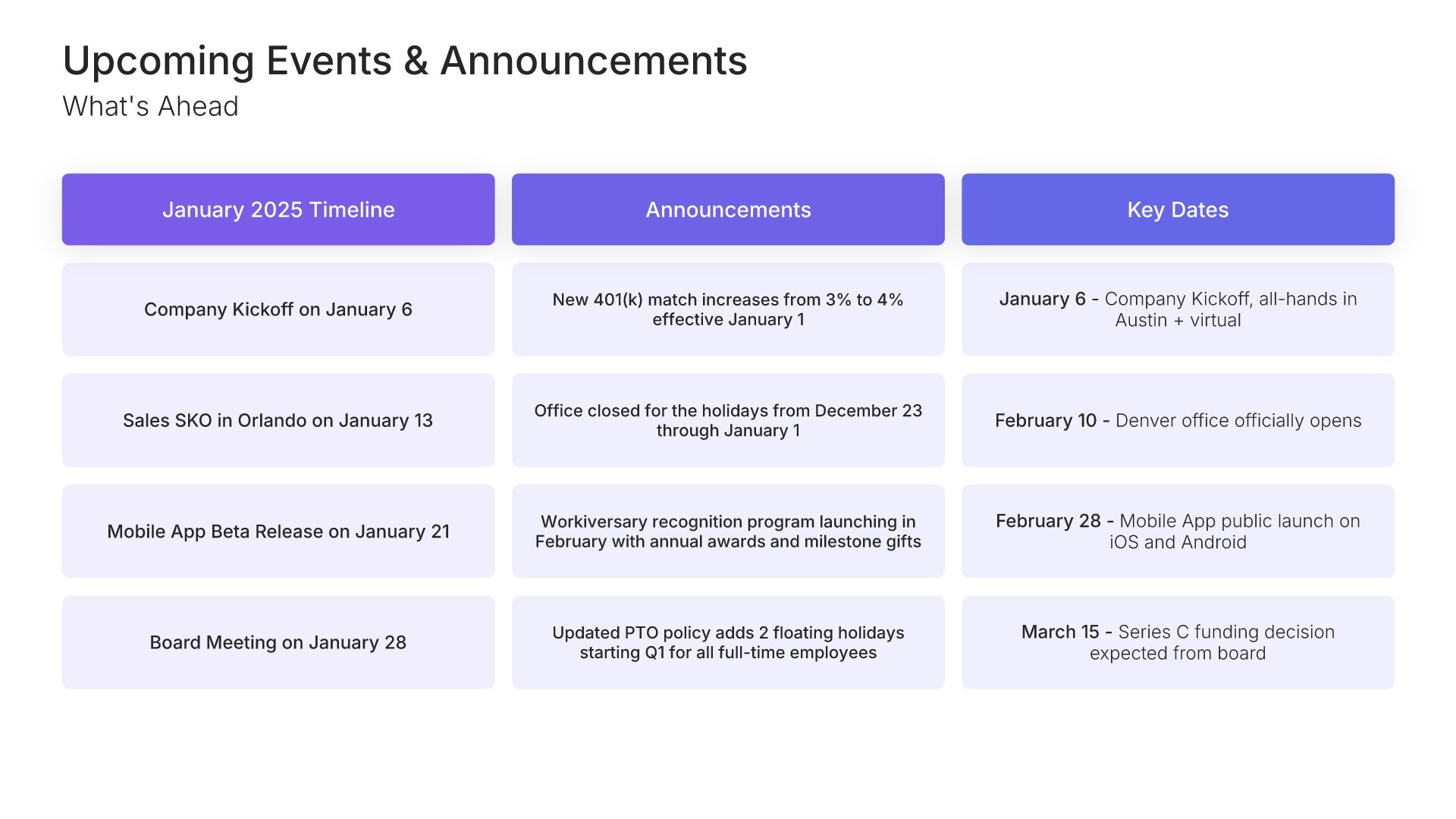
Upcoming events and announcements slide, all hands meeting template, launches and key dates

Slide 14

Upcoming Events & Announcements

Launches, key dates, and what the company should have in its calendar.

Built using “One Pager / Snapshot” slide
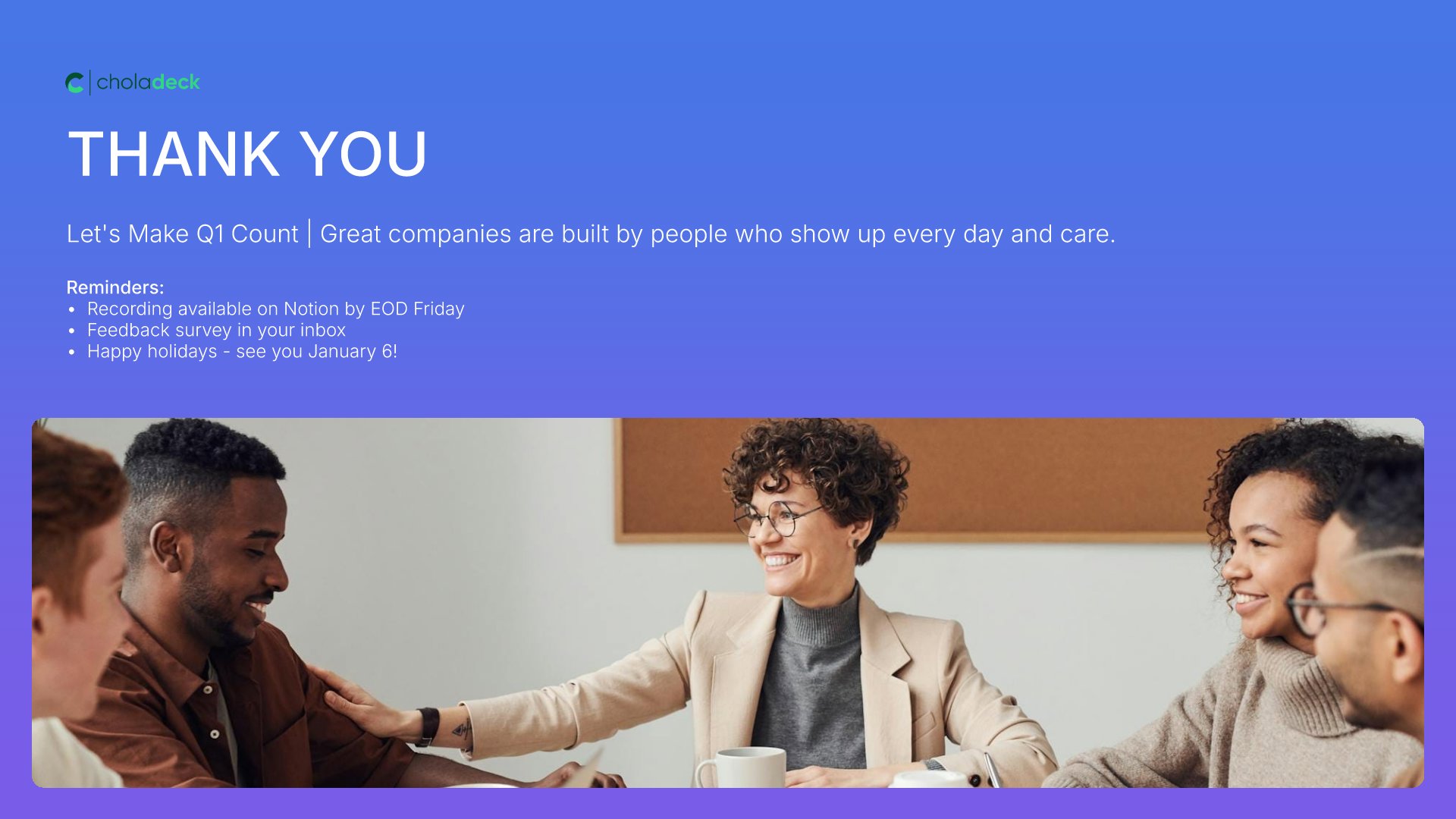
Thank you slide, all hands meeting template, the quarter built by everyone in the room

Slide 15

Thank You

The close, with the reminder that the quarter was built by everyone in the room.

Built using “Title” slide

About the all hands meeting template

The structure, the slides, your brand, and a file you can edit anywhere.

Built to earn the room’s trust, not spend it

An all-hands earns trust or spends it. The version that spends it is the one where every number is up and to the right, because everyone in the room knows which project slipped. This template runs the Classic QBR Format: four departments get a slide each, the people who did the work are on screen, and a challenges slide comes before the priorities, so the next quarter’s asks come across as honest.

Built from 9,000+ slides across 134+ categories

Every slide here comes from the same library. Metric dashboards, leadership profiles, photo galleries, and priority tables are already in it, so adding a fifth department or a regional section takes a minute. Everything sits on the same grid, so the layout still holds.

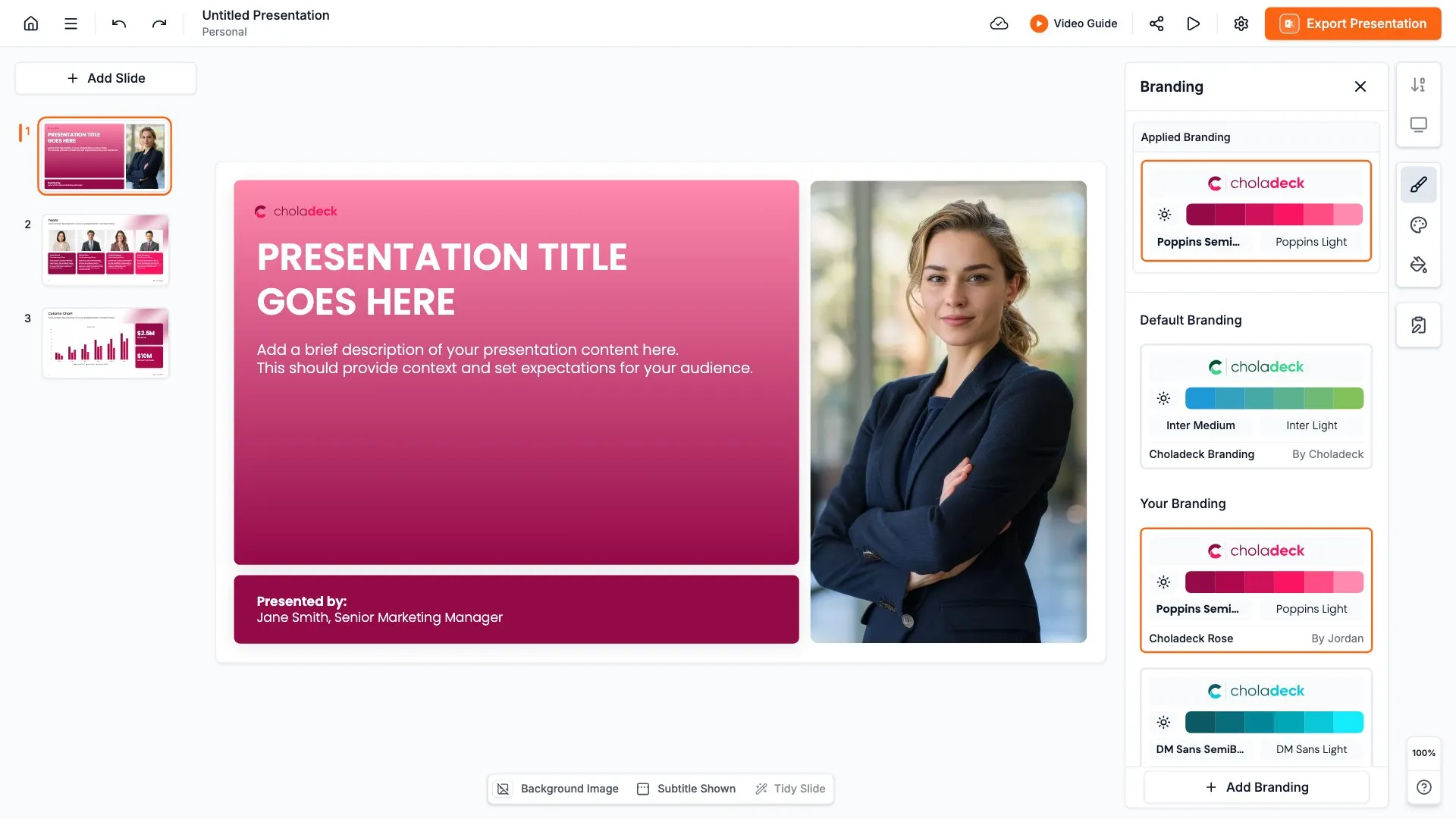
Brand the whole presentation in one click

Add your logo, colors, fonts, and background once. It applies to the whole presentation and the entire slide library at the same time. Every quarter’s all-hands looks like the last one, which is what makes the trend readable.

Export to PowerPoint, Google Slides, or Keynote

You get a real file, not a locked link. Export it and keep editing in the tool you already use. Every chart and table stays editable, so next quarter you update the numbers rather than rebuild the presentation.

How Choladeck works

From blank page to finished presentation in four steps.

STEP 01

Browse 9,000+ slides across 134+ categories, or open one of the 74 premade presentations.

STEP 02

Add your logo, colors, and fonts in one click. The whole presentation instantly matches your company.

STEP 03

Add your text, numbers, charts, and tables. Everything on the slide is editable.

STEP 04

Send it to PowerPoint, Google Slides, or Keynote, and present.
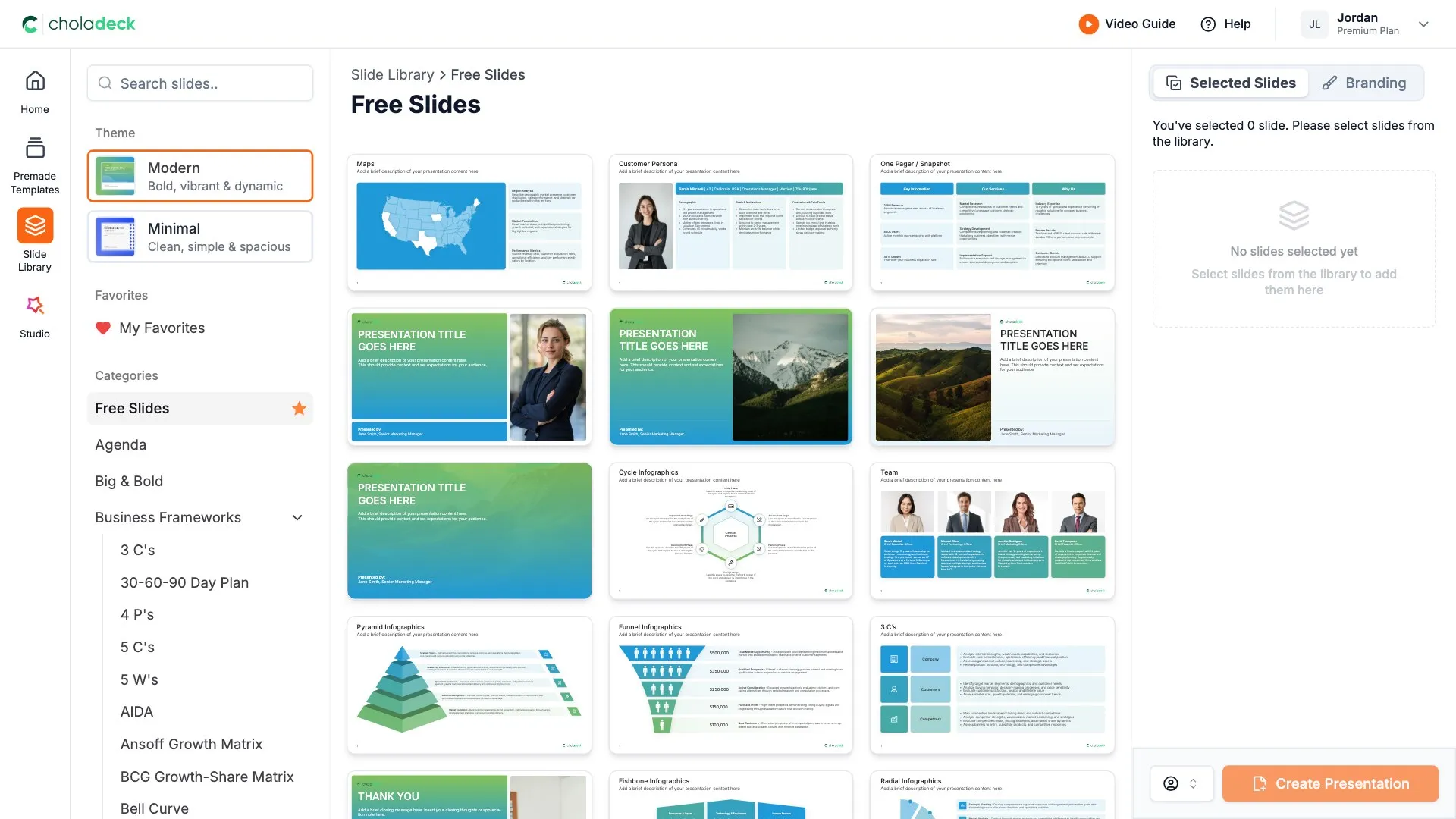
Build your own

Nothing here fits? Build your own all hands meeting presentation

This template is assembled from the same 9,000+ slides. Pick the slides you need, drop them into one file, and brand the whole thing in one click.
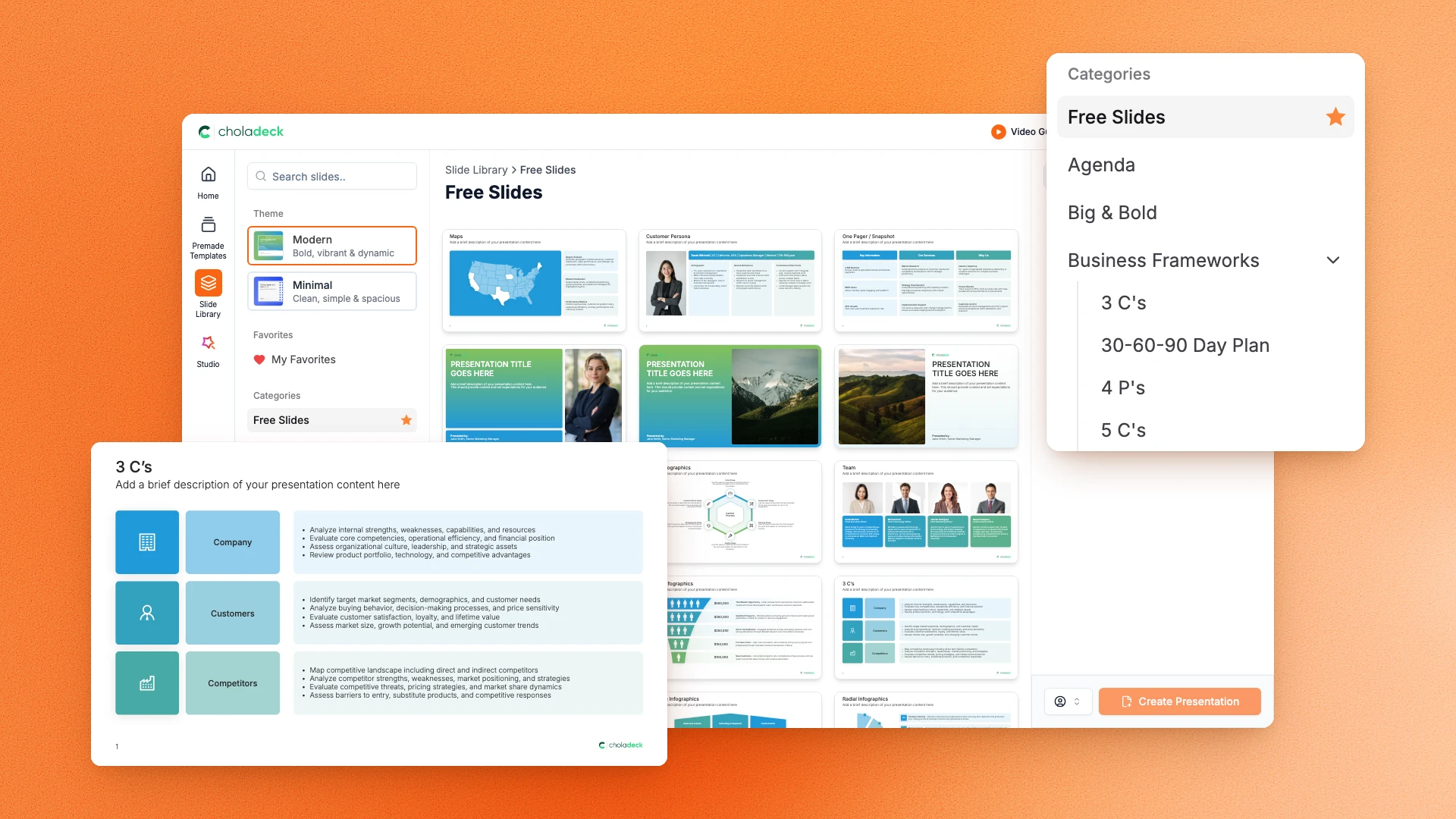
Choladeck slide library on Free Slides, with its category list and the 3 C’s slide shown larger

Questions about the all hands meeting template

What's inside the template, and how far you can change it.

Using the template

Is the template fully editable?

+

Yes. Text, tables, charts, icons, and colors on every slide are yours to change. Nothing is locked and nothing is a flat image.

How do I brand it to my company?

+

Add your logo, colors, fonts, and background once. It applies to the whole presentation and the entire slide library at the same time.

Can I add slides from the slide library?

+

Yes. Add any slide from the library into this one, or swap out one that doesn't fit. Everything works together.

What's included

How many departments can I cover?

+

Four get a slide each, covering sales, product, marketing, and operations. Duplicate a department slide for a fifth, or cut one if a function has nothing new to report.

How is this different from a quarterly business review?

+

Audience. It borrows the QBR format, but a QBR goes to a client and argues the engagement is working. This goes to your own employees and covers the whole company, including the parts a client would never see. For the client version, start from the quarterly business review template.

Is placeholder content included?

+

Yes. Every slide comes with realistic text, sample figures, and filled-in charts, so you can see how the all hands meeting presentation reads before you put your own numbers in.

Start your all hands meeting presentation
from one that's already done

Pick it, brand it, add your content, and export.

Free to start. No credit card required.