
Market expansion strategy slides
Market expansion strategy slides show the market you serve today next to the bigger one you're moving into, and how you plan to get there. Open the layout, brand it to your company in one click, add your figures, and export to PowerPoint, Google Slides, or Keynote.
Free to start. No credit card required.
Browse market expansion slides
One layout to show today's market and the bigger one ahead, fully editable.
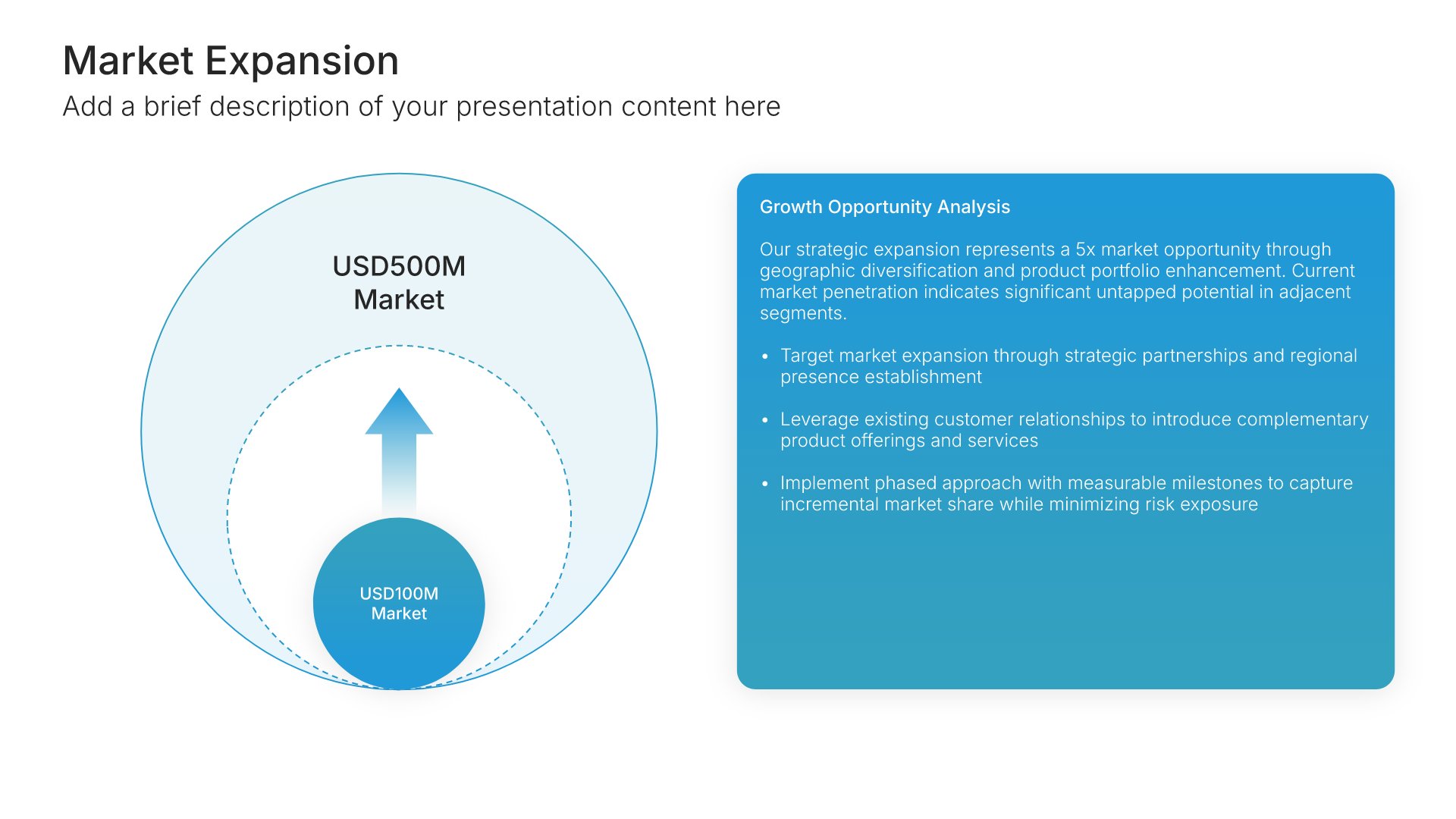
Market Expansion • Slide Library • Layout 01 of 1
Layout 01
About our market expansion slides
What the slide does, how to use it, your brand, and a file you can edit anywhere.
Built to show the size of the prize in one look
Growth plans are easier to back when people can see the size of the prize. A market expansion strategy slide sets your current market against the larger opportunity, so the audience grasps the step up in one look. Our market expansion slides pair that visual with room to explain how you’ll capture it, whether through new regions, new segments, or new products.
Why showing the step up makes the case
Saying the market is several times bigger is a claim. Showing today’s market sitting inside the larger one makes the scale obvious. So investors and leadership see the upside first, and the plan that follows reads as the way to reach it.
Brand the whole presentation in one click
Add your logo, colors, fonts, and background once. It applies to the whole presentation and the entire slide library at the same time. Market expansion slides go into investor pitches and board strategy sessions, so once branded, they match the rest of your growth story.
Export to PowerPoint, Google Slides, or Keynote
You get a real file, not a locked link. Export it and keep editing in the tool you already use. Market figures, labels, and plan details stay editable, so you can update the numbers as your research sharpens.
How Choladeck works
From blank page to finished presentation in four steps.
STEP 01
Browse 9,000+ slides across 134+ categories, or open one of the 74 premade presentations.
STEP 02
Add your logo, colors, and fonts in one click. The whole presentation instantly matches your company.
STEP 03
Add your text, numbers, charts, and tables. Everything on the slide is editable.
STEP 04
Send it to PowerPoint, Google Slides, or Keynote, and present.

Need a complete presentation instead?
If you're starting from nothing rather than fixing a few slides, open one of 74+ premade presentations instead. Each one is complete and built for one purpose, from pitch decks to business plans and company profiles.

Questions about market expansion strategy slides
How the slides work, and how far you can change them.
Using the slides
Can I edit these slides in PowerPoint?
+Yes. Export to PowerPoint, Google Slides, or Keynote, and each figure, label, and plan detail stays editable. Nothing is locked and nothing is a flat image.
How do I brand them to my company?
+Add your logo, colors, fonts, and background once. It applies to the whole presentation and the entire slide library at the same time.
Can I mix them with other slides from the library?
+Yes. Add a market expansion slide to any premade template, or pair it with market size or map slides from the library. Branding applies across all of them.
About market expansion
What should a market expansion slide include?
+The size of your current market, the size of the market you're expanding into, and the main moves that will get you there.
How is it different from a market size slide?
+A market size slide sizes the opportunity. A market expansion slide shows your move from the market you're in to a bigger one.
What types of market expansion can I show?
+Entering new regions, reaching new customer segments, or launching new products into adjacent markets.
Your next market expansion strategy slide is already designed
Pick a layout, brand it in one click, add your content, and export.
Free to start. No credit card required.


