Kano model template slides
Kano model slides sort product features by how they affect customer satisfaction: what customers expect, what they want more of, and what delights them. Pick one of 3 layouts, brand it to your company in one click, place your features, and export to PowerPoint, Google Slides, or Keynote.
Free to start. No credit card required.
Browse Kano model slides
3 ways to sort your features by satisfaction, all fully editable.
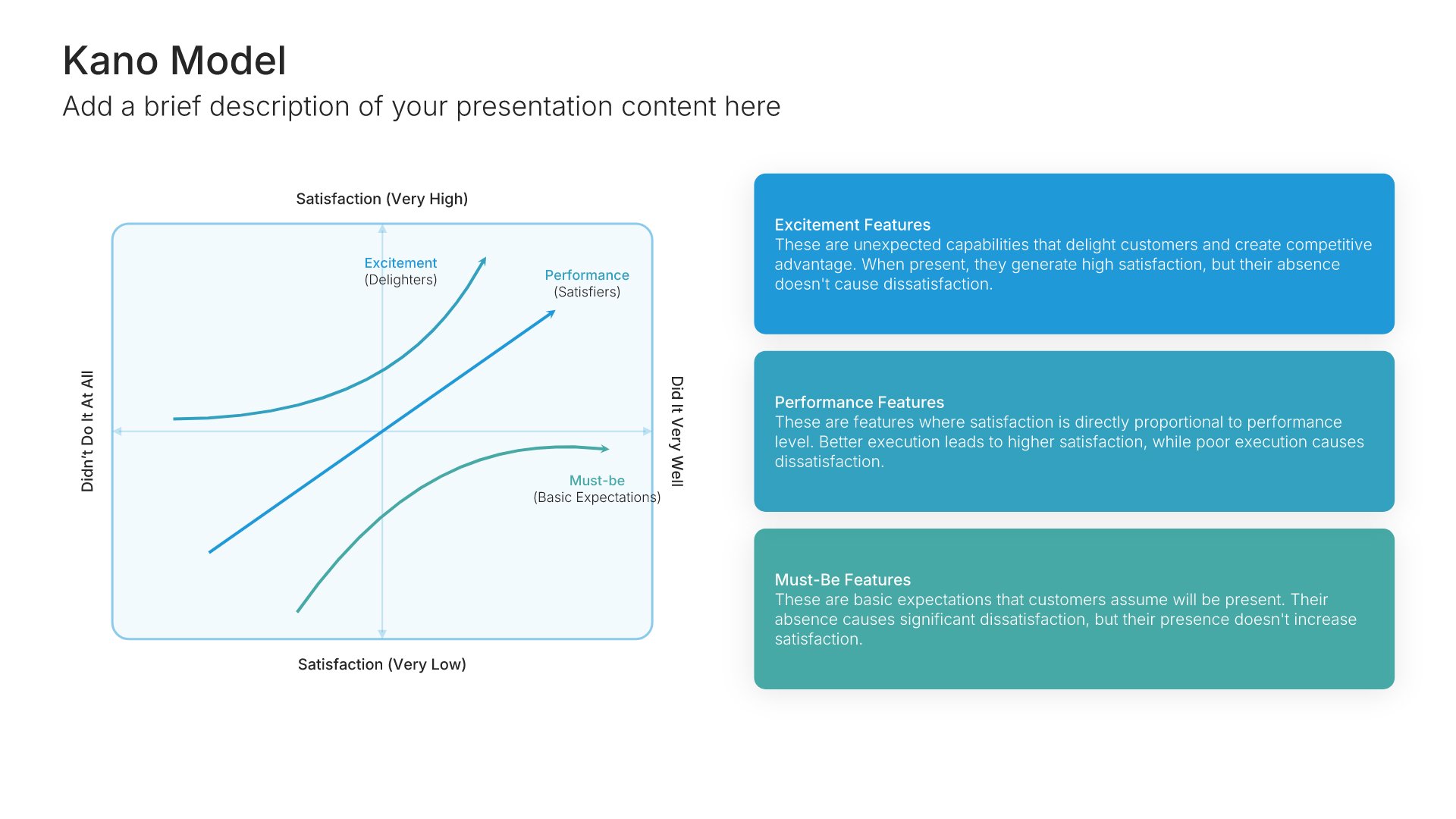
Kano Model • Slide Library • Layout 01 of 3
Layout 01
Layout 02
Layout 03
About our Kano model slides
What the slide does, how to use it, your brand, and a file you can edit anywhere.
Built to show where each feature sits before you build
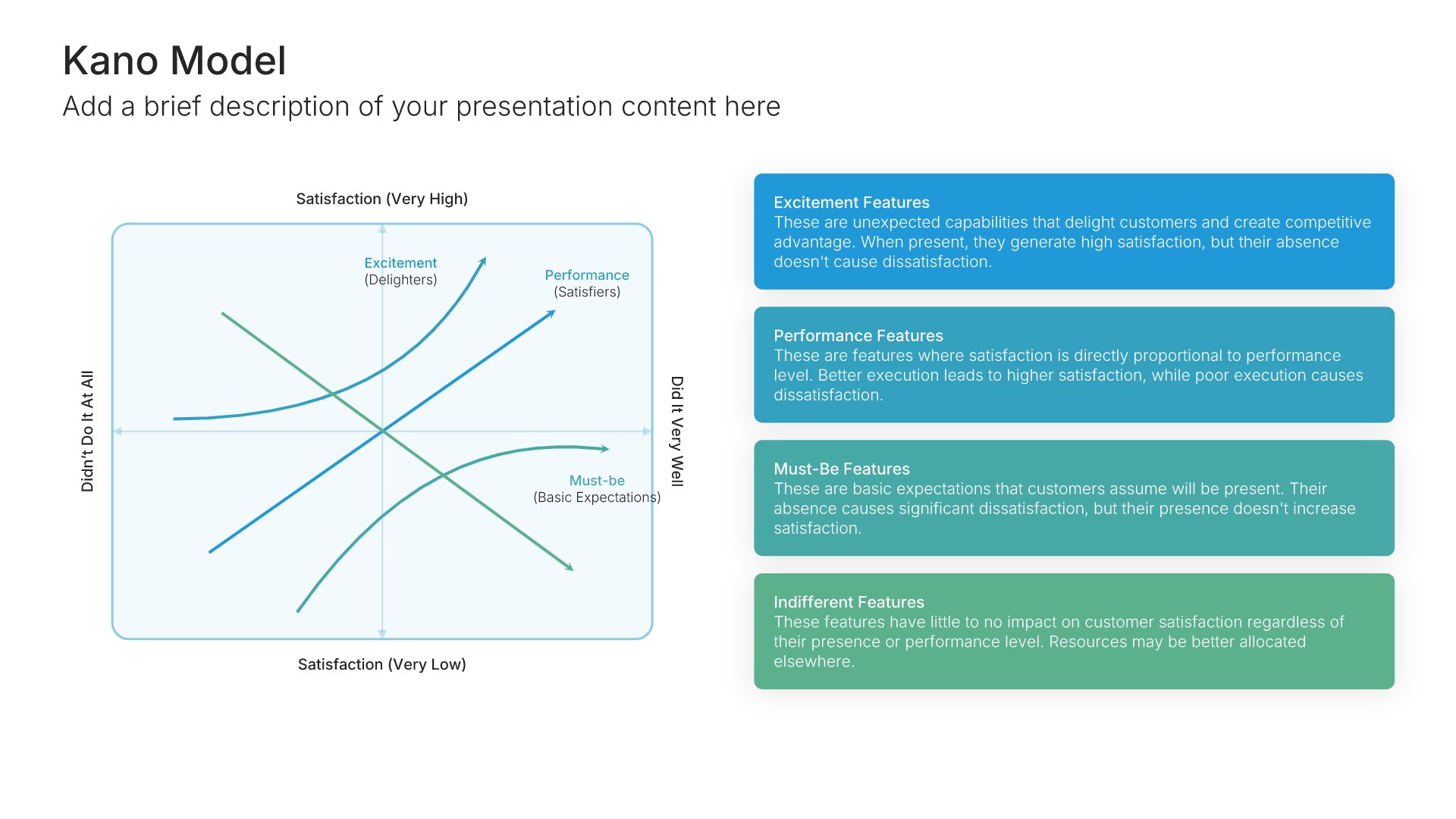
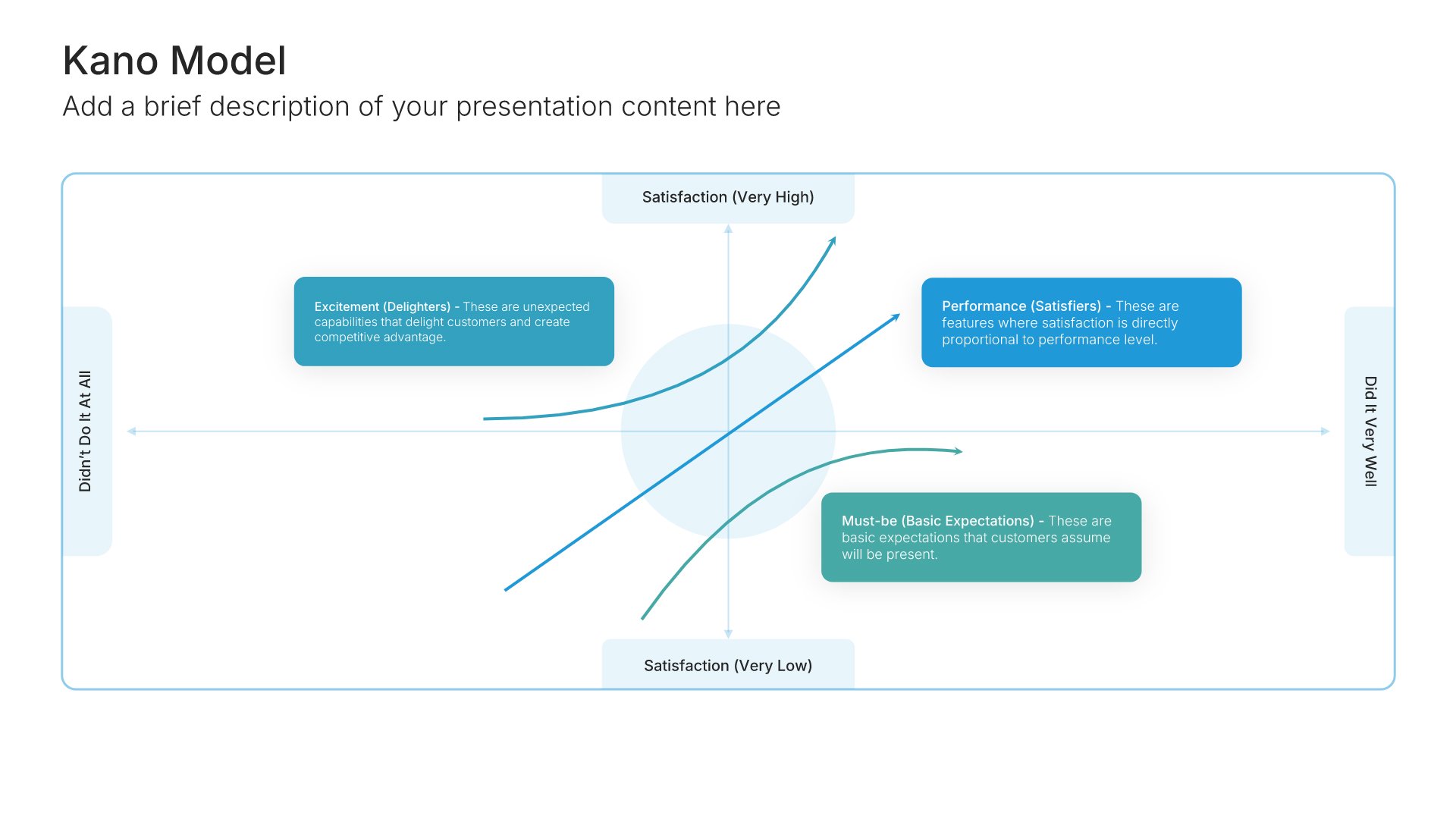
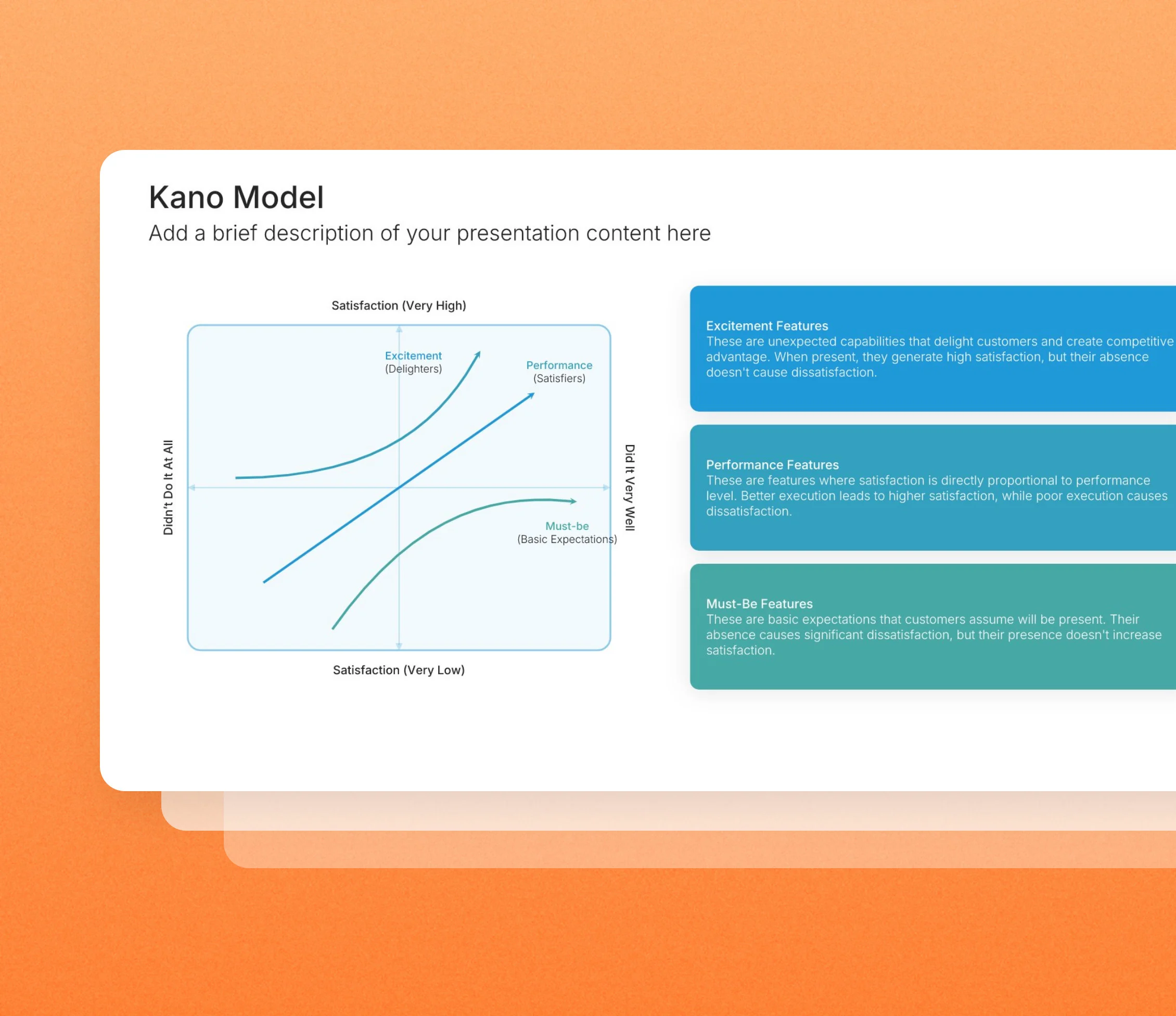
The Kano model, developed by Professor Noriaki Kano in the 1980s, shows that not every feature affects satisfaction the same way. Basic features only get noticed when they’re missing. Performance features satisfy more the better they are. Delighters surprise customers who didn’t expect them. A Kano model template shows where each feature sits, so the team can decide what to build next.
Why the curves change how you prioritize
Treating every feature request as equal leads to a product that does many things adequately. The Kano model shows that fixing a missing basic matters more than adding a delighter, and that delighters become expectations over time. So roadmap debates move from opinions to where each feature sits on the curve.
Brand the whole presentation in one click
Add your logo, colors, fonts, and background once. It applies to the whole presentation and the entire slide library at the same time. Kano slides often go into product strategy and roadmap presentations for leadership, so once branded, they match the rest of your planning.
Export to PowerPoint, Google Slides, or Keynote
You get a real file, not a locked link. Export it and keep editing in the tool you already use. Curves, labels, and features stay editable, so you can reposition features as customer expectations shift.
How Choladeck works
From blank page to finished presentation in four steps.
STEP 01
Browse 9,000+ slides across 134+ categories, or open one of the 74 premade presentations.
STEP 02
Add your logo, colors, and fonts in one click. The whole presentation instantly matches your company.
STEP 03
Add your text, numbers, charts, and tables. Everything on the slide is editable.
STEP 04
Send it to PowerPoint, Google Slides, or Keynote, and present.

Need a complete presentation instead?
If you're starting from nothing rather than fixing a few slides, open one of 74+ premade presentations instead. Each one is complete and built for one purpose, from pitch decks to business plans and company profiles.

Questions about Kano model slides
How the slides work, and how far you can change them.
Using the slides
Can I edit these slides in PowerPoint?
+Yes. Export to PowerPoint, Google Slides, or Keynote, and every feature stays editable. Nothing is locked and nothing is a flat image.
How do I brand them to my company?
+Add your logo, colors, fonts, and background once. It applies to the whole presentation and the entire slide library at the same time.
Can I mix them with other slides from the library?
+Yes. Add a Kano model slide to any premade template, or pair it with customer persona or roadmap slides from the library. Branding applies across all of them.
About the Kano model
What are the Kano model categories?
+Basic (must-have), performance, and delighters (attractive). Some versions also include indifferent and reverse features.
Why do delighters become basics?
+Once customers get used to a feature, they start to expect it. What surprised them last year becomes the minimum this year.
Where does a Kano slide go in a presentation?
+In product or roadmap presentations, before you explain what you'll build and why.
Your next Kano model slide is already designed
Pick a layout, brand it in one click, add your content, and export.
Free to start. No credit card required.