
Presentation slide layouts that fit your content exactly
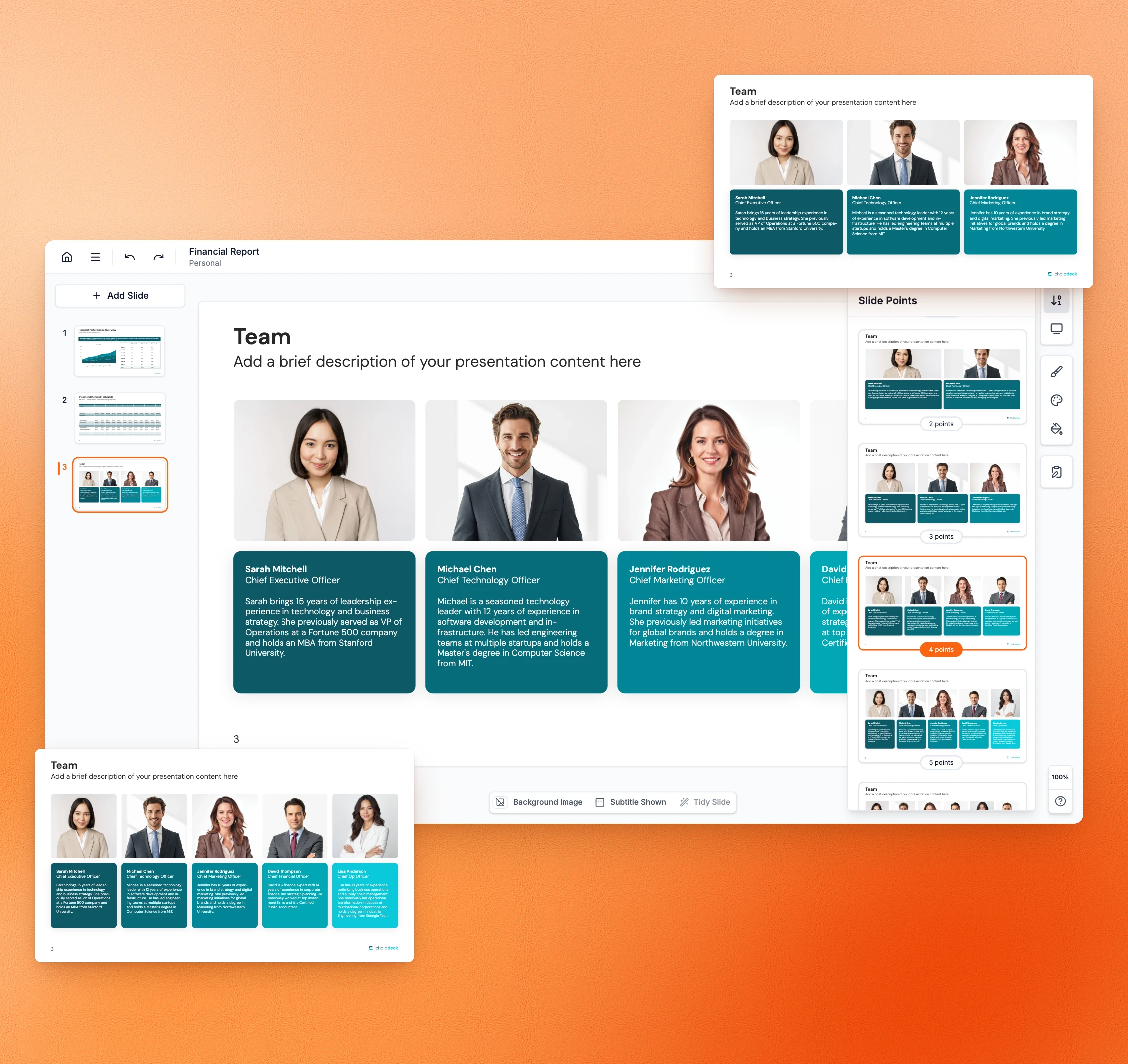
Choose how many points a slide shows and switch between layouts in one click. Most slides come in dozens of versions, so you never have to edit one to fit.
Free to start. No credit card required.
Trusted by thousands of professionals and teams worldwide










The slide is almost right,
so you spend your time fixing it
A few minutes per slide, on every slide in the presentation.
The slide has four points, you have three.
You delete a box and move everything back into place. A slide you picked to save time costs you ten minutes.
You want it clean, but it comes with icons.
Or the other way around. So you end up redesigning, by hand, a slide that was supposed to be ready.
Every fix breaks the spacing.
Move one thing and the whole slide needs adjusting again. One small change turns into reworking the layout.
The edited slide looks unprofessional.
Your hand-adjusted version doesn't match the polish of the rest of the presentation. So the one slide you touched is the one people notice.
You waste the time the slide was meant to save.
You picked a ready-made slide to move fast, then spent ten minutes editing it anyway. All to end up with a slide you could have built from scratch.
You settle for close enough.
Fixing it properly would take too long, so you present the version that isn't quite right. The slide never says exactly what you meant.
Get the slide that fits your content exactly
Pick the number of points and the layout, and the slide is ready to use.
Pointers and variations
Dozens of versions of the same slide
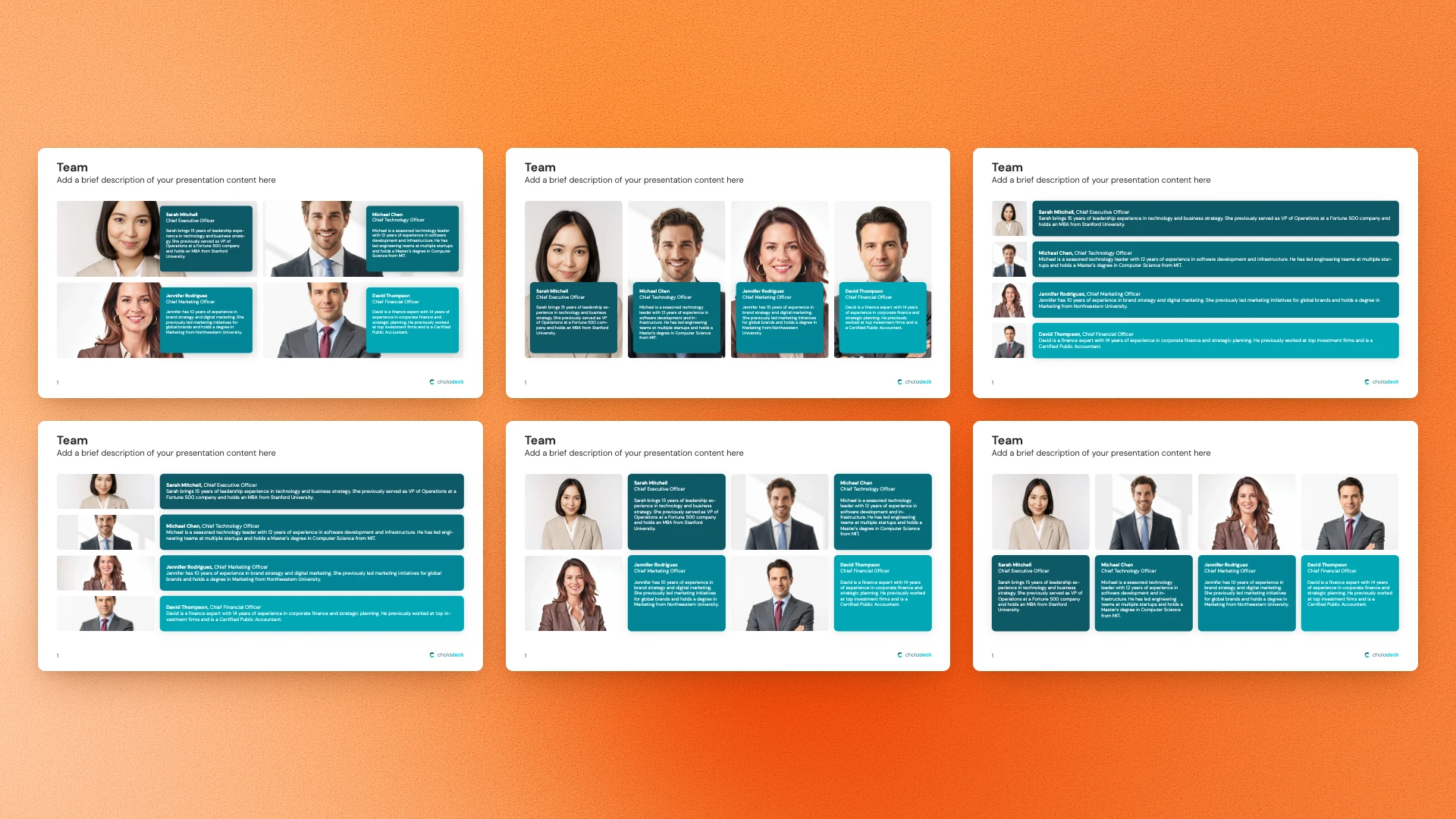
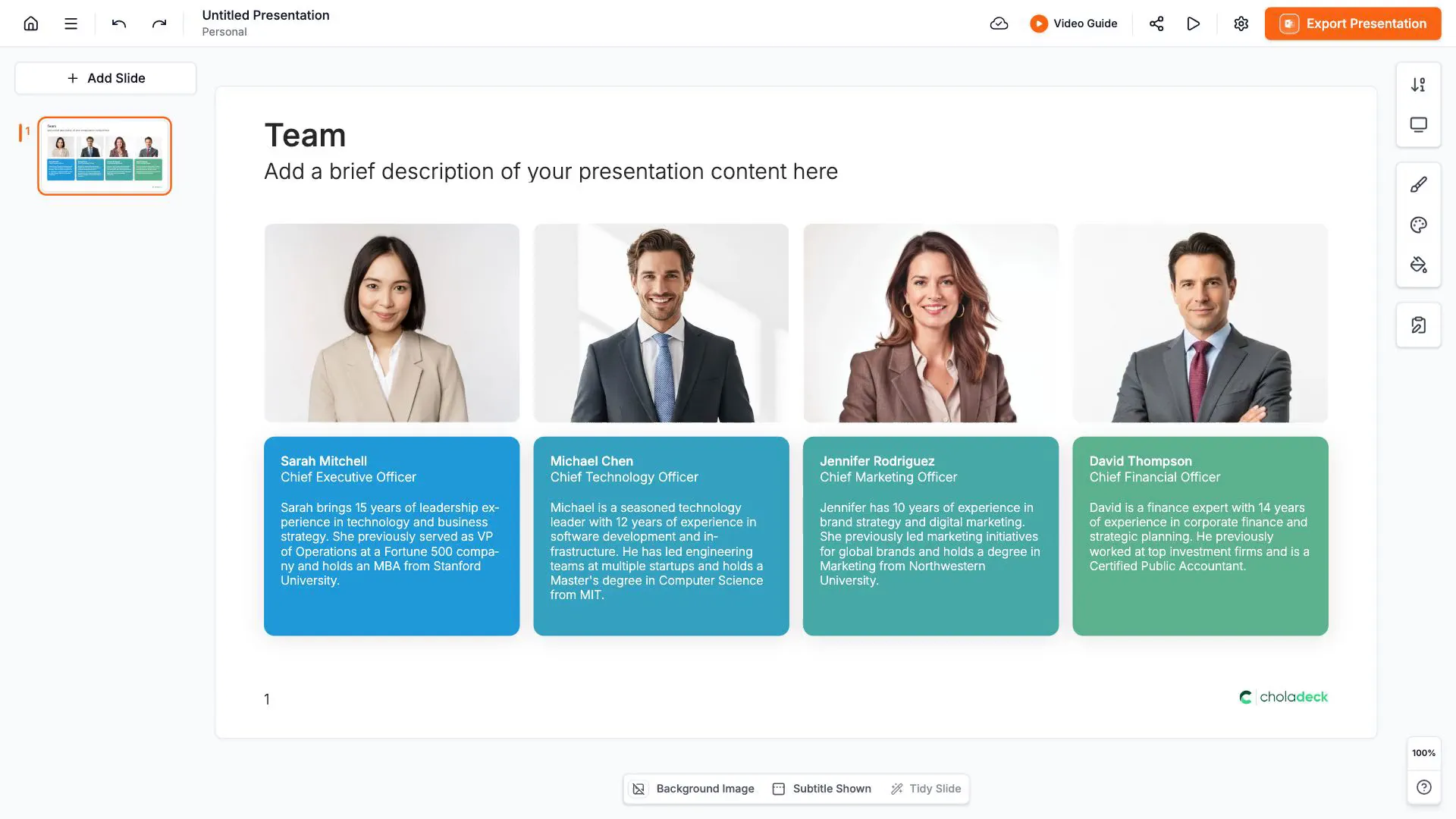
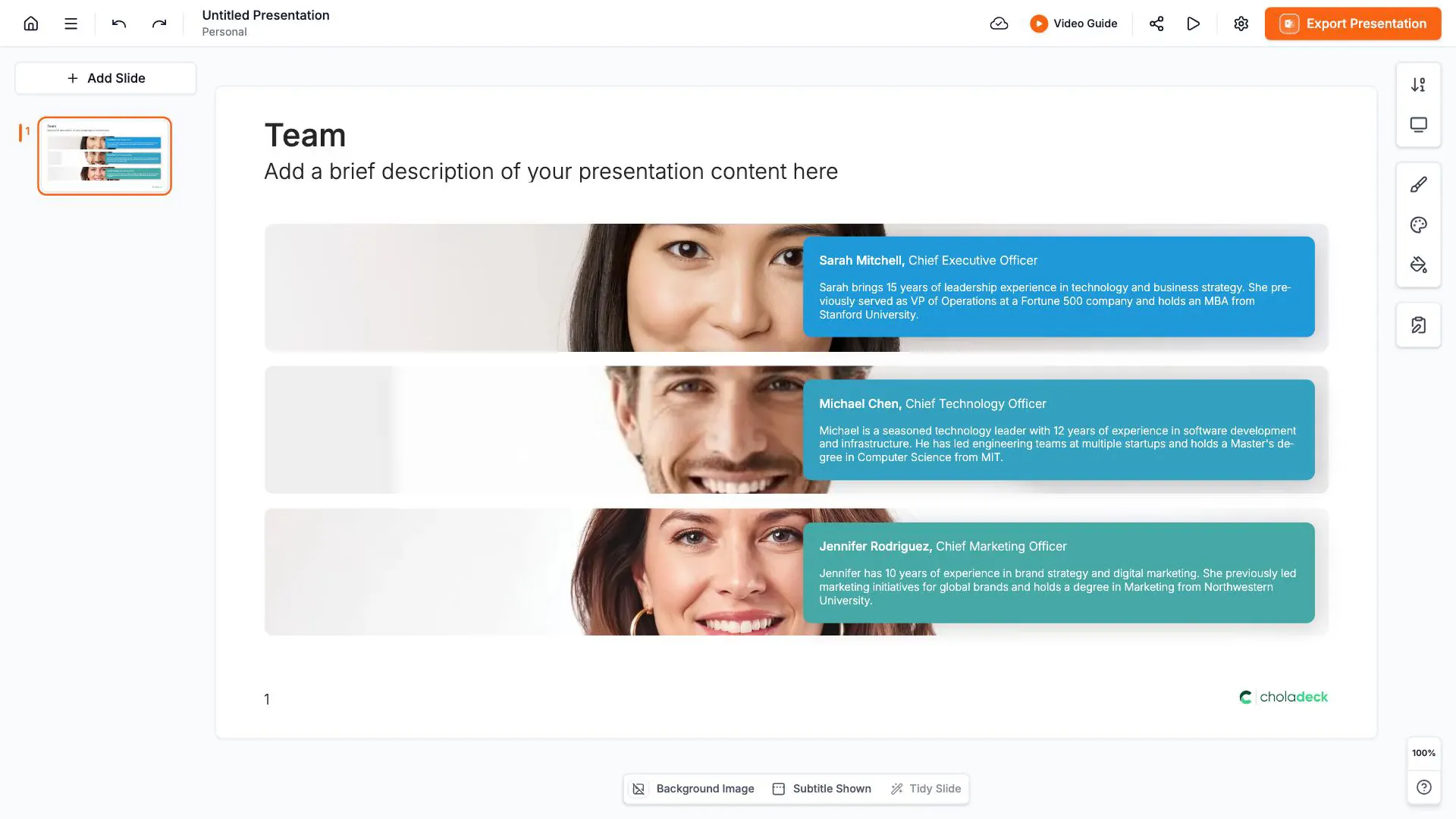
With pointers, the same slide comes as a two, three, four, or five-point version, so you pick the one that matches what you're presenting. Variations give you the same slide in a different layout, with icons or without, so you pick the treatment that fits. Instead of forcing your content into a fixed slide, you pick the slide that already fits.
Try Choladeck free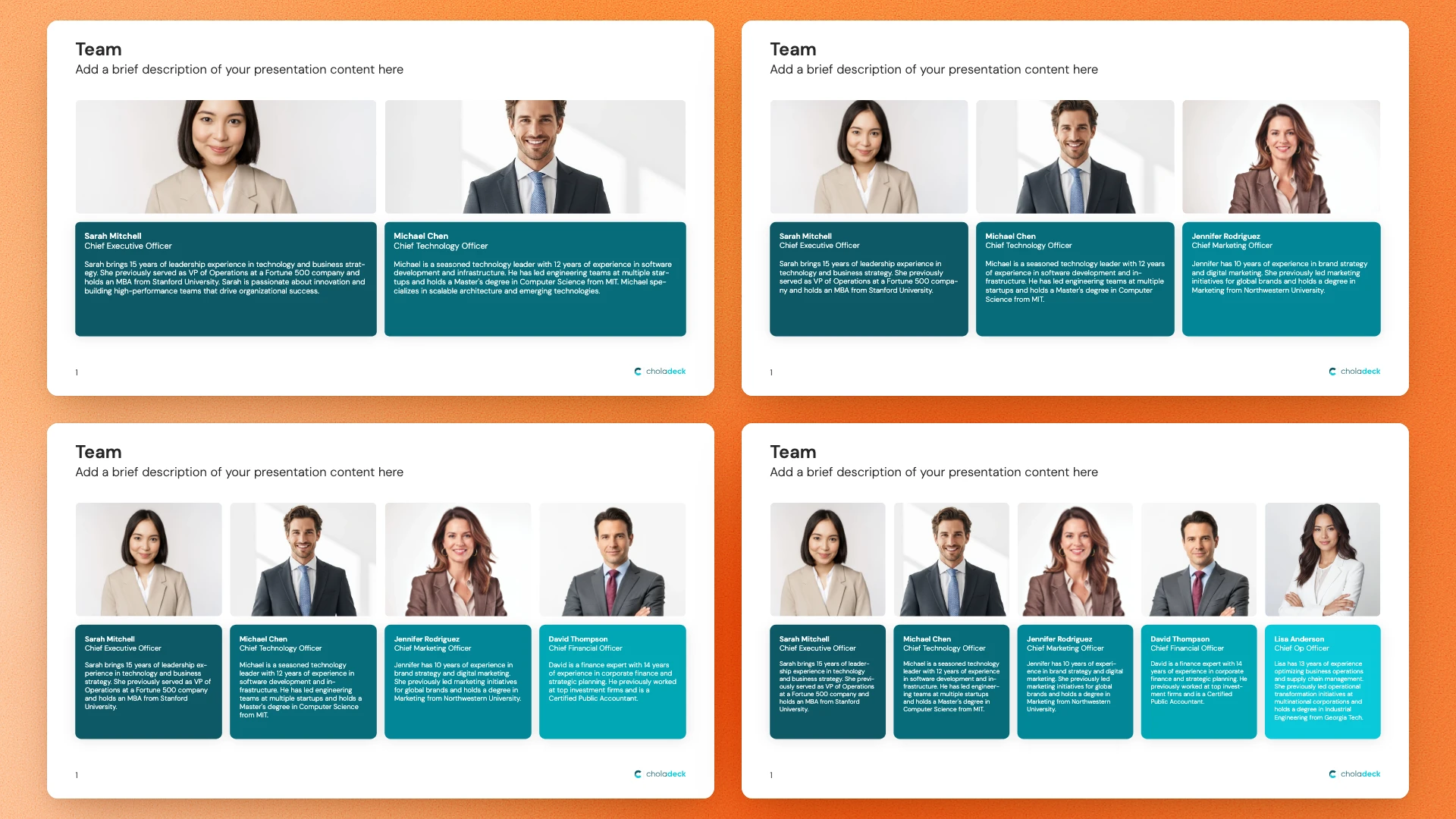
The exact point count you need.
Two, three, four, or five points, already laid out. You pick the version that matches your content instead of deleting boxes.

The layout you want.
The same slide with icons or without, arranged differently. You pick the treatment that fits what you're showing.
Every version stays professionally designed.
Nothing is stretched or realigned by hand, so the spacing holds and the slide matches the rest of your presentation.

You save the time a ready-made slide was meant to save.
Pick the version that fits and start typing. No editing, and no settling for the one that's close enough.
Get the right slide in seconds
Pick your points, pick your layout, and start typing.
STEP 01
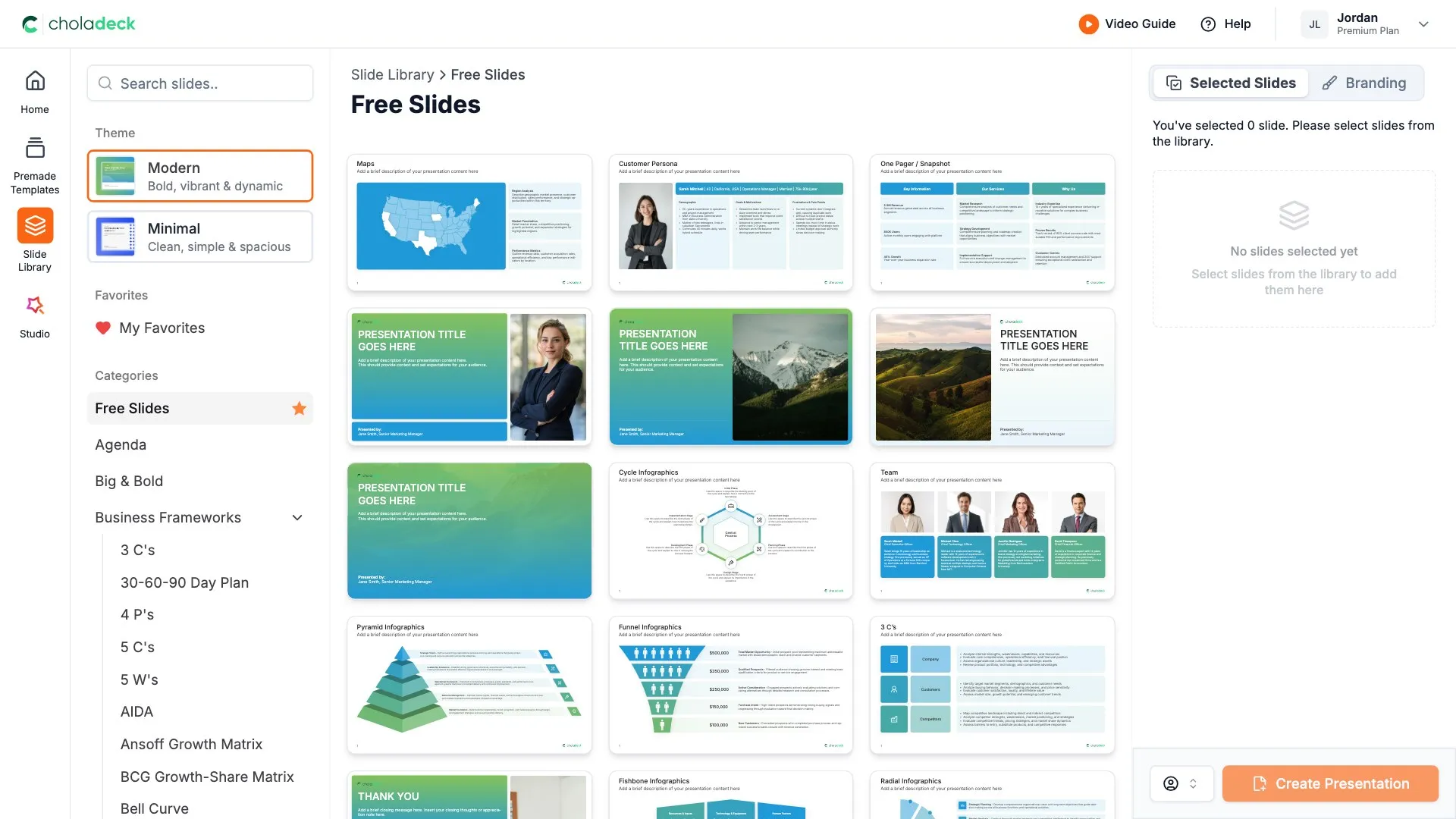
Choose a slide from the library that fits what you're presenting.
STEP 02
Choose how many points you want, so the slide matches your content exactly.
STEP 03
Switch between layouts, with icons or without, until it's the version you had in mind.
STEP 04
Drop in your text and you're done. The slide already fits, so there's nothing to fix.

Get the exact slide you meant,
not the closest one
Pick your points, pick your layout, and start typing.
Free to start. No credit card required.