Pricing

Jobs to be done template slides

Jobs to be done slides capture what customers are really trying to achieve, not just what they buy. Pick one of 4 layouts, brand it to your company in one click, write your job statements, and export to PowerPoint, Google Slides, or Keynote.

Free to start. No credit card required.

Jobs to be done template slides in the Choladeck slide library

Browse jobs to be done slides

4 ways to frame what your customers are trying to get done, all fully editable.
Jobs to be Done • Slide Library • Layout 01 of 4

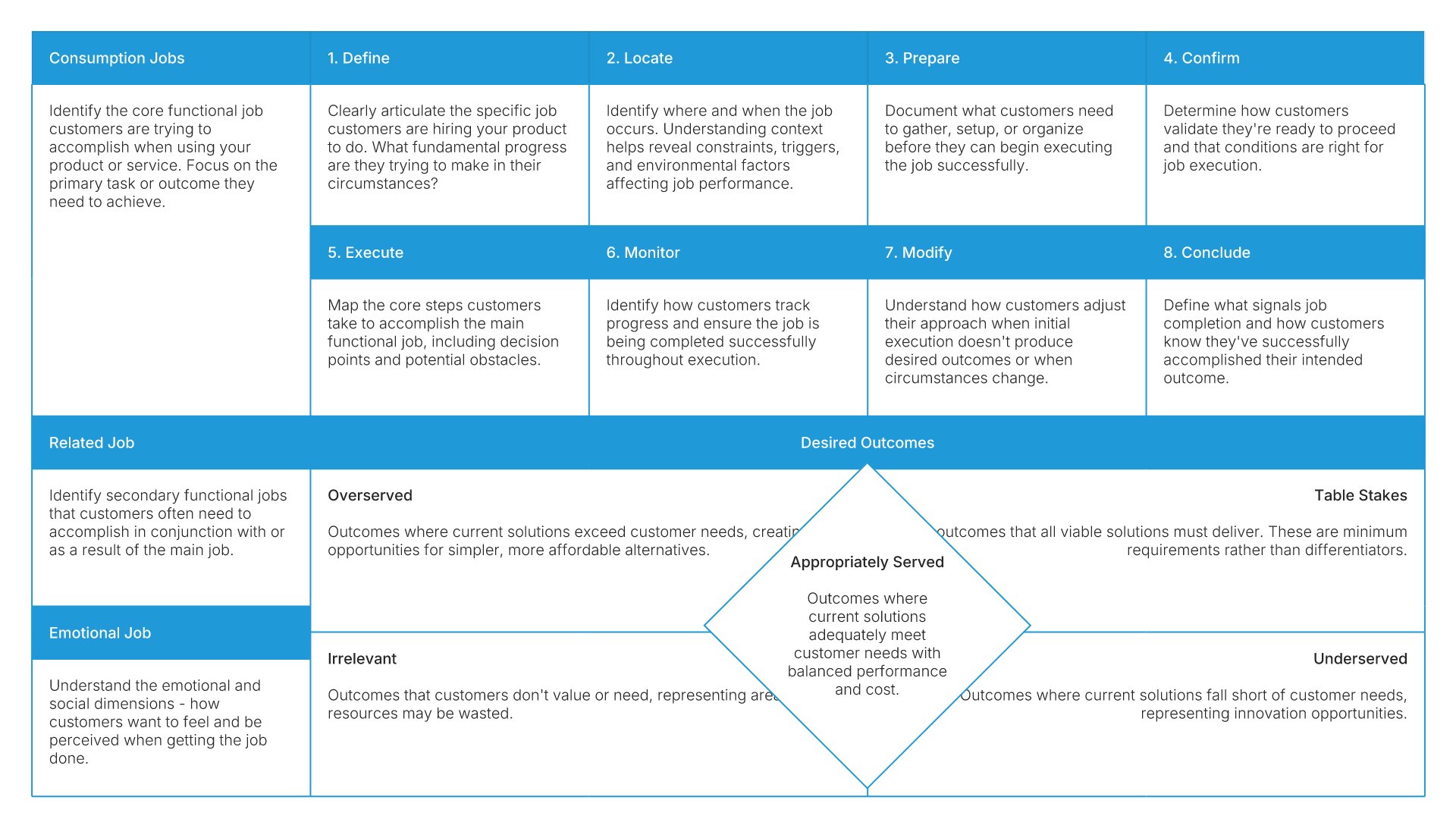
Jobs to be done template slide, layout 01

Layout 01

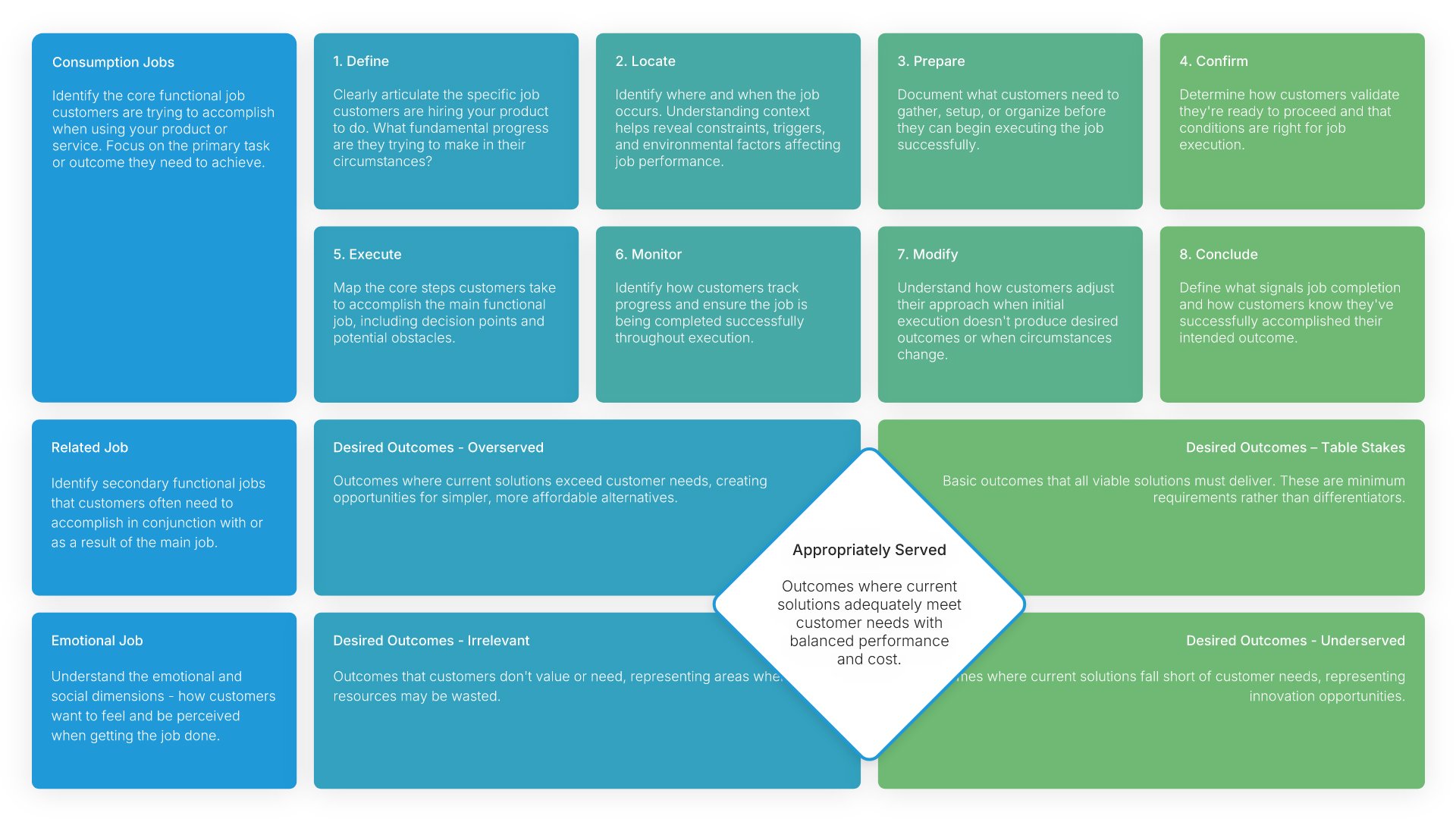
Jobs to be done template slide, layout 02

Layout 02

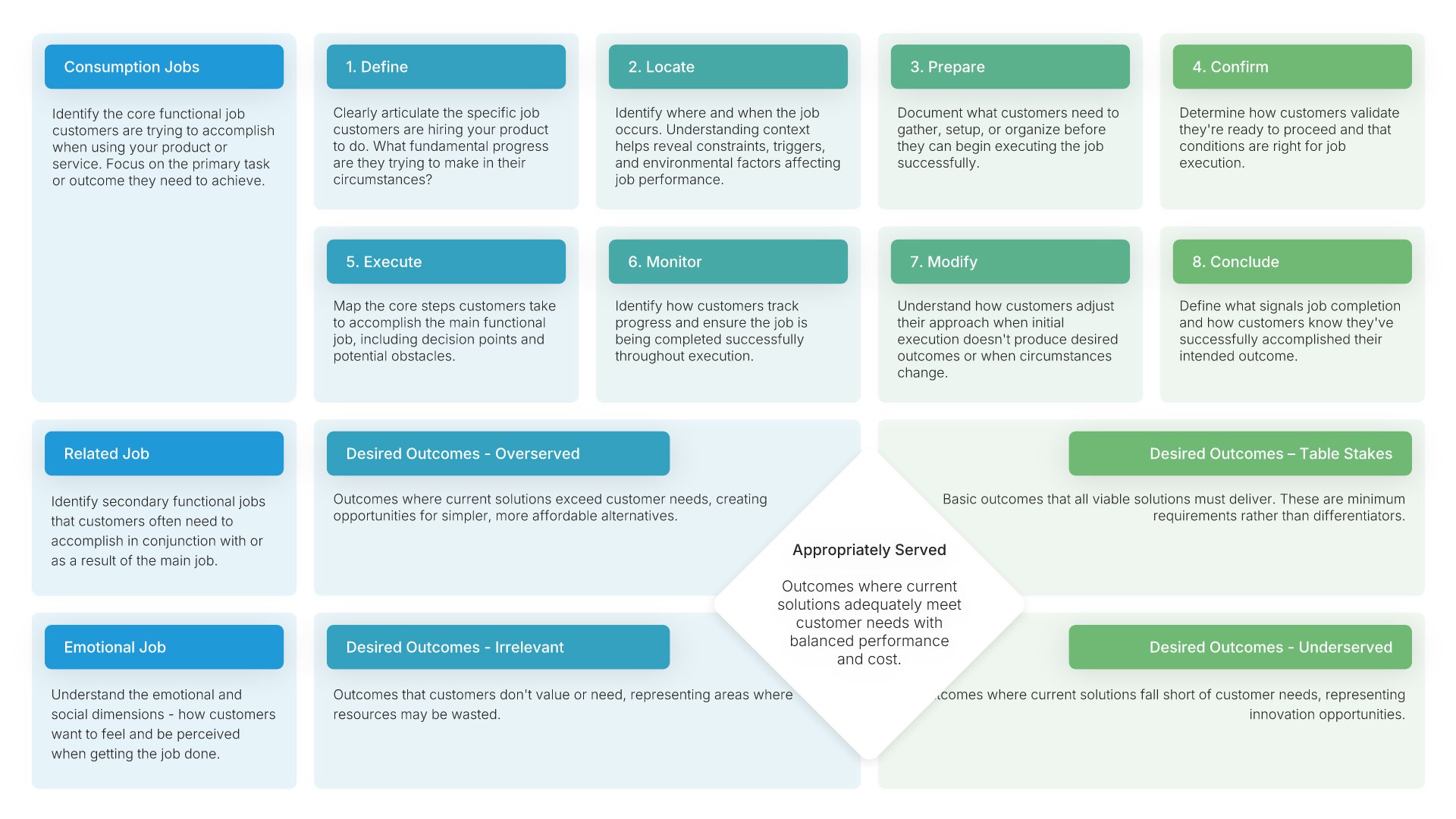
Jobs to be done template slide, layout 03

Layout 03

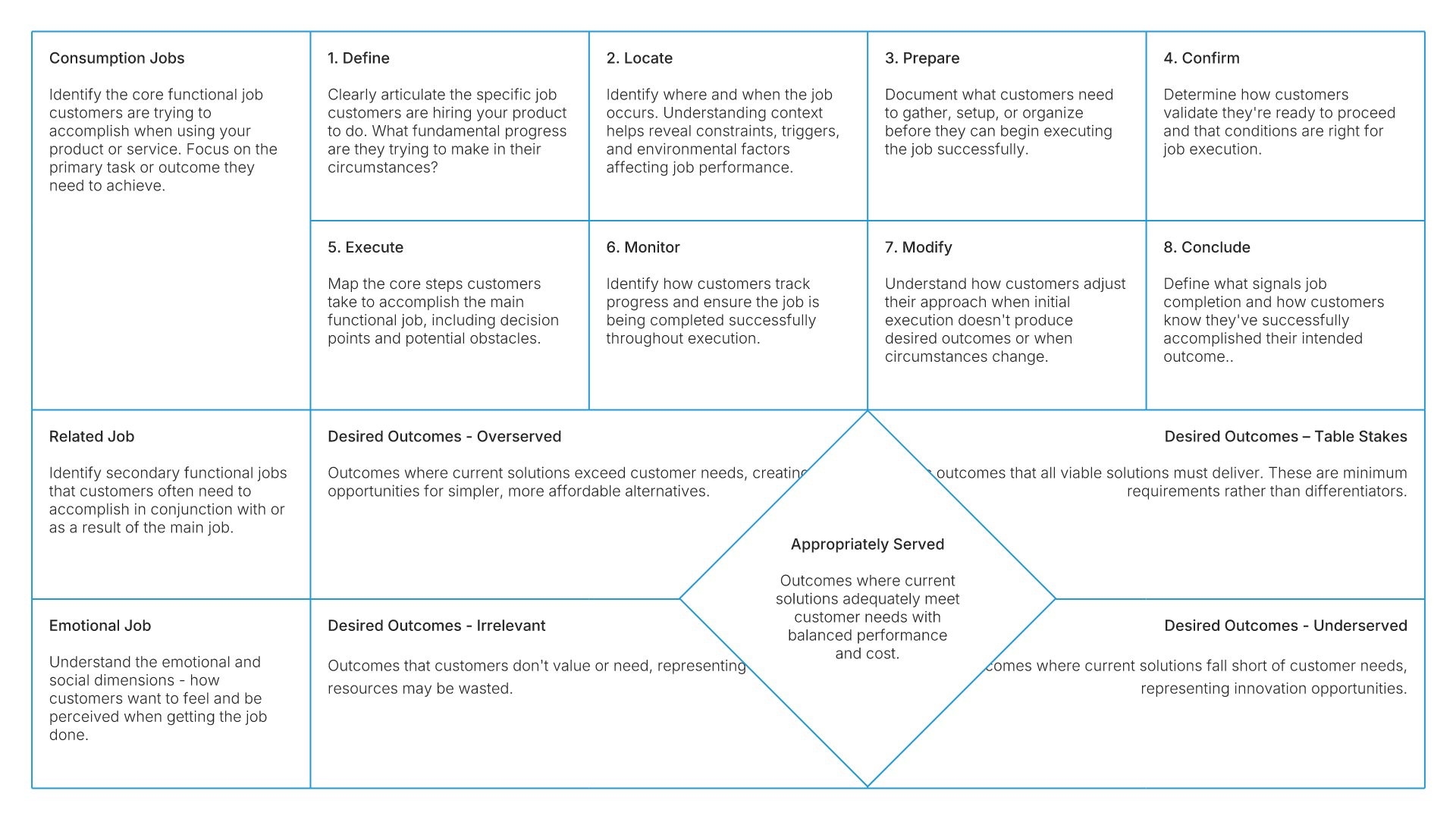
Jobs to be done template slide, layout 04

Layout 04

About our jobs to be done framework slides

What the slide does, how to use it, your brand, and a file you can edit anywhere.

Built to agree on the job before debating features

The jobs to be done framework, popularized by Clayton Christensen, starts from a simple idea: people hire products to get a job done. Understand the job, and you understand what customers value and who you really compete with. A jobs to be done template puts that thinking on a slide, so a team can agree on the job before debating features.

Why the job matters more than the customer profile

Two very different customers can hire the same product for the same job, and two similar customers can hire it for different ones. Framing it around the job shows what actually drives the decision. So product and marketing choices get tested against the outcome the customer wants, not assumptions about who they are.

Brand the whole presentation in one click

Add your logo, colors, fonts, and background once. It applies to the whole presentation and the entire slide library at the same time. Jobs to be done slides are shared across product, design, and marketing teams long after the research is done, so once branded, they stay consistent with your other research slides.

Export to PowerPoint, Google Slides, or Keynote

You get a real file, not a locked link. Export it and keep editing in the tool you already use. Job statements and every section stay editable, so you can refine them as you learn more from customers.

How Choladeck works

From blank page to finished presentation in four steps.

STEP 01

Browse 9,000+ slides across 134+ categories, or open one of the 74 premade presentations.

STEP 02

Add your logo, colors, and fonts in one click. The whole presentation instantly matches your company.

STEP 03

Add your text, numbers, charts, and tables. Everything on the slide is editable.

STEP 04

Send it to PowerPoint, Google Slides, or Keynote, and present.

Start from a template

Need a complete presentation instead?

If you're starting from nothing rather than fixing a few slides, open one of 74+ premade presentations instead. Each one is complete and built for one purpose, from pitch decks to business plans and company profiles.

Choladeck premade templates with the Type of Presentation filter and the Consulting Company Profile deck shown larger

Questions about jobs to be done slides

How the slides work, and how far you can change them.

Using the slides

Can I edit these slides in PowerPoint?

+

Yes. Export to PowerPoint, Google Slides, or Keynote, and every job statement stays editable. Nothing is locked and nothing is a flat image.

How do I brand them to my company?

+

Add your logo, colors, fonts, and background once. It applies to the whole presentation and the entire slide library at the same time.

Can I mix them with other slides from the library?

+

Yes. Add a jobs to be done slide to any premade template, or pair it with customer persona or value proposition canvas slides from the library. Branding applies across all of them.

About jobs to be done

What is a job statement?

+

A short sentence describing the job, often written as: when [situation], I want to [motivation], so I can [outcome].

How is jobs to be done different from a customer persona?

+

A persona describes who the customer is. Jobs to be done describes what they're trying to get done, which often matters more for product decisions.

When should I use a jobs to be done slide?

+

In product, research, and strategy presentations, when you need the team to agree on what customers actually want to achieve.

Your next jobs to be done slide is already designed

Pick a layout, brand it in one click, add your content, and export.

Free to start. No credit card required.