
Add a Watermark to Every Slide in Your PPT, Free & Secure
Add watermarks to your PowerPoint presentations with our advanced online watermarking tool effortlessly. Protect your content and enhance branding quickly and securely without opening PowerPoint.
Related free tools
Adding watermarks to PowerPoint presentations is crucial for protecting intellectual property and enhancing brand visibility. However, watermarking slides can be a tedious and time-consuming process, especially when dealing with multiple presentations or working on different devices. Our innovative online tool solves this challenge. It helps you insert watermark in PowerPoint presentations quickly and securely, all within your web browser – no software installation required.
Introducing Our Free PowerPoint Watermark Tool
Our online watermarking tool is a powerful, free solution that lets you add watermark to PPT files easily. It works right in your web browser, processing files locally on your device. This means you can add watermarks quickly and securely without having to open PowerPoint, saving you time and ensuring your files remain private.
Key Features:
- 100% Free: No hidden costs or premium versions
- Local processing: No need to upload files to external servers
- Quick watermarking: Instantly insert watermark in PowerPoint files
- Secure: Your files never leave your device
- Efficient: Watermark PowerPoint presentations in bulk
- No file size limits: Add watermarks to even your largest presentations
- Customization: Create text or image watermarks
- Multi-device access: Use on any device with a web browser
Key Takeaway: Our free online PowerPoint watermark tool offers local processing on any device, ensuring fast, secure, and efficient watermarking for your presentations.
Why Choose Our PowerPoint Watermark Tool?
When it comes to adding watermarks to PowerPoint files, our tool can get it done much faster than traditional methods. Here’s how our solution compares to using PowerPoint itself:
| Feature | Our Free Watermark Tool | Editing in PowerPoint |
|---|---|---|
| Cost | Always free | Requires PowerPoint license |
| Accessibility | Works in any browser | Requires PowerPoint installation |
| Speed | Instant watermarking | Need to open and edit each slide |
| Security | Files stay on your device | Depends on your system security |
| Efficiency | Bulk watermarking | Manual process for each presentation |
| Convenience | Add watermarks on any device | Limited to devices with PowerPoint |
Benefits of Our Online Watermark Tool:
- Protect Intellectual Property: Easily add watermarks to safeguard your content
- Prevent Unauthorized Use: Clearly mark your presentations to deter misuse
- Enhance Brand Awareness: Incorporate your logo or brand name as a watermark
- Save Time: Watermark multiple presentations quickly without opening PowerPoint
Key Takeaway: Our free, browser-based PowerPoint watermark tool offers a faster, more secure, and more efficient way to add watermarks compared to traditional editing methods.
How to Add Watermark to PPT Files Using Our Tool?
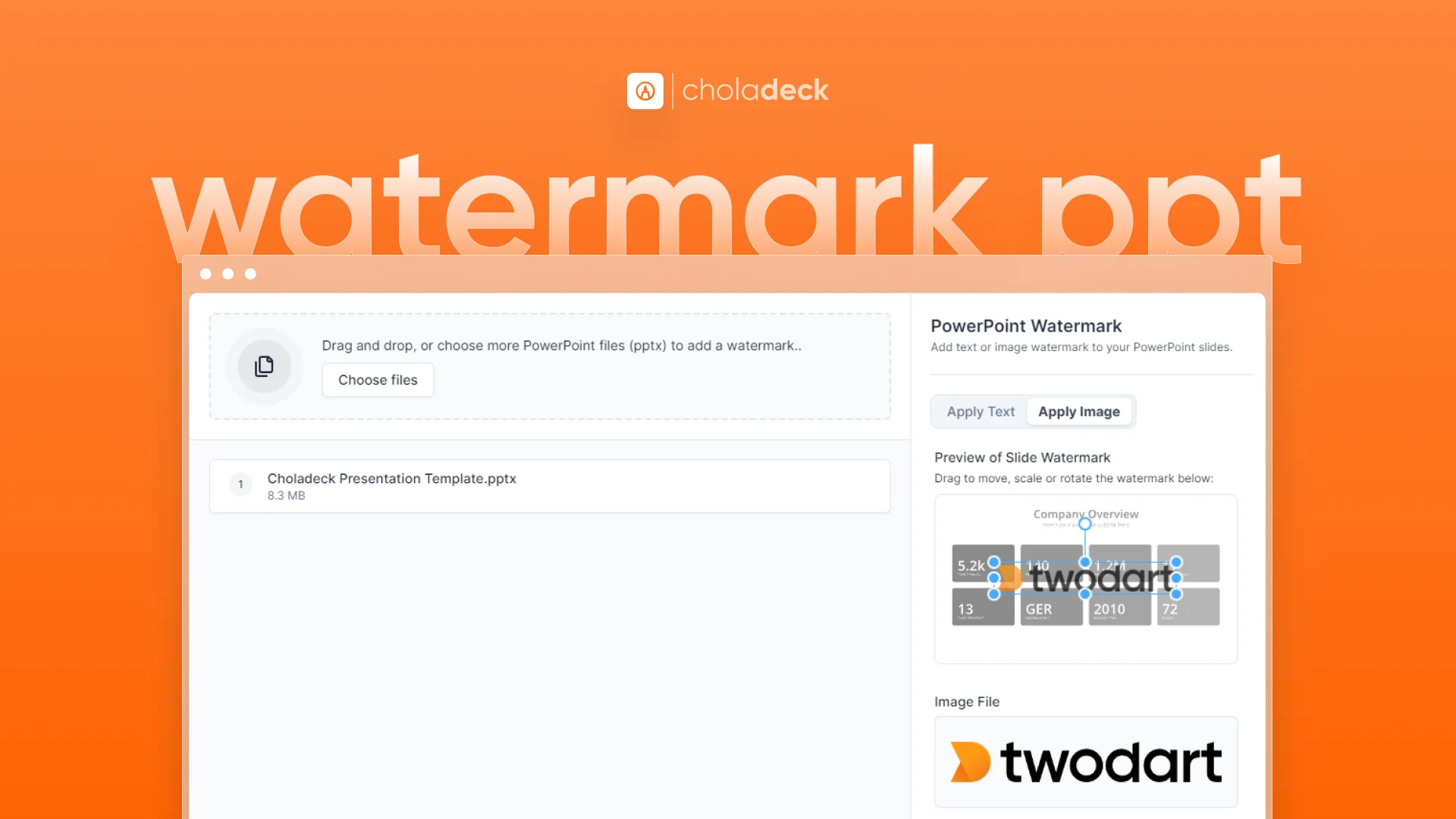
Follow these simple steps to watermark PPT files:
- Upload File: Drag and drop or choose the PowerPoint file you want to watermark
- Create Watermark: Design or upload your text or image watermark
- Preview: See how your watermark looks on sample slides. You can rotate the watermark to your preference
- Click Apply Watermark: Our tool adds the watermark to all slides
- Download: Once complete, download your watermarked PowerPoint file
Pro Tip: When uploading an image for your watermark, use a high-resolution file for the best results. This ensures your watermark remains clear and professional-looking, especially when presentations are viewed on large screens.
Frequently Asked Questions
Is this PowerPoint watermark tool really free?
+Yes, our tool is completely free to use, with no hidden costs or premium versions.
Can I watermark multiple PowerPoint files at once?
+Absolutely! Our free tool allows you to watermark multiple presentations simultaneously, saving you time and effort.
Will adding a watermark affect my PowerPoint file's formatting?
+No, our tool adds the watermark without altering your existing slide layouts or content.
Do I need to install any software to use this tool?
+No, our watermark tool is entirely web-based. There's no software to download or install.
Is it safe to use your PowerPoint watermark tool?
+Completely safe. Since our tool runs in your browser, your files are never uploaded to any external servers, ensuring total privacy and security.
Try our free online PowerPoint watermark tool today and experience effortless content protection and branding. Whether you need to safeguard your intellectual property or enhance your brand presence, our tool makes it simple, secure, and fast – all from the convenience of your web browser.