
Pricing

Delete Slides from PPT Online with Our Free PPT Page Remover

Remove unwanted slides from your PowerPoint presentations with our advanced online slide deletion tool effortlessly. Delete slides quickly and securely without opening PowerPoint.

Deleting slides in PowerPoint presentations is a common necessity in professional settings. However, removing unwanted slides can be time-consuming and cumbersome, especially when you’re away from your main computer or in a rush. Our innovative online tool solves this challenge. It helps you remove slides from your PowerPoint presentations quickly and securely, all within your web browser – no software installation required.

Introducing Our Free PowerPoint Slide Remover Tool

Our online slide remover is a powerful, free tool that lets you delete PowerPoint slides easily. It works right in your web browser, processing files locally on your device. This means you can delete slides quickly and securely without having to open PowerPoint, saving you time and ensuring your files remain private.

Key Features:

  • 100% Free: No hidden costs or premium versions
  • Local processing: No need to upload files to external servers
  • Quick deletion: Instantly remove slides from PowerPoint
  • Secure: Your files never leave your device
  • Efficient: Delete multiple slides in PowerPoint at once
  • No file size limits: Edit even your largest presentations
  • Preview function: See your slides before deleting
  • Multi-device access: Use on any device with a web browser

Key Takeaway: Our free online PowerPoint slide remover offers local processing on any device, ensuring fast, secure, and efficient slide removal.

Why Choose Our PowerPoint Slide Remover?

When it comes to deleting slides in a PowerPoint file, our tool can get it done much faster than the traditional method. Here’s how our solution compares to using PowerPoint itself:

Feature Our Free Slide Remover Editing in PowerPoint
Cost Always free Requires PowerPoint license
Accessibility Works in any browser Requires PowerPoint installation
Speed Instant slide deletion Need to open and save large files
Security Files stay on your device Depends on your system security
Efficiency Delete multiple slides at once Manual deletion process
Convenience Remove slides on any device Limited to devices with PowerPoint

Benefits of Our Online Slide Remover Tool:

  1. Streamline Presentations: Quickly remove unnecessary or outdated slides to improve your presentation’s focus
  2. Save Time: Delete slides instantly without the need to open and navigate through PowerPoint
  3. Maintain Consistency: Easily remove off-brand or inconsistent slides to ensure a cohesive presentation
  4. Adapt On-the-Go: Quickly edit presentations from any device, perfect for last-minute changes before meetings
  5. Preserve Formatting: Remove slides without affecting the formatting or design of remaining slides
  6. Enhance Presentation Flow: Easily remove redundant or irrelevant slides to improve your overall narrative

Key Takeaway: Our free, local PowerPoint slide remover offers a faster, more secure, and more efficient way to delete slides compared to traditional editing methods.
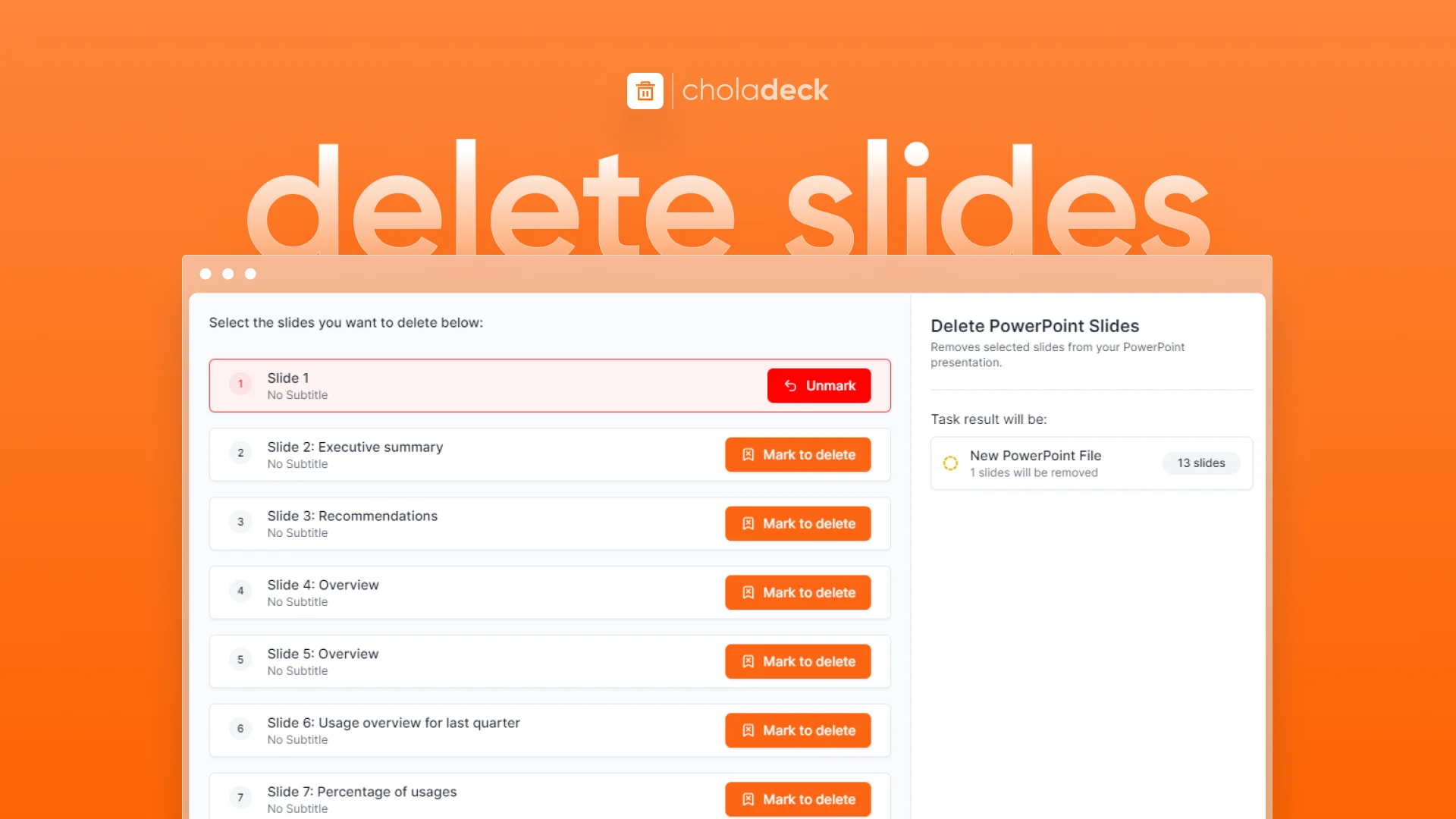
How to Delete PowerPoint Slides Using Our Tool?

Delete Slides PPT Free Tool

Follow these simple steps to remove unwanted slides:

  1. Upload File:Drag and drop or choose the PowerPoint file you want to edit
  2. Preview Slides: View all slides in your presentation
  3. Select Slides: Choose the slides you want to delete
  4. Click Delete slides: Our tool immediately removes selected slides
  5. Download: Once complete, download your edited PowerPoint file

Pro Tip: Review your presentation's flow after deleting slides to ensure smooth transitions between remaining content.

Frequently Asked Questions

Is this PowerPoint slide remover really free?

+

Yes, our tool is completely free to use, with no hidden costs or premium versions.

Will I lose formatting when I delete slides?

+

No, our tool only removes selected slides. The formatting of remaining slides stays intact.

Can I delete multiple slides at once?

+

Absolutely! Our free tool allows you to select and delete multiple slides simultaneously, saving you time and effort.

Do I need to install any software to use this tool?

+

No, our slide remover is a web-based tool that works entirely in your browser. There's no software to download or install.

Is it safe to use your PowerPoint slide remover?

+

Completely safe. Since our tool runs in your browser, your files are never uploaded to any external servers, ensuring total privacy and security.

Try our free online PowerPoint slide remover today and experience effortless, secure slide deletion from any device. Whether you need to quickly streamline a presentation before a meeting or clean up old files to improve flow, our tool makes it simple and fast – all from the convenience of your web browser.